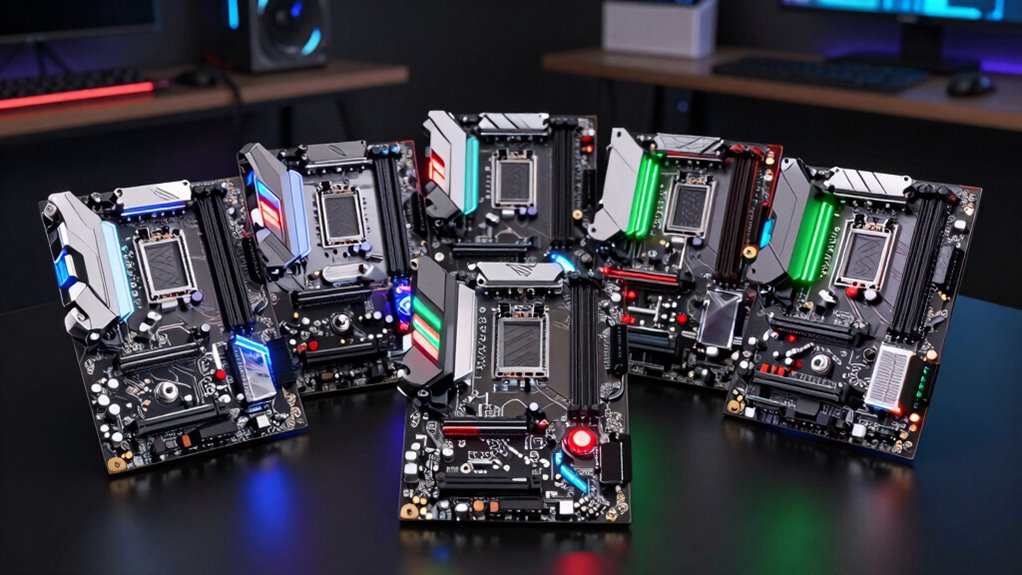

Choosing a motherboard for a developer PC involves balancing performance, expandability, and stability. The best overall pick, GIGABYTE B650 AORUS Elite AX AMD AM5 Motherboard, offers a solid mix of features for modern development workflows. For those prioritizing connectivity, the ASUS ROG Maximus Z890 Hero stands out with premium networking options, while the ASUS Pro WS W790 SAGE SE caters to professionals needing advanced remote management and durability. Most buyers face tradeoffs between budget, features, and future-proofing—this guide will help clarify which motherboard aligns with your specific needs. Continue reading for an in-depth comparison and recommendations.

Get business pricing on monitors, keyboards and dev gear
- Business-only prices and quantity discounts
- Tax-exempt purchasing
- Multiple users, one account, clear invoices
Key Takeaways
- Performance and expandability are closely tied; the top models support multiple M.2 slots and PCIe 5.0 for future-proofing.
- Connectivity options like WiFi 6E and dual LAN are a common feature among premium boards, essential for remote work and fast data transfers.
- Budget-friendly motherboards often cut back on expansion slots or advanced features but still support essential developer workloads.
- Build quality and BIOS stability vary; premium models tend to offer more robust remote management and durability features.
- Choosing the right socket (AMD vs. Intel) is critical depending on your CPU choice and upgrade plans.
| GIGABYTE B650 AORUS Elite AX AMD AM5 Motherboard |  | Best Overall for AMD Ryzen Developer PCs | Socket: AM5 | Supported Processors: Ryzen 7000/8000/9000 Series | Memory Type: DDR5 | VIEW ON AMAZON | See Our Full Breakdown |
| GIGABYTE B650 Eagle AX AM5 Motherboard, DDR5, WiFi 6E, Triple M.2 Slots, PCIe 5.0 |  | Best Value for AMD Ryzen Developer PCs | Socket: AM5 | Compatible Processors: Ryzen 7000 Series, 8000 Series, 9000 Series | Memory Technology: DDR5 | VIEW ON AMAZON | See Our Full Breakdown |
| ASUS ROG Strix X870E-E Gaming WiFi AMD AM5 Motherboard |  | Best for High-Performance Gaming and AI Computing | Socket: AM5 | Supported Processors: AMD Ryzen 9000 series | Memory Type: DDR5 | VIEW ON AMAZON | See Our Full Breakdown |
| ASUS ROG STRIX Z890-A GAMING WIFI Motherboard |  | Best for Advanced AI and Gaming with Intel Core Ultra | Socket: LGA 1851 | Processor Series: Intel Core Ultra Series 2 | Memory Support: DDR5 | VIEW ON AMAZON | See Our Full Breakdown |
| ASUS ROG Maximus Z890 Hero Intel Z890 LGA 1851 ATX Motherboard |  | Best for AI-Optimized Developer Setups | Socket: LGA 1851 | Memory: DDR5 | WiFi: WiFi 7 | VIEW ON AMAZON | See Our Full Breakdown |
| ASUS Pro WS W790 SAGE SE Motherboard with Intel LGA 4677 Socket, PCIe 5.0, DDR5, Dual 10G LAN, Remote Management |  | Best for High-End Workstation and Enterprise-Grade Development | Processor Socket: LGA 4677 | Compatible Devices: Personal Computer | RAM Memory Technology: DDR5 | VIEW ON AMAZON | See Our Full Breakdown |
| motherboards for developer pc | Socket | WiFi | M.2 Slots |
|---|---|---|---|
| GIGABYTE B650 AORUS Elite AX A | AM5 | — | — |
| GIGABYTE B650 Eagle AX AM5 Mot | AM5 | WiFi 6E | — |
| ASUS ROG Strix X870E-E Gaming | AM5 | WiFi 7 | 3 |
| ASUS ROG STRIX Z890-A GAMING W | LGA 1851 | WiFi 7 | 5 |
| ASUS ROG Maximus Z890 Hero Int | LGA 1851 | WiFi 7 | 4 |
| ASUS Pro WS W790 SAGE SE Mothe | — | — | — |
More Details on Our Top Picks
GIGABYTE B650 AORUS Elite AX AMD AM5 Motherboard
This motherboard stands out as the best overall choice for developers using AMD Ryzen processors, thanks to its support for the latest Ryzen 7000, 8000, and 9000 series with DDR5 memory. Its robust power delivery and advanced thermal solutions ensure stability during intensive workloads. Compared with the ASUS ROG Strix X870E-E, it offers a more balanced feature set at a potentially lower price point, although it lacks integrated WiFi 6E in some configurations. The limited number of HDMI ports and SATA slots could be restrictive for those with extensive multi-display or storage needs. Tradeoffs involve fewer connectivity options in certain variants, but overall, it provides a solid foundation for development-focused setups with high expandability.
Pros:- Supports latest AMD Ryzen processors with DDR5 memory
- Features PCIe 5.0 and high-speed connectivity options
- Robust power delivery and thermal design for stability
Cons:- Limited number of HDMI ports for multi-display setups
- Only 4 SATA ports may restrict storage expansion
- No integrated WiFi 6E in some variants
Best for: Developers building AMD-based PCs who prioritize stability, expandability, and support for latest Ryzen CPUs.
Not ideal for: Users needing integrated WiFi 6E or extensive multi-display connectivity out of the box, or those with extensive storage expansion needs.
- Socket:AM5
- Supported Processors:Ryzen 7000/8000/9000 Series
- Memory Type:DDR5
- Memory Slots:4
- Maximum Memory:128 GB
- PCIe Ports:3
- USB Ports:12
- Ethernet Ports:1
- SATA Ports:4
Our verdict“Ideal for AMD developers seeking a future-proof motherboard with solid expandability and stability.”
GIGABYTE B650 Eagle AX AM5 Motherboard, DDR5, WiFi 6E, Triple M.2 Slots, PCIe 5.0
The GIGABYTE B650 Eagle AX offers a compelling combination of features at a more accessible price point, especially for developers who need multiple M.2 slots and fast networking. Its support for Ryzen 7000, 8000, and 9000 series with DDR5 memory makes it future-ready, while its WiFi 6E and PCIe 5.0 ensure high-speed connectivity. Compared to the ASUS ROG Strix X870E-E, it provides more M.2 slots but fewer PCIe expansion options, which could limit future GPU upgrades. Its setup complexity might challenge beginners, but it’s suited for those comfortable with building and configuring their systems. Overall, it delivers excellent value for developers who need robust storage and networking without overpaying for premium gaming features.
Pros:- Supports latest AMD Ryzen processors with DDR5 memory
- Multiple M.2 slots for extensive storage options
- WiFi 6E and PCIe 5.0 for high-speed connectivity
Cons:- Limited PCIe slots for future GPU expansion
- No integrated graphics ports
- Setup complexity can be challenging for beginners
Best for: Budget-conscious developers who need multiple storage options and fast connectivity in AMD-based setups.
Not ideal for: Developers planning significant PCIe expansion or requiring integrated high-end graphics ports, as it focuses more on storage and networking.
- Socket:AM5
- Compatible Processors:Ryzen 7000 Series, 8000 Series, 9000 Series
- Memory Technology:DDR5
- Maximum Memory Size:128 GB
- Number of RAM Slots:4
- Storage Capacity Supported:128 GB
- Number of SATA Ports:4
- WiFi:WiFi 6E
Our verdict“Best suited for developers needing multiple M.2 storage slots and fast networking on a budget.”
ASUS ROG Strix X870E-E Gaming WiFi AMD AM5 Motherboard
The ASUS ROG Strix X870E-E targets developers who also need gaming or AI computing capabilities, supporting AMD Ryzen 9000 series processors with PCIe 5.0 and WiFi 7. Its robust power delivery and multiple M.2 slots with advanced cooling make it suitable for demanding workloads. Compared with the GIGABYTE B650 AORUS Elite AX, it offers more comprehensive connectivity, including WiFi 7, but at a higher price and with potentially more complex setup requirements. Its focus on high-end features makes it less ideal for casual developers, but perfect for those integrating AI workloads or gaming into their development environment. This motherboard delivers a clear advantage for users needing cutting-edge connectivity and cooling solutions at a premium level.
Pros:- Supports AMD Ryzen 9000 series with PCIe 5.0
- WiFi 7 and advanced cooling for multiple M.2 slots
- High-quality components with robust power delivery
Cons:- Complex setup potentially challenging for beginners
- Higher price point may be overkill for standard development use
Best for: Developers needing high-end AI or gaming performance with advanced connectivity options.
Not ideal for: Budget-conscious users or those new to building PCs, due to complex setup and premium features.
- Socket:AM5
- Supported Processors:AMD Ryzen 9000 series
- Memory Type:DDR5
- Memory Slots:4
- Maximum Memory:128 GB
- PCIe Slots:1
- M.2 Slots:3
- WiFi:WiFi 7
Our verdict“Best for developers requiring top-tier AI and gaming features with cutting-edge connectivity.”
ASUS ROG STRIX Z890-A GAMING WIFI Motherboard
The ASUS ROG STRIX Z890-A is tailored for developers working with Intel Core Ultra Series 2 processors, offering high-speed connectivity with WiFi 7, Thunderbolt 4, and dual 2.5G Ethernet. It features extensive M.2 slots and a power delivery system designed for demanding workloads. Compared to the ASUS Maximus Z890 Hero, it provides more high-speed connectivity options but with a slightly less comprehensive set of AI-enabled features. Its complex configuration may challenge less experienced builders, but it delivers excellent performance for AI-heavy development environments. The focus on multiple high-speed ports makes it ideal for developers needing fast data transfer and versatile connectivity.
Pros:- Supports latest Intel Core Ultra Series 2 processors
- WiFi 7 and Thunderbolt 4 for versatile high-speed connectivity
- Multiple M.2 slots with quality cooling
Cons:- Setup complexity may be intimidating for beginners
- Premium features and high-speed ports increase overall cost
Best for: Developers working with high-end Intel CPUs requiring extensive high-speed connectivity and advanced AI features.
Not ideal for: Developers with limited technical experience or those seeking simpler, more straightforward motherboards.
- Socket:LGA 1851
- Processor Series:Intel Core Ultra Series 2
- Memory Support:DDR5
- WiFi:WiFi 7
- Ethernet:2.5G
- M.2 Slots:5
- Thunderbolt:4
- Power Stages:16+2+1+2
Our verdict“Ideal for advanced AI and high-speed data transfer in Intel-based development systems.”
ASUS ROG Maximus Z890 Hero Intel Z890 LGA 1851 ATX Motherboard
The ASUS ROG Maximus Z890 Hero combines powerful AI technologies with a highly capable motherboard design, supporting Intel Core Ultra Series 2 processors. Its robust power stages and extensive PCIe 5.0 and M.2 slots make it well-suited for demanding AI workloads. Compared with the ASUS Z890-A Gaming WiFi, it offers more AI-driven features like AI Overclocking and AI Cooling, but at a higher price. Its advanced AI tools help optimize system performance and cooling, which is especially beneficial for developers running intensive AI models. However, setup may be complex, and the premium cost could be prohibitive for some. This motherboard is best for developers integrating AI with high-performance hardware requirements.
Pros:- Supports latest DDR5 and PCIe 5.0 technology
- Advanced AI technologies for system optimization
- Multiple high-speed ports including WiFi 7 and Thunderbolt 4
Cons:- Complex setup requiring technical expertise
- Higher price limits accessibility for casual users
- Limited compatibility with older CPU generations
Best for: Developers working on AI projects requiring robust, AI-optimized hardware with extensive high-performance features.
Not ideal for: Developers on a tight budget or those with less technical experience needing straightforward setups.
- Socket:LGA 1851
- Memory:DDR5
- WiFi:WiFi 7
- PCIe Slots:3
- M.2 Slots:4
- Thunderbolt:4
- Power Stages:22+2+1+2
- AI Technologies:AI Advisor, AI Overclocking, AI Cooling II, AI Networking II
Our verdict“Best for AI-focused development demanding high-end hardware with smart AI optimization tools.”
ASUS Pro WS W790 SAGE SE Motherboard with Intel LGA 4677 Socket, PCIe 5.0, DDR5, Dual 10G LAN, Remote Management
The ASUS Pro WS W790 SAGE SE stands out for its focus on professional workloads, supporting Intel Xeon processors and offering advanced remote management features. Compared to the GIGABYTE B650 AORUS Elite AX, which targets more budget-conscious or mainstream developers, this motherboard prioritizes reliability, expandability, and enterprise features at the expense of simplicity and price. Its support for PCIe 5.0, DDR5 memory at 6800 MHz, and dual 10G LAN makes it ideal for demanding development environments that require fast data transfer and high uptime. However, its complex setup and high price point make it less suitable for hobbyists or those building on a tighter budget. This motherboard makes the most sense for experienced professionals who need a workstation-grade platform with remote management capabilities.
Pros:- Supports the latest Intel Xeon processors with overclocking capabilities
- High-speed connectivity with PCIe 5.0 and dual 10G LAN
- Multiple M.2 slots for fast storage expansion
- Server-grade remote management features for enterprise use
Cons:- Complex setup that may require advanced technical knowledge
- Premium pricing limits accessibility for casual or hobbyist builders
- Limited compatibility to specific Intel Xeon processors
Best for: Developers working on enterprise-grade projects, high-performance data processing, or requiring remote management and high reliability.
Not ideal for: Hobbyist developers or those on a limited budget who need an easier, more straightforward build process.
- Processor Socket:LGA 4677
- Compatible Devices:Personal Computer
- RAM Memory Technology:DDR5
- Compatible Processors:Intel Xeon
- Memory Clock Speed:6800 MHz
- Platform:Windows 10
- Total SATA Ports:8
- Number of Ethernet Ports:3
Our verdict“This motherboard is best suited for experienced professionals who need robust, enterprise-level workstation features and are willing to invest in a high-end platform.”
How We Picked
The motherboards in this roundup were selected based on their compatibility with developer needs, including support for modern CPUs, ample expansion options, and reliable build quality. We prioritized boards that offer a good balance of features such as multiple M.2 slots, PCIe 5.0, and comprehensive connectivity options like WiFi 6E and dual LAN. Performance stability and BIOS robustness were key factors, especially for long-term workstation use. The ranking reflects a mix of performance, future-proofing, and value, ensuring that different types of developers—from hobbyists to professionals—find suitable options.| motherboards for developer pc | Socket | WiFi |
|---|---|---|
| GIGABYTE B650 AORUS Elite AX A | AM5 | — |
| GIGABYTE B650 Eagle AX AM5 Mot | AM5 | WiFi 6E |
| ASUS ROG Strix X870E-E Gaming | AM5 | WiFi 7 |
| ASUS ROG STRIX Z890-A GAMING W | LGA 1851 | WiFi 7 |
| ASUS ROG Maximus Z890 Hero Int | LGA 1851 | WiFi 7 |
| ASUS Pro WS W790 SAGE SE Mothe | — | — |
Factors to Consider When Choosing Motherboards For Developer Pcs
When choosing a motherboard for a developer PC, it’s essential to consider factors that impact your workflow, upgrade potential, and system longevity. The right motherboard should support your CPU choice, provide enough expansion for peripherals, and ensure stability for intensive tasks. Beyond specs, understanding how features translate into real-world benefits can prevent costly mistakes and future-proof your setup. Here are key factors to guide your decision:CPU Compatibility and Socket Support
Ensure the motherboard supports your preferred CPU socket and processor generation. AMD and Intel boards are not interchangeable, and choosing a compatible socket ensures future upgrade paths. Compatibility impacts performance and system stability, especially for demanding development workloads. Prioritize sockets with support for recent generations to maximize longevity, but also consider your immediate CPU needs to avoid unnecessary expenses.
Expansion and Connectivity
Look for multiple M.2 slots, PCIe 5.0 support, and ample USB ports. These features facilitate faster data transfer, especially important when working with large datasets or multiple peripherals. Connectivity options like WiFi 6E and dual LAN are increasingly standard in premium boards, enabling better remote collaboration and network reliability. Avoid overly limited expansion if you anticipate adding multiple drives or high-speed networking equipment.
Build Quality and Durability
Invest in motherboards with solid construction, quality power delivery, and reliable BIOS updates. These factors influence system stability during long coding sessions or intensive compile tasks. Premium boards often include features like reinforced slots and enhanced thermal management, which extend lifespan and reduce maintenance needs. Skimping on build quality might save money upfront but could lead to stability issues later.
Future-Proofing
Opt for motherboards that support upcoming standards like PCIe 5.0 and DDR5 RAM. These features help your workstation stay relevant longer and accommodate future upgrades without replacing the entire system. Assess whether the motherboard’s chipset and supported features align with your planned upgrade path, especially if you expect to extend the system’s lifespan.
Price vs. Features
Balance your budget with the features you need. High-end motherboards offer advanced networking and multiple expansion slots but come at a premium. Budget options may lack some features but can still handle core development tasks effectively. Consider what features are essential for your workflow and avoid paying for extras that won’t be used, while ensuring critical capabilities are covered.
Frequently Asked Questions
Can I upgrade my motherboard later if I need more performance?
Upgrading a motherboard later usually involves replacing the entire system, especially if you switch to a different socket or chipset. While some platforms support CPU upgrades within the same socket, the motherboard itself might limit future expansion or compatibility with newer components. Planning for future needs when building your system can save time and money, making a more versatile motherboard a better long-term investment.
Is WiFi 6E important for a developer PC?
WiFi 6E offers faster wireless speeds and lower latency, which can be beneficial if you frequently work remotely or transfer large files over WiFi. While not essential for core development tasks, it enhances network reliability and future-proofing. If your setup relies heavily on wired connections, this feature may be less critical, but it remains a valuable addition for flexible connectivity.
Should I prioritize PCIe 5.0 support for my development motherboard?
PCIe 5.0 support ensures your motherboard can handle the latest SSDs and graphics cards, offering future-proofing for high-speed storage and peripherals. For most developers, PCIe 4.0 is sufficient now, but investing in PCIe 5.0 can extend the system’s relevance, especially if you plan to upgrade components in the coming years. Consider your upgrade timeline and whether the added cost aligns with your long-term plan.
How many M.2 slots do I need for a developer workstation?
The number of M.2 slots depends on your storage needs. Multiple slots allow for faster access to project files and better data management, especially if working with large datasets or virtual machines. For most developers, two slots are enough, but professionals with extensive storage requirements might prefer three or more. Be mindful that some motherboards share bandwidth between slots, so check the specs to ensure your configuration fits your workflow.
Is a premium motherboard worth the extra cost for a developer?
Premium motherboards offer advanced features like better power delivery, enhanced cooling, and more connectivity options, which can improve stability and longevity for heavy workloads. However, if your development tasks are moderate, a mid-range motherboard may suffice. Consider whether the added durability and future-proofing justify the higher price based on your workload, upgrade plans, and budget constraints.
Conclusion
For those new to building developer PCs or working with limited budgets, a mid-range motherboard with solid features like the GIGABYTE B650 Eagle AX provides excellent value without sacrificing core performance. Professionals seeking maximum longevity and expandability will find the ASUS Pro W790 SAGE SE worth the investment, especially with remote management and durability. Power users and those building high-end workstations should consider the ASUS ROG Maximus Z890 Hero for premium features and future-proofing. Ultimately, matching the motherboard to your current needs and future plans ensures a balanced, reliable system tailored to your development work.
As an affiliate, we earn on qualifying purchases.Fall Picks
fall essentials