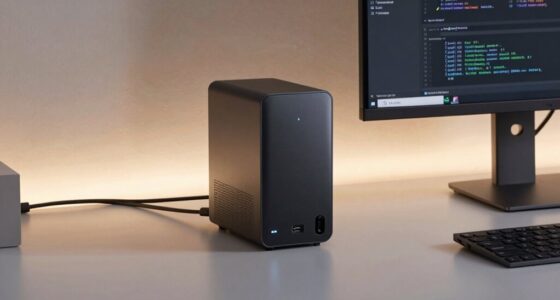

For creative developers, a dock with 10GbE can significantly boost data transfer speeds, streamline workflows, and support demanding file transfers. The iVANKY 26-in-1 FusionDock Ultra stands out as the best overall due to its extensive port selection and compatibility. The CalDigit TS5 Plus offers a powerful balance of performance and versatility, making it a top choice for serious professionals. However, tradeoffs exist, such as higher prices for premium features or increased complexity for beginners. Continue reading for a detailed breakdown of each option, their strengths, and what to consider when choosing your ideal dock.

Get business pricing on monitors, keyboards and dev gear
- Business-only prices and quantity discounts
- Tax-exempt purchasing
- Multiple users, one account, clear invoices
Key Takeaways
- The top picks balance port variety, data transfer speeds, and build quality, with most featuring Thunderbolt 5 for future-proofing.
- High-end docks often include multiple 10GbE ports, but this can come with a premium price tag and increased size.
- Compatibility with Mac and Windows varies; some docks favor macOS, others are more versatile across platforms.
- Ports such as NVMe slots and additional USB-C or HDMI options add value for creative workflows but may increase complexity.
- Price range varies widely; the best value docks deliver solid performance without unnecessary extras, while premium options focus on maximum connectivity and speed.
| iVANKY 26-in-1 FusionDock Ultra for MacBook Pro with Thunderbolt 5 |  | Best Overall for MacBook Pro Users | Compatibility: MacBook Pro with Thunderbolt 5 | Display Support: Up to two 8K@60Hz or four 6K@60Hz monitors | Ethernet: 10Gbps RJ45 port | VIEW ON AMAZON | See Our Full Breakdown |
| CalDigit TS5 Plus Thunderbolt 5 Dock – 20 Ports, 10Gb Ethernet |  | Best for High-Performance Multi-Device Setups | Ports: 20 | Thunderbolt Ports: 3x Thunderbolt 5 (80Gb/s) | USB Ports: 5x USB-A 10Gb/s, 5x USB-C 10Gb/s | VIEW ON AMAZON | See Our Full Breakdown |
| UGREEN Maxidok Thunderbolt 5 Docking Station with 8TB NVMe SSD Support |  | Best for Fast External Storage and Versatile Connectivity | Ports: 17 | Thunderbolt 5 Speed: 120Gbps | SSD Support: Up to 8TB NVMe PCIe Gen4x4 | VIEW ON AMAZON | See Our Full Breakdown |
| Sonnet Echo 21 Thunderbolt 5 SuperDock with SSD Slot and 10Gb Ethernet |  | Best for Internal Storage Expansion and High-Speed Data | Thunderbolt 5 bandwidth: 80 Gbps data, 120 Gbps video | SSD slot: M.2 NVMe, up to 8TB | Number of ports: 3 Thunderbolt 5, 9 USB 10Gbps, HDMI, DisplayPort | VIEW ON AMAZON | See Our Full Breakdown |
| OWC Thunderbolt 5 Dual 10GbE Network Dock 11-Port Connectivity Solution |  | Best for Network-Intensive Workflows | Host Interface: Thunderbolt 5, Thunderbolt 4, USB4, Thunderbolt 3 (Mac only) | Ethernet Ports: 2 x 10GbE RJ-45, 1 x 2.5GbE RJ-45 | Host Port: Thunderbolt 5 (USB-C) up to 80Gb/s | VIEW ON AMAZON | See Our Full Breakdown |
| Sonnet Echo 20 Thunderbolt 5 SecureDock |  | Best for High-End Creative Workflows | Thunderbolt 5 ports: 3 | USB ports: 9 (USB-A & USB-C) | Ethernet: 10Gb | VIEW ON AMAZON | See Our Full Breakdown |
| dock with 10gbe for creative developer | Power Delivery | Display Support | Ethernet |
|---|---|---|---|
| iVANKY 26-in-1 FusionDock Ultr | 140W passthrough | Up to two 8K@60Hz or four 6K@60Hz monitors | 10Gbps RJ45 port |
| CalDigit TS5 Plus Thunderbolt | Up to 140W for host | Dual 6K 60Hz or Dual 8K 60Hz on macOS | 10Gb Ethernet |
| UGREEN Maxidok Thunderbolt 5 D | — | Triple independent displays, dual 8K@60Hz | — |
| Sonnet Echo 21 Thunderbolt 5 S | 140W | Up to 8K HDMI or multiple 4K/5K displays | — |
| OWC Thunderbolt 5 Dual 10GbE N | 15W per device port | — | — |
| Sonnet Echo 20 Thunderbolt 5 S | 140W | — | 10Gb |
More Details on Our Top Picks
iVANKY 26-in-1 FusionDock Ultra for MacBook Pro with Thunderbolt 5
The iVANKY FusionDock Ultra stands out for its tailored design for MacBook Pro owners, supporting dual 8K or four 6K displays, which is ideal for high-res creative workflows. Unlike the CalDigit TS5 Plus, it prioritizes Mac compatibility exclusively, meaning Windows users might find it less flexible. Its advanced thermal management ensures reliable 24/7 operation in demanding environments, but this complex cooling system and premium price might deter casual users. The dock’s extensive port selection—including optical audio and SD slots—supports comprehensive professional setups, though its exclusive Mac focus limits versatility.
Pros:- Supports up to two 8K@60Hz or four 6K@60Hz displays for detailed visual workflows
- High-speed 10GbE Ethernet and numerous USB-C ports for professional connectivity
- Advanced thermal system ensures stable operation during intensive tasks
- Includes a variety of ports including optical audio and SD card reader
Cons:- Designed solely for MacBook Pro, limiting cross-platform compatibility
- Setup complexity and premium cost may be prohibitive for casual or budget-conscious users
Best for: MacBook Pro users who need a high-end, specialized dock capable of supporting multiple 8K displays and professional-grade peripherals.
Not ideal for: Windows-based creators or those seeking a more budget-friendly, universal docking solution, since it’s designed specifically for Mac and comes at a premium price.
- Compatibility:MacBook Pro with Thunderbolt 5
- Display Support:Up to two 8K@60Hz or four 6K@60Hz monitors
- Ethernet:10Gbps RJ45 port
- Downstream Ports:4x 80/120Gbps USB-C ports
- Power Delivery:140W passthrough
- Cooling System:Triple-layer thermal management with fan, copper heat sinks, and floating chassis
Our verdict“This dock is best suited for Mac creative professionals who need maximum display support and comprehensive connectivity in a dedicated setup.”
CalDigit TS5 Plus Thunderbolt 5 Dock – 20 Ports, 10Gb Ethernet
The CalDigit TS5 Plus offers an expansive 20-port array, making it a flexible choice for users who need to connect many peripherals simultaneously. Compared with the UGREEN Maxidok, it provides more comprehensive port options, especially for display and high-speed data transfer, supporting dual 8K displays on macOS and Windows. Its robust 330W power supply ensures fast charging, but this power and port density generate significant heat, requiring good ventilation. Its compatibility with Thunderbolt 3, 4, and USB4 v2 makes it versatile across various systems, albeit with the caveat that optimal performance depends on using Thunderbolt 5 or USB4 v2 host devices.
Pros:- Extensive port selection suitable for complex workflows
- Supports dual 8K or triple 4K display configurations on compatible systems
- Powerful 140W charging for high-performance laptops
- Flexible compatibility with multiple Thunderbolt and USB standards
Cons:- Requires Thunderbolt 5 or USB4 v2 host for maximum bandwidth
- High port density leads to significant heat generation and potential cooling issues
Best for: Professional creators or developers with extensive peripheral needs seeking maximum connectivity and high-resolution display support.
Not ideal for: Owners of older systems or those with limited space, as the dock’s size and heat output may be challenging, and full performance depends on Thunderbolt 5 or USB4 v2 compatibility.
- Ports:20
- Thunderbolt Ports:3x Thunderbolt 5 (80Gb/s)
- USB Ports:5x USB-A 10Gb/s, 5x USB-C 10Gb/s
- Display Support:Dual 6K 60Hz or Dual 8K 60Hz on macOS
- Ethernet:10Gb Ethernet
- Power Delivery:Up to 140W for host
Our verdict“Ideal for professionals with demanding multi-device setups who prioritize extensive connectivity and high-resolution display support.”
UGREEN Maxidok Thunderbolt 5 Docking Station with 8TB NVMe SSD Support
The UGREEN Maxidok offers a compelling mix of high-speed Thunderbolt 5 connectivity and large external storage support, making it a strong choice for creators needing fast access to massive data files. Its support for NVMe SSDs up to 8TB and triple display outputs on Windows or Mac provides flexibility, especially compared to Sonnet’s SuperDock, which lacks dedicated SSD support. The AI smart cooling system and durable aluminum chassis help manage heat and durability, but users must ensure their SSDs fit within specific dimensions and have heatsinks. The DisplayPort does not support DP++, limiting HDMI compatibility unless adapters are used.
Pros:- High-speed Thunderbolt 5 with 120Gbps bandwidth for data and video
- Supports large NVMe SSDs up to 8TB for quick external storage
- Multiple ports enable broad device connectivity
- Efficient cooling with AI smart fan technology
Cons:- Requires SSDs with specific dimensions and heatsinks
- DP port does not support DP++, requiring adapters for HDMI displays
Best for: Creative professionals who require fast external storage and multi-monitor support in a compact, reliable dock.
Not ideal for: Users who rely heavily on HDMI monitors without adapters or those with SSDs that do not meet the specific size and heat dissipation requirements.
- Ports:17
- Thunderbolt 5 Speed:120Gbps
- SSD Support:Up to 8TB NVMe PCIe Gen4x4
- Display Support:Triple independent displays, dual 8K@60Hz
- Power Supply:240W
- Cooling:AI smart cooling with 60mm fan
Our verdict“Perfect for creators needing rapid external storage expansion combined with multi-monitor setups and broad device connectivity.”
Sonnet Echo 21 Thunderbolt 5 SuperDock with SSD Slot and 10Gb Ethernet
The Sonnet Echo 21 combines high-speed data transfer with internal SSD expansion, making it suitable for creators who need quick access to large projects. Its built-in M.2 NVMe SSD slot, supporting up to 8TB, offers a critical advantage over docks that require external drives, such as the UGREEN Maxidok. The dock’s multiple ports—including HDMI and DisplayPort—support various display configurations, but the setup can be complex, especially when managing multiple high-resolution monitors. Its premium price reflects its advanced features, yet the user must install SSDs themselves, adding a layer of complexity.
Pros:- Internal M.2 NVMe SSD slot for fast project access
- Thunderbolt 5 bandwidth supports high-speed data and video
- Multiple video output options for varied display configurations
- Supports up to 8TB SSD for internal storage
Cons:- Requires user installation of SSDs, adding complexity
- Premium price and potentially complex setup for multi-monitor use
Best for: High-end creators needing internal SSD expansion alongside multiple high-resolution displays and Thunderbolt 5 performance.
Not ideal for: Users seeking a plug-and-play solution without the need to install SSDs or those with simpler needs, as setup is more involved and price is high.
- Thunderbolt 5 bandwidth:80 Gbps data, 120 Gbps video
- SSD slot:M.2 NVMe, up to 8TB
- Number of ports:3 Thunderbolt 5, 9 USB 10Gbps, HDMI, DisplayPort
- Display support:Up to 8K HDMI or multiple 4K/5K displays
- Power delivery:140W
- Cooling:Integrated passive cooling
Our verdict“This dock is ideal for advanced creators who need internal SSD expansion and high-speed connectivity in a single solution.”
OWC Thunderbolt 5 Dual 10GbE Network Dock 11-Port Connectivity Solution
The OWC Thunderbolt 5 Dock offers a robust suite of Ethernet ports—two 10GbE and one 2.5GbE—making it a clear choice for network-heavy workflows. Its extensive port array, including multiple Thunderbolt and USB options, supports a variety of high-resolution displays, up to three 8K@60Hz or two 8K@120Hz, or three 4K@144Hz. Compared with the Sonnet Echo 21, this dock emphasizes network connectivity, which is vital for data centers or collaborative environments. However, it requires compatible Thunderbolt 5 or Thunderbolt 4 systems, and its complex setup can be intimidating for users unfamiliar with network configurations. Its higher price may also be a consideration.
Pros:- Multiple high-speed Ethernet ports ideal for data-intensive workflows
- Supports high-resolution multi-monitor configurations
- Wide range of USB and Thunderbolt ports for peripherals
- Includes comprehensive accessories and warranty
Cons:- Requires compatible Thunderbolt 5 or Thunderbolt 4 systems
- Complex setup for multi-device and network configurations
Best for: Networks-focused professionals or teams needing high-speed Ethernet alongside multi-monitor support and versatile device connectivity.
Not ideal for: Individual creators with minimal network requirements or those using older Thunderbolt systems, since full features depend on newer hardware.
- Host Interface:Thunderbolt 5, Thunderbolt 4, USB4, Thunderbolt 3 (Mac only)
- Ethernet Ports:2 x 10GbE RJ-45, 1 x 2.5GbE RJ-45
- Host Port:Thunderbolt 5 (USB-C) up to 80Gb/s
- Additional Ports:3 x Thunderbolt 5, 1 x USB-C 10Gb/s, 3 x USB-A 10Gb/s
- Power Delivery:15W per device port
- Wattage:90W
Our verdict“This dock is perfect for professionals who need high-speed networking combined with multi-monitor support and broad device connectivity.”
Sonnet Echo 20 Thunderbolt 5 SecureDock
The Sonnet Echo 20 Thunderbolt 5 SecureDock stands out for its exceptional data bandwidth and comprehensive connectivity, making it well-suited for demanding creative professionals who need to support multiple high-resolution displays and fast data transfer. Compared with the CalDigit TS5 Plus, which offers more ports but slightly less bandwidth, this dock emphasizes raw speed and multi-display capabilities, albeit at a higher price point. Its support for up to 8K resolution and 140W charging makes it an ideal hub for power users working on video editing, 3D rendering, or large data sets. However, the dock’s size and cost could be barriers for those seeking portability or budget-conscious setups. Full performance requires Thunderbolt 5-compatible systems, limiting compatibility for older devices.
Pros:- Exceptional data transfer speeds up to 80Gbps thanks to Thunderbolt 5 technology
- Supports multiple high-resolution displays up to 8K via HDMI and DisplayPort
- Provides robust power delivery up to 140W for fast laptop charging
- Extensive port selection including 9 USB-A/C, HDMI, DisplayPort, and SD card reader
Cons:- High cost may be prohibitive for non-professional users
- Large footprint can be cumbersome for portable use
- Full performance depends on Thunderbolt 5 compatibility, limiting older devices
Best for: Creative developers working on high-resolution multimedia projects who require maximum throughput and multi-display support
Not ideal for: Casual or mobile users who prioritize portability or budget over extensive connectivity and high performance
- Thunderbolt 5 ports:3
- USB ports:9 (USB-A & USB-C)
- Ethernet:10Gb
- HDMI:Yes
- DisplayPort:Yes
- SD Card Reader:Yes
- Power Delivery:140W
- Supported Display Resolutions:up to 8K HDMI or 4K DisplayPort
- Compatibility:Mac, Windows, Chromebook, iPad
Our verdict“This dock is a top choice for professionals needing maximum bandwidth and multi-display support, provided they have compatible hardware and are willing to invest.”
How We Picked
These products were evaluated based on their connectivity options, especially the presence and number of 10GbE ports, performance benchmarks, build quality, compatibility, and user flexibility. We prioritized docks that support Thunderbolt 5 for future-proofing, as well as those with solid data throughput and reliable performance for demanding creative workflows. Cost was also a factor, with an emphasis on offering a range of options from premium to budget-friendly, so that different buyer needs are addressed. Our ranking reflects a combination of technical capabilities, usability, and value for creative developers seeking high-speed network and peripheral support.| dock with 10gbe for creative developer | Display Support |
|---|---|
| iVANKY 26-in-1 FusionDock Ultr | Up to two 8K@60Hz or four 6K@60Hz monitors |
| CalDigit TS5 Plus Thunderbolt | Dual 6K 60Hz or Dual 8K 60Hz on macOS |
| UGREEN Maxidok Thunderbolt 5 D | Triple independent displays, dual 8K@60Hz |
| Sonnet Echo 21 Thunderbolt 5 S | Up to 8K HDMI or multiple 4K/5K displays |
| OWC Thunderbolt 5 Dual 10GbE N | — |
| Sonnet Echo 20 Thunderbolt 5 S | — |
Factors to Consider When Choosing Dock With 10gbe For Creative Developers
Choosing the right dock with 10GbE for creative development involves balancing several key factors. Beyond raw speed, compatibility, port selection, and build quality determine how well a dock integrates into your workflow. Understanding these factors helps avoid common pitfalls, such as overpaying for features you don’t need or selecting a dock incompatible with your system. Consider your specific workflow needs, future scalability, and workspace constraints to find the best fit.Port Selection and Expandability
Assess how many ports you need beyond 10GbE, such as USB-C, USB-A, HDMI, or NVMe slots. A dock that offers a broad range of ports can reduce the need for multiple hubs, streamlining your setup. However, overloading a dock with too many ports may impact performance or increase size. Striking a balance based on your peripheral needs is vital for a clutter-free and efficient workspace.
Performance and Data Throughput
High data transfer speeds are essential for large creative files. Look for docks supporting Thunderbolt 5 or equivalent standards that deliver maximum bandwidth, especially if you handle 4K/8K video editing or large datasets. Beware of docks with lower-rated Ethernet or USB speeds, which can bottleneck your workflow despite having high-speed ports. Prioritize docks with proven throughput benchmarks for your specific use cases.
Compatibility and Future-Proofing
Ensure the dock supports your operating system—macOS, Windows, or both. Thunderbolt 5 docks are designed for future-proofing, but confirm compatibility with your hardware. Also, consider docks with features like NVMe support or multiple Ethernet ports if your workflow demands high network performance. Investing in a future-proof dock can save money and hassle down the line.
Build Quality and Size
Durability matters, especially if you transport your setup frequently. A sturdy build with quality materials ensures longevity. Size can also influence placement; larger docks might offer more ports but could be cumbersome in compact workspaces. Evaluate your workspace constraints and choose a dock that balances robustness with practicality.
Price and Value
Price varies significantly based on features and build quality. Focus on docks that meet your core needs without excessive extras. Sometimes, paying more yields better performance and longevity, but in other cases, a more budget-friendly option offers sufficient capabilities. Weigh your immediate requirements against future scalability to find the best value.
Frequently Asked Questions
Do I need a dock with multiple 10GbE ports?
Having multiple 10GbE ports can be highly beneficial if your workflow involves simultaneous high-speed network tasks, such as large file transfers from different servers or networked storage. However, most creative developers may only need one high-speed Ethernet connection, so evaluate whether additional ports align with your specific network needs. Over-investing in multiple 10GbE ports might increase cost without tangible benefits if your tasks are less network-dependent.
Is Thunderbolt 5 necessary for creative workflows?
Thunderbolt 5 offers significant advantages in speed and future compatibility, making it a strong choice for high-demand creative workflows. While Thunderbolt 4 or USB-C docks can suffice for many tasks, Thunderbolt 5 ensures maximum bandwidth for large files, multiple high-speed peripherals, and high-res video. If you plan to upgrade hardware or handle intensive data, opting for Thunderbolt 5 can provide a more scalable and reliable setup.
How important is build quality in choosing a dock?
Build quality directly impacts the longevity and reliability of a dock, especially if your workflow involves frequent setup changes or travel. A well-constructed dock with quality materials reduces the risk of damage and connection issues over time. It’s worth investing in a sturdy design if you rely heavily on your dock for daily tasks or need to move it between locations regularly.
Should I prioritize ports over speed?
Balancing port variety and speed is essential. While high-speed Ethernet and data ports are critical for large file transfers, having enough ports for your peripherals can streamline your workflow and reduce clutter. Focus on docks that offer both high-speed connectivity and the port variety you need, avoiding compromises that could bottleneck your productivity.
Is a more expensive dock always better?
Not necessarily. Higher-priced docks often include additional ports, higher build quality, and future-proof features like Thunderbolt 5. However, if your needs are modest, a more affordable dock with the essential ports and speeds can serve you well. Determine your core requirements first, then evaluate whether a premium dock offers enough extra value to justify the cost.
Conclusion
For most creative developers, the CalDigit TS5 Plus strikes a balance between performance, versatility, and value, making it the best overall choice. The iVANKY FusionDock Ultra is ideal for those needing extensive port options and top-tier expansion. Beginners or those with simpler needs should consider more budget-friendly options, while professionals working with the largest files or multiple high-speed networks will benefit from premium docks with dual 10GbE ports. Assess your workflow, workspace, and budget carefully to select the dock that best supports your creative output.
Fall Picks
fall essentials
As an affiliate, we earn on qualifying purchases.