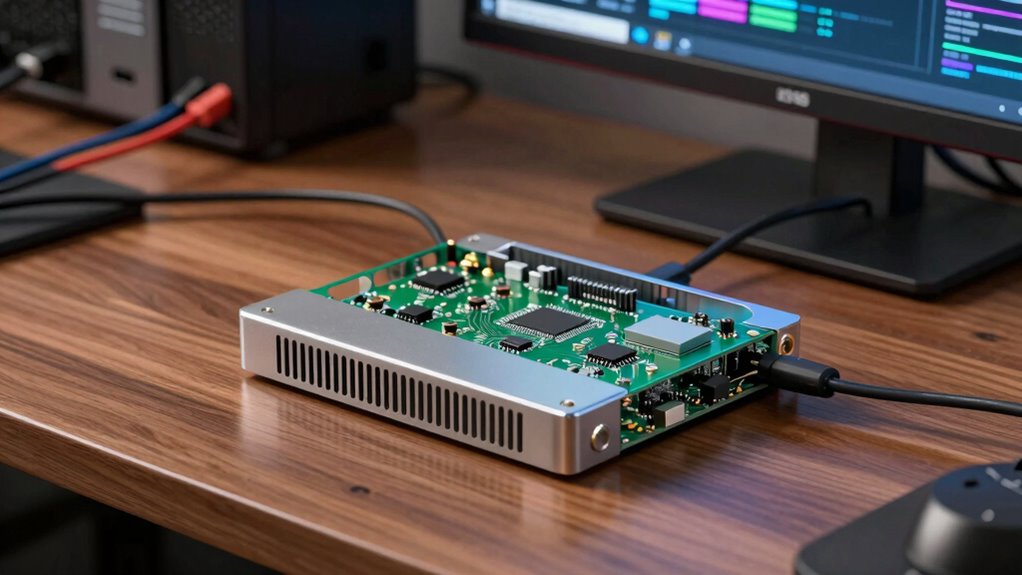

Building a home lab for services like NAS, Docker, or AI projects requires choosing the right single board computer (SBC). For 2026, options range from AI-focused boards like the NVIDIA Jetson Nano to versatile x86 systems like the ZimaBoard 2 and LattePanda Mu. Each has its strengths and tradeoffs—power, expandability, ease of use, and intended workload. Here, I highlight five standout models, helping you find the best fit based on your technical skill and project needs.

Get business pricing on monitors, keyboards and dev gear
- Business-only prices and quantity discounts
- Tax-exempt purchasing
- Multiple users, one account, clear invoices
Key Takeaways
- The NVIDIA Jetson Nano excels for AI-centric projects but demands some technical setup.
- X86-based boards like LattePanda and ZimaBoard provide broader software compatibility and expandability for complex services.
- The Raspberry Pi 5 offers a ready-to-go solution but is limited in raw power compared to others.
- Power consumption and noise level vary significantly, impacting quieter, energy-efficient home labs.
- Choosing the right SBC depends heavily on your familiarity with hardware and your project’s specific demands.


| single board computer for home lab service | Storage | Processor | RAM |
|---|---|---|---|
| NVIDIA Jetson Nano Developer K | — | — | — |
| LattePanda Mu Intel N100 x86 C | 64GB eMMC | Intel N100 up to 3.4GHz | 8GB LPDDR5 |
| ZimaBoard 2 832 x86 Home Serve | 32GB eMMC | Intel N150 Quad-Core | — |
| ZimaBlade 7700 Home Server Sta | 32GB eMMC | — | 16GB |
| CanaKit Raspberry Pi 5 Desktop | 256 GB PCIe NVMe SSD | Raspberry Pi 5 | 8GB |
More Details on Our Top Picks
NVIDIA Jetson Nano Developer Kit
The NVIDIA Jetson Nano Developer Kit stands out for its dedicated AI processing power, making it ideal for image recognition, speech processing, and machine learning projects. Compared to other SBCs, its GPU acceleration with CUDA and TensorRT support enables faster AI workloads. However, it’s less versatile for general home server tasks and requires a steeper learning curve. It’s best suited for developers or makers focused on AI, not for those seeking a plug-and-play home server solution.
Pros:- Powerful AI performance with GPU acceleration
- Low power consumption of around 5 watts
- Supports extensive NVIDIA software stack for ML workflows
Cons:- Requires some technical knowledge to set up
- Limited to small-scale AI projects
- No accessories included, needing additional peripherals
Best for: AI enthusiasts, developers, makers focusing on ML projects
Not ideal for: Users wanting a straightforward NAS or general-purpose home server
- Power Consumption:5 watts
- Supported Software:NVIDIA JetPack, Linux OS, CUDA, cuDNN, TensorRT
- Connectivity:Micro-USB power, GPIO, CSI
Our verdict“Best for AI-focused projects where performance outweighs ease of setup.”
LattePanda Mu Intel N100 x86 Compute Module Kit with 8GB LPDDR5 and 64GB eMMC
The LattePanda Mu offers a high-performance x86 architecture, supporting Windows and Linux, making it highly versatile for NAS, router, or IoT projects. Its PCIe 3.0 expandability allows adding GPUs or network cards, making it appealing for users who need custom hardware configurations. Yet, it requires an external power supply and is less suitable for beginners due to its hardware complexity. This pick makes the most sense for experienced users building a flexible, powerful home lab.
Pros:- High-performance x86 architecture
- Excellent expandability with PCIe lanes
- Open-source design files for customization
Cons:- External power supply needed
- Requires technical expertise for setup
- Not a straightforward, ready-to-go device
Best for: Experienced developers needing expandability and Windows/Linux support
Not ideal for: Beginners or users seeking a simple plug-and-play solution
- Processor:Intel N100 up to 3.4GHz
- RAM:8GB LPDDR5
- Storage:64GB eMMC
- Expansion:Up to 9 PCIe 3.0 lanes
Our verdict“Best suited for advanced users needing hardware flexibility and robust OS support.”
ZimaBoard 2 832 x86 Home Server – Intel N150 Quad-Core, 8GB LPDDR5, 32GB eMMC, Dual 2.5GbE, Dual SATA, PCIe 3.0 x4, for NAS, Home Assistant & Docker
The ZimaBoard 2 832 is designed for 24/7 operation, providing a reliable platform for NAS, Docker, or homelab use. Its quad-core Intel N150 processor, dual 2.5GbE Ethernet, and multiple expansion options make it a flexible choice for users who want a dedicated server environment at home. The main tradeoff is its complexity—setup and expansion require some server hardware knowledge, and out-of-the-box storage is limited. Still, it offers excellent value for dedicated home server projects.
Pros:- Designed for 24/7 reliability
- Flexible expansion with PCIe and SATA
- Supports multiple OS for diverse use cases
Cons:- Limited storage with only 32GB eMMC
- Requires technical knowledge for setup
- Complex for casual users
Best for: Home automation, NAS, Docker users comfortable with server hardware
Not ideal for: Total beginners or those needing plug-and-play simplicity
- Processor:Intel N150 Quad-Core
- Memory:8GB LPDDR5
- Storage:32GB eMMC
- Networking:Dual 2.5GbE Ethernet
Our verdict“Ideal for users wanting a dedicated, expandable, always-on home server platform.”
ZimaBlade 7700 Home Server Starter Kit, 16GB RAM, 32GB eMMC, Open x86 Platform, CasaOS Preinstalled, Docker & Self-Hosting Ready, Quiet Low Power, PCIe Expandable, Remote Access, 4K Media Server
The ZimaBlade 7700 offers a user-friendly approach to home servers, with preinstalled CasaOS and support for Plex, Nextcloud, and Home Assistant. Its fanless design ensures silent operation, making it suitable for living spaces. The PCIe expansion adds future flexibility, but the limited storage and initial setup complexity may challenge some users. This model fits best for those seeking a straightforward media or self-hosted service platform without a steep learning curve.
Pros:- Native x86 compatibility for wide app support
- Silent, fanless design
- Quick setup with CasaOS
Cons:- Limited 32GB storage
- Requires some technical knowledge for upgrades
- No additional peripherals included
Best for: Home media enthusiasts and casual self-hosters
Not ideal for: Power users needing extensive storage or advanced hardware modifications
- RAM:16GB
- Storage:32GB eMMC
- Platform:x86
- Preinstalled OS:CasaOS
Our verdict“Perfect for users wanting a quiet, easy-to-use home server for media and simple apps.”
CanaKit Raspberry Pi 5 Desktop PC with SSD (256 GB SSD)
The CanaKit Raspberry Pi 5 kit offers a complete, ready-to-use desktop environment with an 8GB Pi 5, a 256GB SSD, and accessories. It’s a straightforward choice for basic home services, media streaming, or lightweight self-hosted projects. While it’s simple to deploy, its performance limitations compared to x86 or AI boards mean it’s best for less demanding workloads. This is a great option for beginners or those wanting a compact, all-in-one solution without fuss.
Pros:- Fully assembled and ready to run
- Large SSD for fast storage
- Includes case and accessories
Cons:- Limited performance compared to other options
- No peripherals included
- Performance depends on Raspberry Pi 5’s capabilities
Best for: Beginners or those seeking a simple, plug-and-play SBC
Not ideal for: Power users needing high performance or extensive expandability
- Processor:Raspberry Pi 5
- RAM:8GB
- Storage:256 GB PCIe NVMe SSD
- Included Accessories:Active Cooler, display cables, case
Our verdict“Ideal for users requiring a simple, reliable SBC for lightweight tasks and media.”
How We Picked
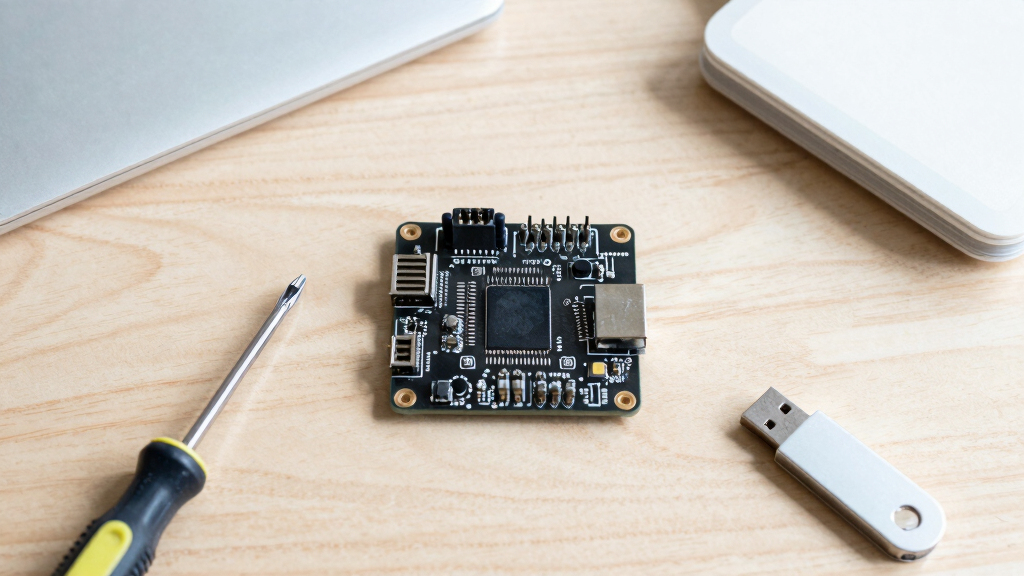
Our selection process focused on relevance to home lab use, balancing performance, expandability, ease of setup, and affordability. We prioritized boards with solid community support, flexible connectivity options, and longevity for 24/7 operation. Each product was evaluated against these criteria, with careful consideration of the tradeoffs in complexity, power, and versatility to ensure different user profiles are catered to.
| single board computer for home lab service | Processor |
|---|---|
| NVIDIA Jetson Nano Developer K | — |
| LattePanda Mu Intel N100 x86 C | Intel N100 up to 3.4GHz |
| ZimaBoard 2 832 x86 Home Serve | Intel N150 Quad-Core |
| ZimaBlade 7700 Home Server Sta | — |
| CanaKit Raspberry Pi 5 Desktop | Raspberry Pi 5 |
Factors to Consider When Choosing Single Board Computer For Home Lab Services
Choosing the right single board computer for your home lab depends on your specific needs, technical skills, and future plans. Are you focusing on AI, or do you need a flexible, expandable x86 platform? Do you prefer a plug-and-play unit, or are you comfortable with hardware assembly and configuration? This guide breaks down key considerations to help you match a board to your project.
Performance and Workload
Determine what tasks you’ll run. AI projects require dedicated GPU support, favoring options like the NVIDIA Jetson Nano. For general server duties, NAS, or Docker containers, x86 boards like ZimaBoard or LattePanda provide broader software compatibility and better multitasking capabilities. The Raspberry Pi 5 is suitable for lightweight services but may struggle with intensive workloads.
Ease of Use and Setup
If you want a hands-off experience, consider preloaded or all-in-one kits like the Raspberry Pi 5 or ZimaBlade. For more advanced customization, boards like LattePanda or ZimaBoard require more hardware knowledge but offer greater flexibility. Technical skills influence whether a user should pick a plug-and-play or a DIY approach.
Connectivity and Expandability
Look for boards with sufficient I/O, network interfaces, and expansion options. The LattePanda’s PCIe lanes and the ZimaBoard’s dual SATA and PCIe slots support future upgrades. The Raspberry Pi offers GPIO and USB but limited internal expansion. Your planned services determine how much hardware flexibility is necessary.
Power Consumption and Noise
For a quiet, energy-efficient setup, the NVIDIA Jetson Nano and ZimaBlade are low-power and fanless, respectively. Higher performance boards like LattePanda or ZimaBoard draw more power and may require ventilation or noise considerations. Balance your energy budget and noise preferences based on your environment.
Frequently Asked Questions
What is the main difference between ARM and x86 single board computers?
ARM-based SBCs like the Raspberry Pi or NVIDIA Jetson Nano generally offer lower power consumption and are ideal for lightweight, embedded tasks. In contrast, x86 boards like ZimaBoard or LattePanda support a wider range of software, including full Windows and Linux distributions, and are better suited for more demanding or versatile home lab services. The choice hinges on your workload and compatibility needs.
Can I run Docker or virtual machines on these SBCs?
Most of these boards support Docker, especially x86 options like ZimaBoard, LattePanda, and Raspberry Pi 5, which have the processing power and OS support for containerization. Running virtual machines is more feasible on boards with ample RAM and CPU cores, such as the ZimaBoard or LattePanda. The AI-focused Jetson Nano is less suitable for these tasks due to its specialized hardware.
How much technical skill do I need to set up these devices?
For plug-and-play options like the Raspberry Pi 5 and ZimaBlade, minimal technical knowledge is required—mainly just installing the OS and basic configuration. More advanced boards like LattePanda or ZimaBoard demand familiarity with hardware assembly, BIOS settings, and network configuration. Your comfort level with hardware influences which SBC best fits your skills.
Are these SBCs suitable for 24/7 operation?
Yes, many of these options, particularly the ZimaBoard and ZimaBlade, are designed for continuous operation, with features like fanless cooling or server-grade hardware. The Jetson Nano also runs 24/7 but is more specialized for AI workloads. Power efficiency and reliability vary; choose accordingly based on your uptime needs.
What should I consider regarding expandability?
For future upgrades, look for boards with PCIe slots, SATA ports, or additional USB connectivity. The LattePanda and ZimaBoard excel here, allowing hardware add-ons like GPUs and network cards. Simpler boards like the Raspberry Pi have GPIO pins and USB but limited internal expansion. Your project scope and planned growth determine your priorities.
Conclusion
If you’re new to home labs and want a straightforward, low-maintenance solution, the Raspberry Pi 5 provides excellent value and ease of use. For users comfortable with hardware setup and seeking flexibility, the LattePanda Mu or ZimaBoard 2 stand out for their expandability and performance. AI developers should consider the NVIDIA Jetson Nano, despite its setup complexity, for dedicated AI workloads. Meanwhile, the ZimaBlade offers a solid choice for those needing a reliable, quiet, always-on server environment. Your choice depends on your technical skills, intended workloads, and future expansion plans.
Fall Picks
fall essentials
As an affiliate, we earn on qualifying purchases.