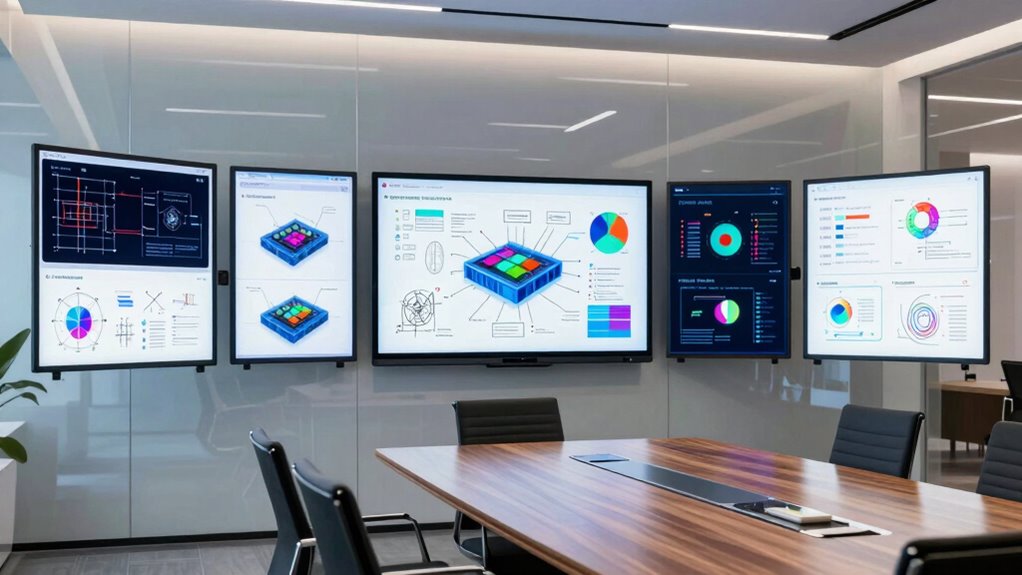

Choosing the right smart whiteboard for hybrid engineering teams can significantly boost collaboration, whether you’re brainstorming in small groups or conducting large-scale meetings. For 2026, the market offers a variety of options, from compact, budget-friendly models to high-end, enterprise-ready solutions. The top picks include the AG Neovo 65 Inch 4K Smart Board for its certified stability and responsive display, the Smart Board 65 Inch All-in-One for its integrated professional audio-visual tools, and the NearHub S Pro 86″ for its powerful Windows-based performance. Each excels in different scenarios, but all balance display quality, connectivity, and ease of use—tradeoffs that influence the best choice for your team’s size, technical expertise, and budget.

Get business pricing on monitors, keyboards and dev gear
- Business-only prices and quantity discounts
- Tax-exempt purchasing
- Multiple users, one account, clear invoices
Key Takeaways
- The AG Neovo 65 Inch 4K Smart Board offers a highly stable, Android-based experience ideal for small to medium groups, but lacks the comprehensive AV tools of higher-end models.
- The Smart Board 65 Inch All-in-One provides an integrated AV suite suitable for professional conference rooms, though its complexity and cost may be prohibitive for smaller teams.
- The NearHub S Pro 86″ stands out for full Windows 11 support and large display, perfect for intensive collaborative work, but requires significant space and setup effort.
- Budget-conscious teams may prefer the HORION 65-Inch 4K Digital Whiteboard, which balances cost and features but needs external audio/video equipment for full functionality.
- Premium options like the HORION 65-Inch 4K Pro deliver enterprise-grade hardware and seamless remote collaboration, yet demand a larger budget and dedicated installation space.
| AG Neovo 65 Inch 4K Smart Board – Google EDLA-Certified Interactive Whiteboard, Android 13, 40-Point Touch, Wireless Casting |  | Best Overall for Small to Medium Teams | Size: 65 inches | Resolution: 4K UHD | Operating System: Android 13 | VIEW ON AMAZON | See Our Full Breakdown |
| Smart Board 65 Inch All-in-One Interactive Whiteboard with 4K Display and Android 14 |  | Best for Professional Conference Rooms | Display Size: 65 inches | Resolution: 4K UHD | Camera: 48MP CMOS sensor, 4K imaging | VIEW ON AMAZON | See Our Full Breakdown |
| NearHub S Pro 86″ Interactive Whiteboard 4K, Windows 11, Camera + Mics |  | Best for Power Users and Heavy Collaboration | Display Size: 86 inches | Resolution: 4K UHD | Operating System: Windows 11 | VIEW ON AMAZON | See Our Full Breakdown |
| HORION 65-Inch 4K Digital Whiteboard, Smart Board for Classroom & Office |  | Best Budget-Friendly for Interactive Learning | Size: 65 inches | Resolution: 4K | Touchscreen: 40-point capacitive | VIEW ON AMAZON | See Our Full Breakdown |
| HORION 65-Inch 4K Pro Digital Whiteboard, Smart Board for Office & Business |  | Best Enterprise-Grade for Remote Collaboration | Screen Size: 65 inches | Resolution: 4K | Touchscreen: 50-point capacitive | VIEW ON AMAZON | See Our Full Breakdown |
| smart whiteboard for hybrid engineering team | Resolution | Operating System | Connectivity |
|---|---|---|---|
| AG Neovo 65 Inch 4K Smart Boar | 4K UHD | Android 13 | WiFi 6, AirPlay, Miracast, Google Cast |
| Smart Board 65 Inch All-in-One | 4K UHD | Android 14 | USB-C, HDMI Out, LAN Out |
| NearHub S Pro 86" Interactive | 4K UHD | Windows 11 | — |
| HORION 65-Inch 4K Digital Whit | 4K | — | — |
| HORION 65-Inch 4K Pro Digital | 4K | — | Wi-Fi 6, Bluetooth 5.3 |
More Details on Our Top Picks
AG Neovo 65 Inch 4K Smart Board – Google EDLA-Certified Interactive Whiteboard, Android 13, 40-Point Touch, Wireless Casting
The AG Neovo 65 Inch 4K Smart Board stands out for its certification and reliable Android 13 platform, providing a stable, long-term solution for hybrid teams. Its 4K display and 40-point multi-touch make collaborative brainstorming intuitive, while wireless casting supports multiple device types. Compared with larger or more feature-rich options, it’s more straightforward to deploy in smaller spaces, but it’s limited in size and built-in AV tools, making it less suitable for larger conference rooms.
Pros:- Certified for long-term stability with regular updates
- High-resolution 4K display with responsive multi-touch
- Supports wireless sharing from multiple devices
- Built-in handwriting and file editing tools
Cons:- Requires compatible mounting or stand
- Limited to 65 inches, not suitable for very large spaces
- Designed mainly for small collaborative groups
Best for: Small to medium-sized teams needing a reliable, easy-to-use display
Not ideal for: Large conference rooms or teams requiring integrated professional AV equipment
- Size:65 inches
- Resolution:4K UHD
- Operating System:Android 13
- Storage:128GB
- Touch Points:40
- Connectivity:WiFi 6, AirPlay, Miracast, Google Cast
Our verdict“A dependable, straightforward smart whiteboard ideal for smaller teams prioritizing stability and ease of use.”
Smart Board 65 Inch All-in-One Interactive Whiteboard with 4K Display and Android 14
This all-in-one device offers a combination of display, camera, microphones, and speakers, making it ideal for hybrid conference rooms and classrooms. Its high-quality 4K display and professional-grade AV setup enable clear video meetings and interactive sessions. However, its advanced features come with a higher price tag and require a dedicated space for optimal use. Setup can be complex, especially for teams without technical support, but it excels in delivering seamless, integrated collaboration.
Pros:- All-in-one device simplifies setup
- High-quality 4K display with touch support
- Professional-grade camera and audio system
- Supports enterprise connectivity and Google Workspace
Cons:- Potentially high cost
- Large size requires dedicated space
- Complex setup process
Best for: Teams needing integrated AV tools for professional meetings
Not ideal for: Small teams or those with limited budgets
- Display Size:65 inches
- Resolution:4K UHD
- Camera:48MP CMOS sensor, 4K imaging
- Microphone System:8 AI noise-canceling mics
- Operating System:Android 14
- Connectivity:USB-C, HDMI Out, LAN Out
Our verdict“A comprehensive collaboration hub suited for conference rooms where integrated AV and high performance are priorities.”
NearHub S Pro 86″ Interactive Whiteboard 4K, Windows 11, Camera + Mics
The NearHub S Pro 86″ provides a substantial 86-inch 4K display powered by Windows 11, supporting full desktop applications and rich collaboration. Its built-in Intel Core i5 processor, 16GB RAM, and 4K camera with microphones make it ideal for intensive project work and professional conferencing. Its size and hardware specifications mean it’s best suited for dedicated conference rooms or large collaborative spaces, but setting it up can be complex and space-consuming.
Pros:- Full Windows 11 system with desktop app support
- Large 86-inch 4K touchscreen
- Integrated AI camera and microphones
- Flexible installation options
Cons:- High cost
- Requires significant space
- Complex setup for non-technical teams
Best for: Power users and teams needing full desktop functionality in a large display
Not ideal for: Small teams or spaces with limited room
- Display Size:86 inches
- Resolution:4K UHD
- Operating System:Windows 11
- Processor:12th Gen Intel Core i5
- RAM:16GB
- Storage:128GB
Our verdict“A powerhouse for large teams needing desktop-level performance combined with a big, interactive display.”
HORION 65-Inch 4K Digital Whiteboard, Smart Board for Classroom & Office
The HORION 65-Inch 4K Digital Whiteboard offers a solid 4K display with 40-point capacitive touch, making it suitable for classrooms and small office environments. Its Android 13 system and wireless features support multiple devices for collaborative sessions. While it’s a cost-effective choice, it lacks integrated AV components, meaning external cameras and microphones are sold separately, and setup can be more involved for larger rooms or more professional setups.
Pros:- High-resolution 4K display with anti-glare tech
- Supports wireless sharing and multi-user input
- Runs on Android 13 with multiple connectivity options
Cons:- External AV equipment needed
- Large size requires dedicated space
- Setup can be complex
Best for: Budget-conscious teams seeking basic interactive capabilities
Not ideal for: Large conference rooms or teams requiring integrated AV hardware
- Size:65 inches
- Resolution:4K
- Touchscreen:40-point capacitive
- System:Android 13
- Wi-Fi:Dual-band Wi-Fi 5
- Bluetooth:5.2
Our verdict“A versatile, affordable whiteboard suitable for educational or small-team environments with basic interactive needs.”
HORION 65-Inch 4K Pro Digital Whiteboard, Smart Board for Office & Business
The HORION 65-Inch 4K Pro is designed for professional environments, featuring enterprise-grade hardware, 4K video conferencing, and advanced connectivity. Its 50-point capacitive touch, AI noise-canceling microphones, and 48MP camera make it ideal for remote teams needing seamless video collaboration. The device’s premium build and robust features come with a higher price point and require dedicated installation space, but it provides a highly reliable platform for enterprise-level teamwork.
Pros:- High-resolution 4K display with multi-user touch support
- Excellent video conferencing with 48MP camera
- Robust microphones and audio system
- Wireless casting and enterprise hardware
Cons:- Expensive compared to basic models
- Large size demands dedicated space
- Setup and installation may need professional help
Best for: Large organizations and teams needing enterprise-grade remote collaboration
Not ideal for: Small teams or those on a limited budget
- Screen Size:65 inches
- Resolution:4K
- Touchscreen:50-point capacitive
- Camera:48MP
- Microphone Array:8 microphones
- Connectivity:Wi-Fi 6, Bluetooth 5.3
Our verdict“A premium, enterprise-ready smart whiteboard suited for extensive remote collaboration and large-scale teamwork.”

How We Picked
Our selection process focused on devices that serve hybrid engineering teams requiring high-resolution displays, robust connectivity, and versatile collaboration tools. We compared technical specs such as display size, resolution, operating system, and touch support, emphasizing features that enhance remote and in-person teamwork. Reliability, ease of integration with existing workflows, and scalability also played a key role. Cost and setup complexity were considered tradeoffs, ensuring each option offers a clear advantage for specific team sizes and technical environments.
| smart whiteboard for hybrid engineering team | Operating System | Connectivity |
|---|---|---|
| AG Neovo 65 Inch 4K Smart Boar | Android 13 | WiFi 6, AirPlay, Miracast, Google Cast |
| Smart Board 65 Inch All-in-One | Android 14 | USB-C, HDMI Out, LAN Out |
| NearHub S Pro 86" Interactive | Windows 11 | — |
| HORION 65-Inch 4K Digital Whit | — | — |
| HORION 65-Inch 4K Pro Digital | — | Wi-Fi 6, Bluetooth 5.3 |
Factors to Consider When Choosing Smart Whiteboard For Hybrid Engineering Teams
When selecting a smart whiteboard for hybrid engineering teams, consider the size of your workspace, the level of integrated AV features needed, and your team’s technical expertise. Larger teams working across different locations benefit from devices with full conferencing capabilities, while smaller or budget-conscious teams may prefer simpler, more cost-effective options. Think about whether you need Windows support for complex workflows or Android for straightforward collaboration. Compatibility with existing software and ease of setup are also key factors in making the right choice.
Display Size and Resolution
Choose a display that comfortably fits your room size and team size. Larger displays like the NearHub 86″ excel in big conference rooms, while 65-inch models suit smaller spaces. High resolution (4K) is essential for clarity during detailed engineering work, ensuring precision during collaborative editing or design review sessions.
Operating System and Compatibility
Android-based boards are user-friendly and generally easier to set up, ideal for quick collaboration sessions. Windows-based models support full desktop applications, making them suitable for complex engineering workflows. Ensure the device’s OS aligns with your existing tools for seamless integration.
AV and Connectivity Features
For professional environments, consider built-in cameras, microphones, and speakers. Models like the Smart Board 65 All-in-One and NearHub S Pro offer these integrations, reducing setup complexity. Wireless casting, multiple input ports, and enterprise connectivity options enhance remote collaboration and multi-user support.
Ease of Setup and Space Requirements
Some devices are plug-and-play, while others demand professional installation or dedicated space. Assess your team’s technical skills and available room dimensions before choosing a model. Smaller, simpler devices are easier to deploy and relocate.
Budget Considerations
High-end models with full AV integration come at a premium, suited for large organizations. Budget-friendly options like the HORION 65 Whiteboard deliver core functionalities at a lower cost but may require additional external peripherals for a complete setup.
Frequently Asked Questions
What is the best whiteboard for small engineering teams?
The AG Neovo 65 Inch 4K Smart Board is an excellent choice for small teams due to its stability, responsiveness, and straightforward Android interface. It provides reliable collaboration tools without the complexity or cost of larger, enterprise-grade systems, making it ideal for startups or small engineering groups.
Which whiteboard is best for large, remote teams?
The HORION 65-Inch 4K Pro offers enterprise-grade hardware, 4K video conferencing, and seamless remote collaboration features. Its high-quality camera, noise-canceling microphones, and robust connectivity make it well-suited for large teams spread across different locations, though it requires a dedicated space and professional setup.
Are all these whiteboards compatible with engineering software?
Most of these whiteboards support standard wireless casting and touch input, making them compatible with common collaboration and design tools. The Windows-based NearHub S Pro can run full desktop applications, including CAD and engineering software, while Android models support web-based or Android-compatible apps. Always verify specific software compatibility before purchase.
How difficult is it to install these smart whiteboards?
Installation complexity varies: models like the AG Neovo are relatively simple, requiring compatible mounting. Larger or more feature-rich systems like the NearHub S Pro or HORION Pro may need professional help due to their size and hardware integration. Assess your team’s technical capacity and available space when choosing.
What should I prioritize: cost or features?
If your primary concern is budget, models like the HORION 65 Whiteboard offer solid basic features at a lower price but lack integrated AV hardware. For teams needing comprehensive collaboration tools, investing in higher-end models like the HORION 65 Pro or NearHub S Pro pays off through enhanced performance and reliability, especially for remote work or large-scale projects.
Conclusion
For small teams or startups focused on straightforward collaboration, the AG Neovo 65 Inch 4K Smart Board provides a dependable, easy-to-use experience. Larger organizations or those with advanced conferencing needs will benefit from the NearHub S Pro 86″ or the HORION 65-Inch 4K Pro, which offer full desktop support and enterprise-grade features. Budget-conscious teams can consider the HORION 65 Whiteboard for essential functionality, while companies seeking a dedicated conference solution should lean toward integrated systems like the Smart Board 65 All-in-One. Matching the device’s capabilities with your team’s size, technical skills, and workspace will ensure productive hybrid collaboration in 2026.
Evergreen bestsellers Picks
bestsellers
As an affiliate, we earn on qualifying purchases.