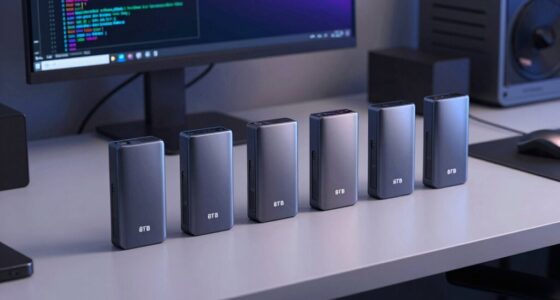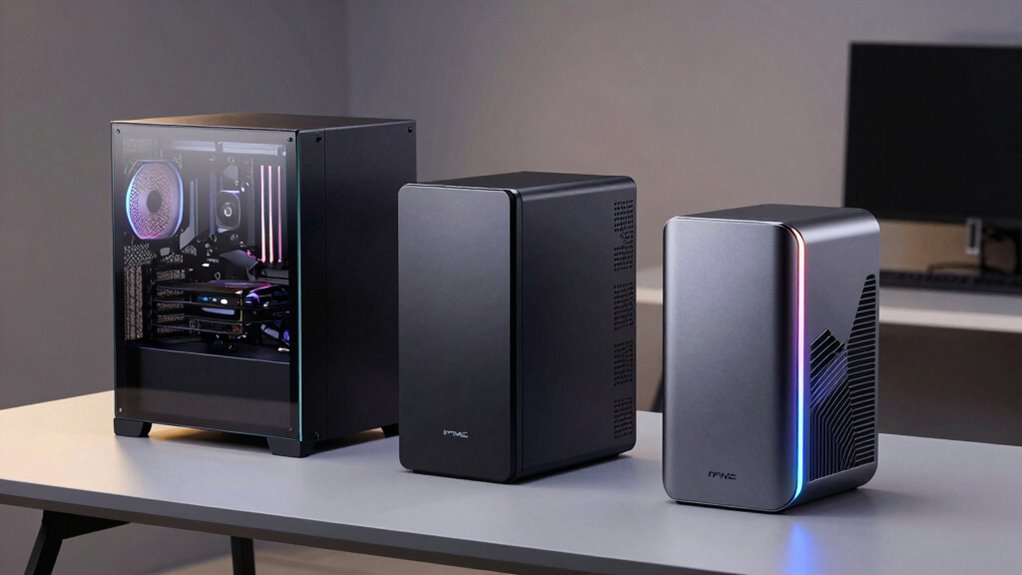

Choosing the right eGPU enclosure in 2026 depends heavily on your specific development needs, portability preferences, and system compatibility. The MINISFORUM DEG2 USB4 V2 stands out for its blazing-fast data transfer and single-cable simplicity, making it ideal for high-performance tasks like 8K rendering or AI work. Meanwhile, the Sonnet Breakaway Box 850 T5 offers robust power and multiple connectivity options, perfect for Windows developers working with large GPUs. If you’re focused on small form factor setups, the OWC Mercury Helios 5S provides PCIe expansion tailored for Mac users, though it’s less versatile for Windows-based workflows. Lastly, the ORARA Thunderbolt 3/4/USB4 enclosure offers a balanced mix of compatibility and power, suitable for demanding gaming or development tasks, but it’s limited to certain GPU sizes and interfaces. Each pick involves tradeoffs, whether in compatibility, size, or price, so your specific environment and workload should guide your choice.

Get business pricing on monitors, keyboards and dev gear
- Business-only prices and quantity discounts
- Tax-exempt purchasing
- Multiple users, one account, clear invoices
Key Takeaways
- High-speed data transfer (up to 80Gbps) is a major advantage for graphics-intensive development.
- Power supply capacity and GPU support vary significantly, affecting performance and compatibility.
- Portability and size are factors—some enclosures prioritize compactness, others prioritize expandability.
- System compatibility, especially with Windows or Mac, is critical for seamless integration.
- Tradeoffs often involve balancing connectivity options, GPU size support, and feature complexity.
| MINISFORUM DEG2 USB4 V2 (TBT5 Compatible) & OCuLink eGPU Dock |  | Best Overall for High Performance and Simplicity | Transfer Speeds: 80Gbps (USB4 V2), 64Gbps (OCuLink) | M.2 NVMe Slot: Yes, 2280 | Power Supply Compatibility: Universal ATX/SFX | VIEW ON AMAZON | See Our Full Breakdown |
| Sonnet Breakaway Box 850 T5 eGPU Enclosure |  | Best for Power and Connectivity in Windows Environments | Bandwidth: 80 Gbps | Power: 850W | Supported GPU Series: NVIDIA GeForce RX50, 40, 30 Series; AMD Radeon RX 9000, 7000, 6000 Series | VIEW ON AMAZON | See Our Full Breakdown |
| OWC Mercury Helios 5S Thunderbolt 5 80Gb/s PCIe and Connectivity Expansion |  | Best for Mac Users Needing PCIe Expansion | Internal PCIe Slot: PCIe 4.0 x4 (x16 mechanical) | Bandwidth: Over 6000MB/s | Connectivity Ports: 3 Thunderbolt 5, USB-C | VIEW ON AMAZON | See Our Full Breakdown |
| ORARA Thunderbolt 3/4/USB4 eGPU Enclosure with 750W PSU |  | Best Compact Powerhouse for Demanding Development | Hardware Interface: Thunderbolt 3, Thunderbolt 4 | Device Compatibility: Laptop, NUC, Gaming machine | Maximum Graphics Card Size: 13.7 x 6.17 x 2.3 inches | VIEW ON AMAZON | See Our Full Breakdown |
| egpu enclosures for developer | Bandwidth |
|---|---|
| MINISFORUM DEG2 USB4 V2 | — |
| Sonnet Breakaway Box 850 T5 eG | 80 Gbps |
| OWC Mercury Helios 5S Thunderb | Over 6000MB/s |
| ORARA Thunderbolt 3/4/USB4 eGP | — |
More Details on Our Top Picks
MINISFORUM DEG2 USB4 V2 (TBT5 Compatible) & OCuLink eGPU Dock
The MINISFORUM DEG2 USB4 V2 sets itself apart with ultra-fast transfer speeds up to 80Gbps and a single-cable setup that simplifies complex workflows. Its support for universal power supplies and standard desktop GPUs makes it highly adaptable for demanding development tasks like AI processing and 8K video rendering. Compared to other options, its focus on high-speed data and storage expansion via the M.2 NVMe slot make it an excellent choice for developers who need raw performance with minimal clutter. However, it requires a compatible TB5 cable and a host device with USB4 V2 support, which might be limiting for some users. This enclosure caters well to those who prioritize speed and a clean workspace, accepting some setup complexity.
Pros:- Supports up to 80Gbps data transfer
- Supports multiple GPU configurations and power options
- Built-in M.2 NVMe slot for storage expansion
- Single-cable setup simplifies workflow
Cons:- Requires compatible TB5 cable and host device
- Potential complexity for less technical users
- Limited detailed compatibility info
Best for: Developers needing high-speed data transfer and a streamlined, single-cable solution for intensive tasks.
Not ideal for: Developers with limited technical experience or those using older systems lacking USB4 V2 or TBT5 support.
- Transfer Speeds:80Gbps (USB4 V2), 64Gbps (OCuLink)
- M.2 NVMe Slot:Yes, 2280
- Power Supply Compatibility:Universal ATX/SFX
- Supported Graphics Cards:Standard desktop GPUs
- Signal Stability:Built-in re-drive signal booster
- Cable:Single TB5 cable
Our verdict“A top choice for developers seeking maximum data throughput and a simplified setup, best suited for high-end workflows.”
Sonnet Breakaway Box 850 T5 eGPU Enclosure
The Sonnet Breakaway Box 850 T5 excels in delivering substantial GPU power with its 850W PSU, supporting triple-wide graphics cards, making it ideal for Windows developers engaged in rendering, AI, or gaming development. Its inclusion of a Thunderbolt 5 dock with multiple ports adds versatility, allowing seamless connection to peripherals and network devices. Compared with smaller or less powerful enclosures, its robust power capacity ensures that even demanding GPUs run smoothly under load. The tradeoff is its size and specificity; it’s mainly designed for Windows 11 systems and may be less portable. For developers who need raw GPU power and multiple connectivity options, this model offers a compelling package, albeit at a larger footprint.
Pros:- Supports large triple-wide GPUs
- Powerful 850W supply for demanding workloads
- Includes Thunderbolt 5 dock with multiple ports
- High bandwidth at 80 Gbps
Cons:- Designed specifically for Windows 11
- Potentially bulky for portable use
- Requires compatible Thunderbolt 5 system
Best for: Windows developers working with large GPUs and requiring multiple peripherals.
Not ideal for: Mac users or developers seeking a compact, portable solution.
- Bandwidth:80 Gbps
- Power:850W
- Supported GPU Series:NVIDIA GeForce RX50, 40, 30 Series; AMD Radeon RX 9000, 7000, 6000 Series
- Connectivity:Thunderbolt 5 port, three USB Type A ports, Ethernet
- Size:Bulkier, not portable
Our verdict“A powerhouse for Windows-based developers needing maximum GPU support and extensive connectivity, with size as a consideration.”
OWC Mercury Helios 5S Thunderbolt 5 80Gb/s PCIe and Connectivity Expansion
The OWC Mercury Helios 5S is tailored for Mac users or small form factor systems that require PCIe expansion. With Thunderbolt 5 ports supporting 80Gb/s and a PCIe 4.0 x4 slot, it allows users to add high-speed storage, video capture, or other expansion cards. Its compact size makes it suitable for desktop setups where space is limited, yet performance isn’t compromised. The main limitation is that it’s designed primarily for Mac models or compatible small computers, which restricts its use for Windows developers. Its high-speed Thunderbolt 5 connectivity supports demanding workflows, but full functionality depends on compatible PCIe cards and system compatibility.
Pros:- Supports multiple PCIe expansion cards
- High-speed Thunderbolt 5 connectivity
- Compact and space-efficient design
- 3-year warranty for peace of mind
Cons:- Limited to specific Mac models or small systems
- Requires compatible PCIe cards for full use
- Limited GPU support, not designed for large GPUs
Best for: Mac developers or users with small form factor computers needing PCIe expansion.
Not ideal for: Mainstream Windows developers or those needing larger GPU support.
- Internal PCIe Slot:PCIe 4.0 x4 (x16 mechanical)
- Bandwidth:Over 6000MB/s
- Connectivity Ports:3 Thunderbolt 5, USB-C
- Warranty:3 years
Our verdict“Ideal for Mac-centric workflows or small systems requiring PCIe expansion, but less suited for GPU-heavy Windows development.”
ORARA Thunderbolt 3/4/USB4 eGPU Enclosure with 750W PSU
The ORARA Thunderbolt 3/4/USB4 enclosure provides a versatile, compact solution supporting high-performance NVIDIA and AMD graphics cards up to 13.7 inches long. Its 750W power supply ensures it can handle demanding GPUs, and the multiple port options—including USB A and Thunderbolt 4—make it flexible for peripherals. It’s a strong choice for developers who need a portable yet powerful external GPU, especially for gaming, 3D rendering, or AI tasks. The main limitation is its incompatibility with MacBook models with M1/M2/M3/M4 chips, which restricts its broader use. Also, its size limits GPU compatibility to certain dimensions, so very large cards won’t fit.
Pros:- Supports NVIDIA and AMD high-performance GPUs
- Daisy chain support for expanding peripherals
- 750W power supply for demanding GPUs
- Multiple ports for peripherals
Cons:- Not compatible with M1/M2/M3/M4 MacBooks
- Limited GPU size support (13.7 inches max)
- Requires Thunderbolt 3/4 or USB4 ports
Best for: Developers seeking a portable, high-power GPU solution with broad peripheral support.
Not ideal for: Mac users with M-series chips or those needing support for very large GPUs.
- Hardware Interface:Thunderbolt 3, Thunderbolt 4
- Device Compatibility:Laptop, NUC, Gaming machine
- Maximum Graphics Card Size:13.7 x 6.17 x 2.3 inches
- Power Supply:750W
- Additional Ports:USB A, Thunderbolt 4, Daisy chain
Our verdict“A flexible, portable choice for Windows or compatible systems needing powerful external GPUs with peripheral options.”

How We Picked
Our selection process focused on enclosures that are compatible with current development workflows in 2026, emphasizing performance, system support, and versatility. I prioritized models that support modern interfaces like Thunderbolt 4, USB4, and Thunderbolt 5, as these are increasingly common among developers. Compatibility with a range of graphics cards, especially high-performance models, was essential, along with features like power delivery and expandability. We also considered size and portability—since many developers need mobile solutions—and balanced those against raw performance capabilities. Overall, each product was chosen for its ability to support demanding development tasks, whether in AI, 3D rendering, or software testing environments.
Factors to Consider When Choosing Egpu Enclosures For Developers
When selecting an eGPU enclosure for development purposes, key factors include data transfer speed, compatibility with your system and GPU, power capacity, and portability. A high-speed connection like Thunderbolt 4 or USB4 ensures minimal latency for graphics and compute tasks. Compatibility must align with your operating system—Mac or Windows—as some enclosures are tailored for specific platforms. Power supply wattage determines whether larger, more demanding GPUs can be supported, which is essential for AI or rendering workflows. Lastly, consider whether you need a compact, portable setup for on-the-go work or a more expansive, feature-rich station. Balancing these factors helps identify the best enclosure for your development environment.
Performance and Speed
High data transfer speeds, like 80Gbps, are vital for minimizing latency in graphics-heavy tasks. USB4 V2 and Thunderbolt 5 are current leaders, offering ample bandwidth for demanding development workloads. If your workflow involves real-time rendering or AI training, prioritize enclosures supporting these interfaces. Keep in mind that speed alone isn’t enough—ensure your host system and GPU are also compatible to fully leverage these capabilities.
Compatibility and System Support
Mac users should focus on Thunderbolt 5 or Thunderbolt 4 enclosures, especially those supporting PCIe expansion. Windows developers might prefer models with larger GPU support and multiple connectivity options, such as Thunderbolt 5 docks. Compatibility with your existing hardware, especially your graphics card size and system ports, is critical to avoid bottlenecks or connectivity issues.
Power and Expandability
Power capacity varies from 750W to 850W, affecting which GPUs can run optimally. For intensive AI or 3D rendering, higher wattage ensures stable operation. Additionally, some enclosures offer PCIe expansion or multiple ports for peripherals, giving you flexibility for future upgrades or connecting multiple devices. Consider your current and future needs—buying too little power or expandability can limit your workflow.
Size and Portability
If mobility is a priority, look for compact enclosures like the OWC Mercury Helios 5S or ORARA models. Larger enclosures, like the Sonnet, offer more power and connectivity but sacrifice portability. Think about whether you need to carry your setup between locations or prefer a stationary station with maximum expandability.
Frequently Asked Questions
What is the main difference between Thunderbolt 4 and USB4 for eGPU enclosures?
Thunderbolt 4 and USB4 are both high-speed interfaces supporting speeds up to 40Gbps and 80Gbps respectively, but Thunderbolt 4 offers more consistent performance, better compatibility, and additional features like daisy chaining and power delivery. For developers needing the fastest, most reliable connection, Thunderbolt 4 or Thunderbolt 5 enclosures tend to be preferable, especially for demanding workloads. USB4 is a versatile option as well but can vary in performance depending on implementation and host support.
Can I use these enclosures with my existing GPU?
Most enclosures support standard desktop GPUs, but compatibility depends on size, power requirements, and interface. Check the specific maximum GPU dimensions and wattage support before purchasing. For example, the ORARA supports GPUs up to 13.7 inches long, suitable for many high-performance cards, but larger or more power-hungry GPUs might require a different enclosure like the Sonnet or MINISFORUM models. Always verify your GPU’s specifications align with the enclosure’s capabilities.
Are these enclosures suitable for portable development setups?
Some options, such as the ORARA Thunderbolt enclosure and OWC Mercury Helios 5S, are designed with portability in mind, balancing power with compact size. Others, like the Sonnet or MINISFORUM models, are bulkier due to their higher power capacity and expandability. Consider your mobility needs—if you frequently work on the go, prioritize smaller, lighter enclosures with sufficient power and connectivity.
Do I need special cables or adapters to use these enclosures?
Yes, most high-speed enclosures require specific cables, such as Thunderbolt 4 or USB4 cables, to achieve maximum performance. For the MINISFORUM DEG2, a compatible TB5 cable is essential. Some models may also need additional adapters for certain ports or compatibility with older systems. Always check the recommended cables and ensure your host device supports the necessary interfaces to avoid performance bottlenecks.
What should I consider when choosing an eGPU enclosure for AI or rendering tasks?
For AI or rendering, prioritize enclosures with high bandwidth (80Gbps or higher), robust power supplies (850W or more), and support for large or multiple GPUs. Compatibility with your specific GPU model and system is crucial to ensure full functionality. Additionally, consider expandability features like PCIe slots or multiple ports for peripherals, which can enhance your workflow. Stability and signal integrity are also vital for long, compute-intensive sessions.
Conclusion
Developers working primarily on high-end AI, rendering, or graphics-intensive applications should lean towards enclosures like the MINISFORUM DEG2 USB4 V2 for speed and simplicity, or the Sonnet Breakaway Box 850 T5 for maximum power and expandability on Windows systems. Mac users or those with limited space might find the OWC Mercury Helios 5S more suitable, especially if PCIe expansion is needed. For portable yet powerful setups, the ORARA Thunderbolt 3/4/USB4 hits a good balance. Ultimately, your choice hinges on your system compatibility, workload demands, and whether portability or raw power takes precedence.