
Cloud service emulation lets you recreate production cloud environments on your own hardware, and the fastest way to get competent at it is a well-structured guide rather than scattered documentation. After comparing the leading titles in this space, Mastering Proxmox VE 9 stands out as the best overall pick because it covers the full enterprise stack — KVM, LXC, Ceph, high availability, and VMware migration — in one coherent path. If you’re on a budget or just starting out, Proxmox VE for Absolute Beginners delivers the gentlest entry point, while QEMU/KVM for Cloud and Systems Engineers is the deepest technical resource for performance-focused engineers. The main tradeoff you’ll face is between accessibility and depth: beginner-friendly books move faster but skip internals, while advanced titles demand Linux fluency. Keep reading for the full breakdown of all nine guides.

Get business pricing on monitors, keyboards and dev gear
- Business-only prices and quantity discounts
- Tax-exempt purchasing
- Multiple users, one account, clear invoices
Key Takeaways
- Proxmox dominates this category — five of the nine books center on it, which tells you it has become the default self-hosted cloud platform for labs and small businesses.
- The biggest quality gap in this lineup is between generic beginner guides and role-specific ones; the best beginner book targets home labs specifically rather than rehashing installation menus.
- QEMU books split into two clear audiences: architecture-focused learners who need multi-platform emulation, and systems engineers who need virtio, NUMA, and I/O tuning for production workloads.
- Books published against Proxmox VE 9 and the 2026 Docker editions include VMware migration content, reflecting the wave of users leaving commercial hypervisors — a factor that makes older editions risky buys.
- None of these books replaces hands-on practice; the strongest guides build labs incrementally, so prioritize titles with reproducible projects over reference-style manuals.




| cloud service emulation tool | Format | Skill level | Topics |
|---|---|---|---|
| QEMU Virtualization Essentials | Book | Technical / intermediate to advanced | — |
| Proxmox VE for Intermediate Us | Book | Intermediate | Virtual machines, LXC containers, Docker, ZFS, VLANs, backups, clustering |
| Mastering Proxmox VE 9: Build | Book | Advanced | KVM, LXC, Ceph storage, high availability, SDN, VMware migration, backup, disaster recovery |
| PROXMOX VE FOR ABSOLUTE BEGINN | Book | Absolute beginner | Virtual machines, containers, storage management |
| Mastering KVM Virtualization f | Book | Intermediate to advanced | KVM, QEMU, libvirt, DevOps, private cloud |
| Your Proxmox Home Server: Buil | Book | Beginner home lab | — |
| QEMU/KVM for Cloud and Systems | Book | Advanced | QEMU/KVM internals, virtio, NUMA, I/O acceleration |
| Build Your Own Private Cloud w | Book | Intermediate Linux user | Docker, Linux, Self-Hosting, Private Cloud |
| Mastering System Emulation wit | Book | Advanced developer | QEMU, system emulation, virtualization |
More Details on Our Top Picks
QEMU Virtualization Essentials: Definitive Reference for Developers and Engineers
Most books in this roundup teach one platform end to end; this one takes a different shape — a reference-first treatment of QEMU itself, the emulation layer underneath half the other tools here. That focus makes it a natural companion to Mastering KVM Virtualization for Linux, which covers QEMU as part of a broader production stack rather than as a standalone subject. This option stands out for developers and engineers who want concept-level grounding rather than a build-a-lab tutorial, and compared with Mastering System Emulation with QEMU, it aims at a broader audience rather than multi-architecture internals. The tradeoff is real: with no detailed content available to verify depth, buyers are gambling somewhat on coverage quality, and it won’t hand-hold a Proxmox user through cluster setup the way the Proxmox titles do.
Pros:- Reference format suits engineers who dip in and out rather than read cover to cover
- Focuses on QEMU as a foundation rather than burying it inside a platform guide
- Aimed at a technical audience comfortable with virtualization concepts
- Complements KVM- and Proxmox-focused books by covering the underlying emulation layer
Cons:- No detailed content available to verify depth or accuracy
- Not a practical build guide — readers wanting labs should look at the Proxmox titles
Best for: Developers and engineers who want a concepts-and-reference guide to QEMU rather than a step-by-step platform build
Not ideal for: Homelab builders who want guided labs — this is reference material, not a tutorial on standing up a working environment
- Format:Book
- Subject:QEMU virtualization
- Audience:Developers and engineers
- Approach:Reference and concepts
- Platform focus:QEMU open-source virtualization
- Skill level:Technical / intermediate to advanced
Our verdict“A reasonable pick for engineers who want QEMU explained on its own terms, provided they accept the unverified-depth risk.”
Proxmox VE for Intermediate Users (Computer Programming Made Easy Book 21)
This book occupies a deliberate middle ground that most of the lineup skips: it assumes you already run Proxmox and want to go further with ZFS, VLANs, clustering, and Docker. Compared with Proxmox VE for Absolute Beginners, it skips installation basics entirely — which is exactly the point, since intermediate readers resent paying for chapters they don’t need. Its clustering and ZFS coverage overlaps with Mastering Proxmox VE 9, but this guide frames everything around a homelab rather than an enterprise datacenter, which changes the tone and the examples. Being part of an established series gives it some continuity value if you’ve read earlier entries. The main risk: the intermediate positioning means genuine experts will outgrow it fast, and depth is hard to verify given limited available content.
Pros:- Covers genuinely advanced homelab topics: ZFS, VLANs, clustering, LXC, and Docker
- Precisely targeted at intermediate readers instead of a one-size-fits-all audience
- Homelab framing keeps examples relevant to personal-scale infrastructure
- Part of an established series with consistent teaching structure
Cons:- Explicitly not beginner-friendly — no hand-holding on fundamentals
- Limited available content makes actual depth difficult to judge before buying
- Advanced enterprise readers will outgrow it in favor of Mastering Proxmox VE 9
Best for: Homelab owners comfortable with Proxmox basics who want ZFS, VLANs, clustering, and Docker without enterprise-scale framing
Not ideal for: Complete newcomers — it assumes working familiarity with Proxmox that beginners won’t have yet
- Series:Computer Programming Made Easy (Book 21)
- Skill level:Intermediate
- Platform:Proxmox VE
- Topics:Virtual machines, LXC containers, Docker, ZFS, VLANs, backups, clustering
- Environment focus:Homelab
- Format:Book
Our verdict“The right next step after a beginner Proxmox book, as long as you genuinely are past the basics.”
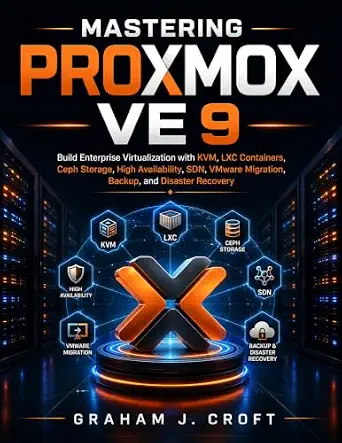
Mastering Proxmox VE 9: Build Enterprise Virtualization with KVM, LXC, Ceph Storage, High Availability, SDN, VMware Migration, Backup, and Disaster Recovery
Where Proxmox VE for Intermediate Users keeps things homelab-sized, this title pushes toward the enterprise end of the spectrum — Ceph storage clusters, high availability, software-defined networking, and full disaster recovery planning. Its coverage of VMware migration is a genuine differentiator in this lineup: no other book here addresses the wave of users moving off VMware onto Proxmox, which makes this pick make the most sense for IT teams managing that shift. The operational chapters on backup and disaster recovery also go beyond what homelab-oriented guides treat as afterthoughts. The tradeoff is weight and audience: this is a lot of book for someone who just wants to run a few VMs on a mini PC — that reader belongs with Your Proxmox Home Server instead. And like several titles in this batch, available content is thin, so depth claims rest on the table of contents rather than verified pages.
Pros:- Covers enterprise features other titles ignore: Ceph, high availability, and SDN
- Dedicated VMware migration guidance for teams leaving that platform
- Treats backup and disaster recovery as core content, not an appendix
- Current with Proxmox VE 9
Cons:- Far more scope than homelab users need
- No review content available to confirm depth or accuracy
- Assumes substantial prior virtualization knowledge
Best for: IT professionals and teams building production Proxmox environments, especially those migrating from VMware
Not ideal for: Casual homelab users — Ceph, HA, and SDN are overkill for a single-node mini PC setup
- Format:Book
- Platform:Proxmox VE 9
- Topics:KVM, LXC, Ceph storage, high availability, SDN, VMware migration, backup, disaster recovery
- Environment focus:Enterprise virtualization
- Skill level:Advanced
- Virtualization layer:KVM with LXC containers
Our verdict“The most enterprise-capable Proxmox book in this roundup, best suited to production infrastructure teams rather than hobbyists.”
PROXMOX VE FOR ABSOLUTE BEGINNERS: Build Virtual Machines, Run Containers, Manage Storage, and Create Your First Home or Business Lab
Every roundup needs an on-ramp, and this is it. The title makes an explicit promise — absolute beginners — that the other Proxmox books here pointedly avoid: Proxmox VE for Intermediate Users assumes you’re past fundamentals, and Mastering Proxmox VE 9 assumes you’re running production infrastructure. This guide walks the reader from first virtual machine through containers and storage, framed around building a first home or business lab. That framing matters for buyers: unlike the homelab-focused Your Proxmox Home Server, which is project-driven around Jellyfin and Home Assistant, this book is skill-driven, teaching the platform itself. The obvious tradeoff is ceiling — readers will graduate from it quickly and need an intermediate follow-up. It’s also the thinnest on documentation in this batch, with no description or verified content available, so beginners are trusting the title alone.
Pros:- Explicitly written for readers with zero virtualization background
- Covers the full starter path: VMs, containers, and storage basics
- Applies to both home and small-business lab environments
- Natural stepping stone toward the intermediate Proxmox titles in this roundup
Cons:- Very low ceiling — experienced users will outgrow it almost immediately
- No description or review content available to verify teaching quality
- Skips advanced topics like clustering and ZFS that serious labs eventually need
Best for: First-time virtualization users who want a gentle, ground-floor introduction to Proxmox before moving to advanced books
Not ideal for: Anyone with prior hypervisor experience — the pacing will feel slow and the content shallow
- Platform:Proxmox VE
- Skill level:Absolute beginner
- Topics:Virtual machines, containers, storage management
- Project outcome:First home or business lab
- Format:Book
- Audience:First-time virtualization users
Our verdict“A sensible first rung on the Proxmox ladder for total newcomers, with the caveat that its depth is unverified.”
Mastering KVM Virtualization for Linux: A Practical, Production-Ready Guide to Building, Securing, Automating, and Scaling Virtual Machines
This pick makes the most sense for readers who want to work directly with KVM on Linux rather than through a packaged platform like Proxmox. That’s the key split in this roundup: the Proxmox books give you a managed environment, while this one teaches the raw KVM/QEMU/libvirt stack underneath — closer to what cloud and DevOps engineers touch daily. Its DevOps and private cloud integration sets it apart from QEMU Virtualization Essentials, which stays conceptual; here the emphasis is production practice: securing, automating, and scaling virtual machines. Compared with QEMU/KVM for Cloud and Systems Engineers, this guide is broader and more applied, less internals-heavy — a better fit for practitioners than kernel-level tuners. The tradeoff is steepness: it assumes real Linux fluency, and readers coming from beginner Proxmox guides will find the lack of a web interface disorienting.
Pros:- Teaches the raw KVM/QEMU/libvirt stack used in real production environments
- Strong focus on security, automation, and scaling rather than just setup
- Bridges virtualization with DevOps practices and private cloud building
- More practical and applied than internals-focused alternatives
Cons:- Too advanced for beginners comfortable only with managed platforms
- No web interface workflows — everything assumes comfort with the Linux command line
Best for: Linux-savvy admins and DevOps engineers who need to build, automate, and scale KVM infrastructure without a management layer like Proxmox
Not ideal for: Beginners and GUI-oriented homelab users — command-line-first KVM has a much steeper learning curve than Proxmox
- Format:Book
- Topics:KVM, QEMU, libvirt, DevOps, private cloud
- Platform:Linux
- Approach:Production-ready and practical
- Skill level:Intermediate to advanced
- Focus areas:Building, securing, automating, scaling virtual machines
- Management layer:Direct KVM/libvirt (no Proxmox-style GUI)
Our verdict“The go-to choice for building production KVM environments by hand, provided you already have solid Linux foundations.”
Your Proxmox Home Server: Build a Personal Cloud with VMs, Docker, Pi-hole, Jellyfin, and Home Assistant on Any Mini PC
This pick stands out for a different reason than Mastering Proxmox VE 9: instead of enterprise clustering and Ceph storage, it focuses on self-hosted services on cheap mini PC hardware. That narrow scope works in its favor. Readers walk away with a working personal cloud running Pi-hole ad blocking, Jellyfin streaming, and Home Assistant, which most Proxmox titles never touch. Compared with Build Your Own Private Cloud with Docker and Linux, this book offers a friendlier on-ramp because Proxmox provides the management layer, reducing manual configuration. The tradeoff is that fast-moving projects like Home Assistant change quickly, so some step-by-step instructions may age faster than the underlying Proxmox concepts. This option makes the most sense for beginners who want a guided path rather than raw theory.
Pros:- Covers popular self-hosted services like Pi-hole, Jellyfin, and Home Assistant that competing titles skip
- Written for cheap commodity mini PC hardware, keeping the entry cost low
- Step-by-step structure accessible to readers new to virtualization
- Combines VMs and Docker under one Proxmox umbrella, simplifying management for novices
Cons:- Rapidly evolving companion software may make some instructions outdated
- Shallow coverage of advanced Proxmox features compared with dedicated intermediate guides
Best for: Home lab beginners with a spare mini PC who want ad blocking, media streaming, and smart home automation running in one place
Not ideal for: Readers targeting enterprise-grade skills like clustering and HA — the scope here stops well short of that
- Format:Book
- Topic:Proxmox Home Server / Self-Hosting
- Platform Focus:Proxmox VE
- Services Covered:VMs, Docker, Pi-hole, Jellyfin, Home Assistant
- Target Hardware:Any mini PC
- Skill Level:Beginner home lab
Our verdict“Choose this if you want a practical, service-focused first server build rather than a virtualization deep study.”
QEMU/KVM for Cloud and Systems Engineers: A Deep Dive into KVM Internals, Virtio Drivers, NUMA Optimization, and I/O Acceleration for High-Performance Virtualization
This is the most performance-obsessed title in the lineup. Where Mastering KVM Virtualization for Linux takes a practical, production-operations angle, this book goes the other direction: KVM internals, virtio driver architecture, NUMA topology, and I/O acceleration. That makes it better suited to engineers who need to squeeze throughput out of hypervisors or debug problems at the source level, rather than admins who just want working VMs. Compared with Mastering System Emulation with QEMU, the scope here is narrower — x86 virtualization performance rather than multi-architecture emulation — but deeper on that slice. The tradeoff is real: steep difficulty and little hand-holding mean anyone without a systems programming background will struggle. This pick makes the most sense when troubleshooting or tuning, not setting up, is the job.
Pros:- Rare internals-level coverage of KVM, virtio, and NUMA that practical guides skip
- I/O acceleration content translates directly into measurable performance gains
- Written for a professional cloud engineering audience, not casual users
- Goes deeper than any other title in this roundup on virtualization performance
Cons:- Steep learning curve requiring prior systems and Linux knowledge
- No description or review content available to verify depth or structure before buying
Best for: Cloud and systems engineers who need internals-level understanding of KVM, virtio, and NUMA to tune or debug virtualization performance
Not ideal for: Beginners and homelab builders — the internals-first approach assumes experience most newcomers lack
- Format:Book
- Topics:QEMU/KVM internals, virtio, NUMA, I/O acceleration
- Focus:High-performance virtualization
- Audience:Cloud and systems engineers
- Skill Level:Advanced
- Architecture Focus:x86 virtualization (KVM)
Our verdict“A specialist’s reference — worth it only if hypervisor performance tuning is part of your job.”
Build Your Own Private Cloud with Docker and Linux (2026 Edition): Deploy Secure Self-Hosted Services and Take Back Control of Your Data
Compared with Your Proxmox Home Server, this guide swaps the hypervisor layer for a pure Docker and Linux stack, which appeals to readers who want fewer moving parts and direct control over their services. The 2026 edition is the strongest argument for choosing it — self-hosting tooling changes quickly, and a current refresh matters more here than in slower-moving virtualization texts. Security coverage is another differentiator: hardening a private cloud exposed to the internet is where most DIY setups fail, and this book addresses it head-on rather than treating it as an afterthought. The tradeoff is steep — existing Linux and networking knowledge is assumed, and unlike the Proxmox titles, there’s no management UI cushioning the learning curve. Buyers should also note the limited public detail on coverage depth before committing.
Pros:- Updated 2026 edition reflects current Docker and self-hosting tooling
- Dedicated security coverage for exposing services safely, a gap in most competing books
- Pure Docker and Linux stack means no hypervisor licensing or complexity
- Service-oriented approach focused on replacing commercial cloud apps
Cons:- Requires existing Linux and networking fluency
- No description or review content available to verify depth of coverage
Best for: Privacy-motivated Linux users who want to replace third-party cloud services with self-hosted Docker deployments and already know the command line
Not ideal for: First-time server builders — the lack of a beginner-friendly hypervisor layer like Proxmox makes the ramp much harder
- Format:Book
- Edition:2026 Edition
- Topics:Docker, Linux, Self-Hosting, Private Cloud
- Platform Focus:Docker containers on Linux
- Security Coverage:Included
- Skill Level:Intermediate Linux user
Our verdict“The right pick if your priority is owning your data with current tools and you’re already comfortable in a Linux terminal.”
Mastering System Emulation with QEMU: A Complete Hands-On Guide to Building, Debugging, and Extending Multi-Architecture Virtual Systems
This title earns its spot for something no other book in the roundup attempts: emulating ARM, RISC-V, and x86 systems within one workflow. Where QEMU/KVM for Cloud and Systems Engineers stays on x86 virtualization performance, this guide treats QEMU as a true emulator — useful for embedded development, kernel work, and cross-architecture testing. The hands-on building and debugging orientation means readers can boot a RISC-V board without buying one, a genuinely practical outcome for firmware and OS developers. The tradeoff is audience fit: this sits at the technical deep end, and unlike Proxmox VE for Absolute Beginners, there is no gentle ramp. It also overlaps little with cloud-service emulation itself — QEMU knowledge transfers, but readers wanting a deployed private cloud should look elsewhere in this list.
Pros:- Only title in the roundup covering multi-architecture emulation across ARM, RISC-V, and x86
- Hands-on approach to building and debugging virtual systems, not just theory
- Extending QEMU coverage serves developers customizing the emulator itself
- Enables testing hardware targets without buying physical boards
Cons:- Too technical for beginners or general virtualization users
- No description or review content available to evaluate quality before purchase
Best for: Embedded and OS developers who need to build, boot, and debug ARM, RISC-V, or x86 virtual systems without physical hardware
Not ideal for: Readers wanting a home or private cloud setup — this is a systems-engineering guide, not a deployment walkthrough
- Format:Book
- Topics:QEMU, system emulation, virtualization
- Architectures:ARM, RISC-V, x86
- Approach:Hands-on guide
- Coverage:Building, debugging, extending virtual systems
- Skill Level:Advanced developer
Our verdict“A niche but valuable pick for cross-platform systems work — skip it if your goal is a running private cloud rather than emulation itself.”

How We Picked
I evaluated each book against four buyer-relevant criteria: depth of coverage (does it go beyond installation into storage, networking, backups, and scaling), audience fit (is the assumed skill level stated honestly and matched by the content), currency (does it track a recent platform version like Proxmox VE 9, since virtualization tooling changes fast), and practical usability (are there reproducible labs and projects rather than feature listings). Books that read like repackaged documentation ranked lower than ones that explain why a design choice matters.
The ranking logic follows a learning path rather than raw quality: accessible, broadly useful guides sit higher because most buyers need a working cloud first and internals later. Specialist titles rank lower not because they’re weaker but because they serve narrower audiences — a production KVM tuning guide is wasted on someone who just wants a home media server. Where two books cover the same platform, I separated them by project focus: home lab versus enterprise features versus absolute-beginner scaffolding.
Factors to Consider When Choosing Best Cloud Service Emulation Tools
Choosing a cloud service emulation guide is really about matching a book to your hardware, your Linux comfort level, and what you want running at the end. These are the factors that separated good purchases from disappointing ones across this category.Match the Book to Your Actual Hardware
The most common mistake buyers make is grabbing an enterprise-focused book while running a single mini PC, or the reverse — a home-server guide when they manage real clusters. Ceph storage and high availability, which anchor the advanced Proxmox titles, genuinely need multiple nodes; following those chapters on one machine teaches you configuration menus without teaching you operations. Conversely, a mini-PC home lab book will leave an engineer with three rack servers under-challenged. Before buying, count your machines, check RAM and whether your CPU supports hardware virtualization, and pick the book whose lab architecture matches what’s on your desk. A book that fits your hardware gets finished; one that doesn’t gets skimmed.
Be Honest About Your Linux Baseline
Every book in this category assumes some Linux fluency, but the assumed level varies enormously, and misjudging it is the number-one cause of abandoned guides. Beginner titles walk through the web interface and basic shell commands, while the KVM internals and QEMU engineering titles expect you to read system configs, compile components, and debug without hand-holding. If terms like bridge networking or LVM storage feel unfamiliar, starting with an advanced book will cost you weeks of frustration even though its content is excellent. A useful rule: if you can’t set a static IP from the command line, buy the beginner book first and treat the advanced one as a later purchase, not an alternative.
Version Currency Matters More Than Page Count
Virtualization platforms release major versions yearly, and interface paths, storage defaults, and clustering behavior shift between them. A book written against Proxmox VE 7 or 8 will still teach concepts, but you’ll spend real time reconciling screenshots and instructions with what’s actually on screen — friction that compounds for beginners. Prioritize editions that name a recent version, like the VE 9 titles here, especially for areas that change fast such as SDN, VMware import tooling, and backup pipelines. For QEMU and Docker the problem is milder, since core workflows are stable, but even there, 2026 editions include container stack changes that older guides miss. When a listing doesn’t mention a version, that silence itself is a signal.
Decide Whether You Want Emulation or Virtualization
Buyers often conflate two different technologies under one search. Virtualization (KVM, Proxmox, Docker) runs workloads on your own CPU architecture and is what most private-cloud books actually teach. Emulation — QEMU’s ability to run ARM on x86, for example — lets you test foreign architectures and firmware, which is what the multi-architecture QEMU titles cover. If your goal is replacing a cloud subscription with self-hosted services, you want virtualization books and the emulation chapters are a bonus. If you build embedded systems or cross-platform software, the reverse is true, and a Proxmox homelab guide will feel off-target despite being well written.
Project-Driven Books Beat Reference Manuals
The guides that get finished share one trait: they build toward a concrete end state, whether that’s a Jellyfin media stack, a high-availability cluster, or a debugging workbench. Reference-style books organize content by feature and are useful once you already know the platform, but learners tend to stall without a project pulling them forward. Check the table of contents for outcome-oriented chapters — “build your first lab,” “migrate a VM,” “set up Pi-hole” — versus feature-name chapters alone. This is also where single-author focus beats breadth: a book covering Docker, ZFS, VLANs, and clustering equally usually covers none of them deeply enough to troubleshoot when things break.
Factor In What Comes After the Book
Self-hosted cloud skills require ongoing reference material, and books differ in how well they serve you post-read. Titles that explain backup strategy, disaster recovery, and migration paths keep paying off long after setup, while installation-focused books become obsolete the moment your lab works. Consider whether the book teaches you to read official documentation confidently — that skill outlasts any printed version. Also think about community alignment: Proxmox and QEMU both have large active communities, so books built on those platforms give you somewhere to turn when a chapter’s instructions meet an edge case. A guide that leaves you self-sufficient is worth more than one that leaves you dependent.
Frequently Asked Questions
Do I need multiple books, or will one cover cloud service emulation completely?
For most readers, one well-chosen book is enough to get a working private cloud, but two books cover the full journey for people who go deeper. A typical pairing is a beginner or home-lab Proxmox title to get services running, followed later by an advanced book like Mastering Proxmox VE 9 or a KVM internals guide when you start caring about performance, clustering, or disaster recovery. What one book rarely covers is cross-architecture emulation — if you need to run ARM systems on x86 hardware, the QEMU multi-architecture titles are a separate purchase from any Proxmox book. The mistake to avoid is buying three overlapping beginner guides instead of one that matches your level plus one specialist title.
Is Proxmox the right platform to learn, or should I focus on raw QEMU/KVM?
It depends on your goal, and the split in this lineup mirrors a real industry divide. Proxmox wraps KVM and LXC in a managed platform with a web interface, backups, and clustering, which makes it the practical choice if you want a self-hosted cloud rather than a systems-programming exercise. Raw QEMU/KVM knowledge matters if you’re targeting roles in cloud infrastructure or embedded work, because it’s the layer underneath everything, including Proxmox itself. The efficient path for career-minded readers is learning Proxmox first for results, then a QEMU/KVM internals book to understand what the interface hides. Hobbyists running a media server and Pi-hole rarely need the internals at all.
Can I realistically run these labs on a single mini PC or old laptop?
Yes for most of these books — home-server titles are written with exactly that hardware in mind, and a modest mini PC handles VMs, Docker containers, and services like Home Assistant comfortably if it has 16 GB of RAM or more. The exceptions are the enterprise-scale chapters: Ceph storage clusters and high availability need at least three nodes to mean anything, so those sections become reading material rather than lab work on a single machine. NUMA optimization and I/O acceleration chapters also assume server-class hardware to demonstrate measurable effects. If you own one machine, prioritize books whose projects fit it, and treat clustering chapters as future reference.
Are the 2026 editions worth choosing over cheaper older editions?
For platform-specific books, yes, and the gap is wider than in most tech categories. Proxmox VE 9 books include VMware migration workflows and updated SDN coverage that simply don’t exist in older editions, and since many current readers are arriving from commercial hypervisors, that content is often the reason they’re buying at all. Docker stacks also shift fast enough that a 2026 edition saves real debugging time. Where age matters less is conceptual material — QEMU’s core architecture and KVM fundamentals have been stable for years, so a strong internals book ages better than a platform cookbook. As a rule, weight version currency heavily for setup-heavy books and lightly for theory-heavy ones.
Which book should I buy if my goal is leaving a paid cloud service, not becoming an engineer?
Start with Your Proxmox Home Server or Build Your Own Private Cloud with Docker and Linux, because both are organized around replacing specific hosted services rather than teaching platform theory. You’ll end up with working media streaming, ad blocking, and file storage rather than a certificate’s worth of virtualization knowledge you may never use. The Docker-focused book is the better fit if your services are mostly web applications, while the Proxmox book suits you better if you also want full virtual machines for things like a Windows instance or network lab. Skip the enterprise and internals titles for now — they solve problems you won’t have until your needs grow well beyond a personal cloud.
Conclusion
For best overall, Mastering Proxmox VE 9 earns the top spot because it takes you from a working hypervisor to genuine production practices — Ceph, high availability, migration, and disaster recovery — without losing coherence. The best value pick is Proxmox VE for Absolute Beginners, which covers the same platform’s fundamentals without the enterprise overhead you may not need yet. For best premium depth, QEMU/KVM for Cloud and Systems Engineers goes where no other title here reaches, into virtio internals, NUMA layout, and I/O acceleration. Best for beginners goes to Your Proxmox Home Server if your goal is a personal cloud on a mini PC, since its projects match real beginner hardware. For specific needs: choose Mastering System Emulation with QEMU for cross-architecture work, Build Your Own Private Cloud with Docker and Linux for container-first self-hosting, Mastering KVM Virtualization for Linux for production VM automation at scale, Proxmox VE for Intermediate Users for a homelab-focused middle ground, and QEMU Virtualization Essentials as a reference companion. Match the book to your hardware and honesty about your Linux level, and whichever you pick will actually get read.
Fall Picks
fall essentials
As an affiliate, we earn on qualifying purchases.