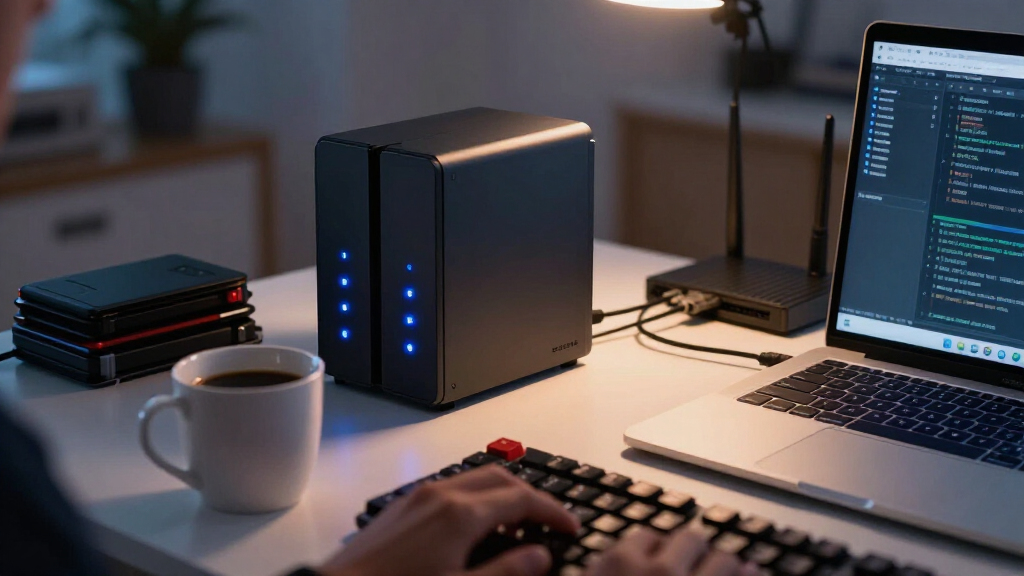

Developers need a NAS that goes beyond file storage: Docker container support, enough RAM to run VMs or CI runners, and an OS that won’t fight you at the command line. The Synology DS925+ stands out as the best overall pick for developers thanks to its mature DSM platform, solid virtualization support, and four expansion-friendly bays. The LincStation N1 is the standout alternative for anyone who wants Unraid out of the box, while the UGREEN NASync DXP480T Plus delivers all-flash speed for container-heavy workloads. The core tradeoff in this category is between polished closed ecosystems like Synology and more open, tinkering-friendly platforms like Unraid or TrueNAS-compatible hardware. Keep reading for the full breakdown.

Get business pricing on monitors, keyboards and dev gear
- Business-only prices and quantity discounts
- Tax-exempt purchasing
- Multiple users, one account, clear invoices
Key Takeaways
- Synology‘s DSM remains the most developer-friendly closed ecosystem, but its low RAM ceilings on 2-bay models limit VM and CI workloads — the DS925+ and DS1825+ are the only Synology picks here that comfortably handle virtualization.
- Unraid out of the box (LincStation N1) is the biggest differentiator in this lineup, letting developers add mixed-size drives and run Docker containers without Synology‘s licensing constraints.
- All-flash NAS options (UGREEN DXP480T Plus) change the calculus for build caches and local registry mirrors, where NVMe speed matters more than raw capacity.
- Entry-level 2-bay units like the DS223j and Yxk Zero1 are fine for backups and dotfile sync, but their weak CPUs choke on anything beyond light container use.
- UGREEN‘s DXP4800 Pro and DXP4800 GT blur the line between consumer NAS and home lab server, offering 10GbE-class connectivity at a tier where Synology typically reserves it for much higher-priced units.
| Synology DS223 2-Bay Diskless NAS for Home & Office |  | Best Starter NAS for Self-Hosted Services | Drive Bays: 2 | Drives Included: No (Diskless) | Operating System: Synology DSM | VIEW LATEST PRICE | See Our Full Breakdown |
| UGREEN NAS DH2300 2-Bay NAS for Beginners & Personal Users |  | Best Value for Backup-Only Setups | Bays: 2 | Max Storage Capacity: 64 TB (drives not included) | RAM: 4 GB | VIEW LATEST PRICE | See Our Full Breakdown |
| Synology DS1825+ 8-Bay Diskless NAS for Enterprise Video Production & Storage |  | Best for Team-Scale Shared Infrastructure | Drive Bays: 8 (diskless) | Max Capacity: 360 TB with expansion units | Sequential Throughput: Up to 2,239 MB/s | VIEW LATEST PRICE | See Our Full Breakdown |
| UGREEN NAS DXP4800 Pro 4-Bay NAS |  | Best Overall for Developers | Bays: 4x HDD + 2x M.2 SSD | Processor: Intel Core i3-1315U (6 cores, 8 threads, up to 4.5GHz) | RAM: 8GB DDR5, expandable to 96GB | VIEW LATEST PRICE | See Our Full Breakdown |
| Synology DS425+ 4-Bay Diskless NAS Private Cloud Media Server |  | Best Balanced Pick for Storage-First Developers | Bays: 4 (diskless) | Max Transfer Speed: 278 MB/s | Concurrent Users: 10+ | VIEW LATEST PRICE | See Our Full Breakdown |
| LincStation N1 6-Bay Diskless NAS with Unraid OS, Intel N5105 Quad-Core, 16GB RAM, 128GB eMMC |  | Best for Unraid Tinkering | CPU: Intel Celeron N5105 Quad-Core 2.9 GHz | RAM: 16GB | Internal Storage: 128GB eMMC | VIEW LATEST PRICE | See Our Full Breakdown |
| UGREEN NASync DXP480T Plus 4-Bay All-Flash SSD NAS |  | Best All-Flash Powerhouse | Drive Bays: 4x M.2 NVMe SSD slots | Max Storage Capacity: 32TB | Processor: Intel Core i5, 12th Gen, 10-core 12-thread | VIEW LATEST PRICE | See Our Full Breakdown |
| QNAP TS-264-8G-US 2-Bay Desktop NAS |  | Best Value 2-Bay Workhorse | Processor: Intel Celeron N5105/N5095 Quad-core (burst up to 2.9 GHz) | Memory: 8GB DDR4 (up to 16GB) | Network: Dual 2.5GbE ports (2.5G/1G/100M) | VIEW LATEST PRICE | See Our Full Breakdown |
| Synology 4-Bay DiskStation DS925+ NAS (Diskless) |  | Best Software Ecosystem | Drive Bays: 4 (expandable to 9 with expansion unit) | M.2 Slots: 2 NVMe slots for caching | Network: Dual 2.5GbE ports | VIEW LATEST PRICE | See Our Full Breakdown |
| Yxk Zero1 2-Bay Desktop NAS for Home & Personal Storage (Diskless) |  | Best Budget Starter NAS | Drive Bays: 2 (diskless) | RAM: 4GB | Connectivity: 2.5GbE Ethernet | VIEW LATEST PRICE | See Our Full Breakdown |
| Synology 2-Bay DiskStation DS223j NAS (Diskless) |  | Best Budget Entry Into the Synology Ecosystem | Brand: Synology | Model: DS223j | Drive Bays: 2 | VIEW LATEST PRICE | See Our Full Breakdown |
| Synology DS225+ 2-Bay Diskless NAS Private Cloud Media Server |  | Best 2-Bay for Media and Self-Hosting | Model: DS225+ | Drive Bays: 2 | Drives Included: No (Diskless) | VIEW LATEST PRICE | See Our Full Breakdown |
| UGREEN NASync DXP4800 GT 4-Bay Network Attached Storage |  | Best Performance Pick for Creator-Developers | Processor: AMD Ryzen Embedded R2514 (4 cores / 8 threads, up to 3.70GHz) | Memory: 8GB DDR4, expandable to 64GB | Drive Bays: 4x SATA (up to 32TB each), 2x M.2 NVMe (up to 16TB each) | VIEW LATEST PRICE | See Our Full Breakdown |
| network attached storage for developer | Drive Bays | Warranty |
|---|---|---|
| Synology DS223 2-Bay Diskless | 2 | 2 years |
| UGREEN NAS DH2300 2-Bay NAS fo | — | — |
| Synology DS1825+ 8-Bay Diskles | 8 (diskless) | 3 years |
| UGREEN NAS DXP4800 Pro 4-Bay N | — | — |
| Synology DS425+ 4-Bay Diskless | — | 3 years |
| LincStation N1 6-Bay Diskless | 2x 2.5" SATA + 4x M.2 NVMe 2280 | 2-year warranty, 24/7 support |
| UGREEN NASync DXP480T Plus 4-B | 4x M.2 NVMe SSD slots | — |
| QNAP TS-264-8G-US 2-Bay Deskto | — | — |
| Synology 4-Bay DiskStation DS9 | 4 (expandable to 9 with expansion unit) | 3-year limited |
| Yxk Zero1 2-Bay Desktop NAS fo | 2 (diskless) | 2 years |
| Synology 2-Bay DiskStation DS2 | 2 | 2 years |
| Synology DS225+ 2-Bay Diskless | 2 | 3 years |
| UGREEN NASync DXP4800 GT 4-Bay | 4x SATA (up to 32TB each), 2x M.2 NVMe (up to 16TB each) | — |
More Details on Our Top Picks
Synology DS223 2-Bay Diskless NAS for Home & Office
For a developer setting up a first homelab, the Synology DS223 makes the most sense as an entry point into self-hosting. Synology’s DSM operating system is the real draw here — it’s stable, well-documented, and supports the package ecosystem (Git, Docker via Container Manager, reverse proxies) that developers actually tinker with. Compared with the UGREEN DH2300, which explicitly lacks Docker support, the DS223 opens the door to running containers, which is often the whole point of buying a NAS as a developer.
The tradeoff is hardware: two bays cap your redundancy options at mirroring, and the CPU will struggle with heavy compilation or VM workloads. This pick suits lightweight services and backups, not serious compute. If you outgrow it, the Synology DS425+ in this lineup is the natural next step.
Pros:- DSM package ecosystem supports Docker containers, Git servers, and self-hosted dev tools
- Automated, set-and-forget backup for Mac, PC, and mobile dev machines
- Full data ownership with no recurring subscription fees
- 2-year warranty with long-term software updates
Cons:- Ships diskless, so drives are a separate purchase
- Two bays limit both capacity and redundancy options as storage needs grow
- Modest CPU struggles with virtualization or transcoding workloads
Best for: Developers building their first homelab who want Docker containers, Git hosting, and automated backups on a mature OS
Not ideal for: Anyone running VMs, heavy CI jobs, or large media libraries — the 2-bay ceiling and modest CPU will bottleneck quickly
- Drive Bays:2
- Drives Included:No (Diskless)
- Operating System:Synology DSM
- Container Support:Docker via Container Manager
- Backup Targets:Mac, PC, mobile, multi-destination
- Surveillance:IP cameras with motion alerts
- Warranty:2 years
Our verdict“The DS223 is the right first NAS for a developer who wants a stable, container-friendly platform for light self-hosted services without paying for hardware they don’t yet need.”
UGREEN NAS DH2300 2-Bay NAS for Beginners & Personal Users
The UGREEN DH2300 is the budget play in this roundup, and that framing matters: it’s a personal file vault, not a dev server. Where the Synology DS223 supports Docker and lets you self-host services, the DH2300 doesn’t support Docker, virtual machines, or containerized apps at all — which removes most of what a developer would want from a NAS beyond storage.
What it does well is the basics: 4GB of RAM, up to 64TB of raw capacity, AI photo organization, and strong privacy features including RAID, two-factor authentication, and TÜV SÜD certification. Transfer speeds top out around 125MB/s over the single 1GbE port, which is fine for backups but slow compared with the multi-gig options on the UGREEN DXP4800 Pro. This option stands out for simple, low-cost file ownership — nothing more.
Pros:- One-time purchase versus recurring cloud subscription fees
- AI-powered photo tagging and duplicate cleanup on-device
- Strong privacy stack: RAID modes, 2FA, and encrypted transfers
- Beginner-friendly setup for users migrating off cloud storage
Cons:- No Docker, virtual machines, or Plex via Docker — a hard stop for self-hosters
- Single 1GbE port caps transfers around 125MB/s
- Not designed for business or server applications
Best for: Budget-conscious buyers who want a one-time-purchase replacement for cloud photo and file storage without any server ambitions
Not ideal for: Developers specifically — no Docker, no VMs, and no containerized media servers mean it can’t host the services that justify a NAS in a dev workflow
- Bays:2
- Max Storage Capacity:64 TB (drives not included)
- RAM:4 GB
- Network:1GbE Ethernet (wired only)
- Transfer Speed:Up to 125 MB/s
- Drive Interface:SATA, 3.5-inch
- Container/VM Support:None
- Security:RAID, 2FA, encrypted transfers, TÜV SÜD certified
Our verdict“A solid, affordable personal backup vault, but developers should treat it strictly as storage — the missing container support rules out most homelab use cases.”
Synology DS1825+ 8-Bay Diskless NAS for Enterprise Video Production & Storage
At the top of the lineup, the Synology DS1825+ is built for teams, not individuals. Throughput of up to 2,239 MB/s with 50+ concurrent users means it can serve as shared storage for an entire dev team or studio — think centralized CI artifact storage, shared build caches, or, as Synology positions it, multi-editor 4K/8K video projects. Compared with the UGREEN DXP4800 Pro, which maxes out at four HDD bays, the eight bays here plus expansion units scaling to 360TB make it the only choice in this batch for serious capacity.
The enterprise features are the differentiator: high-availability clustering and automated failover mean a hardware failure doesn’t take your team’s storage offline. The tradeoffs are real too — it ships diskless, 10GbE/25GbE requires optional upgrade cards, and for a solo developer this is heavy overkill. This model is better suited to organizations than homelabs.
Pros:- Handles 50+ concurrent users editing 4K/8K media or accessing shared storage
- Scales from 160TB to 360TB via expansion units
- High-availability clustering and automated failover for uptime-critical environments
- Flexible 10GbE/25GbE networking upgrade path
Cons:- Sold diskless, and eight drives plus upgrade cards add major cost
- 10GbE/25GbE requires separately purchased cards
- Enterprise feature set is overkill for home or single-developer use
Best for: Dev teams and studios needing shared, fault-tolerant storage for 10+ users with large datasets, media pipelines, or build artifacts
Not ideal for: Solo developers and home users — the cost, size, and clustering features are wasted on single-person workloads
- Drive Bays:8 (diskless)
- Max Capacity:360 TB with expansion units
- Sequential Throughput:Up to 2,239 MB/s
- Concurrent Users:50+
- Network Options:10GbE / 25GbE upgrade cards
- Data Protection:High-availability clustering, automated failover, backup
- Warranty:3 years
Our verdict“The DS1825+ is the pick when a team — not a person — depends on the storage, and downtime or capacity ceilings are unacceptable.”
UGREEN NAS DXP4800 Pro 4-Bay NAS
This is the pick I’d point most developers toward. The UGREEN DXP4800 Pro is explicitly built for IT professionals and power users, and the spec sheet backs it up: an Intel Core i3-1315U with 6 cores and 8 threads, DDR5 RAM expandable to 96GB, and dual 10GbE + 2.5GbE ports delivering up to 1.25GB/s. Unlike the UGREEN DH2300, this one fully supports Docker and virtual machines, so running containers, a home Git server, databases, or even a small Kubernetes node is realistic, not aspirational.
The dual M.2 PCIe 4.0 slots matter more than they sound — fast SSD cache or a container-volume tier changes how responsive self-hosted services feel. Compared with the Synology DS425+, which prioritizes turnkey simplicity, the DXP4800 Pro trades polish for raw capability. The compromise: only 8GB of RAM out of the box, so heavy VM workloads demand an early upgrade, and four bays may pinch if your data grows fast.
Pros:- Intel Core i3-1315U with 6 cores comfortably runs Docker and VM workloads
- Dual 10GbE + 2.5GbE ports deliver up to 1.25GB/s transfers
- RAM expandable to 96GB for serious virtualization
- Dual M.2 PCIe 4.0 slots for SSD cache or fast container storage
Cons:- 8GB of stock RAM needs expansion for heavy VM use
- Only 4 HDD bays may limit larger-scale deployments
- Drives and SSDs sold separately
Best for: Developers who want to run Docker containers, VMs, and self-hosted services at gigabit-plus speeds without building a custom server
Not ideal for: Buyers wanting a zero-maintenance appliance — UGOS Pro is younger and less refined than Synology’s DSM, and heavy workloads need a RAM upgrade on day one
- Bays:4x HDD + 2x M.2 SSD
- Processor:Intel Core i3-1315U (6 cores, 8 threads, up to 4.5GHz)
- RAM:8GB DDR5, expandable to 96GB
- Network:10GbE + 2.5GbE dual ports
- Max Capacity:144 TB
- SSD Slots:Dual M.2 PCIe 4.0
- RAID Support:RAID 0, 1, 5, 10
- Containers/VMs:Docker and virtual machines supported
- Operating System:UGOS Pro
Our verdict“The best hardware-per-dollar option here for developers who actually want to run things on their NAS, not just store files on it.”
Synology DS425+ 4-Bay Diskless NAS Private Cloud Media Server
The Synology DS425+ sits in the sweet spot between the 2-bay models and the enterprise DS1825+ — enough bays for RAID 5, snapshots, and growth, without paying for clustering you’ll never use. Transfers up to 278 MB/s and support for 10+ concurrent users make it capable of serving a household or small team, and Synology’s snapshot technology is a quietly valuable feature for developers: it protects against accidental deletions and botched migrations in a way the UGREEN DH2300 simply doesn’t offer.
Where it trails the UGREEN DXP4800 Pro is raw compute and networking — no 10GbE headline spec and less muscle for VM-heavy setups. In exchange you get DSM’s maturity, easier configuration, and a 3-year warranty. This model makes the most sense for developers whose priority is reliable, well-protected storage with light services on top, rather than a container workhorse.
Pros:- Four bays enable RAID 5 for a better capacity-redundancy balance than 2-bay models
- Snapshot technology guards against accidental data loss and bad migrations
- 278 MB/s transfers support 10+ concurrent users
- 3-year warranty with mature DSM software
Cons:- Diskless — drives add meaningful cost on top of the enclosure
- Advanced features like snapshots and surveillance require technical setup
- Lacks the 10GbE networking and CPU headroom of competitor models
Best for: Developers who primarily want dependable RAID-protected storage, snapshots, and backups with room to grow, running only light self-hosted services
Not ideal for: VM and heavy-Docker users — the DXP4800 Pro’s stronger CPU, more RAM, and 10GbE make it the better compute platform
- Bays:4 (diskless)
- Max Transfer Speed:278 MB/s
- Concurrent Users:10+
- Data Protection:RAID, automated backups, snapshots
- IP Camera Support:Up to 30 cameras
- Operating System:Synology DSM
- Warranty:3 years
Our verdict“A balanced, storage-first choice for developers who value data protection and DSM’s polish over maximum compute horsepower.”
LincStation N1 6-Bay Diskless NAS with Unraid OS, Intel N5105 Quad-Core, 16GB RAM, 128GB eMMC
For developers who want a NAS that behaves like a lab machine, the LincStation N1 stands out for shipping with an Unraid Starter License — an OS that lets you mix drive sizes, spin up Docker containers, and run VMs without the rigid ecosystem of a Synology DS925+. The hybrid bay layout is the real draw: four M.2 NVMe slots give you fast SSD storage for containers and build artifacts, while two 2.5-inch SATA bays handle bulkier data. Compared with the QNAP TS-264, the 16GB of RAM out of the box makes a genuine difference for virtualization. The tradeoff is capacity: 2.5-inch drives cap out far below 3.5-inch drives, so this is a performance-and-flexibility play, not a bulk-storage one.
Pros:- Ships with an Unraid Starter License for flexible drive mixing and parity protection
- Four M.2 NVMe slots for fast container, cache, and VM storage
- 16GB RAM handles virtualization and container workloads better than most entry NAS
- Versatile I/O including 2.5GbE, USB-C, and 4K HDMI
Cons:- Diskless with a capacity ceiling — 2.5-inch SATA bays limit bulk storage
- Unraid Starter License is entry-tier, so larger arrays need a paid upgrade
Best for: Developers who want a self-hosted Unraid lab for Docker, VMs, and mixed-drive arrays without ecosystem lock-in
Not ideal for: Buyers needing raw terabytes — 2.5-inch SATA drives max out at much lower capacities than 3.5-inch drives in a QNAP or Synology
- CPU:Intel Celeron N5105 Quad-Core 2.9 GHz
- RAM:16GB
- Internal Storage:128GB eMMC
- Drive Bays:2x 2.5″ SATA + 4x M.2 NVMe 2280
- Network:2.5 Gigabit Ethernet
- Ports:USB-C (5Gbps), 2x USB 3.2 Gen2 Type-A, HDMI 2.0, 3.5mm audio
- Included OS:Unraid Starter License
- Warranty:2-year warranty, 24/7 support
Our verdict“This pick makes the most sense for developers who value Unraid’s flexibility and NVMe speed over maximum storage capacity.”
UGREEN NASync DXP480T Plus 4-Bay All-Flash SSD NAS
The UGREEN NASync DXP480T Plus is the outlier in this lineup: a 4-bay all-NVMe NAS built for speed rather than capacity. With a 10-core 12th-gen Intel Core i5, a 10GbE port, and Wi-Fi 6, it outclasses everything else here for raw throughput — this is the machine for editing video directly off the NAS, running demanding VMs, or hosting a fast build cache. Compared with the LincStation N1, the CPU gap is enormous: where the N5105 handles light containers, the i5 runs multiple virtual machines without breaking a sweat. The tradeoffs are real, though. You sacrifice drive-bay economics entirely, since NVMe SSDs cost far more per terabyte than 3.5-inch drives, and the 32TB ceiling assumes RAID 0, which offers no redundancy.
Pros:- All-flash NVMe design delivers dramatically faster read/write speeds than spinning-disk NAS
- 10-core 12th-gen Intel Core i5 handles VMs, Docker, and transcoding with headroom
- 10GbE port plus built-in Wi-Fi 6 for flexible high-speed networking
- Local encryption and multi-factor authentication keep data on-device
Cons:- SSDs sold separately, and populating four NVMe slots at capacity is expensive
- Advertised 32TB capacity requires RAID 0, which sacrifices redundancy
- Real-world throughput depends on router, drives, and file sizes
Best for: Video editors and developers who need 10GbE speeds to edit, compile, or serve data directly from all-flash storage
Not ideal for: Budget-conscious buyers or those needing bulk archival storage — four NVMe SSDs at high capacity adds serious cost
- Drive Bays:4x M.2 NVMe SSD slots
- Max Storage Capacity:32TB
- Processor:Intel Core i5, 12th Gen, 10-core 12-thread
- Network:10GbE port (up to 1250MB/s)
- Wireless:Wi-Fi 6
- RAID Support:JBOD/Basic/RAID0/RAID1/RAID5/RAID6/RAID10
- Drives Included:No (sold separately)
Our verdict“If your workflow demands editing or compiling straight off the network, this all-flash option justifies its cost — anyone just storing files should look elsewhere.”
QNAP TS-264-8G-US 2-Bay Desktop NAS
The QNAP TS-264 hits a sweet spot that most 2-bay units miss: dual 2.5GbE ports that can be link-aggregated, plus two M.2 NVMe slots for caching or full SSD pools. Against the Synology DS223 or Yxk Zero1, this model gives you far more room to grow into — the NVMe slots and expandable RAM mean it won’t feel obsolete when your container collection grows. QNAP’s QTS platform also runs Docker and virtualization station, making it more developer-friendly than a basic home hub. The honest limitation is the two 3.5-inch bays: once you want a true RAID array with room to spare, a 4-bay like the Synology DS925+ is the better structural choice. And the Celeron CPU, while capable, isn’t built for heavy VM workloads.
Pros:- Dual 2.5GbE ports with link aggregation for faster, redundant networking
- M.2 NVMe slots support both caching and full SSD storage pools
- Hardware AES-NI encryption without performance penalties
- Hot-swappable drive bays simplify maintenance
Cons:- Only 2 drive bays, capping RAID scalability and expansion headroom
- Celeron CPU limits demanding virtualization and complex containers
Best for: Developers or home-lab users who want a compact, cache-accelerated NAS that runs Docker without paying for 4-bay hardware
Not ideal for: Heavy virtualization users — the Celeron processor struggles compared with the Core i5 in the UGREEN DXP480T Plus
- Processor:Intel Celeron N5105/N5095 Quad-core (burst up to 2.9 GHz)
- Memory:8GB DDR4 (up to 16GB)
- Network:Dual 2.5GbE ports (2.5G/1G/100M)
- Storage Bays:2x 3.5″ SATA 6Gb/s, hot-swappable
- Expansion:2x M.2 PCIe Gen3x2 NVMe slots
- USB Ports:USB 3.2 Gen 2 Type-A (up to 10Gb/s)
- Form Factor:Desktop, metal chassis
Our verdict“A smart middle ground for tinkerers who want caching, Docker, and fast networking in a compact two-bay chassis.”
Synology 4-Bay DiskStation DS925+ NAS (Diskless)
What separates the Synology DS925+ from every hardware-matched rival in this roundup is DSM, Synology’s operating system — polished, actively maintained, and consistently reliable for backup, snapshots, surveillance, and virtualization. The QNAP TS-264 may offer similar networking on paper, but the DS925+ adds two more drive bays, an expansion path to nine drives, and a 3-year warranty. For a developer planning a long-lived homelab, that scalability matters more than raw specs. The M.2 slots are caching only, though — unlike the LincStation N1 or UGREEN DXP480T Plus, you can’t build fast NVMe storage pools here. That’s the core tradeoff: you buy into a managed, opinionated ecosystem at the cost of flexibility and third-party app freedom.
Pros:- Expandable from 4 to 9 drives with an expansion unit for long-term growth
- DSM offers the most mature software suite in the category, from backup to virtualization
- Dual 2.5GbE ports with redundancy and up to 522/565 MB/s throughput
- 3-year hardware warranty beats most competitors
Cons:- M.2 NVMe slots are limited to caching, not full SSD storage pools
- Proprietary DSM ecosystem restricts third-party app compatibility
Best for: Developers and small teams who want a polished, low-maintenance NAS with room to scale to nine drives over time
Not ideal for: Tinkerers who want to run arbitrary third-party apps or use NVMe slots as primary storage — DSM’s closed ecosystem restricts both
- Drive Bays:4 (expandable to 9 with expansion unit)
- M.2 Slots:2 NVMe slots for caching
- Network:Dual 2.5GbE ports
- Sequential Read/Write:Up to 522/565 MB/s
- Operating System:Synology DiskStation Manager (DSM)
- Drives Included:None (diskless)
- Warranty:3-year limited
Our verdict“The safest long-term pick if you value dependable software and expansion over hardware freedom.”
Yxk Zero1 2-Bay Desktop NAS for Home & Personal Storage (Diskless)
The Yxk Zero1 is the entry point of this lineup — a compact, quiet 2-bay unit that replaces cloud subscriptions with a one-time-purchase private storage hub. It still manages 2.5GbE networking, Docker support, snapshot recovery, and remote access from any platform, which is more than the more basic Synology DS223j offers in networking speed. For a developer wanting a first homelab box to run a few containers and back up machines, it covers the fundamentals at a lower entry cost. But expectations should be calibrated: 4GB of RAM and two bays mean this is a learning machine, not a server. Next to the QNAP TS-264, it lacks cache expansion, drive hot-swap, and the horsepower for anything beyond light Docker duty.
Pros:- One-time purchase that eliminates recurring cloud subscription fees
- 2.5GbE networking is 2.5x faster than the standard 1GbE on entry-level rivals
- Docker support and snapshot recovery are rare at this price tier
- Compact, lightweight, and quiet enough for a desk or shelf
Cons:- Only 2 drive bays with no expansion path
- 4GB RAM limits container count and rules out virtualization
- Smaller brand means a thinner track record than Synology or QNAP
Best for: First-time NAS buyers and hobbyist developers who want a low-cost Docker-capable box for backups and light container experiments
Not ideal for: Anyone planning VMs, heavy containers, or long-term growth — 4GB RAM and two bays run out of headroom quickly
- Drive Bays:2 (diskless)
- RAM:4GB
- Connectivity:2.5GbE Ethernet
- Features:Docker support, RAID, snapshot recovery, remote access, 4K HDMI
- Platform Support:Windows, macOS, iOS, Android via app, desktop client, or browser
- Weight:2kg
- Warranty:2 years
Our verdict“A sensible first step into self-hosted storage if you accept it’s a starter box you’ll eventually outgrow.”
Synology 2-Bay DiskStation DS223j NAS (Diskless)
For a developer who wants DSM software without the premium price, the DS223j is the cheapest legitimate way in. What you’re really buying here is Synology’s DiskStation Manager, which remains the most polished NAS operating system for running Git mirrors, Docker containers (albeit limited ones), and self-hosted tools alongside automated backups. Compared with the UGREEN NAS DH2300, the DS223j trades raw hardware for software maturity — UGREEN gives you a snappier box, but Synology gives you an ecosystem that won’t fight you. The tradeoff is real, though: the ARM-class internals choke on heavier container workloads and there’s no hardware transcoding for Plex. If your dev NAS doubles as a media server, the DS225+ further up this list is the better spend.
Pros:- Full access to DSM, the most mature NAS operating system for self-hosted developer tools
- Automated multi-destination backups for Macs, PCs, and mobile devices
- Compact, quiet, and energy-efficient enough to run 24/7 on a desk
- Supports IP camera recording without a subscription
Cons:- Diskless — drives are a separate purchase that inflates the true cost
- Only 2 bays limits you to basic mirroring with little growth headroom
- Entry-level CPU struggles with transcoding and heavier containers
Best for: Developers on a budget who want DSM’s polished self-hosting ecosystem for lightweight services, backups, and Git mirrors
Not ideal for: Anyone planning Docker-heavy workloads, VMs, or Plex transcoding — the entry-level CPU will bottleneck quickly
- Brand:Synology
- Model:DS223j
- Drive Bays:2
- Drives Included:No (Diskless)
- Operating System:Synology DiskStation Manager (DSM)
- Warranty:2 years
Our verdict“The cheapest ticket into the Synology ecosystem for developers who value software polish over hardware muscle.”
Synology DS225+ 2-Bay Diskless NAS Private Cloud Media Server
The DS225+ is what happens when you take the DS223j‘s formula and add an Intel CPU with hardware transcoding — suddenly the same chassis can push 4K streams to any device while still handling your dev backups and containers. Its 282 MB/s transfer speeds keep large repository and build-artifact syncs from becoming a bottleneck, and snapshot support gives you point-in-time recovery that matters when a script goes wrong. Compared with the QNAP TS-264, the DS225+ leans on simpler, safer software at the cost of fewer raw features. The honest caveat: setup involves RAID configuration and DSM’s many menus, so first-timers should expect an evening of reading rather than a ten-minute unboxing. Two bays also caps your expansion path early.
Pros:- Intel CPU enables hardware 4K transcoding for smooth media streaming
- 282 MB/s transfer speeds handle large code artifacts and media libraries
- Layered protection with RAID, automated backups, and snapshots
- 3-year warranty with smart home surveillance support
Cons:- Diskless, so drives add meaningful cost on top of the enclosure
- Setup and RAID configuration involve a learning curve for newcomers
- Two bays constrain long-term storage growth and redundancy options
Best for: Developers who want one compact box for personal media streaming plus serious snapshot-protected backup infrastructure
Not ideal for: Complete NAS beginners who want plug-and-play simplicity, or teams needing more than two drives of capacity
- Model:DS225+
- Drive Bays:2
- Drives Included:No (Diskless)
- Processor:Intel CPU with hardware transcoding
- Transfer Speed:Up to 282 MB/s
- Surveillance Support:Up to 30 IP cameras
- Warranty:3 years
Our verdict“The strongest two-bay pick for developers who refuse to choose between a media server and a backup appliance.”
UGREEN NASync DXP4800 GT 4-Bay Network Attached Storage
This is the brute-force option of the batch: a Ryzen Embedded R2514 with 8GB of expandable DDR4 and dual 10GbE ports make it capable of hosting Docker fleets, virtual machines, and editing 4K footage straight off the array. Compared with the UGREEN DXP4800 Pro, the GT’s twin 10GbE links are the differentiator — if your network is ready for it, syncs that crawl on the DS225+ finish in seconds here. Support for 144TB across four SATA bays plus two NVMe slots means this box won’t be outgrown. The compromises are honest ones: Plex requires manual Docker deployment rather than arriving pre-installed, and the stock non-ECC RAM ideally wants upgrading for memory-sensitive workloads. Still, for a dev who treats a NAS as a home lab, nothing else here matches its ceiling.
Pros:- Ryzen R2514 CPU with RAM expandable to 64GB handles VMs and Docker comfortably
- Dual 10GbE ports dramatically cut transfer times on capable networks
- Up to 144TB across 4 SATA bays and 2 M.2 NVMe slots
- Built-in surveillance with ONVIF/RTSP and direct SD/USB backup without a computer
Cons:- Drives and SSDs sold separately, making the total build cost substantial
- Plex requires manual setup via Docker instead of a pre-installed package
- Non-ECC stock RAM needs replacing for error-corrected operation
Best for: Developers and creators running Docker, VMs, and 4K/8K editing workflows who need 10GbE throughput and serious expandability
Not ideal for: Buyers who want an appliance that just works — Plex via Docker, manual drive purchases, and RAM upgrades demand hands-on effort
- Processor:AMD Ryzen Embedded R2514 (4 cores / 8 threads, up to 3.70GHz)
- Memory:8GB DDR4, expandable to 64GB
- Drive Bays:4x SATA (up to 32TB each), 2x M.2 NVMe (up to 16TB each)
- Max Storage:144TB (drives not included)
- Networking:Dual 10GbE ports
- Connectivity:USB-A 10Gbps, USB-C 10Gbps, USB 2.0, 4K HDMI, SD card slot
- Operating System:UGOS Pro
- Security:TLS/SSL, RSA, AES, SHA-512, RAID support
Our verdict“The pick for developers who want a home lab with a performance ceiling far above typical two-bay enclosures.”

How We Picked
My ranking logic centers on what developers actually do with a NAS: run containers, host internal tooling, back up machines, and sometimes serve VMs. That means CPU headroom, RAM capacity (or upgradeability), Docker/VM support, and OS flexibility carried the most weight, followed by connectivity for local network speed and bay count for future growth. A fast NAS with a locked-down OS ranks below a slower one that lets a developer install whatever they need.
Secondarily, I weighed value per bay, expandability, and power efficiency, because a home lab box runs 24/7. Models with soldered-on limitations or platforms that restrict third-party apps were penalized. The result is a ranking that favors mid-range 4-bay units for most developers, reserves the top premium spots for 8-bay and all-flash builds, and places budget 2-bay units lower because they trade away the capabilities developers buy a NAS for in the first place.
Factors to Consider When Choosing Network Attached Storage For Developers
Choosing a NAS as a developer is different from choosing one as a general home user. These are the factors that actually move the needle, and the mistakes I see buyers make most often.RAM: The Ceiling That Bites Later
Most budget NAS units ship with 2–4GB of non-upgradeable RAM, which is fine for file serving but collapses quickly once you spin up containers or a VM. A single Nextcloud or GitLab container can consume 1–2GB on its own, and a CI runner needs more. My advice: treat 8GB as the realistic minimum for development use, and prefer models with user-upgradeable SODIMM slots over soldered memory. The gap between a 4GB and an 8GB machine is not incremental — it is the difference between a lab you outgrow in six months and one that lasts years. This is why the LincStation N1’s 16GB stock configuration ranks so well despite its niche brand recognition.
Operating System Philosophy: Closed vs. Open
Synology’s DSM is polished, well-documented, and has a mature package ecosystem, but it dictates how you use your hardware. Unraid, TrueNAS, and raw Linux distributions give you full control — custom kernels, arbitrary Docker images, PCI passthrough — at the cost of doing your own maintenance. A common mistake is buying Synology for its reputation and then fighting its constraints when you want to run something DSM doesn’t support. Ask yourself honestly whether you want an appliance or a server. If the phrase ‘I’d rather manage it myself’ resonates, lean toward Unraid-ready or OS-agnostic hardware rather than assuming you can work around a closed platform later.
CPU Architecture and Container Compatibility
ARM-based budget NAS units can struggle with container images that are only published for x86-64 — a recurring frustration for developers pulling images from Docker Hub. Intel Celeron and Core-class x86 chips avoid that entire class of problem and unlock hardware transcoding if you also want media duties. x86 is the safe default for anything running containers; ARM only makes sense if your workloads are explicitly ARM-targeted or purely file-based. Also check passmark scores against your intended use: a weak CPU that idles fine will stall badly during simultaneous builds, backups, and index updates. Cheaping out here is the number-one regret I see in this category.
Drive Bays vs. All-Flash: Match the Storage to the Workload
Developers often overbuy capacity and underbuy speed. If your NAS will hold build caches, node_modules mirrors, or a local Docker registry, IOPS matter more than terabytes, and an all-flash 4-bay beats a spinning-disk 8-bay for those tasks. Conversely, if the box mainly stores backups, media, and archives, hard-drive bays deliver far cheaper capacity and flash is wasted money. A pragmatic middle path many take: a hybrid unit with NVMe cache slots plus HDD bays. Decide your dominant workload before choosing a chassis, because bay type is not upgradeable after purchase — you cannot convert an HDD bay to NVMe later.
Network Connectivity and Your Actual Bottleneck
Gigabit Ethernet caps you around 110 MB/s, which is slower than a single modern SSD — meaning your network, not your drives, is the bottleneck. If you will mount NAS volumes during builds or run VMs off network storage, 2.5GbE is the new sensible floor, and 10GbE is worth it for all-flash builds. Check whether your switch and workstation NICs match the NAS speed, or the extra bandwidth is wasted. Many buyers splurge on a 10GbE NAS and then discover their home network cannot use it. Match the whole chain, not just the box.
Power Draw and the 24/7 Reality
A developer NAS runs continuously, and power costs compound: an 8-bay x86 unit under load can draw five times what a 2-bay Celeron box idles at. Over three years, that difference can exceed the cost of the hardware itself for high-bay-count builds. Bigger is not automatically better — an oversized NAS mostly hosting backups wastes both electricity and money. If your workloads are intermittent, look for drives with aggressive spin-down support and a platform that handles it gracefully. Right-sizing here is one of the least glamorous but most financially meaningful decisions in this purchase.
Frequently Asked Questions
Can I run Docker containers directly on a NAS, or do I need a separate server?
Most x86-based NAS units in this lineup support Docker natively through their package managers, and Unraid treats containers as a first-class feature. This means a single NAS can host your databases, message queues, monitoring stack, and internal tools without a separate home lab server. ARM-based budget models are the exception — they run Docker, but many popular images lack ARM builds, so you will hit compatibility walls. If containers are your primary use case, prioritize an x86 CPU and 8GB+ of RAM. A NAS with those specs genuinely replaces a small dedicated server for many developers.
Is Synology worth it for developers, or is it too closed?
Synology occupies a middle ground: DSM supports Docker, full-disk encryption, scheduled snapshots, and SSH access, which covers most development workflows. The friction appears when you want custom kernels, unsupported virtualization configurations, or hardware upgrades outside Synology’s approved list. Developers who value reliability and want to stop tinkering tend to love Synology; developers who want full root-level control tend to migrate to Unraid or TrueNAS. The practical test is whether your desired toolchain exists in DSM’s ecosystem or runs acceptably in a container. If yes, Synology’s polish is worth the constraints; if not, choose open hardware from the start.
How many drive bays does a developer actually need?
Two bays cover backups and file sync adequately, but four is the sweet spot for development use because it allows a RAID arrangement plus growth without immediately rebuilding your array. Developers storing build artifacts, container images, and VM disks consume capacity far faster than expected — a busy CI cache alone can exceed a terabyte. Eight bays only makes sense if you are consolidating media production or team storage onto the same box. Remember that adding bays later means buying a new chassis, so buy one bay more than your current plan requires. The most common regret in this category is starting with two bays and outgrowing them within a year.
Should I choose an all-flash NAS or traditional hard drives?
All-flash NAS units like the DXP480T Plus shine when your NAS serves as a build-cache host, local registry mirror, or VM datastore — workloads where random I/O dominates. Hard drives win on cost per terabyte by a wide margin, making them the right call for backups, archives, and media. A useful decision rule: if you would notice a file-copy delay during your daily work, buy flash; if the NAS works in the background, buy HDDs. Many developers run hybrid setups with NVMe caching to get most of the flash benefit at HDD prices. The mistake to avoid is buying flash for capacity-oriented needs and paying triple for space you will never fill.
Can a NAS replace cloud services like GitHub or AWS for my development workflow?
Partially. A NAS can self-host Git repositories, CI runners, databases, and file backups, removing most infrastructure subscription costs for solo developers and small teams. What it cannot replicate is offsite redundancy, global availability, and the collaborative tooling of hosted platforms. A robust setup pairs a NAS as the primary workload host with an offsite backup target — either a second location or a minimal cloud tier for the truly irreplaceable data. Never treat a single NAS, however redundant its drives, as your only copy of source code. The right framing is that a NAS replaces cloud infrastructure, not cloud redundancy.
Conclusion
For most developers, the Synology DS925+ is the best overall choice — it balances DSM’s mature container and virtualization ecosystem with four bays of growth room and a CPU that handles real workloads. The UGREEN DXP4800 Pro takes the best value slot, delivering x86 power, strong connectivity, and upgradeability at a friendlier entry point than comparable Synology hardware. Best premium goes to the Synology DS1825+ for teams and heavy virtualization, with the UGREEN DXP480T Plus as the premium pick when all-flash speed is the priority.
For beginners, the UGREEN DH2300 offers the gentlest on-ramp without the dead-end limits of the cheapest 2-bay units. Specific needs: choose the LincStation N1 if you want Unraid freedom out of the box, the DS223 or DS223j if your NAS is purely backups and sync, and the DXP4800 GT if you want a near-home-lab server that still fits on a desk. Whatever you pick, buy for the workloads you will run in year two, not the ones you have today.
Fall Picks
fall essentials
As an affiliate, we earn on qualifying purchases.