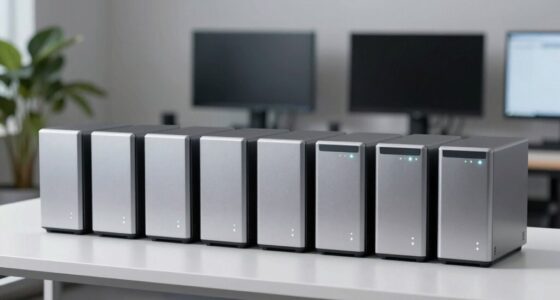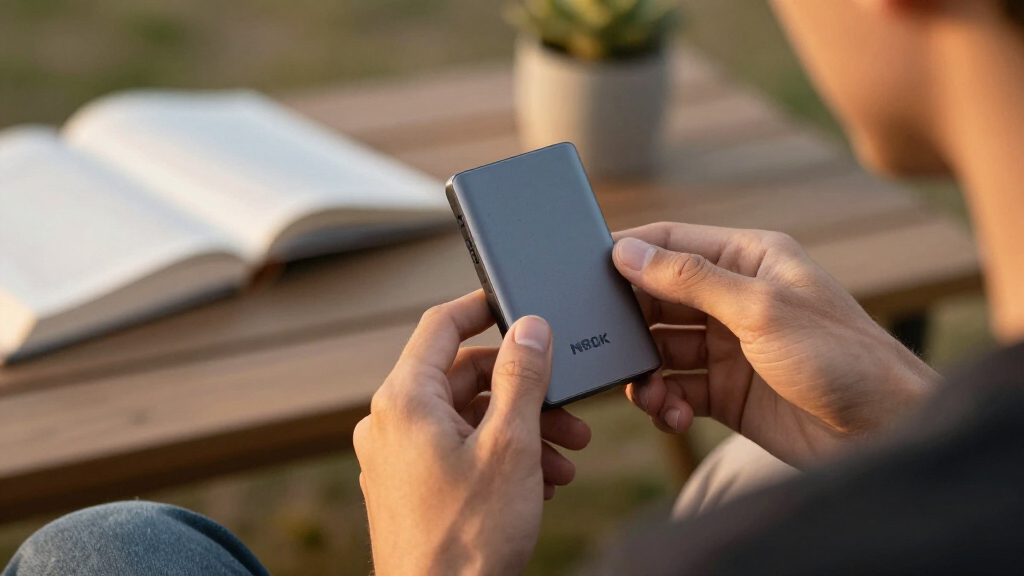

For most developers, the Samsung T7 Shield is the best overall portable SSD here: its rugged design and USB 3.2 Gen 2 connection suit project files on the move. The Samsung T9 is a stronger fit for compatible USB 3.2 Gen 2×2 systems, while the Samsung T5 EVO prioritizes capacity with a 4TB option. The central tradeoff is between broad compatibility, extra speed that depends on the host device, and capacity or durability for a particular workflow. Smaller drives can work for source code and tools, but large repositories, containers, virtual machines, and build artifacts can quickly use that space. Read on for the full comparison and guidance on choosing a drive that fits your development setup.

Get business pricing on monitors, keyboards and dev gear
- Business-only prices and quantity discounts
- Tax-exempt purchasing
- Multiple users, one account, clear invoices
Key Takeaways
- The T7 Shield is the most balanced pick: it combines a rugged build with a mainstream USB 3.2 Gen 2 connection, avoiding the host compatibility demands of faster interfaces.
- The T9’s speed depends on your computer: its USB 3.2 Gen 2×2 interface can be a differentiator only when the host supports that standard.
- Capacity changes the shortlist: the 4TB Samsung T5 EVO suits large working libraries, while the 128GB SSK is better reserved for modest, selective workloads.
- Portability has different meanings: the compact Lexar Professional Go favors a small footprint, while rugged models such as the T7 Shield focus more on handling exposure and travel.
- Advertised read speeds are not the whole workflow: sustained writes, the computer’s port, cable, file mix, and workload can matter more than a headline sequential read figure.
| Samsung T7 Shield 1TB Portable SSD |  | Best for Rugged Daily Carry | Storage capacity: 1TB | Interface: USB 3.2 Gen 2 | Storage technology: PCIe NVMe | VIEW LATEST PRICE | See Our Full Breakdown |
| SanDisk 1TB Portable Drive, Up to 600MB/s Read Speed, Black |  | Best for Everyday Portability | Storage capacity: 1TB | Maximum read speed: Up to 600 MB/s | Connectivity: USB-C | VIEW LATEST PRICE | See Our Full Breakdown |
| Verbatim Pocket 512GB External SSD USB 3.2 Gen 2 |  | Best Compact Fast Pick | Capacity: 512GB | Interface: USB 3.2 Gen 2 | Connector: USB-C | VIEW LATEST PRICE | See Our Full Breakdown |
| Lexar Professional Go USB-C Portable SSD, USB 3.2 Gen 2, Black |  | Best for Phone-Based Development | Interface: USB 3.2 Gen 2, USB-C | Maximum read speed: 1,050 MB/s | Maximum write speed: 1,000 MB/s | VIEW LATEST PRICE | See Our Full Breakdown |
| SanDisk Extreme Portable 2TB SSD |  | Best for Larger Project Libraries | Capacity: 2TB | Interface: USB-C, USB 3.2 Gen 2 | Maximum read speed: 1,050 MB/s | VIEW LATEST PRICE | See Our Full Breakdown |
| SSK 128GB Portable External SSD, Up to 550MB/s |  | Best for Small Developer Toolkits | Capacity: 128GB | Interface: USB 3.2 Gen 2 | Maximum transfer speed: Up to 550MB/s | VIEW LATEST PRICE | See Our Full Breakdown |
| Samsung T5 EVO 4TB Portable SSD |  | Best for Large Project Archives | Storage capacity: 4TB | Interface: USB 3.2 Gen 1 | Maximum transfer speed: Up to 460MB/s | VIEW LATEST PRICE | See Our Full Breakdown |
| Samsung T9 Portable SSD, 1TB, USB 3.2 Gen 2×2 |  | Best for Fast Project Transfers | Capacity: 1TB | Interface: USB 3.2 Gen 2×2 | Maximum sequential read speed: Up to 2,000MB/s | VIEW LATEST PRICE | See Our Full Breakdown |
| Samsung T7 Portable SSD, 1TB, Titan Gray, USB 3.2 Gen 2 |  | Best All-Round Developer Drive | Capacity: 1TB | Color: Titan Gray | Interface: USB 3.2 Gen 2 | VIEW LATEST PRICE | See Our Full Breakdown |
| Lexar ES3 1TB Portable SSD, Silver |  | Best Lightweight Pick | Capacity: 1TB | Interface: USB 3.2 Gen 2 | Read speed: Up to 1,050MB/s | VIEW LATEST PRICE | See Our Full Breakdown |
| SSK Portable 250GB External SSD with USB-C |  | Best for Small, Fast Project Transfers | Capacity: 250GB | Maximum read speed: Up to 1050MB/s | Maximum write speed: Up to 1000MB/s | VIEW LATEST PRICE | See Our Full Breakdown |
| SABRENT Rocket XTRM 5 4TB Thunderbolt 5 Portable SSD |  | Best Premium for Thunderbolt 5 Workstations | Capacity: 4TB | Interface: Thunderbolt 5 | Maximum transfer speed: Up to 64Gbps | VIEW LATEST PRICE | See Our Full Breakdown |
| SanDisk Extreme PRO Portable SSD, 2TB |  | Best for Sustained Heavy Writes | Capacity: 2TB | Maximum transfer speed: Up to 4000MB/s | Average sustained write speed: 3100MB/s | VIEW LATEST PRICE | See Our Full Breakdown |
| SanDisk 1TB Portable SSD, Up to 800MB/s Read Speed |  | Best for a Rugged Everyday Backup | Capacity: 1TB | Interface: USB 3.2 Gen 2 | Connector: USB Type-C | VIEW LATEST PRICE | See Our Full Breakdown |
| SSK 512GB USB-C Portable SSD, Up to 1050MB/s |  | Best Compact Direct-Plug Pick | Capacity: 512GB | Interface: USB 3.2 | Connector: USB Type-C | VIEW LATEST PRICE | See Our Full Breakdown |
| portable SSDs for developer | Interface | Capacity |
|---|---|---|
| Samsung T7 Shield 1TB Portable | USB 3.2 Gen 2 | — |
| SanDisk 1TB Portable Drive | — | — |
| Verbatim Pocket 512GB External | USB 3.2 Gen 2 | 512GB |
| Lexar Professional Go USB-C Po | USB 3.2 Gen 2, USB-C | — |
| SanDisk Extreme Portable 2TB S | USB-C, USB 3.2 Gen 2 | 2TB |
| SSK 128GB Portable External SS | USB 3.2 Gen 2 | 128GB |
| Samsung T5 EVO 4TB Portable SS | USB 3.2 Gen 1 | — |
| Samsung T9 Portable SSD | USB 3.2 Gen 2×2 | 1TB |
| Samsung T7 Portable SSD | USB 3.2 Gen 2 | 1TB |
| Lexar ES3 1TB Portable SSD | USB 3.2 Gen 2 | 1TB |
| SSK Portable 250GB External SS | USB 3.2 Gen 2 | 250GB |
| SABRENT Rocket XTRM 5 4TB Thun | Thunderbolt 5 | 4TB |
| SanDisk Extreme PRO Portable S | — | 2TB |
| SanDisk 1TB Portable SSD | USB 3.2 Gen 2 | 1TB |
| SSK 512GB USB-C Portable SSD | USB 3.2 | 512GB |
More Details on Our Top Picks
Samsung T7 Shield 1TB Portable SSD
The Samsung T7 Shield suits developers who carry active projects between a desk, a client site, and the occasional less-than-gentle commute. Its IP65 dust and water resistance and stated drop protection up to 9.8 feet add reassurance that the slimmer Samsung T7 Portable SSD does not emphasize in the supplied specs. Read speeds up to 1,050 MB/s and writes up to 1,000 MB/s can make large repositories, build artifacts, and virtual machine files less tedious to move, provided the host and cable support those rates. The tradeoff is 1TB of capacity: it offers less workspace than the 2TB SanDisk Extreme Portable SSD. Its rugged rating also does not make it immune to damage, and real transfer speeds depend on the connected device.
Pros:- Read and write speeds reach up to 1,050 MB/s and 1,000 MB/s
- IP65 water and dust resistance
- Designed to withstand drops up to 9.8 feet
- Compatibility includes PCs, Macs, Android devices, consoles, and iPhone 15 Pro
Cons:- 1TB provides less room than the 2TB SanDisk Extreme Portable SSD
- Maximum speeds depend on the host, cable, and UASP support
- Real-world water and drop protection can vary
Best for: Developers who move a 1TB working set between computers and want dust, water, and drop protection for daily travel.
Not ideal for: Developers who keep several large VM images or media datasets on one drive, or whose computer cannot take advantage of USB 3.2 Gen 2 speeds.
- Storage capacity:1TB
- Interface:USB 3.2 Gen 2
- Storage technology:PCIe NVMe
- Maximum read speed:1,050 MB/s
- Maximum write speed:1,000 MB/s
- Water and dust resistance:IP65
- Drop resistance:Up to 9.8 feet (3 meters)
- Compatibility:PC, Mac, Android devices, gaming consoles, iPhone 15 Pro
Our verdict“Choose the T7 Shield if you want fast project transfers in a rugged 1TB drive and can work within that capacity.”
SanDisk 1TB Portable Drive, Up to 600MB/s Read Speed, Black
This pocket-sized SanDisk SSD is a practical fit for developers who want a small project shuttle for source trees, documents, and occasional file transfers. Its stated read speed of up to 600 MB/s is below the Samsung T7 Shield’s 1,050 MB/s ceiling, so large build outputs or VM images may take longer to copy. The simpler performance profile can still suit a developer whose priority is carrying a compact drive between a laptop and phone, rather than maximizing transfer speed. Its solid-state construction has no moving parts and is drop-resistant from up to 2 meters. The supplied data gives no write-speed figure, which makes it harder to judge sustained project backups; choose the Verbatim Pocket SSD if you need a stated write speed up to 1,000 MB/s and can use 512GB.
Pros:- 1TB capacity in a pocket-sized design
- Read speeds up to 600 MB/s
- Drop-resistant from up to 2 meters
- USB-C connectivity and compatibility with computers, smartphones, and tablets
Cons:- Read speed is lower than the Samsung T7 Shield’s stated maximum
- No write-speed figure is provided
- The supplied specs do not state a water or dust resistance rating
Best for: Developers who want a pocketable 1TB drive for source code, documents, and routine transfers across desktop, laptop, phone, or tablet.
Not ideal for: Developers who regularly move large repositories, build artifacts, or VM images and need a stated high write speed.
- Storage capacity:1TB
- Maximum read speed:Up to 600 MB/s
- Connectivity:USB-C
- Drop protection:Up to 2 meters
- Design:Pocket-sized solid-state drive with no moving parts
- Compatible devices:Desktop, laptop, smartphone, tablet
- Color:Black
Our verdict“Pick this SanDisk for compact everyday file carrying, but choose a faster model for frequent large project writes.”
Verbatim Pocket 512GB External SSD USB 3.2 Gen 2
For developers who value a small drive that can stay attached to a keyring or disappear into a pocket, the Verbatim Pocket SSD makes portability its defining advantage. Its USB 3.2 Gen 2 connection supports stated read and write speeds up to 1,000 MB/s, making it a stronger choice for moving active files than the 600 MB/s SanDisk Portable Drive. The built-in cable holder also helps keep the connection accessory close at hand. The tradeoff is 512GB, half the capacity of the Samsung T7 Shield and a tighter fit for several workspaces, containers, or VM images. Nero Backup Software is included for Windows, but its OS limitation makes it less useful for developers working primarily on macOS or Linux. It suits a fast, compact transfer drive better than a single large project archive.
Pros:- Read and write speeds up to 1,000 MB/s
- Ultracompact, lightweight design with a keyring
- Built-in cable holder helps keep the connection accessory handy
- Solid-state construction with no moving parts
Cons:- 512GB capacity is lower than the 1TB Samsung T7 Shield
- Included Nero Backup Software is for Windows only
- The supplied specs do not state a water or drop resistance rating
Best for: Developers who want a lightweight USB-C drive for transferring a focused set of source files or tools between compatible devices.
Not ideal for: Developers who need 1TB or more for multiple repositories, VM images, or build artifacts, or who want the included backup software on macOS.
- Capacity:512GB
- Interface:USB 3.2 Gen 2
- Connector:USB-C
- Maximum read speed:Up to 1,000 MB/s
- Maximum write speed:Up to 1,000 MB/s
- Included software:Nero Backup Software for Windows
- Features:Keyring, cable holder, no moving parts
Our verdict“Choose the Verbatim for fast transfers in a very small package if 512GB is enough for your working set.”
Lexar Professional Go USB-C Portable SSD, USB 3.2 Gen 2, Black
The Lexar Professional Go is the most specialized pick here: its 0.5-ounce body and compatibility with iPhone 15 series devices, computers, tablets, and cameras make it appealing for developers who capture or move files directly from mobile hardware. It matches the Samsung T7 Shield’s stated maximum of 1,050 MB/s read and 1,000 MB/s write, while adding IP65 dust and water resistance. Lexar specifies 1 m drop protection, a shorter stated distance than the T7 Shield’s 3 m. Its available capacity reaches 2TB, matching the SanDisk Extreme Portable SSD, though the supplied product data does not identify the capacity of this particular listing. That missing detail complicates planning a developer workspace. This is a compelling compact connector for phone-centered workflows, but buyers needing a clearly specified capacity or stronger stated drop protection may prefer another option.
Pros:- Read speeds up to 1,050 MB/s and write speeds up to 1,000 MB/s
- IP65 dust and water resistance
- Very light at 0.5 oz
- Compatibility includes iPhone 15 series, computers, tablets, and cameras
Cons:- The provided listing data does not specify the capacity of this particular unit
- Stated drop protection is 1 m, compared with 3 m for the Samsung T7 Shield
- The provided specs do not state hardware encryption
Best for: Developers who move files directly between iPhone 15 series devices, computers, tablets, or cameras and prioritize low weight.
Not ideal for: Developers who need a confirmed capacity for their purchase or want the T7 Shield’s stated 3 m drop protection.
- Interface:USB 3.2 Gen 2, USB-C
- Maximum read speed:1,050 MB/s
- Maximum write speed:1,000 MB/s
- Available capacity:Up to 2TB
- Protection:IP65 dust and water resistance
- Drop protection:1 m
- Dimensions:1.71 x 0.98 x 0.32 in
- Weight:0.5 oz
- Compatibility:iPhone 15 series, smartphones, PCs, Macs, tablets, iPads, cameras
Our verdict“Choose the Lexar for a lightweight, rugged drive in a phone-centered workflow after confirming the listed capacity.”
SanDisk Extreme Portable 2TB SSD
When a developer needs room for several repositories, build outputs, and large working files, the SanDisk Extreme Portable 2TB SSD offers twice the capacity of the Samsung T7 Shield in this lineup. It also states the same class of transfer performance—up to 1,050 MB/s read and 1,000 MB/s write—so the added space does not come with a lower advertised speed ceiling. IP65 water and dust resistance and drop protection up to 3 meters make it better suited to a travel bag than an unprotected desktop drive. A carabiner loop supports attaching it to a pack, while 256-bit AES hardware encryption can help protect stored work. The tradeoff is that actual speeds depend on the host and other factors, and the Samsung T7 Shield provides the same stated drop distance in a smaller-capacity option.
Pros:- 2TB capacity for larger project libraries
- Read and write speeds up to 1,050 MB/s and 1,000 MB/s
- IP65 water and dust resistance with drop protection up to 3 meters
- 256-bit AES hardware encryption and a carabiner loop
Cons:- Actual performance varies with the host device and other factors
- The supplied specs do not identify the drive’s weight or dimensions
- The Samsung T7 Shield offers the same stated 3 m drop protection at 1TB
Best for: Developers who carry multiple active projects, build artifacts, or large datasets and want 2TB with rugged protection.
Not ideal for: Developers with a smaller working set who prefer the Samsung T7 Shield’s specifically described rugged design or need a confirmed speed on their own host.
- Capacity:2TB
- Interface:USB-C, USB 3.2 Gen 2
- Maximum read speed:1,050 MB/s
- Maximum write speed:1,000 MB/s
- Water and dust resistance:IP65
- Drop protection:Up to 3 meters
- Encryption:256-bit AES hardware encryption
- Non-operating temperature:-20°C to 85°C
- Model:SDSSDE61-2T00-G25
Our verdict“Choose this SanDisk when 2TB for multiple projects matters more than a smaller working set.”
SSK 128GB Portable External SSD, Up to 550MB/s
The SSK 128GB is a compact fit for a developer who wants to carry a small set of scripts, configuration files, or install media between machines. Its USB 3.2 Gen 2 connection is rated up to 550MB/s, and the included USB-C cable and USB-A adapter make it easier to connect to a mix of newer and older computers. TRIM and S.M.A.R.T. monitoring add useful drive management features. Capacity is the main constraint: after formatting, the space available to store projects will be modest, especially beside the Samsung T7 1TB. It suits portable utility files better than large repositories, virtual machines, or media assets. Actual transfer speeds also depend on the host and workload, so the rated maximum is not guaranteed.
Pros:- Compact capacity for a lightweight developer toolkit
- USB-C cable and USB-A adapter support varied computer ports
- TRIM and S.M.A.R.T. monitoring provide useful drive management support
- SLC caching is designed to help maintain transfer speeds
Cons:- 128GB is restrictive for large repositories, virtual machines, and media files
- Windows may show around 116GB of usable capacity
- Actual transfer speed depends on the host device, operating system, and application
Best for: Developers carrying a compact set of tools, configuration files, or small code projects between computers
Not ideal for: Developers who keep large repositories, virtual machines, or media assets on an external drive; 128GB leaves limited working space
- Capacity:128GB
- Interface:USB 3.2 Gen 2
- Maximum transfer speed:Up to 550MB/s
- Connections:USB-C cable and USB-A adapter
- Drive monitoring:S.M.A.R.T. monitoring
- Drive features:TRIM and SLC caching
- Activity indicator:LED
Our verdict“Choose the SSK 128GB for a small, portable toolkit, but pick the Samsung T7 1TB if you need room for active projects.”
Samsung T5 EVO 4TB Portable SSD
When a developer needs a portable archive for source trees, build outputs, and large datasets, the Samsung T5 EVO’s 4TB capacity gives it a distinct role in this group. Its USB 3.2 Gen 1 interface is rated up to 460MB/s, so it favors carrying a lot of data over rapid transfers. Compared with the Samsung T9, it is a slower choice for frequent large reads and writes, but its fall protection up to six feet suits work that involves moving between offices or job sites. The capacity can be excessive for code-only workflows, and the listed speed is below the faster 1TB options. I would choose it for a broad archive or sizable project library, rather than as the fastest drive for an active build workflow.
Pros:- 4TB capacity accommodates sizable archives and datasets
- Portable design for carrying project files between locations
- Fall protection is rated up to six feet
- Works with desktop computers, cameras, and gaming consoles
Cons:- Up to 460MB/s is slower than the Samsung T9’s rated sequential speeds
- USB 3.2 Gen 1 limits its appeal for frequent large transfers
- 4TB may be more storage than code-focused workflows need
Best for: Developers who carry large project archives, datasets, or build artifacts and value capacity over transfer speed
Not ideal for: Developers who frequently move large files and need the fastest transfers, or who only store a few code repositories
- Storage capacity:4TB
- Interface:USB 3.2 Gen 1
- Maximum transfer speed:Up to 460MB/s
- Fall protection:Up to 6 feet
- Compatibility:Desktop, camera, and gaming console
Our verdict“Pick the T5 EVO if your developer files need ample portable archive space; choose the T9 if transfer speed matters more.”
Samsung T9 Portable SSD, 1TB, USB 3.2 Gen 2×2
The Samsung T9 is the speed-focused pick for developers who regularly move large repositories, build artifacts, or datasets. Its sequential read and write speeds are rated up to 2,000MB/s, giving it a higher ceiling than the Samsung T7, whose listed rates are up to 1,050MB/s read and 1,000MB/s write. That advantage depends on a compatible host, cable, and UASP mode; a system without the right support may not reach the stated speeds. The T9’s thermal management is intended for extended use, and Samsung Magician supports firmware updates and drive health checks. Its 1TB capacity is less suited to long-term archives than the 4TB Samsung T5 EVO, and its speed benefit is easiest to justify when the developer’s computer can use it.
Pros:- Rated sequential read and write speeds up to 2,000MB/s
- Thermal management is designed for extended use
- Samsung Magician supports firmware updates and drive health monitoring
- Compatibility includes desktop, camera, gaming console, and iPhone 15 Pro
Cons:- Maximum speeds require a compatible host, cable, and UASP mode
- Host compatibility can vary, limiting the speed advantage
- 1TB offers less archive capacity than the Samsung T5 EVO 4TB
Best for: Developers with a compatible USB 3.2 Gen 2×2 setup who often transfer large builds, datasets, or working directories
Not ideal for: Developers using hosts that cannot take advantage of USB 3.2 Gen 2×2, or those who need multi-terabyte archive capacity
- Capacity:1TB
- Interface:USB 3.2 Gen 2×2
- Maximum sequential read speed:Up to 2,000MB/s
- Maximum sequential write speed:Up to 2,000MB/s
- Thermal management:Designed for extended use
- Software:Samsung Magician for firmware updates and drive health monitoring
- Compatibility:Desktop, camera, gaming console, and iPhone 15 Pro
Our verdict“Choose the T9 for frequent high-volume transfers on a compatible setup; the T5 EVO is a better fit for large archives.”
Samsung T7 Portable SSD, 1TB, Titan Gray, USB 3.2 Gen 2
The Samsung T7 1TB balances capacity, portability, and speed for developers who want one external drive for active projects and everyday file transfers. Its USB 3.2 Gen 2 connection is rated up to 1,050MB/s read and 1,000MB/s write, a useful step up from the SSK 128GB when repositories or build files grow beyond a small toolkit. The aluminum body and drop protection up to six feet add reassurance for a drive carried between workspaces, while the included USB-C to USB-C and USB-C to USB-A cables ease connection to different machines. The T9 is rated faster, but it needs a compatible Gen 2×2 setup to realize that advantage. The T7’s own maximums also depend on compatible host support and UASP.
Pros:- 1TB capacity suits active projects and everyday developer files
- Rated read and write speeds up to 1,050MB/s and 1,000MB/s
- Aluminum unibody with drop protection up to six feet
- Includes USB-C to USB-C and USB-C to USB-A cables
Cons:- Maximum speeds require a compatible USB 3.2 Gen 2 host and UASP support
- The T9 has higher rated sequential speeds on a compatible setup
- 1TB provides less space for archives than the Samsung T5 EVO 4TB
Best for: Developers seeking a portable 1TB workspace drive for active projects, source code, and regular transfers across computers
Not ideal for: Developers who need multi-terabyte archives or whose workflow depends on the T9’s higher rated speeds with compatible hardware
- Capacity:1TB
- Color:Titan Gray
- Interface:USB 3.2 Gen 2
- Read speed:Up to 1,050MB/s
- Write speed:Up to 1,000MB/s
- Construction:Aluminum unibody
- Drop protection:Up to 6 feet
- Included cables:USB-C to USB-C and USB-C to USB-A
Our verdict“Choose the T7 for a balanced 1TB drive that travels between developer workstations and handles everyday project transfers.”
Lexar ES3 1TB Portable SSD, Silver
At 42g and 10.5mm thick, the Lexar ES3 is the compact choice for developers who carry an SSD with a laptop or phone every day. Its USB 3.2 Gen 2 connection is rated up to 1,050MB/s read and 1,000MB/s write, broadly matching the Samsung T7’s listed speeds while adding Lexar DataShield 256-bit AES encryption software. That makes it a plausible fit for portable project files that need software-based protection. The supplied Type-C cable keeps the kit simple, though the T7 includes both USB-C to USB-C and USB-C to USB-A cables for a wider range of ports. Compatibility has limits too: the product data excludes iPhone 14 and older models, and systems without USB 3.2 Gen 2 support may deliver lower performance.
Pros:- 42g weight and 10.5mm thickness suit a lightweight carry setup
- Rated read and write speeds up to 1,050MB/s and 1,000MB/s
- Includes Lexar DataShield 256-bit AES encryption software
- Compatibility spans modern smartphones, laptops, and gaming consoles
Cons:- Does not support MagSafe
- Not compatible with iPhone 14 and older models
- Performance may be lower on systems without USB 3.2 Gen 2 support
Best for: Developers who prioritize a light everyday carry drive and want included encryption software for portable files
Not ideal for: Developers who need iPhone 14 or older compatibility, MagSafe attachment, or consistently high speeds from older host systems
- Capacity:1TB
- Interface:USB 3.2 Gen 2
- Read speed:Up to 1,050MB/s
- Write speed:Up to 1,000MB/s
- Weight:42g
- Thickness:10.5mm
- Color:Silver
- Encryption:256-bit AES via Lexar DataShield
- Included accessory:Type-C cable
Our verdict“Pick the ES3 for a light 1TB carry drive with encryption software, and the Samsung T7 if you need both USB-C and USB-A cables included.”
SSK Portable 250GB External SSD with USB-C
The SSK Portable 250GB pairs USB 3.2 Gen 2 speeds with a tiny aluminum body, making it a practical shuttle drive for source snapshots, build artifacts, or a small set of project files. Its stated speeds of up to 1050MB/s read and 1000MB/s write are a big step up from the 800MB/s read ceiling of the SanDisk 1TB Portable SSD. The included USB-C and USB-A cables also make it easier to move between newer laptops and older desktops. The tradeoff is capacity: 250GB leaves little room for multiple large repositories, datasets, or virtual machine images. SLC caching can accelerate short bursts, but full-speed writes apply only within the cache. I’d choose it for compact, frequent transfers, not as a developer’s main archive.
Pros:- USB 3.2 Gen 2 speeds reach a stated 1050MB/s read and 1000MB/s write
- USB-C and USB-A cables support a mix of newer and older computers
- 36.6g aluminum body is compact and designed to dissipate heat
- S.M.A.R.T. diagnostics and adaptive TRIM support drive maintenance
Cons:- 250GB provides limited space for multiple large development workloads
- Full-speed SLC caching applies only within the cache capacity
Best for: Developers who need a lightweight shuttle drive for a few active projects and regularly move between USB-C and USB-A computers.
Not ideal for: Developers keeping large repositories, datasets, or virtual machine images together, since 250GB limits working room.
- Capacity:250GB
- Maximum read speed:Up to 1050MB/s
- Maximum write speed:Up to 1000MB/s
- Interface:USB 3.2 Gen 2
- Connections:USB-C and USB-A cables included
- Dimensions:2.6 × 1.5 × 0.5 inches
- Weight:36.6g
- Case:Aluminum alloy
- Drive features:S.M.A.R.T. diagnostics, adaptive TRIM, SLC caching, activity LED
Our verdict“Choose this SSK when portability and quick transfers matter more than keeping a large development workspace on one drive.”
SABRENT Rocket XTRM 5 4TB Thunderbolt 5 Portable SSD
The SABRENT Rocket XTRM 5 is the high-capacity performance pick for developers moving large codebases, local datasets, or virtual machine images between a Thunderbolt 5 workstation and external storage. Its stated 64Gbps transfer speed and 4TB capacity target heavier workflows than the SanDisk Extreme PRO Portable SSD’s listed 2TB capacity. Backward compatibility with Thunderbolt 3 and 4, USB4, and USB 3.2 Gen 2×2 also gives it a path to work with older machines, though those connections cannot deliver the full Thunderbolt 5 potential. The aluminum body and silicone sleeve add protection, while bus power keeps setup simple. The tradeoff is that its fastest performance depends on compatible host hardware, so it makes less sense for a USB-only laptop or a developer whose transfers are modest.
Pros:- 4TB capacity accommodates large working sets and archives
- Thunderbolt 5 connection is rated for transfer speeds up to 64Gbps
- Backward compatibility includes Thunderbolt 3/4, USB4, and USB 3.2 Gen 2×2
- Bus-powered aluminum drive includes a protective silicone sleeve
Cons:- Full speed depends on a Thunderbolt 5 compatible computer
- Older USB connections reduce the performance advantage of the interface
- Its high-capacity, premium interface may be excessive for routine file transfers
Best for: Developers with Thunderbolt 5 workstations who routinely move multi-terabyte datasets, virtual machines, or large build and media assets.
Not ideal for: Developers using USB-only computers or moving smaller projects, since the premium interface’s top speed needs compatible Thunderbolt 5 hardware.
- Capacity:4TB
- Interface:Thunderbolt 5
- Maximum transfer speed:Up to 64Gbps
- Connection speed:80Gbps
- Compatibility:Thunderbolt 3, Thunderbolt 4, USB4, USB 3.2 Gen 2×2
- Construction:Aluminum body with silicone sleeve
- Power:Bus-powered
- Model number:SB-XTM5-4TB
Our verdict“Pick the Rocket XTRM 5 if your Thunderbolt 5 workstation can use its speed and your development files justify 4TB of portable storage.”
SanDisk Extreme PRO Portable SSD, 2TB
For developers who repeatedly write large builds, datasets, or local backups, the SanDisk Extreme PRO Portable SSD stands out for its stated 3100MB/s average sustained write speed, alongside transfer speeds up to 4000MB/s. That sustained figure makes it a more workload-focused option than the standard SanDisk 1TB Portable SSD, whose listed read speed tops out at 800MB/s and has no comparable sustained-write figure in the provided data. Its 2TB capacity gives substantial working room, and IP65 protection plus 3-meter drop protection suit travel between work sites. Password-protected 256-bit AES encryption adds a useful layer for portable project files. The tradeoff is that the supplied specs do not identify its interface, so buyers should confirm host compatibility before expecting the stated speeds. It also offers less capacity than SABRENT’s 4TB drive.
Pros:- Stated average sustained write speed of 3100MB/s suits repeated large writes
- Up to 4000MB/s maximum transfer speed
- IP65 ingress protection and drop protection up to 3 meters
- Password-protected 256-bit AES encryption
Cons:- The provided product data does not specify its interface
- 2TB offers less capacity than the SABRENT Rocket XTRM 5 4TB
- Maximum performance depends on compatible host hardware
Best for: Developers who frequently write large files and want a rugged 2TB drive with hardware-level encryption details stated.
Not ideal for: Developers who need 4TB on a single drive or who cannot verify that their computer supports the drive’s high-speed connection.
- Capacity:2TB
- Maximum transfer speed:Up to 4000MB/s
- Average sustained write speed:3100MB/s
- Ingress protection:IP65
- Drop protection:Up to 3 meters
- Encryption:Password-protected 256-bit AES
Our verdict“Choose the Extreme PRO for sustained large writes, rugged protection, and encryption when 2TB is enough and your host supports its connection.”
SanDisk 1TB Portable SSD, Up to 800MB/s Read Speed
The SanDisk 1TB Portable SSD suits developers who want a straightforward backup drive with enough room for project copies and a portable library of files. Its stated 800MB/s read speed is below the SSK 512GB USB-C Portable SSD’s 1050MB/s peak, but this SanDisk offers double the capacity and up to two-meter drop protection. The rubber hook gives it a simple way to attach to a bag or belt loop, useful when carrying a drive between home, office, and client sites. Its USB-C connector and USB 3.2 Gen 2 interface fit a common laptop setup. The tradeoff is that the product data lists no write speed, and read performance can vary by device and workload. I’d treat it as a portable backup and file-access drive rather than a choice for sustained heavy writes.
Pros:- 1TB capacity provides more room than the SSK 512GB USB-C Portable SSD
- Read speeds are stated up to 800MB/s
- Drop protection is rated up to 2 meters
- Rubber hook can attach the drive to a belt loop or backpack
Cons:- Write speed is not specified in the provided product data
- Maximum read performance varies with the connected device and usage conditions
Best for: Developers who want a 1TB travel backup with drop protection and an attachment point for carrying it with a work bag.
Not ideal for: Developers who need documented high sustained write performance for frequent builds, large dataset writes, or scratch-disk work.
- Capacity:1TB
- Interface:USB 3.2 Gen 2
- Connector:USB Type-C
- Maximum read speed:Up to 800MB/s
- Drop protection:Up to 2 meters
- Form factor:Portable external drive
- Color:Black
Our verdict“Pick this SanDisk for a portable 1TB backup that can be secured to a bag, rather than for predictable heavy-write performance.”
SSK 512GB USB-C Portable SSD, Up to 1050MB/s
The SSK 512GB USB-C Portable SSD is the compact pick for developers who want a drive that plugs directly into a USB-C device and can travel in a small kit. At 15g with a stated peak transfer rate of 1050MB/s, it is far smaller and lighter than the SanDisk 1TB Portable SSD, though it gives up half the capacity. Its IP65 dust and water protection and 2-meter drop protection add reassurance for mobile work, while broad support for Windows, macOS, Linux, Android, iPadOS, and iOS makes it flexible across machines. The direct-plug design can simplify carrying, but it depends on having accessible USB-C space, and the supplied data says actual speeds vary by system and port. Sustained writes are listed at 330–340MB/s after 800GB of writes, so frequent large transfers may run well below peak.
Pros:- 15g direct-plug design is exceptionally compact
- Peak data rate is stated up to 1050MB/s
- IP65 dust and water protection plus 2-meter drop protection
- exFAT format and listed support for Windows, macOS, Linux, Android, iPadOS, and iOS
Cons:- 512GB is less capacity than the SanDisk 1TB Portable SSD
- Sustained write speed is listed at 330–340MB/s after 800GB of writes
- Direct-plug design requires accessible USB-C space on the device
Best for: Developers who carry a compact USB-C drive between laptops, tablets, and phones and want dust, water, and drop protection.
Not ideal for: Developers who need multi-terabyte capacity, consistent top speeds during long writes, or a drive that connects without occupying a USB-C port directly.
- Capacity:512GB
- Interface:USB 3.2
- Connector:USB Type-C
- Maximum data transfer rate:Up to 1050MB/s
- Sustained write speed:330–340MB/s after 800GB of writes
- Dimensions:1.8 × 1 × 0.4 inches (46 × 25 × 9 mm)
- Weight:15g
- Protection:IP65 dust and water protection; 2-meter drop protection
- File system and features:exFAT; SMART and TRIM support; LED indicator; angled adapter included
Our verdict“Choose this SSK when minimal size and broad USB-C device support matter more than 1TB capacity or fast sustained writes.”

How We Picked
I ranked these drives around common developer tasks: carrying repositories, moving project assets, keeping local backups, and working with larger build files or virtual machines. Capacity, connection type, stated speed, physical protection, and portability shaped each pick. I gave more weight to a useful balance for a typical developer setup than to the highest headline speed, since a faster interface offers little benefit when a laptop cannot use it.
The order reflects how broadly each drive appears to fit those needs, with specialized options placed where their particular strengths matter most. USB 3.2 Gen 2 models offer a practical baseline for many systems; Gen 2×2 and Thunderbolt 5 drives may better suit compatible high-throughput workflows. Product names and stated specifications provide a comparison framework, but real performance varies with the host, cable, workload, and sustained-write behavior. I treat smaller capacities as niche choices for selective storage rather than substitutes for a roomy project drive.
Factors to Consider When Choosing Portable SSDs For Developers
Choosing a developer drive starts with the work it needs to hold and the computers it needs to connect to. A drive used for occasional transfers has different demands from one that hosts active repositories, container images, or virtual machines.
Match the Interface to Your Actual Ports
Check the port specifications on every computer you expect to use, rather than relying on the connector shape. USB-C describes the plug, while standards such as USB 3.2 Gen 2, Gen 2×2, and Thunderbolt describe different capabilities. A drive may connect to a slower port and still work, but its top speed may be unavailable. This matters especially when choosing a premium model: paying for a faster interface makes sense only if your machine supports it and your workload can use the bandwidth. For mixed or older computers, a broadly compatible USB drive can be a more practical choice. Verify cable support too, since an unsuitable cable can limit the connection.
Size Storage for the Whole Working Set
Estimate space for more than the current repository: include dependencies, container layers, test data, local databases, virtual machines, and build artifacts. These files can grow faster than source code and may be duplicated across branches or environments. Leave room for growth and temporary files so the drive does not become a constant cleanup task. If you mainly transfer small projects or keep a portable toolkit, modest capacity may be enough. If the drive will host active environments or media-heavy projects, extra capacity can be more useful than a faster interface. Keep a separate backup plan; one portable SSD should not be the only copy of important work.
Look Beyond Headline Read Speed
Sequential read figures describe one kind of transfer and do not predict every developer task. Installing dependencies, checking out many small files, or running a workload with frequent writes can behave differently from copying one large archive. Sustained write behavior, thermal limits, filesystem choice, and the host’s controller can all affect long sessions. A fast external drive also does not automatically make builds faster: the compiler, CPU, memory, and project layout may be the real limits. If performance matters, compare independent sustained-write and mixed-workload results for the exact capacity and model. For light transfers, a less specialized drive may feel much the same in daily use.
Choose Protection for Your Carrying Habits
Think about where the drive will travel: a desk drawer, a daily bag, a shared lab, or outdoor field work. A rugged casing can reduce worry about bumps and dust exposure, but it does not protect against loss, theft, connector damage, or every kind of water incident. Compact drives take less room, though a tiny device can be easier to misplace and may be awkward to remove from crowded ports. A longer cable can help with desk placement and reduce strain on the computer’s port. Check what protection claims actually cover and whether a cap or port cover can be lost. Physical toughness is useful, but it is not a replacement for encryption and backups.
Decide Whether You Need a Dedicated Work Drive
Separating project files from the operating system can make portability and recovery simpler, but it adds another device to manage. Confirm that your development tools support running projects or environments from external storage, especially when using containers, virtual machines, or databases. Some tools store caches and configuration files elsewhere, so moving the repository alone may not make a workspace portable. Check filesystem compatibility before switching between macOS, Windows, or Linux; a format convenient on one system may need extra software or restrictions on another. Encryption and access controls matter if the drive carries client code or credentials. A dedicated SSD makes the most sense when the files genuinely need to move with you or stay separate from the internal disk.
Spend More Only for a Specific Bottleneck
A premium high-speed drive is easiest to justify when large transfers are frequent and the host connection can sustain them. If most of your work involves editing source files, running tests from the internal disk, or syncing small changes, a faster external interface may have little practical impact. More capacity can be the better upgrade when storage pressure is the daily problem. A rugged model can justify its extra bulk if the drive regularly travels through rough conditions. For an occasional backup or transfer, prioritize compatibility, a usable size, and a reliable backup routine. Tie the upgrade to a repeated task you can identify, rather than to a speed figure alone.
Frequently Asked Questions
Can I run development projects directly from a portable SSD?
Often, yes, but behavior depends on your operating system and the tools in your stack. Source repositories and many editors work well from external storage, while databases, containers, and virtual machines may expect particular paths or can be sensitive to disconnects. Use a stable port and cable, and avoid unplugging the drive while files are open or writes are in progress. Check where your tools store caches and environment data before assuming the entire workspace will move with the repository. Keep a backup of important work because a portable drive can be lost or damaged.
Is USB 3.2 Gen 2×2 worth choosing over USB 3.2 Gen 2?
It can be worthwhile if your computer explicitly supports USB 3.2 Gen 2×2 and you regularly move large files. The connector may look identical, so check the host’s technical specifications rather than assuming a USB-C port provides that mode. On a Gen 2-only or slower connection, the faster drive will not deliver its full interface benefit. For small code changes and routine repository work, the difference may not justify prioritizing that standard. Compare the extra capability with capacity, ruggedness, and compatibility across your devices.
How much portable SSD capacity should a developer choose?
Start with the size of your projects, then add room for dependencies, containers, local data, and build output. Source code alone can be small, but multiple environments or virtual machines can make a modest drive feel cramped. The 128GB option in this roundup is best suited to selective storage, while larger capacities give more headroom for active work. Avoid filling a drive nearly to capacity, since it leaves little space for temporary files and growth. Keep a second copy of important files on a separate device or backup service.
Will an SSD advertised at 1,050MB/s make my builds faster?
Not necessarily. That figure describes a particular transfer condition and does not predict how quickly every build will run. Build times may be limited by CPU performance, memory, dependency processing, or many small file operations. An external drive can help when storage throughput is the actual bottleneck, especially for large assets or frequent transfers. Check results for sustained writes and workloads like yours, and confirm your computer supports the drive’s interface. If your builds already run from a fast internal SSD, the external drive may be more useful for storage and portability.
Should I choose a rugged drive or a smaller, faster one for travel?
Choose based on the risk you face most often. A rugged enclosure can make daily carrying less stressful, while a very compact drive takes little bag space and may suit light transfers. A small footprint does not automatically mean higher speed, and ruggedness does not prevent loss or theft. Consider whether the drive will stay plugged in, travel loose in a bag, or move between shared workspaces. For sensitive code, pair physical protection with encryption and a separate backup. Check the port placement and cable arrangement too, since a drive that sticks out can be vulnerable even if its casing is tough.
Conclusion
For a single drive that fits many developer setups, I would start with the Samsung T7 Shield as best overall. The best value depends on the task: the standard USB 3.2 Gen 2 models make sense for broad compatibility, while the Samsung T5 EVO is a capacity-focused choice for a larger working set. Beginners who want a straightforward everyday option can look to the Samsung T7, with the T7 Shield a better fit if added ruggedness matters. For premium throughput, consider the SABRENT Rocket XTRM 5 only when your setup supports Thunderbolt 5 and your workload benefits from it; the Samsung T9 is another speed-oriented choice for compatible Gen 2×2 hosts. Choose the Lexar Professional Go when compactness leads, and reserve the smallest SSK capacities for lighter, selective storage. Match the drive to your ports and working set, then keep a separate backup of your projects.
Evergreen bestsellers Picks
bestsellers
As an affiliate, we earn on qualifying purchases.