
For most developers, I’d start with the Samsung 990 PRO 2TB: its PCIe 4.0 NVMe interface and roomy capacity make it a balanced fit for source trees, virtual machines, and build caches. The Samsung 870 EVO is a dependable SATA choice for older systems, while the Samsung T9 suits developers who move large project files between machines. The main tradeoffs are interface compatibility, sustained workload needs, capacity, and whether the drive will stay inside a computer or travel with you. I compare these 15 options by how well they fit common developer workflows, not by speed claims alone. Continue reading for the full breakdown and guidance on choosing the right drive for your setup.

Get monitors, keyboards and dev gear delivered free — and shop member deals
- Fast, free delivery on millions of items
- Access to Prime Big Deal Days deals on October 6–7
- Prime Video, Amazon Music and more included
Key Takeaways
- The Samsung 990 PRO 2TB leads as the most balanced internal work drive: PCIe 4.0 NVMe performance and useful capacity suit demanding everyday development better than a basic SATA upgrade.
- Interface compatibility divides the field: the PCIe 5.0 Samsung 9100 PRO and SanDisk Optimus GX Pro 8100 need a compatible M.2 system, while the 2.5-inch SATA models can refresh older PCs.
- Portable drives serve a different job from internal drives: the Samsung T9 is built for fast external transfers, while the modular PRO-BLADE system fits workflows that benefit from removable NVMe storage.
- Capacity changes the value calculation: the Crucial BX500 4TB prioritizes space on a SATA interface; it is a better fit for large local libraries than for buyers chasing NVMe-class responsiveness.
- The cheapest-looking specification is not the whole decision: NAND type, workload intensity, cooling, and the host interface all affect suitability, so entry-level SATA models make more sense for light or secondary storage than constant heavy builds.
| fanxiang S101 1TB SATA SSD |  | Best for Budget Laptop Upgrades | Capacity: 1 TB | Form factor: 2.5 inches | Interface: SATA III, 6 Gb/s | VIEW LATEST PRICE | See Our Full Breakdown |
| Samsung 990 PRO 2TB PCIe 4.0 NVMe M.2 2280 SSD |  | Best Overall for Fast Local Builds | Capacity: 2 TB | Interface: PCIe 4.0 x4 | Form factor: M.2 2280 | VIEW LATEST PRICE | See Our Full Breakdown |
| Samsung T7 Portable SSD 1TB, Titan Gray |  | Best Portable Project Drive | Capacity: 1 TB | Connectivity: USB | Interface listed: USB 3.0 | VIEW LATEST PRICE | See Our Full Breakdown |
| KingSpec 1TB 2.5-Inch SATA III Internal SSD |  | Best SATA Feature Set | Capacity: 1 TB | Form factor: 2.5 inches | Interface: SATA III, 6 Gb/s; backward compatible with SATA II | VIEW LATEST PRICE | See Our Full Breakdown |
| Crucial BX500 4TB 2.5-Inch SATA Internal SSD |  | Best High-Capacity SATA Drive | Capacity: 4 TB | Drive type: Internal solid-state drive | Form factor: 2.5 inches | VIEW LATEST PRICE | See Our Full Breakdown |
| Samsung T9 Portable SSD 1TB, USB 3.2 Gen 2×2, Up to 2,000 MB/s |  | Best Portable SSD for Fast Project Transfers | Capacity: 1 TB | Interface: USB 3.2 Gen 2×2 | Maximum read speed: Up to 2,000 MB/s | VIEW LATEST PRICE | See Our Full Breakdown |
| PNY CS900 1TB 2.5-Inch SATA III Internal SSD |  | Best for Basic SATA Upgrades | Capacity: 1 TB | Interface: SATA III, 6 Gb/s | Form factor: 2.5-inch | VIEW LATEST PRICE | See Our Full Breakdown |
| SanDisk Optimus GX 7100 1TB NVMe SSD, PCIe 4.0, M.2 2280 |  | Best for Fast Local Builds | Capacity: 1 TB | Interface: PCIe 4.0 x4 | Form factor: M.2 2280 | VIEW LATEST PRICE | See Our Full Breakdown |
| TEAMGROUP T-Force Vulcan Z 1TB 2.5-Inch SATA III SSD |  | Best Slim SATA Laptop Upgrade | Capacity: 1 TB (1024 GB) | Interface: SATA III, 6 Gb/s | Form factor: 2.5-inch, 7 mm | VIEW LATEST PRICE | See Our Full Breakdown |
| Samsung 870 EVO 1TB 2.5-Inch SATA III SSD |  | Best SATA Drive for Managed Workstations | Capacity: 1 TB | Interface: SATA III, 6 Gb/s | Form factor: 2.5-inch | VIEW LATEST PRICE | See Our Full Breakdown |
| Samsung SSD 9100 PRO 1TB PCIe 5.0 x4 M.2 2280 |  | Best Overall for Developers Needing Cutting-Edge Speeds | Capacity: 1 TB | Interface: PCIe 5.0 x4 (NVMe) | Form Factor: M.2 2280 | VIEW LATEST PRICE | See Our Full Breakdown |
| SanDisk Optimus GX Pro 8100 4TB PCIe 5.0 NVMe SSD (M.2 2280) |  | Best for Developers Needing Massive Capacity and Speed | Storage Capacity: 4 TB | Interface: PCIe 5.0 x4 | Form Factor: M.2 2280 | VIEW LATEST PRICE | See Our Full Breakdown |
| SanDisk Professional PRO-BLADE 1TB Modular NVMe SSD Mag |  | Best for Developers Requiring Durable, Portable Storage | Storage Capacity: 1 TB | Drive Interface: NVMe via USB | Connectivity: USB | VIEW LATEST PRICE | See Our Full Breakdown |
| SanDisk Optimus 5100 500GB NVMe SSD, PCIe 4.0, M.2 2280 |  | Best for Budget-Conscious Developers Needing Fast NVMe | Storage Capacity: 500 GB | Interface: PCIe 4.0 x4 | Form Factor: M.2 2280 | VIEW LATEST PRICE | See Our Full Breakdown |
| Samsung 860 QVO 1TB 2.5-Inch SATA Solid State Drive |  | Best for Developers on a Budget Prioritizing Reliability | Storage Capacity: 1 TB | Interface: SATA 6 Gb/s | Form Factor: 2.5-inch | VIEW LATEST PRICE | See Our Full Breakdown |
| solid state drives for developer | Form factor | Interface | Capacity |
|---|---|---|---|
| fanxiang S101 1TB SATA SSD | 2.5 inches | SATA III, 6 Gb/s | 1 TB |
| Samsung 990 PRO 2TB PCIe 4.0 N | M.2 2280 | PCIe 4.0 x4 | 2 TB |
| Samsung T7 Portable SSD 1TB | — | — | 1 TB |
| KingSpec 1TB 2.5-Inch SATA III | 2.5 inches | SATA III, 6 Gb/s; backward compatible with SATA II | 1 TB |
| Crucial BX500 4TB 2.5-Inch SAT | 2.5 inches | SATA 6.0 Gb/s | 4 TB |
| Samsung T9 Portable SSD 1TB | 2.5-inch | USB 3.2 Gen 2×2 | 1 TB |
| PNY CS900 1TB 2.5-Inch SATA II | 2.5-inch | SATA III, 6 Gb/s | 1 TB |
| SanDisk Optimus GX 7100 1TB NV | M.2 2280 | PCIe 4.0 x4 | 1 TB |
| TEAMGROUP T-Force Vulcan Z 1TB | 2.5-inch, 7 mm | SATA III, 6 Gb/s | 1 TB (1024 GB) |
| Samsung 870 EVO 1TB 2.5-Inch S | 2.5-inch | SATA III, 6 Gb/s | 1 TB |
| Samsung SSD 9100 PRO 1TB PCIe | M.2 2280 | PCIe 5.0 x4 (NVMe) | 1 TB |
| SanDisk Optimus GX Pro 8100 4T | M.2 2280 | PCIe 5.0 x4 | — |
| SanDisk Professional PRO-BLADE | — | — | — |
| SanDisk Optimus 5100 500GB NVM | M.2 2280 | PCIe 4.0 x4 | — |
| Samsung 860 QVO 1TB 2.5-Inch S | 2.5-inch | SATA 6 Gb/s | — |
More Details on Our Top Picks
fanxiang S101 1TB SATA SSD
The fanxiang S101 makes the most sense for developers bringing an older laptop or desktop back to life when its only available drive bay is SATA. Its 1TB capacity can hold source code, tools, and local project files, while the 2.5-inch form fits many systems that cannot take an M.2 drive. Like the KingSpec 1TB SATA SSD, it sits near SATA’s practical speed ceiling, so builds involving many small files will still feel far slower than on the Samsung 990 PRO. The listed read and write figures also vary across the product details, so I would treat the headline speed as a maximum rather than a consistent workload guarantee. TLC NAND and the stated three-year service period are useful, but the listing does not provide endurance figures for write-heavy development use.
Pros:- 1TB capacity suits a broad set of development tools and local projects.
- 2.5-inch SATA format can fit older laptops and desktops without an M.2 slot.
- TLC NAND is specified rather than QLC NAND.
- The listing states three years of after-sales service.
Cons:- SATA speeds trail NVMe drives such as the Samsung 990 PRO by a wide margin.
- The product details cite differing read and write speed figures.
- No endurance rating or detailed sustained-write information is provided.
Best for: Developers upgrading a SATA-only laptop or desktop who want 1TB for code, tools, and everyday project work.
Not ideal for: Developers compiling large projects frequently or moving large datasets who have an available NVMe slot and need higher sustained throughput.
- Capacity:1 TB
- Form factor:2.5 inches
- Interface:SATA III, 6 Gb/s
- NAND:3D NAND TLC
- Listed read speed:Up to 550 MB/s
- Listed write speed:Up to 520 MB/s
- Hardware encryption:Listed as an additional feature
- Service period:3 years
Our verdict“Choose the fanxiang S101 when a SATA-only computer needs an affordable 1TB upgrade, and skip it if your development workload can use NVMe speeds.”
Samsung 990 PRO 2TB PCIe 4.0 NVMe M.2 2280 SSD
For a developer with a PCIe 4.0 system, the Samsung 990 PRO is the strongest all-round fit in this group for local builds, virtual machines, and large working datasets. Its 2TB capacity leaves room for source trees and toolchains, while sequential speeds up to 7,450 MB/s read and 6,900 MB/s write put it well ahead of SATA options such as the Crucial BX500. That difference can shorten large transfers and reduce storage bottlenecks, though it will not make every compile faster when CPU or memory is the limit. The controller is described as managing heat and power efficiency, but this is still an internal M.2 drive: it needs a compatible slot and system cooling. Developers whose machines only accept 2.5-inch SATA should choose a compatible SATA model instead.
Pros:- High sequential read and write speeds suit large project files and transfers.
- 2TB capacity accommodates development environments and working datasets.
- PCIe 4.0 x4 interface offers far more bandwidth than SATA drives in this lineup.
- The controller is designed to manage heat and power efficiency.
Cons:- Reaching its stated performance requires a PCIe 4.0-compatible system.
- M.2 installation is not an option for machines limited to 2.5-inch SATA.
- Fast sequential specifications do not guarantee faster CPU-bound builds.
Best for: Developers with a PCIe 4.0 M.2 system who keep large repositories, virtual machines, containers, or datasets on their work drive.
Not ideal for: Owners of SATA-only computers or developers with light workloads who would not benefit from high-throughput NVMe storage.
- Capacity:2 TB
- Interface:PCIe 4.0 x4
- Form factor:M.2 2280
- Sequential read:Up to 7,450 MB/s
- Sequential write:Up to 6,900 MB/s
- Compatible devices:Desktop, laptop
- Compatible console:Sony PlayStation 5
- Weight:9.07 g
Our verdict“Pick the Samsung 990 PRO for a compatible PCIe 4.0 workstation that needs fast, roomy local storage for demanding development work.”
Samsung T7 Portable SSD 1TB, Titan Gray
The Samsung T7 fits developers who move repositories, test assets, or backup copies between computers and want one drive that can travel with them. Its USB 3.2 Gen 2 connection supports up to 1,050 MB/s read and 1,000 MB/s write, making it a more capable portable workspace than the SATA-based Crucial BX500 when the host supports that connection. The aluminum body and stated six-foot drop protection add practical protection for a drive carried between offices or client sites. Still, it is external storage, so project access depends on keeping the drive connected; it cannot replace the Samsung 990 PRO as an internal boot or build drive. Maximum transfer speeds also require a compatible host and UASP support.
Pros:- Portable 1TB capacity supports project transfers and backups.
- USB speeds exceed typical SATA SSD sequential limits when the host is compatible.
- Aluminum body with stated drop protection up to 6 feet.
- Includes 256-bit AES hardware encryption.
Cons:- Maximum speeds depend on USB 3.2 Gen 2 and UASP support.
- As an external drive, it must remain connected for active project access.
- Compatibility and operating system support vary by device.
Best for: Developers who shuttle project files or backup copies among compatible PCs, Macs, Android devices, and other supported equipment.
Not ideal for: Developers seeking a permanent internal boot drive or consistent access to active projects without an external cable.
- Capacity:1 TB
- Connectivity:USB
- Interface listed:USB 3.0
- Read speed:Up to 1,050 MB/s
- Write speed:Up to 1,000 MB/s
- Encryption:256-bit AES hardware encryption
- Drop protection:Up to 6 feet
- Construction:Solid aluminum unibody
Our verdict“Choose the Samsung T7 when portability and cross-device project transfers matter more than installing storage inside your development machine.”
KingSpec 1TB 2.5-Inch SATA III Internal SSD
Among the 1TB SATA choices, the KingSpec is a practical pick for developers who want clearly listed drive-management features for an older laptop or desktop. Its TRIM, S.M.A.R.T., and wear-leveling support gives compatible systems tools for maintaining the drive and monitoring its state; those features do not turn SATA into a high-speed build drive. The listed sequential figures of up to 550 MB/s read and 520 MB/s write are close to the fanxiang S101’s claims, so either is a better match than the Samsung 990 PRO when the machine has no NVMe slot. The tradeoff is the interface ceiling: frequent large builds or dataset transfers favor NVMe. The product description also notes that listed speed figures vary, so I would not treat peak rates as guaranteed sustained performance.
Pros:- TRIM, S.M.A.R.T., and wear leveling are specified.
- 1TB capacity fits a development OS, tools, and project files.
- SATA III support is backward compatible with SATA II.
- Three-year limited warranty is listed.
Cons:- SATA bandwidth is far below the Samsung 990 PRO’s NVMe capability.
- Listed read and write figures vary across the product details.
- The provided information does not include a drive endurance rating.
Best for: Developers refreshing a SATA-only system who value TRIM and drive-health reporting alongside a familiar 2.5-inch installation.
Not ideal for: Developers with PCIe 4.0 M.2 hardware who need faster project transfers or regularly work with large datasets.
- Capacity:1 TB
- Form factor:2.5 inches
- Interface:SATA III, 6 Gb/s; backward compatible with SATA II
- NAND:3D NAND
- Sequential read:Up to 550 MB/s
- Sequential write:Up to 520 MB/s
- Maintenance features:TRIM, S.M.A.R.T., wear leveling
- Warranty:3-year limited warranty
Our verdict“Choose KingSpec for a SATA-only development machine where maintenance features matter more than NVMe-class throughput.”
Crucial BX500 4TB 2.5-Inch SATA Internal SSD
When a developer needs a large internal workspace on a SATA-only machine, the Crucial BX500’s 4TB capacity is its defining advantage. It can keep substantial source archives, build artifacts, local datasets, and virtual machine images in one drive, giving it a different role from the 1TB fanxiang S101 and KingSpec options. The listed read speed reaches 540 MB/s, but the description gives no write-speed figure, leaving less information for judging workloads that repeatedly write large builds or datasets. Its SATA 6.0 Gb/s connection also limits throughput well below the Samsung 990 PRO. Hardware encryption and migration and maintenance tools add useful setup and data-protection options, though developers with a compatible NVMe slot may prefer faster storage for active work.
Pros:- 4TB capacity provides substantial room for local development data.
- Listed read speeds reach up to 540 MB/s.
- 256-bit AES hardware encryption is specified.
- Data migration and drive maintenance tools are supported.
Cons:- SATA interface is much slower than the Samsung 990 PRO’s PCIe 4.0 connection.
- The product description does not provide a write-speed figure.
- Requires a compatible 2.5-inch SATA connection.
Best for: Developers with a SATA-compatible desktop or laptop who need several terabytes for local datasets, archives, or virtual machines.
Not ideal for: Developers who prioritize fast sustained writes or have a PCIe 4.0 M.2 system suited to a higher-throughput drive.
- Capacity:4 TB
- Drive type:Internal solid-state drive
- Form factor:2.5 inches
- Interface:SATA 6.0 Gb/s
- Read speed:Up to 540 MB/s
- Memory technology:3D NAND
- Encryption:256-bit AES hardware encryption
- Warranty:3-year limited warranty
Our verdict“Pick the Crucial BX500 when capacity on a SATA system matters more than NVMe speed and documented write performance.”
Samsung T9 Portable SSD 1TB, USB 3.2 Gen 2×2, Up to 2,000 MB/s
The Samsung T9 suits developers who move active projects between a workstation and other devices. Its advertised speeds of up to 2,000 MB/s can shorten large file transfers compared with the SATA-based PNY CS900, though reaching that rate requires a USB 3.2 Gen 2×2 host, cable, and UASP support. A computer without that connection may deliver less, so the interface matters as much as the drive specification. Samsung includes AES 256-bit hardware encryption for work files and a thermal design intended for heavy use. Broad compatibility also makes it useful for moving files between supported computers, tablets, phones, and consoles. The tradeoff is its 1 TB capacity and dependence on the host for peak speed; developers with a compatible internal M.2 slot and sustained local workloads may prefer the SanDisk Optimus GX 7100.
Pros:- Advertised read and write speeds up to 2,000 MB/s with a compatible host
- AES 256-bit hardware encryption for stored project files
- Thermal management designed for heavy use
- Works with supported computers, tablets, iPhone 15/16, and select consoles
Cons:- Peak speeds require a compatible USB 3.2 Gen 2×2 host, cable, and UASP support
- Actual transfer performance varies with the host device and configuration
- 1 TB may be limiting for developers carrying large datasets or media libraries
Best for: Developers who regularly carry a 1 TB project drive between compatible USB 3.2 Gen 2×2 computers and supported mobile devices
Not ideal for: Developers whose computers lack USB 3.2 Gen 2×2, or who need a high-capacity internal drive for large local datasets
- Capacity:1 TB
- Interface:USB 3.2 Gen 2×2
- Maximum read speed:Up to 2,000 MB/s
- Maximum write speed:Up to 2,000 MB/s
- Hardware encryption:AES 256-bit
- Drop resistance:Up to 9.8 ft
- Form factor:2.5-inch
- Compatible devices:Mac, PC, tablet, iPhone 15/16
- Compatible consoles:Xbox Series S/X, PlayStation 4/5
Our verdict“Choose the T9 if you need a portable, encrypted project drive and have a compatible USB 3.2 Gen 2×2 host to make use of its speed.”
PNY CS900 1TB 2.5-Inch SATA III Internal SSD
The PNY CS900 is a straightforward way to replace a hard drive in a compatible laptop or desktop and give an older development machine quicker boots and application launches. Its 2.5-inch SATA III connection also works with SATA II systems, making it a more flexible fit for aging hardware than the M.2 SanDisk Optimus GX 7100, which requires an M.2 PCIe slot. At up to 535 MB/s read and 515 MB/s write, it handles everyday coding, builds, and local tools well, but SATA sets a firm ceiling compared with NVMe. The low-power design and lack of moving parts suit a laptop upgrade. I would skip it for large, sustained data workflows or anyone seeking headroom for future workloads: the 1 TB limit and SATA performance are its defining constraints.
Pros:- 2.5-inch SATA form factor fits compatible laptops and desktops
- Compatible with SATA II systems as well as SATA III
- No moving parts and low power consumption
- Can improve boot and application launch times compared with a traditional hard drive
Cons:- SATA limits performance compared with the SanDisk Optimus GX 7100 NVMe drive
- Capacity is limited to 1 TB
- Actual performance depends on the host system and SATA interface
Best for: Developers upgrading a compatible older laptop or desktop with a 2.5-inch SATA bay, especially when broad legacy compatibility matters
Not ideal for: Developers with an available M.2 PCIe slot who need NVMe transfer speeds or more than 1 TB for local projects
- Capacity:1 TB
- Interface:SATA III, 6 Gb/s
- Form factor:2.5-inch
- Sequential read speed:Up to 535 MB/s
- Sequential write speed:Up to 515 MB/s
- Weight:0.06 kg
- Dimensions:3.94 × 2.75 × 0.28 in
- Compatibility:PCs and laptops
- Warranty:3 years
Our verdict“Pick the CS900 for a practical 1 TB upgrade to a compatible SATA machine; choose NVMe if your development work needs faster storage.”
SanDisk Optimus GX 7100 1TB NVMe SSD, PCIe 4.0, M.2 2280
For developers whose system supports PCIe 4.0, the SanDisk Optimus GX 7100 offers far more bandwidth than the SATA drives in this batch. Sequential speeds reach 7,250 MB/s read and 6,900 MB/s write, which can help when moving large project assets or working with sizeable local files; smaller everyday tasks may not benefit as much. Its M.2 2280 format makes it an internal option, unlike the portable Samsung T9, and its power-efficient design is aimed at desktops, laptops, and handheld devices. SanDisk Dashboard and included migration software add useful setup and management tools, though Game Mode works on Windows only. Check motherboard or laptop compatibility before buying: unlike a SATA replacement such as the TEAMGROUP T-Force Vulcan Z, this drive requires a supported M.2 PCIe connection.
Pros:- PCIe 4.0 x4 interface with sequential speeds up to 7,250 MB/s read and 6,900 MB/s write
- Power-efficient design suited to laptops and handheld devices
- Includes drive management and migration software
- Up to 1M random read IOPS and 1.4M random write IOPS
Cons:- Requires a compatible M.2 2280 PCIe 4.0 slot
- Windows-only Game Mode limits that feature on other operating systems
- Listed sequential speeds apply to the 1 TB and 2 TB models
Best for: Developers with a PCIe 4.0 M.2 2280 slot who regularly work with large local projects, assets, or datasets
Not ideal for: Developers upgrading a SATA-only computer, or those who mainly run light coding tasks that do not need high sequential throughput
- Capacity:1 TB
- Interface:PCIe 4.0 x4
- Form factor:M.2 2280
- Sequential read speed:Up to 7,250 MB/s
- Sequential write speed:Up to 6,900 MB/s
- Random read speed:Up to 1M IOPS
- Random write speed:Up to 1.4M IOPS
- NAND type:8th generation SanDisk BiCS TLC 3D CBA NAND
- Compatible devices:Desktop, laptop
Our verdict“Choose the GX 7100 for fast internal storage in a compatible PCIe 4.0 system, especially when your projects involve large files.”
TEAMGROUP T-Force Vulcan Z 1TB 2.5-Inch SATA III SSD
The TEAMGROUP T-Force Vulcan Z is a compact SATA replacement for developers whose laptop has a 2.5-inch drive bay. Its 7 mm profile fits compatible slim systems, while 3D TLC NAND and an SLC cache support the listed read speed of up to 550 MB/s. That puts it in the same practical SATA class as the PNY CS900, with a slightly higher listed maximum read rate; neither approaches the NVMe bandwidth of the SanDisk Optimus GX 7100. The drive’s shock and vibration resistance and lack of moving parts make it a sensible upgrade from a hard drive in a machine that travels. The limitation is compatibility: it needs a SATA connection, so it will not serve systems built around M.2 storage alone. Its three-year coverage is also limited by TBW.
Pros:- Slim 7 mm profile fits compatible laptops and desktops
- 3D TLC NAND with an SLC cache
- Shock and vibration resistant, with no moving parts
- Listed SATA read speed reaches up to 550 MB/s
Cons:- Requires a compatible SATA connection
- SATA performance is far below the NVMe SanDisk Optimus GX 7100
- Three-year warranty coverage is limited by TBW
Best for: Developers replacing a hard drive in a compatible slim laptop or desktop with a 2.5-inch SATA bay
Not ideal for: Developers with M.2-only systems or sustained high-throughput workloads better matched to the SanDisk Optimus GX 7100
- Capacity:1 TB (1024 GB)
- Interface:SATA III, 6 Gb/s
- Form factor:2.5-inch, 7 mm
- NAND type:3D NAND TLC
- Cache:SLC cache
- Maximum read speed:Up to 550 MB/s
- Maximum write speed:Up to 500 MB/s
- Compatible devices:Computers and laptops
- Warranty:3 years or limited by TBW
Our verdict“Choose the Vulcan Z for a slim, compatible SATA laptop upgrade when you do not need NVMe speeds.”
Samsung 870 EVO 1TB 2.5-Inch SATA III SSD
The Samsung 870 EVO is the SATA pick here for developers who want drive-management tools, encryption, and stated endurance alongside familiar 2.5-inch compatibility. Its sequential speeds of up to 560 MB/s read and 530 MB/s write are close to the TEAMGROUP T-Force Vulcan Z, but this Samsung adds AES 256-bit encryption and Samsung Magician support. A rating of up to 600 TBW and a five-year limited warranty provide useful published endurance and coverage details for a workstation that sees regular writes. SATA still caps throughput well below the internal SanDisk Optimus GX 7100, so large build artifacts and datasets will not move at NVMe rates. Warranty coverage ends at five years or the TBW limit, whichever comes first. This is a well-specified SATA choice, not a speed upgrade for an existing NVMe system.
Pros:- Sequential speeds up to 560 MB/s read and 530 MB/s write
- AES 256-bit encryption with TCG/Opal and IEEE 1667 support
- Samsung Magician software supports drive management
- Rated up to 600 TBW with a five-year limited warranty
Cons:- SATA interface limits transfer speeds compared with the SanDisk Optimus GX 7100 NVMe drive
- Warranty ends after five years or when the TBW limit is reached, whichever comes first
Best for: Developers maintaining a SATA workstation who want AES 256-bit encryption, drive management software, and published endurance figures
Not ideal for: Developers seeking NVMe-class throughput or using systems without a 2.5-inch SATA connection
- Capacity:1 TB
- Interface:SATA III, 6 Gb/s
- Form factor:2.5-inch
- Sequential read speed:Up to 560 MB/s
- Sequential write speed:Up to 530 MB/s
- Endurance:Up to 600 TBW
- Warranty:5 years or TBW limit, whichever comes first
- Encryption:AES 256-bit; TCG/Opal; IEEE 1667
- Compatible devices:Laptop, Mac, PC
Our verdict“Pick the 870 EVO for a SATA workstation where encryption, management software, and stated endurance matter more than NVMe throughput.”
Samsung SSD 9100 PRO 1TB PCIe 5.0 x4 M.2 2280
The Samsung 9100 PRO stands out for its remarkable PCIe 5.0 speeds, reaching up to 14,700 MB/s sequential read and 13,300 MB/s write, making it ideal for developers working with large datasets or high-performance applications. Compared with the SanDisk Optimus GX Pro 8100, it offers slightly lower endurance but benefits from newer PCIe 5.0 technology, ensuring faster data transfer when paired with compatible systems. Its energy-efficient 5nm controller and thermal management make it suitable for sustained workloads without overheating. However, this drive requires a PCIe 5.0 motherboard to harness its full potential, limiting immediate usability on older systems. The included Samsung Magician software simplifies management, encryption, and firmware updates, adding value. The main tradeoff is that higher-capacity models are not yet available, which could be a drawback for users needing more than 1TB.
Pros:- Exceptional PCIe 5.0 sequential speeds up to 14,700 MB/s
- High random IOPS suitable for AI and data-heavy tasks
- Energy-efficient 5nm controller with thermal management
- Includes Samsung Magician software for management
Cons:- Requires a PCIe 5.0 motherboard for full performance
- Limited capacity options at this time
Best for: Developers with PCIe 5.0 compatible systems seeking top-tier sequential and I/O performance.
Not ideal for: Developers on PCIe 4.0 or older systems who cannot utilize the PCIe 5.0 speeds or those needing larger capacities immediately.
- Capacity:1 TB
- Interface:PCIe 5.0 x4 (NVMe)
- Form Factor:M.2 2280
- Sequential Read Speed:14,700 MB/s
- Sequential Write Speed:13,300 MB/s
- Random Read IOPS:1,850K IOPS
- Random Write IOPS:2,600K IOPS
- Controller Technology:5nm
- Power Efficiency:Up to 49% better
Our verdict“This drive is best suited for developers with PCIe 5.0 systems who prioritize raw speed and future-proofing.”
SanDisk Optimus GX Pro 8100 4TB PCIe 5.0 NVMe SSD (M.2 2280)
The SanDisk Optimus GX Pro 8100 offers an impressive combination of high capacity and blazing PCIe 5.0 performance, with speeds up to 14,900 MB/s read and 14,000 MB/s write, surpassing the Samsung 9100 PRO in sequential throughput. Its 4,800 TBW endurance rating makes it suitable for intensive workloads like AI training and content creation. The integrated nCache 4.0 technology accelerates small file operations, which benefits developers running complex applications. While its performance exceeds most PCIe 4.0 drives, the full speed requires a PCIe 5.0 system—limiting compatibility with older hardware. Its high endurance and capacity make it a compelling choice, but the premium price and heat generation mean cooling considerations are necessary. The drive also supports backward compatibility with PCIe 4.0, providing flexibility for diverse systems.
Pros:- Exceptional sequential speeds up to 14,900 MB/s read
- High endurance with 4,800 TBW for heavy workloads
- Large 4TB capacity for extensive projects
- Backward compatibility with PCIe 4.0
Cons:- Requires PCIe 5.0 motherboard for full speeds
- Premium pricing and heat output may necessitate cooling solutions
Best for: Developers working on demanding workloads who require large storage and high sustained performance.
Not ideal for: Developers on older PCIe 4.0 systems or with limited budgets, due to the premium cost and hardware requirements.
- Storage Capacity:4 TB
- Interface:PCIe 5.0 x4
- Form Factor:M.2 2280
- Sequential Read Speed:14,900 MB/s
- Sequential Write Speed:14,000 MB/s
- Random IOPS:Up to 2.4 million
- Endurance (TBW):4,800 TBW
- Compatibility:PCIe 4.0 and 5.0
Our verdict“Ideal for developers who need large, fast storage with high endurance in PCIe 5.0 compatible systems.”
SanDisk Professional PRO-BLADE 1TB Modular NVMe SSD Mag
The SanDisk Professional PRO-BLADE 1TB is tailored for developers needing rugged, portable NVMe storage, especially those working in field environments or requiring quick swaps. Its modular design with PRO-BLADE enclosures allows easy integration into workflows, and its read speeds of up to 3,000 MB/s outperform many SATA drives, making it suitable for fast data transfer. Compared with internal NVMe drives like the Samsung 860 QVO, this offers much higher speeds in a portable, durable form factor, though it depends heavily on the enclosure to achieve peak performance. Drop resistance up to 3 meters and crush resistance over 4,000 lb make it ideal for on-the-go use. The main tradeoff is that it’s not a standalone drive—performance varies based on the enclosure used—plus, it’s limited to 1TB, which might restrict large-scale projects.
Pros:- Durable design with drop resistance up to 3 meters
- Modular system compatible with PRO-BLADE enclosures
- Read speeds up to 3,000 MB/s for quick transfers
- Crush resistance up to 4,000 lb
Cons:- Dependent on enclosure for maximum performance
- Limited to 1TB capacity, less suitable for large datasets
Best for: Developers needing rugged, portable NVMe storage for field work or quick data exchange.
Not ideal for: Developers who require internal drives with maximum capacity or raw in-system performance, as this is designed for portability and durability rather than raw internal speed.
- Storage Capacity:1 TB
- Drive Interface:NVMe via USB
- Connectivity:USB
- Read Speed:Up to 3,000 MB/s
- Drop Resistance:Up to 3 meters
- Crush Resistance:Up to 4,000 lb
Our verdict“This drive is best for developers needing durable, portable NVMe storage in demanding environments.”
SanDisk Optimus 5100 500GB NVMe SSD, PCIe 4.0, M.2 2280
The SanDisk Optimus 5100 offers a solid balance of performance and affordability for developers on a budget, delivering speeds up to 6,600 MB/s read and 5,600 MB/s write. Its PCIe 4.0 interface ensures faster data transfers than SATA drives like the Samsung 860 QVO, making it suitable for development tasks that demand quick access to code and data. While not matching the top-tier PCIe 5.0 drives, it provides a significant step up over SATA options at a lower cost. Its power-efficient 3D NAND ensures longevity and reliable operation. However, with only 500GB capacity, it might be limiting for larger projects, and peak speeds can vary depending on capacity and system configuration. It’s a practical choice for those prioritizing speed without breaking the bank.
Pros:- Fast PCIe 4.0 speeds up to 6,600 MB/s
- Affordable compared to PCIe 5.0 options
- Power-efficient 3D NAND design
- Includes SSD monitoring and migration software
Cons:- Limited to 500GB capacity, restricting large projects
- Speeds vary based on capacity and system compatibility
Best for: Developers needing fast NVMe storage for development tasks within a limited budget.
Not ideal for: Developers working with very large datasets or requiring maximum throughput for AI or content creation.
- Storage Capacity:500 GB
- Interface:PCIe 4.0 x4
- Form Factor:M.2 2280
- Read Speed:Up to 6,600 MB/s
- Write Speed:Up to 5,600 MB/s
- NAND Type:8th gen BiCS QLC 3D
- Warranty:5-year limited
Our verdict“Best suited for developers seeking quick, reliable NVMe performance without the premium cost of PCIe 5.0 drives.”
Samsung 860 QVO 1TB 2.5-Inch SATA Solid State Drive
The Samsung 860 QVO provides a dependable storage solution for developers who need large capacity without requiring the fastest speeds, boasting up to 550 MB/s read and 520 MB/s write. Its SATA interface limits its transfer rates compared to NVMe options, like the SanDisk Optimus 5100, but ensures compatibility across a wide range of systems. Its use of V-NAND and AES 256-bit encryption enhances data integrity and security. While it’s a solid choice for storage expansion, its slower speeds and older interface make it less suitable for workloads demanding rapid data access or intensive I/O operations. The three-year warranty adds some peace of mind, but the drive isn’t built for high-performance tasks.
Pros:- Large 1TB capacity for extensive storage needs
- Reliable SATA interface with broad compatibility
- Includes encryption for data security
- Affordable for budget-conscious users
Cons:- Limited to 550 MB/s speeds due to SATA interface
- Slower than NVMe drives for intensive workloads
Best for: Developers needing large, reliable storage on older or budget systems that do not require ultrafast transfer rates.
Not ideal for: Developers working on speed-critical applications or with large datasets that demand NVMe-level performance.
- Storage Capacity:1 TB
- Interface:SATA 6 Gb/s
- Form Factor:2.5-inch
- Sequential Read Speed:Up to 550 MB/s
- Sequential Write Speed:Up to 520 MB/s
- Encryption:AES 256-bit
- Warranty:3-year limited
Our verdict“A dependable, budget-friendly choice for developers needing large storage in older or less demanding systems.”
How We Picked
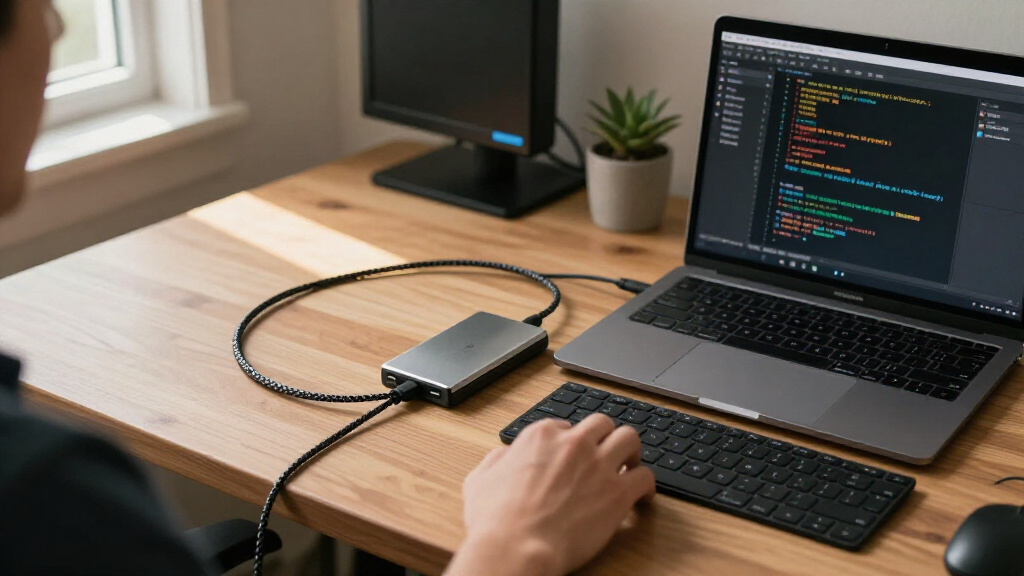
I ranked these drives around developer tasks: compiling projects, running local databases and virtual machines, keeping large repositories and toolchains available, and moving work between machines. I weighed the stated interface and form factor first, since a fast M.2 drive is not useful if a system lacks a compatible slot. Capacity, portable connectivity, NAND type where specified, and the likely value of each design for its intended workflow also shaped the order.
The ranking favors options that offer a strong balance of performance, capacity, and practical fit for a broad range of developers. That puts the Samsung 990 PRO 2TB ahead as a balanced NVMe work drive, while specialized PCIe 5.0 and portable products rank for narrower needs. SATA SSDs remain relevant for older systems and bulk local storage, but their interface places a ceiling on responsiveness compared with NVMe. Product descriptions do not provide endurance figures or full sustained-write behavior for every model, so I avoid treating headline transfer rates as a guarantee of real-world build performance.
Factors to Consider When Choosing Solid State Drives For Developers
I’d choose a developer SSD by matching the drive to the slowest part of the workflow, rather than buying the highest interface generation available. These broader checks can prevent compatibility surprises and help decide where faster storage will make a meaningful difference.
Match the Drive to Your System Before Comparing Speed
Check the motherboard or laptop manual for the exact supported storage types: 2.5-inch SATA, M.2 SATA, and M.2 NVMe are not interchangeable. An M.2 shape alone does not prove that a slot supports NVMe, and PCIe generation support varies by platform. A PCIe 5.0 SSD can operate in some older compatible slots, but its speed may be limited by the host and it may need more cooling. For a machine with only a SATA bay, the Samsung 870 EVO, Crucial BX500, or another 2.5-inch model is the practical route. I’d confirm available mounting hardware, BIOS support, and whether installing a second drive disables another port. This check matters more than a headline transfer rate if it determines whether the SSD can be installed at all.
Prioritize the Workload That Actually Slows You Down
Compiles, package installs, and local development environments involve many small reads and writes, while copying a disk image or dataset leans more on sequential transfer speed. CPU limits, memory pressure, and build-tool configuration can also dominate compile time, so a faster SSD will not fix every slow build. Developers running several virtual machines or containers may gain more from capacity and consistent available space than from moving up an interface generation. If projects live on a network share, a fast internal drive may help local caches but will not speed up the remote connection itself. I’d identify the slow step with system monitoring before paying for premium storage. That keeps the purchase focused on the bottleneck instead of the most impressive specification.
Choose Capacity Around Working Space, Not Just Current Files
Source code is often small compared with SDKs, container images, virtual-machine disks, test data, and generated build artifacts. Leave room for operating-system updates and temporary build output; a nearly full drive can make routine maintenance and file management harder. A 500GB drive can suit a focused setup with external or secondary storage, but it may become cramped when several toolchains and environments accumulate. A 4TB SATA model favors capacity per drive bay, whereas a smaller high-speed NVMe drive can hold active projects and pair with slower storage for archives. I’d map the size of current environments and likely near-term projects before settling on capacity. Avoid paying for unused space if a second drive can separate active work from bulky data.
Treat Sustained Writes and Endurance as Separate Questions
Short transfer bursts and long writes are different workloads, and a published peak rate does not describe how a drive behaves during a large image copy or repeated build output. NAND type can help distinguish designs, but it does not replace endurance ratings, warranty terms, or sustained-write information. Those details are not consistently supplied across this lineup, so I’d check the manufacturer’s current documentation before assigning a drive to constant database writes or scratch workloads. Developers with heavy write patterns should also keep reliable backups; an SSD is not an archive simply because it has no moving parts. For ordinary coding, the benefits of a faster drive may matter more than chasing an unverified endurance advantage. Match the drive to the write volume and keep important work in a version-controlled, backed-up location.
Decide Whether Portability Is Worth the External Interface Tradeoff
Portable SSDs make sense when projects, test assets, or working environments need to move between computers, but their speed depends on the USB port, cable, and host system. The Samsung T9 advertises USB 3.2 Gen 2×2, a capability that not every computer provides; a connection to a slower port will limit transfers. The T7 offers a more modest external profile, while the PRO-BLADE system uses removable NVMe media for workflows built around swapping storage. External drives can simplify travel and reduce internal installation work, but they add a cable and can be easier to lose or disconnect during use. I’d check port support and the portability benefit before selecting an external SSD as a primary development disk. Keep a separate backup rather than treating one portable drive as both workspace and safety copy.
Spend More Only When the Upgrade Fits the Platform
Premium PCIe 5.0 storage has the clearest case in a current system with a supported slot, adequate cooling, and workloads that can use high transfer rates. In a PCIe 4.0 or SATA-limited machine, paying for a newer generation may produce little practical benefit. A heatsink or motherboard thermal solution can also affect sustained performance, so check clearances in compact laptops and small-form-factor desktops. If the system is mainly used for editing code and ordinary builds, a balanced PCIe 4.0 drive or a reliable SATA upgrade may leave more budget for memory or CPU capacity. I’d pay extra for a specific capability—large capacity, high-speed external transfers, or PCIe 5.0 compatibility—not just a higher generation number. That approach reduces the risk of buying performance the rest of the setup cannot use.
Frequently Asked Questions
Should I choose a PCIe 5.0 SSD or a PCIe 4.0 drive for development?
I’d choose PCIe 5.0 only when the computer supports it and the workload benefits from very fast large-file transfers. The Samsung 9100 PRO and SanDisk Optimus GX Pro 8100 are the lineup’s PCIe 5.0 options, but their generation alone does not make them a better fit for every developer. Many code builds involve small files and can be limited by the processor, memory, or build system. A balanced PCIe 4.0 drive such as the Samsung 990 PRO may make more sense for a broad range of current systems. Check slot compatibility and cooling before deciding, then consider whether your actual work includes repeated large transfers.
Is a SATA SSD still a sensible choice for a developer workstation?
Yes, especially when the computer has no available NVMe slot or when the drive will expand an older desktop or laptop. SATA models such as the Samsung 870 EVO and Crucial BX500 can provide a practical storage upgrade without requiring an M.2 NVMe connection. Their interface has a lower performance ceiling than NVMe, which matters for heavy workloads and repeated large transfers. For secondary project libraries, archived datasets, or general development on older hardware, that ceiling may be an acceptable tradeoff. I’d spend on NVMe first for the active system and build workspace when the platform supports it.
Is 500GB enough for coding, containers, and virtual machines?
It can work for a focused setup, but containers, virtual machines, SDKs, and caches can consume space quickly. The SanDisk Optimus 5100 500GB may suit a laptop with a second drive or a developer who keeps bulky assets elsewhere. Before buying, add up the operating system, development tools, active repositories, and a realistic amount of generated data. Leave free space for updates and temporary build output rather than planning to fill the drive. If you run several environments locally, a larger capacity is usually easier to manage than frequent cleanup.
Can I use a portable SSD as my main development drive?
You can, but I’d check the connection speed and workflow before making it the only working copy. The Samsung T9’s USB 3.2 Gen 2×2 interface needs matching host support to reach its advertised potential, and a slower port will constrain transfers. External storage also depends on a cable and can be disconnected or misplaced more readily than an installed drive. It can be useful for moving project data between machines or keeping a portable environment, but frequent builds may be more convenient on internal storage. Keep a separate backup and avoid relying on a single external SSD for irreplaceable work.
Which SSD traits matter most for frequent builds and local databases?
For frequent builds, I’d look at the system’s storage interface, drive capacity, and how well the drive handles sustained activity, alongside the CPU and memory that run the build. Local databases add repeated writes, so endurance ratings and warranty terms deserve a check in the manufacturer’s documentation. Headline sequential speeds alone do not show how a drive will behave during a mixed workload or a long write session. The product details in this roundup do not provide comparable endurance and sustained-write data for every model, so I would not assume those results from the interface name. Choose a suitable NVMe drive for the active workload, monitor free space, and keep database and project backups separate.
Conclusion
For most developers, my best overall pick is the Samsung 990 PRO 2TB, which balances PCIe 4.0 performance with capacity for active projects and development environments. For a best value direction, I’d choose a SATA model such as the Crucial BX500 when the priority is roomy secondary storage or an older system, rather than expecting NVMe speed. The best premium choices are the Samsung 9100 PRO and SanDisk Optimus GX Pro 8100 for compatible PCIe 5.0 systems; I’d pick between them based on capacity and platform fit. For a beginner or older-PC upgrade, the Samsung 870 EVO is a straightforward 2.5-inch SATA option. Developers who need portable project storage should compare the Samsung T9’s host-port requirements with the T7, while the PRO-BLADE suits a modular media workflow. Match the drive to your machine and workload first; the newest interface is only an advantage when the rest of your setup can use it.
Halloween Picks
halloween
As an affiliate, we earn on qualifying purchases.