
TL;DR

Get business pricing on monitors, keyboards and dev gear
- Business-only prices and quantity discounts
- Tax-exempt purchasing
- Multiple users, one account, clear invoices
Anton Frolov commissioned an illustrator to depict his home and turned the artwork into an interactive Home Assistant dashboard. The project uses layered room and device images, animations, icons and status readings to make smart-home controls easier for his family to use. The report describes his design process and setup, but does not give costs or say whether the dashboard has measurably changed household usage.
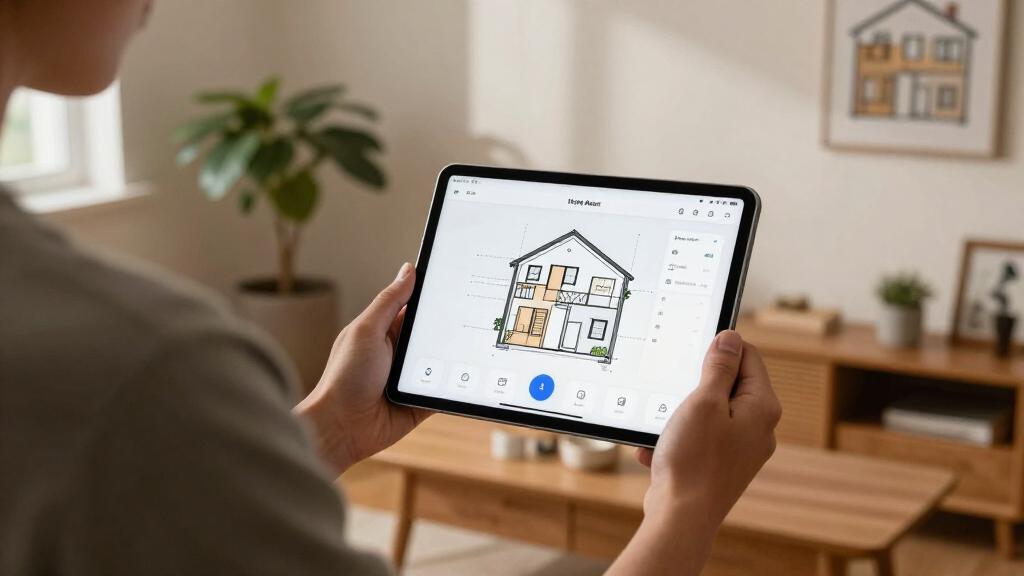
Anton Frolov commissioned an illustrator to draw his home and built the artwork into an interactive Home Assistant dashboard, where device states appear as changing images and animations. In a report about the project, Frolov says the illustrated interface is one his family enjoys using, addressing a practical problem with his earlier dashboard: other household members did not want to use it to control devices such as the garden lights.
Frolov says he had been automating his home with Home Assistant, an open-source smart-home platform, for about a year. Some routines ran without user input: air conditioners switched off when everyone left, while the sprinkler adjusted its run time based on weather. Other tasks still required someone to open an app. The garden lights, for example, had an automatic shutoff timer, and blinking lights signaled that the timer was nearly up and needed extending.
He considered a floor-plan dashboard after looking at other examples, including 3D layouts and pixel-art designs. Rather than make the artwork himself, he hired an environment artist whose portfolio suited the project. He gave the illustrator a floor plan, room photos, style references, examples of dashboards and a technical brief describing the required formats and layers.
For each floor, Frolov requested day and night versions, plus separate images for devices in their off and on states. He says assets exported on a shared canvas, with every element kept in its correct position, saved substantial alignment work. The finished illustration sits behind Home Assistant’s standard picture-elements card; image, icon, state-label and conditional elements add controls and readings on top.
A Dashboard Designed for the Household
The report shows how interface design can affect who uses a smart-home system. Frolov’s earlier dashboard could control devices, but he says the rest of his household did not want to use it. The new layout ties controls to a familiar drawing of the home, with changing device images intended to make their location and status easier to understand.
It also illustrates a different trade-off in home automation. Many routines can run automatically, but exceptions and time-sensitive tasks still call for a person to act. A custom visual interface does not remove that need; it offers another way to reach controls when an app-based process is inconvenient. The account is one user’s experience, not a controlled comparison of usability or evidence that illustrated dashboards work better for every household.
As an affiliate, we earn on qualifying purchases.
From Timers to a Floor-Plan Interface
Frolov’s project grew out of a specific usability issue: the garden lights were controlled through an app, and the timer could switch them off unless someone extended it. He considered a physical switch, but says that would not address the timer and would be awkward for some devices. He gives starting the sprinkler and then having to leave the garden before it runs as an example.
He found 3D floor plans less appealing because, in examples he saw, the model was often a static image with interactive icons layered over it. Pixel art appealed to him, but he did not want to draw the scene himself or assemble it from individual sprites. Hiring an artist brought its own planning demands: he had to explain both the desired visual style and the technical requirements of artwork intended to serve as a dashboard.
Frolov’s technical notes focus on keeping assets aligned and manageable. He recommends requesting transparent images, separate layers for devices and a consistent canvas size. He also says he requested PNG sprite sheets at first, then converted animation frames to WebP himself, and advises asking for animated WebP at the outset. These are recommendations from his build, rather than requirements imposed by Home Assistant.
“For the first time, it’s one the whole family actually enjoys using.”
— Anton Frolov, describing the completed dashboard
interactive home automation display
As an affiliate, we earn on qualifying purchases.
As an affiliate, we earn on qualifying purchases.
Costs and Household Results Unreported
The supplied report does not state how much the illustration cost, identify the artist by name, or give a publication date. It also does not quantify how often family members now use the dashboard or compare their use before and after the redesign. Frolov’s description that the family enjoys the interface is his personal account, not a measured outcome.
The material provided ends while Frolov is explaining how image elements change with device state. It does not include the full implementation details, including all animation behavior or a complete dashboard configuration. The report also does not establish whether the approach suits other homes, budgets or Home Assistant setups.
home assistant picture-elements card
As an affiliate, we earn on qualifying purchases.
As an affiliate, we earn on qualifying purchases.
Further Setup Details Remain Open
The supplied source does not announce a planned product release, follow-up test or broader rollout. Frolov’s report presents the dashboard as a personal project and gives practical guidance for readers considering a similar commission, particularly about preparing references and specifying aligned image layers.
Readers seeking to reproduce the build would need the complete original report for implementation details beyond the material provided here, as well as their own artwork and Home Assistant configuration. Whether Frolov will publish additional technical instructions or share the finished dashboard files is not stated.
As an affiliate, we earn on qualifying purchases.
Key Questions
What did Anton Frolov build?
He commissioned an illustration of his home and used it as the background for an interactive Home Assistant dashboard, placing device images, icons and status readings over the artwork.
Why did he replace his earlier dashboard?
Frolov says other members of his household did not want to use the previous dashboard or Home Assistant app. The issue became apparent with tasks such as extending the garden lights’ automatic shutoff timer.
How does the illustrated dashboard show device states?
According to Frolov, the setup uses Home Assistant’s picture-elements card. Image elements can display different pictures based on device state, while other elements show controls and readings.
What artwork files did the project require?
Frolov requested separate room and device layers, day and night scenes, and assets on a shared canvas so they stayed aligned. He says transparent images were useful and recommends requesting animated WebP directly if animations are needed.
Did the new dashboard prove more effective?
The report says Frolov’s family enjoys using it, but provides no measured usage figures or independent evaluation. Its effect beyond his household is not established.
Source: hn
Fall Picks
fall essentials
As an affiliate, we earn on qualifying purchases.