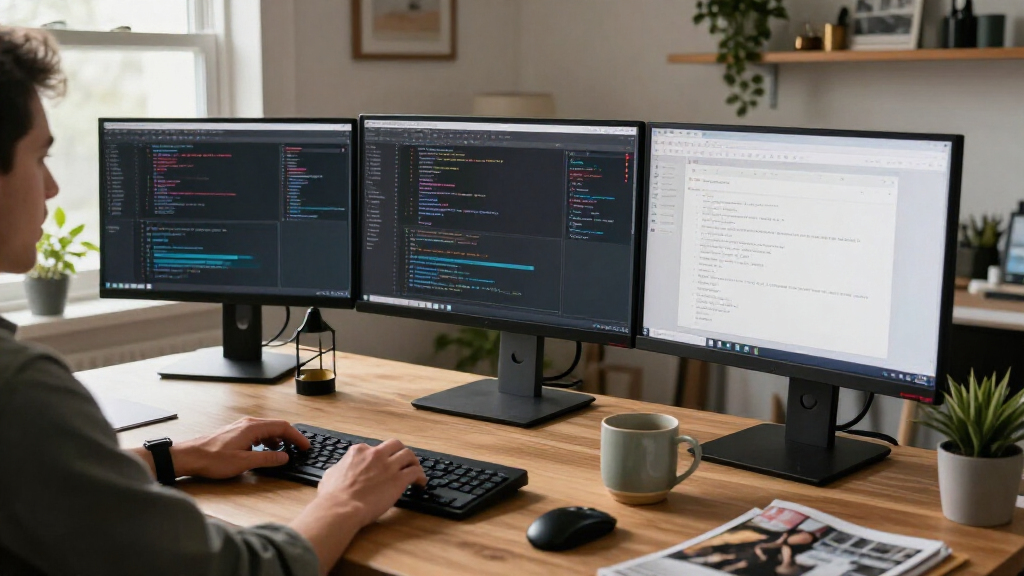
The best multi-monitor setup for coding in this roundup is the Dell 27 Monitor S2725QS, whose 4K resolution gives code, documentation, and reference windows room to stay readable on one screen. For a balanced desk setup, the Dell 27 Plus QHD S2725DSM offers a sharper middle ground, while the KYY X90D adds portable screens for developers who work away from a fixed desk. The key tradeoff is between larger, higher-resolution monitors for sustained desk work and laptop extenders that add screens without a permanent setup. Size, laptop compatibility, stand flexibility, and the number of windows you actually use all affect which option makes sense. Read on for the full breakdown and a guide to choosing a coding setup that fits your workspace.

Get business pricing on monitors, keyboards and dev gear
- Business-only prices and quantity discounts
- Tax-exempt purchasing
- Multiple users, one account, clear invoices
Key Takeaways
- The Dell S2725QS leads for a fixed desk because its 4K resolution offers more room for code and reference material than the FHD desk displays in this lineup.
- The Dell S2725DSM is the practical middle ground: QHD sits between the S2725QS’s greater detail and the lower-resolution FHD options.
- Portable extenders solve a different problem from desk monitors. Models such as the KYY X90D and 14-inch options add screens around a laptop, but their smaller panels suit mobile workflows better than long, full-day desk sessions.
- Dual-monitor bundles trade flexibility for a ready-made pair. Kado’s 24-inch and 27-inch curved FHD pairs can provide a matched layout, while separate monitors let buyers choose different sizes or resolutions.
- Screen count alone does not make a coding setup effective. The Mount-It! triple monitor stand can help organize compatible monitors, but it is a mounting accessory rather than a display and needs to be matched to the screens and desk.
| Dell 27 Plus Monitor S2725HSM – 27-inch FHD 144Hz 1ms, HDMI, Adjustable Stand, AMD FreeSync, Ash White |  | Best Single-Desk Monitor | Screen size: 27 inches | Resolution: 1920 × 1080 (FHD) | Refresh rate: 144Hz | VIEW LATEST PRICE | See Our Full Breakdown |
| KYY X90D Triple Laptop Screen Extender, Dual 15.6-Inch 1080p Portable Monitors |  | Best for Laptop-Based Multitasking | Screen configuration: Two 15.6-inch displays | Resolution: 1920 × 1080 per screen | Panel type: IPS LCD | VIEW LATEST PRICE | See Our Full Breakdown |
| KYY 15.6-Inch Triple-Screen Laptop Monitor Extender |  | Best for Maximum Portable Screen Count | Screen configuration: Three 15.6-inch displays | Resolution: 1920 × 1080 per screen | Panel type: IPS LCD | VIEW LATEST PRICE | See Our Full Breakdown |
| Kado Dual 27-Inch Curved FHD Monitors, 1500R, 75Hz, 2-Pack | 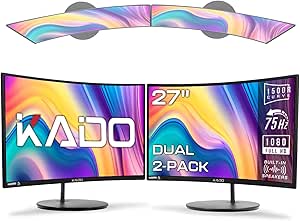 | Best Matched Pair for a Fixed Desk | Pack size: 2 monitors | Screen size: 27 inches each | Resolution: 1920 × 1080 (FHD) | VIEW LATEST PRICE | See Our Full Breakdown |
| Mount-It! Triple Monitor Desk Stand with USB-A and USB-C, Black |  | Best for Ergonomic Three-Monitor Positioning | Monitor capacity: 3 monitors | Supported screen size: 13–32 inches | Weight capacity: 17.6 lbs per arm | VIEW LATEST PRICE | See Our Full Breakdown |
| Vixtan 14-Inch Triple Laptop Screen Extender, FHD IPS Portable Monitor |  | Best Lightweight Laptop-Mounted Pick | Screen size: 14 inches | Resolution: 1920 × 1080 pixels | Display: LCD IPS | VIEW LATEST PRICE | See Our Full Breakdown |
| APILDELLA 15.6-Inch Triple Laptop Screen Extender, 1080p FHD Portable Monitor |  | Best for Larger Laptop-Mounted Displays | Screen size: 15.6 inches | Resolution: 1920 × 1080 pixels | Display: LCD IPS | VIEW LATEST PRICE | See Our Full Breakdown |
| Nolagvievv 14-Inch Freestanding Triple Screen Laptop Monitor Extender |  | Best Freestanding Three-Screen Workspace | Screen size: 14 inches | Resolution: 1920 × 1200 | Aspect ratio: 16:10 | VIEW LATEST PRICE | See Our Full Breakdown |
| KYY 15.6-Inch Quad-Screen Laptop Monitor Extender |  | Best for Maximum Portable Workspace | Additional displays: 3 | Screen size: 15.6 inches per display | Resolution: 1920 × 1080 pixels | VIEW LATEST PRICE | See Our Full Breakdown |
| Dell 27 Monitor S2725QS, 4K UHD IPS, 120Hz, 5ms, FreeSync Premium |  | Best Desktop Coding Monitor | Screen size: 27 inches | Resolution: 3840 × 2160 (4K UHD) | Panel type: IPS | VIEW LATEST PRICE | See Our Full Breakdown |
| Kado 24-Inch Curved FHD Monitor, 2-Pack |  | Best Matched Pair for a Fixed Desk | Quantity: 2 monitors | Screen size: 24 inches each | Resolution: 1920 × 1080 (FHD) | VIEW LATEST PRICE | See Our Full Breakdown |
| 15.6″ Laptop Screen Extender, Detachable Portable Monitor for Work & Travel |  | Best for Flexible Travel Setups | Screen size: 15.6 inches | Resolution: 1920 × 1080 (FHD) | Panel: IPS LCD | VIEW LATEST PRICE | See Our Full Breakdown |
| Dell 27 Plus QHD Monitor S2725DSM, 27-inch, 144Hz, Ash White |  | Best for a Sharp, Ergonomic Main Display | Screen size: 27 inches | Resolution: 2560 × 1440 (QHD) | Panel type: IPS LCD | VIEW LATEST PRICE | See Our Full Breakdown |
| Rizpak 15.6-Inch FHD 1080p IPS Laptop Screen Extender |  | Best Simple Portable Second Screen | Screen size: 15.6 inches | Resolution: 1920 × 1080 (FHD) | Panel type: IPS LCD | VIEW LATEST PRICE | See Our Full Breakdown |
| HIZIM Portable Triple 14-Inch Laptop Monitor Extender for 11–17-Inch Laptops |  | Best for a Three-Panel Laptop Workspace | Screen count and size: Three 14-inch screens | Resolution: 1920 × 1200 per screen | Aspect ratio: 16:10 | VIEW LATEST PRICE | See Our Full Breakdown |
| multi monitor setups for coding | Resolution | Refresh rate | Screen size | Connectivity |
|---|---|---|---|---|
| Dell 27 Plus Monitor S2725HSM | 1920 × 1080 (FHD) | 144Hz | 27 inches | — |
| KYY X90D Triple Laptop Screen | 1920 × 1080 per screen | 60Hz | — | USB-A, USB-C 3.1 video output, and USB-C power delivery |
| KYY 15.6-Inch Triple-Screen La | 1920 × 1080 per screen | 60Hz | — | — |
| Kado Dual 27-Inch Curved FHD M | 1920 × 1080 (FHD) | 75Hz | 27 inches each | 1 HDMI port per monitor |
| Mount-It! Triple Monitor Desk | — | — | — | — |
| Vixtan 14-Inch Triple Laptop S | 1920 × 1080 pixels | 60 Hz | 14 inches | 2 × USB-C, USB-C to USB-A, HDMI |
| APILDELLA 15.6-Inch Triple Lap | 1920 × 1080 pixels | 60 Hz | 15.6 inches | HDMI, USB Type-C |
| Nolagvievv 14-Inch Freestandin | 1920 × 1200 | 60 Hz | 14 inches | — |
| KYY 15.6-Inch Quad-Screen Lapt | 1920 × 1080 pixels | 60 Hz | 15.6 inches per display | One full-function USB-C cable |
| Dell 27 Monitor S2725QS | 3840 × 2160 (4K UHD) | 120 Hz | 27 inches | — |
| Kado 24-Inch Curved FHD Monito | 1920 × 1080 (FHD) | 75 Hz | 24 inches each | 1 HDMI port per monitor |
| 15.6" Laptop Screen Extender | 1920 × 1080 (FHD) | 60 Hz | 15.6 inches | HDMI, USB-A, USB-C |
| Dell 27 Plus QHD Monitor S2725 | 2560 × 1440 (QHD) | 144 Hz | 27 inches | — |
| Rizpak 15.6-Inch FHD 1080p IPS | 1920 × 1080 (FHD) | 60 Hz | 15.6 inches | HDMI, USB-C |
| HIZIM Portable Triple 14-Inch | 1920 × 1200 per screen | 60 Hz | — | — |
More Details on Our Top Picks
Dell 27 Plus Monitor S2725HSM – 27-inch FHD 144Hz 1ms, HDMI, Adjustable Stand, AMD FreeSync, Ash White
The Dell 27 Plus S2725HSM makes the most sense for a coding desk that needs one flexible main display rather than a portable screen stack. Its 27-inch panel and adjustable stand let you rotate the display for long code files, while height, tilt, and swivel adjustments help place it comfortably beside a laptop or second monitor. Compared with the Kado dual 27-inch set, this is a simpler one-screen purchase, but it offers a higher 144Hz refresh rate and more stand adjustments per display. The tradeoff is resolution: Full HD spread across 27 inches gives less room for text and windows than a sharper QHD or 4K monitor. Connectivity is also limited to HDMI, with no DisplayPort or USB hub, so check your computer’s ports before building around it.
Pros:- Height, tilt, pivot, and swivel adjustments support portrait coding and more ergonomic placement.
- 144Hz refresh rate can make scrolling and cursor movement appear smoother.
- Two HDMI ports provide connections for more than one video source.
- Built-in speakers and TÜV-certified eye-comfort technology reduce the need for extra desk accessories.
Cons:- Full HD resolution on a 27-inch screen offers less text workspace and sharpness than QHD or 4K alternatives.
- No DisplayPort or USB hub limits connection flexibility for multi-display desks.
- The 300-nit brightness may be less suitable for very bright rooms.
Best for: Developers who want one adjustable 27-inch display for a laptop-plus-monitor coding desk and value smooth scrolling.
Not ideal for: Programmers who need high pixel density for dense code, a built-in USB hub, or DisplayPort connectivity.
- Screen size:27 inches
- Resolution:1920 × 1080 (FHD)
- Refresh rate:144Hz
- Response time:1ms MPRT
- Color gamut:99% sRGB
- Connections:2 HDMI ports
- Stand adjustments:Height, tilt, pivot, and swivel
- Speakers:2 × 3W built-in
Our verdict“Choose this Dell for an adjustable, single-screen coding station, but pick a higher-resolution model if crisp text and dense workspace matter more.”
KYY X90D Triple Laptop Screen Extender, Dual 15.6-Inch 1080p Portable Monitors
The KYY X90D adds two 15.6-inch displays around a compatible laptop, giving developers separate places for an editor, documentation, and a terminal without bringing full-size monitors. Its portrait rotation can make long files easier to scan, while the 90-degree stand adjustment helps adapt the layout to a compact work surface. Compared with the three-screen KYY 15.6-Inch Triple-Screen Laptop Monitor Extender, the X90D adds fewer panels but is the less expansive way to turn a laptop into a multi-display workstation. The 60Hz Full HD panels are suited to coding, not high-refresh gaming, and the setup requires downloaded drivers. USB-C video can simplify cabling, but compatibility and power needs vary by host device, so this is a better fit for a supported laptop than a universal desk-monitor replacement.
Pros:- Two 15.6-inch IPS displays expand a laptop workspace without requiring two separate desktop monitors.
- Screens rotate from 0 to 360 degrees for landscape or portrait use.
- USB-C video connectivity can reduce cable clutter on compatible laptops.
- Aluminum alloy construction, included cables, and power adapter support a portable setup.
Cons:- Downloaded drivers are required before use.
- The 60Hz refresh rate is modest compared with the 144Hz Dell 27 Plus.
- Not compatible with PS5, Xbox Series X, or other gaming consoles.
Best for: Laptop developers who travel between workspaces and want two extra Full HD panels for code, documentation, and communication apps.
Not ideal for: People seeking a permanent, large-screen desk setup, plug-and-play operation without drivers, or console compatibility.
- Screen configuration:Two 15.6-inch displays
- Resolution:1920 × 1080 per screen
- Panel type:IPS LCD
- Refresh rate:60Hz
- Connectivity:USB-A, USB-C 3.1 video output, and USB-C power delivery
- Screen rotation:0–360 degrees
- Operating system compatibility:Windows, macOS, Chrome OS, Android, and Linux
- Driver requirement:Drivers must be downloaded
Our verdict“Pick the X90D if portability and two added laptop screens matter more than a fixed, high-resolution desktop arrangement.”
KYY 15.6-Inch Triple-Screen Laptop Monitor Extender
For developers who want several reference windows visible at once, the KYY Triple-Screen Laptop Monitor Extender adds three 15.6-inch Full HD panels to a compatible laptop. That makes it the most screen-heavy portable option here: compared with the KYY X90D, it adds another display, which can separate an editor, browser documentation, terminal, and chat more cleanly. The integrated aluminum stand supports the assembly without hanging all of its weight from the laptop lid, and the screens rotate for different layouts. The cost of that reach is a more involved setup: drivers are required, Linux support is limited to Ubuntu, and Android also needs a driver. At 60Hz, it suits coding and general productivity rather than a high-refresh gaming role. Its broad footprint is also less convenient for tight desks than a single portable extender.
Pros:- Three additional Full HD screens create more simultaneous workspace than the two-panel KYY X90D.
- Integrated aluminum alloy stand supports the extender without relying solely on the laptop display hinge.
- Adjustable screens and an auto-rotating top panel allow flexible viewing arrangements.
- Matte finish and low blue light technology are suited to extended work sessions.
Cons:- Driver installation is required, including for Android use.
- Linux compatibility is limited to Ubuntu.
- The multi-panel assembly takes more desk space than a single portable monitor.
Best for: Developers with a compatible 12–17.3-inch laptop who regularly need several coding and reference windows visible while working away from a fixed desk.
Not ideal for: Users who need broad Linux distribution support, a compact travel setup, or a simple driver-free connection.
- Screen configuration:Three 15.6-inch displays
- Resolution:1920 × 1080 per screen
- Panel type:IPS LCD
- Refresh rate:60Hz
- Brightness:400 cd/m²
- Connection:USB-C
- Laptop compatibility:12–17.3-inch laptops
- Operating system compatibility:macOS, Windows, Ubuntu Linux, and Android; driver required
Our verdict“Choose this KYY when having three extra coding displays matters more than portability, broad OS support, or a minimal setup.”
Kado Dual 27-Inch Curved FHD Monitors, 1500R, 75Hz, 2-Pack
The Kado dual 27-inch set is the straightforward choice for a fixed coding desk that needs two matching displays from the start. The 1500R curves can angle each screen toward the seating position, helping create a more continuous left-to-right workspace for an editor, browser, and communication tools. Compared with the single Dell 27 Plus S2725HSM, this package provides a matched pair, but each panel is limited to Full HD at 75Hz and the listed connectivity is sparse. That resolution is the key compromise: two large screens add room, yet text is less finely rendered than on higher-resolution alternatives. The monitors have matte finishes, adaptive sync, and built-in speakers, but the supplied information lists one HDMI port per monitor and wall mounting. Check your computer’s video outputs and your desk or wall arrangement before choosing them.
Pros:- Two matching 27-inch monitors provide an immediate dual-screen workspace.
- 1500R curvature angles the screens around a desk-based viewing position.
- Matte screens and 98% sRGB coverage suit coding and general multimedia work.
- Built-in speakers, adaptive sync, and blue-light filtering add useful everyday features.
Cons:- Full HD resolution across 27 inches provides less fine text detail than higher-resolution screens.
- The listed connection is one HDMI port per monitor, limiting input flexibility.
- Wall mounting is specified, so buyers should check how the monitors will be positioned and supported.
Best for: Developers setting up a permanent two-screen desk who want matching 27-inch displays for separate code and reference windows.
Not ideal for: Programmers who prioritize sharp text, flexible monitor-stand adjustment, or several input options per display.
- Pack size:2 monitors
- Screen size:27 inches each
- Resolution:1920 × 1080 (FHD)
- Curvature:1500R
- Refresh rate:75Hz
- Color gamut:98% sRGB
- Connectivity:1 HDMI port per monitor
- Mounting type:Wall mount
Our verdict“Choose the Kado pair for a matched, fixed two-monitor desk, but look elsewhere if high text sharpness or flexible connections are priorities.”
Mount-It! Triple Monitor Desk Stand with USB-A and USB-C, Black
The Mount-It! MI-2753BLK is the lineup’s desk-space and positioning choice: it supports three VESA-compatible monitors on independent gas-spring arms, so each screen can be placed for a code editor, documentation, or terminal without relying on fixed monitor stands. Compared with the Kado dual 27-inch set, it allows a third display and offers more independent adjustment, but it does not include screens; buyers need to supply monitors that fit its size, weight, VESA, and desk limits. Height, tilt, swivel, and rotation adjustments make portrait layouts possible, while USB-A and USB-C ports in the base keep common connections within reach. The main tradeoff is installation and fit: the clamp or grommet must suit the desk, and every arm is capped at 17.6 pounds. This is a mounting solution, not a complete multi-monitor package.
Pros:- Three independent gas-spring arms allow each monitor to be positioned separately.
- Tilt, swivel, rotation, and height adjustments support portrait coding layouts.
- Clamp and grommet installation options suit different compatible desk designs.
- USB-A and USB-C ports in the base keep device connections close at hand.
Cons:- Monitors are not included, so it is not a ready-to-use multi-screen package.
- Each arm supports no more than 17.6 pounds and requires a compatible VESA pattern.
- Desk thickness and grommet-opening dimensions limit installation options.
Best for: Developers who already own up to three VESA-compatible monitors and want adjustable positioning for a permanent coding desk.
Not ideal for: Buyers who need screens included, have a desk that cannot accept a clamp or grommet mount, or own monitors heavier than the arm limit.
- Monitor capacity:3 monitors
- Supported screen size:13–32 inches
- Weight capacity:17.6 lbs per arm
- VESA compatibility:75 × 75 mm and 100 × 100 mm
- Mounting options:Desk clamp up to 3.3 inches thick; grommet opening 1–2.4 inches
- Adjustments:Height, tilt, swivel, and rotation
- Base ports:USB-A and USB-C
- Item weight:17.8 lbs
Our verdict“Buy this stand if you already have three compatible monitors and want independent ergonomic positioning, not if you need a complete monitor setup.”
Vixtan 14-Inch Triple Laptop Screen Extender, FHD IPS Portable Monitor
The Vixtan suits coders who want more workspace without switching to a separate desktop monitor setup. Its two 14-inch, 1080p IPS screens can show an editor, terminal, and documentation in distinct extended, mirrored, or portrait layouts, while the 3-pound design is lighter to carry than the APILDELLA 15.6-inch extender. The adjustable stand rotates 180 degrees, giving more flexibility for arranging code beside reference material.
The tradeoff is screen area: its 14-inch panels feel more constrained than APILDELLA’s 15.6-inch displays, especially when several windows need to remain readable. MacBook buyers should check compatibility before choosing it: M1, M2, and M3 models support only one added screen without a DisplayLink adapter. The glossy finish can also catch reflections, and extra power may be needed if the image flickers or dims.
Pros:- Two 14-inch FHD IPS displays add space for code, terminals, and documentation.
- At 3 pounds, it is lighter than the 4-pound APILDELLA extender.
- Extended, mirrored, and portrait modes support different coding layouts.
- Adjustable stand rotates 180 degrees and includes non-slip pads.
Cons:- M1, M2, and M3 MacBooks support only one screen without a DisplayLink adapter.
- Glossy screens can reflect nearby lights and windows.
- A 5V/3A-or-higher power adapter may be needed if flickering or low brightness occurs.
Best for: Laptop-based developers who travel between workspaces and want two extra displays in a relatively light, laptop-mounted package.
Not ideal for: M1, M2, or M3 MacBook owners who need two added screens without a DisplayLink adapter, and coders who prefer larger or matte displays.
- Screen size:14 inches
- Resolution:1920 × 1080 pixels
- Display:LCD IPS
- Brightness:300 nits
- Weight:3.0 lbs
- Refresh rate:60 Hz
- Laptop compatibility:13–17.3 inches
- Connectivity:2 × USB-C, USB-C to USB-A, HDMI
Our verdict“Choose the Vixtan if portability and flexible laptop-mounted layouts matter more than larger screens or broad native MacBook support.”
APILDELLA 15.6-Inch Triple Laptop Screen Extender, 1080p FHD Portable Monitor
For developers who want more room for code than a compact extender provides, the APILDELLA’s 15.6-inch IPS panels are its main advantage. At the same 1080p resolution as the smaller Vixtan, the larger screens give code, logs, and browser references more physical space, though text will not be sharper simply because the panels are bigger. Its foldable 0–180-degree design and included travel bag make it a practical choice for moving between desks.
The two-cable connection shares power, but it places more demands on the laptop than a simple plug-in accessory: you need two USB-C ports with DisplayPort, or USB-C plus HDMI. That makes the Vixtan easier to recommend for some laptop configurations. The glossy finish can reflect office lighting, and M1–M4 MacBook owners need a separate H5-T accessory for the extender’s dual-screen setup.
Pros:- Two 15.6-inch FHD IPS displays provide more physical workspace than the Vixtan’s 14-inch panels.
- Foldable 0–180-degree design includes a rear support bracket.
- Includes a travel bag, connection cables, and power adapter.
- 120% sRGB color gamut and HDR support add flexibility beyond basic coding tasks.
Cons:- Needs two USB-C ports with DisplayPort, or one USB-C port and one HDMI port.
- M1–M4 MacBooks require a separate H5-T accessory.
- Glossy screens may reflect ambient light.
Best for: Developers with a compatible 13- to 17.3-inch laptop who want larger laptop-mounted displays for side-by-side code and reference windows.
Not ideal for: MacBook users unwilling to add the required H5-T accessory, or laptop owners without the needed USB-C video and HDMI connections.
- Screen size:15.6 inches
- Resolution:1920 × 1080 pixels
- Display:LCD IPS
- Refresh rate:60 Hz
- Color gamut:120% sRGB
- Fold angle:0–180°
- Weight:4 lb
- Connectivity:HDMI, USB Type-C
- Laptop compatibility:13–17.3 inches
Our verdict“Pick APILDELLA for bigger laptop-mounted coding displays if your ports and MacBook setup meet its connection requirements.”
Nolagvievv 14-Inch Freestanding Triple Screen Laptop Monitor Extender
The Nolagvievv takes a different approach from the Vixtan and APILDELLA: its three-screen assembly stands on the desk instead of attaching extra display weight to the laptop. That can suit developers who want a stable work zone for an editor, terminal, and video call, while the 14-inch, 16:10 1920 × 1200 panels provide more vertical room for code than the common 16:9 format. Its matte finish also avoids the reflective surface found on the two laptop-mounted alternatives.
This setup is less plug-and-play in practice. Compatible devices need USB-C video output, and the included driver flash drive may call for extra setup. The 10 ms response time is also slower than the 2 ms figures listed for the Vixtan and APILDELLA, though coding is not usually motion-intensive. The 65 W adapter, carrying bag, and two-year supplier warranty round out a more desk-oriented package.
Pros:- Freestanding base supports the displays independently of the laptop hinge.
- Three 14-inch screens can keep an editor, terminal, and reference material visible at once.
- 16:10, 1920 × 1200 resolution provides more vertical workspace than the Vixtan’s 16:9 panels.
- Matte finish, 65 W adapter, carrying bag, and two-year supplier warranty are included.
Cons:- Compatible USB-C devices must support video output.
- The included driver flash drive may require additional setup.
- Its 10 ms response time is slower than the 2 ms figures listed for the Vixtan and APILDELLA.
Best for: Developers who prefer a freestanding desk setup with three displays, extra vertical workspace, and no monitor weight attached to the laptop lid.
Not ideal for: Traveling coders who need a compact laptop-mounted arrangement, or buyers whose USB-C ports do not support video output.
- Screen size:14 inches
- Resolution:1920 × 1200
- Aspect ratio:16:10
- Panel:IPS
- Screen finish:Matte
- Refresh rate:60 Hz
- Brightness:300 cd/m²
- Power adapter:65 W
- Warranty:2 years
Our verdict“Choose the Nolagvievv if you want a freestanding three-screen coding station and can accommodate its video-output and setup requirements.”
KYY 15.6-Inch Quad-Screen Laptop Monitor Extender
The KYY is the most ambitious portable setup here: it adds three 15.6-inch displays to a laptop, creating space for an editor, terminal, documentation, and monitoring tools across four screens. Its independent aluminum stand avoids putting the full assembly’s weight on the laptop hinge, and the matte IPS panels are better suited to bright work areas than the glossy Vixtan and APILDELLA screens. A single full-function USB-C cable carries video and power, which keeps the connection simple once the software is set up.
That scale comes with real costs. The KYY is limited to laptops between 12 and 17 inches, and it requires driver installation for each supported operating system before use. Compared with Nolagvievv’s freestanding triple-display unit, this option adds another screen and larger panels, but the four-screen footprint needs more desk space. Its 85 color-gamut figure is listed without a unit, so I would not choose it on color coverage alone.
Pros:- Adds three 15.6-inch FHD displays for a four-screen workspace.
- Matte IPS panels reduce reflections compared with the glossy Vixtan and APILDELLA.
- One full-function USB-C cable carries video and power.
- Independent aluminum stand and adjustable displays allow flexible positioning.
Cons:- Driver installation is required before first use on each operating system.
- Its four-screen layout takes more desk space than the Nolagvievv’s three-display setup.
- Laptop compatibility is limited to 12–17-inch models.
Best for: Developers who regularly keep an editor, terminal, documentation, and monitoring tools visible and have room for a large portable workstation.
Not ideal for: Coders seeking a lightweight travel display, using a laptop outside the 12–17-inch range, or avoiding driver installation.
- Additional displays:3
- Screen size:15.6 inches per display
- Resolution:1920 × 1080 pixels
- Display:IPS
- Screen finish:Matte
- Refresh rate:60 Hz
- Brightness:350 cd/m²
- Connectivity:One full-function USB-C cable
- Laptop compatibility:12–17 inches
Our verdict“Pick the KYY when screen count and matte, large displays outweigh setup work and the need for a roomy desk.”
Dell 27 Monitor S2725QS, 4K UHD IPS, 120Hz, 5ms, FreeSync Premium
Unlike the Vixtan, APILDELLA, and KYY laptop extenders, the Dell S2725QS is a standalone 27-inch monitor for a more settled desk-based coding setup. Its 4K resolution gives dense interfaces and long code files room for crisp text, while the adjustable stand can pivot, tilt, swivel, and change height to fit a multi-monitor arrangement. The IPS panel’s 99% sRGB coverage and ComfortView Plus technology add useful support for mixed workdays that include visual work and extended reading.
This is the right pick for a primary or secondary desktop screen, not a travel extender: it weighs 14.3 pounds and does not add displays to a laptop lid. Compared with the portable options, its single larger panel is easier to position as part of a conventional monitor array but requires desk space and a separate supported connection. The 120 Hz refresh rate is smooth for scrolling, though its HDR capability is limited to readiness rather than full native HDR performance.
Pros:- 27-inch 4K UHD IPS panel provides sharp text and ample room for coding windows.
- Height, swivel, pivot, and tilt adjustments help align it in a multi-monitor desk setup.
- 99% sRGB coverage and 1500:1 contrast ratio support clear, well-defined visuals.
- 120 Hz refresh rate and ComfortView Plus add smooth scrolling and reduced blue-light emissions.
Cons:- It is a single desk monitor, not a portable extender that adds screens to a laptop.
- At 14.3 pounds, it is less suited to frequent travel than the Vixtan or APILDELLA.
- HDR readiness does not provide full native HDR performance.
Best for: Desk-based developers building a conventional multi-monitor workstation who want a sharp 4K screen with extensive stand adjustment.
Not ideal for: Coders who need an all-in-one laptop-mounted extender or frequently move their whole multi-screen setup between locations.
- Screen size:27 inches
- Resolution:3840 × 2160 (4K UHD)
- Panel type:IPS
- Refresh rate:120 Hz
- Color gamut:99% sRGB
- Brightness:350 cd/m²
- Ports:2 HDMI, DisplayPort, USB-C
- Adjustments:Height, swivel, pivot, tilt
- Weight:14.3 pounds
Our verdict“Choose the Dell S2725QS for a permanent coding desk where 4K clarity and an adjustable stand matter more than portability.”
Kado 24-Inch Curved FHD Monitor, 2-Pack
I’d choose this pair for a coding desk where two matching external screens matter more than fine text detail. The two 24-inch displays give a straightforward split: code on one, documentation or a terminal on the other. Their 1500R curve can make each screen feel more enveloping, though the effect may be less useful when the monitors sit at different angles or distances. Compared with the single Dell 27 Plus QHD S2725DSM, this set gives you a second screen but less workspace per display and lower resolution, so small text and dense panes won’t be as crisp. The matte finish and blue-light and flicker-free features suit long work sessions; however, the single HDMI port per monitor limits connection flexibility, and built-in speakers are basic convenience rather than a strong audio setup.
Pros:- Includes two matching 24-inch screens for a ready-made dual-monitor layout.
- Matte screens with blue-light filtering and flicker-free features suit extended coding sessions.
- 1500R curvature and 75 Hz refresh rate add a more immersive, smoother desktop experience.
- Built-in speakers reduce the need for separate audio hardware for basic system sound.
Cons:- FHD resolution on each 24-inch screen offers less workspace and text detail than the Dell 27 Plus QHD S2725DSM.
- One HDMI port per monitor leaves limited room for multiple connected devices.
- The two-screen set needs more desk width and careful positioning than a single monitor.
Best for: Developers with a permanent desk who want two matching 24-inch monitors for code, terminals, and reference material.
Not ideal for: Programmers who prioritize sharper text, a high pixel count, or flexible multi-input switching on each display.
- Quantity:2 monitors
- Screen size:24 inches each
- Resolution:1920 × 1080 (FHD)
- Curvature:1500R
- Refresh rate:75 Hz
- Connectivity:1 HDMI port per monitor
- Screen finish:Matte
- Color gamut:98% sRGB
Our verdict“Choose this pair if you want two coordinated curved screens for a fixed coding desk and can accept FHD resolution and limited inputs.”
15.6″ Laptop Screen Extender, Detachable Portable Monitor for Work & Travel
The Wixzet extender is the most adaptable pick here for a programmer whose workspace moves between home, office, and travel. Its detachable 15.6-inch screens can be arranged in multiple configurations, so you can use a compact dual-screen layout or add displays around a laptop when desk space allows. Compared with the Rizpak 15.6-Inch FHD Laptop Screen Extender, Wixzet offers more layout options and a stated 120% sRGB gamut, while Rizpak is a simpler standalone screen with a freestanding stand. The tradeoff is setup complexity: the best connection depends on the laptop’s USB-C video and power support, and HDMI use calls for a separate USB-A power connection. Its 1080p resolution at 60 Hz is practical for code and reference panes, but it won’t match the sharper, larger workspace of the Dell 27 Plus QHD monitor.
Pros:- Detachable screens support multiple workspace layouts, including standalone monitor use.
- Each screen weighs 1.5 pounds, and a carrying case is included for mobile work.
- 15.6-inch FHD IPS displays provide useful space for code and reference windows.
- Supports USB-C and HDMI connection arrangements across several operating systems.
Cons:- Connection and power requirements vary by laptop port configuration, adding setup steps.
- 60 Hz FHD screens provide less text detail and refresh headroom than the Dell 27 Plus QHD S2725DSM.
- Glossy finish may reflect ambient light in bright offices or coffee shops.
Best for: Laptop-first developers who travel often and want detachable screens for coding, documentation, and calls in changing workspaces.
Not ideal for: Buyers seeking a simple single-monitor add-on or those whose laptop lacks compatible USB-C video output and suitable ports.
- Screen size:15.6 inches
- Resolution:1920 × 1080 (FHD)
- Panel:IPS LCD
- Refresh rate:60 Hz
- Brightness:300 nits
- Color gamut:120% sRGB
- Connectivity:HDMI, USB-A, USB-C
- Weight:5 pounds
- Screen finish:Glossy
Our verdict“Pick Wixzet if you need configurable extra screens for laptop coding on the move and are prepared to check port and power compatibility.”
Dell 27 Plus QHD Monitor S2725DSM, 27-inch, 144Hz, Ash White
For coding on one primary screen, I rank the Dell S2725DSM ahead of the FHD options because its 27-inch QHD panel fits more editor, terminal, and browser content while keeping text sharper than 1080p displays. The adjustable stand adds practical value: height, pivot, tilt, and swivel make it easier to align the screen with a laptop display or a second monitor. Compared with the Kado 24-Inch Curved FHD pair, Dell gives you more pixels and positioning control on one screen, but it does not supply a second display. Its 144 Hz refresh rate and FreeSync are more useful for fluid motion than for ordinary coding, so they should not outweigh resolution and ergonomics in the decision. The listing’s brightness and color-gamut figures lack units, and the 3W speakers are modest.
Pros:- QHD resolution on a 27-inch IPS panel gives code and multiple windows more room than FHD screens.
- Stand adjusts for height, tilt, pivot, and swivel to support more deliberate desk positioning.
- 144 Hz refresh rate and AMD FreeSync support smooth motion.
- HDMI and DisplayPort 1.4 provide two connection types.
Cons:- Sold as a single monitor, unlike the Kado 24-Inch Curved FHD two-pack.
- Brightness and color-gamut values are listed without measurement units.
- Dual 3W speakers are limited for anything beyond basic audio.
Best for: Developers who want a detailed, adjustable 27-inch primary monitor and plan to add a second screen separately.
Not ideal for: Buyers who need two monitors in one package or prioritize a known brightness figure and substantial built-in audio.
- Screen size:27 inches
- Resolution:2560 × 1440 (QHD)
- Panel type:IPS LCD
- Refresh rate:144 Hz
- Response time:1 ms MPRT
- Ports:HDMI, DisplayPort 1.4
- Stand adjustments:Height, tilt, pivot, swivel
- Adaptive sync:AMD FreeSync
- Speakers:Dual 3W
Our verdict“Choose the Dell S2725DSM as a coding workstation’s main screen if QHD clarity and stand adjustment matter more than getting multiple displays at once.”
Rizpak 15.6-Inch FHD 1080p IPS Laptop Screen Extender
Rizpak suits laptop coders who want one portable extra display without the multiple-panel layout of the Wixzet or HIZIM extenders. Its freestanding stand and slim aluminum body make it a more independent desk accessory, while USB-C and HDMI allow a choice of connection when the device supports them. The 15.6-inch IPS panel offers a useful companion space for documentation, logs, or chat; 100% sRGB is also a clear, stated color figure compared with the Wixzet listing’s higher but less conventional gamut claim. This is still an FHD, 60 Hz screen, so it won’t provide the text density of the Dell 27 Plus QHD S2725DSM. Compatibility deserves a check before buying: full-function USB-C video output is required for the described laptop support, some MacBooks may need an adapter, and the maker recommends external power.
Pros:- Freestanding stand lets the display work as a separate screen rather than relying only on a laptop-mounted arrangement.
- IPS panel with 178-degree viewing angles supports off-center viewing.
- USB-C and HDMI connections broaden device connection options.
- Aluminum-alloy body has a slim 0.19-inch profile.
Cons:- FHD resolution and 60 Hz refresh rate offer less workspace and motion smoothness than the Dell 27 Plus QHD S2725DSM.
- Laptop compatibility depends on full-function USB-C video output, and some MacBooks may need an adapter.
- External 5V/3A or higher power is recommended for stable performance and full brightness.
Best for: Laptop developers who need one portable companion screen for documentation or terminals and prefer a freestanding aluminum design.
Not ideal for: Programmers seeking a triple-screen setup, a matte display, or a plug-in experience without checking laptop compatibility and power needs.
- Screen size:15.6 inches
- Resolution:1920 × 1080 (FHD)
- Panel type:IPS LCD
- Refresh rate:60 Hz
- Brightness:280 lm
- Color gamut:100% sRGB
- Connectivity:HDMI, USB-C
- Weight:4 pounds
- Screen finish:Glossy
Our verdict“Choose Rizpak for a straightforward portable second screen if your laptop supports its video connection and you can provide external power when needed.”
HIZIM Portable Triple 14-Inch Laptop Monitor Extender for 11–17-Inch Laptops
The HIZIM is for developers who want several coding references visible at once without building a desk around separate monitors. Its three 14-inch IPS panels each use a 16:10, 1920 × 1200 format, giving code and documentation more vertical room than the 16:9 FHD screens on the Rizpak and Wixzet. Foldable construction and 360-degree rotating side screens support different viewing arrangements, while the matte finish is a sensible choice for varied lighting. The tradeoff is a wide, laptop-attached assembly that can be less comfortable to position than separate desktop displays, such as the Kado 24-inch pair. Connection flexibility is broad, but not automatic: a one-cable USB-C setup requires DP Alt Mode, and driver installation is required. I’d favor it for mobile multitasking, not for a low-fuss workstation.
Pros:- Three displays let developers keep an editor, reference material, and communications visible at once.
- 1920 × 1200 resolution and 16:10 aspect ratio provide extra vertical room compared with FHD 16:9 laptop extenders.
- Matte IPS screens and 360-degree rotating side panels support flexible positioning.
- Includes multiple cables, a 35W power adapter, and a driver USB drive.
Cons:- Driver installation is required, unlike the driver-free Wixzet extender.
- A single USB-C connection requires DP Alt Mode, so laptop port capability must be checked.
- The three-panel unit is wide and may be awkward on small desks or in tight travel workspaces.
Best for: Laptop developers who regularly keep code, documentation, and communications visible together and can accommodate a wide portable assembly.
Not ideal for: Buyers who want driver-free setup, a compact laptop footprint, or the larger independent screens of a desktop dual-monitor setup.
- Screen count and size:Three 14-inch screens
- Resolution:1920 × 1200 per screen
- Aspect ratio:16:10
- Panel type:IPS LCD
- Refresh rate:60 Hz
- Screen finish:Matte
- Connection modes:USB-C to USB-C, USB-C + HDMI, or USB-A to USB-C + HDMI
- Laptop compatibility:11–17-inch laptops
- Warranty:1 year manufacturer warranty
Our verdict“Pick HIZIM if three visible work areas and taller 16:10 screens matter more than a compact footprint or driver-free setup.”
How We Picked
I ranked these options by how well they support real coding workflows: keeping an editor, documentation, terminal, and communication tools visible without making text hard to read or the workspace cumbersome. Resolution and screen size mattered alongside stand adjustability, portability, and whether an option is a complete display or an accessory. I gave desk monitors more weight for sustained coding at a fixed workstation, while portable extenders earned their place for laptop-first developers who value quick setup and mobility.
The order reflects those different use cases rather than treating every extra panel as an upgrade. The Dell 4K and QHD monitors rank ahead for a permanent desk because their resolution and format suit detailed, long-session work; FHD pairs offer a simpler route to two screens but less room for fine text. Laptop extenders are ranked by their portable multi-screen appeal, with size, form factor, and the specific setup they serve in view. The Mount-It! stand is evaluated as a support accessory, not as a monitor. Product names and listed specifications define the comparison; compatibility and desk fit still need checking before purchase.
Factors to Consider When Choosing Multi Monitor Setups For Coding
A coding setup is only useful when its screens fit your work habits, laptop or desktop, and available desk space. I would choose the display arrangement first, then check how it connects and mounts; starting with the biggest screen count can lead to a cramped or awkward workspace.
Choose resolution for the text you need to read
Resolution affects how much code and reference material can fit on screen, but it also changes how small interface elements appear. A 4K panel like the Dell S2725QS can show dense content with fine detail, while QHD, as on the S2725DSM, offers a useful step up from FHD without requiring every buyer to prioritize maximum pixel density. FHD can be a sensible match for secondary displays or portable extenders, where adding a separate workspace may matter more than fitting a large amount of code on each panel. A common mistake is comparing resolution without considering screen size and viewing distance. Before choosing, check your operating system’s text scaling and whether your editor’s font remains comfortable at the intended resolution. If readability is the priority, a clear single primary display can beat several small panels.
Decide between a fixed desk and a laptop-first setup
Desk monitors and laptop extenders solve different problems, even when both promise multiple screens. A 24- or 27-inch monitor is better suited to a stable workstation where you can arrange displays at a comfortable height and distance. Portable extenders attach around a laptop and can add screen area for travel or temporary work locations, but they bring extra parts to set up and pack. Do not assume a laptop extender will fit simply because its listing names a broad laptop size range; check the device dimensions, ports, and supported connections against your exact computer. Also think about where the screens will sit when the laptop lid, camera, or power cable is in use. Choose portability when you will move the setup often, not just because the design looks compact.
Plan the layout before adding more panels
More displays help only when each one has a clear job, such as editor, documentation, terminal, or chat. Two screens are often easier to position and scan than three screens spread too widely, especially on a narrow desk. A dual-monitor bundle can provide a visually consistent pair, while a separately chosen main monitor and secondary display let you prioritize resolution on the screen where you read code. Curved panels may suit a wide side-by-side arrangement, but curvature does not remove the need to check desk width and viewing position. Sketch the display arrangement and measure the usable desk area before buying. Keep the primary screen centered in front of you so that extra panels do not make the main coding view an off-axis afterthought.
Check ports, device compatibility, and connection limits
A display’s listed inputs do not tell the whole story: your computer must also support the number of screens and the connections you plan to use. Check the laptop or graphics hardware documentation for external display limits, then confirm the cable and port requirements for each monitor or extender. Portable multi-screen products can depend on a particular connection or driver arrangement, so verify those details rather than assuming one cable will handle every function. A USB hub on a monitor stand, such as the Mount-It! accessory’s listed USB-A and USB-C ports, is not a substitute for checking display signal paths. Buyers with a work laptop should also account for company security rules that may restrict drivers or accessories. Resolve compatibility before choosing based on screen count.
Budget for positioning and everyday ergonomics
Even a good panel can become tiring if its top edge, viewing distance, or angle does not suit your posture. An adjustable stand can make it easier to align a display with your eye level, while a separate monitor stand can help arrange several screens if it supports their size and mounting pattern. Do not treat a triple-monitor stand as three monitors: it adds structure and desk organization, but you still need compatible displays and the right cables. Check the stand’s specifications for supported screen dimensions, weight, mounting standard, and desk attachment before relying on it. Leave space for the keyboard, mouse, and laptop, since the screens are only part of a coding workstation. Paying for positioning features can be more useful than adding another panel you rarely look at.
Match the display mix to your coding habits
Different development tasks benefit from different screen arrangements. A developer who frequently compares code with documentation may value a high-resolution primary monitor and one secondary screen; someone who works across several terminals may prefer a wider layout. If you switch locations often, a portable extender can be more useful than a large desktop pair, even if its panels are smaller. Avoid buying for an imagined workflow that adds windows simply to fill every screen. List the applications you keep open during a typical work session and assign each a display before deciding how many panels you need. That simple exercise can point you toward one strong main monitor, a matched pair, or a portable laptop setup.
Frequently Asked Questions
Is a 4K monitor or a dual FHD setup better for coding?
A 4K monitor such as the Dell S2725QS gives one screen more detail and space for code, especially when you want to keep an editor and reference content visible together. A dual FHD setup can make it easier to keep separate tasks on separate panels, but each display offers less resolution for dense text than the 4K option. The better choice depends on whether you prefer one expansive workspace or a clear physical split between applications. Check text scaling and your preferred font size before deciding, since more pixels do not automatically make text more comfortable. If your desk is limited, one higher-resolution panel may be easier to position than two displays.
Will a triple laptop screen extender work with any laptop?
No; laptop extenders are not universal just because a product lists a range of laptop sizes. The computer must physically accommodate the extender, and its ports and display hardware must support the connection method and number of external screens. Check the exact laptop model against the extender’s compatibility instructions, including any operating system or driver requirements. Also account for the laptop’s lid, hinge, power connection, and webcam when the extra panels are attached. If you cannot confirm compatibility before buying, a conventional external monitor is often the less complicated choice.
Should I choose two 24-inch monitors or two 27-inch monitors for coding?
Two 24-inch FHD displays, like the Kado pair in this roundup, can fit a smaller desk more easily than two 27-inch screens. The 27-inch Kado pair gives each panel a larger viewing area, but the combined arrangement needs more desk width and careful positioning. Both listed pairs are FHD, so the larger size does not add resolution; text and interface elements may appear larger rather than more detailed. Think about how far you sit from the screens and whether you can keep the primary display centered. Measure the desk before choosing a pair based on diagonal size alone.
Do I need a monitor stand if my displays already have stands?
Not necessarily: built-in stands may be enough if they let you place each screen at a comfortable height and angle. A separate accessory such as the Mount-It! triple monitor stand makes more sense when you need to arrange compatible displays together or free desk space. It does not provide the screens, so confirm mounting compatibility and supported screen size and weight before purchase. Check whether your desk can accommodate the attachment method and whether the screens can be positioned without blocking one another. If the existing stands already create a comfortable layout, an additional mount may add complexity without improving your workspace.
Are portable monitor extenders suitable as my main coding setup?
They can work as a main setup for laptop-first developers who move between locations and need extra screen space without carrying separate desktop monitors. Their smaller panels are a tradeoff for portability, so a larger desk display may be more comfortable for long coding sessions at home. The 14-inch and 15.6-inch extenders in this roundup also differ in footprint, making the right size dependent on your laptop and bag. Confirm compatibility, connection requirements, and how the panels are supported before treating one as a daily workstation. If you mostly code at one desk, a dedicated monitor is generally the more straightforward foundation.
Conclusion
For a fixed coding desk, I recommend the Dell S2725QS as the best overall because its 4K panel gives code and reference material room to share the screen. The Dell S2725DSM is my best value-style balance for buyers who want QHD resolution without prioritizing 4K, while the Kado 24-inch pair is a straightforward option for beginners who want two matching displays. For a premium desk-focused choice, I would favor the Dell S2725QS over an FHD pair when fine detail and screen space matter more than having two separate panels. Developers who travel or rely on a laptop should look at the KYY X90D or a 14-inch extender such as the Vixtan, after confirming computer compatibility. Choose the Mount-It! stand only if you already have suitable monitors and need a way to arrange them; it is an accessory, not a complete multi-monitor setup.