
To set up a reproducible developer environment, leverage containerization tools like Docker to package your app with all dependencies, ensuring consistency across machines. Combine this with dependency management methods such as lock files or requirements lists to control software versions precisely. Automating environment setup minimizes manual errors and speeds onboarding. This approach improves collaboration and reduces troubleshooting time. Staying with these best practices helps you build reliable, portable setups—if you want to know more, there’s a lot to explore on how to optimize your workflow.
Key Takeaways
- Use containerization tools like Docker to encapsulate the development environment, ensuring consistency across machines.
- Manage dependencies with explicit files such as Dockerfiles, requirements.txt, or package.json to guarantee reproducibility.
- Utilize version control for environment configuration files to track changes and facilitate environment updates.
- Automate environment setup with scripts or container orchestration to minimize manual configuration errors.
- Regularly test and update container images and dependency files to maintain an up-to-date, reliable development setup.
Have you ever wondered what makes a developer’s workflow smooth and efficient? The secret often lies in how you set up your development environment, especially when it comes to guaranteeing reproducibility. One of the most effective ways to achieve this is by implementing containerization strategies. Containers allow you to package your application along with all its dependencies, creating a portable, isolated environment that behaves identically across different machines. This consistency eliminates the classic “it works on my machine” problem, saving you hours of troubleshooting and setup. When you use containerization, you’re essentially creating a snapshot of your environment—everything from system libraries to runtime configurations—so that anyone on your team can spin up the same setup with ease. It’s a game changer for collaborative projects, CI/CD pipelines, and even personal development. Additionally, understanding the role of contrast ratio can be crucial when visualizing data or designing UI elements in your development projects. Dependency management is another essential piece of the puzzle. Proper dependency management ensures that your project always uses the correct versions of libraries, frameworks, and tools. When dependencies are poorly managed, you risk introducing conflicts or bugs that are difficult to trace. Modern package managers and dependency tools help streamline this process, but integrating them into your workflow requires discipline. By defining your dependencies explicitly—using lock files, requirements files, or similar mechanisms—you guarantee that each environment, whether local or containerized, pulls the exact same packages. This consistency is fundamental for reproducibility, as it guarantees that your application runs the same way every time, regardless of where it’s deployed. Combining containerization strategies with robust dependency management dramatically enhances your reproducible setup. For instance, you can define your dependencies in a configuration file, then build a container that reads that configuration to set up the environment automatically. This approach minimizes manual intervention, reduces setup time, and lessens the chances of human error. It also simplifies onboarding new team members, who can get up and running quickly without wrestling with conflicting versions or missing packages. In essence, mastering containerization strategies and dependency management helps you create a reliable, portable, and reproducible developer environment. It’s about making your workflow more predictable and less prone to errors, so you can focus on building features rather than troubleshooting environment issues. When you invest in these practices, you’re not just improving your current project—you’re establishing a foundation that scales well and adapts easily as your development needs evolve.
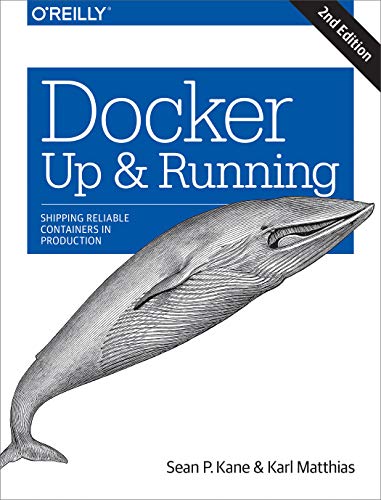
Docker: Up & Running: Shipping Reliable Containers in Production
As an affiliate, we earn on qualifying purchases.
As an affiliate, we earn on qualifying purchases.
Frequently Asked Questions
How Can I Ensure My Environment Is Portable Across Different Operating Systems?
To guarantee your environment is portable across different operating systems, focus on achieving cross-platform compatibility and environment synchronization. Use containerization tools like Docker, which package your applications and dependencies consistently across OSs. Additionally, leverage configuration files such as Docker Compose or environment managers like conda to keep settings synchronized. This approach helps your development setup remain consistent, reproducible, and portable, no matter the operating system you’re working on.
What Tools Are Best for Managing Multiple Development Environments?
When it comes to managing multiple development environments, you want tools that keep everything shipshape. Containerization tools like Docker are your best friends, enabling you to create consistent, portable environments following best practices. Pair them with robust version control strategies to track changes efficiently. This combo guarantees you don’t put all your eggs in one basket, making your workflows smoother across different OSes and avoiding unnecessary headaches.
How Do I Handle Environment Dependencies That Conflict?
To handle dependency conflicts and avoid version mismatches, you should isolate your environments using tools like virtualenv or Docker. These allow you to specify exact versions for each project, preventing conflicts from affecting others. Regularly update your dependencies and use dependency management files, such as requirements.txt or Pipfile, to guarantee consistency. When conflicts arise, resolve them by adjusting version constraints or temporarily isolating problematic dependencies.
What Are the Security Considerations When Sharing Environment Configurations?
Like guarding the crown jewels, you must safeguard your environment configs. When sharing, restrict access control to trusted team members, and avoid exposing sensitive data like passwords or keys. Regular vulnerability management helps spot weaknesses before threats exploit them. Always encrypt sensitive info, use secure channels, and review permissions frequently. These steps ensure your shared configurations remain safe, preserving your project’s integrity and keeping malicious actors at bay.
How Can I Automate Environment Setup for New Team Members?
You can automate environment setup for new team members by using container orchestration tools like Kubernetes or Docker Compose, which streamline deployment and management. Make certain you implement version locking on dependencies and tools to maintain consistency across setups. Create a standardized environment configuration file, such as a Dockerfile or Helm chart, so new team members can quickly spin up identical environments, reducing setup time and errors.

Apache Maven Simplified: A Practical Guide to Build Automation, Dependency Management, and Project Lifecycle
As an affiliate, we earn on qualifying purchases.
As an affiliate, we earn on qualifying purchases.
Conclusion
Think of your development environment as the sturdy foundation of a house. When you set it up carefully and make it reproducible, you’re building a space that withstands storms and changes, allowing your projects to thrive. Just like a well-laid foundation supports a beautiful structure, a solid environment keeps your work stable and consistent. Invest in this groundwork now, and you’ll enjoy smoother sailing through every project, no matter what challenges come your way.
requirements.txt file for Python
As an affiliate, we earn on qualifying purchases.
As an affiliate, we earn on qualifying purchases.
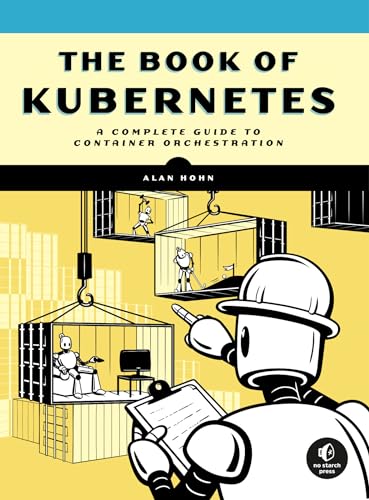
The Book of Kubernetes: A Complete Guide to Container Orchestration
As an affiliate, we earn on qualifying purchases.
As an affiliate, we earn on qualifying purchases.