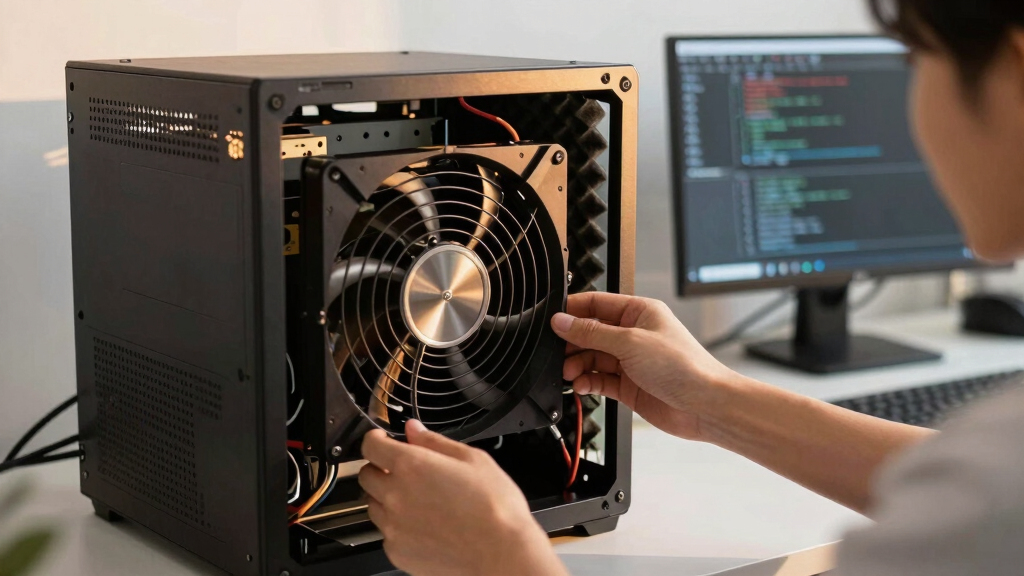

📊 Full opportunity report: How to Reduce Heat and Noise in a High-Power AI Workstation on ThorstenMeyerAI.com — validation score, market gap, and execution plan.

Get business pricing on monitors, keyboards and dev gear
- Business-only prices and quantity discounts
- Tax-exempt purchasing
- Multiple users, one account, clear invoices
TL;DR
High-power AI workstations generate significant heat and noise due to sustained GPU load. Key solutions include undervolting GPUs, optimizing airflow, and managing power draw to improve cooling and reduce sound levels.
High-power AI workstations produce excessive heat and noise when running sustained workloads, often turning quiet home offices into noisy server-like environments. Recent guidance emphasizes that targeted cooling and power management can significantly reduce these issues without sacrificing performance.
AI workstations handling continuous GPU loads generate heat primarily from the GPU, CPU, power supply, and case airflow. Unlike gaming PCs, these systems operate at near-constant high load, making traditional burst-based cooling insufficient. The most effective immediate step is undervolting GPUs and capping power limits, which can lower heat output by tens of watts with minimal performance impact, especially in memory-bound inference tasks.
Optimizing airflow within the case is crucial. Ensuring proper ventilation, using high-quality fans, and managing cable clutter can prevent heat recirculation. Additionally, selecting high-efficiency power supplies and managing VRM temperatures help reduce overall thermal output and noise. Fans are the primary noise source; therefore, choosing quieter models and implementing fan curves can further diminish sound levels.
Other factors include reducing coil whine and vibration transmission through case design and component placement. Implementing these measures collectively can transform a loud, hot workstation into a quieter, more efficient setup, suitable for both professional and home environments.
An AI workstation isn’t a gaming PC —
and that’s why it runs hot.
Local inference is a sustained load: the GPU sits near full power for hours with no loading screens, so the heat never dissipates and the fans never get a break. Here’s where the heat comes from — and the five levers that reduce it.
Why Cooling and Noise Control Are Critical for AI Workstations
Effective heat and noise management in high-power AI workstations is essential for maintaining hardware longevity, ensuring stable operation, and providing a comfortable working environment. As AI workloads become more demanding, these strategies enable users to operate their systems efficiently without the noise and heat disrupting daily activities or requiring extensive modifications.
quiet high-performance PC case fans
As an affiliate, we earn on qualifying purchases.
As an affiliate, we earn on qualifying purchases.
Understanding the Unique Thermal Challenges of AI Workstations
Unlike gaming PCs, AI workstations run GPUs at or near full load continuously during inference tasks, leading to sustained high temperatures. Modern GPUs, such as the RTX 5090, can draw over 575W, with dual-GPU setups exceeding 800W. This sustained power draw generates heat that must be managed effectively to prevent throttling and excessive noise. Traditional cooling solutions designed for gaming are often inadequate for these workloads.
Recent insights from industry experts highlight that targeted power management, airflow optimization, and component selection are key to controlling heat and noise. These techniques have gained traction as more professionals seek quieter, more efficient AI setups.
“Undervolting GPUs and optimizing airflow are the most cost-effective ways to reduce heat and noise in high-power AI workstations.”
— Thorsten Meyer, AI hardware expert
As an affiliate, we earn on qualifying purchases.
Remaining Questions on Long-Term Stability and Optimization
While undervolting and airflow optimization are proven to reduce heat and noise, the long-term stability of aggressive power capping and undervolting settings remains under review. Additionally, the optimal combination of cooling components for different workstation configurations is still being refined, with ongoing testing needed to establish best practices across various hardware models.
As an affiliate, we earn on qualifying purchases.
Next Steps for AI Workstation Cooling Improvements
Future developments include more sophisticated software tools for dynamic power and thermal management, as well as advanced cooling solutions such as liquid cooling tailored for AI workloads. Manufacturers are also expected to release more energy-efficient GPUs and power supplies, further easing thermal management challenges. Users should monitor updates from hardware vendors and community-driven guides to stay informed on emerging best practices.
As an affiliate, we earn on qualifying purchases.
Key Questions
Can undervolting GPUs affect performance?
In most memory-bound inference workloads, undervolting reduces heat and noise without noticeable performance loss. However, aggressive undervolting in compute-bound tasks may impact performance, so testing is recommended for each setup.
What are the best cooling options for high-power AI workstations?
High-quality air coolers and case fans are effective, but liquid cooling solutions can provide superior thermal management for sustained loads. The choice depends on budget, space, and noise preferences.
How much can I reduce noise by optimizing airflow?
Proper airflow management can decrease fan speeds and operational noise by 30-50%, especially when combined with quieter fan models and vibration dampening measures.
Is it safe to modify power and cooling settings on my hardware?
Adjusting power and cooling parameters can be safe if done within manufacturer guidelines. Excessive undervolting or overclocking may cause instability or hardware damage, so proceed with caution and thorough testing.
Source: ThorstenMeyerAI.com
Fall Picks
fall essentials
As an affiliate, we earn on qualifying purchases.