

Feature flags are tools that let you turn specific features on or off in your app without updating the entire code. You control new features, run tests, and manage releases smoothly by toggling settings in real time. This helps you roll out features gradually, monitor their performance, and quickly disable them if problems arise. By using feature flags, you gain flexibility and manage risk more effectively—showing you’ll discover even more benefits as you explore further.

Get business pricing on monitors, keyboards and dev gear
- Business-only prices and quantity discounts
- Tax-exempt purchasing
- Multiple users, one account, clear invoices
Key Takeaways
- Feature flags are toggles that control software functionalities without needing code changes or redeployment.
- They enable real-time control over features, allowing gradual rollouts and quick disabling if issues arise.
- Used in A/B testing to serve different versions to user groups and gather performance data.
- They help manage complex deployment processes and reduce risks during releases.
- Feature flags can be automated, integrated with development pipelines, and secured through access controls.
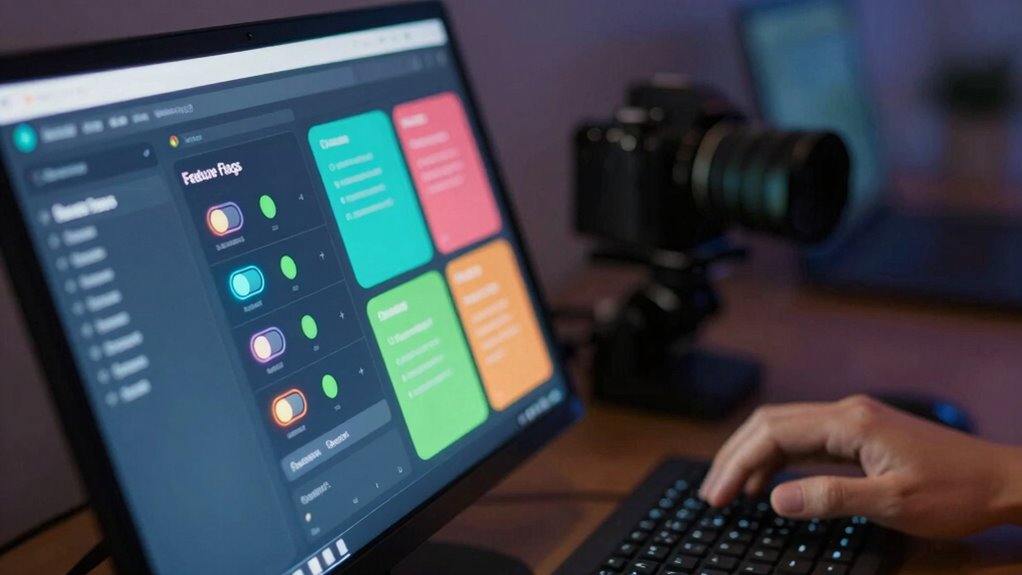
Feature flags are a powerful tool that allow you to turn specific functionalities on or off without deploying new code. Think of them as switches you can toggle to control how your software behaves in real time. This flexibility makes them essential for managing complex deployment processes, especially when you want to test new features or implement phased rollouts. When it comes to A/B testing, feature flags enable you to serve different versions of a feature to different user segments effortlessly. Instead of creating separate code branches, you simply toggle the feature flag for each group, making it easier to gather data on which variation performs better.
Rollout strategies benefit greatly from feature flags because they give you granular control over how and when features reach your users. For example, you might deploy a new feature to a small percentage of your audience first, monitor its performance, and then gradually increase the rollout if everything looks good. This approach helps minimize risks associated with large-scale deployments and allows you to respond quickly if issues arise. You can also use feature flags to disable a feature instantly if something unexpected happens, saving you from potential user dissatisfaction or system failures. Additionally, some teams leverage automated toggling** to streamline and coordinate feature releases with other updates. Incorporating access control** can further enhance your ability to manage who can see or modify certain features, adding an extra layer of security and customization.
Implementing feature flags is straightforward, but effective management requires careful planning. You’ll need a system for organizing and controlling flags, especially as your product grows. Some teams integrate feature flags with their continuous integration and delivery pipelines to automate toggling during deployment processes. This way, you can coordinate feature releases with other updates seamlessly. Additionally, using analytics alongside feature flags helps you track how users interact with different features during A/B tests or phased rollouts, providing valuable insights to inform future development. Incorporating content management strategies can further enhance how you control and monitor feature flags as your product evolves.
Products Worth Considering

Sony WH-1000XM4 Wireless Noise Cancelling Headphones, Black

Bose QuietComfort 45 SE Wireless Noise-Cancelling Over-Ear Headphones

Apple AirPods Pro 3 Wireless Earbuds with Active Noise Cancellation
As an affiliate, we earn on qualifying purchases.
Frequently Asked Questions
How Do Feature Flags Impact Application Performance?
Feature flags can impact application performance by adding conditional checks, which may slightly slow down your system. To minimize this, you should perform performance monitoring regularly and conduct load testing to understand their effect under different conditions. Properly managed flags allow you to toggle features without redeploying, but neglecting performance considerations could cause latency or increased resource usage, so keep an eye on system metrics to guarantee peak performance.
Can Feature Flags Be Used for Security Purposes?
Think of feature flags as security checkpoints in your app. You can enable or disable security enhancements quickly, reducing risk. For example, you might toggle a flag to activate a new authentication method, testing it safely before full deployment. This approach allows you to mitigate risks, respond to vulnerabilities swiftly, and keep your application secure without overhauling the entire system. Feature flags are essential tools for effective risk mitigation and security management.
What Are Common Pitfalls When Implementing Feature Flags?
When implementing feature flags, you might stumble over common pitfalls like neglecting the feature flag lifecycle, which can lead to outdated or forgotten flags cluttering your code. Debugging feature flags becomes tricky if you don’t establish clear naming conventions and documentation. Always monitor flag statuses closely, remove unused flags promptly, and make sure your debugging process is efficient to avoid complicating deployments or causing unexpected bugs.
How Do You Handle Feature Flag Cleanup Over Time?
Ever wonder how to keep your code clean as feature flags age? You should regularly review the feature lifecycle and implement cleanup strategies, like deactivating unused flags and removing them after their purpose is fulfilled. Automate this process where possible, and document flag usage clearly. This helps prevent technical debt, reduces confusion, and guarantees your system remains maintainable over time. Are you proactively managing your feature flags’ lifecycle?
Are There Best Practices for Managing Multiple Feature Flags?
You should follow best practices like managing the feature flag lifecycle carefully and using version control to track changes. Keep flags small and purpose-specific, and remove them once their purpose is fulfilled to reduce clutter. Document each flag’s intent and status, and regularly review active flags. Automate flag deployment and cleanup when possible, ensuring a streamlined process that minimizes errors and maintains code quality over time.
Conclusion
Now that you know what feature flags are and how they work, you’re armed with a powerful tool to control your software’s destiny. Imagine steering a ship with a flick of a switch—feature flags give you that control. They allow you to test, roll out, or hide features at will, making your development process smoother and more flexible. Embrace feature flags, and you’ll navigate the waters of software development with confidence and agility.