

In software testing, you start by understanding different types like unit testing, which checks individual functions for errors, and integration testing, ensuring components work well together. Quality assurance involves planning and automating tests to maintain stability throughout development. Automated testing speeds up repetitive tasks and catches bugs early, saving time and reducing errors. Mastering these basics helps you build reliable software, and exploring further will give you deeper insights into effective testing practices.
Key Takeaways
- Understand the differences: unit testing verifies individual functions, while integration testing checks component interactions.
- Incorporate automated testing for efficiency and early bug detection throughout the development cycle.
- Use bug tracking tools to document, prioritize, and resolve issues systematically during QA processes.
- Implement continuous integration to run automated tests regularly, ensuring software stability and quality.
- Develop comprehensive test plans covering both unit and integration tests to maintain robust software quality.

If you’re new to software development, understanding how to test your applications is essential for delivering quality products. Testing helps catch bugs early, ensures features work as intended, and maintains the overall stability of your software. As you start, you’ll quickly realize that manual testing alone isn’t enough to keep up with rapid development cycles. This is where test automation becomes indispensable. By automating repetitive tests, you save time and reduce human error, allowing you to focus on more complex testing scenarios. Automated tests can quickly verify that new code changes don’t break existing functionality, giving you confidence with each deployment.
Understanding testing fundamentals is crucial for delivering reliable, high-quality software from the start.
A key part of effective testing is bug tracking. When a test fails, bug tracking helps you document, prioritize, and resolve issues systematically. Using bug tracking tools, you can assign bugs to team members, add detailed descriptions, and monitor progress. This organized approach prevents bugs from slipping through the cracks and makes it easier to reproduce and fix issues. As you develop your test cases, integrating bug tracking with your testing process allows you to keep a clear record of the software’s health and historical issues, streamlining communication among team members.
Understanding the different types of testing is fundamental. Unit testing, for example, concentrates on the smallest parts of your code—functions or methods—to verify they work correctly in isolation. Writing unit tests early in your development process helps catch errors at the source, making bugs easier and cheaper to fix. Moving beyond, integration testing examines how various components work together. At this stage, you check if modules interact properly and data flows smoothly across different parts of your application. Both unit and integration testing benefit greatly from automation, enabling quick feedback and continuous validation as you develop features.
Quality assurance (QA) encompasses broader testing activities designed to ensure the overall quality of your software. QA involves not just executing tests but also planning, designing test cases, and ensuring coverage across different scenarios. Automated QA tests, such as regression tests, help confirm that new updates don’t break existing features. These tests are run repeatedly, often in continuous integration pipelines, to provide rapid feedback and maintain high standards. By combining test automation with bug tracking and extensive QA practices, you create a robust testing environment that detects issues early and maintains software quality throughout the development lifecycle.
In essence, starting with test automation and bug tracking sets a solid foundation for your testing efforts. Additionally, understanding the importance of project scope and how it influences testing priorities helps ensure comprehensive coverage. As you gain experience, you’ll be able to expand your testing scope to include more sophisticated strategies, but mastering these basics will considerably improve your software’s reliability and your development workflow.

Hands-On Automated Testing with Playwright: Create fast, reliable, and scalable tests for modern web apps with Microsoft's automation framework
As an affiliate, we earn on qualifying purchases.
As an affiliate, we earn on qualifying purchases.
Frequently Asked Questions
How Do I Choose the Right Testing Tools for My Project?
To choose the right testing tools, you should assess your project’s needs, focusing on test automation capabilities and bug tracking tools. Look for tools that integrate easily with your development environment and support your testing scope. Consider user-friendliness, scalability, and community support. Test automation tools streamline repetitive tasks, while bug tracking tools help you efficiently manage and prioritize issues, ensuring thorough coverage and smooth collaboration throughout your testing process.
What Are Common Mistakes to Avoid in Software Testing?
Think of software testing like steering through a maze—you need a clear plan. Avoid rushing test planning, as it leads to missed bugs and confusion. Don’t ignore bug tracking, which helps you catch errors early and prevent recurring issues. Also, don’t assume your tests are perfect; regularly review and update them. Skipping these steps can cause costly mistakes, so stay organized, diligent, and methodical throughout your testing process.
How Does Testing Differ Between Mobile and Web Applications?
You’ll find testing mobile and web applications differs mainly in focus. For mobile apps, you prioritize mobile responsiveness, ensuring your app works smoothly across devices and screen sizes. For web apps, browser compatibility is key—testing on multiple browsers guarantees consistent performance. You need to adapt your testing strategies to cover device-specific behaviors for mobile and browser variations for web, ensuring a seamless user experience across platforms.
What Skills Are Essential for a Successful QA Tester?
You need strong analytical skills to create effective test cases and identify issues quickly. Attention to detail helps you catch bugs early, ensuring quality. Familiarity with bug tracking tools allows you to document problems clearly and follow their resolution. Good communication skills are essential for collaborating with developers and stakeholders. Being adaptable helps you stay updated with new testing methods and tools, making you a more effective QA tester overall.
How Can I Automate My Testing Process Effectively?
Think of your testing process like tending a garden; automation is your steady watering can. To do it effectively, choose the right test automation frameworks that suit your needs and integrate them into your continuous integration system. This way, your tests run automatically with each change, catching issues early. Regularly update your scripts and monitor results to keep your garden healthy, ensuring smooth, efficient growth of your software.
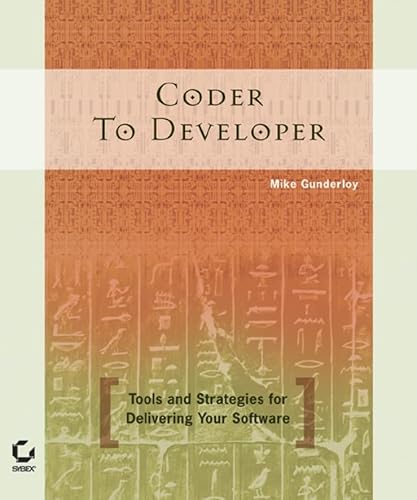
Coder to Developer: Tools and Strategies for Delivering Your Software
Used Book in Good Condition
As an affiliate, we earn on qualifying purchases.
As an affiliate, we earn on qualifying purchases.
Conclusion
Now that you understand the basics of unit, integration, and QA testing, you’re better equipped to guarantee software quality. Did you know that companies that prioritize testing see 30% fewer post-release bugs? By incorporating thorough testing practices, you improve both user satisfaction and your project’s success. Keep practicing these techniques, and you’ll build more reliable, robust software that stands out in the competitive market. Happy testing!

The Art of Unit Testing: with examples in C#
Used Book in Good Condition
As an affiliate, we earn on qualifying purchases.
As an affiliate, we earn on qualifying purchases.

Continuous Integration: Improving Software Quality and Reducing Risk
As an affiliate, we earn on qualifying purchases.
As an affiliate, we earn on qualifying purchases.