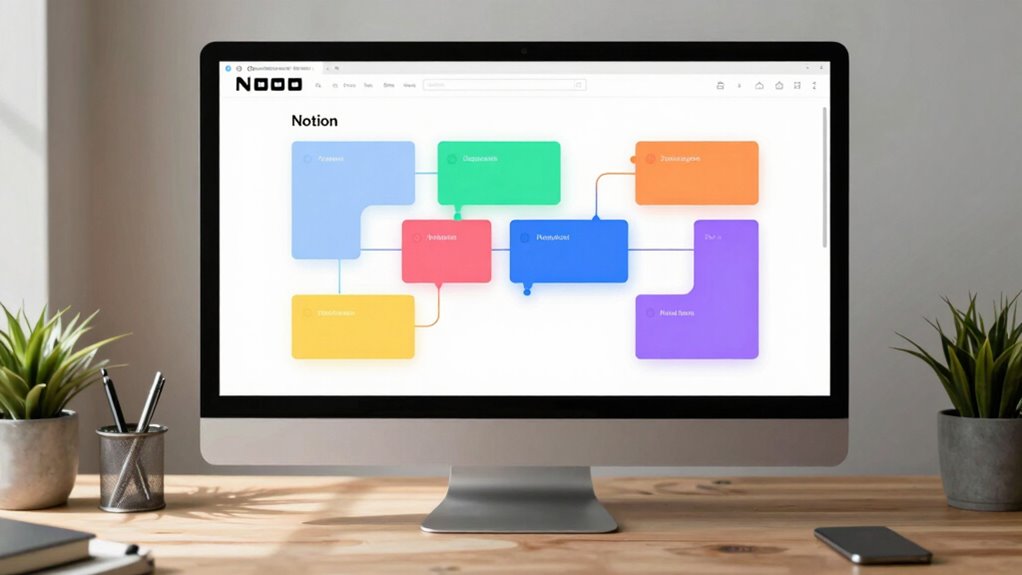

Notion balances flexibility and structure through its block model by allowing you to customize, move, and nest blocks easily, creating a workspace that adapts to your needs. You can experiment with different layouts while maintaining visual hierarchy with headers and color coding for clarity. This approach promotes both organized content and creative freedom, ensuring your workspace evolves seamlessly. If you keep exploring, you’ll discover how to make the most out of this adaptable system.

Get business pricing on monitors, keyboards and dev gear
- Business-only prices and quantity discounts
- Tax-exempt purchasing
- Multiple users, one account, clear invoices
Key Takeaways
- Notion’s block model allows users to customize layouts while maintaining an organized visual hierarchy for clarity.
- Flexible blocks can be moved, nested, or duplicated, enabling experimentation without sacrificing overall structure.
- Visual cues like headers and color-coding enhance content prioritization, balancing flexibility with clarity.
- Collaboration features support real-time editing, ensuring teamwork remains organized amid dynamic workspace changes.
- The platform promotes intentional content structuring, allowing users to adapt layouts as project needs evolve.

Have you ever struggled to maintain a balanced and organized workspace within Notion? It’s a common challenge, especially when you’re juggling multiple projects or collaborating with others. Notion’s block model offers a flexible framework designed to help you stay organized without sacrificing creativity or adaptability. The secret lies in how it balances flexibility and structure—allowing you to customize your workspace while maintaining clarity. One of the key features that enable this balance is collaborative editing. When you work with teammates, the real-time updates and shared blocks make it easy to stay on the same page. You can add, modify, or comment directly within blocks, which encourages seamless teamwork. This collaborative aspect guarantees your workspace remains dynamic and adaptable to your team’s needs, yet it doesn’t get chaotic. The blocks serve as building units that you can move, duplicate, or nest within each other, giving you control over how your information is organized. Additionally, effective preparation for your workspace setup ensures you can maximize the benefits of this flexible system. It also helps you implement visual hierarchy, which plays a crucial role in maintaining clarity amidst the flexibility. Proper content organization is essential for creating a workspace that remains intuitive and easy to navigate. A thoughtfully organized workspace leverages content hierarchy to guide your focus and prioritize information effectively. When your workspace has a well-defined visual hierarchy, it’s easier to scan and locate information quickly. You can emphasize important tasks by using larger headers or color-coded blocks, guiding your eye naturally through your workspace. This prevents the clutter that often comes with overly flexible tools, ensuring that your workspace remains both functional and easy to navigate. By combining collaborative editing with a thoughtful visual hierarchy, Notion gives you the power to adapt your workspace to your needs while keeping it organized. Additionally, understanding the importance of content structure helps you create a more coherent and effective workspace. The block model’s true strength is how it encourages intentional structure without imposing rigid rules. You can build a detailed project plan or a simple to-do list, depending on what the situation demands. You’re free to experiment with different layouts, knowing that you can easily rearrange or delete blocks as your needs evolve. This flexibility doesn’t come at the cost of order; instead, it complements your natural workflow, allowing you to strike a balance that works for you. With Notion’s block-based approach, you get an adaptable environment designed to grow and change with you, all while maintaining clarity through visual hierarchy and enabling seamless collaboration through real-time editing.
Notion compatible customizable workspace organizer
As an affiliate, we earn on qualifying purchases.
As an affiliate, we earn on qualifying purchases.
Frequently Asked Questions
How Does Notion Compare to Other Flexible Workspace Tools?
Compared to other flexible workspace tools, Notion offers superior customization options, allowing you to tailor your workspace precisely to your needs. Its user interface is intuitive and sleek, making it easy to organize content through blocks, databases, and templates. Unlike rigid tools, Notion balances flexibility with structure, enabling you to create workflows that suit both personal and team projects while maintaining clarity and control.
Can Users Customize the Block Types Beyond Default Options?
Did you know Notion offers over 50 default block types? You can definitely customize beyond these options; Notion’s flexible design allows you to create and modify block types to suit your needs. With extensive customization options, you can tailor your workspace with diverse block types, from text and images to databases and embeds. This diversity empowers you to build highly personalized, organized workflows that fit your style perfectly.
What Are Common Challenges When Balancing Flexibility and Structure?
You might find that template rigidity challenges your ability to adapt quickly, making it hard to customize pages as your needs evolve. Balancing flexibility and structure requires you to ensure user adaptability—how easily you can modify templates without losing coherence. Too rigid, and you feel boxed in; too flexible, and your workspace becomes chaotic. Finding the sweet spot ensures your workflows stay organized while allowing creative freedom.
How Does Notion Handle Data Security Within the Block Model?
Think of your data as a treasure chest; Notion guards it fiercely with data encryption, ensuring your info stays locked tight against prying eyes. You hold the keys through access controls, deciding who gets to peek inside. This fortress-like security lets you be flexible with your blocks while confidently trusting that your data remains protected. Notion’s security measures create a safe space where your creativity can flourish without worry.
Are There Limitations to Scalability With the Block System?
You might face scalability challenges with the block system as your Notion workspace grows, especially with extensive content and complex databases. The flexible nature of blocks can sometimes slow down performance or make navigation harder. While the block system offers great customization, managing huge amounts of data becomes trickier, and you may need to optimize your structure or consider alternative solutions for large-scale projects to maintain smooth workflow and accessibility.
color-coded task management sticky notes
As an affiliate, we earn on qualifying purchases.
As an affiliate, we earn on qualifying purchases.
Conclusion
By blending flexibility with structure, Notion’s block model empowers you to customize your workspace without losing organization. Did you know that users report a 40% increase in productivity after adopting this system? It’s this perfect balance that makes Notion stand out, allowing you to adapt your workflow effortlessly while maintaining clarity. So, whether you’re managing projects or jotting down ideas, Notion’s design helps you stay both creative and organized.
ergonomic adjustable desk with monitor stand
As an affiliate, we earn on qualifying purchases.
As an affiliate, we earn on qualifying purchases.
As an affiliate, we earn on qualifying purchases.
Halloween Picks
halloween
As an affiliate, we earn on qualifying purchases.