

🔍 Read the full analysis: Mechanical Keyboards In 2027: 14 Options For Gaming, Work, And Typing on ThorstenMeyerAI.com

Get business pricing on monitors, keyboards and dev gear
- Business-only prices and quantity discounts
- Tax-exempt purchasing
- Multiple users, one account, clear invoices
TL;DR
A ThorstenMeyerAI.com roundup compares 14 mechanical keyboards for gaming, work and typing, naming the wireless AULA F75 Pro its best overall option. It also highlights the Logitech MX Mechanical for quieter office use and the wired, hot-swappable Redragon K671 for buyers who value a simple setup and switch flexibility. The recommendations are editorial judgments, not a claim that one model fits every user.
ThorstenMeyerAI.com’s 14-keyboard roundup names the wireless AULA F75 Pro its leading all-round option, while recommending the Logitech MX Mechanical for quieter office typing and the wired Redragon K671 for buyers seeking hot-swappable switches. The recommendations give shoppers a starting point, but the ranking is based on intended use and tradeoffs rather than a claim that one keyboard suits every setup.
The roundup assesses keyboards against typing comfort, layout, connection options and practical features. It gives weight to whether a board is wired or wireless, full-size or compact, and whether its switches can be changed. The source says extra lighting, knobs or displays are not automatic advantages: their usefulness depends on what the buyer needs.
The AULA F75 Pro is presented as a compact wireless choice for mixed work and gaming, with a 75% layout and a control knob. Its smaller footprint comes with a clear tradeoff: people who regularly use a dedicated number pad may prefer a full-size board. The source does not provide benchmark results or a detailed test methodology beyond its stated selection criteria.
For a quieter office-oriented option, the roundup points to the Logitech MX Mechanical and its tactile switch design. The Redragon K671, by contrast, is a wired model with hot-swappable red switches. Hot-swap support can allow compatible switches to be replaced without replacing the keyboard, though buyers still need to check compatibility. The source positions these as options for different priorities, not interchangeable alternatives.
The 14 picks
- 1
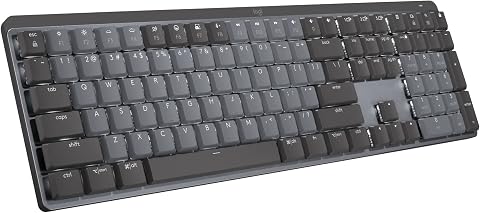 Logitech MX Mechanical Wireless Illuminated Keyboard, Tactile Quiet, GraphiteView on Amazon →
- 2
 Logitech G316 X 98 Mechanical Gaming Keyboard, Linear Switches, BlackView on Amazon →
- 3
 SteelSeries Apex 5 Hybrid Mechanical Gaming Keyboard with OLED Display and RG…View on Amazon →
- 4
 RK ROYAL KLUDGE S98 Wireless Mechanical Keyboard with Smart Display and KnobView on Amazon →
- 5
 AULA F75 75% Wireless Mechanical Keyboard, White and BrownView on Amazon →
- 6
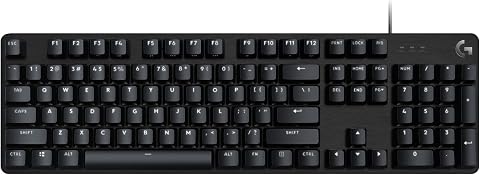 Logitech G413 SE Full-Size Mechanical Gaming KeyboardView on Amazon →
- 7
 AULA F75 Pro 75% Wireless Hot-Swappable Mechanical KeyboardView on Amazon →
- 8
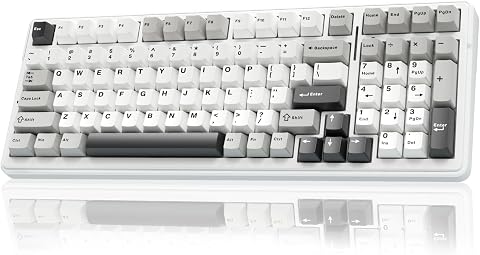 AULA F99 99-Key Wireless Mechanical KeyboardView on Amazon →
- 9
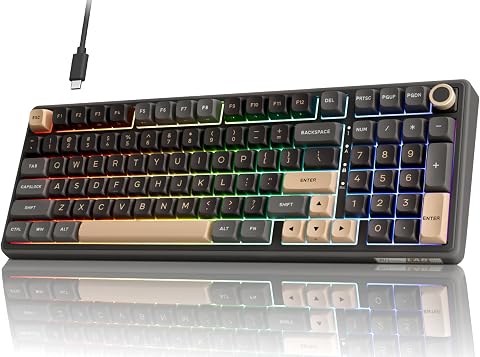 RK ROYAL KLUDGE R98 Pro Wired Mechanical KeyboardView on Amazon →
- 10
 ProtoArc K310 Pro Full-Size Backlit Wireless Mechanical KeyboardView on Amazon →
- 11
 Womier SK80 75% Mechanical Gaming Keyboard with Multimedia DisplayView on Amazon →
- 12
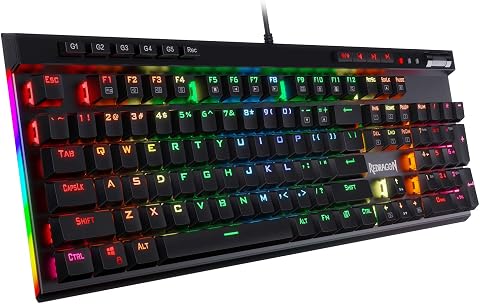 Redragon K580 Wired RGB Mechanical Gaming Keyboard with Macro Keys and Media…View on Amazon →
- 13
 AULA S99 Wireless 99-Key Membrane Gaming KeyboardView on Amazon →
- 14
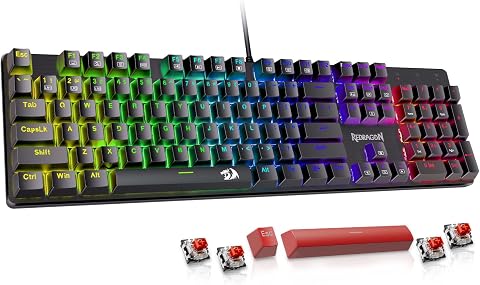 Redragon K671 Wired Mechanical Gaming Keyboard with Hot-Swappable Red SwitchesView on Amazon →
How the Picks Fit Different Desks
The roundup’s value is in making the compromises visible. A compact layout can free desk space, but missing dedicated keys may disrupt number-heavy work or familiar shortcuts. A wireless board can reduce cable clutter, but its battery and connection arrangements add considerations that a wired keyboard avoids.
Switch feel and sound also shape whether a keyboard works in a shared office or a gaming space. The source notes that labels such as linear, tactile and clicky describe keypress feedback but do not determine the sound of an entire board. Case construction, keycaps and typing force matter too. Buyers should treat feature lists as starting points and match them to the room and routine where they will use the keyboard.
Products Worth Considering

Bose QuietComfort Headphones – Wireless Bluetooth Over-Ear Noise Cancelling Headphones, Petal Pink Limited Edition

Apple Watch Ultra 4 GPS + Cellular, 49 mm

Logitech MX Mechanical Wireless Illuminated Keyboard, Tactile Quiet, Graphite
As an affiliate, we earn on qualifying purchases.
The Criteria Behind the Rankings
The source says the order reflects versatility and fit across common uses, rather than a universal ranking. It considers predictable typing, useful layouts, connection flexibility, build and control features, and the compromises each design asks of its intended user. A model lower in the list could still be a better fit for someone with a fixed desk, a shared office or a number-pad-heavy workflow.
It also advises choosing layout and switch feel before extras. Full-size boards retain a number pad and familiar key spacing; 75% boards reduce footprint while keeping more navigation keys than smaller layouts. Wireless modes, lighting, displays and media controls are secondary if the core arrangement does not suit the buyer’s habits.
“The order reflects versatility and fit across common uses, not a claim that one keyboard suits everyone.”
— ThorstenMeyerAI.com roundup
Details Buyers Should Verify
The supplied source material does not identify all 14 models by name, provide prices, or give a publication date. It also does not include measured typing noise, battery-life figures, latency tests or side-by-side performance results. The named recommendations should therefore be read as the roundup’s judgments, not as independently established winners.
Specific configurations may differ by region or listing, including switch type, wireless support and hot-swap compatibility. The source advises checking supported switch formats and connection details before purchase. It does not specify which devices or operating systems every model supports, or how easily each can switch between them.
Check Fit Before Buying
Readers considering a model should compare its current configuration with their needs: confirm the layout, switch type, connection options and power method, and check whether the keyboard can be used over a cable while charging if that matters. Those details may vary between versions and sellers.
For a more confident decision, buyers can try switch samples or a store display, especially if sound or tactile feedback is a priority. The source offers selection guidance but does not announce a follow-up test or a future update to the rankings.
Key Questions
Which keyboard does the roundup rank highest overall?
ThorstenMeyerAI.com names the AULA F75 Pro, describing its 75% layout, wireless connection and knob as a balance for everyday use and gaming. Buyers who need a number pad may prefer a full-size option.
Which model is recommended for quieter office typing?
The roundup points to the Logitech MX Mechanical for its tactile, quieter switch design. It does not provide measured sound levels, so people in shared spaces may want to try the keyboard before buying.
What does hot-swappable mean for the Redragon K671?
Hot-swapping can let owners replace compatible switches without replacing the whole keyboard. The source says buyers should check socket and switch compatibility; it does not mean every switch will fit.
Should I choose a compact or full-size keyboard?
A compact board saves desk space, while a full-size layout keeps a dedicated number pad and familiar spacing. The better fit depends on which keys you use routinely, especially for data entry and shortcuts.
Source: ThorstenMeyerAI.com