
TL;DR

Get business pricing on monitors, keyboards and dev gear
- Business-only prices and quantity discounts
- Tax-exempt purchasing
- Multiple users, one account, clear invoices
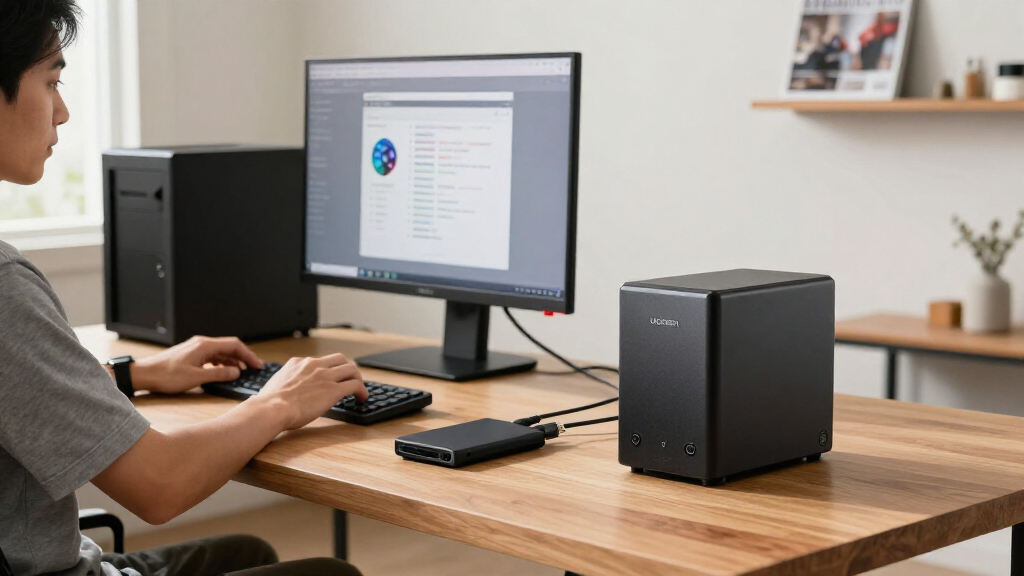
The UGREEN NAS DXP4800 Pro is a four-bay NAS with an Intel Core i3-1315U, 8GB of expandable DDR5 memory, and 10GbE and 2.5GbE networking. Its hardware may suit home-lab users, creators and small teams running self-hosted services, but the supplied information does not establish performance on specific AI workloads, and drives are not stated as included.
The UGREEN NAS DXP4800 Pro combines four drive bays with an Intel Core i3-1315U, expandable memory and 10GbE networking, making it a candidate for home-lab users and small teams considering self-hosted services or AI-enabled photo management. The available product information describes on-device AI photo organization, but does not provide benchmarks showing how the NAS performs on broader AI workloads.
The NAS is listed with a six-core, eight-thread processor running at up to 4.5GHz and 8GB of DDR5 memory, expandable to 96GB. The product description says it supports Docker and virtual machines, which could let users run services alongside file storage. Those capabilities indicate flexibility, but actual results will depend on the software, configuration and workload.
For storage, the unit has four 3.5-inch drive bays and two PCIe 4.0 M.2 slots. The stated ceiling of up to 144TB depends on the drives installed; the listing does not say that drives are included. It supports RAID 0, 1, 5 and 10, while RAID is not a substitute for a separate backup.
Networking includes 10GbE and 2.5GbE, with a stated maximum transfer speed of 1.25GB/s. Reaching high transfer rates requires compatible computers, switches, cabling, storage and workloads. The accompanying assessment says UGOS Pro includes media, photo and cloud-sync features, including on-device AI photo organization, but supplies no detailed performance tests or software compatibility results.
BUYER’S FIELD GUIDE / NAS + AI PROJECTS
Should You Choose the UGREEN NAS DXP4800 Pro for AI Projects?
A four-bay NAS with expandable memory and fast networking offers room for self-hosted services. Its listed features do not establish how it performs on specific AI workloads.
What the hardware opens up
The listed specs point to a flexible storage and hosting platform. Real results depend on the installed drives, software, configuration and workload.
Room for services
Docker and virtual machine support can let users run services alongside file storage. The product information does not quantify how many services it can handle or how well.
Expandable storage
Four drive bays and two PCIe 4.0 M.2 slots provide options to configure capacity and SSD storage. Drives are not stated as included.
Fast network ports
10GbE and 2.5GbE are listed. Compatible computers, switches, cabling, storage and workloads all affect actual transfer rates.
Capacity comes from your configuration
Maximums describe a possible setup, not what ships in the box. Confirm the current product listing and budget for the drives you need.
RAID options: 0, 1, 5 and 10. Choose a layout based on capacity and redundancy needs.
RAID does not replace a separate backup. Keep another copy of important files on independent storage or a backup service.
Network ceiling: the stated maximum is 1.25GB/s. Treat it as a listing figure, not a guaranteed transfer speed.
Test the AI question before buying
The supplied description supports a narrower claim than “AI server.” Photo organization is mentioned; general-purpose model performance is not demonstrated.
Described as an on-device UGOS Pro feature.
No underlying model or task list is provided.
No benchmark or detailed software compatibility results are supplied.
Confirm software support and seek relevant performance tests.
“Worth buying for buyers who will use its speed and flexibility; a simpler two-bay unit is a better fit for straightforward backups and shared folders.”
PRODUCT ASSESSMENT
When the extra hardware pays off
Match the NAS to the work you expect it to do, including the cost and setup beyond the device itself.
Home labs
Consider it if you plan to host services or virtual machines as well as manage shared storage.
Creators & small teams
More bays and faster networking may help with large shared files when the rest of the setup supports them.
Backups & folders
A four-bay unit may be more capacity and setup than necessary. The assessment points to two-bay options such as Synology DS223 and DS223j for simpler use.
Check your setup before buying
Resolve the practical unknowns first so the system, accessories and workload fit together.
Pricing is not provided here, and the listing does not state that drives are included.
Plan capacity, drive count and RAID arrangement around your needs; keep a separate backup.
Verify your computer, switches and cabling support the speed you want to use.
Confirm software support and seek tests for the specific tasks or models you plan to run.
Key questions
What the available product information can—and cannot—answer.
Is it a dedicated AI computer?
It is described as a NAS with on-device AI photo organization, Docker and virtual machine support. No benchmarks establish performance on particular AI models or workloads.
Does it include storage drives?
The supplied listing does not say. The stated capacity of up to 144TB depends on the drives installed, so check the current product listing.
What is needed to use 10GbE?
A compatible 10GbE connection across the network path is needed. The client computer, switches, cabling, storage and workload can affect transfer speeds.
Is four-bay worthwhile for ordinary backups?
It may be more hardware and setup than you need for backups and shared folders. The assessment suggests a simpler two-bay NAS may fit those needs.
When the Extra Hardware Pays Off
The DXP4800 Pro matters most to buyers who plan to use a NAS for more than backups. Docker support, virtual machines and expandable memory give home-lab users a way to host services alongside shared files, while creators and small teams may benefit from faster network connections when handling large files. These are potential uses based on the listed specifications, not demonstrated results for every setup.
The same features may add little for households that only need automatic backups and shared folders. The assessment contrasts the four-bay UGREEN with two-bay models such as the Synology DS223 and DS223j, which it describes as more appropriate for simpler needs. Buyers should weigh the hardware against the cost of drives and compatible network equipment, as well as their willingness to configure the system.
Products Worth Considering

LG UltraGear 34GX90SA-W 34-inch WQHD Curved OLED Gaming Monitor

Apple AirPods Pro 3 Wireless Earbuds with Active Noise Cancellation

LG UltraGear 32GX850A-B 32-inch 4K UHD Glossy OLED Gaming Monitor
As an affiliate, we earn on qualifying purchases.
Hardware Behind the AI Question
The product is presented as a network-attached storage device for households and small teams, with added capacity for self-hosted services. Its processor, memory expansion and multiple drive bays position it above a basic file-storage setup in terms of listed hardware. The assessment identifies photo organization as an on-device AI feature, but does not describe its underlying model or specify which tasks it can perform.
The stated 144TB capacity is a possible configuration, not storage supplied with the unit. Four drive bays allow buyers to add capacity and select among supported RAID arrangements, and the two M.2 slots provide additional SSD options. Network speeds likewise depend on compatible equipment throughout the connection. No pricing, independent benchmark results or dated launch details are included in the supplied material.
“The early verdict: worth buying for buyers who will use its speed and flexibility; a simpler two-bay unit is a better fit for straightforward backups and shared folders.”
— Product assessment
AI Workloads Still Need Testing
The supplied material does not establish whether the DXP4800 Pro can run particular AI models locally, how quickly it would do so, or what software and setup those tasks require. The described on-device AI feature is photo organization; it should not be treated as evidence of general-purpose AI computing performance.
It is also unclear what the NAS costs, whether any configuration includes drives, and how the listed maximum transfer speed compares with measured results in real use. The maximum capacity and network figures depend on components and conditions beyond the NAS itself.
Check Your Setup Before Buying
Prospective buyers should confirm the current listing’s price and included components, choose drives for their capacity and redundancy needs, and check whether their computer and network can use 2.5GbE or 10GbE. Anyone considering AI projects should verify that the required software and workload are supported and seek relevant performance tests before relying on this unit as an AI server.
Key Questions
Is the DXP4800 Pro a dedicated AI computer?
The product information describes a NAS with on-device AI photo organization, Docker and virtual machine support. It does not provide benchmarks showing performance on specific AI models or workloads.
Does it include storage drives?
The supplied listing does not state that drives are included. The stated capacity of up to 144TB depends on the drives installed, so check the current product listing before buying.
What network equipment is needed to use 10GbE?
A compatible 10GbE connection across the network path is needed to make use of the port’s speed. The client computer, switches, cabling, storage and workload can all affect actual transfers.
Is a four-bay NAS worthwhile for ordinary backups?
It may be more hardware and setup than needed if your main needs are backups and shared folders. The assessment says a simpler two-bay NAS may be a better fit for those uses.
Source: Thorsten Meyer AI