

To build component tests with Cypress for your React app, focus on simulating real user interactions to guarantee your components behave as expected. Use Cypress to test specific states, update UI elements like counters or forms, and verify accessibility features. Isolate components for precise testing and follow core architecture principles to maintain reliable tests. If you want to master these strategies, you’ll find plenty of useful tips to improve your testing approach as you explore further.

Get business pricing on monitors, keyboards and dev gear
- Business-only prices and quantity discounts
- Tax-exempt purchasing
- Multiple users, one account, clear invoices
Key Takeaways
- Use Cypress component testing to simulate real user interactions and verify React component behavior.
- Manage component state effectively and test specific states and pathways for comprehensive coverage.
- Isolate components during tests to focus on individual functionality and reduce flakiness.
- Incorporate accessibility testing with Cypress to ensure inclusive, compliant React components.
- Follow best practices for maintainable tests, regularly reviewing and updating your test suite.
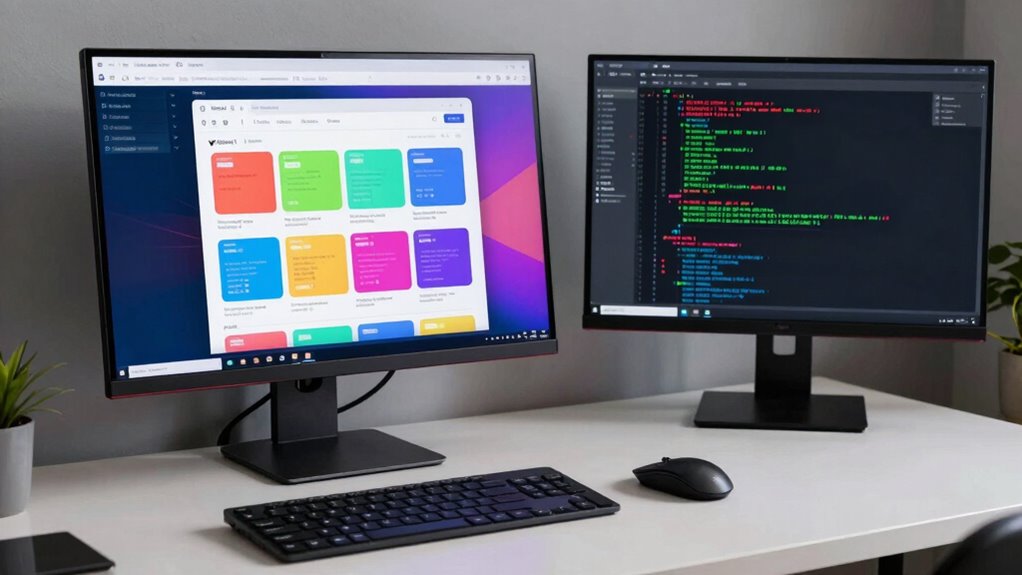
Are you looking to improve your React app’s reliability and catch bugs early? Building component tests with Cypress is an excellent way to achieve this. With Cypress, you can simulate real user interactions, making your tests more reliable and reflective of actual usage. When starting, focus on how your components manage state. Effective state management is essential because it influences how your app responds to user input and internal changes. Cypress allows you to write tests that verify if your components update correctly when state changes, ensuring your app remains predictable and bug-free. For example, you can test whether clicking a button updates a counter or whether form inputs correctly reflect user entries. By targeting specific states and pathways, you reduce the chance of bugs slipping into production, keeping your app robust over time. Additionally, incorporating component isolation techniques helps you test individual parts of your app without interference from other components. Understanding core architecture principles further enhances your ability to create effective tests and design resilient components. Furthermore, considering test coverage strategies ensures comprehensive testing of your components, reducing the likelihood of untested edge cases. Incorporating practices such as best practices for testing can help you develop more maintainable and reliable tests. Regularly reviewing your test suite against test documentation ensures consistency and clarity in your testing approach. Accessibility testing is another indispensable aspect you should incorporate into your Cypress testing strategy. Making your app accessible isn’t just about complying with standards; it also improves user experience for everyone. Cypress offers tools to check for accessibility issues directly within your test suite. You can automate testing for keyboard navigation, ARIA labels, and other accessibility features, ensuring your components are usable by all users, regardless of ability. Running accessibility tests regularly helps catch issues early, preventing costly fixes later. It also guarantees that your app remains inclusive and compliant with accessibility guidelines, which is especially important for reaching a broader audience.
As an affiliate, we earn on qualifying purchases.
Frequently Asked Questions
How Do I Set up Cypress for a React Project?
To set up Cypress for your React project, first install Cypress with npm or yarn. Then, configure it for component testing, focusing on component isolation to guarantee tests run independently. Use Cypress’s component testing features to speed up test performance and catch issues early. You can write tests directly in Cypress, leveraging its tools to simulate user interactions and verify component behavior efficiently.
Can Cypress Tests Run in Different Browsers?
Yes, Cypress tests can run in different browsers. You simply configure your test environment by selecting your preferred browsers, like Chrome, Firefox, or Edge, during setup or in your Cypress configuration. This cross-browser compatibility helps guarantee your React app performs perfectly across various environments. Just update your test environment configuration to specify browsers, and Cypress handles the rest, making your testing process versatile and thorough.
How Do I Mock API Calls in Cypress Component Tests?
You can mock API calls in Cypress component tests by using Cypress’s `cy.intercept()` function. This method allows you to intercept and stub network requests, ensuring test isolation and consistent responses. To do this, set up your intercept before rendering your component, specifying the API endpoint and the mock data. This way, your tests won’t depend on real API responses, promoting reliable, isolated testing environments.
What Are Best Practices for Organizing Cypress Test Files?
For organizing Cypress test files, focus on clear test organization and consistent naming conventions. Group related tests into folders by feature or component, making navigation easier. Use descriptive filenames that reflect the test’s purpose, like `LoginForm.spec.js` or `UserProfile.spec.js`. This approach helps you quickly locate tests, maintains consistency, and improves collaboration. Regularly review and refactor your test structure to keep it scalable as your project grows.
How Do I Handle Asynchronous Operations in Cypress Tests?
Handling asynchronous operations in Cypress is like managing a busy traffic intersection—you need to let promises clear before moving forward. Cypress automatically manages async handling and promise management, so you don’t have to manually wait. Use commands like `cy.wait()` or chain commands to guarantee actions complete before proceeding. Trust Cypress’s built-in waiting and retry logic, which simplifies promise management and keeps your tests running smoothly without race conditions.
As an affiliate, we earn on qualifying purchases.
Conclusion
By now, you’ve seen how Cypress makes testing your React components straightforward and reliable. With its intuitive interface and powerful features, you can catch bugs early and guarantee your app runs smoothly. Remember, “A stitch in time saves nine,” so don’t delay testing—it’s the best way to keep your code healthy and your users happy. Keep practicing, and you’ll build resilient, bug-free components in no time!
accessibility testing tools for React
As an affiliate, we earn on qualifying purchases.
As an affiliate, we earn on qualifying purchases.
As an affiliate, we earn on qualifying purchases.
Fall Picks
fall essentials
As an affiliate, we earn on qualifying purchases.