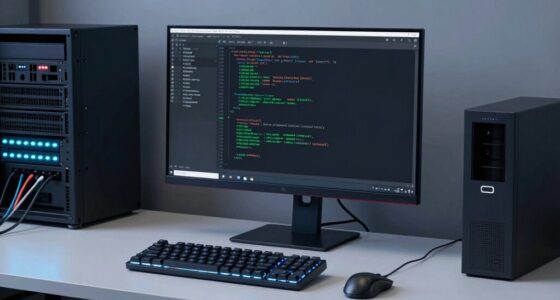
To set up a safe room-scale VR space at home, start by clearing and organizing your area, removing clutter and securing furniture. Mark your play zone with boundary tape or visual cues to prevent collisions, and make sure sensors are properly placed, calibrated, and free of obstructions. Adjust lighting and manage cables to keep the environment safe and distraction-free. For a smoother experience, regularly check safety features and fine-tune your setup—more tips follow if you want to optimize your VR space fully.

Get business pricing on monitors, keyboards and dev gear
- Business-only prices and quantity discounts
- Tax-exempt purchasing
- Multiple users, one account, clear invoices
Key Takeaways
- Ensure a clear, unobstructed area of at least 6.5 ft x 6.5 ft, free of clutter and obstacles.
- Mark boundaries with tape or painted lines and use physical barriers like foam padding or gates.
- Mount sensors at appropriate heights, verify coverage, and calibrate regularly to ensure accurate tracking.
- Manage cables properly, organize lighting, and maintain good ventilation for a comfortable environment.
- Perform safety checks by wearing the headset and moving around to identify hazards and ensure secure boundaries.
As an affiliate, we earn on qualifying purchases.
Assess Your Space for Safe Room-Scale VR
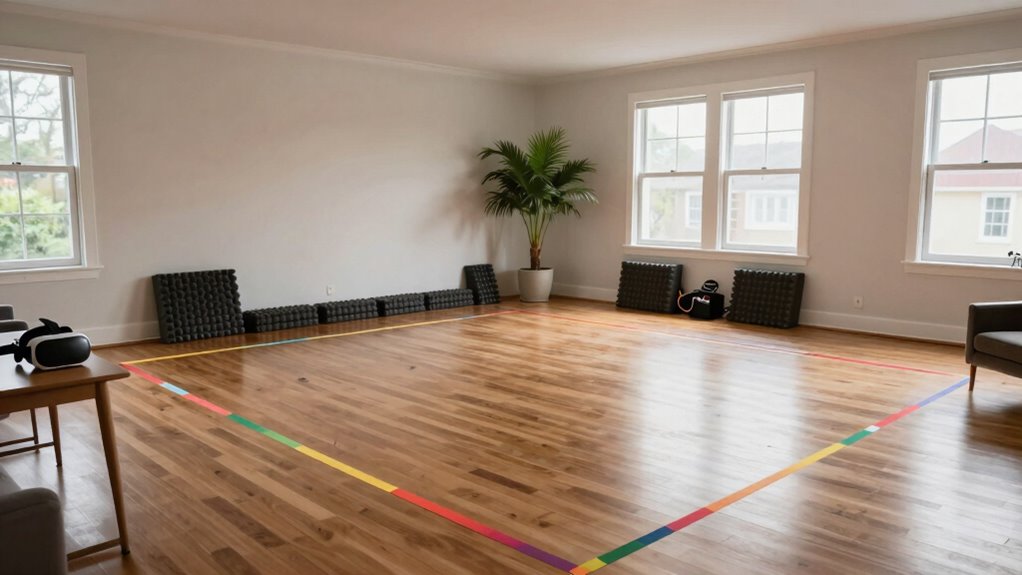
Before setting up your room-scale VR, it’s essential to evaluate your space to guarantee safety. Start by checking your room ventilation to ensure good airflow, preventing stuffiness during extended play sessions. Clear out any clutter or obstacles that could cause trips or falls. Pay close attention to furniture arrangement; move or secure bulky furniture to create an open, unobstructed area. Make sure there’s enough space around you for safe movement, ideally a minimum of 6.5 feet by 6.5 feet. Consider the height of objects like shelves or hanging fixtures to avoid accidental collisions. Properly examining your space helps you identify hazards and optimize your environment, making your VR experience safer and more enjoyable. Additionally, understanding the power and range of your VR setup can help you plan for a more seamless experience. Being aware of your physical environment ensures you can adapt your setup effectively for safety. Taking into account household safety considerations can further prevent accidents during your VR sessions. Ensuring your safety measures are in place can significantly reduce the risk of injury or damage while immersed in VR. Incorporating smart safety devices like leak detectors or indoor air monitors can also enhance overall safety in your home environment.
As an affiliate, we earn on qualifying purchases.
Choose the Right VR Equipment and Sensors
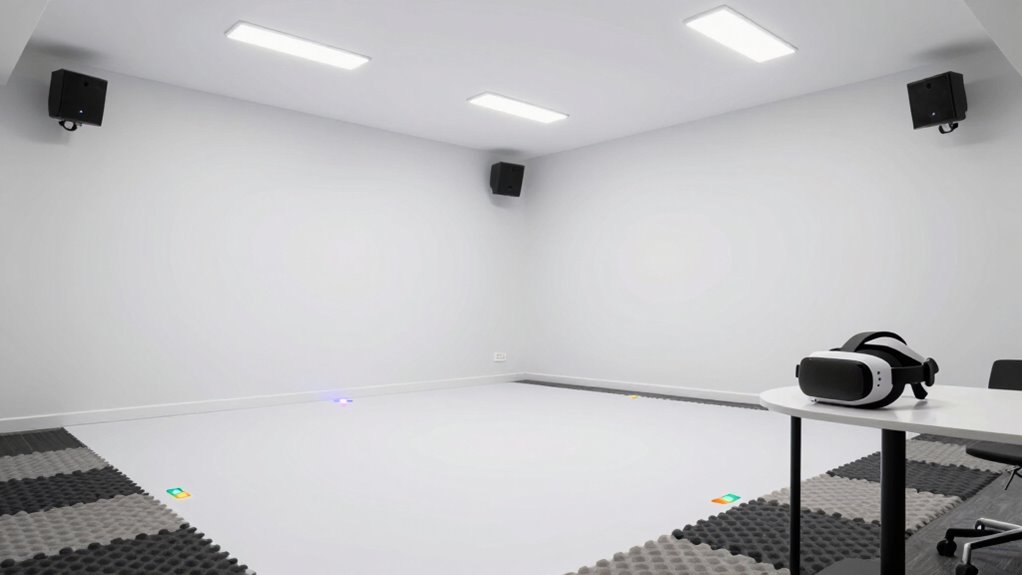
Choosing the right VR equipment and sensors depends on your space and how you plan to use it. You need to take into account sensor placement to guarantee accurate tracking and avoid blind spots. Additionally, make sure your hardware meets the performance requirements for a smooth and immersive experience. Incorporating outdoor elements into your setup can enhance the realism and enjoyment of your VR space. It’s also important to consider privacy policies related to your VR devices, as they may collect data during use. Ensuring compatibility with smart home integration can further streamline your experience and enhance safety features. Being aware of child safety considerations related to VR use helps promote a secure environment for children. Furthermore, understanding the importance of calibration ensures your sensors maintain optimal accuracy for the best possible experience.
Compatibility With Space
Have you checked if your available space can support the VR equipment and sensors you plan to use? Ensuring compatibility means considering both the size of your area and how it affects space aesthetics. You want enough room for movement without clutter, so furniture arrangement becomes vital. Remove or reposition bulky furniture that could obstruct sensors or cause hazards. Check if your sensors can cover the entire play area without gaps or blind spots. Some systems require specific ceiling heights or open spaces, so measure carefully. Compatibility also involves making sure your hardware isn’t too large or heavy for your space. By evaluating your room’s dimensions and layout, you can create a safe, immersive environment that maximizes your VR experience without sacrificing style or comfort. Additionally, understanding sensor coverage ensures that your VR setup functions smoothly and safely.
Sensor Placement Strategies
Selecting the right VR equipment and sensors is key to creating a seamless and immersive experience. Proper sensor placement guarantees accurate tracking and minimizes sensor interference, which can cause tracking errors. Begin by mounting sensors at ideal heights and angles, typically eye level or slightly above, facing inward to cover the entire play area. Regular sensor calibration is essential to maintain accuracy, especially after rearranging equipment or noticing tracking issues. Keep sensors clear of obstacles and avoid placing them near reflective surfaces or electronic devices that may cause interference. Spread sensors evenly around the space to eliminate blind spots and ensure consistent data collection. Additionally, understanding the sensor interference sources can help you optimize placement and improve overall tracking performance. Ensuring your sensor calibration is precise and consistent can significantly enhance tracking reliability. By carefully positioning and calibrating your sensors, you’ll enhance tracking precision and enjoy a smooth, immersive VR experience. Properly managing sensor placement can significantly reduce tracking errors and enhance your overall VR experience. To further improve reliability, consider the battery life of your sensors and equipment, ensuring they function optimally during extended sessions.
Hardware Performance Requirements
To guarantee your VR space functions smoothly and provides an immersive experience, you need to meet specific hardware performance requirements. First, confirm your VR headset and sensors are compatible with your computer, confirming hardware compatibility. Check that your system meets or exceeds performance benchmarks for graphics processing, CPU speed, and RAM, which directly impact smooth tracking and rendering. A powerful graphics card, like an NVIDIA RTX or AMD Radeon, is essential for high-quality visuals. Your CPU should handle real-time data processing without lag. Additionally, verify that your system supports the latest USB and HDMI standards for sensor and headset connections. Meeting these hardware performance benchmarks guarantees seamless performance, preventing lag, stuttering, and tracking issues that can compromise safety and immersion during your VR experiences. Ensuring your system also supports up-to-date connectivity standards helps maintain reliable sensor connections and optimal data transfer rates. Regularly updating your drivers and firmware can also help maintain hardware stability, ensuring consistent performance during extended VR sessions. Incorporating hardware optimization techniques can further enhance system reliability and overall experience stability, especially when your computer’s hardware is aligned with recommended performance benchmarks from VR manufacturers.
As an affiliate, we earn on qualifying purchases.
Designate and Mark Your Play Area Clearly
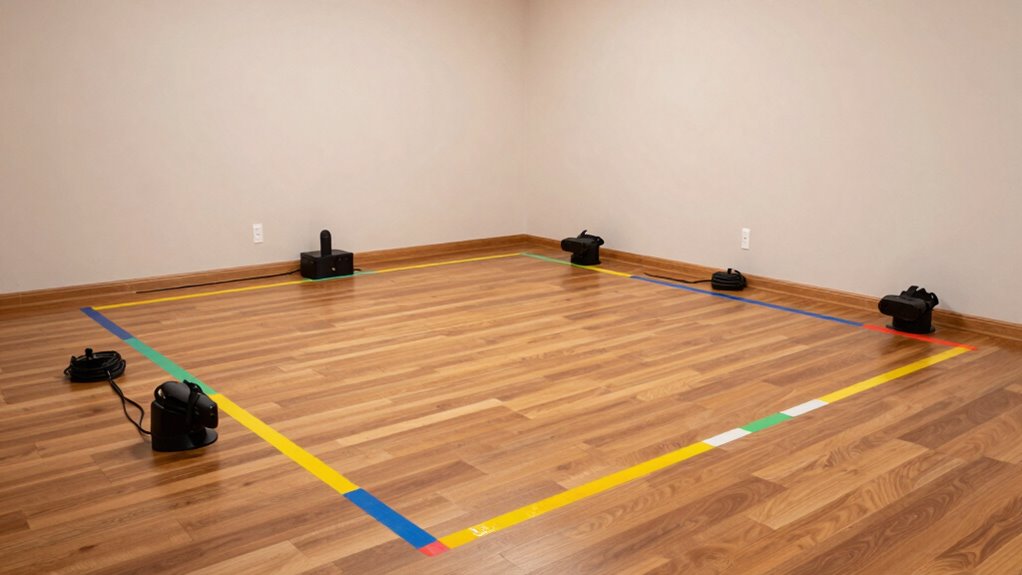
You need to clearly mark your play area to stay safe during VR sessions. Using boundary markers or tape helps define the space and prevents accidental collisions. Visual cues, like rugs or color-coded zones, make it easy to recognize your boundaries at a glance. Incorporating work-life boundaries into your VR setup can help maintain a healthy balance between gaming and other activities. Additionally, paying attention to luxurious lifestyle products can enhance your overall VR experience by providing premium accessories that add both comfort and sophistication.
Clear Boundary Markings
Clear boundary markings are essential for maintaining a safe and enjoyable VR experience. They help you stay aware of your play area’s limits, preventing accidental collisions. Use physical markers like rugs, tape, or foam padding to define boundaries clearly. These physical cues improve gesture recognition by providing tactile feedback and reduce the risk of misinterpreting gestures near the edges. Well-marked boundaries also enhance user comfort, making movements feel natural and reducing anxiety about stepping outside the safe zone. Keep markings visible and consistent, especially in dim lighting. Regularly check and update them if your setup changes. Clear boundary markings create a visual and physical cue system that keeps you safe while enjoying immersive VR gameplay. Incorporating home safety fundamentals can further reinforce the importance of secure and clearly defined play areas.
Use Visual Cues
Designating and marking your play area with visual cues is vital for maintaining safety and spatial awareness during VR sessions. Clear visual cues help you easily recognize the boundaries of your safe zone, preventing accidental collisions with furniture or walls. Use tape, mats, or painted lines to define the edges of your play space visibly. Bright colors or contrasting patterns catch your eye and reinforce boundaries. These cues serve as constant reminders of your safe zone, enhancing your spatial awareness and reducing the risk of accidents. Consistently visible markers ensure you stay oriented within your designated area, even during intense gameplay. Effective visual cues are a simple, yet essential, step to keep your VR experience immersive and safe.
As an affiliate, we earn on qualifying purchases.
Install Safety Boundaries and Physical Barriers
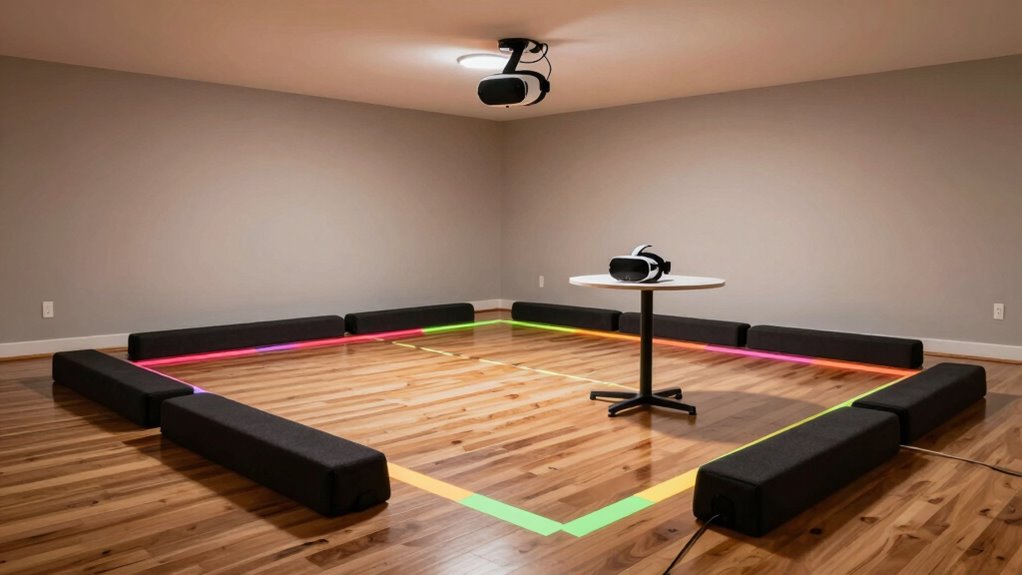
How can you prevent accidents during your VR sessions? Installing safety boundaries and physical barriers is crucial. Use boundary systems like floor markings or virtual alerts to define your play area clearly. These cues help you stay within safe limits and avoid collisions. Proper furniture arrangement also plays an essential role; keep walkways clear and avoid placing furniture in high-traffic zones. This setup ensures emergency preparedness by minimizing trip hazards and providing quick evacuation routes if needed. Physical barriers, like foam padding or gates, can be added around fragile items or sharp corners to prevent injuries. Regularly check that boundaries are visible and intact. A well-organized space with clear boundaries keeps your VR experience safe and enjoyable.
Set Up Proper Lighting and Manage Cables
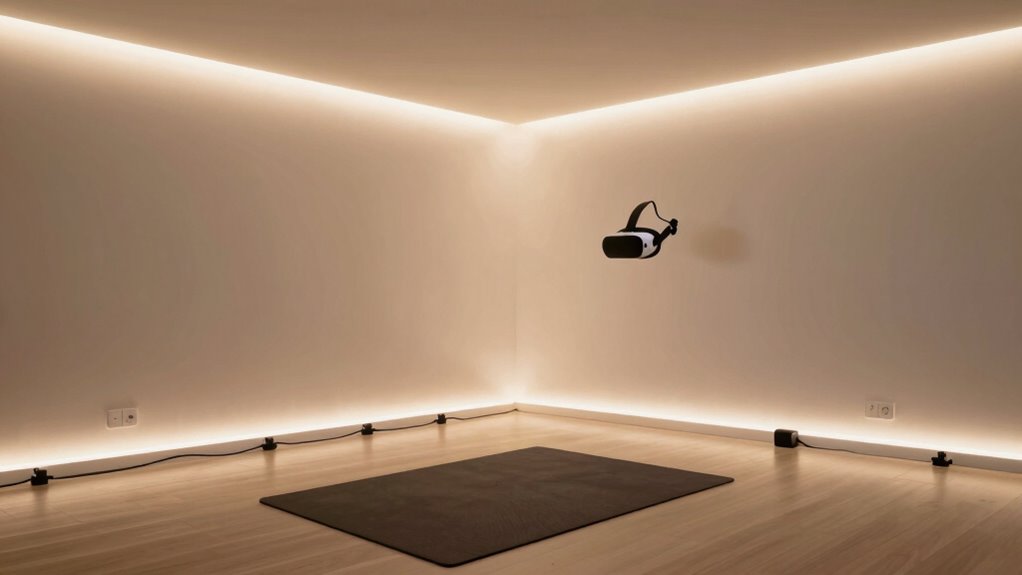
Proper lighting is essential for a safe and immersive VR experience because it helps you see your surroundings clearly and reduces the risk of accidents. Use ambient lighting to softly illuminate the room without creating glare or shadows that interfere with tracking. Avoid harsh lights or direct sunlight, which can disrupt sensors. Good cable management is equally important; keep cords organized and out of your walking path to prevent tripping. Use cable clips or sleeves to secure cables along walls or furniture, maintaining a clear space. Regularly check that cables aren’t tangled or stretched across the play area. Well-planned lighting and effective cable management create a safer, more comfortable environment, allowing you to focus on your VR experience without distractions or hazards. Additionally, choosing proper workspace setup can further enhance safety and comfort during VR sessions. Ensuring your safe room has adequate ventilation and temperature control is also vital for prolonged comfort and safety.
Test Your VR Space for Safety and Comfort
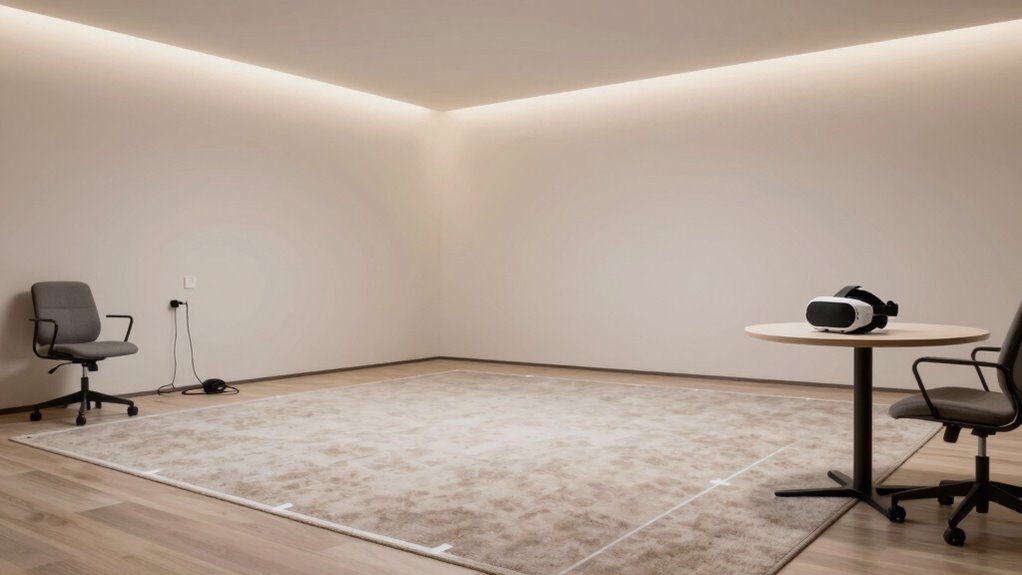
Before you start using your VR space regularly, it’s essential to test it for safety and comfort. Begin by wearing your headset and moving through your virtual environment to identify any obstacles or hazards. Make sure your play area is clear of furniture or objects that could cause injury. Test your haptic feedback to verify it’s responsive and enhances immersion without causing discomfort. Adjust the fit of your headset for comfort, preventing strain during extended use. Pay attention to your physical boundaries—if something feels off or unsafe, make necessary adjustments. Confirm that sensors track your movements accurately and that your virtual environment responds smoothly. This initial testing helps prevent accidents and ensures your VR experience is both safe and enjoyable.
Maintain and Improve Your VR Room Over Time

Once you’ve tested your VR space for safety and comfort, keeping it in good condition becomes an ongoing task. Regularly check the physical setup, ensuring sensors and boundaries stay aligned and free of obstructions. As technology evolves, update your VR system’s user interface to improve ease of use and responsiveness. Adjust your play area to accommodate new games or accessories that could affect user comfort. Periodically review your space for wear and tear, replacing worn padding or damaged cables. Solicit feedback from users to identify areas for improvement. Staying proactive guarantees your VR environment remains safe, comfortable, and intuitive, allowing you to maximize immersion without sacrificing safety or user experience over time.
Frequently Asked Questions
How Much Space Is Minimum for a Safe VR Room?
You need at least 6.5 by 6.5 feet of space for a safe VR room. This allows enough room for VR motion tracking and effective sensor placement, minimizing the risk of bumping into objects. Clear the area of furniture and obstacles to guarantee accurate tracking and safety. If space is limited, consider smaller play areas, but always prioritize enough room for natural movement and safe sensor placement.
Can Furniture Be Safely Used Inside the VR Play Area?
You can use furniture inside your VR play area if you prioritize obstacle clearance and proper furniture placement. Studies show that clutter increases the risk of accidents, so secure or move furniture away from your play zone. Arrange pieces to avoid sharp edges and make sure there’s enough space to move freely. Always double-check your layout before starting, and keep the play area clear of unnecessary obstacles for safe, immersive VR experiences.
What Are Common Signs of VR Motion Sickness?
You might notice signs of VR motion sickness, like nausea, dizziness, or headaches, which are common signs of vr nausea and motion discomfort. You could also experience sweating, eye strain, or a feeling of imbalance. If these symptoms occur, take breaks often, stay hydrated, and gradually build up your tolerance. Recognizing these signs early assists in preventing discomfort and guarantees a more enjoyable VR experience.
How Often Should I Recalibrate My VR Sensors?
Imagine you’re experiencing drifting visuals during gameplay; that’s a sign you need to recalibrate your sensors. You should recalibrate your VR sensors whenever you change their placement or notice tracking issues. Typically, calibration frequency depends on how often you move sensors or update your setup, but doing it every few weeks or after significant adjustments ensures the best sensor placement and accurate tracking for a smooth VR experience.
Are There Specific Safety Concerns for Children Using VR?
Yes, there are safety concerns for children using VR. You should supervise children closely during VR sessions to prevent accidents. Make sure the VR experience is age-appropriate, as some content may not suit younger kids. Keep the play area clear of obstacles, and limit session durations to avoid eye strain or motion sickness. Regularly check the equipment for safety, and always prioritize child supervision to make VR safe and enjoyable.
Conclusion
By taking the time to carefully set up your room-scale VR space, you’ll create a safe, immersive environment where your adventures can truly flourish. Remember, a well-prepared space is the foundation for a seamless experience—think of it as laying all your cards on the table. Stay vigilant with regular checks and updates, and you’ll keep your VR experience enjoyable and secure for years to come. Happy gaming!
Fall Picks
fall essentials
As an affiliate, we earn on qualifying purchases.