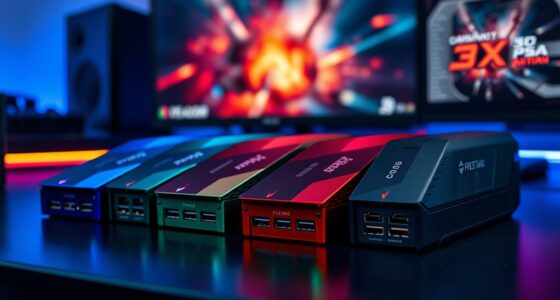
The best AI developer workstation overall in this roundup is the NVIDIA DGX Spark Personal AI Desktop Supercomputer, a focused choice for developers who want a compact system built around NVIDIA’s AI software ecosystem. The TOPCtec TXA1 stands out for its Ryzen AI Max+ 395 processor and 128GB of memory, while the MSI EdgeXpert adds a 4TB SSD and DGX OS for users who need more local storage. The main tradeoff is between NVIDIA’s specialized AI platform and AMD mini PCs that offer broad general-purpose computing with large memory pools. Buyers also need to weigh memory capacity, storage, software compatibility, and upgrade limits rather than rely on the word “AI” alone. Read on for the full breakdown of where each workstation fits and which compromises matter for your work.

Get business pricing on monitors, keyboards and dev gear
- Business-only prices and quantity discounts
- Tax-exempt purchasing
- Multiple users, one account, clear invoices
Complete the kit



Key Takeaways
- Dedicated AI platforms lead for NVIDIA workflows: DGX Spark, CyberGeek’s GB10 systems, and MSI EdgeXpert make more sense when the NVIDIA software stack is central to your development plans.
- Ryzen AI Max+ 395 systems offer a different kind of flexibility: the TOPCtec TXA1, GEEKOM A9 Mega, GMKtec EVO-X3, and MINISFORUM MS-S1 MAX models pair that processor with large memory configurations for mixed development workloads.
- Memory capacity separates serious local-model candidates from entry-level desktops: the 128GB configurations are better suited to experiments that need large working sets than the GEEKOM A5’s 16GB setup.
- Storage can change the day-to-day fit: the MSI EdgeXpert’s 4TB Gen5 SSD and the 4TB MINISFORUM MS-S1 MAX configuration offer more room for model files and datasets than the listed 2TB systems.
- Not every product name signals the same kind of workstation: the HP Z2 G1i SFF emphasizes a conventional Windows workstation setup, while the GEEKOM A5 is better viewed as a modest development desktop than a dedicated local-AI machine.
| HP Z2 G1i Small Form Factor Workstation, Intel Core Ultra 7 265, 64 GB RAM, 1 TB SSD, Windows 11 Pro |  | Best for Windows-Based Professional Development | Processor: Intel Core Ultra 7 265, 20 cores and 20 threads | Processor speed: 2.4 GHz | Memory: 64 GB DDR5; listed maximum is inconsistent | VIEW LATEST PRICE | See Our Full Breakdown |
| NVIDIA DGX Spark Personal AI Desktop Supercomputer |  | Best for NVIDIA-Native Local AI Development | AI processor: NVIDIA GB10 Grace Blackwell Superchip | Processor: 20-core NVIDIA GB10 system | AI performance: Up to 1 PFLOPS FP4 | VIEW LATEST PRICE | See Our Full Breakdown |
| TOPCtec TXA1 AI Mini PC with AMD Ryzen AI Max+ 395, 128GB LPDDR5X Memory and 2TB SSD |  | Best for Expandable Storage and Fast Networking | Processor: AMD Ryzen AI Max+ 395, 16 cores and 32 threads, up to 5.1 GHz | Graphics: AMD Radeon 8060S integrated graphics | Memory: 128 GB LPDDR5X unified memory | VIEW LATEST PRICE | See Our Full Breakdown |
| CyberGeek DGX Spark Compact AI Workstation with GB10 Grace Blackwell Superchip, 128GB Memory and 2TB SSD |  | Best Compact Linux AI Workstation | AI processor: GB10 Grace Blackwell Superchip | Processor: 20-core Arm CPU | Memory: 128 GB LPDDR5x unified memory | VIEW LATEST PRICE | See Our Full Breakdown |
| GEEKOM A9 Mega Mini PC with AMD Ryzen AI Max+ 395, 128GB RAM, 2TB SSD |  | Best Windows Mini Workstation for Multi-Display Setups | Processor: AMD Ryzen AI Max+ 395, up to 5.1 GHz | Graphics: Radeon 8060S | Memory: 128 GB LPDDR5X, 8000 MT/s | VIEW LATEST PRICE | See Our Full Breakdown |
| GMKtec EVO-X3 Mini PC with AMD Ryzen AI Max+ 395, 128GB LPDDR5X, and 2TB PCIe 4.0 SSD |  | Best for Expandable Local AI | Processor: AMD Ryzen AI Max+ 395, 16 cores and 32 threads, up to 5.1GHz | AI performance: Up to 126 TOPS; XDNA 2 NPU rated at 50+ peak AI TOPS | Graphics: Integrated AMD Radeon graphics; listing specifies RX 8060S but contains inconsistent model names | VIEW LATEST PRICE | See Our Full Breakdown |
| MINISFORUM MS-S1 MAX Mini AI Workstation, AMD Ryzen AI Max+ 395, 64GB LPDDR5x, 2TB SSD |  | Best for High-Speed Networking | Processor: AMD Ryzen AI Max+ 395, 16 cores and 32 threads, up to 5.1GHz | Graphics: Integrated RDNA 3.5 GPU | AI performance: 50 TOPS NPU; up to 126 TOPS total system AI performance | VIEW LATEST PRICE | See Our Full Breakdown |
| CyberGeek Ascent GX10 AI Workstation with GB10 Grace Blackwell Superchip, 128GB Memory, and 2TB NVMe SSD |  | Best for a Ready-to-Use Linux AI Environment | Processor: GB10 Grace Blackwell Superchip with 20-core Arm CPU | Memory: 128GB LPDDR5x unified memory | Storage: Seller-configured 2TB NVMe SSD | VIEW LATEST PRICE | See Our Full Breakdown |
| MSI EdgeXpert AI Mini Desktop with NVIDIA GB10 Grace Blackwell, 128GB Unified Memory, 4TB Gen5 SSD, Wi-Fi 7, and DGX OS |  | Best Premium Compact AI Workstation | Processor: 20-core Arm CPU in NVIDIA GB10 Grace Blackwell platform | AI performance: Up to 1000 TOPS | Memory: 128GB LPDDR5X unified memory; product information lists differing memory technologies | VIEW LATEST PRICE | See Our Full Breakdown |
| GEEKOM A5 Mini PC with AMD Ryzen 7 7730U, 16GB RAM, and 500GB SSD |  | Best Entry-Level Windows Developer Mini PC | Processor: AMD Ryzen 7 7730U, 8 cores and 16 threads, up to 4.5GHz | Graphics: AMD Radeon Vega 8 | Operating system: Windows 11 | VIEW LATEST PRICE | See Our Full Breakdown |
| MINISFORUM MS-S1 MAX Mini AI Workstation PC, 128GB RAM, 4TB SSD | | Best for Expandable Local AI Workflows | Processor: AMD Ryzen AI Max+ 395, 16 cores / 32 threads, up to 5.1GHz | Graphics: Integrated AMD RDNA 3.5 GPU | NPU: 50 TOPS | VIEW LATEST PRICE | See Our Full Breakdown |
| AI developer workstation | Processor | Memory | Storage | Operating system |
|---|---|---|---|---|
| HP Z2 G1i Small Form Factor Wo | Intel Core Ultra 7 265, 20 cores and 20 threads | 64 GB DDR5; listed maximum is inconsistent | 1 TB PCIe 4.0 SSD | Windows 11 Pro |
| NVIDIA DGX Spark Personal AI D | 20-core NVIDIA GB10 system | 128 GB unified DDR5 | 4 TB self-encrypting NVMe M.2 SSD | NVIDIA DGX OS |
| TOPCtec TXA1 AI Mini PC with A | AMD Ryzen AI Max+ 395, 16 cores and 32 threads, up to 5.1 GHz | 128 GB LPDDR5X unified memory | 2 TB PCIe 4.0 NVMe SSD | Windows 11 Pro |
| CyberGeek DGX Spark Compact AI | 20-core Arm CPU | 128 GB LPDDR5x unified memory | 2 TB seller-configured NVMe SSD | DGX OS, Linux-based |
| GEEKOM A9 Mega Mini PC with AM | AMD Ryzen AI Max+ 395, up to 5.1 GHz | 128 GB LPDDR5X, 8000 MT/s | 2 TB PCIe Gen4 NVMe SSD | Windows 11 Pro |
| GMKtec EVO-X3 Mini PC with AMD | AMD Ryzen AI Max+ 395, 16 cores and 32 threads, up to 5.1GHz | 128GB LPDDR5X, up to 8000MT/s | 2TB PCIe 4.0 SSD; dual M.2 2280 slots, up to 16TB total | — |
| MINISFORUM MS-S1 MAX Mini AI W | AMD Ryzen AI Max+ 395, 16 cores and 32 threads, up to 5.1GHz | 64GB LPDDR5x-8000; maximum memory listed as 128GB | 2TB PCIe SSD; dual M.2 slots | — |
| CyberGeek Ascent GX10 AI Works | GB10 Grace Blackwell Superchip with 20-core Arm CPU | 128GB LPDDR5x unified memory | Seller-configured 2TB NVMe SSD | DGX OS, Linux-based |
| MSI EdgeXpert AI Mini Desktop | 20-core Arm CPU in NVIDIA GB10 Grace Blackwell platform | 128GB LPDDR5X unified memory; product information lists differing memory technologies | 4TB PCIe Gen5 NVMe SSD | NVIDIA DGX OS |
| GEEKOM A5 Mini PC with AMD Ryz | AMD Ryzen 7 7730U, 8 cores and 16 threads, up to 4.5GHz | 16GB DDR4, expandable up to 64GB | 500GB M.2 2280 PCIe Gen4 x4 NVMe SSD | Windows 11 |
| MINISFORUM MS-S1 MAX Mini AI W | AMD Ryzen AI Max+ 395, 16 cores / 32 threads, up to 5.1GHz | 128GB LPDDR5x-8000 | 4TB PCIe SSD | — |
More Details on Our Top Picks
HP Z2 G1i Small Form Factor Workstation, Intel Core Ultra 7 265, 64 GB RAM, 1 TB SSD, Windows 11 Pro
The HP Z2 G1i is the most conventional workstation in this group: a 20-core Intel processor, 64 GB of DDR5, and Windows 11 Pro make it a sensible fit for software development, virtualization, and general technical work. Compared with the AI-focused NVIDIA DGX Spark, it offers a familiar Windows environment rather than specialized hardware and software for local large-model work. That may suit teams whose tools depend on Windows, but the listing gives limited graphics details, so I would not choose it on the assumption that it can match the AI or GPU workloads of the more specialized systems. Its 1 TB SSD is also smaller than the storage on several alternatives. The compact workstation format and Wolf Pro Security Edition add practical appeal, while conflicting memory-expansion limits make future upgrades less certain.
Pros:- 20-core Intel Core Ultra 7 265 processor for demanding general workloads
- 64 GB DDR5 memory for multitasking and development tools
- 1 TB PCIe 4.0 SSD and Windows 11 Pro
- Wolf Pro Security Edition is included
Cons:- Graphics capabilities are not clearly detailed in the listing
- Memory maximum is inconsistent across listing sections
- 1 TB storage is less generous than the 2 TB or 4 TB options in this group
Best for: Windows developers and small professional teams that need a compact workstation for coding, multitasking, and standard technical applications.
Not ideal for: Developers building or fine-tuning large local AI models, or buyers who need clearly specified high-performance graphics.
- Processor:Intel Core Ultra 7 265, 20 cores and 20 threads
- Processor speed:2.4 GHz
- Memory:64 GB DDR5; listed maximum is inconsistent
- Storage:1 TB PCIe 4.0 SSD
- Operating system:Windows 11 Pro
- Form factor:Small form factor
- Weight:8.8 pounds
- Video output:DisplayPort
Our verdict“Choose the HP Z2 G1i for a compact, Windows-first professional workstation, not as a dedicated local AI accelerator.”
NVIDIA DGX Spark Personal AI Desktop Supercomputer
For developers whose main workload is local model development, the NVIDIA DGX Spark is the most directly purpose-built option here. Its GB10 Grace Blackwell system, 128 GB unified memory, and stated support for models up to 200 billion parameters at FP4 target work that a standard Windows workstation like the HP Z2 G1i is not presented as handling in the same way. The 4 TB self-encrypting NVMe drive also gives projects and model files more room than the HP’s 1 TB SSD. This specialization is a tradeoff: DGX OS is not a general Windows desktop environment, and buyers should check that their development stack fits its Linux and NVIDIA software ecosystem. It is a stronger match for AI experimentation than broad everyday workstation use, and its premium positioning comes with fewer conventional system details than some mini PCs.
Pros:- GB10 Grace Blackwell platform is designed for local AI development
- 128 GB unified memory and stated support for models up to 200 billion parameters at FP4
- 4 TB self-encrypting NVMe storage
- Compact desktop system with ConnectX-7 networking
Cons:- DGX OS and specialized AI focus may not suit general Windows workflows
- NVIDIA-specific software compatibility should be checked against existing tools
- Fewer listed conventional workstation details than the HP Z2 G1i
Best for: AI engineers and researchers who want a compact NVIDIA-based system for local inference, model development, and fine-tuning.
Not ideal for: Windows-dependent developers or buyers seeking a general-purpose workstation with broad software compatibility.
- AI processor:NVIDIA GB10 Grace Blackwell Superchip
- Processor:20-core NVIDIA GB10 system
- AI performance:Up to 1 PFLOPS FP4
- Memory:128 GB unified DDR5
- Storage:4 TB self-encrypting NVMe M.2 SSD
- Operating system:NVIDIA DGX OS
- Networking:ConnectX-7 Smart NIC, Ethernet, and Bluetooth
- Dimensions:9.5 × 9.5 × 6 inches
Our verdict“Pick the DGX Spark if local AI work on NVIDIA’s software stack is the priority and a general Windows workstation is not.”
TOPCtec TXA1 AI Mini PC with AMD Ryzen AI Max+ 395, 128GB LPDDR5X Memory and 2TB SSD
The TOPCtec TXA1 combines a Ryzen AI Max+ 395 with Radeon 8060S graphics and 128 GB of shared memory, giving it a broader Windows-friendly profile than the Linux-based CyberGeek DGX Spark. Its strongest differentiators are practical for developers with growing projects: a 2 TB system drive, four M.2 slots, and both 10 Gigabit and 2.5 Gigabit Ethernet. Those connections can help with fast local storage and networked development environments, while USB4 and modern display outputs support a flexible desk setup. Compared with the GEEKOM A9 Mega, the TXA1 lists more internal storage expansion, but its product information contains conflicting specifications. AI acceleration also depends on compatible software, so the listed TOPS figures do not guarantee support in a buyer’s preferred framework.
Pros:- 128 GB LPDDR5X shared memory for compatible workloads
- Four M.2 slots provide substantial internal storage expansion
- 10 Gigabit and 2.5 Gigabit Ethernet support fast wired connections
- USB4, HDMI 2.1, and DisplayPort 2.1 offer flexible connectivity
Cons:- Some listed specifications conflict with the detailed product description
- AI capabilities depend on compatible software and drivers
- Air cooling may be less suited to sustained heavy workloads than buyers expecting a specialized AI appliance
Best for: Windows-based developers who need a large shared-memory pool, multiple internal SSD expansion options, and fast wired networking.
Not ideal for: Buyers who need verified, consistent specifications or whose AI workflow requires a particular accelerator and confirmed framework support.
- Processor:AMD Ryzen AI Max+ 395, 16 cores and 32 threads, up to 5.1 GHz
- Graphics:AMD Radeon 8060S integrated graphics
- Memory:128 GB LPDDR5X unified memory
- Storage:2 TB PCIe 4.0 NVMe SSD
- Expansion:Four M.2 slots: two PCIe 4.0 x4 and two PCIe 4.0 x2
- AI processing:Up to 126 TOPS combined; NPU up to 50 TOPS
- Networking:10 Gigabit Ethernet, 2.5 Gigabit Ethernet, Wi-Fi 7, Bluetooth 5.4
- Operating system:Windows 11 Pro
Our verdict“Choose the TXA1 when internal SSD expansion and fast networking matter as much as its shared-memory AI capability.”
CyberGeek DGX Spark Compact AI Workstation with GB10 Grace Blackwell Superchip, 128GB Memory and 2TB SSD
The CyberGeek DGX Spark packages NVIDIA’s GB10 Grace Blackwell platform and 128 GB unified memory in a particularly small chassis, with DGX OS and support for a CUDA-centered toolchain. It is aimed at experienced developers who want local inference and fine-tuning in a compact Linux system, rather than a familiar Windows mini PC like the GEEKOM A9 Mega. The CyberGeek listing describes support for large local models and names tools such as PyTorch, Jupyter, NIM, and NeMo, making its intended workflow clearer. Its 2 TB SSD is smaller than the 4 TB drive in the NVIDIA DGX Spark, and the storage is seller-configured. The most consequential caveat is warranty: the hardware upgrade voids the original manufacturer warranty, leaving buyers with seller coverage. Arm compatibility can also rule out Windows or x86-dependent software.
Pros:- GB10 Grace Blackwell platform with 128 GB unified memory
- DGX OS and listed support for CUDA, PyTorch, Jupyter, NIM, and NeMo
- Very compact stated dimensions and 10Gb Ethernet networking
- Seller-configured 2 TB NVMe storage
Cons:- Original manufacturer warranty is void; coverage comes from the seller
- Arm-based Linux system may not run Windows or x86-dependent software
- 2 TB SSD is half the listed capacity of the NVIDIA DGX Spark
Best for: Experienced Linux and AI developers who want a compact GB10-based system for local inference and fine-tuning.
Not ideal for: Windows users, x86-dependent development teams, or buyers who require original manufacturer warranty coverage.
- AI processor:GB10 Grace Blackwell Superchip
- Processor:20-core Arm CPU
- Memory:128 GB LPDDR5x unified memory
- Storage:2 TB seller-configured NVMe SSD
- Operating system:DGX OS, Linux-based
- Networking:10Gb Ethernet, ConnectX-7, and Wi-Fi 7
- Ports:USB-C and HDMI
- Warranty:1-year seller warranty and lifetime seller tech support; original manufacturer warranty void due to hardware upgrade
Our verdict“Select the CyberGeek DGX Spark for compact, NVIDIA-focused Linux development only if its Arm compatibility and seller-backed warranty fit your needs.”
GEEKOM A9 Mega Mini PC with AMD Ryzen AI Max+ 395, 128GB RAM, 2TB SSD
The GEEKOM A9 Mega is a more general-purpose Windows alternative to the NVIDIA-based DGX systems: it pairs a Ryzen AI Max+ 395 with Radeon 8060S graphics, 128 GB of LPDDR5X memory, and a 2 TB SSD. That combination suits developers who want one small machine for compatible local AI tasks, creative work, and a multi-monitor coding setup. Its support for up to four displays, dual 10GbE, and Wi-Fi 7 gives it a desk-connectivity advantage over the more AI-specialized CyberGeek DGX Spark. The tradeoff is that this is not the same as a dedicated NVIDIA AI platform; model support depends on suitable drivers and inference software. Two M.2 slots allow storage expansion up to the listed 8 TB, but that is less internal expansion than the TOPCtec TXA1’s four slots.
Pros:- 128 GB LPDDR5X memory and Ryzen AI Max+ 395 for compatible local AI and creative workloads
- Dual 10GbE and Wi-Fi 7 networking
- Supports up to four displays, including up to 8K
- Two M.2 slots support up to 8 TB listed storage capacity and the system includes a 3-year limited warranty
Cons:- AI model support depends on compatible drivers and inference software
- Two M.2 slots offer less internal expansion than the TOPCtec TXA1
- The listing notes limited chip supply
Best for: Windows developers and creators who want a compact shared-memory system, multiple displays, and high-speed wired networking.
Not ideal for: AI practitioners who need a dedicated NVIDIA CUDA system or buyers whose models depend on unverified AMD software support.
- Processor:AMD Ryzen AI Max+ 395, up to 5.1 GHz
- Graphics:Radeon 8060S
- Memory:128 GB LPDDR5X, 8000 MT/s
- Storage:2 TB PCIe Gen4 NVMe SSD
- Maximum storage:Up to 8 TB across dual M.2 slots
- Operating system:Windows 11 Pro
- Networking:Dual 10GbE and Wi-Fi 7
- Display support:Up to four displays, up to 8K
- Warranty:3-year limited warranty
Our verdict“Pick the A9 Mega for a compact Windows development desk with broad display and networking support, rather than a CUDA-first AI workflow.”
GMKtec EVO-X3 Mini PC with AMD Ryzen AI Max+ 395, 128GB LPDDR5X, and 2TB PCIe 4.0 SSD
The EVO-X3 combines a 16-core Ryzen AI Max+ 395 with 128GB of onboard memory, giving developers room to run demanding local workloads without moving to a full-size tower. Its integrated Radeon graphics also make it more versatile for creative work than a CPU-focused mini PC, while the OCuLink connection leaves a route to add an external GPU. That expansion option sets it apart from the compact, self-contained CyberGeek Ascent GX10, though the Ascent uses a dedicated Blackwell platform aimed more directly at AI development. The EVO-X3’s listing has inconsistent Radeon model names, so I would verify the exact graphics configuration before buying. Memory is onboard, which limits future upgrades, and its 2TB PCIe 4.0 drive is less spacious than the MSI EdgeXpert’s 4TB Gen5 SSD.
Pros:- 16-core, 32-thread processor is suited to parallel development and demanding local workloads.
- 128GB of LPDDR5X memory provides substantial capacity for memory-intensive tasks.
- OCuLink PCIe 4.0 x4 supports external GPU expansion.
- Wi-Fi 7 and 2.5GbE offer modern wireless and wired networking.
Cons:- Onboard memory may not be upgradeable after purchase.
- The listing gives inconsistent Radeon graphics model names, making the exact GPU configuration unclear.
- The included 2TB PCIe 4.0 SSD has less capacity and a lower stated generation than the MSI EdgeXpert’s 4TB Gen5 drive.
Best for: Developers who want a compact AMD workstation with 128GB of memory now and the option to connect an external GPU later.
Not ideal for: Buyers who need replaceable system memory, verified graphics specifications, or a dedicated NVIDIA AI software environment.
- Processor:AMD Ryzen AI Max+ 395, 16 cores and 32 threads, up to 5.1GHz
- AI performance:Up to 126 TOPS; XDNA 2 NPU rated at 50+ peak AI TOPS
- Graphics:Integrated AMD Radeon graphics; listing specifies RX 8060S but contains inconsistent model names
- Memory:128GB LPDDR5X, up to 8000MT/s
- Storage:2TB PCIe 4.0 SSD; dual M.2 2280 slots, up to 16TB total
- Expansion:OCuLink PCIe 4.0 x4 for external GPU
- Networking:2.5GbE Ethernet, Wi-Fi 7, Bluetooth 5.4
- Cooling and power:Dual cooling fans; 54W power consumption
Our verdict“Choose the EVO-X3 if you want 128GB in a compact AMD system and value OCuLink expansion more than upgradeable memory or a dedicated NVIDIA AI platform.”
MINISFORUM MS-S1 MAX Mini AI Workstation, AMD Ryzen AI Max+ 395, 64GB LPDDR5x, 2TB SSD
The MS-S1 MAX is the AMD pick for developers whose workstation must move data as readily as it runs workloads. Its dual 10GbE ports suit fast storage links or clustered systems, while USB4 V2 and a PCIe x16 slot provide unusually broad connectivity for a mini PC. The same Ryzen AI Max+ 395 platform appears in the GMKtec EVO-X3, but this configuration has 64GB of memory rather than 128GB; that is the key capacity tradeoff for larger local models and memory-heavy projects. MINISFORUM lists support for up to 128GB, but the supplied configuration’s integrated memory should be checked before assuming an upgrade path. Its clustering focus also makes it more specialized than the MSI EdgeXpert, which offers 128GB unified memory and a larger SSD in a similarly compact design.
Pros:- Dual 10GbE ports support high-throughput networking and cluster connections.
- USB4 V2 provides a high-bandwidth connection for compatible peripherals.
- PCIe x16 slot and dual M.2 slots allow hardware and storage expansion.
- Ryzen AI Max+ 395 combines 16 CPU cores with integrated RDNA 3.5 graphics and a 50 TOPS NPU.
Cons:- The listed configuration has 64GB of memory, half the capacity supplied with the EVO-X3 and MSI EdgeXpert.
- The 320W power supply and cooling demands make it less suited to low-power setups.
- The memory-upgrade path is not clear from the supplied product details.
Best for: AI developers and small teams building fast local storage networks or multi-unit clusters who can work within the configured 64GB memory capacity.
Not ideal for: Solo developers running memory-hungry local models who want 128GB installed from the outset or a lower-power workstation.
- Processor:AMD Ryzen AI Max+ 395, 16 cores and 32 threads, up to 5.1GHz
- Graphics:Integrated RDNA 3.5 GPU
- AI performance:50 TOPS NPU; up to 126 TOPS total system AI performance
- Memory:64GB LPDDR5x-8000; maximum memory listed as 128GB
- Storage:2TB PCIe SSD; dual M.2 slots
- Expansion:PCIe x16 slot; described as suitable for multi-unit clustering
- Networking:Dual 10GbE, Wi-Fi 7
- Ports and power:USB4 V2 up to 80Gbps, HDMI 2.1 up to 8K60; 320W power supply
Our verdict“Pick the MS-S1 MAX for its dual 10GbE and cluster-friendly expansion, but choose a 128GB configuration if local model capacity is your priority.”
CyberGeek Ascent GX10 AI Workstation with GB10 Grace Blackwell Superchip, 128GB Memory, and 2TB NVMe SSD
The Ascent GX10 is aimed at developers who want an AI-focused Linux machine rather than a conventional Windows desktop. Its GB10 Grace Blackwell Superchip, 128GB unified memory, and included DGX OS give local inference and fine-tuning a more purpose-built foundation than the general-purpose GEEKOM A5. At roughly 5.9 inches square, it also takes up far less desk space than a traditional workstation. Compared with the MSI EdgeXpert, the Ascent supplies 2TB rather than 4TB and comes with seller-configured hardware, so storage headroom and warranty provenance are weaker points. The biggest compatibility limit is its Arm CPU: Windows applications and other x86-dependent tools may not run as expected. The original manufacturer warranty is also void due to the hardware upgrade, despite the seller’s one-year warranty and lifetime technical support.
Pros:- GB10 Grace Blackwell platform is designed for local AI inference and fine-tuning.
- 128GB unified memory supports substantial model and workload capacity.
- Compact enclosure measures approximately 5.9 x 5.9 x 2 inches.
- DGX OS and 10Gb Ethernet provide an AI-oriented software and networking setup.
Cons:- Arm architecture may not support Windows or x86-dependent software.
- The seller-configured 2TB SSD offers less capacity than the MSI EdgeXpert’s 4TB drive.
- Hardware upgrades void the original manufacturer warranty; coverage is through the seller.
Best for: Linux-first AI developers who want a compact Blackwell system with 128GB unified memory and DGX OS ready for local model work.
Not ideal for: Windows-dependent developers, users relying on x86-only tools, or buyers who require an intact original manufacturer warranty.
- Processor:GB10 Grace Blackwell Superchip with 20-core Arm CPU
- Memory:128GB LPDDR5x unified memory
- Storage:Seller-configured 2TB NVMe SSD
- Operating system:DGX OS, Linux-based
- Networking:10Gb Ethernet with ConnectX-7, Wi-Fi 7
- Bluetooth:Bluetooth 5.4
- Dimensions:Approximately 5.9 x 5.9 x 2 inches
- Warranty:One-year seller warranty and lifetime seller technical support; original manufacturer warranty void due to hardware upgrade
Our verdict“Choose the Ascent GX10 if you want a compact, Linux-based Blackwell workstation and can accept Arm software limits and seller-backed coverage.”
MSI EdgeXpert AI Mini Desktop with NVIDIA GB10 Grace Blackwell, 128GB Unified Memory, 4TB Gen5 SSD, Wi-Fi 7, and DGX OS
The EdgeXpert is the most complete compact Blackwell option in this group for developers who need local AI capacity and room for datasets, checkpoints, and project files. It pairs a GB10 Grace Blackwell platform with 128GB unified memory and a 4TB Gen5 SSD, giving it twice the listed storage of the CyberGeek Ascent GX10. DGX OS keeps the system focused on NVIDIA’s AI environment, while its roughly six-inch footprint fits on a crowded desk. That specialization comes with a real platform tradeoff: its 20-core CPU is Arm-based, so Windows or x86-only development tools may require alternatives. The listing also gives differing memory technology descriptions, so I would confirm the exact configuration. Unlike the GMKtec EVO-X3, it does not list OCuLink or a conventional AMD graphics path for broader desktop use.
Pros:- GB10 Grace Blackwell platform is built for local AI development and edge computing.
- 128GB unified memory provides substantial capacity for AI workloads.
- 4TB PCIe Gen5 NVMe SSD offers more storage than the Ascent GX10’s 2TB drive.
- Compact enclosure includes Wi-Fi 7, USB4 Type-C, HDMI, and Ethernet.
Cons:- Arm CPU may limit compatibility with Windows and x86-dependent applications.
- Product information lists differing memory technologies, so the exact specification merits confirmation.
- No built-in display is included.
Best for: AI researchers and developers who want a compact NVIDIA-based Linux workstation with 128GB unified memory and substantial fast local storage.
Not ideal for: Developers tied to Windows or x86-only software, or buyers who want a general-purpose workstation with external GPU expansion.
- Processor:20-core Arm CPU in NVIDIA GB10 Grace Blackwell platform
- AI performance:Up to 1000 TOPS
- Memory:128GB LPDDR5X unified memory; product information lists differing memory technologies
- Memory bandwidth:Up to 273GB/s
- Storage:4TB PCIe Gen5 NVMe SSD
- Operating system:NVIDIA DGX OS
- Connectivity:Wi-Fi 7, Bluetooth 5.3, USB4 Type-C, Ethernet
- Dimensions and weight:5.94 x 5.94 x 2.05 inches; 2.7 pounds
Our verdict“Choose the EdgeXpert if you want a compact Blackwell AI system with 128GB unified memory and 4TB of fast storage, and your software supports Arm and DGX OS.”
GEEKOM A5 Mini PC with AMD Ryzen 7 7730U, 16GB RAM, and 500GB SSD
The GEEKOM A5 is the practical Windows pick for developers who need a compact everyday machine, not a workstation for running large models locally. Its Ryzen 7 7730U, 16GB of expandable RAM, and 500GB SSD can suit coding, testing, and cloud-connected AI tools, while the four-display support makes it useful as a small multi-monitor development desk. Compared with the Ryzen AI Max+ systems such as the GMKtec EVO-X3, the A5 has far less memory and only integrated Vega 8 graphics; it is not built for demanding local inference or GPU-heavy work. Its advantage is flexibility: memory and storage can be expanded, and it runs standard Windows 11. The low 15W TDP also suits modest desktop setups, though buyers should treat AI features as cloud-dependent rather than on-device capability.
Pros:- Windows 11 and Ryzen 7 processor suit everyday development and common desktop software.
- 16GB RAM can be expanded up to 64GB.
- Storage can grow through M.2, SATA, and 2.5-inch drive options.
- Supports up to four displays and includes 2.5GbE networking.
Cons:- Integrated Radeon Vega 8 graphics are a poor fit for demanding local AI and GPU workloads.
- The 16GB starting memory and 500GB SSD are modest beside the 128GB and multi-terabyte configurations in this roundup.
- AI agent features rely on compatible cloud services rather than dedicated local AI hardware.
Best for: Students, hobbyist programmers, and cloud-AI developers who want an upgradeable Windows mini PC for coding and multi-monitor work.
Not ideal for: Developers who need to run large AI models locally, perform GPU-intensive tasks, or start with high-capacity memory.
- Processor:AMD Ryzen 7 7730U, 8 cores and 16 threads, up to 4.5GHz
- Graphics:AMD Radeon Vega 8
- Operating system:Windows 11
- Memory:16GB DDR4, expandable up to 64GB
- Storage:500GB M.2 2280 PCIe Gen4 x4 NVMe SSD
- Storage expansion:M.2 2242 SATA III slot and 2.5-inch SATA bay; up to 10TB total
- Display support:Up to four displays; up to 8K output via USB-C
- Connectivity and power:Wi-Fi 6, Bluetooth 5.4, 2.5GbE LAN; 15W TDP
- Warranty:Three-year limited warranty
Our verdict“Pick the A5 for affordable-feeling, upgradeable Windows development and cloud AI, but not for serious local model work.”
MINISFORUM MS-S1 MAX Mini AI Workstation PC, 128GB RAM, 4TB SSD
The MS-S1 MAX pairs a 16-core Ryzen AI Max+ 395 with 128GB of unified memory, giving developers room for demanding local models and memory-heavy workloads in a compact system. Its 4TB PCIe SSD also provides twice the listed storage of the 2TB MS-S1 MAX configuration and several other Ryzen AI Max+ systems in this roundup, so larger project files and model libraries need less immediate housekeeping.
Expansion is its clearest advantage: a full-length PCIe x16 slot, dual M.2 slots, dual 10GbE, and multi-unit clustering suit developers planning a more flexible workstation or rack setup. Unlike the NVIDIA DGX Spark, it uses integrated AMD graphics rather than a dedicated Grace Blackwell platform, so buyers should compare software and model compatibility for their workloads. The tradeoff is that very large models may still call for multiple units, while sustained workloads can make the dual fans audible.
Pros:- 128GB LPDDR5x unified memory supports memory-intensive local AI workloads.
- 4TB PCIe SSD offers more listed onboard storage than the 2TB MS-S1 MAX configuration.
- Full-length PCIe x16 slot and dual M.2 slots provide room to expand.
- Dual 10GbE, USB4 V2, rack deployment, and multi-unit clustering support varied setups.
Cons:- Integrated AMD graphics may be a less suitable fit than the NVIDIA DGX Spark for workflows built around NVIDIA-specific software.
- Very large local models may require multiple clustered units.
- Dual fans can produce noticeable noise during sustained workloads.
Best for: Developers who want 128GB unified memory, substantial local model storage, and the option to expand or cluster systems for AI workloads.
Not ideal for: Buyers who need a dedicated NVIDIA Grace Blackwell platform, quiet operation under sustained load, or a single machine guaranteed to run the largest local models.
- Processor:AMD Ryzen AI Max+ 395, 16 cores / 32 threads, up to 5.1GHz
- Graphics:Integrated AMD RDNA 3.5 GPU
- NPU:50 TOPS
- Memory:128GB LPDDR5x-8000
- Storage:4TB PCIe SSD
- Expansion:Full-length PCIe x16 slot; dual M.2 slots supporting up to 16TB RAID 0/1
- Connectivity:USB4 V2 up to 80Gbps, dual 10GbE LAN, HDMI 2.1, Wi-Fi 7
- Cooling and deployment:Aluminum chassis, copper base plate, six heat pipes, dual fans; supports 2U rack deployment and multi-unit clustering
Our verdict“Choose this MS-S1 MAX if you want a compact AMD workstation with 128GB unified memory, 4TB storage, and a clear path to expansion or clustering.”

How We Picked
I compared these workstations through the needs of AI developers: compute platform, memory capacity, storage, operating-system and software alignment, form factor, and suitability for sustained local workloads. A system’s advertised AI branding mattered less than whether its listed configuration gave buyers useful headroom for model files, development tools, and concurrent tasks. I also treated compactness and conventional workstation features as benefits only when they matched a clear buyer need.
The ranking favors machines with a clear role and a strong fit for substantial local AI work, while distinguishing NVIDIA GB10 systems from AMD Ryzen AI Max+ systems rather than treating them as interchangeable. Configurations with more memory or storage earn an advantage when those resources directly reduce workflow constraints, but they do not automatically outrank a better-matched platform. The HP Z2 and GEEKOM A5 sit lower because their listed configurations are less compelling for memory-intensive local AI development, even though they may suit broader desktop or entry-level coding needs.
| AI developer workstation | Operating system | Graphics |
|---|---|---|
| HP Z2 G1i Small Form Factor Wo | Windows 11 Pro | — |
| NVIDIA DGX Spark Personal AI D | NVIDIA DGX OS | — |
| TOPCtec TXA1 AI Mini PC with A | Windows 11 Pro | AMD Radeon 8060S integrated graphics |
| CyberGeek DGX Spark Compact AI | DGX OS, Linux-based | — |
| GEEKOM A9 Mega Mini PC with AM | Windows 11 Pro | Radeon 8060S |
| GMKtec EVO-X3 Mini PC with AMD | — | Integrated AMD Radeon graphics; listing specifies RX 8060S but contains inconsistent model names |
| MINISFORUM MS-S1 MAX Mini AI W | — | Integrated RDNA 3.5 GPU |
| CyberGeek Ascent GX10 AI Works | DGX OS, Linux-based | — |
| MSI EdgeXpert AI Mini Desktop | NVIDIA DGX OS | — |
| GEEKOM A5 Mini PC with AMD Ryz | Windows 11 | AMD Radeon Vega 8 |
| MINISFORUM MS-S1 MAX Mini AI W | — | Integrated AMD RDNA 3.5 GPU |
Factors to Consider When Choosing Best AI Developer Workstations
Choosing an AI workstation is less about finding the most impressive label and more about matching the machine to the work you plan to run locally. These checks can help you avoid paying for the wrong kind of performance or buying a system that quickly runs out of room.
Match the Compute Platform to Your Software Stack
Start with the frameworks, runtimes, and model tools your team already uses. A system built around NVIDIA hardware may be the smoother fit when your workflow depends on NVIDIA-specific acceleration or an established NVIDIA software environment. AMD-based machines can still be attractive for development and mixed workloads, but you should verify that your intended tools support the hardware path you plan to use. Do not assume that two systems described as AI workstations can run the same models at the same speed or with the same setup effort. Check compatibility documentation for your actual workload before buying. That step can matter more than a small difference in headline specifications.
Plan Memory Around the Models You Want to Run
For local AI, memory affects which workloads fit at all, not just how quickly a desktop feels during ordinary coding. The model, context length, runtime, and other open applications all compete for working memory, so a configuration that seems generous for general development may still constrain experiments. Account for the full workload rather than using model size alone as your guide. Also check whether memory is soldered or upgradeable; compact systems often leave less room to change the configuration later. Buying extra capacity can be sensible when it supports a clear near-term workload, but avoid treating a larger number as a substitute for platform compatibility. If you are unsure, define the largest model and development setup you expect to run before selecting a tier.
Budget for Model and Dataset Storage
Model weights, checkpoints, containers, datasets, and build artifacts can consume storage faster than a typical office workload. A 2TB drive may suit an actively managed collection, while a 4TB configuration reduces the need to move files or prune experiments as often. The tradeoff is not just capacity: drive speed, replacement options, and external expansion can affect how conveniently you manage large files. Check whether a listed drive is user-replaceable and whether the system has spare storage slots before planning future expansion. Keep a separate backup plan for valuable datasets and checkpoints, since a larger internal SSD is not a backup. Buyers who rotate between projects may value a fast external drive or network storage more than a larger internal drive.
Treat Cooling and Sustained Work as Buying Criteria
Compact workstations save desk space, but a small enclosure has less room to move heat away during long compute-heavy sessions. A system that performs well during brief tasks may behave differently during extended model runs, so seek independent sustained-load results for the exact configuration where possible. Noise can also become a daily annoyance if the workstation sits close to your desk or shares a room with calls. Compare cooling design and warranty details, not just the processor name. A larger or more conventional workstation may be preferable when extended workloads matter more than a compact footprint. Leave room for airflow around any small system rather than placing it inside a closed cabinet.
Check Upgrade Paths, Ports, and Network Needs
A workstation must connect to the rest of your development setup, including monitors, external storage, high-speed networks, and test devices. Count the ports you will use at the same time, and check whether the system supports the display arrangement and network speed your work requires. Compact PCs often rely on adapters or docks, which add cost and can introduce clutter. Review which parts can be upgraded or serviced before assuming a small machine will grow with your workload. If your development depends on shared datasets or remote compute, network capability may matter more than an extra local feature. Match the system to your desk and lab setup as well as to your model workloads.
Decide What You Want to Learn Locally
Local development is useful for privacy, experimentation, and reducing dependence on a remote service, but one desktop does not replace every cloud or data-center workload. Smaller models, inference experiments, and tool development may fit a compact system; larger training jobs can demand more compute, memory, and cooling than a desktop provides. Before paying for a high-end machine, separate tasks that must run locally from tasks that can run remotely. Newcomers may benefit more from a stable, familiar operating system and a manageable first project than from specialized hardware they cannot yet use effectively. Experienced developers should map expected workloads to platform requirements and capacity limits. This keeps the purchase tied to work you will actually run.
Frequently Asked Questions
Should I choose a GB10 workstation or a Ryzen AI Max+ 395 mini PC?
Choose based on the software and workloads you plan to run, not the product category alone. GB10 systems are the more direct fit when you want an NVIDIA-centered AI environment, while Ryzen AI Max+ 395 machines offer a different platform with large memory configurations and general-purpose PC flexibility. Verify framework and runtime support for your specific projects before ordering. Compare the exact memory and storage configuration as well, since those resources shape which local experiments are practical. If your work mixes ordinary development with local AI, weigh operating-system fit and peripherals alongside compute.
Is 128GB of memory worth prioritizing over a larger SSD?
It depends on whether your main limit is holding active workloads in memory or keeping files locally. Large model experiments and concurrent development tools can benefit from more memory, while a large model library, datasets, and checkpoints place pressure on storage. Neither upgrade fixes a mismatch between your software and the compute platform. List the models you expect to load and the files you need on hand, then identify which resource would run out first. If the system’s memory cannot be upgraded, it may be safer to settle that question before choosing a bigger SSD.
Can a compact workstation replace cloud GPUs for AI development?
A compact workstation can support local coding, inference experiments, and development tasks that fit its hardware, but it is not a universal replacement for cloud or data-center compute. Large training workloads may need more compute, memory, or sustained cooling than a small desktop provides. Local hardware can still be useful for private data, quick tests, and work that benefits from immediate access without a remote session. Compare your actual workload with independent performance results for the exact system and software stack. Many developers will get the best balance by using a workstation locally and reserving remote compute for jobs that exceed its capacity.
Is the GEEKOM A5 a sensible first workstation for AI development?
The listed GEEKOM A5 configuration, with a Ryzen 7 7730U, 16GB of RAM, and a 500GB SSD, is better suited to learning tools and general coding than to memory-intensive local AI work. It can serve as a lower-commitment starting point if your early projects rely on small models or remote compute. Its limited listed memory and storage leave less room for larger local workloads than the 128GB systems in this roundup. Before buying, check whether its memory can be expanded and whether your target tools support its hardware. Beginners expecting to run substantial models locally should compare a higher-memory option instead.
What should I verify before buying one of these workstation configurations?
Confirm the exact model number and configuration, since similarly named systems can ship with different memory and storage amounts. Check whether memory is upgradeable, what storage expansion is available, and which operating system and drivers are included. Look for independent sustained-load testing and noise measurements for the exact hardware rather than relying on short demonstrations. Verify that the software you need supports the processor or accelerator, and check the return and warranty terms in case the system does not fit your workflow. Finally, account for any dock, external storage, or network equipment your setup will need.
Conclusion
For the best overall fit, I would start with the NVIDIA DGX Spark if your development work is centered on NVIDIA’s AI ecosystem. For best value by capability, compare the TOPCtec TXA1 and GMKtec EVO-X3: both pair the Ryzen AI Max+ 395 with 128GB of memory and 2TB storage, so your choice should come down to configuration details, support, and fit. The best premium option for buyers prioritizing storage is the MSI EdgeXpert, with its 4TB Gen5 SSD and DGX OS. For beginners focused on coding and small experiments, the GEEKOM A5 is the least specialized starting point, but its 16GB configuration is not my pick for substantial local models. Choose a specific-capacity option such as the 4TB MINISFORUM MS-S1 MAX when local storage is a priority, and favor a GB10 system when NVIDIA-focused development is the deciding need. Before committing, match the exact software stack and workload to the configuration rather than buying on branding alone.
Fall Picks
fall essentials
As an affiliate, we earn on qualifying purchases.