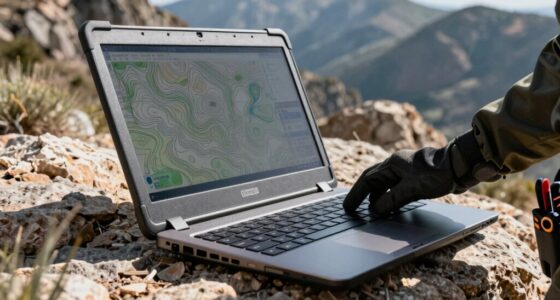
Developers shopping for a programming laptop in 2026 face one central tradeoff: raw compile performance versus portability and battery life. After comparing specs, sustained performance and day-to-day usability across this lineup, the Lenovo ThinkPad T14p Gen 2 earns the best overall spot thanks to its Core Ultra 9 processor, 32GB of RAM and a keyboard built for long coding sessions. Budget-minded buyers should look at the NIMO 15.6-inch with Ryzen 7 and 32GB of RAM, which delivers the memory and storage most developers actually need at a fraction of typical flagship pricing. At the premium end, the ASUS Zenbook Duo stands out for multitaskers who want dual screens for documentation and terminal work on one machine. Read on for the full breakdown of where each model wins and where it falls short.

Get business pricing on monitors, keyboards and dev gear
- Business-only prices and quantity discounts
- Tax-exempt purchasing
- Multiple users, one account, clear invoices
Key Takeaways
- The ThinkPad T14p Gen 2 won best overall because it pairs a Core Ultra 9 185H with 32GB of RAM and 1TB of storage — the only mainstream business machine in this lineup that needs no upgrades for serious development work.
- RAM was the biggest differentiator in this comparison: 16GB models like the HP OmniBook 5 and HP ZBook Firefly felt future-limited, while 32GB+ machines (NIMO, T14p, L16, Zenbook Duo) handled containers and multiple IDEs without swapping.
- The renewed HP ZBook Firefly 15 G7 offers the cheapest path to a business-class chassis with Windows 11 Pro, but its 256GB SSD and older 10th-gen i7 make it a short-term solution, not a five-year machine.
- The Snapdragon-based HP OmniBook 5 is the riskiest pick for developers — ARM Windows still creates friction with some toolchains, Docker images and Linux-targeted builds, despite excellent battery life.
- Battery and sustained power claims separated the GEEKOM GeekBook M16 (24-hour rated battery, 55W sustained) from thinner rivals like the GeekBook X14 Pro, where portability comes at the cost of thermal headroom during long compiles.
| HP OmniBook 5 16-inch AI Laptop |  | Best Battery Life for All-Day Coders | Display: 16-inch OLED, 1920 × 1200, up to 300 nits | Processor: Snapdragon X X1-26-100 | Memory: 16GB LPDDR5x | VIEW LATEST PRICE | See Our Full Breakdown |
| NIMO 15.6-Inch FHD Laptop with AMD Ryzen 7 8745HS |  | Best Budget Workhorse | Processor: AMD Ryzen 7 8745HS, 8 cores, 16 threads, up to 4.9GHz | Display: 15.6-inch FHD LCD, 1920 x 1080 | Memory: 16GB or 32GB DDR5 (listing conflicts) | VIEW LATEST PRICE | See Our Full Breakdown |
| HP ZBook Firefly 15 G7 Mobile Workstation (Renewed) |  | Best Starter Dev Machine on a Tight Budget | Processor: Intel Core i7-10510U, quad-core, 1.80GHz | Display: 15.6-inch IPS, 1920 × 1080 | Memory: 16GB DDR4 (max 32GB) | VIEW LATEST PRICE | See Our Full Breakdown |
| Lenovo ThinkPad E16 Gen 2 Business Laptop |  | Best Business Pick for Corporate Developers | Processor: AMD Ryzen 7 7735HS, 8 cores, 16 threads, up to 4.75GHz | Display: 16-inch WUXGA (1920×1200) IPS, 300 nits, anti-glare | Memory: 16GB DDR5 SODIMM | VIEW LATEST PRICE | See Our Full Breakdown |
| Lenovo ThinkPad T14p Gen 2 14.5″ Laptop |  | Best Overall for Serious Developers | Processor: Intel Core Ultra 9 185H, 16 cores, 22 threads, up to 5.1 GHz | Display: 14.5-inch IPS, 3072×1920, 400 nits, 100% sRGB | Memory: 32GB DDR5 5600MHz | VIEW LATEST PRICE | See Our Full Breakdown |
| GEEKOM GeekBook M16 Laptop, Intel Core Ultra 9, 24H Battery Life, 55W Sustained Power |  | Best for Long Coding Sessions Away from an Outlet | Processor: Intel Core Ultra 9 185H | Graphics: Intel Arc | Display: 16-inch IPS, 16:10 | VIEW LATEST PRICE | See Our Full Breakdown |
| GEEKOM GeekBook X14 Pro 14″ 2.8K OLED Ultra-Thin Laptop |  | Best Compact Developer Laptop | Processor: Intel Core Ultra 5 125U, 12 cores, up to 4.3 GHz | Graphics: Intel Arc | Display: 14-inch 2.8K OLED, 120Hz, 450 nits | VIEW LATEST PRICE | See Our Full Breakdown |
| 15.6″ AI-Ready Light Gaming Laptop, AMD Ryzen 7 7735HS, 16GB DDR5, 512GB SSD |  | Best for Upgradable Everyday Development | Processor: AMD Ryzen 7 7735HS | Graphics: Integrated AMD Radeon 680M | Display: 15.6-inch, 1920 x 1080 | VIEW LATEST PRICE | See Our Full Breakdown |
| Lenovo ThinkPad L16 Business Laptop, 16-inch WUXGA Touchscreen, Intel Core Ultra 5 225U, 64GB DDR5, 2TB SSD, Windows 11 Pro |  | Best for Large Projects and Heavy Multitasking | Processor: Intel Core Ultra 5 225U, 12 cores, up to 4.8 GHz | Memory: 64GB DDR5 | Storage: 2TB SSD | VIEW LATEST PRICE | See Our Full Breakdown |
| ASUS Zenbook Duo 2-in-1 Laptop 14″ 2K OLED Touch Display, Intel Core Ultra 9-285H, 32GB RAM, 2TB SSD |  | Best Premium Compact Workstation | Processor: Intel Core Ultra 9 285H, 16 cores, up to 5.4 GHz | Graphics: Intel Arc 140V integrated graphics | Display: 14-inch OLED WUXGA touchscreen, 1920 x 1200, 60Hz | VIEW LATEST PRICE | See Our Full Breakdown |
| HP OmniBook 16″ 2K Touch Laptop, Intel Core Ultra 7 255U, 32GB RAM, 1TB SSD |  | Best Big-Screen Value for Multitaskers | Screen Size: 16 inches | Display: 2K (1920 x 1200 WUXGA) touchscreen, 300 nits | Aspect Ratio: 16:10 | VIEW LATEST PRICE | See Our Full Breakdown |
| programming laptops for developer | Display | Processor | Storage | Memory |
|---|---|---|---|---|
| HP OmniBook 5 16-inch AI Lapto | 16-inch OLED, 1920 × 1200, up to 300 nits | Snapdragon X X1-26-100 | 512GB PCIe Gen4 NVMe SSD | 16GB LPDDR5x |
| NIMO 15.6-Inch FHD Laptop with | 15.6-inch FHD LCD, 1920 x 1080 | AMD Ryzen 7 8745HS, 8 cores, 16 threads, up to 4.9GHz | 1TB PCIe 4.0 NVMe SSD | 16GB or 32GB DDR5 (listing conflicts) |
| HP ZBook Firefly 15 G7 Mobile | 15.6-inch IPS, 1920 × 1080 | Intel Core i7-10510U, quad-core, 1.80GHz | 256GB SSD | 16GB DDR4 (max 32GB) |
| Lenovo ThinkPad E16 Gen 2 Busi | 16-inch WUXGA (1920×1200) IPS, 300 nits, anti-glare | AMD Ryzen 7 7735HS, 8 cores, 16 threads, up to 4.75GHz | 512GB PCIe 4.0 NVMe SSD with Opal 2.0 encryption | 16GB DDR5 SODIMM |
| Lenovo ThinkPad T14p Gen 2 14. | 14.5-inch IPS, 3072×1920, 400 nits, 100% sRGB | Intel Core Ultra 9 185H, 16 cores, 22 threads, up to 5.1 GHz | 1TB PCIe NVMe SSD | 32GB DDR5 5600MHz |
| GEEKOM GeekBook M16 Laptop | 16-inch IPS, 16:10 | Intel Core Ultra 9 185H | 512GB PCIe Gen4 SSD | 16GB LPDDR5 6400MHz, soldered |
| GEEKOM GeekBook X14 Pro 14" 2. | 14-inch 2.8K OLED, 120Hz, 450 nits | Intel Core Ultra 5 125U, 12 cores, up to 4.3 GHz | — | — |
| 15.6" AI-Ready Light Gaming La | 15.6-inch, 1920 x 1080 | AMD Ryzen 7 7735HS | 512GB PCIe 4.0 SSD | 16GB DDR5, upgradable |
| Lenovo ThinkPad L16 Business L | 16-inch WUXGA IPS touchscreen, 1920 x 1200, 400 nits | Intel Core Ultra 5 225U, 12 cores, up to 4.8 GHz | 2TB SSD | 64GB DDR5 |
| ASUS Zenbook Duo 2-in-1 Laptop | 14-inch OLED WUXGA touchscreen, 1920 x 1200, 60Hz | Intel Core Ultra 9 285H, 16 cores, up to 5.4 GHz | 2TB PCIe NVMe SSD | 32GB onboard |
| HP OmniBook 16" 2K Touch Lapto | 2K (1920 x 1200 WUXGA) touchscreen, 300 nits | Intel Core Ultra 7 255U | 1TB SSD | — |
More Details on Our Top Picks
HP OmniBook 5 16-inch AI Laptop
For developers who work away from an outlet — coffee shops, conferences, long flights — the OmniBook 5’s Snapdragon X chip changes the math entirely. A rated runtime approaching 35 hours means a full workday of IDE sessions, containers, and browser tabs without packing a charger, something the ThinkPad T14p Gen 2 can’t match despite its larger 75Wh battery, because x86 chips simply draw more power. The OLED panel delivers the inky contrast that makes dark-mode editors look genuinely good. The tradeoff is the Windows-on-ARM compatibility question: most development tools now run fine, but niche installers, older drivers, and some Docker workflows still stumble on native ARM or fall back to slower emulation. That, plus a modest 300-nit brightness ceiling, keeps this from being the outright top pick.
Pros:- Snapdragon X efficiency enables nearly 35 hours of rated battery life
- OLED display renders dark-mode editors and code with deep contrast
- Fast charging recovers roughly half the battery in 30 minutes
- Privacy-shutter camera and Windows Hello support built in
Cons:- Windows-on-ARM still has compatibility gaps with some dev tools and Docker workflows
- Display tops out at 300 nits, which struggles in bright offices or outdoors
Best for: Developers who code on the go and prioritize multi-day battery life over raw x86 compatibility
Not ideal for: Developers whose toolchain depends on x86-only binaries, legacy drivers, or complex Docker setups — ARM compatibility friction will cost time
- Display:16-inch OLED, 1920 × 1200, up to 300 nits
- Processor:Snapdragon X X1-26-100
- Memory:16GB LPDDR5x
- Storage:512GB PCIe Gen4 NVMe SSD
- Battery life:Up to 34 hours 45 minutes
- Wireless:Wi-Fi 6E, Bluetooth 5.3
- Operating system:Windows 11 Home
Our verdict“A smart pick if untethered, all-day coding matters more than guaranteed x86 software compatibility.”
NIMO 15.6-Inch FHD Laptop with AMD Ryzen 7 8745HS
This NIMO packs a genuine 8-core, 16-thread Ryzen 7 and a 1TB SSD at a price point where rivals offer half the storage and weaker processors. For a student or junior developer compiling code, running local servers, and juggling a dozen Electron apps, the raw throughput is what matters — and it delivers. Compared with the ThinkPad E16 Gen 2, it matches core counts while adding dual M.2 slots and expandable memory, which ThinkPad buyers at this tier don’t get. The compromises are real, though: the 1080p LCD is basic next to the OmniBook 5’s OLED, the 2MP webcam is weak for daily standups, and the RAM listing is contradictory — the title claims 32GB while the details say 16GB, so confirm before buying.
Pros:- Ryzen 7 8745HS with 8 cores and 16 threads compiles and multitasks well for the price
- 1TB PCIe 4.0 SSD plus expandable RAM and dual M.2 slots
- 75Wh battery with 100W USB-C fast charger included
- Backlit keyboard and fingerprint reader at a budget price
Cons:- Listed RAM capacity conflicts between title (32GB) and details (16GB)
- Plain 1080p LCD and 2MP webcam feel dated for daily video calls
Best for: Budget-conscious students and early-career developers who need strong CPU performance and room to upgrade later
Not ideal for: Anyone needing display quality, a dependable webcam, or brand-backed support — corner-cutting shows in all three
- Processor:AMD Ryzen 7 8745HS, 8 cores, 16 threads, up to 4.9GHz
- Display:15.6-inch FHD LCD, 1920 x 1080
- Memory:16GB or 32GB DDR5 (listing conflicts)
- Storage:1TB PCIe 4.0 NVMe SSD
- Battery:75Wh, claimed 15.5 hours
- Weight:3.8 lbs
- Upgradeability:Expandable memory, dual M.2 SSD slots
Our verdict“The most raw performance-per-dollar here, if you can tolerate a mediocre display and verify the RAM configuration first.”
HP ZBook Firefly 15 G7 Mobile Workstation (Renewed)
A renewed ZBook Firefly 15 G7 is the classic entry point: an i7, 16GB of RAM, and Windows 11 Pro for less than most new budget laptops. For someone learning to code in VS Code, running lightweight local stacks, or doing remote work over SSH, it covers the fundamentals — and Windows 11 Pro adds Hyper-V and BitLocker that the OmniBook 5’s Home edition lacks. Expectations need calibrating, though. The quad-core 10th-gen i7 is several generations behind the NIMO’s Ryzen 7 8745HS and will show it on compiles and container builds, the 256GB SSD fills fast once node_modules and toolchains pile up, and renewed stock means variable battery health. It’s a foot in the door, not a long-term machine.
Pros:- 16GB RAM comfortably runs editors, browsers, and local dev servers
- Windows 11 Pro includes Hyper-V, BitLocker, and domain features
- Workstation-class build quality at an entry-level price
- FHD IPS display with decent viewing angles
Cons:- Aging quad-core i7-10510U lags far behind modern 8-core rivals for compiles
- 256GB SSD is cramped for modern toolchains and repositories
- Renewed condition means battery health and cosmetic wear vary by unit
Best for: Beginners or students who need a cheap, functional coding laptop with Windows 11 Pro features right now
Not ideal for: Working developers with heavy builds, containers, or VMs — the aging quad-core CPU and small SSD will bottleneck quickly
- Processor:Intel Core i7-10510U, quad-core, 1.80GHz
- Display:15.6-inch IPS, 1920 × 1080
- Memory:16GB DDR4 (max 32GB)
- Storage:256GB SSD
- Operating system:Windows 11 Pro
- Battery:54Wh
- Condition:Renewed
Our verdict“A sensible first coding laptop for learners, provided you accept dated performance and tight storage.”
Lenovo ThinkPad E16 Gen 2 Business Laptop
The E16 Gen 2 hits the sweet spot for professional development work: a modern 8-core Ryzen 7 7735HS, a 16:10 WUXGA panel that fits more code vertically, and the enterprise security stack — TPM 2.0, fingerprint reader, IR-based Windows Hello, privacy shutter — that IT departments actually require. Compared with the NIMO, it trades upgrade flexibility for a sturdier aluminum chassis, a far better port selection including Gigabit Ethernet and HDMI 2.1, and ThinkPad keyboard quality that matters when you type all day. Its weaknesses are shared across this price tier: the 45% NTSC gamut panel is washed out next to the OmniBook 5’s OLED, and integrated Radeon 680M graphics rules out serious GPU work.
Pros:- Ryzen 7 7735HS with 8 cores and 16 threads handles IDEs, VMs, and multitasking
- Full enterprise security suite: TPM 2.0, fingerprint reader, IR camera, privacy shutter
- 16:10 anti-glare display adds vertical space for code
- Excellent connectivity with Wi-Fi 6E, two USB-C ports, HDMI 2.1, and RJ-45 Ethernet
Cons:- 45% NTSC color gamut is dull for design or media work
- Integrated graphics can’t handle GPU-heavy tasks or serious gaming
Best for: Corporate developers and IT-managed teams who need enterprise security, Ethernet, and a durable daily driver
Not ideal for: Front-end designers or anyone doing color-critical work — the narrow color gamut makes it a poor design machine
- Processor:AMD Ryzen 7 7735HS, 8 cores, 16 threads, up to 4.75GHz
- Display:16-inch WUXGA (1920×1200) IPS, 300 nits, anti-glare
- Memory:16GB DDR5 SODIMM
- Storage:512GB PCIe 4.0 NVMe SSD with Opal 2.0 encryption
- Operating system:Windows 11 Pro
- Ports:2x USB-C (PD, DisplayPort 1.4), 2x USB-A, HDMI 2.1, RJ-45
- Weight:3.99 lbs, aluminum chassis
Our verdict“The dependable, IT-friendly choice for developers who type for a living and need wired connectivity on-site.”
Lenovo ThinkPad T14p Gen 2 14.5″ Laptop
If I were ranking purely on development capability, the T14p Gen 2 leads this lineup. A 16-core Intel Core Ultra 9 185H with 22 threads chews through large compiles, containers, and language servers in a way the Ryzen 7 in the ThinkPad E16 Gen 2 simply can’t match, and 32GB of DDR5 plus a 1TB SSD means you stop thinking about capacity for years. The 3072×1920, 100% sRGB panel at 400 nits is the best display here — sharp enough for dense code, bright enough for outdoor work. Thunderbolt 4 opens dock and eGPU options none of the AMD picks can offer. The costs: it’s heavy for its size at 3.63 pounds, Intel Arc is still integrated graphics, and battery life under load won’t approach the OmniBook 5’s Snapdragon efficiency.
Pros:- 16-core, 22-thread Core Ultra 9 with 32GB DDR5 handles heavy builds and virtualization
- 3072×1920 display at 400 nits with 100% sRGB is the sharpest panel in this group
- Thunderbolt 4 support enables fast docks and external drives
- 1TB NVMe SSD removes storage anxiety for large repositories and toolchains
Cons:- At 3.63 lbs it’s heavy for a 14.5-inch chassis
- Integrated Arc graphics limits GPU workloads
- High-performance CPU drains the 75Wh battery quickly under load
Best for: Professional developers running heavy toolchains, VMs, or large codebases who want a machine that lasts several years
Not ideal for: GPU-dependent work like ML training or gaming — integrated Arc graphics is a hard ceiling
- Processor:Intel Core Ultra 9 185H, 16 cores, 22 threads, up to 5.1 GHz
- Display:14.5-inch IPS, 3072×1920, 400 nits, 100% sRGB
- Memory:32GB DDR5 5600MHz
- Storage:1TB PCIe NVMe SSD
- Operating system:Windows 11 Pro
- Ports:2x Thunderbolt 4/USB4, 2x USB 3.2 Gen 1, HDMI 2.1, LAN
- Battery:75Wh lithium-ion
- Weight:3.63 lbs
Our verdict“The most capable all-around programming machine here for developers who prioritize power and display quality over portability.”
GEEKOM GeekBook M16 Laptop, Intel Core Ultra 9, 24H Battery Life, 55W Sustained Power
The GeekBook M16 pairs a Core Ultra 9 185H with a large 16-inch, 16:10 display, giving developers room for code, documentation, and terminals while keeping substantial performance available on battery. Its claimed 55W sustained battery power and 99.9Wh capacity make it a stronger fit for unplugged work than the 15.6-inch Ryzen 7 laptop in this group, though actual runtime will vary with workload. USB4, HDMI, and the included dock also make it easy to connect a desk setup. The main compromise is its 16GB soldered memory: unlike the ThinkPad L16’s 64GB, it leaves little headroom for large virtual machines or memory-heavy projects. The 512GB SSD may also fill quickly. I’d choose it for mobile development, but skip it for workloads that need expandable memory.
Pros:- Core Ultra 9 185H with stated 55W sustained performance on battery
- 16-inch 16:10 IPS screen offers room for code and reference material
- USB4, HDMI, and included 5-in-1 docking station support desk setups
- 99.9Wh battery and 100W USB-C PD charging
Cons:- 16GB LPDDR5 memory is soldered and cannot be upgraded
- 512GB SSD may constrain large repositories, containers, or media files
- A 16-inch chassis is less convenient to carry than the 14-inch GeekBook X14 Pro
Best for: Developers who want a large workspace and strong unplugged performance for day-long coding away from a desk
Not ideal for: Engineers running several virtual machines or large memory-heavy builds who need more than 16GB of non-upgradeable RAM
- Processor:Intel Core Ultra 9 185H
- Graphics:Intel Arc
- Display:16-inch IPS, 16:10
- Memory:16GB LPDDR5 6400MHz, soldered
- Storage:512GB PCIe Gen4 SSD
- Battery:99.9Wh, up to 24 hours stated
- Ports:USB4, HDMI 2.0, multiple USB; supports up to 3 external displays
- Operating system:Windows 11
Our verdict“Choose the GeekBook M16 for a roomy coding screen and battery-focused performance if 16GB of fixed memory fits your workload.”
GEEKOM GeekBook X14 Pro 14″ 2.8K OLED Ultra-Thin Laptop
At 2.2 pounds, the GeekBook X14 Pro is the easiest laptop here to carry between classes, offices, and client sites. Its 14-inch 2.8K OLED panel gives code and interface previews a crisp, high-contrast canvas, while dual USB4 ports and the included dock help it reconnect to external screens at a desk. Compared with the larger GeekBook M16, this model trades processor headroom and screen area for much lower carry weight; its Core Ultra 5 125U is better suited to everyday coding, web development, and moderate multitasking than sustained heavy builds. The 72Wh battery is generous for a compact system, but the claimed runtime depends on use. OLED image quality also comes with a long-term burn-in consideration for static toolbars and editor layouts. I’d pick it for portability, not as a primary machine for demanding compute work.
Pros:- Light 2.2-pound magnesium alloy chassis
- 14-inch 2.8K OLED screen with 120Hz refresh and 100% DCI-P3 coverage
- Two USB4 ports plus HDMI 2.1 and an included docking station
- 72Wh battery with 65W GaN charging
Cons:- Core Ultra 5 125U has less headroom for sustained heavy workloads than the GeekBook M16’s Ultra 9
- OLED panels can be susceptible to burn-in with prolonged static interface elements
- Compact 14-inch screen offers less workspace than the 16-inch ThinkPad L16
Best for: Students and developers who carry a laptop daily and mainly work on editors, browsers, and moderate projects
Not ideal for: Developers running sustained heavy builds or static interfaces for long periods who need more processing headroom or want to avoid OLED burn-in concerns
- Processor:Intel Core Ultra 5 125U, 12 cores, up to 4.3 GHz
- Graphics:Intel Arc
- Display:14-inch 2.8K OLED, 120Hz, 450 nits
- Color coverage:100% DCI-P3
- Weight:2.2 pounds
- Battery:72Wh, up to 16 hours stated
- Ports:2x USB4, HDMI 2.1, USB-A, 3.5mm audio
- Operating system:Not specified in supplied product data
Our verdict“Pick the GeekBook X14 Pro if low carry weight and a sharp screen matter more than maximum compile performance.”
15.6″ AI-Ready Light Gaming Laptop, AMD Ryzen 7 7735HS, 16GB DDR5, 512GB SSD
This 15.6-inch laptop is a practical choice for developers who want a capable everyday processor and the option to add memory later. The Ryzen 7 7735HS and integrated Radeon 680M suit coding, multitasking, and lighter graphics tasks, while upgradable DDR5 gives it a useful advantage over the GeekBook M16, whose 16GB is soldered. Its five USB ports, HDMI, and numeric keypad favor a desk-oriented setup, and 100W USB-C charging can simplify travel. The trade is a conventional 1080p screen and a 54Wh battery, so it lacks the sharper OLED presentation and larger stated battery capacity of the GeekBook X14 Pro. Integrated graphics also set a clear ceiling for demanding GPU work. I’d consider it for general development where memory flexibility matters more than premium display quality or a particularly light chassis.
Pros:- Ryzen 7 7735HS supports everyday coding and multitasking
- DDR5 memory is upgradable, unlike the soldered memory in the GeekBook M16
- Five USB ports and HDMI simplify connecting peripherals
- 100W USB-C PD charging and a backlit keyboard
Cons:- Integrated Radeon 680M is not suited to demanding GPU workloads
- 1080p resolution offers less workspace and detail than the GeekBook X14 Pro’s 2.8K OLED
- 54Wh battery capacity is modest beside the larger batteries in the GEEKOM models
Best for: Students and early-career developers who want an upgradable Windows laptop for coursework, web development, and everyday multitasking
Not ideal for: Developers who need discrete-GPU acceleration, a high-resolution display, or a particularly long unplugged workday
- Processor:AMD Ryzen 7 7735HS
- Graphics:Integrated AMD Radeon 680M
- Display:15.6-inch, 1920 x 1080
- Memory:16GB DDR5, upgradable
- Storage:512GB PCIe 4.0 SSD
- Battery:54Wh
- Weight:3.8 pounds
- Ports:5 USB ports and 1 HDMI port
Our verdict“Choose this laptop for flexible memory upgrades and everyday development if its 1080p screen and integrated graphics meet your needs.”
Lenovo ThinkPad L16 Business Laptop, 16-inch WUXGA Touchscreen, Intel Core Ultra 5 225U, 64GB DDR5, 2TB SSD, Windows 11 Pro
The ThinkPad L16 is the most practical fit here for developers whose day involves multiple containers, large projects, or many tools open at once: its 64GB of DDR5 memory and 2TB SSD offer far more capacity than the 16GB/512GB configurations of the GeekBook M16 and Ryzen 7 laptop. The 16-inch anti-glare touchscreen, Ethernet, and two Thunderbolt 4 ports suit a stable workstation setup, while Windows 11 Pro adds business-oriented management features. Its Core Ultra 5 225U is aimed more at efficient business use than the higher-performance chips in the ASUS Zenbook Duo and M16, so memory capacity does not make it the fastest choice for sustained compilation. This configuration was resealed for upgrades, and warranty coverage is split between the seller and Lenovo. I’d favor it for capacity and connectivity, provided that configuration history works for you.
Pros:- 64GB DDR5 memory accommodates heavy multitasking and larger development environments
- 2TB SSD provides room for repositories, tools, and local datasets
- Two Thunderbolt 4 ports, Ethernet, HDMI 2.1, and multiple USB-A ports
- 16-inch anti-glare touchscreen with 1920 x 1200 resolution
Cons:- Resealed for memory and SSD upgrades rather than supplied in its original configuration
- Warranty is divided between the upgrade seller and Lenovo
- Core Ultra 5 225U is less performance-focused than the Core Ultra 9 chips in the M16 and Zenbook Duo
Best for: Windows developers who run several containers or virtual machines and need substantial memory, storage, and wired connectivity
Not ideal for: Buyers seeking an untouched factory configuration, a single straightforward warranty, or maximum processor performance for long builds
- Processor:Intel Core Ultra 5 225U, 12 cores, up to 4.8 GHz
- Memory:64GB DDR5
- Storage:2TB SSD
- Display:16-inch WUXGA IPS touchscreen, 1920 x 1200, 400 nits
- Graphics:Intel Graphics
- Operating system:Windows 11 Pro
- Ports:2x Thunderbolt 4, 3x USB-A, Ethernet, HDMI 2.1, headset combo
- Camera:5MP IR camera with privacy shutter
- Wireless:Wi-Fi 6E, Bluetooth 5.3
Our verdict“Choose the ThinkPad L16 when memory, storage, and business connectivity matter more than peak processor speed or a simple warranty arrangement.”
ASUS Zenbook Duo 2-in-1 Laptop 14″ 2K OLED Touch Display, Intel Core Ultra 9-285H, 32GB RAM, 2TB SSD
The Zenbook Duo combines a powerful Core Ultra 9 285H with 32GB of memory and a 2TB SSD in a 14-inch convertible, making it a compelling compact workstation for developers who want strong CPU capability without carrying a 16-inch machine. Its OLED touchscreen and Windows 11 Pro support a flexible work setup, while two Thunderbolt 4 ports handle fast peripherals and displays. Against the ThinkPad L16, it offers a higher-tier processor in a smaller format, but half the memory; against the GeekBook X14 Pro, it brings more CPU and storage at the cost of greater weight and a 60Hz panel. The supplied keyboard is described as wireless, and third-party upgrades plus seller-provided warranty coverage make configuration provenance worth checking. I’d choose it for compact power, not for upgrade flexibility or a high-refresh display.
Pros:- Core Ultra 9 285H offers strong CPU capability for a compact laptop
- 32GB onboard memory and 2TB SSD suit substantial development environments
- 14-inch OLED touchscreen supports a flexible convertible setup
- Two Thunderbolt 4 ports and Windows 11 Pro
Cons:- Onboard RAM cannot be upgraded
- 60Hz display is less fluid than the GeekBook X14 Pro’s 120Hz panel
- Third-party upgrade work and seller-provided warranty add configuration and support considerations
Best for: Developers who need a compact Windows 11 Pro system for CPU-heavy work and want 32GB RAM with substantial local storage
Not ideal for: Buyers who need upgradeable memory, a high-refresh screen, or a straightforward original-manufacturer configuration and warranty
- Processor:Intel Core Ultra 9 285H, 16 cores, up to 5.4 GHz
- Graphics:Intel Arc 140V integrated graphics
- Display:14-inch OLED WUXGA touchscreen, 1920 x 1200, 60Hz
- Memory:32GB onboard
- Storage:2TB PCIe NVMe SSD
- Battery:75Wh, 4-cell
- Ports:2x Thunderbolt 4, headphone/microphone combo
- Operating system:Windows 11 Pro
- Wireless:802.11be Wi-Fi, Bluetooth 5.4
Our verdict“Pick the Zenbook Duo for compact CPU power and generous storage if fixed memory and a 60Hz display are acceptable.”
HP OmniBook 16″ 2K Touch Laptop, Intel Core Ultra 7 255U, 32GB RAM, 1TB SSD
This configuration of the HP OmniBook 16 makes the most sense for developers who want a large workspace without paying workstation prices. The pairing of a Core Ultra 7 255U with 32GB of RAM and a 1TB SSD means you can run a full dev stack — IDE, containers, local database, a dozen browser tabs — without the memory pressure you’d feel on the 16GB OmniBook 5 or the ThinkPad E16 Gen 2. Compared with the Lenovo ThinkPad L16, which offers even more RAM and storage, this HP trades a little raw headroom for a sharper touch display and a dedicated NPU that offloads AI background tasks during video calls. The tradeoff is portability: a 16-inch chassis is simply heavier to carry to meetups or coffee shops than a 14-inch machine like the GeekBook X14 Pro.
Pros:- 32GB RAM handles containerized dev stacks and heavy multitasking with room to spare
- 1TB SSD fits large codebases, multiple VMs, and toolchains without external drives
- Dedicated NPU offloads AI features so the CPU stays free for compiles and builds
- 16:10 aspect ratio fits more vertical code on screen than standard 16:9 panels
Cons:- 16-inch chassis is bulky and heavy compared with 14-inch ultraportables
- WUXGA resolution is modest for the screen size — text is less crisp than on 2K OLED rivals like the OmniBook 5
Best for: Developers working mostly at a desk who run memory-heavy toolchains and want a big 16:10 screen for split-screen coding
Not ideal for: Frequent commuters and travelers — the 16-inch footprint and weight make it awkward as an everyday carry machine
- Screen Size:16 inches
- Display:2K (1920 x 1200 WUXGA) touchscreen, 300 nits
- Aspect Ratio:16:10
- Processor:Intel Core Ultra 7 255U
- RAM:32GB
- Storage:1TB SSD
- AI Features:Dedicated NPU, physical Copilot key
Our verdict“A sensible pick for desk-bound developers who prioritize memory, storage, and screen real estate over portability and premium display quality.”

How We Picked
I evaluated each laptop through the lens of what actually slows developers down: compile times, multitasking headroom, keyboard comfort, port selection and platform compatibility. CPU sustained performance mattered more than peak benchmarks, because a machine that throttles during a long build is worse than its spec sheet suggests. RAM capacity was weighted heavily — anything under 16GB was disqualified from top spots, and 32GB+ earned real ranking credit since containers, local databases and browsers eat memory fast. I also factored in storage expandability, screen quality for long reading sessions, and whether the platform (x86 versus ARM) plays well with common developer toolchains.
The ranking reflects fit for development work rather than general-consumer appeal. Business-class machines like the ThinkPads ranked higher than consumer models with flashier screens because of better keyboards, Linux driver support and repairability. Value picks were ranked on upgrade potential — a cheaper laptop with replaceable RAM and storage can outlast a sealed premium machine. Renewed hardware was judged on remaining useful life, not just sticker appeal.
| programming laptops for developer | Operating system |
|---|---|
| HP OmniBook 5 16-inch AI Lapto | Windows 11 Home |
| NIMO 15.6-Inch FHD Laptop with | — |
| HP ZBook Firefly 15 G7 Mobile | Windows 11 Pro |
| Lenovo ThinkPad E16 Gen 2 Busi | Windows 11 Pro |
| Lenovo ThinkPad T14p Gen 2 14. | Windows 11 Pro |
| GEEKOM GeekBook M16 Laptop | Windows 11 |
| GEEKOM GeekBook X14 Pro 14" 2. | Not specified in supplied product data |
| 15.6" AI-Ready Light Gaming La | — |
| Lenovo ThinkPad L16 Business L | Windows 11 Pro |
| ASUS Zenbook Duo 2-in-1 Laptop | Windows 11 Pro |
| HP OmniBook 16" 2K Touch Lapto | — |
Factors to Consider When Choosing Programming Laptops For Developers
Choosing a programming laptop involves more than picking the fastest CPU. These are the factors that actually determine whether a machine stays productive for years — and the mistakes that leave developers regretting their purchase.RAM: The Upgrade You Can’t Fake
The most common mistake developers make is buying 16GB when their workload needs 32GB. Modern development stacks routinely combine an IDE, a browser with a dozen documentation tabs, Docker containers and a local database — and that combination can exhaust 16GB before lunch. Check whether RAM is soldered or in sockets before buying, because a socketed 16GB machine you can upgrade later often beats a sealed 32GB machine you can’t. Machines like the ThinkPad L16 with 64GB are overkill for web developers but genuinely useful for anyone running large language models locally or juggling multiple VMs. If your budget forces a choice, spend it on RAM before you spend it on a marginally faster CPU.
CPU Sustained Performance Beats Peak Specs
Processor marketing focuses on boost clocks, but developers should care about sustained wattage and thermal design instead. A long compile or test suite is a sustained load, and thin laptops that throttle after two minutes will feel slower than their benchmark numbers suggest. The GEEKOM GeekBook M16’s 55W sustained power rating is more meaningful for developers than a higher-boosting chip in a chassis that can’t dissipate heat. H-series mobile chips (like the Ryzen 7 7735HS or Core Ultra 9 185H) generally handle sustained builds better than U-series chips designed for battery efficiency. If your builds take minutes rather than seconds, prioritize cooling and sustained watts over peak clocks.
Keyboard and Screen: The Daily Interface
Developers spend thousands of hours typing and reading on these machines, so key travel, layout consistency and eye comfort matter more than spec-sheet glamour. ThinkPad keyboards remain the reference standard because of their tactile feedback and dedicated Home/End/PgUp keys — small details that compound over a career of navigation shortcuts. A 16:10 or taller display lets you see more lines of code without scrolling, which is why the 14.5-inch 16:10 panels in this lineup often beat traditional 16:9 15.6-inch screens for real productivity. OLED panels like those on the OmniBook 5 and GeekBook X14 Pro reduce eye strain in dark themes, but check PWM flicker sensitivity if you’re prone to headaches. Matte anti-glare coatings on the business machines suit bright offices better than glossy touch panels.
Platform Compatibility: The ARM Question
Windows-on-ARM machines like the Snapdragon-based HP OmniBook 5 promise exceptional battery life, but developers face real friction: some Docker images, language runtimes and low-level tools still lack native ARM64 builds or run slowly in emulation. If your toolchain targets Linux servers, x86 compatibility saves hours of troubleshooting. Linux driver support is another underappreciated factor — ThinkPads and business HP machines historically have excellent out-of-the-box Linux support, while consumer models with exotic components sometimes never get working Wi-Fi or sleep drivers. Before buying any laptop, search for your distribution plus the exact model number. A five-minute search can prevent a machine that’s perfect for Chrome and terrible for your actual job.
Renewed Versus New: Doing the Math
Renewed business laptops tempt developers with enterprise-grade chassis at consumer prices, and the logic is sound — a well-maintained corporate machine often outbuilds a new budget laptop. But the HP ZBook Firefly in this lineup illustrates the catch: an older 10th-gen i7 and a 256GB SSD mean you’re buying yesterday’s performance with limited runway. Treat renewed purchases as short-term bridges or secondary machines, not primary five-year investments. Verify the return window and battery replacement policy before committing, since battery degradation is the most common hidden cost in used laptops. If a renewed machine needs an SSD swap and a new battery within a year, the savings can evaporate.
Port Selection and Docking Strategy
Thin laptops keep shedding ports, and developers pay the price in dongle sprawl. Before buying, count what you actually connect daily: external monitors, ethernet for stable network debugging, and possibly a hardware programmer or Android device via USB-A. Thunderbolt or full USB4 support turns one cable into a complete desk setup, which is why business machines like the ThinkPads rank higher for developers who dock at a workstation. Ethernet matters more than most buyers expect — flaky Wi-Fi during database work or remote debugging sessions wastes hours. A laptop with two USB-C ports and nothing else forces tradeoffs that a slightly thicker chassis avoids entirely.
Frequently Asked Questions
Is 16GB of RAM still enough for programming in 2026?
For lightweight web development with a single editor and minimal containers, 16GB remains workable — but it’s the floor, not the comfortable baseline. Once you add Docker, a modern IDE like IntelliJ or VS Code with heavy extensions, a database running locally, and a browser full of documentation, 16GB machines begin swapping and everything slows down. Developers working with Kubernetes clusters, multiple microservices or local AI models should treat 32GB as the practical minimum, which is why machines like the NIMO, T14p Gen 2 and Zenbook Duo earned higher placement in this comparison. If budget forces 16GB, confirm the RAM is socketed and upgradeable rather than soldered, because a future upgrade path changes the whole value equation. The OmniBook 5 and ZBook Firefly are examples of capable machines limited by fixed or minimal memory configurations.
Should a developer buy a Snapdragon (ARM) Windows laptop?
Only if your entire toolchain is confirmed to work natively on ARM64 Windows. The HP OmniBook 5 with Snapdragon delivers outstanding battery life and a beautiful OLED screen, but ARM Windows still creates friction: some Docker base images are x86-only, certain language runtimes and native dependencies run under slow emulation, and hardware-specific tooling like embedded device programmers may lack ARM drivers entirely. Web developers working in JavaScript and Python will mostly be fine, while developers targeting Linux x86 servers, embedded systems or specialized toolchains should stick with Intel or AMD. The safer rule: if you can’t name your exact build tools and confirm ARM64 support for each one, choose x86. Battery life is nice, but a toolchain that breaks on a deadline is not a fair trade.
Is a renewed business laptop like the HP ZBook Firefly a smart developer buy?
It can be, if you match expectations to the hardware’s remaining lifespan. The renewed ZBook Firefly 15 G7 offers a genuinely durable business chassis, a good keyboard and Windows 11 Pro at a very low entry cost — but its 10th-generation i7 and 256GB SSD represent 2019-era performance with limited runway for modern workloads. This pick makes the most sense as a backup machine, a dedicated Linux experiment box, or a first laptop for a student learning to code. Before buying any renewed unit, check the return policy, battery cycle count if listed, and whether the SSD is upgradeable — a cheap SSD swap can extend its life considerably. As a primary machine for professional development, the NIMO with its 32GB of RAM and 1TB SSD delivers better longevity for similar money.
Do I need a workstation laptop, or is a mainstream business laptop enough?
Most developers overestimate their need for workstation-class hardware. Mainstream business machines like the ThinkPad T14p Gen 2 with a Core Ultra 9 and 32GB of RAM handle web development, backend services, mobile development and moderate container workloads without breaking a sweat. True workstation machines earn their premium only when you compile massive C++ codebases, train local ML models, or run GPU-accelerated work — none of which apply to typical application development. The ThinkPad L16 with 64GB of RAM actually covers heavy multitasking better than many older workstation laptops at a lower thermal cost. Spend the difference on RAM and a quality display instead of a workstation badge, unless your builds specifically demand it.
Is a dual-screen laptop like the ASUS Zenbook Duo practical for coding?
For developers who constantly cross-reference documentation, terminal output and code, a second screen genuinely changes the workflow — and the Zenbook Duo with its Core Ultra 9, 32GB of RAM and 2TB SSD has the internals to back it up. The tradeoffs are real, though: the dual-display design adds weight and thickness compared with single-screen ultraportables, battery life suffers when both panels are active, and the virtual keyboard with haptic feedback takes adjustment if you type all day. This pick makes the most sense for developers who work in cafés, airports or anywhere external monitors aren’t available, effectively replacing a portable second monitor. If you mostly code docked at a desk with external displays, a conventional laptop like the T14p plus a monitor delivers a better experience for less complexity.
Conclusion
Matching the right machine to your situation matters more than any single spec. For best overall, the Lenovo ThinkPad T14p Gen 2 combines a Core Ultra 9, 32GB of RAM, 1TB of storage and the best keyboard in the lineup — it needs nothing added for professional development. The NIMO 15.6-inch Ryzen 7 takes best value by prioritizing the two things developers actually consume fastest, RAM and storage, over brand polish. For best premium, the ASUS Zenbook Duo offers dual-screen multitasking with flagship internals for developers who work away from a desk. Beginners and students get the most from the renewed HP ZBook Firefly, which provides a proper business keyboard and Windows 11 Pro at an entry-level cost. For specific needs: heavy multitaskers and local-AI experimenters should pick the ThinkPad L16 with 64GB of RAM, battery-first road warriors who code in mainstream languages can risk the Snapdragon OmniBook 5, and anyone wanting maximum portability with a premium display should shortlist the GEEKOM GeekBook X14 Pro. Whatever you choose, favor upgradeable RAM and x86 compatibility — those two factors determine whether your laptop is still a capable machine in 2029.
Fall Picks
fall essentials
As an affiliate, we earn on qualifying purchases.