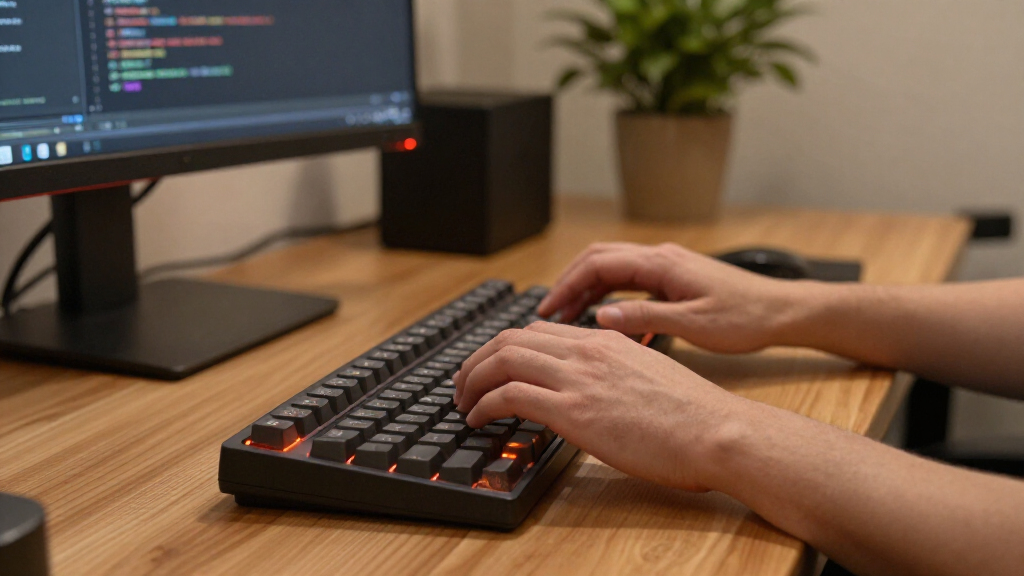
Among ergonomic mechanical keyboards, the KINESIS Freestyle Edge RGB Plus is my best overall pick for its adjustable split layout and lift kit, which let you position each half around your shoulders. The MechLands Feker Alice98 stands out for buyers who want a compact, angled Alice layout, while the Perixx PERIBOARD-535BR suits anyone seeking a wired ergonomic setup with a more conventional learning curve. The main tradeoffs are how much you can adjust the keyboard, how long you are willing to adapt to a new layout, and whether wireless convenience or a familiar full-size arrangement matters more. A split board offers more placement freedom but can take practice; an Alice-style board keeps both halves together but gives you less separation. Read on for the full comparison and guidance on which design fits your work habits.

Get business pricing on monitors, keyboards and dev gear
- Business-only prices and quantity discounts
- Tax-exempt purchasing
- Multiple users, one account, clear invoices
Key Takeaways
Adjustability separates the split boards: The KINESIS Freestyle Edge RGB Plus pairs independently positioned halves with a lift kit, giving it more room to tailor posture than fixed Alice layouts.
Alice layouts offer a less disruptive ergonomic change: Models such as the RK Royal Kludge A72 and LEOBOG A75 keep the keyboard in one piece while angling the key groups, but they do not let you set shoulder-width separation.
Compactness comes with a navigation tradeoff: The Feker Alice98 keeps a broad range of keys in a smaller footprint, while buyers who rely on a separate number pad or conventional key placement may prefer a larger board.
Wrist rests do not replace correct positioning: The RAGNOK RK104 and X9 include built-in wrist support, but a rest cannot compensate for a keyboard that is too high or forces the wrists to bend.
The lineup spans distinct learning curves: Traditional wired or full-size designs such as the Perixx PERIBOARD-535BR and Adesso EasyTouch 1500 may feel more familiar than a fully split board, while split models offer more placement freedom after adaptation.
| RK Royal Kludge A72 Alice Ergonomic Wireless Mechanical Keyboard |  | Best Overall Wireless Alice Pick | Layout and keys: 68% Alice layout, 72 keys | Connectivity: 2.4 GHz wireless, Bluetooth 5.0, USB-C wired | Included switches: RK Linear Cream | VIEW LATEST PRICE | See Our Full Breakdown |
| LEOBOG A75 Alice Ergonomic Wireless Mechanical Keyboard with Joystick Knob |  | Best for Programmable Navigation Controls | Layout: 75% Alice ergonomic | Connectivity: Bluetooth 5.0, 2.4 GHz wireless, USB-C wired | Switches: Hot-swappable linear | VIEW LATEST PRICE | See Our Full Breakdown |
| RAGNOK RK104 Ergonomic Mechanical Keyboard with Wrist Rest |  | Best Full-Size Board with Wrist Rest | Layout: Full-size QWERTY, 104 keys | Design: Curved split keyframe with wave-shaped keys | Switches: Red linear, 3-pin low-profile hot-swappable | VIEW LATEST PRICE | See Our Full Breakdown |
| LEOBOG A75 Alice Ergonomic Wireless Mechanical Keyboard with Joystick Knob |  | Best Compact Wireless Alice Pick | Layout and keys: 75% Alice split layout, 83 keys | Connectivity: Bluetooth 5.0, 2.4 GHz wireless, USB-C wired | Battery: 4,000 mAh | VIEW LATEST PRICE | See Our Full Breakdown |
| MechLands Feker Alice98 Ergonomic 98-Key Mechanical Keyboard |  | Best Wired Alice Board with Numpad | Layout and keys: Alice ergonomic QWERTY, 98 keys | Connectivity: USB-C wired | Switches: Cherry MX Red linear | VIEW LATEST PRICE | See Our Full Breakdown |
| Perixx PERIBOARD-535BR Wired Ergonomic Mechanical Keyboard |  | Best for a Quiet, Straightforward Split Layout | Layout: Full-size QWERTY, 104 keys | Switches: Kailh low-profile brown tactile | Connectivity: Wired USB-A | VIEW LATEST PRICE | See Our Full Breakdown |
| Perixx PERIBOARD-835BL II Wireless Ergonomic Mechanical Keyboard with RGB Backlighting |  | Best for Multi-Device Wireless Use | Layout: QWERTY, 108 keys | Switches: Low-profile Kailh blue clicky | Connectivity: Wired USB-C, 2.4 GHz RF, and Bluetooth | VIEW LATEST PRICE | See Our Full Breakdown |
| MechLands Feker Alice98 Ergonomic 98-Key Mechanical Keyboard |  | Best for Customizable Alice Layout with a Numpad | Layout: Ergonomic Alice QWERTY with numpad, 98 keys | Connectivity: Wired USB-C | Switches: Linear; hot-swappable | VIEW LATEST PRICE | See Our Full Breakdown |
| X9 Performance Wireless Split Ergonomic Mechanical Keyboard with Built-In Wrist Rest |  | Best for Quiet Typing with a Built-In Palm Rest | Layout: Split QWERTY with number pad and function row | Switches: Pink linear mechanical | Connectivity: Bluetooth 5.0, 2.4 GHz RF, and wired USB | VIEW LATEST PRICE | See Our Full Breakdown |
| Adesso EasyTouch 1500 Ergonomic Mechanical Keyboard with Cherry Red Switches |  | Best for Wireless Customization in a Full-Size Board | Layout: 104-key QWERTY | Switches: Cherry Red linear; rated for 50 million keystrokes | Connectivity: 2.4 GHz wireless, Bluetooth, and wired USB | VIEW LATEST PRICE | See Our Full Breakdown |
| MechLands Feker Alice98 Ergonomic 98-Key Mechanical Keyboard |  | Best Alice Layout with a Numpad | Layout: Alice QWERTY, 98 keys | Connectivity: Wired USB-C | Programmability: VIA-compatible | VIEW LATEST PRICE | See Our Full Breakdown |
| KINESIS Freestyle Edge RGB Plus Split Mechanical Keyboard with Hotswap Linear Switches and Lift Kit |  | Best for Adjustable Split Positioning | Keyboard type: Split mechanical | Layout: AZERTY | Number of keys: 174 | VIEW LATEST PRICE | See Our Full Breakdown |
| Cloud Nine C989M Ergonomic Split Mechanical Keyboard with Kailh Brown Switches |  | Best Full-Size Split with Built-In Tenting | Layout: QWERTY, 104 keys | Design: Split ergonomic | Maximum split distance: 8 inches | VIEW LATEST PRICE | See Our Full Breakdown |
| ergonomic mechanical keyboard | Connectivity | Switches | Layout | Battery |
|---|---|---|---|---|
| RK Royal Kludge A72 Alice Ergo | 2.4 GHz wireless, Bluetooth 5.0, USB-C wired | — | — | 7,500 mAh; up to 550 hours with RGB off or 54 hours with RGB on |
| LEOBOG A75 Alice Ergonomic Wir | Bluetooth 5.0, 2.4 GHz wireless, USB-C wired | Hot-swappable linear | 75% Alice ergonomic | 4,000 mAh |
| RAGNOK RK104 Ergonomic Mechani | Bluetooth 5.3, 2.4 GHz wireless, USB-C wired | Red linear, 3-pin low-profile hot-swappable | Full-size QWERTY, 104 keys | 5,000 mAh rechargeable |
| LEOBOG A75 Alice Ergonomic Wir | Bluetooth 5.0, 2.4 GHz wireless, USB-C wired | Hot-swappable linear | — | 4,000 mAh |
| MechLands Feker Alice98 Ergono | USB-C wired | Cherry MX Red linear | — | — |
| Perixx PERIBOARD-535BR Wired E | Wired USB-A | Kailh low-profile brown tactile | Full-size QWERTY, 104 keys | — |
| Perixx PERIBOARD-835BL II Wire | Wired USB-C, 2.4 GHz RF, and Bluetooth | Low-profile Kailh blue clicky | QWERTY, 108 keys | 3000 mAh; up to 1 month at 6–8 hours of daily use |
| MechLands Feker Alice98 Ergono | Wired USB-C | Linear; hot-swappable | Ergonomic Alice QWERTY with numpad, 98 keys | — |
| X9 Performance Wireless Split | Bluetooth 5.0, 2.4 GHz RF, and wired USB | Pink linear mechanical | Split QWERTY with number pad and function row | 2000 mAh rechargeable |
| Adesso EasyTouch 1500 Ergonomi | 2.4 GHz wireless, Bluetooth, and wired USB | Cherry Red linear; rated for 50 million keystrokes | 104-key QWERTY | 4000 mAh |
| MechLands Feker Alice98 Ergono | Wired USB-C | Linear, hot-swappable | Alice QWERTY, 98 keys | — |
| KINESIS Freestyle Edge RGB Plu | USB-A | Hot-swappable linear | AZERTY | — |
| Cloud Nine C989M Ergonomic Spl | USB | Kailh Brown tactile | QWERTY, 104 keys | — |
More Details on Our Top Picks
RK Royal Kludge A72 Alice Ergonomic Wireless Mechanical Keyboard
The RK A72 earns my best-overall spot by pairing an angled Alice layout with practical flexibility: it connects over 2.4 GHz, Bluetooth, or USB-C, and its compact 72-key footprint keeps arrow keys without taking up full-size-board space. Its gasket mount and five dampening layers are aimed at a less harsh, less rattly typing feel, while hot-swap support for both 3-pin and 5-pin switches leaves room to change the sound or feel later. Compared with the wired Feker Alice98, the A72 is easier to move between devices but gives up a numpad and VIA-based customization. The five macro keys, knob, and touch-sensitive nameplate add controls, though the 14-hour recharge and much shorter battery life with RGB on are real compromises. Alice angles also take practice if you type on a conventional layout.
Pros:- Alice layout is designed to angle the hands into a more natural typing position.
- Tri-mode connectivity supports wireless device flexibility as well as wired use.
- Five dampening layers and a gasket mount target a softer, quieter-feeling keystroke.
- Hot-swap sockets accept both 3-pin and 5-pin switches.
Cons:- Full recharge takes approximately 14 hours.
- Rated battery life falls from up to 550 hours with RGB off to up to 54 hours with it on.
- The compact layout omits a numpad and may take time to learn.
Best for: People seeking an Alice-shaped mechanical keyboard for work and play across a computer, phone, or tablet, who want wireless options and arrow keys but do not need a numpad.
Not ideal for: Numpad-dependent spreadsheet users, shoppers who need a compact learning curve, or anyone who keeps RGB on and wants long stretches between charges.
- Layout and keys:68% Alice layout, 72 keys
- Connectivity:2.4 GHz wireless, Bluetooth 5.0, USB-C wired
- Included switches:RK Linear Cream
- Hot-swap support:3-pin and 5-pin switches
- Battery:7,500 mAh; up to 550 hours with RGB off or 54 hours with RGB on
- Mount and dampening:Gasket mount with five internal dampening layers
- Keycaps and lighting:Oil-resistant Cherry-profile PBT; RGB with 15 modes
- Additional controls:Five customizable macro keys, volume knob, and media keys
Our verdict“Choose the A72 for a well-equipped wireless Alice board with broad switch compatibility, unless a numpad or longer RGB-on runtime matters more.”
LEOBOG A75 Alice Ergonomic Wireless Mechanical Keyboard with Joystick Knob
The LEOBOG A75 suits buyers who want an Alice layout but also value unusual, reachable controls: a joystick-style arrow control handles navigation, while the multifunction knob adjusts volume and lighting. It keeps the desk free of a cable during use with Bluetooth or 2.4 GHz wireless, and USB-C provides a wired option. Programmable keys, remapping, and macros offer more customization than the simpler control setup of the RAGNOK RK104, although the RAGNOK includes a wrist rest and a full-size key set. The A75’s 75% layout is a middle ground, but the split angle and joystick may feel unfamiliar at first. Its 4,000 mAh battery is smaller than the RK A72’s 7,500 mAh capacity, and the available product details do not give dimensions or weight, making desk-fit planning less certain.
Pros:- Angled Alice layout is designed to encourage a more natural hand position.
- Bluetooth, 2.4 GHz, and USB-C cover wireless and wired setups.
- Joystick-style navigation and a multifunction knob put common controls within reach.
- Hot-swappable linear switches and programmable keys allow customization.
Cons:- The split angle and joystick-style navigation can require an adjustment period.
- Its 4,000 mAh battery is smaller than the RK A72’s 7,500 mAh battery.
- Dimensions and weight are not specified in the provided product data.
Best for: Alice-layout users who want wireless device switching, programmable keys, and quick access to navigation, volume, and lighting controls.
Not ideal for: Buyers who prefer conventional arrow keys, need a listed footprint before purchase, or want the larger battery capacity of the RK A72.
- Layout:75% Alice ergonomic
- Connectivity:Bluetooth 5.0, 2.4 GHz wireless, USB-C wired
- Switches:Hot-swappable linear
- Battery:4,000 mAh
- Backlighting:RGB with 17 lighting effects and 10 music rhythm effects
- Controls:Multifunction knob and joystick-style arrow controls
- Customization:Programmable keys, key remapping, and macro programming
- Construction:ABS with top-mount structure, internal filling, bottom silicone pad, and bottom cotton
Our verdict“Pick this A75 if programmable controls and wireless flexibility matter more than familiar arrow keys or a clearly specified footprint.”
RAGNOK RK104 Ergonomic Mechanical Keyboard with Wrist Rest
The RAGNOK RK104 takes a different route from Alice boards such as the RK A72: its full-size 104-key layout curves and splits the keyframe, and it includes a leather wrist rest rather than asking you to supply one separately. That combination gives buyers a more complete ergonomic workstation, while Bluetooth, 2.4 GHz, and USB-C let it serve multiple devices. Its low-profile red linear switches are hot-swappable, but compatibility is restricted to 3-pin low-profile switches; the broader 3-pin and 5-pin support on the A72 offers more switch choices. Sound-dampening layers and a foldable stand add practical touches, yet the board’s nearly 20-inch width needs substantial desk space. It also uses a plastic enclosure, so buyers seeking a compact, premium-feeling Alice board may prefer the smaller Feker Alice98, though that model is wired and lacks an included wrist rest.
Pros:- Curved split keyframe, wave-shaped keys, and leather wrist rest support a more guided typing posture.
- Bluetooth, 2.4 GHz, and USB-C support up to three paired devices.
- Low-profile switches are hot-swappable without soldering.
- Multiple sound-dampening layers are included beneath the keys.
Cons:- The full-size layout measures 19.72 inches wide and takes substantial desk space.
- Hot-swap support is limited to 3-pin low-profile switches, not 5-pin high-profile switches.
- The plastic enclosure may not suit buyers seeking a more substantial build.
Best for: Full-size typists who want a curved split layout, an included wrist rest, dedicated keys, and the option to pair with several devices.
Not ideal for: Small-desk users, buyers seeking broad switch compatibility, or anyone who wants a compact Alice layout with a numpad-saving footprint.
- Layout:Full-size QWERTY, 104 keys
- Design:Curved split keyframe with wave-shaped keys
- Switches:Red linear, 3-pin low-profile hot-swappable
- Connectivity:Bluetooth 5.3, 2.4 GHz wireless, USB-C wired
- Device pairing:Simultaneous pairing with up to three devices
- Battery:5,000 mAh rechargeable
- Wrist rest and dampening:Leather wrist rest; IXPE switch dampener, two foam layers, and silicone dampener
- Dimensions and enclosure:19.72 × 8.46 × 1.73 in; plastic
Our verdict“Choose the RK104 if you want a full-size curved board with its own wrist rest, and skip it if desk space or switch choice is limited.”
LEOBOG A75 Alice Ergonomic Wireless Mechanical Keyboard with Joystick Knob
This Pepper White LEOBOG A75 is the more compactly specified take on the joystick-equipped A75: it has 83 keys in a 75% Alice layout and combines tri-mode connectivity with hot-swappable linear switches. Its joystick-style navigation and multifunction knob add controls without returning to a full-size design, making it a stronger fit for tight setups than the RAGNOK RK104, which includes a wrist rest but occupies a much larger footprint. The A75 also offers programmable software and RGB effects, though its ABS construction and 4,000 mAh battery are modest beside the RK A72’s larger battery and five-layer gasket dampening. Unlike the other A75 listing in this roundup, the supplied details identify Linux and Windows compatibility and the Pepper White color. The split layout and unfamiliar controls may slow users who depend on standard arrow keys.
Pros:- 83-key 75% Alice layout keeps the angled design more compact than a full-size board.
- Bluetooth, 2.4 GHz wireless, and USB-C offer flexible connection choices.
- Joystick-style navigation and a multifunction knob add accessible controls.
- Hot-swappable linear switches and programmable software support customization.
Cons:- The split layout and joystick controls may take time to learn.
- The 4,000 mAh battery is smaller than the RK A72’s 7,500 mAh capacity.
- ABS construction and the listed specs provide fewer build details than the Feker Alice98.
Best for: Desk-space-conscious users who want an 83-key Alice layout, wireless or wired connections, and quick joystick-and-knob control.
Not ideal for: People who rely on conventional arrow keys, need a numpad, or prioritize a larger battery and more extensively detailed dampening.
- Layout and keys:75% Alice split layout, 83 keys
- Connectivity:Bluetooth 5.0, 2.4 GHz wireless, USB-C wired
- Battery:4,000 mAh
- Switches:Hot-swappable linear
- Backlighting:RGB with 17 lighting effects and 10 music rhythm effects
- Controls:Joystick-style arrow control and multifunction knob
- Customization:Programmable software
- Material and color:ABS; Pepper White
Our verdict“Choose this A75 for compact wireless Alice typing with extra controls, but favor the RK A72 if battery capacity and dampening are higher priorities.”
MechLands Feker Alice98 Ergonomic 98-Key Mechanical Keyboard
The Feker Alice98 is the strongest fit here for buyers who want an angled Alice layout without giving up a numpad. Its 98-key arrangement also includes a split spacebar and media knob, while VIA compatibility lets users remap keys and build macros. The gasket-mounted polycarbonate plate and layered sound-dampening materials aim for a more cushioned, less abrupt typing feel than the ABS top-mount construction listed for the LEOBOG A75. Hot-swap support, Cherry-profile dye-sublimated PBT keycaps, and south-facing RGB add customization without requiring a wireless connection. That last point is the defining tradeoff: the Alice98 is USB-C wired only, unlike the A75 and RK A72. Its nearly full-size footprint also demands more room than compact Alice boards, and the angled layout may still take time to learn.
Pros:- Alice layout retains a numpad and adds a split spacebar.
- VIA support enables key remapping and custom macros.
- Gasket mount, polycarbonate plate, and sound-dampening layers target a cushioned typing feel.
- Hot-swap PCB and dye-sublimated PBT keycaps support long-term customization.
Cons:- USB-C is the only listed connection; there is no wireless mode.
- The 98-key footprint is larger than compact options such as the LEOBOG A75.
- The angled layout may require an adjustment period for standard-keyboard users.
Best for: Spreadsheet users and typists who want Alice ergonomics, a numpad, VIA remapping, and a customizable wired mechanical board.
Not ideal for: People who need wireless connections, work across devices away from a desk, or have limited room for a 98-key layout.
- Layout and keys:Alice ergonomic QWERTY, 98 keys
- Connectivity:USB-C wired
- Switches:Cherry MX Red linear
- Hot-swap and programmability:Hot-swappable PCB; VIA compatible
- Mount and plate:Gasket mount with polycarbonate plate
- Keycaps:Cherry-profile, five-sided dye-sublimated PBT
- Backlighting and rollover:South-facing RGB with 21 lighting effects; NKRO
- Dimensions:17.15 × 6.17 × 1.71 in
Our verdict“Pick the Alice98 if you want a numpad and VIA customization in an ergonomic layout, and skip it if wireless use is a must.”
Perixx PERIBOARD-535BR Wired Ergonomic Mechanical Keyboard
The PERIBOARD-535BR is a practical choice for someone who wants ergonomic shaping without the extra setup of wireless modes or customization software. Its split layout and curved key rows aim to put hands and fingers in a more natural typing position, though the adjustment period may last one to two weeks. Low-profile Kailh brown tactile switches offer a noticeable press without the louder click of the blue switches on the PERIBOARD-835BL II, making this a better fit for shared rooms. It also includes a full number pad and NKRO for registering simultaneous keystrokes. The tradeoff is a fixed USB-A connection and a plastic enclosure; compared with the Feker Alice98, it offers less switch and layout customization. I’d choose it for ergonomic basics, not a highly personalized setup.
Pros:- Split layout and curved rows are designed to support a more natural hand position.
- Low-profile brown switches provide tactile feedback with less noise than clicky blue switches.
- Full-size 104-key layout retains the number pad.
- NKRO and programmable keys work without separate software installation.
Cons:- The split ergonomic shape may take one to two weeks to feel familiar.
- USB-A wired connectivity limits placement and device flexibility.
- Plastic construction offers less customization than the hot-swappable Feker Alice98.
Best for: Windows, Mac, or Linux typists who want a full-size ergonomic layout, tactile feedback, and a simple wired connection.
Not ideal for: People who need wireless use, want hot-swappable switches, or prefer a familiar standard keyboard shape without an adjustment period.
- Layout:Full-size QWERTY, 104 keys
- Switches:Kailh low-profile brown tactile
- Connectivity:Wired USB-A
- Key rollover:N-key rollover with anti-ghosting
- Programmable keys:Supported; no software installation required
- Compatibility:Windows, macOS, and Linux
- Dimensions:18.66 × 7.95 × 1.73 in
- Weight:1.92 lb
Our verdict“Choose the PERIBOARD-535BR if you want a full-size, tactile ergonomic keyboard with minimal setup and can accept a wired connection and learning curve.”
Perixx PERIBOARD-835BL II Wireless Ergonomic Mechanical Keyboard with RGB Backlighting
The PERIBOARD-835BL II suits people who want an ergonomic split layout but regularly move between computers or tablets. It can connect to up to four devices through USB-C, 2.4 GHz, and Bluetooth, while programmable keys and 10 macros allow more workflow tailoring than the wired PERIBOARD-535BR. Its low-profile Kailh blue switches are clicky and loud, a clear tradeoff in offices or shared spaces; the 535BR’s brown switches are the quieter choice. RGB lighting adds visual customization, and the rechargeable battery is listed for up to a month at six to eight hours of daily use. At 2.47 pounds, though, it is not especially light to carry, and its compatibility list names Windows and macOS rather than Linux. This is the more flexible Perixx, but not the quieter one.
Pros:- Connects to as many as four devices through USB-C, 2.4 GHz, and Bluetooth.
- Split layout is designed to support a more natural hand position.
- Programmable keys and 10 macros enable workflow shortcuts.
- Rechargeable 3000 mAh battery is listed for up to a month under specified daily use.
Cons:- Clicky blue switches produce substantial audible feedback.
- At 2.47 lb, it is less convenient to carry than lighter options.
- The listed compatibility covers Windows and macOS, not Linux.
Best for: People who switch among several Windows or macOS devices and want wireless options, macros, and an ergonomic layout.
Not ideal for: Quiet-office users, Linux users seeking stated support, or frequent travelers who want a lighter keyboard.
- Layout:QWERTY, 108 keys
- Switches:Low-profile Kailh blue clicky
- Connectivity:Wired USB-C, 2.4 GHz RF, and Bluetooth
- Multi-device connections:Up to 4 devices
- Programmable features:Programmable keys and 10 macros
- Backlighting:Customizable RGB
- Battery:3000 mAh; up to 1 month at 6–8 hours of daily use
- Compatibility:Windows 7 or later; macOS 10.13 High Sierra or later
Our verdict“Pick the PERIBOARD-835BL II for multi-device flexibility and macros if loud clicky switches are acceptable in your workspace.”
MechLands Feker Alice98 Ergonomic 98-Key Mechanical Keyboard
The Feker Alice98 combines an angled Alice layout with a number pad, so buyers can change hand position without giving up the numeric entry some compact ergonomic boards omit. Its split spacebar and media knob add control options, while VIA support and hot-swappable switches make it far more adaptable than the fixed-switch PERIBOARD-535BR. A gasket mount, PC plate, and layered dampening materials are designed to soften the typing feel and sound; the supplied linear switches suit those who prefer smooth presses over the Perixx models’ tactile or clicky feedback. This is still a wired USB-C keyboard, and the Alice angle can take time to learn. It also uses a distinct layout rather than a fully separated two-piece design, so it may not suit buyers seeking independently positioned keyboard halves.
Pros:- Alice layout, split spacebar, and numpad combine ergonomic shaping with numeric entry.
- VIA compatibility and hot-swappable switches support extensive customization.
- Gasket mount and layered sound-dampening materials are designed for a softer, quieter typing feel.
- Dye-sublimated PBT keycaps resist wear and oily shine.
Cons:- USB-C wired connectivity does not support wireless setups.
- The angled Alice layout may require an adjustment period.
- Its linear switches may not satisfy typists who want tactile or clicky feedback.
Best for: Mechanical-keyboard enthusiasts who want an adjustable Alice-style layout, a number pad, and switch or keymap customization.
Not ideal for: People who need wireless connectivity, want independently positioned keyboard halves, or prefer a conventional layout with little adaptation.
- Layout:Ergonomic Alice QWERTY with numpad, 98 keys
- Connectivity:Wired USB-C
- Switches:Linear; hot-swappable
- Programmability:VIA-compatible
- Mount and plate:Gasket mount with PC plate
- Keycaps:Cherry-profile, five-sided dye-sublimated PBT
- Lighting:South-facing RGB with 21 lighting effects
- Compatibility:Windows and Mac OS 10.12 Sierra or later
Our verdict“Choose the Feker Alice98 if you want a customizable, numpad-equipped Alice board and are comfortable with wired use and a different key layout.”
X9 Performance Wireless Split Ergonomic Mechanical Keyboard with Built-In Wrist Rest
The X9 Performance prioritizes a ready-to-use ergonomic setup: its split layout and built-in palm rest provide shaping that the more customizable Feker Alice98 does not include as an integrated rest. Quiet linear pink switches make it a better match for low-noise work than the clicky PERIBOARD-835BL II, while Bluetooth, 2.4 GHz, and wired USB offer several connection paths. Despite its compact footprint, the X9 retains a number pad and function row, useful for spreadsheet work and shortcuts. The tradeoff is that its compatibility listing specifies Windows 10 and Mac/PC device support, so buyers with newer or less common setups should check their requirements. Its white backlighting is simpler than the Perixx 835BL II’s customizable RGB, and the low-profile design may feel cramped to users who want a conventional full-size board.
Pros:- Split layout and built-in palm rest support a more natural typing position.
- Bluetooth, 2.4 GHz, and wired USB provide flexible connection choices.
- Quiet linear switches are less disruptive than the clicky PERIBOARD-835BL II switches.
- Compact design retains a number pad and function row.
Cons:- The stated operating system compatibility specifies Windows 10.
- White backlighting offers less customization than RGB-equipped alternatives.
- Low-profile compact design may not suit users who prefer a conventional full-size keyboard.
Best for: Windows 10 and Mac users who want quieter linear typing, a built-in palm rest, and wireless connectivity in a compact footprint.
Not ideal for: People who need confirmed compatibility beyond the listed Windows 10 support, want RGB customization, or prefer a full-size conventional board.
- Layout:Split QWERTY with number pad and function row
- Switches:Pink linear mechanical
- Connectivity:Bluetooth 5.0, 2.4 GHz RF, and wired USB
- Palm rest:Built-in
- Battery:2000 mAh rechargeable
- Backlighting:White with 4 brightness levels
- Compatibility:Mac and PC; operating system listing specifies Windows 10
- Dimensions:16.97 × 9.01 × 1.28 in
Our verdict“Pick the X9 if a built-in palm rest and quieter typing matter more than broad stated OS support or elaborate lighting controls.”
Adesso EasyTouch 1500 Ergonomic Mechanical Keyboard with Cherry Red Switches
The Adesso EasyTouch 1500 is the strongest fit here for someone who wants a full-size, multi-connection mechanical keyboard with room to customize its switches and keymaps. Its Cherry Red switches are linear, unlike the tactile Perixx 535BR, and hot-swappable sockets let owners change switches later. VIA support, RGB lighting, and wired USB, Bluetooth, or 2.4 GHz connectivity give it broader setup flexibility than the wired Feker Alice98. The ergonomic claim is less specific than on the split Perixx and X9 models: the supplied details cite an ergonomic design but do not describe a split or Alice layout. That makes it a less direct choice for buyers focused on hand separation. Its listed 21-inch width also takes substantial desk space, and the plastic enclosure is a practical rather than premium construction choice.
Pros:- Wired USB, Bluetooth, and 2.4 GHz connections suit different desk setups.
- Hot-swappable Cherry Red switches and VIA support allow switch and keymap changes.
- Gasket structure is designed to soften typing feel and reduce noise.
- Customizable RGB lighting includes adjustable brightness and effects.
Cons:- The listed dimensions make this a wide keyboard that may crowd smaller desks.
- Plastic enclosure is less substantial than a premium metal construction.
- Product details do not specify a split or Alice layout, unlike the Perixx and Feker ergonomic designs.
Best for: Full-size keyboard users who want wireless options, hot-swappable linear switches, and VIA customization across Windows and Mac.
Not ideal for: Buyers who specifically need a split or Alice layout to change hand positioning, or anyone with limited desk width.
- Layout:104-key QWERTY
- Switches:Cherry Red linear; rated for 50 million keystrokes
- Connectivity:2.4 GHz wireless, Bluetooth, and wired USB
- Battery:4000 mAh
- Customization:Hot-swappable switches and VIA support
- Backlighting:Customizable RGB
- Compatibility:Windows and Mac
- Dimensions:9 × 21 × 2 in
Our verdict“Choose the EasyTouch 1500 for full-size wireless and customization features, but skip it if an explicitly split ergonomic layout is your main priority.”
MechLands Feker Alice98 Ergonomic 98-Key Mechanical Keyboard
The Alice98 suits buyers who want the angled hand position of an Alice layout without giving up a dedicated number pad. Its split spacebar and VIA support add room to tailor key functions, while hot-swappable switches make later changes possible without soldering. Compared with the LEOBOG A75 Alice Ergonomic Wireless Mechanical Keyboard with Joystick Knob, this model gives up wireless freedom but offers a numpad and a more complete set of sound-dampening layers. The gasket mount, polycarbonate plate, and PBT keycaps round out a feature-rich typing setup, though the plastic enclosure is less premium in feel than the materials might suggest. It is also wired-only, and users accustomed to straight rows may need time to adapt to the Alice geometry.
Pros:- Alice layout, split spacebar, and numpad combine ergonomic positioning with full-size numeric input.
- VIA compatibility supports custom key assignments and macros.
- Hot-swappable switches allow switch changes without soldering.
- PBT keycaps and layered dampening materials support a durable, quieter-feeling build.
Cons:- USB-C wired connectivity only limits flexible placement.
- The Alice layout can take adjustment for users coming from a standard keyboard.
- Plastic enclosure lacks the heft and feel of a metal case.
Best for: Alice-layout typists who regularly enter numbers, want VIA remapping, and prefer a wired desk setup.
Not ideal for: Buyers who need wireless connectivity, a compact keyboard, or a familiar straight keyboard layout.
- Layout:Alice QWERTY, 98 keys
- Connectivity:Wired USB-C
- Programmability:VIA-compatible
- Switches:Linear, hot-swappable
- Mount and plate:Gasket mount with polycarbonate plate
- Keycaps:Cherry-profile, five-sided dye-sublimation PBT
- Backlighting:RGB with 21 lighting effects
- Dimensions:17.15 × 6.17 × 1.71 in
Our verdict“Choose the Alice98 if you want an ergonomic Alice layout with a numpad and deep remapping options, and do not need wireless use.”
KINESIS Freestyle Edge RGB Plus Split Mechanical Keyboard with Hotswap Linear Switches and Lift Kit
The Freestyle Edge RGB Plus is the clearest choice here for people who want to move each half independently rather than type on a fixed Alice-style board. Its included lift kit and detachable palm support let buyers adjust the setup around their hands and wrists, while the fully programmable layout offers more customization than the Cloud Nine C989M, which instead supplies built-in tenting and a number pad. Hot-swappable linear switches make switch changes easier, but the listed AZERTY layout is a major fit question for QWERTY typists. The USB-A connection also requires a compatible port or adapter on some newer devices. With 174 listed keys and substantial accessories, it is a feature-heavy split option, not a minimal or plug-and-play choice for every desk.
Pros:- Split halves can be positioned independently for a more individualized hand stance.
- Included lift kit and detachable palm support add setup flexibility.
- Fully programmable layout supports extensive key customization.
- Hot-swappable linear switches allow switch replacement without soldering.
Cons:- AZERTY layout may be unsuitable for buyers who type on QWERTY.
- USB-A connection may require an adapter for devices without that port.
- The split design and accessories take more setup and desk planning than a fixed Alice keyboard.
Best for: AZERTY typists who want independently positioned keyboard halves, adjustable tenting, palm support, and extensive programmability.
Not ideal for: QWERTY users, buyers with USB-C-only devices, or anyone seeking a compact keyboard with a simple setup.
- Keyboard type:Split mechanical
- Layout:AZERTY
- Number of keys:174
- Switches:Hot-swappable linear
- Connectivity:USB-A
- Programmability:Fully programmable
- Included accessories:Detachable palm support, lift kit, Mac keycaps
- Compatibility:Windows 10 and Mac OS 10.12 Sierra
Our verdict“Pick the Freestyle Edge RGB Plus if adjustable split positioning matters more than a familiar QWERTY layout or a compact footprint.”
Cloud Nine C989M Ergonomic Split Mechanical Keyboard with Kailh Brown Switches
The Cloud Nine C989M makes split ergonomics approachable with two connected halves, built-in tenting, and palm supports angled at seven degrees. You can separate the halves by up to eight inches, giving more positioning freedom than the fixed MechLands Feker Alice98 while retaining a familiar QWERTY layout and numeric keypad. Its Kailh Brown tactile switches offer a more defined keystroke than the KINESIS Freestyle Edge RGB Plus’s linear switches, though switch feel is not adjustable through hot-swap support in the supplied product data. Ten macro keys and a USB pass-through add practical extras for Windows users. The main compromise is scale: at 28.6 inches wide, this board claims substantial desk space, and its listed operating-system compatibility is limited to Windows.
Pros:- Split spacing adjusts up to eight inches to give hands more room than a fixed ergonomic layout.
- Built-in tenting and angled palm supports provide ergonomic positioning without a separate lift kit.
- Tactile Kailh Brown switches and a familiar QWERTY layout suit buyers moving from a standard keyboard.
- Ten programmable macro keys, a number pad, and USB pass-through add practical functionality.
Cons:- The 28.6-inch width requires considerable desk space.
- Listed operating-system compatibility is limited to Windows.
- The connected split design offers less placement freedom than independently positioned halves.
Best for: Windows users who want a familiar QWERTY full-size board with adjustable split spacing, built-in tenting, and tactile switches.
Not ideal for: People with narrow desks, Mac users, or buyers who want independently repositionable halves or hot-swappable switches.
- Layout:QWERTY, 104 keys
- Design:Split ergonomic
- Maximum split distance:8 inches
- Switches:Kailh Brown tactile
- Wrist-rest angle:7 degrees
- Programmable macro keys:10
- Connectivity:USB
- USB pass-through:One USB 2.0 port
- Dimensions:28.6 × 9.1 × 2 in
Our verdict“Choose the C989M if you want a full-size QWERTY split board with built-in tenting and tactile switches and have room for its wide frame.”
How We Picked
I compared these keyboards by how directly their layouts support a more comfortable typing position, how much freedom they give buyers to adjust placement, and how practical they are for everyday work. I also weighed key access, connectivity, wrist support, switch details, and the likely learning curve. Ergonomic labeling alone did not earn a higher position: a keyboard needs to offer a meaningful fit or posture benefit, not just a different shell shape.
The ranking favors adaptable designs for buyers who want to tailor keyboard placement, then weighs compact Alice-style options and more familiar wired or full-size boards by their balance of ergonomic intent and ease of use. Models with a specific advantage, such as wireless operation, a built-in rest, or hot-swappable switches, serve distinct needs rather than competing as identical all-rounders. Several entries repeat the same product listing, so I treat duplicate names as one model rather than as separate recommendations; the Adesso and Perixx variants also remain separate where their stated configurations differ.
Factors to Consider When Choosing Ergonomic Mechanical Keyboards
Before choosing a layout, think about how your desk, shoulders, and daily tasks work together. A keyboard can reduce awkward positioning only if it fits your body and leaves room for your mouse, documents, and other frequently used tools.
Choose a layout based on the adjustment you need
A split keyboard lets you move each half independently, which can help you place your hands in line with your shoulders. An Alice layout angles the key groups but keeps them connected, making it a gentler change for people who do not want two separate keyboard halves. Conventional ergonomic boards may feel more familiar but often offer less freedom to change hand spacing. A common mistake is buying based on the word “ergonomic” without checking whether the layout addresses your actual discomfort or posture. If your shoulders feel crowded, independent separation may matter more than a curved key arrangement. If you mainly want a modest change from a standard board, an Alice design may be easier to adopt.
Account for the learning curve before changing layouts
Split and angled keyboards can change where your hands expect keys to be, even when the key labels remain familiar. That adjustment can affect typing speed and accuracy at first, so think about whether you can practice gradually rather than relying on the new board for a deadline-heavy day. A familiar layout may be a safer choice if you switch between multiple computers or keyboards. Do not assume that more separation automatically means a better fit; poor positioning can still make reaching keys uncomfortable. Look at the layout of punctuation, navigation keys, and number keys as well as the main letter area. Your daily shortcuts and typing habits matter as much as the headline shape.
Match the keyboard footprint to your actual tasks
Compact models can free desk space for a closer mouse position, but they may change access to navigation keys or other controls. A fuller layout can be more convenient for data entry and workflows that depend on a number pad, though it occupies more space. Before choosing, list the keys you use every day rather than assuming you can adapt to missing or relocated controls. Moving a mouse closer can be a useful ergonomic gain, but not if the keyboard makes routine work slower or awkward. Measure the available desk area with the keyboard in its intended position. Also leave space for any separate wrist support or split-board accessories.
Treat wrist rests as one part of desk setup
A built-in or separate wrist rest can make a desk feel more supportive, but it should not encourage you to press your wrists into the surface while typing. The keyboard height and angle affect whether your hands can stay in a relaxed position, so check the whole setup rather than focusing on the rest alone. If a rest is fixed to the keyboard, you have less freedom to change its distance or replace it. A detachable rest may offer more flexibility, though it adds another item to position and maintain. Keep the keyboard close enough that you are not reaching forward. When possible, assess wrist support while your shoulders remain relaxed and your elbows sit comfortably.
Decide how much customization you will use
Hot-swappable switches can make it easier to change typing feel or replace a failed switch without buying a new keyboard, but that feature only helps if you want to maintain or customize the board. Backlighting, knobs, and extra controls can be useful when they support a regular task; otherwise, they add features without improving fit. Wireless connectivity can reduce cable clutter, while a wired board avoids charging and pairing concerns. Think about whether the keyboard will stay at one desk or move between devices before prioritizing wireless flexibility. Check which functions are available on your operating system and connection type. Paying for customization makes more sense when you can name the changes you expect to make.
Spend more for fit and flexibility, not feature count
A higher-end model can be worthwhile when its adjustability helps you position the keyboard around your body or when its construction and maintenance options match heavy daily use. Extra lighting or controls are weaker reasons to spend more if they do not affect your comfort or workflow. A simpler wired board may be a better purchase for someone who wants a familiar layout and does not need wireless operation. New ergonomic users can also benefit from starting with a less disruptive design rather than committing to a highly adjustable split layout immediately. Compare the cost of accessories such as a lift kit or wrist rest as part of the full setup. The best choice is the one whose ergonomic features you will actually use.
Frequently Asked Questions
Should I choose a split keyboard or an Alice layout?
Choose a split design if you want to set the distance and angle of each half independently. An Alice layout keeps the keyboard connected while angling the key groups, so it may feel more familiar and take up less setup space. The split format offers more placement freedom, but it can require more practice and a desk layout that accommodates both halves. If you are unsure, consider whether your main goal is shoulder-width hand placement or a smaller change from a standard keyboard. Your comfort depends on the position you can maintain, not on the layout label alone.
Will an ergonomic mechanical keyboard fix wrist or shoulder discomfort?
No keyboard can promise to resolve pain or discomfort, since posture, desk height, work habits, and health factors all play a part. A different layout may make it easier to position your hands or shoulders comfortably, but poor chair or desk alignment can still cause strain. Make small setup changes and take regular breaks rather than relying on the keyboard alone. If discomfort persists or worsens, consult a qualified health professional. Choose a board for the adjustments it allows, not as a medical treatment.
Is a wrist rest necessary with a mechanical ergonomic keyboard?
Not for everyone. A rest may support your hands between typing periods, but it should not force your wrists into a bent position or encourage pressure while you type. Keyboard height and desk alignment often matter more than whether a rest is included. A built-in rest may be convenient, while a separate one can be easier to reposition or remove. If you are unsure, focus first on a relaxed hand position and whether your shoulders remain loose.
Can I use a split ergonomic keyboard for gaming as well as work?
That depends on the layout and the controls you need for your games. A split board with mechanical switches can support gaming, but a separated layout may change where familiar keys sit or how quickly you reach them. Check whether the model has the key positions and connection options your games and computer require. If you use one keyboard for both work and play, allow time to adapt and test your most common controls before relying on it. A more conventional arrangement may be easier if you frequently switch between devices or play games with fixed key expectations.
Is a wireless ergonomic keyboard worth choosing over a wired one?
Wireless is useful if you want less cable clutter or expect to move the keyboard between devices, but it adds charging and connection management. A wired model is a straightforward fit for a permanent desk setup and does not rely on a battery. Neither connection type makes a keyboard more ergonomic by itself; layout, placement, and fit are the key factors. Before choosing wireless, check how the keyboard connects to your devices and whether the connection method suits your work setup. Pick based on how you use your desk rather than treating wireless as an automatic upgrade.
Conclusion
My best overall pick is the KINESIS Freestyle Edge RGB Plus for buyers who want independently positioned halves and a lift kit to tune their setup. For best value in a compact Alice-style format, consider the Feker Alice98; its main appeal is combining an angled layout with a broad key selection in a smaller footprint. The LEOBOG A75 is a strong fit for someone who wants an Alice design with wireless convenience and a joystick knob, while the Perixx PERIBOARD-535BR is my beginner-friendly choice for a wired ergonomic layout that is less of a jump from familiar typing. Choose the RAGNOK RK104 or X9 Performance if a built-in wrist rest is a priority, and look to the split KINESIS or Cloud Nine C989M when separate hand placement matters most. For a straightforward full-size mechanical option, the Adesso EasyTouch 1500 may suit buyers who prefer a conventional arrangement. Match the keyboard to the adjustment you need and the layout you can comfortably learn, rather than choosing by feature count alone.