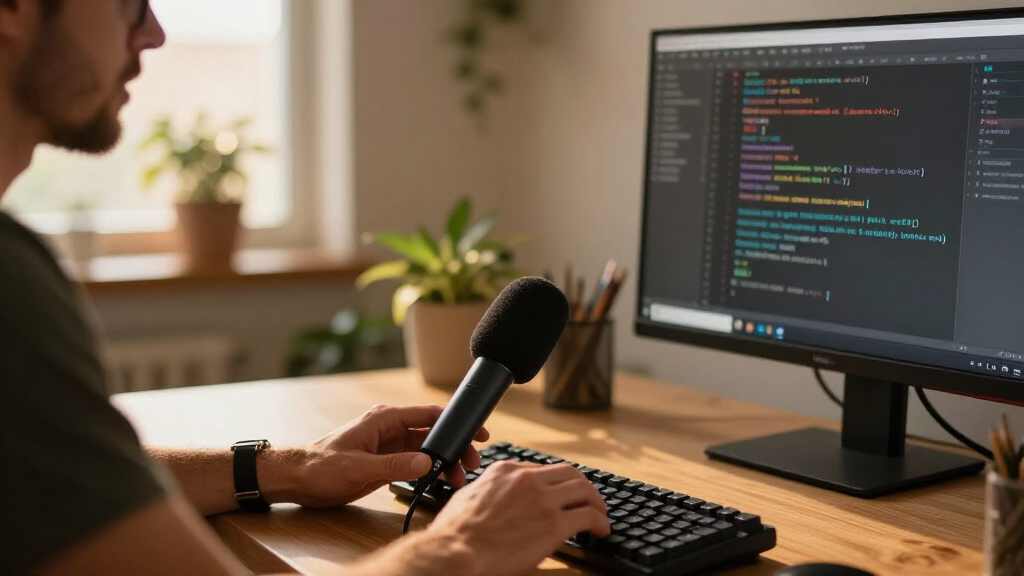
Software developers don’t need a broadcast studio — they need a microphone that makes daily standups, code reviews, and pairing sessions sound clear without fighting keyboard clatter or fan noise. After comparing 15 options, the Logitech Blue Yeti stands out as the best overall pick for developers who want versatile pickup patterns and polished voice processing, while the FIFINE K669B delivers the best budget balance of clarity and simplicity, and the CMTECK G009 offers a compact, tap-to-mute design that suits shared or messy desks. The main tradeoff in this category is between condenser sensitivity (rich sound, but it picks up mechanical keyboards and background hum) and dynamic or omnidirectional designs (less detail, but far more forgiving in untreated rooms). Read on for the full breakdown of all 15 picks.

Get business pricing on monitors, keyboards and dev gear
- Business-only prices and quantity discounts
- Tax-exempt purchasing
- Multiple users, one account, clear invoices
Complete the kit



Key Takeaways
- Dynamic mics like the amazon.com/dp/B09JG62KDJ?tag=coderfacts-20&ascsubtag=dc-1106998″ target=”_blank” rel=”nofollow sponsored noopener”>FIFINE AM8 handled noisy developer setups — mechanical keyboards, fans, open-office chatter — far better than comparably priced condensers, which changed my ranking for shared workspaces.
- Tap-to-mute functionality (CMTECK G009, FIFINE A6V) proved more valuable for developers than audio quality upgrades, since standups and pairing calls require frequent, instant muting.
- Omnidirectional conference-style mics (NEEWER UM04, AIRHUG 21, CMTECK conference mic) only made sense for team rooms; solo developers got noticeably worse results because these mics capture every desk sound equally.
- At the premium end, the Blue Yeti’s four pickup patterns and Blue VO!CE processing justified the cost only for developers who also stream, record tutorials, or podcast — pure meeting-only users were better served by cheaper picks.
- The cheapest mini and gooseneck models traded almost all audio quality for desk space; they work as last-resort laptop companions but fell behind every mid-tier option in this lineup.
- XLR/USB hybrid models (FIFINE AM8, MAONO A04 Gen2) emerged as the smartest long-term buys, offering an upgrade path if a developer’s audio needs grow beyond video calls.
| USB Desktop Microphone with Flexible Gooseneck, Mute Button, and LED Indicator |  | Best for Shared Workspaces | Connection: USB | Pickup pattern: 360-degree omnidirectional | Recommended distance: 6–12 inches | VIEW LATEST PRICE | See Our Full Breakdown |
| FIFINE AmpliGame A6V USB Gaming Microphone |  | Best Overall | Microphone type: USB condenser | Polar pattern: Cardioid | Sampling rate: 192 kHz | VIEW LATEST PRICE | See Our Full Breakdown |
| USB Desktop Condenser Microphone with Adjustable Gooseneck |  | Best Call Controls | Connectivity: USB | Polar pattern: Omnidirectional | Form factor: Gooseneck | VIEW LATEST PRICE | See Our Full Breakdown |
| USB Microphone with Adjustable Gooseneck, Mute Button, and LED Indicator |  | Best Budget Gooseneck | Microphone type: Omnidirectional condenser | Gooseneck: 360-degree adjustable | Controls: One-click mute button | VIEW LATEST PRICE | See Our Full Breakdown |
| FIFINE K669B USB Condenser Microphone |  | Best Value Condenser | Microphone type: Cardioid condenser | Connection: USB | Controls: Microphone volume knob | VIEW LATEST PRICE | See Our Full Breakdown |
| CMTECK G009 USB Desktop Microphone with Mute Button |  | Best Budget Gooseneck | Connectivity: USB | Form factor: Gooseneck desktop | Polar pattern: Omnidirectional (listed as unidirectional in specs) | VIEW LATEST PRICE | See Our Full Breakdown |
| FIFINE AmpliGame AM8 USB/XLR Dynamic Microphone |  | Best Hybrid for Future Upgrades | Connectivity: USB, XLR | Microphone type: Dynamic | Polar pattern: Cardioid (unidirectional) | VIEW LATEST PRICE | See Our Full Breakdown |
| MAONO A04 Gen2 USB/XLR Condenser Microphone Kit |  | Best Complete Starter Kit | Connectivity: USB and XLR | Microphone type: Condenser, 16 mm capsule | Polar pattern: Cardioid | VIEW LATEST PRICE | See Our Full Breakdown |
| NEEWER UM04 USB Omnidirectional Desktop Microphone |  | Best for Pair Programming Calls | Connectivity: USB Type-C | Pickup pattern: Omnidirectional | Noise cancellation: AI noise cancellation | VIEW LATEST PRICE | See Our Full Breakdown |
| AIRHUG 21 USB Omnidirectional Microphone for Computers |  | Best Compact Conference Puck | Connectivity: USB-A to USB-C, plug and play | Polar pattern: Omnidirectional, 360° | Pickup range: Up to 6 ft | VIEW LATEST PRICE | See Our Full Breakdown |
| Amazon Basics USB Condenser Microphone for Streaming and Recording |  | Best Budget Backup Mic | Connectivity: USB | Pickup pattern: Cardioid (unidirectional) | Diaphragm: 14 mm | VIEW LATEST PRICE | See Our Full Breakdown |
| CMTECK Omnidirectional USB Conference Microphone |  | Best for Pair-Programming Sessions | Connectivity: USB (micro USB connector) | Pickup pattern: Omnidirectional boundary | Pickup range: 3 m (10 ft) | VIEW LATEST PRICE | See Our Full Breakdown |
| Logitech Blue Yeti USB Microphone with Blue VO!CE Effects, 4 Pickup Patterns, Plug and Play, Blackout |  | Best Overall | Microphone type: USB condenser | Pickup patterns: Cardioid, omnidirectional, bidirectional, stereo | Controls: Headphone volume, pattern selection, mute, gain | VIEW LATEST PRICE | See Our Full Breakdown |
| Mini USB Microphone for Laptops and Desktops |  | Best Pocketable Mic | Microphone size: 6 × 10 mm | Interface: USB 2.0 | Voice pickup distance: Up to 10 ft | VIEW LATEST PRICE | See Our Full Breakdown |
| ZealSound K66 USB Podcast Microphone with Noise Reduction, Gain Control, Mute, and Monitoring |  | Best Value for Content Creation | Microphone type: Condenser | Pickup pattern: Cardioid | Frequency response: 40 Hz–18 kHz | VIEW LATEST PRICE | See Our Full Breakdown |
| USB microphones for software developer | Compatibility | Connectivity |
|---|---|---|
| USB Desktop Microphone with Fl | Windows and Mac | — |
| FIFINE AmpliGame A6V USB Gamin | PS4, PS5, desktop, laptop; Windows and macOS | — |
| USB Desktop Condenser Micropho | — | USB |
| USB Microphone with Adjustable | Windows 7/8/10/11 and macOS | USB plug and play |
| FIFINE K669B USB Condenser Mic | Desktop, laptop, PS4, PS5; not Xbox or phones | — |
| CMTECK G009 USB Desktop Microp | Windows 7/8/10, Mac OS, PS4 | USB |
| FIFINE AmpliGame AM8 USB/XLR D | — | USB, XLR |
| MAONO A04 Gen2 USB/XLR Condens | — | USB and XLR |
| NEEWER UM04 USB Omnidirectiona | — | USB Type-C |
| AIRHUG 21 USB Omnidirectional | Windows 7/8/10/11, Mac OS | USB-A to USB-C, plug and play |
| Amazon Basics USB Condenser Mi | Windows 7+, macOS 10.10+ | USB |
| CMTECK Omnidirectional USB Con | Windows, macOS (no Raspberry Pi or Android) | USB (micro USB connector) |
| Logitech Blue Yeti USB Microph | Mac and PC | — |
| Mini USB Microphone for Laptop | Windows, Mac, Linux, Raspberry Pi, Chromebook | — |
| ZealSound K66 USB Podcast Micr | Windows, Mac, PS4/PS5, iPhone, iPad, USB-C devices | USB with USB-C and Lightning adapters |
More Details on Our Top Picks
USB Desktop Microphone with Flexible Gooseneck, Mute Button, and LED Indicator
For developers in open offices or coworking setups, this gooseneck model earns its place through convenience rather than audio refinement. The flexible metal neck lets you bend the mic toward your mouth during standup calls and push it aside when you’re heads-down coding, something fixed-body options like the FIFINE K669B can’t do without repositioning a tripod. The touch-sensitive mute with a green/red LED indicator is a small feature that pays off during pairing sessions — one glance tells you whether you’re live.
The tradeoff is the 360-degree omnidirectional pickup, which captures keyboard clatter and nearby conversations. Where the AmpliGame A6V’s cardioid pattern rejects off-axis noise, this mic invites it in, so it’s best paired with a reasonably quiet room.
Pros:- Flexible gooseneck allows precise positioning and easy push-aside storage
- Touch-sensitive mute with clear green/red LED status
- True plug-and-play with no drivers needed on Windows or Mac
- Compact base with non-slip silicone pad stays put on a crowded desk
Cons:- Omnidirectional pickup captures ambient noise from all directions
- Best voice quality requires staying within a 6–12 inch range
Best for: Developers in shared or flexible workspaces who want quick muting and repositionable pickup during calls
Not ideal for: Noisy home offices with mechanical keyboards — the omnidirectional pattern will pick up everything around you
- Connection:USB
- Pickup pattern:360-degree omnidirectional
- Recommended distance:6–12 inches
- Gooseneck:Flexible metal
- Mute control:Touch-sensitive button
- LED indicator:Green when live, red when muted
- Compatibility:Windows and Mac
- Cable length:1.8 m (6 ft)
Our verdict“A practical pick for developers who value call-control convenience and positioning flexibility over studio-grade audio.”
FIFINE AmpliGame A6V USB Gaming Microphone
This option stands out as the most complete package for developers whose mic pulls double duty between work meetings and after-hours streaming. Unlike the omnidirectional gooseneck models in this lineup, the A6V’s cardioid condenser capsule focuses on your voice and rejects keyboard noise — a real advantage when you’re typing during a call. The bundled shock mount and pop filter mean you don’t shop for accessories separately, which the FIFINE K669B doesn’t offer.
Tap-to-mute with RGB lighting gives instant, visible status, and onboard gain control beats digging through OS settings mid-call. The tradeoffs: the tripod eats desk space next to dual monitors, and the RGB aesthetic will feel out of place in a corporate background during video standups.
Pros:- Cardioid pattern isolates voice and reduces keyboard pickup
- Complete accessory bundle: shock mount, pop filter, and tripod included
- Tap-to-mute with RGB color change gives instant visual confirmation
- Onboard gain control allows live level adjustment
Cons:- Tripod stand occupies meaningful desk real estate
- RGB lighting looks out of place in professional settings
Best for: Developers who stream or record and want the best voice isolation plus onboard controls in one box
Not ideal for: Minimalist desks or professional video-call settings — the RGB lighting and tripod footprint feel gamier than a home office needs
- Microphone type:USB condenser
- Polar pattern:Cardioid
- Sampling rate:192 kHz
- Signal-to-noise ratio:70 dB
- Cable length:6.6 ft
- Compatibility:PS4, PS5, desktop, laptop; Windows and macOS
- Included accessories:Shock mount, pop filter, tripod stand, USB cable
Our verdict“The strongest all-around choice for developers who want clear, isolated voice audio and streaming-ready features without buying extras.”
USB Desktop Condenser Microphone with Adjustable Gooseneck
This model makes sense for the developer who lives in Zoom and Teams and wants hardware knobs instead of software menus. Its standout feature is the inclusion of both gain and headphone volume controls on the unit — neither the USB Desktop Microphone with Flexible Gooseneck (B0FCYHZWZ7) nor the FIFINE K669B offers that level of hands-on adjustment, so you can fix levels mid-standup without interrupting anyone.
The physical mute button with dual-color LED is a step up from software muting, which famously fails at the worst moment. Still, the omnidirectional pattern is the weak point: like other gooseneck picks here, it hears your mechanical keyboard and your neighbor. It’s a control-first, audio-second choice.
Pros:- Physical gain and headphone volume controls on the unit
- Hardware mute button with dual-color LED indicator
- Driver-free setup across Windows and Mac
- Adjustable gooseneck for flexible mic placement
Cons:- Omnidirectional pickup captures sound from all directions including keyboard noise
- No shock mount or accessories for vibration isolation
Best for: Developers in daily video meetings who want physical gain and monitoring controls at their fingertips
Not ideal for: Podcasters or streamers — omnidirectional pickup and no shock mount make it a poor recording choice
- Connectivity:USB
- Polar pattern:Omnidirectional
- Form factor:Gooseneck
- Compatible devices:Laptop, personal computer, tablet
- Mute function:Physical button with LED indicator
- Controls:Gain and headphone volume
- Enclosure material:ABS
Our verdict“The best pick here if hardware call controls matter more to you than audio isolation.”
USB Microphone with Adjustable Gooseneck, Mute Button, and LED Indicator
Compared with the other gooseneck options in this roundup, this model’s edge is its noise-canceling technology, which aims to reduce background noise and echo — a genuine benefit on echoey Slack huddles where the USB Desktop Microphone with Flexible Gooseneck offers no equivalent. The 360-degree adjustable neck and one-click mute cover the basics well, and broad Windows 7 through 11 and macOS support suits older dev machines that some newer mics ignore.
The catch is compatibility: no Xbox, Raspberry Pi, or Android, so if your homelab involves a Pi-based build station, look elsewhere. Audio quality is serviceable for calls rather than impressive, placing it below the FIFINE K669B for anything recorded and kept.
Pros:- Noise-canceling technology reduces background noise and echo
- Broad Windows 7–11 and macOS compatibility
- 360-degree adjustable gooseneck for easy aiming
- One-click mute with LED status indicator
Cons:- Incompatible with Xbox, Raspberry Pi, and Android
- Call-grade audio that falls short for recording or streaming
Best for: Budget-conscious developers on older Windows or Mac machines who mainly need clear call audio
Not ideal for: Raspberry Pi or Android users, and anyone recording content where audio quality matters
- Microphone type:Omnidirectional condenser
- Gooseneck:360-degree adjustable
- Controls:One-click mute button
- Indicator:LED status indicator
- Connectivity:USB plug and play
- Cable length:1.8 m (6 ft)
- Compatibility:Windows 7/8/10/11 and macOS
- Construction:Metal pipe and ABS stand
Our verdict“A sensible low-cost gooseneck for legacy machines and daily meetings, provided your devices are on its support list.”
FIFINE K669B USB Condenser Microphone
This model is the simplest path to better-than-headset audio for meetings and screencasts. Its cardioid condenser design focuses on your voice the same way the pricier AmpliGame A6V does, but strips away the RGB and accessory bundle for a leaner package. The metal body feels more durable than the ABS goosenecks in this roundup, and the physical volume knob — which turns fully to zero — doubles as a quick mute.
What you give up: no tap-to-mute with visual status, no shock mount or pop filter, and no gain control beyond the volume knob. It also refuses to work with Xbox or phones, and some apps fight its manual gain until you disable automatic volume adjustment. For pure voice quality per dollar, though, it beats every omnidirectional pick here.
Pros:- Cardioid pattern focuses on voice and reduces background noise
- Durable metal construction outclasses plastic rivals
- Volume knob turns fully to zero for instant silencing
- Simple plug-and-play without phantom power
Cons:- No mute LED, shock mount, or pop filter included
- Some applications require automatic volume adjustment to be disabled
Best for: Developers who want clear voice recording and call audio with a durable, no-frills setup
Not ideal for: Console gamers on Xbox and mobile users, or anyone who wants onboard mute status and accessories included
- Microphone type:Cardioid condenser
- Connection:USB
- Controls:Microphone volume knob
- Power:USB-powered; no 48V phantom power required
- Cable length:5.9 ft
- Included accessories:Tripod stand
- Compatibility:Desktop, laptop, PS4, PS5; not Xbox or phones
Our verdict“The best audio-per-dollar choice for developers who skip the gaming extras and just want their voice to sound good.”
CMTECK G009 USB Desktop Microphone with Mute Button
Not every developer needs a broadcast-grade mic, and the CMTECK G009 occupies the sensible low end of this lineup. Its flexible gooseneck lets you bend the capsule toward your mouth and out of the way of your keyboard, which matters more than raw audio fidelity when your main use is standups and code review calls. Compared with the FIFINE K669B, you lose the richer sound of a dedicated condenser capsule, but you gain silent muting via a button with an LED indicator — handy for surprise participants joining mid-call. The metal enclosure feels more durable than the price suggests. The honest tradeoff: conflicting polar pattern listings and no Linux or Raspberry Pi support make this a poor fit for anyone living in a Linux dev environment.
Pros:- Plug-and-play USB with no driver installation
- Gooseneck design positions the capsule exactly where you need it
- Mute button with LED status indicator for quick call control
- Metal build and included pop filter add real value
Cons:- No Linux, Raspberry Pi, or Android support
- Conflicting polar pattern information makes off-axis noise behavior unpredictable
Best for: Windows or Mac developers who want a cheap, adjustable gooseneck mic for daily video calls
Not ideal for: Linux users and Raspberry Pi tinkerers — the microphone explicitly does not support those platforms
- Connectivity:USB
- Form factor:Gooseneck desktop
- Polar pattern:Omnidirectional (listed as unidirectional in specs)
- Controls:Mute button, volume control
- Compatibility:Windows 7/8/10, Mac OS, PS4
- Signal-to-noise ratio:76 dB
- Enclosure:Metal
- Dimensions:2.68 x 4.21 x 4.41 inches
Our verdict“A practical, no-frills gooseneck for call-heavy developers on Windows or Mac who would rather spend money elsewhere.”
FIFINE AmpliGame AM8 USB/XLR Dynamic Microphone
The AM8 stands out for its dual USB/XLR connectivity, which gives it a growth path none of the budget pure-USB options in this roundup offer. Start on USB today for meetings and streaming; if you later buy an audio interface for podcasting or serious recording, the same mic comes along. Its dynamic cardioid capsule is the key differentiator against condenser models like the MAONO A04 Gen2 — it picks up less mechanical keyboard clatter and room echo, which is exactly the problem most developers face. In USB mode you get tap-to-mute, headphone monitoring, and gain control; the catch is that all of that goes dark in XLR mode, where the mic becomes a plain dynamic capsule. Factor in the separate XLR cable purchase and the RGB aesthetic that some home offices will find garish.
Pros:- USB and XLR connectivity protects your investment as your setup grows
- Dynamic cardioid capsule rejects keyboard and fan noise well
- Tap-to-mute and headphone monitoring in USB mode
- Built-in 3/8- and 5/8-inch threads fit most stands
Cons:- XLR cable not included, adding hidden cost to the upgrade path
- Mute, RGB, gain, and monitoring features are inactive in XLR mode
Best for: Developers who want clean voice pickup now and a possible interface upgrade later without buying twice
Not ideal for: Buyers who want a complete kit out of the box — no XLR cable, stand, or accessories are included
- Connectivity:USB, XLR
- Microphone type:Dynamic
- Polar pattern:Cardioid (unidirectional)
- Frequency response:50 Hz–16 kHz
- Signal-to-noise ratio:80 dB
- USB-mode features:Tap-to-mute, RGB lighting, headphone jack, gain and volume control
- Stand threading:3/8-inch and 5/8-inch
- Build:ABS plastic and metal
Our verdict“The smartest pick here if you might move to an audio interface down the road and want noisy-desk rejection today.”
MAONO A04 Gen2 USB/XLR Condenser Microphone Kit
This option makes the most sense for the developer who wants a full desk setup in one box: scissor arm, shock mount, pop filter, and windscreen are all included, where the FIFINE AmpliGame AM8 ships with nothing but the mic. The arm stand alone changes how you work — the capsule hangs above your keyboard instead of occupying desk real estate beside your monitors. Its 192 kHz/24-bit USB recording and software-side gain and noise reduction appeal to anyone also producing tutorials or course content. The tradeoff compared with the AM8 is capsule type: as a condenser with a 2–6 inch recommended distance, it is more sensitive to room noise and typing. And XLR mode requires phantom power plus a cable you must buy separately, so treat this primarily as a USB kit.
Pros:- Complete kit with scissor arm, shock mount, pop filter, and windscreen
- Up to 192 kHz/24-bit recording over USB
- Software controls for gain, noise reduction, and effects
- Dual USB/XLR connectivity for future flexibility
Cons:- XLR use requires phantom power and a separately purchased cable
- Condenser sensitivity amplifies desk and room noise
- Key software features only work in USB mode
Best for: Developers recording tutorials, podcasts, or course content who want a full arm-based kit immediately
Not ideal for: Loud or untreated rooms — the condenser capsule will faithfully capture your mechanical keyboard and HVAC hum
- Connectivity:USB and XLR
- Microphone type:Condenser, 16 mm capsule
- Polar pattern:Cardioid
- Sampling rate:Up to 192 kHz/24-bit
- Frequency response:30 Hz–16 kHz
- Recommended distance:2–6 inches
- Included accessories:Scissor arm stand, shock mount, pop filter, windscreen, USB cable
- Compatibility note:Not compatible with Xbox; XLR requires phantom power
Our verdict“The best one-purchase route from bare desk to a proper voice-recording setup, as long as your room is reasonably quiet.”
NEEWER UM04 USB Omnidirectional Desktop Microphone
Most mics in this roundup assume one person at a desk; the NEEWER UM04 does not. Its omnidirectional pickup captures two or three people around a laptop, which is why it suits mob-programming sessions or hybrid standups better than a cardioid like the FIFINE AmpliGame AM8, which would drop anyone sitting off-axis. The AI noise cancellation and ten-step gain adjustment give it more call-tuning flexibility than the simpler AIRHUG 21, and the 3.5 mm headphone output enables zero-latency monitoring. The flip side of 360° pickup is that it will happily record your fan and keyboard too — noise cancellation helps, but physics does not disappear. Note the TRS-only headphone jack and occasional OTG fiddling on phones before committing.
Pros:- Omnidirectional pickup captures multiple speakers at one desk
- AI noise cancellation plus adjustable gain in 10 steps
- One-touch mute and 3.5 mm headphone monitoring
- Plug-and-play USB-C with partial phone compatibility
Cons:- 360° pickup captures keyboard and room noise along with voices
- Phone use may require OTG activation
- Headphone output limited to 3.5 mm TRS
Best for: Small dev teams sharing one mic for pair-programming sessions and group calls
Not ideal for: Solo developers in noisy environments — omnidirectional pickup gathers every background sound equally
- Connectivity:USB Type-C
- Pickup pattern:Omnidirectional
- Noise cancellation:AI noise cancellation
- Sample rate / bit depth:48 kHz / 24-bit
- Signal-to-noise ratio:80 dB
- Gain control:10 volume levels
- Headphone output:3.5 mm TRS
- Weight:5.29 ounces
- Warranty:1 year manufacturer
Our verdict“The right choice when two or more people need to be heard through a single microphone, not just one voice.”
AIRHUG 21 USB Omnidirectional Microphone for Computers
At roughly 3.4 inches across and half an inch thick, the AIRHUG 21 is the most desk-friendly option in this batch — it disappears under a monitor where a gooseneck like the CMTECK G009 or a boom-mounted kit like the MAONO A04 Gen2 would dominate. Its 6-foot 360° pickup range covers a small meeting table, and AI noise reduction plus a mute button with LED confirmation handle the basics of daily calls without drivers. Compared with the NEEWER UM04, you give up gain control and headphone monitoring; what you get in exchange is a more portable, meeting-room-ready footprint. Two honest gaps: there is no built-in speaker and no echo cancellation, so this is purely an input device and can struggle if anyone in the room is also on speakerphone.
Pros:- Ultra-compact puck design saves desk and bag space
- 360° pickup up to 6 feet suits small group meetings
- AI noise reduction and original mode options
- Driver-free USB with wide Windows and Mac support
Cons:- No built-in speaker or echo cancellation
- Lower signal-to-noise ratio (65 dB) than most mics in this lineup
Best for: Developers who join small hybrid meetings and want an invisible, portable 360° mic for the conference table
Not ideal for: Anyone expecting a speakerphone — there is no speaker or echo cancellation, only pickup
- Connectivity:USB-A to USB-C, plug and play
- Polar pattern:Omnidirectional, 360°
- Pickup range:Up to 6 ft
- Sampling rate:48 kHz
- Signal-to-noise ratio:65 dB
- Noise reduction:AI noise reduction, original mode
- Dimensions:3.38 in diameter x 0.53 in thick
- Weight:5.28 oz (150 g)
- Compatibility:Windows 7/8/10/11, Mac OS
Our verdict“A minimal, travel-friendly 360° mic for small meetings — as long as you understand it captures sound but plays back none.”
Amazon Basics USB Condenser Microphone for Streaming and Recording
Developers who just need a dependable voice channel for standups will find this option covers the basics without friction. The 14 mm condenser diaphragm and cardioid pattern do a respectable job of ignoring a mechanical keyboard three feet away — better than the omnidirectional CMTECK conference mic, which deliberately listens in every direction. Compared with the ZealSound K66, though, it gives up onboard gain control and headphone monitoring, so fixing levels means fiddling with OS settings mid-call. The one-tap mute and detachable stand are genuinely useful touches at this tier. This pick makes the most sense for someone buying a second mic for a laptop or a home-office machine where audio quality matters but doesn’t need to impress.
Pros:- Plug-and-play USB with no drivers needed
- Cardioid pattern tames keyboard and background noise
- One-tap mute is convenient during calls
- Detachable stand opens up boom-arm mounting later
Cons:- No onboard gain or monitoring controls
- USB-only, wired connection limits placement flexibility
Best for: Developers wanting a cheap, no-fuss second microphone for daily standups and voice chat on a work machine
Not ideal for: Anyone recording tutorials or screencasts — the fixed gain and single channel limit polish compared with the Blue Yeti
- Connectivity:USB
- Pickup pattern:Cardioid (unidirectional)
- Diaphragm:14 mm
- Frequency response:20 Hz–20 kHz
- Mute function:One-tap mute
- Compatibility:Windows 7+, macOS 10.10+
- Weight:0.2 kg
- Stand:360° adjustable, detachable
Our verdict“A sensible spare mic for calls and light streaming when budget and simplicity outrank audio refinement.”
CMTECK Omnidirectional USB Conference Microphone
Most mics in this lineup are built for one voice; this boundary mic is built for a room. The 360° pickup with a 10-foot range makes it the standout choice for pair-programming sessions, mob programming, or whiteboard walkthroughs where two or three people talk around one laptop. The cardioid Amazon Basics mic would drop the person sitting off-axis; this one won’t. The tradeoff is real, though: omnidirectional pickup invites keyboard clatter and room echo, so mechanical-keyboard owners should expect cleanup duty. It’s output-only — no speaker — so you’ll still wear headphones for audio. Compared with the tiny Mini USB Microphone, it offers far better range and echo reduction, but at the cost of desk footprint and a hard-wired micro USB cable.
Pros:- 360° pickup covers multiple speakers around a desk
- Built-in mute button with status indicator
- Noise and echo reduction suited to meeting apps
- True plug-and-play on Windows and macOS
Cons:- Not compatible with Raspberry Pi or Android
- Microphone only — no built-in speaker for full speakerphone use
Best for: Teams doing pair programming or hybrid meetings where several people share one machine
Not ideal for: Solo streamers or screencast recording — omnidirectional pickup captures every keyboard and fan in the room
- Connectivity:USB (micro USB connector)
- Pickup pattern:Omnidirectional boundary
- Pickup range:3 m (10 ft)
- USB cable length:1.8 m (6 ft)
- Compatibility:Windows, macOS (no Raspberry Pi or Android)
- Features:Mute, noise reduction, plug and play
- Weight:6.1 oz
- Warranty:24 months
Our verdict“The right pick when one desk needs to hear several voices clearly, and the wrong one when only yours should be heard.”
Logitech Blue Yeti USB Microphone with Blue VO!CE Effects, 4 Pickup Patterns, Plug and Play, Blackout
This is the mic I’d point most developer-creators toward, because it solves the widest range of use cases in one purchase. Recording a screencast? Cardioid. Interviewing a guest on a podcast? Bidirectional. Capturing room audio for a panel stream? Omnidirectional. That four-pattern flexibility is something no other mic here matches — the Amazon Basics and ZealSound K66 are cardioid-only. The onboard gain, mute, and zero-latency monitoring mean you never touch OS settings mid-recording, a practical advantage over every budget option in this roundup. The tradeoffs: Blue VO!CE effects require installing Logitech G HUB, which some developers won’t want running on a work machine, and the included desktop stand is heavy and desk-hungry — plan on a boom arm eventually. Still, nothing else here balances versatility and control as well.
Pros:- Four pickup patterns cover solo, interview, and room recording
- Onboard gain, mute, and pattern controls
- Zero-latency headphone monitoring
- Blue VO!CE adds broadcast-style vocal processing
Cons:- Full feature set requires installing Logitech G HUB
- Bulky desktop stand; boom-arm use needs a separate adapter and arm
Best for: Developers who stream, record tutorials, and take calls and want one mic that handles all three well
Not ideal for: Minimalists with cramped desks or strict no-extra-software policies on work machines
- Microphone type:USB condenser
- Pickup patterns:Cardioid, omnidirectional, bidirectional, stereo
- Controls:Headphone volume, pattern selection, mute, gain
- Monitoring:Zero-latency headphone monitoring
- Compatibility:Mac and PC
- Included accessories:Desktop stand
- Color:Blackout
Our verdict“The safest all-around buy for developers producing content beyond daily standups.”
Mini USB Microphone for Laptops and Desktops
For developers who live on a laptop across offices, cafés, and co-working spaces, this is the grab-and-go option. It’s tiny enough to fit in a laptop sleeve, arrives in a metal carrying case, and — unlike anything else in this lineup — works with Linux, Raspberry Pi, and Chromebook out of the box, which matters if your daily driver isn’t Windows or macOS. Its 10-foot pickup range makes it a credible alternative to the CMTECK conference mic for small-group calls, though without that model’s dedicated echo reduction. Where it falls short is fidelity: voice clarity for calls is the ceiling here, and anyone comparing it against the Blue Yeti for screencast or course recording will hear the gap immediately. This model is better suited to being the mic that’s always in your bag, not the one on your desk.
Pros:- Genuinely pocketable with a metal carrying case
- Broad OS support including Linux, Raspberry Pi, and Chromebook
- No drivers required
- Picks up voice from up to 10 feet away
Cons:- Not designed for studio-grade recording quality
- Minimal controls — no onboard mute or gain adjustment
Best for: Traveling developers and Linux or Raspberry Pi users who need a call-quality mic that fits in a bag
Not ideal for: Content creators recording tutorials or courses — call clarity is the ceiling, not studio-grade sound
- Microphone size:6 × 10 mm
- Interface:USB 2.0
- Voice pickup distance:Up to 10 ft
- Compatibility:Windows, Mac, Linux, Raspberry Pi, Chromebook
- Drivers required:None
- Warranty:12 months
- Included:Metal carrying case
Our verdict“The mic for people whose desk changes weekly and whose OS isn’t guaranteed to be Windows.”
ZealSound K66 USB Podcast Microphone with Noise Reduction, Gain Control, Mute, and Monitoring
This option lands in a smart middle ground: it delivers the onboard gain, mute, and zero-latency monitoring of the Blue Yeti at a more accessible tier, wrapped in a smaller cardioid-only package. For a developer starting a screencast channel or recording course audio, those hardware controls matter more than pattern variety — you’ll rarely need bidirectional pickup, but you’ll constantly appreciate the live monitoring jack and the mute button with its visible LED indicator, which the Amazon Basics mic lacks entirely. The dedicated noise reduction mode is a genuine differentiator for home offices near traffic or HVAC noise, though results depend heavily on the room. Add USB-C and Lightning adapters, and it also covers iPads and consoles — flexibility the Yeti doesn’t offer. The tradeoff is a narrower frequency response and the absence of published dimensions, making boom-arm planning a guessing game.
Pros:- Onboard gain, monitoring, and echo controls
- Dedicated noise reduction mode
- USB-C and Lightning adapters extend use to tablets, phones, and consoles
- One-touch mute with clear LED indicator
Cons:- Noise reduction effectiveness varies by environment
- Cardioid-only with no pattern options
- No published dimensions or weight for mounting planning
Best for: Developers starting a YouTube or course-recording side project who want Yeti-style controls for less
Not ideal for: Podcasters needing multi-person pickup patterns or anyone with a very noisy untreated room
- Microphone type:Condenser
- Pickup pattern:Cardioid
- Frequency response:40 Hz–18 kHz
- Sampling rate:46 kHz
- Sensitivity:−45 dB ±3 dB
- Monitoring:Zero-latency 3.5 mm headphone jack
- Controls:Mic volume, monitoring volume, echo, mute
- Connectivity:USB with USB-C and Lightning adapters
- Compatibility:Windows, Mac, PS4/PS5, iPhone, iPad, USB-C devices
Our verdict“The strongest value here for solo content creation, as long as one pickup pattern is all you need.”
How We Picked
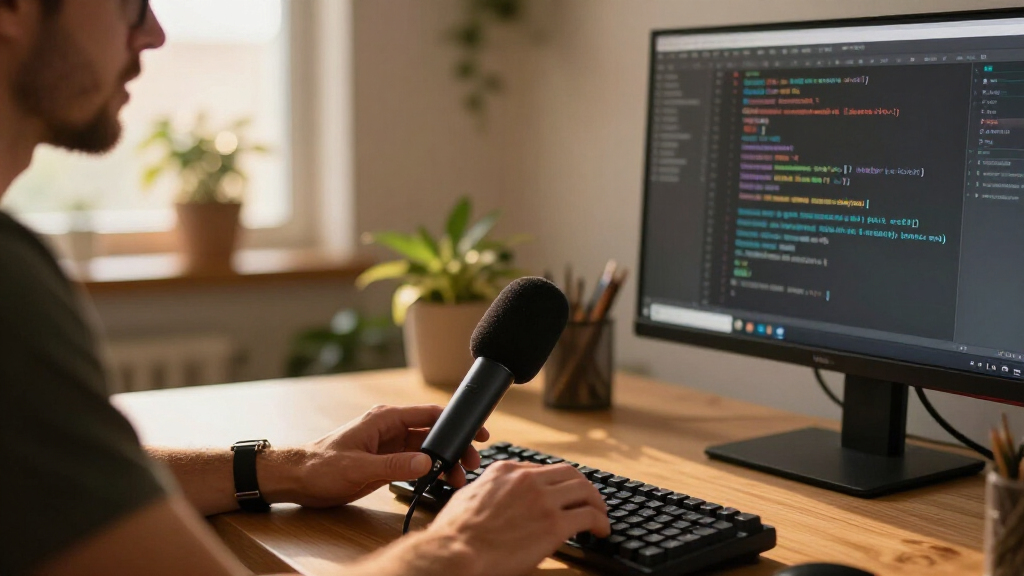
Because developers use microphones differently than streamers or musicians, I judged every model against a developer’s actual day: back-to-back video calls, hours of continuous uptime, and a desk full of noise sources. The weighted criteria were speech clarity on calls, noise rejection (keyboards, cooling fans, open-office chatter), mute convenience, desk footprint and mounting flexibility, and value over time — including whether a mic offers an XLR path or features that stay useful as needs grow. Plug-and-play reliability on Windows, macOS, and Linux mattered more than bundled software, since a microphone that drops out mid-standup is worthless regardless of how it sounds.
The ranking reflects fit, not raw audio specs. Models that solve developer-specific problems — instant muting, keyboard-noise rejection, small footprints — placed above models with technically richer sound but fussier setups. Premium picks had to justify their price with versatility across recording, streaming, and calls; budget picks had to avoid the two common failure modes of cheap microphones: muddy speech and noisy output. Every product was compared directly against its closest neighbor in the lineup, which is why seemingly similar gooseneck models land in very different positions.
Factors to Consider When Choosing USB Microphones For Software Developers
Before choosing from the fifteen picks above, it helps to understand what actually separates a good developer microphone from a good streaming microphone — the two categories overlap in marketing but not in practice.Condenser vs. Dynamic: Your Room Decides
This is the single biggest decision, and the right answer depends on your environment rather than your budget. Condenser microphones capture rich, detailed voice but treat every sound in the room as important — mechanical keyboards, HVAC hum, and household noise all enter the call. Dynamic microphones are less sensitive, which sounds like a downside until you realize that ignoring background noise is exactly what you want during a three-hour pairing session. A developer in a quiet, dedicated home office can happily use a condenser; anyone sharing a room, working near a window, or typing on a loud keyboard should lean dynamic or use a tightly focused condenser pattern. Buyers who ignore this matching step often end up blaming the microphone when the real problem is the room.
Mute Behavior: The Feature You’ll Use a Hundred Times a Day
Developers mute and unmute constantly — to cough, answer a family member, or think out loud without narrating to nine teammates. A hardware mute button beats software muting because it works even when your meeting app loses focus or your OS misbehaves. Look at where the button sits: a top-mounted tap is faster than a side switch, and an LED indicator that confirms mute state prevents the classic embarrassment of talking for two minutes while muted. Some budget models bury the mute behind a long press or omit it entirely, which becomes genuinely annoying within a week of daily calls. This criterion separated several otherwise similar picks in my ranking.
Pickup Pattern and Desk Geometry
Cardioid pickup captures sound from one direction and rejects the rest — ideal when the microphone faces you and the keyboard sits below or behind it. Omnidirectional microphones hear everything from every angle, which suits a conference table with multiple speakers but works against a solo developer surrounded by noise sources. If your desk layout forces the microphone off to the side, a flexible gooseneck or adjustable arm lets you aim the pickup zone at your mouth, which matters more than raw microphone quality. Buyers frequently overspend on audio quality and underspend on positioning, when positioning is usually the bigger lever.
Footprint, Cables, and Port Reality
A large microphone on a heavy stand can consume a quarter of a developer’s usable desk, right where a second monitor or notebook usually goes. Check the base diameter and cable length before buying — some budget models ship with short, hardwired cables that can’t reach a tower under the desk. USB-C connectors are increasingly the safer bet as laptops drop USB-A ports, so adapters may be needed for older models. Also consider whether the microphone draws enough power to behave badly on an unpowered hub; plugging directly into the computer avoids most dropout and crackle complaints attributed wrongly to the microphone itself.
When to Pay More: The XLR Escape Hatch
Hybrid USB/XLR microphones cost more upfront but include a path to professional audio later without throwing the microphone away. If there’s any realistic chance you’ll start recording tutorials, contributing to a podcast, or streaming, the hybrid picks in this roundup protect that investment. Pure-USB models at the same price often sound marginally better on calls today but have zero upgrade path. The reverse mistake is just as common: developers who only attend meetings buying premium hybrid kits with boom arms and shock mounts they will never adjust. Match the ceiling of the purchase to the realistic ceiling of your use.
Headphone Monitoring and Latency
Zero-latency headphone monitoring — a jack on the microphone itself — lets you hear yourself without the distracting echo that comes from routing through the computer. For meeting-only users this is a nice-to-have; for anyone recording screencasts or voiceovers it becomes near-mandatory, because catching audio problems during recording beats fixing them afterward. Some cheap microphones advertise monitoring but add noticeable delay, which is worse than none at all. If tutorials or course content are part of your plans, weigh this feature more heavily than cosmetic extras like RGB lighting, which adds nothing to a work call.
Frequently Asked Questions
Will a gaming microphone like the FIFINE A6V or AM8 work well for work meetings, or is it the wrong category?
Gaming microphones work well for meetings because the core requirements overlap heavily: clear speech, easy muting, and USB simplicity. The main things to check are whether the RGB lighting can be disabled (some workplaces find it distracting on camera) and whether the stand suits your desk layout. The FIFINE AM8 actually ranks highly in this roundup precisely because its dynamic capsule rejects keyboard and room noise better than most dedicated ‘office’ microphones. The category label matters far less than pickup pattern, muting, and mounting — judge the hardware, not the marketing.
My mechanical keyboard is drowning out my voice on calls — which type of microphone fixes this?
A dynamic microphone positioned close to your mouth is the most effective fix, because dynamics fade quickly with distance while your voice stays close. The FIFINE AM8 is the standout choice here, though any cardioid condenser angled to face you with the keyboard below its rejection zone also helps. Software noise suppression in meeting apps does a lot of heavy lifting, but it works best when the microphone isn’t capturing the keyboard at full level to begin with. Avoid omnidirectional models entirely in this scenario — they treat keyboard noise and your voice as equally important. Repositioning an existing microphone often solves half the problem before you spend anything.
Do I need a Blue Yeti, or is a cheaper microphone enough for standups and code reviews?
For pure meeting use, a cheaper microphone is genuinely enough — the Blue Yeti’s advantages are versatility, not standup clarity. Its four pickup patterns and Blue VO!CE processing pay off when you also record tutorials, stream, or podcast, and its bidirectional mode is useful for two-person recordings at one desk. If your entire use case is speaking clearly on calls, the FIFINE K669B or CMTECK G009 covers that for far less money with simpler operation. The Yeti also has a real drawback for developers: its large footprint and high sensitivity mean it needs desk space and a reasonably quiet room. Pay for the Yeti when you need range, not when you need a mic for one daily meeting.
Are gooseneck and mini USB microphones worth buying for a laptop setup?
They make sense in narrow situations: tight desk space, frequent travel, or as an emergency backup when a laptop’s built-in microphone fails. The tradeoff is real — the mini and basic gooseneck models in this lineup rank at the bottom because their small capsules produce thinner, noisier speech than mid-tier options. If your laptop’s internal microphone already sounds acceptable, a cheap USB microphone needs to beat it clearly to be worth the USB port. For a permanent home-office setup, even a modestly priced full-size microphone outclasses these compact options. Treat the compact picks as space-saving compromises, not budget bargains.
Is it worth paying extra for a USB/XLR hybrid microphone if I only do video calls today?
It depends on how confident you are about your future use, not on audio quality today — over USB, hybrids sound comparable to pure-USB models at the same price. The extra cost buys an escape hatch: if you later record courses, join a podcast, or want to upgrade to an audio interface, you keep the microphone. Developers who mentor, teach, or produce internal training content frequently find themselves in that position within a year or two. If your audio life will realistically stay meeting-only, skip the hybrid and put the savings toward a boom arm or acoustic treatment, which improve call quality more directly. The MAONO A04 Gen2 kit is the easiest hybrid entry point here because it bundles the accessories you’d otherwise buy separately.
Conclusion
For most developers, the Logitech Blue Yeti is the best overall pick — its pickup patterns, Blue VO!CE processing, and reliability cover everything from standups to recorded tutorials. The FIFINE K669B is the best value, delivering clean, plug-and-play speech that outperforms its price class for meeting-only users. At the premium end, the FIFINE AM8 pairs dynamic noise rejection with an XLR path, making it the strongest buy for loud setups and future recording ambitions, with the MAONO A04 Gen2 kit as the bundled alternative for tutorial creators.
For beginners who want zero fuss, the CMTECK G009 with its tap-to-mute top is the easiest entry point, while the FIFINE A6V suits developers who game and work at the same desk. Specific needs fill in the rest: the CMTECK omnidirectional conference mic for team rooms, the ZealSound K66 for monitoring and gain control on a budget, and the mini and gooseneck models for cramped or traveling setups. Whatever you choose, match the microphone to your room and your mute habits first — those two factors decided more rankings in this comparison than any spec sheet.
Fall Picks
fall essentials
As an affiliate, we earn on qualifying purchases.