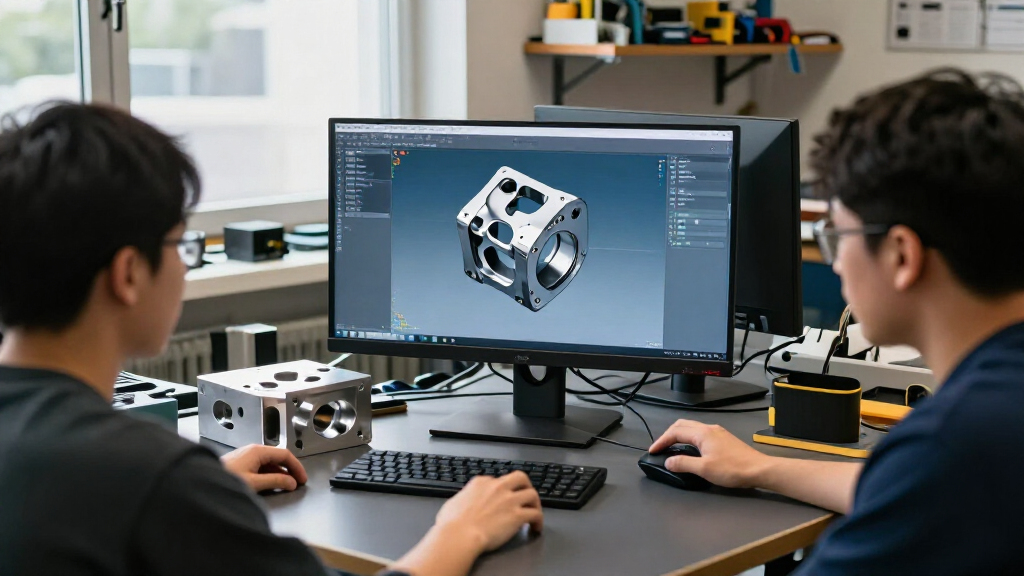

Choosing the best 3D CAD modeling software from these three listings depends less on a single feature checklist than on what you need to design. I rank DesignCAD 3D Max 2020 first for its broader file workflow and practical mix of drafting, modeling, and 3D-print checks. DesignCAD 3D Max Version 17 is the more approachable older option for general-purpose drawing and visualization, while AutoCAD Plant 3D 2022 is the specialist pick for piping and industrial facilities.

Get business pricing on monitors, keyboards and dev gear
- Business-only prices and quantity discounts
- Tax-exempt purchasing
- Multiple users, one account, clear invoices
The main tradeoff is breadth versus specialization: the DesignCAD releases combine 2D and 3D work, but they are Windows-focused and the older version has fewer documented compatibility details. Plant 3D offers purpose-built piping tools, diagram links, and material outputs, yet it is a narrower choice that will not suit ordinary product modeling or hobby projects as well. I compare them by workflow fit, file exchange, modeling scope, and the limitations disclosed in each listing—not by assuming that a newer year label guarantees a better experience.
Key Takeaways
- DesignCAD 3D Max 2020 is my general-purpose pick because it combines 2D drafting and 3D modeling with AutoCAD 2020 and SketchUp workflows plus a 3D-print check.
- DesignCAD 3D Max Version 17 includes rendering, animation, and raster-to-vector conversion, but its age and incomplete listing leave current compatibility uncertain.
- AutoCAD Plant 3D 2022 is the clearest choice for piping layouts, P&ID-linked models, isometrics, and generated material lists—not general creative modeling.
- Both DesignCAD products bundle drafting and visualization, while Plant 3D earns its place through industrial component libraries and documentation outputs.
- Check platform and support details before choosing: Plant 3D is listed for 64-bit Windows 10 or 11, DesignCAD 2020 is Windows-only, and the Version 17 listing offers limited system information.
| DesignCAD 3D Max 2020 (PC Download) |  | Best Overall for General-Purpose Drafting and 3D Modeling | Software type: 2D and 3D CAD | Version: 2020 | Platform: Windows | VIEW LATEST PRICE | See Our Full Breakdown |
| DesignCAD 3D Max Version 17 |  | Best for Accessible 2D-and-3D Work with Raster Conversion | Version: 17 | Model number: 00D3MX17CC | Manufacturer: IMSI Software | VIEW LATEST PRICE | See Our Full Breakdown |
| AutoCAD Plant 3D 2022 Software for Single User |  | Best for Industrial Piping and Facility Modeling | Model: Plant 3D 2022 | License: Single user; described as perpetual | Operating system: Windows 10 or 11, 64-bit | VIEW LATEST PRICE | See Our Full Breakdown |
| 3D CAD modeling software | Version |
|---|---|
| DesignCAD 3D Max 2020 | 2020 |
| DesignCAD 3D Max Version 17 | 17 |
| AutoCAD Plant 3D 2022 Software | — |
More Details on Our Top Picks
DesignCAD 3D Max 2020 (PC Download)
DesignCAD 3D Max 2020 takes my top position because it covers the widest stated set of everyday CAD tasks without being tied to a single industry. It combines precise 2D drawing with 3D modeling, rendering, and animation, then adds compatibility with AutoCAD 2020 and SketchUp 2020 workflows. PDF underlays can help when a project starts from an existing drawing, while a 3D-print check gives hobbyists and makers a practical step between modeling and fabrication.
Compared with DesignCAD 3D Max Version 17, this edition offers more explicit modern-format information: the listing names AutoCAD 2020 and SketchUp import and export, rather than only describing DXF and DWG support. That makes it the safer of the two DesignCAD picks when exchanging files matters. It is still not a universal CAD environment; the product is Windows-only, and the supplied details do not describe current system requirements or establish how well it handles complex professional assemblies.
Against Plant 3D 2022, DesignCAD 2020 is the more versatile choice for mixed projects, but it lacks the industrial specialization described for Plant 3D. It does not claim P&ID-linked plant models, libraries of valves and fittings, or automated material lists. I would choose it for a generalist workflow that spans drawings, visual models, and print preparation—not for facility engineering where structured piping documentation is the core deliverable.
The software’s blend of tools is its main advantage, but buyers should check whether the release fits their computer and their specific exchange needs before relying on it. The listing identifies both 32-bit and 64-bit compatibility, yet gives no detailed hardware requirements. Its download format is convenient compared with the disc-based Plant 3D listing, though delivery format alone says nothing about support or licensing quality. For an all-rounder among these three, DesignCAD 2020 offers the strongest documented balance.
Pros:- Combines 2D drafting and 3D modeling in one application.
- Lists AutoCAD 2020 and SketchUp 2020 import/export support for mixed file workflows.
- Includes rendering, lighting, animation, and PDF underlays.
- A 3D-print check adds a practical step for hobby and fabrication projects.
Cons:- Designed for Windows only.
- The listing does not specify detailed system requirements.
- The documented feature set does not establish specialist piping tools or advanced assembly capabilities.
Best for: Windows users who want one general-purpose package for 2D drafting, 3D modeling, visualization, AutoCAD or SketchUp file exchange, and occasional 3D-print preparation.
Not ideal for: Mac users, plant designers who need P&ID-linked facility workflows, or buyers who require documented system requirements and advanced professional capabilities not described in the listing.
- Software type:2D and 3D CAD
- Version:2020
- Platform:Windows
- Compatibility:64-bit and 32-bit
- File support:AutoCAD 2020 and SketchUp 2020 import and export
- Included tools:Drafting, modeling, rendering, animation, and 3D-print check
- Delivery format:PC download
Our verdict“I recommend DesignCAD 3D Max 2020 as the most balanced general-purpose option here, provided its Windows platform and file workflow match your setup.”
DesignCAD 3D Max Version 17
DesignCAD 3D Max Version 17 is the straightforward choice for buyers who want drafting and modeling together, with visualization tools included rather than treated as a separate workflow. Its feature list covers 2D drafting, 3D modeling, rendering, texture mapping, and animation. The stated support for AutoCAD layouts and multiple DXF and DWG features may be useful when adapting existing technical drawings, while raster-to-vector conversion offers a route from scanned plans to editable CAD geometry.
That scan-conversion feature gives Version 17 a distinct role beside DesignCAD 3D Max 2020. The newer listing spells out AutoCAD 2020 and SketchUp exchange, PDF underlays, and a 3D-print check; Version 17 instead calls attention to raster-to-vector work and configurable lighting for up to eight light sources. If the job begins with scanned drawings or benefits from quick rendering and animation, those stated tools may matter more than newer named file versions. If your priority is clearer compatibility with current project files, I would favor the 2020 edition.
There is a meaningful age-related caveat. The listing identifies Version 17 and a first-available date in 2001, while the product description is incomplete. It does not provide enough information to confirm present-day operating-system support, installation requirements, or the extent of compatibility with newer DWG and DXF files. That makes it difficult to recommend for a business that depends on predictable exchange with current collaborators. I would treat any workflow based on modern file interchange as something to verify before choosing it.
Compared with Plant 3D 2022, this is far more general and less structured around industrial facility documentation. It does not list component libraries or automated plant drawing and material outputs, but those omissions matter only if plant design is the goal. Its appeal is the combination of basic drafting, modeling, rendering, and scan conversion in a single older package. I place it behind DesignCAD 2020 because the documentation is thinner and file compatibility is less clearly specified, not because every older general-purpose workflow is a poor fit.
Pros:- Combines 2D drafting and 3D modeling.
- Includes rendering, texture mapping, animation, and configurable lighting.
- Supports AutoCAD layouts and multiple DXF and DWG features.
- Raster-to-vector conversion can help turn scanned drawings into editable CAD files.
Cons:- The supplied description is incomplete, limiting confidence about the full feature set.
- The older version listing does not provide current operating-system or system-requirement details.
- Its file-format description is less specific than the AutoCAD 2020 and SketchUp support listed for DesignCAD 2020.
Best for: Buyers with an older or scan-based drafting workflow who want one package for 2D drawing, basic 3D modeling, visualization, and raster-to-vector conversion.
Not ideal for: Teams that need confirmed compatibility with current operating systems and file standards, users seeking plant-specific tools, or buyers who need clear support and system documentation.
- Version:17
- Model number:00D3MX17CC
- Manufacturer:IMSI Software
- Supported formats:DXF and DWG features; AutoCAD layouts
- Maximum light sources:8
- Listed package dimensions:9.7 x 7.9 x 2.4 inches
- Listed item weight:4.8 ounces
- Date first available:October 2, 2001
Our verdict“I would choose Version 17 for its scan-conversion and visualization mix only after confirming that its age and file support fit the intended workflow.”
AutoCAD Plant 3D 2022 Software for Single User
AutoCAD Plant 3D 2022 is the specialist in this lineup. Its value is not simply that it creates 3D models; it connects piping and instrumentation diagrams with facility models and supports production of isometric drawings, orthographics, and material lists. Libraries for items such as valves, pumps, and fittings give plant designers a more purpose-built starting point than either DesignCAD release describes. Cloud collaboration is also listed, which may help project participants coordinate work.
This focus makes Plant 3D a better match than DesignCAD 3D Max 2020 when the desired model represents an industrial facility and needs related engineering documentation. DesignCAD 2020 is the broader pick for varied 2D and 3D projects, named AutoCAD and SketchUp exchange, and print preparation. It does not claim Plant 3D’s diagram links or generated piping deliverables. A buyer should not rank Plant 3D lower for a plant-design task simply because it is less suitable as a general modeling application; its narrowness is also the reason it can be the strongest fit for that job.
The tradeoffs are significant for buyers outside that specialty. The listing says the software is for 64-bit Windows 10 or 11, so it does not suit Mac users and should be checked against the target computer. It is described as a single-user perpetual license, but the listing also says no online account or technical support is included. It specifies a disc as the included component, so buyers should verify installation and licensing details with the seller before purchase, particularly if their computer lacks an optical drive or their organization requires vendor support.
Compared with DesignCAD 3D Max Version 17, Plant 3D has a more specialized, engineering-oriented output set rather than a broad mix of drafting, rendering, animation, and scan conversion. The listing does not position it as a beginner-friendly general CAD package, and it does not spell out the same creative visualization functions described for DesignCAD. I place it third for the broad search intent of 3D CAD modeling software, yet first for a buyer whose actual requirement is piping-centric plant design with coordinated drawings and material outputs.
Pros:- Links piping and instrumentation diagrams with 3D facility models.
- Can generate isometric drawings, orthographics, and material lists.
- Includes libraries of valves, pumps, and fittings for plant work.
- Lists cloud collaboration for coordinated project work.
Cons:- Listed for 64-bit Windows 10 or 11 only.
- The listing says online account access and technical support are not included.
- Its industrial focus is a poor fit for general-purpose modeling or hobby projects.
Best for: Plant and piping designers using 64-bit Windows who need linked P&IDs and 3D facility models, industry component libraries, and generated drawing or material deliverables.
Not ideal for: Hobbyists, general product modelers, Mac users, or teams that require included technical support or a workflow unrelated to industrial facilities and piping.
- Model:Plant 3D 2022
- License:Single user; described as perpetual
- Operating system:Windows 10 or 11, 64-bit
- Included component:Disc
- Listed brand:Generic
- Included workflow tools:P&ID links, 3D plant models, isometrics, orthographics, and material lists
- Collaboration:Cloud collaboration listed
- Support detail:Online account and technical support not included, according to listing
Our verdict“I recommend Plant 3D 2022 only for Windows-based industrial design workflows where linked piping models and engineering outputs matter more than broad modeling flexibility.”
How We Picked
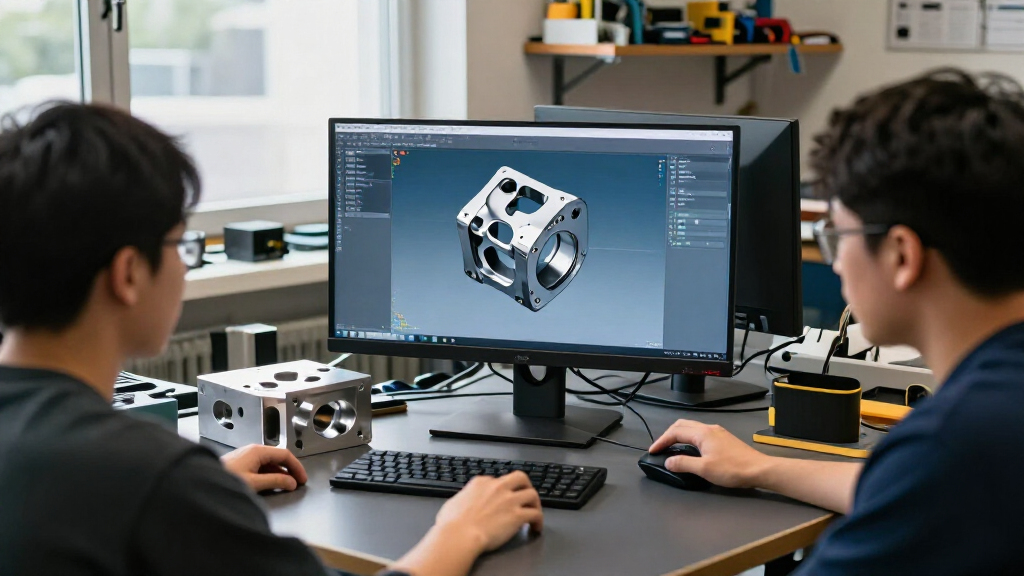
I compared these options as 3D CAD modeling tools, not as interchangeable software packages. The shortlist contains two general-purpose DesignCAD releases and one industrial Plant 3D release, so I gave each a role based on the work its documented features support. My ranking favors a useful balance of 2D drafting, 3D creation, file exchange, and practical downstream tasks. That puts DesignCAD 3D Max 2020 first for the widest stated general workflow, without claiming it has features the product details do not establish.
I also weighed specialization against flexibility. Plant 3D ranks third overall because its strongest capabilities—linking P&IDs to 3D facility models and generating isometric drawings, orthographics, and material lists—are particularly valuable to plant designers, but less relevant to buyers looking for broad modeling software. For that audience, it could be the best match despite its overall position. The two DesignCAD releases are better fits for mixed drafting and modeling; the 2020 edition gets the lead because it explicitly lists AutoCAD 2020 and SketchUp import/export, PDF underlays, and a 3D-print check.
My comparison also accounts for uncertainty and compatibility. The Version 17 description mentions DXF and DWG support, rendering, animation, and raster-to-vector conversion, but the supplied product information is incomplete and dates to an older software generation. The 2020 listing gives more detail, though it does not state system requirements. Plant 3D is listed for 64-bit Windows 10 or 11 and as a single-user perpetual license, but the listing says online account access and technical support are not included. I treat these as disclosed limits, not small-print details to overlook.
Finally, I excluded price, star ratings, and customer-review counts from the ranking. They do not explain whether a CAD workflow suits a buyer. The available descriptions also do not specify depth on advanced parametric modeling, simulation, collaboration administration, or system performance, so I do not make claims about those areas. My recommendations reflect the documented features and stated caveats in the supplied listings; buyers should confirm software authenticity, licensing terms, system requirements, and file compatibility before committing.
Factors to Consider When Choosing Best 3D CAD Modeling Software
To choose among these three, I would start with the work the model must support after the geometry is created. A general-purpose drawing package, a scan-conversion tool, and a plant-design system solve different problems. The best choice is the one whose file exchange, platform, and deliverables match your day-to-day workflow—not the one with the most specialized-sounding name.
Match the software to the kind of model
If you need a mix of plans, basic 3D shapes, rendered views, and occasional animation, DesignCAD 3D Max 2020 has the broadest documented general-purpose mix in this group. Version 17 also combines drafting and modeling, adding raster-to-vector conversion as a useful differentiator for scanned source drawings. Plant 3D belongs in a different category: it is aimed at industrial facilities where piping systems, P&ID relationships, and project documentation matter as much as the model itself. I would not pick it for ordinary hobby modeling simply because it has 3D in the name.
Write down the outputs your project needs before comparing feature lists. A printable model, an editable DWG-based drawing, a visual animation, and a piping isometric are not interchangeable outcomes. If you need the last item, Plant 3D’s listed tools are the clearest match. If you need a flexible combination of 2D drafting and 3D visualization, DesignCAD is more aligned with that brief.
Check file compatibility, not just format names
File exchange can decide whether a CAD package fits a team. DesignCAD 2020 explicitly lists AutoCAD 2020 and SketchUp 2020 import and export, while Version 17 describes support for DXF and DWG features and AutoCAD layouts without specifying comparable version numbers. Plant 3D’s distinctive workflow is its link between P&IDs and the 3D model, alongside generated plant documents. Those are different kinds of compatibility: one concerns exchanging general design files, and the other concerns keeping industrial project information connected.
Before committing, confirm that the exact files you receive or deliver work as expected. A format label alone does not establish that every object, layer, annotation, or model relationship will survive an exchange unchanged. This matters most when several people use different software editions or when a project depends on structured plant data. I would check representative sample files and confirm required outputs with collaborators before moving an active project into a new tool.
Treat platform and system details as part of the decision
The platform information is not equally complete across the listings. Plant 3D is specified for 64-bit Windows 10 or 11. DesignCAD 2020 is listed for Windows and says it supports 32-bit and 64-bit systems, but does not give detailed hardware requirements. Version 17 provides little current system information in the supplied description. These gaps are reasons to verify compatibility, not grounds to assume that an older or newer computer will work.
Also check delivery and installation needs. DesignCAD 2020 is listed as a PC download, Plant 3D includes a disc, and Version 17 is presented as boxed software information. If your computer lacks an optical drive, if your organization restricts downloads, or if you need to install on several machines, those details can affect setup. Confirm the exact license terms and permitted installations with the seller or software provider before purchase.
Choose specialist outputs only when you need them
Plant 3D’s generated isometrics, orthographics, and material lists can make its focused workflow worthwhile for facility design. The component libraries and diagram links serve a purpose beyond making geometry: they support a more structured piping project. If those outputs are not part of your work, they may not compensate for the narrower use case and Windows requirement.
For general modeling, compare the tasks that DesignCAD actually lists: drawing, modeling, rendering, animation, file exchange, and—in the 2020 edition—3D-print checking. Version 17’s raster-to-vector feature can be the deciding point when scanned drawings are a regular input. Neither DesignCAD listing establishes every advanced feature a professional may expect, so buyers needing simulation, complex assemblies, or specialized manufacturing controls should confirm those capabilities separately rather than infer them from the CAD label.
Read license and support descriptions carefully
The Plant 3D listing describes a single-user perpetual license and states that an online account and technical support are not included. Buyers should verify what that means for activation, updates, and future installations before relying on the license for business use. The DesignCAD descriptions supplied here do not give a full comparison of support plans or license administration, so I would not assume those details from the product name or delivery format.
Support needs vary by project. A hobbyist who can tolerate a self-directed setup may accept less included assistance than a team working to a delivery schedule. If you need vendor help, managed updates, or clear multi-user rights, get those terms in writing before purchase. This is especially relevant when the listing gives sparse product details or describes a legacy release whose current support status is not stated.
Use the ranking as a starting point, not a substitute for fit
My overall ranking gives DesignCAD 3D Max 2020 the lead because its listed feature set is the most balanced for general drafting and modeling, and it names useful file workflows. Version 17 follows as a more uncertain older alternative with a distinct scan-conversion advantage. Plant 3D is third for broad 3D CAD intent because it is less versatile across unrelated projects, yet it should jump to first place for a buyer whose main requirement is piping-led facility modeling.
That is why the right decision can differ from the numbered order. Start with your project type, then check platform, file exchange, deliverables, installation, and license details. When two programs seem close, prioritize the feature that removes a real obstacle from your workflow—such as converting scans, checking a model for printing, or producing plant documentation—rather than choosing by feature count alone.
Frequently Asked Questions
Which option is best for general-purpose 3D CAD modeling?
I rank DesignCAD 3D Max 2020 first for general-purpose use among these three because its listing combines drafting, 3D modeling, rendering, animation, AutoCAD and SketchUp file workflows, PDF underlays, and a 3D-print check. It is still Windows-only, and its system requirements are not stated, so confirm those details before choosing it. Plant 3D is more capable for its specialized piping and facility workflow, but that focus makes it less versatile for unrelated modeling projects.
Is AutoCAD Plant 3D 2022 suitable for hobby or product modeling?
It is not my first choice for hobby or general product modeling based on the supplied description. Plant 3D is built around industrial facilities, linked P&IDs, component libraries, and generated plant drawings and material lists. Those tools make it a strong specialist option when the model represents piping and plant infrastructure. For varied drafting, visualization, or 3D-print preparation, DesignCAD 3D Max 2020 is a closer fit among this lineup.
What is the main difference between DesignCAD 3D Max 2020 and Version 17?
The 2020 listing names AutoCAD 2020 and SketchUp 2020 import and export, PDF underlays, and a 3D-print check, giving buyers clearer information about its file workflow. Version 17 lists AutoCAD layout support, DXF and DWG features, rendering, animation, and raster-to-vector conversion. That scan conversion can be useful if projects begin with paper or raster drawings, but Version 17 is much older and its product description is incomplete, so I would verify current compatibility before selecting it.
Will these software options work on a Mac?
The supplied listings describe DesignCAD 3D Max 2020 as Windows software and Plant 3D 2022 as requiring 64-bit Windows 10 or 11. The Version 17 listing does not provide enough current platform detail for me to recommend it for a Mac. Buyers using macOS should not assume compatibility from a product title; confirm supported operating systems and any approved virtualization requirements directly with the software provider or seller before purchasing.
What should I verify before buying one of these CAD products?
Check the precise license terms, supported operating system, computer requirements, delivery method, and file formats needed for your projects. For Plant 3D, confirm how the single-user perpetual license is activated and note the listing’s statement that online account access and technical support are not included. For DesignCAD, test or verify the exact DWG, DXF, SketchUp, or PDF workflow you depend on. Sparse listing details should prompt questions before purchase, especially if the software will support a business project.
Conclusion
For general-purpose drafting and 3D modeling, I recommend DesignCAD 3D Max 2020 first: it has the broadest documented combination of drawing, modeling, file exchange, visualization, and print-check tools. Choose DesignCAD 3D Max Version 17 if raster-to-vector conversion or its older visualization feature set fits your workflow, and only after checking whether its dated, incomplete documentation leaves any compatibility concerns. Pick AutoCAD Plant 3D 2022 if you design industrial facilities and need P&ID-linked piping models with generated engineering outputs; its narrower scope is a benefit for that buyer, not for everyone else.
My ranking is a general buying guide, not a claim that one program wins every CAD task. Match the software to your deliverables, confirm Windows and system compatibility, and verify license and support terms before committing. The strongest choice is the one that fits the drawings and models you actually need to create and exchange.