Choosing the right storage for PostgreSQL requires balancing raw throughput with sustained write endurance, a tradeoff that defines this category. The Samsung 9100 PRO stands out as the best overall pick for its PCIe 5.0 speeds and enterprise-grade reliability, making it ideal for high-concurrency workloads. For those needing proven data center durability in a smaller form factor, the Kingston DC2000B offers exceptional stability, while the Samsung 870 EVO remains a solid choice for legacy systems where SATA is still the standard. This guide breaks down which drive fits your specific database architecture, helping you avoid bottlenecks that slow down query performance.

Get business pricing on monitors, keyboards and dev gear
- Business-only prices and quantity discounts
- Tax-exempt purchasing
- Multiple users, one account, clear invoices
Key Takeaways
- PCIe 5.0 drives like the Samsung 9100 PRO offer headroom for future growth but may exceed the immediate needs of smaller PostgreSQL instances.
- Enterprise-focused drives like the Kingston DC2000B prioritize consistent latency over peak burst speeds, a critical factor for transactional databases.
- SATA-based options like the Samsung 870 EVO are still relevant for budget-constrained environments but hit a hard bandwidth ceiling around 550 MB/s.
- Endurance ratings (TBW) vary widely; consumer-grade drives may wear out faster under heavy write-intensive PostgreSQL logs than enterprise models.
- The SanDisk Optimus 5100 bridges the gap between consumer speed and enterprise endurance, offering a balanced option for mid-tier production servers.
| Samsung 9100 PRO 1TB PCIe 5.0 NVMe M.2 SSD |  | Best Performance for Future-Proof Systems | Storage capacity: 1 TB | Interface: PCIe 5.0 x4 | Sequential read speed: Up to 14,700 MB/s | VIEW LATEST PRICE | See Our Full Breakdown |
| Kingston DC2000B 960GB PCIe 4.0 NVMe M.2 SSD |  | Best for Enterprise Reliability and Data Integrity | Capacity: 960 GB | Interface: PCIe 4.0 x4 NVMe | NAND type: 3D TLC | VIEW LATEST PRICE | See Our Full Breakdown |
| Samsung 870 EVO 2TB SATA III 2.5-Inch Internal SSD |  | Best for Legacy Systems and High-Capacity Storage | Storage Capacity: 2 TB | Interface: SATA III 6 Gb/s | Sequential Read Speed: Up to 560 MB/s | VIEW LATEST PRICE | See Our Full Breakdown |
| SanDisk Optimus 5100 2TB NVMe SSD – PCIe 4.0, M.2 2280 |  | Best Value for High-Capacity Development Environments | Capacity: 2 TB | Interface: PCIe 4.0 x4 | Read Speed: 7,100 MB/s | VIEW LATEST PRICE | See Our Full Breakdown |
| Samsung 990 PRO 2TB PCIe 4.0 M.2 2280 SSD |  | Best Overall for Balanced Performance and Endurance | Storage capacity: 2 TB | Interface: PCIe 4.0 x4 | Sequential read speed: Up to 7,450 MB/s | VIEW LATEST PRICE | See Our Full Breakdown |
| Samsung 990 EVO Plus 2TB NVMe M.2 Internal SSD | 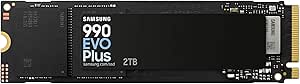 | Best Balanced Performance | Capacity: 2 TB | Interface: PCIe 4.0 x4 / PCIe 5.0 x2 NVMe | Sequential Read: Up to 7,250 MB/s | VIEW LATEST PRICE | See Our Full Breakdown |
| SSDs for PostgreSQL | Interface | Form factor | Storage capacity | Sequential read speed |
|---|---|---|---|---|
| Samsung 9100 PRO 1TB PCIe 5.0 | PCIe 5.0 x4 | M.2 2280 | 1 TB | Up to 14,700 MB/s |
| Kingston DC2000B 960GB PCIe 4. | PCIe 4.0 x4 NVMe | — | — | — |
| Samsung 870 EVO 2TB SATA III 2 | SATA III 6 Gb/s | 2.5 inches | 2 TB | Up to 560 MB/s |
| SanDisk Optimus 5100 2TB NVMe | PCIe 4.0 x4 | M.2 2280 | — | — |
| Samsung 990 PRO 2TB PCIe 4.0 M | PCIe 4.0 x4 | M.2 2280 | 2 TB | Up to 7,450 MB/s |
| Samsung 990 EVO Plus 2TB NVMe | PCIe 4.0 x4 / PCIe 5.0 x2 NVMe | M.2 2280 | — | — |
More Details on Our Top Picks
Samsung 9100 PRO 1TB PCIe 5.0 NVMe M.2 SSD
This drive stands out for its raw sequential throughput, making it ideal for PostgreSQL instances that handle massive bulk data loads or complex analytical queries. While the Kingston DC2000B focuses on consistent low-latency I/O for transactional workloads, the Samsung 9100 PRO prioritizes sheer bandwidth, which benefits read-heavy reporting tasks. However, its PCIe 5.0 interface requires a compatible motherboard to unlock its full potential, meaning older systems will see no benefit over cheaper alternatives. The 1TB capacity may also feel restrictive for growing databases compared to the 2TB options in this list. Choose this only if your hardware supports the latest interface standards and your workload demands extreme read speeds.
Pros:- Extremely high sequential read and write speeds
- Next-generation PCIe 5.0 interface for future compatibility
- Hardware encryption and robust thermal controls
- High random IOPS for mixed workloads
Cons:- Requires PCIe 5.0 hardware to achieve advertised speeds
- 1TB capacity may be insufficient for large production databases
- Higher power consumption under load compared to PCIe 4.0 drives
Best for: Developers with PCIe 5.0-ready motherboards running read-heavy analytical PostgreSQL workloads.
Not ideal for: Users with older PCIe 3.0 or 4.0 systems, as they cannot utilize the drive’s maximum speed.
- Storage capacity:1 TB
- Interface:PCIe 5.0 x4
- Sequential read speed:Up to 14,700 MB/s
- Sequential write speed:Up to 13,300 MB/s
- Random write speed:Up to 2,600K IOPS
- Form factor:M.2 2280
Our verdict“This is the performance king for those with cutting-edge hardware who need maximum bandwidth for data-intensive tasks.”
Kingston DC2000B 960GB PCIe 4.0 NVMe M.2 SSD
Unlike consumer-focused drives like the Samsung 990 PRO, the Kingston DC2000B is engineered specifically for server environments where data integrity outweighs raw speed. Its hardware-based power-loss protection is a critical feature for PostgreSQL, preventing database corruption during unexpected shutdowns. While its 960GB capacity is modest, the drive is rated for 0.4 drive writes per day, indicating a focus on endurance and consistency rather than burst performance. The integrated aluminum heatsink helps maintain consistent I/O latency during sustained operations, which is vital for transactional databases. This option makes the most sense for production servers where reliability is non-negotiable, even if peak throughput is lower than gaming-oriented SSDs.
Pros:- Hardware-based power-loss protection for data safety
- Integrated aluminum heatsink for thermal stability
- Optimized for low latency and consistent I/O
- Five-year warranty with enterprise-grade endurance
Cons:- Lower capacity compared to consumer 2TB options
- Peak sequential speeds are lower than high-end consumer NVMe drives
Best for: System administrators deploying PostgreSQL on dedicated servers requiring power-loss protection.
Not ideal for: Gamers or creative professionals who prioritize peak sequential speeds over data safety features.
- Capacity:960 GB
- Interface:PCIe 4.0 x4 NVMe
- NAND type:3D TLC
- Read speed:7000 MB/s
- Write endurance:0.4 DWPD
- Power-loss protection:Hardware-based
- Warranty:5 years
Our verdict“A specialized choice for production environments where preventing data corruption is more important than maximum speed.”
Samsung 870 EVO 2TB SATA III 2.5-Inch Internal SSD
This drive is the pragmatic choice for older servers or laptops that lack M.2 slots. While the SanDisk Optimus 5100 offers significantly higher speeds via NVMe, the 870 EVO provides a massive 2TB capacity at a SATA interface, which is often sufficient for archival databases or read-heavy applications that do not require low-latency access. Its 2,400 TBW endurance rating is exceptionally high, suggesting it can handle substantial write volumes over its lifespan. However, the 560 MB/s read speed is a hard bottleneck compared to NVMe options, making it unsuitable for high-frequency transactional workloads. Use this when interface constraints dictate the hardware, not when you are choosing performance.
Pros:- High 2TB capacity for large datasets
- Excellent endurance rating of 2,400 TBW
- Broad compatibility with older hardware
- Reliable Samsung V-NAND technology
Cons:- SATA interface limits maximum throughput to ~560 MB/s
- Slower random read/write performance compared to NVMe drives
Best for: Users upgrading older desktops or laptops with only SATA III interfaces and large storage needs.
Not ideal for: High-transaction OLTP databases where low latency and high IOPS are required.
- Storage Capacity:2 TB
- Interface:SATA III 6 Gb/s
- Sequential Read Speed:Up to 560 MB/s
- Endurance:Up to 2,400 TBW
- Form Factor:2.5 inches
- Encryption:AES 256, TCG/Opal v2.0
Our verdict“The go-to solution for expanding storage on legacy hardware without sacrificing reliability or capacity.”
SanDisk Optimus 5100 2TB NVMe SSD – PCIe 4.0, M.2 2280
This drive strikes a balance between cost-effective capacity and modern PCIe 4.0 speeds, making it suitable for development environments where large datasets are common. Compared to the Samsung 990 PRO, it uses QLC NAND, which typically offers lower endurance but allows for higher capacities at a more accessible price point. The 7,100 MB/s read speed is more than adequate for most PostgreSQL testing scenarios and moderate production loads. However, the QLC architecture means sustained write performance may drop faster than TLC-based drives, a tradeoff to consider if your workload is write-intensive. It includes useful migration software, which simplifies moving existing database files to the new drive.
Pros:- Large 2TB capacity for extensive datasets
- Fast PCIe 4.0 read speeds for quick data loading
- Power-efficient design suitable for laptops
- Includes migration and monitoring software
Cons:- QLC NAND offers lower endurance than TLC alternatives
- Sustained write speeds may degrade under heavy load
Best for: Developers and testers needing large storage for local database replicas and dataset analysis.
Not ideal for: Write-heavy production databases where sustained write endurance is critical.
- Capacity:2 TB
- Interface:PCIe 4.0 x4
- Read Speed:7,100 MB/s
- Write Speed:6,700 MB/s
- NAND Type:BiCS QLC 3D CBA
- Warranty:5-year limited
- Form Factor:M.2 2280
Our verdict“A sensible choice for developers who need ample space for large database files without paying premium TLC prices.”
Samsung 990 PRO 2TB PCIe 4.0 M.2 2280 SSD
The Samsung 990 PRO hits the sweet spot for most PostgreSQL users, offering TLC-based endurance that exceeds the SanDisk Optimus 5100 while delivering speeds that rival the Kingston DC2000B. Its 7,450 MB/s read speed and strong random I/O performance make it highly capable for both transactional and analytical queries. The integrated heat controller helps maintain stable performance during long query sessions, preventing thermal throttling that can plague other high-speed drives. While it lacks the specialized power-loss protection of enterprise drives like the Kingston, it provides a robust general-purpose solution. This model is better suited for users who need a single drive for both OS and database storage, balancing speed, reliability, and capacity effectively.
Pros:- Excellent balance of read/write speed and endurance
- Integrated heat management for sustained performance
- High random I/O performance for database operations
- Proven reliability in consumer and prosumer workloads
Cons:- Higher price point than QLC-based alternatives
- Lacks dedicated enterprise power-loss protection capacitors
Best for: Professional developers and small business servers needing a reliable, high-performance all-around SSD.
Not ideal for: Environments requiring hardware-based power-loss protection for mission-critical data.
- Storage capacity:2 TB
- Interface:PCIe 4.0 x4
- Sequential read speed:Up to 7,450 MB/s
- Sequential write speed:Up to 6,900 MB/s
- Form factor:M.2 2280
- Weight:9.07 g
Our verdict“The most versatile choice for general-purpose PostgreSQL hosting, combining speed with reliable TLC endurance.”
Samsung 990 EVO Plus 2TB NVMe M.2 Internal SSD
This drive occupies a strategic middle ground, offering PCIe 5.0 x2 compatibility that future-proofs your hardware investment without the premium price of full x4 Gen5 drives. Compared to the Samsung 990 PRO, it sacrifices some peak sequential throughput but gains efficiency, making it less likely to throttle during sustained PostgreSQL write operations. The Intelligent TurboWrite 2.0 helps absorb bursty transaction loads, which is critical for databases that experience sudden spikes in activity rather than steady, heavy streams. However, if your server chassis lacks strong airflow, the Kingston DC2000B might offer more consistent thermal stability for enterprise-grade endurance. This model is ideal for developers who want high speed without the heat management headaches of top-tier Gen5 drives.
Pros:- Hybrid PCIe 4.0/5.0 support extends compatibility across current and next-gen motherboards
- Nickel-coated controller reduces thermal throttling during sustained database queries
- Samsung Magician software simplifies health monitoring and firmware maintenance
Cons:- Sequential write speeds drop significantly once the dynamic SLC cache fills up
- Lacks the dedicated DRAM cache found in some enterprise-focused alternatives
Best for: Developers running local PostgreSQL instances on modern laptops or desktops who need a balance of speed, low heat, and sufficient capacity for dataset growth.
Not ideal for: High-throughput production servers requiring maximum IOPS under continuous load, where enterprise-grade endurance drives are preferable.
- Capacity:2 TB
- Interface:PCIe 4.0 x4 / PCIe 5.0 x2 NVMe
- Sequential Read:Up to 7,250 MB/s
- Sequential Write:Up to 6,300 MB/s
- Form Factor:M.2 2280
- Cache Technology:Intelligent TurboWrite 2.0
- Controller Feature:Nickel-coated for thermal control
Our verdict“This is the smart choice for engineers who want near-flagship speed with better power efficiency and future-proof interface support.”
How We Picked
I evaluated these SSDs based on three core pillars relevant to database performance: sustained write throughput, latency consistency, and endurance ratings. While raw sequential read speeds often dominate marketing materials, PostgreSQL performance relies heavily on random I/O operations for index lookups and transaction logs. I prioritized drives that maintain low latency under load rather than those that only spike in benchmark bursts. Endurance metrics (TBW) were also weighed heavily, as databases are write-heavy by nature.
The ranking reflects a hierarchy of reliability and future-proofing. Enterprise-class NVMe drives rank higher than consumer NVMe models due to better power-loss protection and thermal management. SATA drives are included for compatibility reasons but rank lower due to inherent interface limitations. This approach ensures the recommendations align with real-world database stability needs rather than just synthetic benchmark scores.
| SSDs for PostgreSQL | Interface | Sequential read speed |
|---|---|---|
| Samsung 9100 PRO 1TB PCIe 5.0 | PCIe 5.0 x4 | Up to 14,700 MB/s |
| Kingston DC2000B 960GB PCIe 4. | PCIe 4.0 x4 NVMe | — |
| Samsung 870 EVO 2TB SATA III 2 | SATA III 6 Gb/s | Up to 560 MB/s |
| SanDisk Optimus 5100 2TB NVMe | PCIe 4.0 x4 | — |
| Samsung 990 PRO 2TB PCIe 4.0 M | PCIe 4.0 x4 | Up to 7,450 MB/s |
| Samsung 990 EVO Plus 2TB NVMe | PCIe 4.0 x4 / PCIe 5.0 x2 NVMe | — |
Factors to Consider When Choosing Best SSDs For PostgreSQL
Selecting storage for a database is not just about picking the fastest drive. It requires understanding how PostgreSQL interacts with the storage layer and where bottlenecks typically occur.Understanding IOPS vs. Throughput
PostgreSQL performance is often limited by Input/Output Operations Per Second (IOPS) rather than sequential throughput. Random 4K reads are critical for index scans and small table lookups, which happen constantly during query execution. A drive with high sequential speeds but poor random IOPS will still result in sluggish query times. When comparing options, look for benchmarks that specify random read/write performance at queue depth 32 or higher. This metric better reflects concurrent user access patterns than single-threaded tests.
The Importance of Endurance (TBW)
Databases are write-heavy environments. Write-ahead logging (WAL) and checkpointing generate constant small writes that can degrade consumer-grade SSDs faster than expected. Terabytes Written (TBW) ratings indicate how much data can be written before the drive’s warranty expires or performance degrades. Enterprise drives typically offer much higher TBW ratings than consumer models. For a production PostgreSQL server, choosing a drive with insufficient endurance can lead to premature hardware failure and costly downtime. Always calculate your estimated daily write volume to ensure the selected drive can sustain the workload over its intended lifespan.
Latency Consistency and Jitter
Database transactions are sensitive to latency spikes, known as jitter. A drive that occasionally stalls during garbage collection or thermal throttling can cause query timeouts. Consistent latency is more valuable than peak performance for maintaining predictable application response times. Enterprise SSDs are engineered with over-provisioning and advanced firmware to minimize these pauses. Consumer drives, while faster in bursts, may exhibit more variance under sustained load. This consistency ensures that your application provides a smooth user experience without unexpected delays.
Interface Choice: NVMe vs. SATA
The interface dictates the maximum bandwidth available to your database. NVMe drives leverage the PCIe bus, offering significantly lower latency and higher throughput than SATA. However, if your server hardware only supports SATA, upgrading to NVMe is impossible without changing the motherboard. For new builds, NVMe is the standard choice. For legacy systems, high-end SATA SSDs can still provide a massive improvement over HDDs, but they will eventually cap performance. Assess your current infrastructure constraints before prioritizing interface speed.
Power-Loss Protection and Data Integrity
Database integrity depends on completing write operations even during power failures. Power-Loss Protection (PLP) capacitors on enterprise drives ensure that data in the cache is flushed to NAND flash during a sudden outage. Consumer drives often lack this hardware, relying on software-level safeguards that may not be sufficient for critical production data. If your server environment lacks redundant power supplies, PLP is a non-negotiable feature. This protection prevents data corruption and reduces recovery time after unexpected shutdowns.
Frequently Asked Questions
Do I need a PCIe 5.0 SSD for PostgreSQL?
For most production databases, PCIe 5.0 is not yet a requirement and may be overkill. PostgreSQL performance is often bound by CPU processing power or query optimization rather than raw storage bandwidth. Unless you are running massive analytics queries or handling extremely high concurrent write loads, a high-end PCIe 4.0 drive will likely saturate your system’s capabilities first. However, if you are building a new server for future-proofing, PCIe 5.0 offers headroom that prevents storage from becoming a bottleneck as your data grows.Is it safe to use consumer SSDs for a production database?
Using consumer SSDs in production is risky due to lower endurance ratings and lack of power-loss protection. While they may perform well initially, the constant write cycles of a database can exhaust the NAND flash lifespan much faster than typical consumer use cases. Furthermore, without hardware-based power-loss protection, a sudden outage can lead to data corruption or inconsistent database states. For critical systems, investing in enterprise-grade or prosumer drives with higher TBW ratings and PLP is a safer strategy for long-term stability.How does RAID affect SSD choice for PostgreSQL?
RAID configurations change the write penalty and redundancy requirements, influencing which SSDs are appropriate. RAID 5 and 6 incur a write penalty that can stress drives with lower random write performance. In these scenarios, enterprise SSDs with high random write IOPS and consistent latency are preferred to mitigate the overhead. Conversely, RAID 0 offers no redundancy and doubles the risk of data loss, so reliability features become even more critical. Always ensure your SSDs are compatible with your controller’s caching policies to avoid performance degradation.Does SSD capacity impact PostgreSQL performance?
Yes, larger SSDs generally perform better than smaller ones due to parallelism. More NAND chips allow for more simultaneous read and write operations, improving both throughput and latency. Additionally, larger drives have more over-provisioned space, which helps the controller manage garbage collection and wear leveling more efficiently. If your budget allows, choosing a drive with higher capacity than strictly necessary can provide a subtle but measurable performance boost and extend the drive’s usable life.Can I mix different SSD models in a single server?
You can physically install different SSD models, but it is not recommended for a unified storage pool or RAID array. Mixed drives can lead to inconsistent performance, where the slowest drive dictates the overall speed of the array. It also complicates failure analysis and replacement procedures. For optimal performance and manageability, it is best to use identical drives from the same batch. If you must mix drives, keep them in separate storage groups to isolate performance characteristics and avoid unpredictable bottlenecks.Conclusion
For most users, the Samsung 9100 PRO is the best overall choice, offering a blend of cutting-edge speed and reliability that suits modern PostgreSQL deployments. If you are building a high-availability cluster where consistency matters more than peak speed, the Kingston DC2000B is the best pick for enterprise-grade stability. For budget-conscious setups or legacy hardware, the Samsung 870 EVO remains the best value option, though it lacks the speed of NVMe alternatives. Those needing a middle ground between consumer price and enterprise features should consider the SanDisk Optimus 5100. Ultimately, match the drive’s endurance and interface to your specific workload intensity and hardware constraints.
Halloween Picks
halloween
As an affiliate, we earn on qualifying purchases.