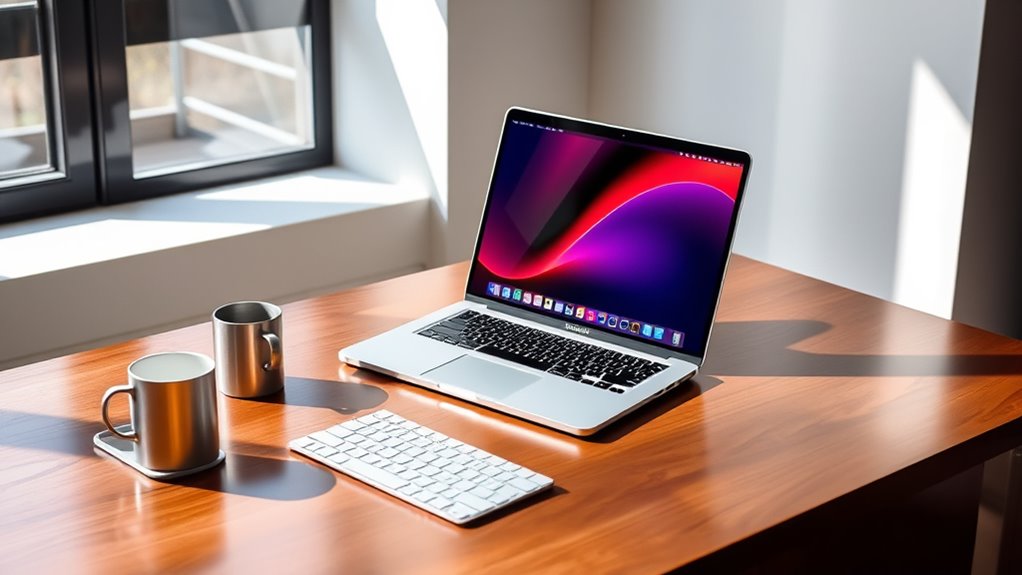

If you’re looking for the best 16-inch MacBook Pro options in 2025, I recommend considering high-performance models like the M4 Max chip with 36GB RAM and 1TB SSD, or the M4 Pro with a 14-core CPU, especially if you need power for demanding tasks. Upgraded displays, long battery life, and robust connectivity make these ideal choices for pros. Keep exploring to find out which configurations fit your needs perfectly.
Key Takeaways
- Choose the M4 Max or M4 Pro chips for top-tier performance and longer battery life in demanding workflows.
- Opt for the 16.2-inch Liquid Retina XDR display with ProMotion for stunning visuals and immersive editing.
- Consider configurations with up to 36GB RAM and 1TB SSD for optimal multitasking and storage capacity.
- Prioritize models with Thunderbolt 5, HDMI 2.1, and Wi-Fi 6E for versatile connectivity and workflow integration.
- Balance cost and future-proofing by selecting refurbished or higher-storage options aligned with your professional needs.
Apple MacBook Pro 2024 with M4 Max, 14‑core CPU, 36GB RAM, 1TB SSD
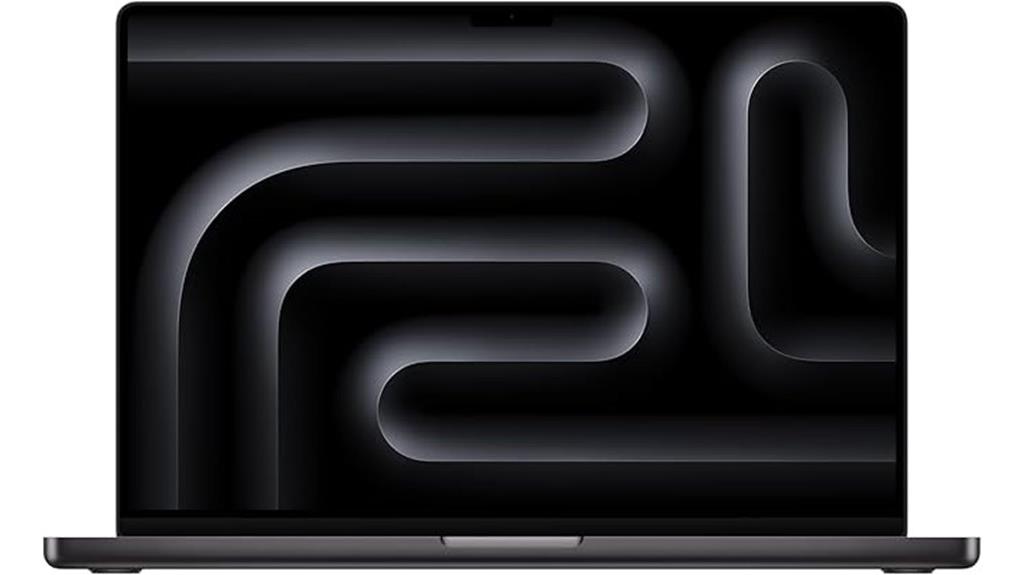
If you’re a professional who demands top-tier performance and stunning visuals, the 2024 MacBook Pro with M4 Max is an ideal choice. It features a powerful 14-core CPU, 36GB of RAM, and a 1TB SSD, delivering exceptional speed and multitasking capabilities. The 16.2-inch Liquid Retina XDR display offers 3456×2234 resolution, 1 billion colors, and up to 120Hz refresh rate, ensuring vibrant, smooth visuals. Designed for demanding workflows like video editing, 3D rendering, and AI work, it combines sleek aesthetics with robust hardware, all while supporting extensive connectivity options for a seamless professional experience.
Best For: professionals and creatives who require high-performance computing, vibrant display quality, and extensive connectivity for demanding workflows like video editing, 3D rendering, and AI development.
Pros:
- Exceptional processing power with the M4 Max chip and 36GB RAM, enabling smooth multitasking and heavy-duty tasks
- Stunning 16.2-inch Liquid Retina XDR display with high resolution, vibrant colors, and high refresh rate for excellent visuals
- Long battery life up to 21 hours and robust connectivity options including Thunderbolt 5, HDMI 2.1, and SDXC card slot
Cons:
- Heavier and larger than previous models, which may affect portability
- Premium price point may be a barrier for some users
- No touchscreen feature, which some users might prefer for versatility
Apple 2024 MacBook Pro Laptop with M4 Pro

The Apple 2024 MacBook Pro with M4 Pro is an excellent choice for creative professionals and power users who demand top-tier performance. It features the powerful M4 Pro chip, with a 14-core CPU and 20-core GPU, making demanding tasks like video editing, 3D rendering, and AI processing effortless. Its stunning 16.2-inch Liquid Retina XDR display delivers vibrant colors, high contrast, and HDR support, perfect for professional work. With up to 24 hours of battery life, fast storage options, and extensive connectivity, it combines portability with unmatched performance. This MacBook Pro truly elevates productivity and creativity in a sleek, durable package.
Best For: creative professionals, power users, and demanding multitaskers seeking top-tier performance, stunning visuals, and extended battery life in a portable professional laptop.
Pros:
- Exceptional performance with the M4 Pro chip capable of handling intensive tasks like video editing and 3D rendering effortlessly
- Stunning 16.2-inch Liquid Retina XDR display with high contrast, vibrant colors, and HDR support for professional-quality visuals
- Long-lasting battery life of up to 24 hours, ideal for extended work sessions and on-the-go productivity
Cons:
- Premium price point may be prohibitive for some users
- Slightly heavy at approximately 4.71 pounds, which could impact portability for some
- Limited to high-end configurations, which may reduce options for budget-conscious buyers
Apple 2024 MacBook Pro with M4 Max Chip, 16-inch, 36GB RAM, 1TB SSD, Silver (Renewed)

Professional creators and power users will find the 2024 MacBook Pro with M4 Max chip ideal for handling demanding tasks, thanks to its impressive 36GB of RAM and 1TB SSD. This model packs exceptional power, perfect for intensive workloads like rendering complex 3D scenes or compiling large codebases. The 16.2-inch Liquid Retina XDR display delivers vivid visuals with high brightness and contrast, enhancing creative workflows. Its efficient power management guarantees all-day performance whether on battery or plugged in. Plus, seamless integration with the Apple ecosystem makes multitasking and connectivity effortless, making this renewed device a compelling choice for serious professionals.
Best For: professional creators and power users who require high-performance computing for demanding tasks like 3D rendering, coding, and multimedia editing.
Pros:
- Exceptional processing power with M4 Max chip and 36GB RAM for intensive workflows.
- Stunning 16.2-inch Liquid Retina XDR display with high brightness and contrast for vivid visuals.
- Seamless integration within the Apple ecosystem enhances multitasking and connectivity.
Cons:
- Renewed device may have limited warranty or unknown previous usage history.
- Higher price point compared to less powerful or non-Apple alternatives.
- Limited upgrade options due to integrated hardware design.
Apple 2023 MacBook Pro with M3 Max (16-Inch, 36GB RAM, 1TB SSD, Space Black, Renewed)

For those demanding top-tier performance in a portable package, the Apple 2023 MacBook Pro with M3 Max offers unmatched power and speed. It features a 16-inch display, a 4.05 GHz M3 Max processor, 36 GB of unified RAM, and a 1TB SSD, all in a sleek Space Black design. Despite being renewed, it’s been professionally inspected, showing no cosmetic damage and excellent battery health. Customers praise its performance, arriving in like-new condition, and describe it as a “great buy” with impressive quality. Weighing just over 7 pounds, it’s perfect for demanding workflows on the go, combining style, power, and reliability.
Best For: professionals and power users who need a portable, high-performance laptop with a large display and advanced processing capabilities.
Pros:
- Exceptional performance with the M3 Max processor and 36 GB of RAM, ideal for demanding workflows
- Like-new condition with excellent battery health and minimal power cycle counts
- Sleek, professional Space Black design combined with a large 16-inch display for immersive work
Cons:
- Renewed product may come in generic packaging and accessories may not be original
- Heavier than ultralight laptops at 7.1 pounds, which may affect portability
- Not Apple certified, which could impact warranty options and resale value
Apple 2024 MacBook Pro Laptop with M4 Chip

If you’re seeking a laptop that effortlessly handles demanding tasks like video editing, 3D rendering, or multitasking across professional apps, the Apple 2024 MacBook Pro with M4 chip stands out. It features a 10-core CPU, a 10-core GPU with ray tracing, and a 16-core Neural Engine, delivering exceptional speed and efficiency. With up to 32GB of unified memory and fast SSD options, it handles media processing and heavy workloads seamlessly. The 14.2-inch Liquid Retina XDR display offers vibrant visuals, HDR support, and ProMotion technology. Its sleek design, long battery life, and extensive port selection make it perfect for creators and professionals seeking top-tier performance.
Best For: creative professionals, developers, and power users who require high performance for demanding tasks like video editing, 3D rendering, and multitasking.
Pros:
- Exceptional processing power with a 10-core CPU and GPU, suitable for intensive workloads
- Stunning 14.2-inch Liquid Retina XDR display with HDR support and ProMotion technology for vibrant visuals
- Long battery life of up to 24 hours and extensive port selection including Thunderbolt 4, HDMI, and SDXC card slot
Cons:
- Premium price point may be a barrier for some users
- Limited upgradeability due to integrated hardware design
- Heavier than some ultraportable laptops, which could affect portability
Apple 2024 MacBook Pro Laptop with M4 Pro
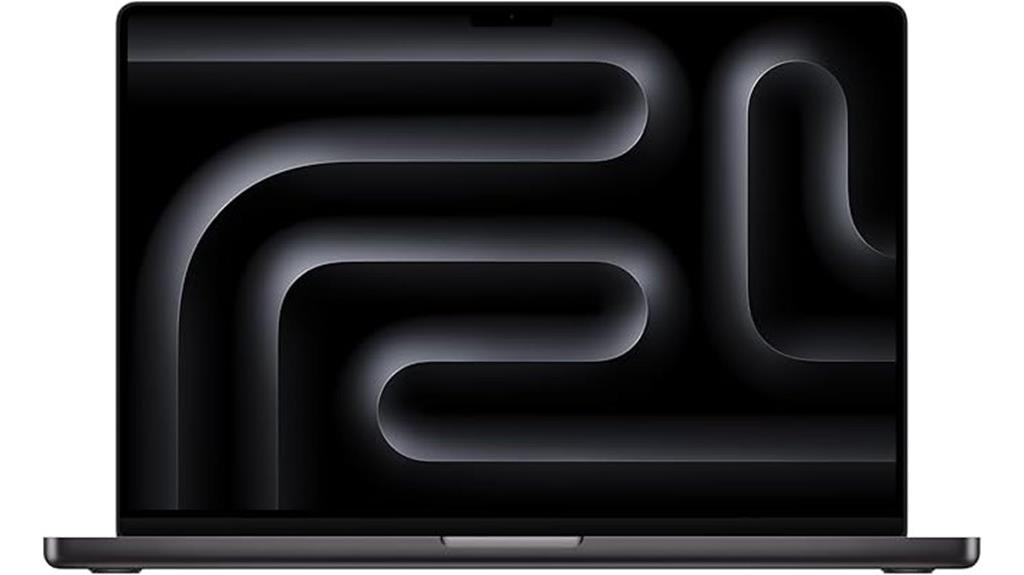
The 2024 MacBook Pro with M4 Pro is designed for users who need exceptional processing power to handle demanding tasks with ease. It features the powerful M4 Pro chip, perfect for compiling millions of lines of code or managing intensive workflows. The 16.2-inch Liquid Retina XDR display delivers stunning visuals with up to 1600 nits peak brightness and a 1,000,000:1 contrast ratio. With all-day battery life and seamless macOS compatibility, it supports extended productivity and creative work. Plus, its integration with Apple’s ecosystem enhances user experience through features like device mirroring and FaceTime management. This MacBook Pro truly combines power, display quality, and efficiency for professional users.
Best For: professionals and creatives who require top-tier processing power, stunning display quality, and seamless integration for demanding workflows and media production.
Pros:
- Exceptional performance with M4 Pro chip capable of handling intensive tasks
- Bright and vivid 16.2-inch Liquid Retina XDR display with high contrast ratio
- All-day battery life supports extended productivity and creative projects
Cons:
- Premium price point may be prohibitive for some users
- Heavier and larger form factor might reduce portability compared to smaller laptops
- Limited upgradeability due to integrated hardware design
Apple 2024 MacBook Pro Laptop with M4 Max
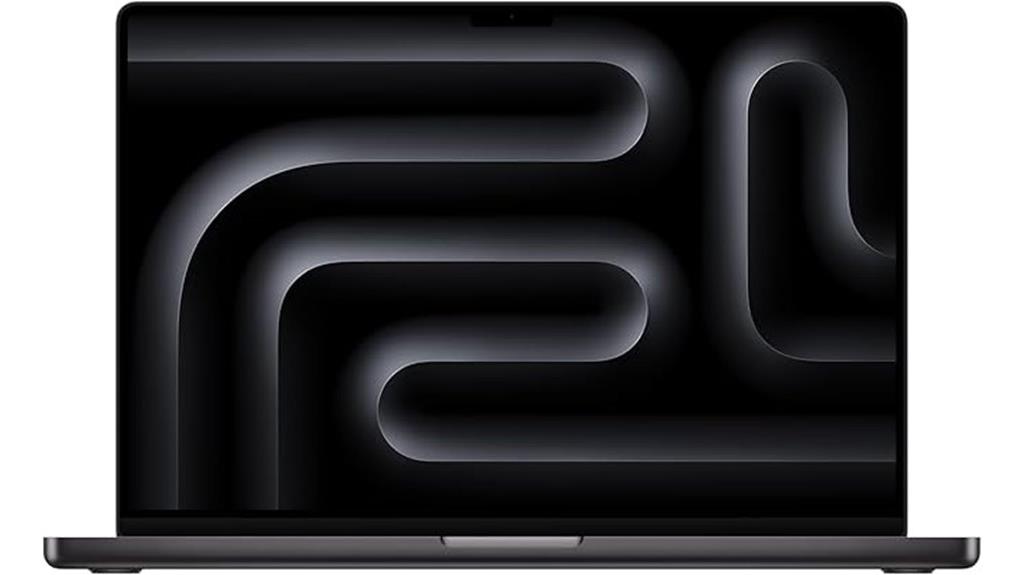
With its powerful M4 Max chip, the 2024 MacBook Pro is built for professionals who demand top-tier performance for demanding workflows like 3D rendering and video editing. The 16-core CPU and 40-core GPU deliver lightning-fast performance, handling complex tasks effortlessly. Its 16.2-inch Liquid Retina XDR display offers stunning visuals with up to 1600 nits peak brightness and a 1,000,000:1 contrast ratio, perfect for detailed editing. Equipped with 48GB of unified memory and a 1TB SSD, it ensures seamless multitasking and quick data access. Designed for all-day use, it integrates smoothly with the Apple ecosystem, enhancing productivity and security.
Best For: professionals requiring high-performance workflows like 3D rendering, video editing, and intensive multitasking within the Apple ecosystem.
Pros:
- Exceptional processing power with M4 Max chip, 16-core CPU, and 40-core GPU
- Stunning 16.2-inch Liquid Retina XDR display with high brightness and contrast for detailed visuals
- Ample 48GB unified memory and 1TB SSD for seamless multitasking and quick data access
Cons:
- High price point may be prohibitive for some users
- Heavy and potentially less portable due to powerful hardware and large display
- Limited upgradeability post-purchase, as with most Apple laptops
Apple 2024 MacBook Pro Laptop with M4 Max Processor

Designed for demanding professionals, the 2024 MacBook Pro with M4 Max processor delivers exceptional power for complex workflows. It features the latest M4 Max chip, excelling in tasks like 3D rendering and large-scale data processing. The 14.2-inch Liquid Retina XDR display offers stunning visuals with a peak brightness of 1600 nits and a 1,000,000:1 contrast ratio, perfect for creative work. With 36GB of unified memory and 1TB SSD, multitasking and data access are seamless. Its power efficiency guarantees all-day battery life, whether unplugged or plugged in. Seamless integration with Apple’s ecosystem boosts productivity, making this MacBook Pro a top-tier choice for professionals.
Best For: demanding professionals and creatives who require powerful performance, stunning visuals, and seamless ecosystem integration for complex workflows and creative projects.
Pros:
- Exceptional performance with the latest M4 Max chip, ideal for demanding tasks like 3D rendering and large data processing
- Stunning 14.2-inch Liquid Retina XDR display with high brightness and contrast for professional-grade visuals
- Long-lasting battery life supporting all-day productivity whether on battery or plugged in
Cons:
- Premium price point may be a barrier for some users
- Limited to 1TB SSD storage, which might not be sufficient for extremely large data sets without external solutions
- Heavier and potentially less portable compared to smaller, less powerful laptops
Apple 2024 MacBook Pro Laptop with M4 Pro, 12-core CPU, 16-core GPU
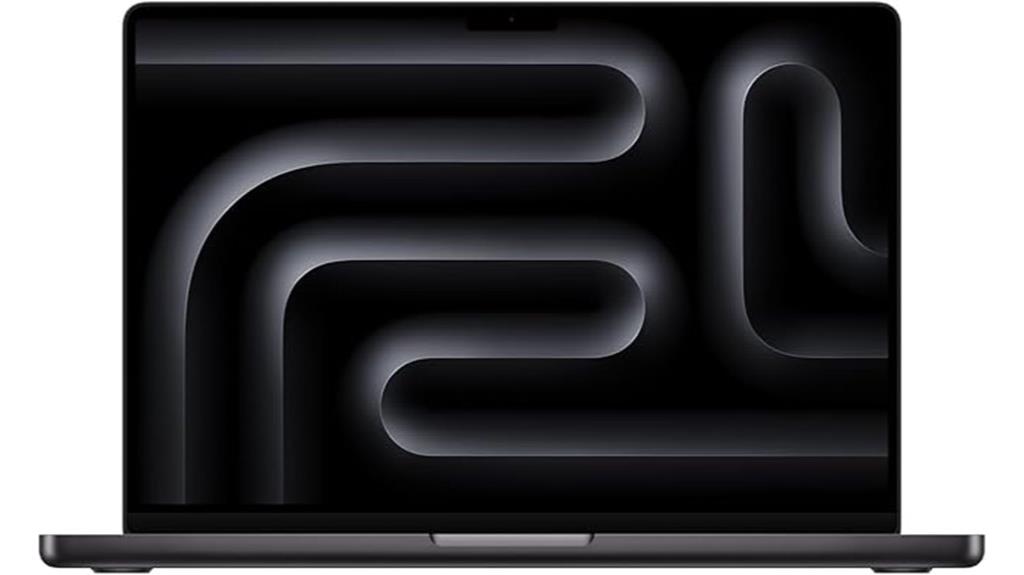
If you’re looking for a powerhouse portable workstation, the 2024 MacBook Pro with the M4 Pro chip stands out thanks to its 12-core CPU and 16-core GPU, making it ideal for demanding creative and professional tasks. It handles video editing, 3D rendering, coding, and multitasking with ease, supported by 24GB of unified memory. Benchmarks show CPU performance close to desktop levels, while graphics support graphically intensive work and gaming. The device maintains silent operation under pressure and offers up to 22 hours of battery life, ensuring all-day productivity. Its sleek design, vibrant Liquid Retina XDR display, immersive audio, and seamless ecosystem integration make it a top-tier choice.
Best For: creative professionals, software developers, and power users seeking a portable yet high-performance workstation.
Pros:
- Exceptional processing power with 12-core CPU and 16-core GPU for demanding tasks
- Up to 22 hours of battery life supporting all-day productivity
- Vibrant Liquid Retina XDR display and immersive audio enhance visual and audio experiences
Cons:
- Premium price point may be a barrier for some users
- Learning curve for users transitioning from Windows or older macOS versions
- Limited expandability due to integrated hardware design
Factors to Consider When Choosing 16-Inch Macbook Pro Configurations

When choosing the right 16-inch MacBook Pro, I consider my processor performance needs, whether I require top-tier speed or more modest power. I also think about how much memory and storage I need to handle my tasks smoothly. Finally, I weigh display quality and battery life to make sure the laptop fits my daily routines and preferences.
Processor Performance Needs
Choosing the right processor for your 16-inch MacBook Pro depends heavily on your performance needs. If you handle demanding tasks like 3D rendering, video editing, or software development, the M4 Max with its 16-core CPU is a smart choice. It offers about 90% of desktop-grade performance, making it ideal for intensive multitasking without lag or overheating. On the other hand, for everyday use or lighter workloads, the M4 Pro with a 14-core CPU provides enough speed while helping to conserve battery life. Upgrading to a more powerful processor increases costs but markedly boosts your ability to run high-demand applications smoothly. Your decision should be based on whether your tasks require maximum computing power or if moderate performance will suffice for your workflow.
Memory Capacity Requirements
Memory capacity plays a vital role in maximizing the performance of your 16-inch MacBook Pro, especially if you work with demanding applications like video editing, 3D rendering, or virtual machines. Larger RAM allows for smoother multitasking and handling intensive workflows without lag. Upgrading to 36GB or more can greatly boost performance, especially when managing high data throughput or running multiple external displays simultaneously. Adequate memory also speeds up large file transfers, rendering tasks, and virtual machine operations. Plus, choosing higher RAM options helps future-proof your device, ensuring it stays performant as software and workload demands grow. For professionals, investing in ample memory isn’t just about current needs but also about maintaining efficiency down the line.
Storage Size Preferences
Selecting the right storage size for your 16-inch MacBook Pro depends heavily on your workload and data needs. If you work with large files or have extensive media libraries, opting for 1TB or more guarantees you won’t constantly juggle external drives. Larger SSDs reduce reliance on external storage and streamline data management, making workflows smoother. For basic tasks like browsing or document editing, minimal storage may suffice, but creative professionals should consider 2TB or higher to future-proof their device. Upgrading storage at purchase can boost resale value and extend your device’s lifespan by accommodating growing data demands. Keep in mind, higher storage options come with increased costs, so balance your current needs with your budget to choose the most practical configuration.
Display Quality Demands
When considering storage options, the display quality of the 16-inch MacBook Pro becomes equally important, especially for those who rely on color accuracy and visual detail. The Liquid Retina XDR technology delivers peak HDR brightness of up to 1600 nits, making visuals vibrant and lifelike. Supporting a billion colors and the P3 wide color gamut, it guarantees highly accurate, vivid color reproduction—crucial for creative professionals. ProMotion technology offers adaptive refresh rates up to 120Hz, providing smooth scrolling and responsiveness for demanding tasks. The high contrast ratio of 1,000,000:1 creates deep blacks and bright highlights, enhancing dynamic range and visual depth. When selecting a configuration, consider resolution, brightness, color accuracy, and refresh rate to meet professional visual standards.
Battery Life Expectations
Battery life on the 16-inch MacBook Pro varies depending on the configuration, so it’s important to contemplate your typical usage. Models with M4 Max chips can deliver up to 24 hours of video playback, which is impressive for long sessions. However, more powerful processors and increased RAM tend to drain the battery faster during demanding tasks. Using external displays or high-brightness settings can also reduce battery longevity, so if portability is key, you might want to keep these factors in mind. Luckily, fast-charging tech lets you recharge quickly, minimizing downtime. Additionally, macOS’s optimized software and power management features help extend battery life during everyday use and professional workflows. Understanding these factors assures you select a configuration that aligns with your usage habits and expectations.
Port and Connectivity Options
The connectivity options on the 16-inch MacBook Pro play a significant role in how well it integrates with your workflow and peripherals. With multiple Thunderbolt 4 or 5 ports supporting data transfer speeds up to 120Gb/s, you can connect high-performance devices with ease. The inclusion of an HDMI port, SDXC card slot, and a 3.5mm headphone jack offers versatile options for external displays, cameras, and audio accessories. MagSafe 3 ensures quick, safe charging without wear on main ports. Support for DisplayPort 2.1 allows you to connect multiple high-resolution external monitors, up to 8K or 6K, perfect for multitasking. Additionally, Wi-Fi 6E and Bluetooth 5.3 provide fast wireless connectivity, making this MacBook Pro a powerhouse of wired and wireless options.
Budget Constraints
Choosing the right 16-inch MacBook Pro configuration depends heavily on your budget, as prices can vary widely based on processor, RAM, and storage options. High-end models with M4 Max chips, 48GB of RAM, and 8TB SSD can cost over $3,000, which might be beyond some budgets. If you’re looking to save, starting with the base configuration—featuring an M4 Pro chip, 16GB RAM, and 512GB storage—offers a more affordable entry point. Additionally, refurbished or renewed models can provide significant savings while still delivering strong performance. For budget-conscious buyers, focusing on essential features and considering future upgrades helps strike a balance between performance and cost, ensuring you get a capable machine without overspending.
Ecosystem Compatibility
Since seamless integration with other Apple devices can greatly improve your user experience, it’s crucial to evaluate ecosystem compatibility when selecting a 16-inch MacBook Pro configuration. Compatibility enables features like iPhone Mirroring, message sharing, and FaceTime, making daily tasks more efficient. The MacBook Pro’s ecosystem also supports Continuity, allowing effortless handoff and universal clipboard use across Apple devices. Additionally, compatibility with services like iCloud, AirDrop, and Apple ID ensures smooth data synchronization and sharing. macOS optimizations offer native support for accessories like AirPods, Apple Watch, and external displays, enhancing usability. Choosing a MacBook Pro that aligns with the latest ecosystem standards guarantees access to new features like Universal Control and improved device interoperability, enriching your overall Apple experience.
Frequently Asked Questions
How Does Battery Life Vary Across Different 16-Inch Macbook Pro Configurations?
Think of battery life as a garden that blooms differently depending on the nourishment it receives. I’ve found that the base models with M2 Pro chips tend to last longer, often 17-20 hours, because they’re less power-hungry. Upgrading to higher configurations with more RAM or storage can drain the battery faster, around 12-15 hours, but it’s still impressive. Your usage patterns really influence how long your battery stays lively.
Are There Significant Performance Differences Between M4 Max and M4 Pro Chips?
Yes, there are noticeable performance differences between the M4 Max and M4 Pro chips. The M4 Max offers more GPU cores and higher memory bandwidth, making it better suited for demanding tasks like video editing and 3D rendering. I find the M4 Pro still powerful for most professional work, but if you need maximum power and multitasking capability, the M4 Max is the smarter choice.
Which Configurations Are Best Suited for Professional Video Editing?
If I were choosing a MacBook Pro for professional video editing, I’d go for the top-tier configuration with the M4 Max chip, plenty of RAM, and storage. Imagine smooth, seamless rendering as your projects flow effortlessly, like a well-oiled machine. The powerful GPU and ample memory handle complex edits and 4K videos without breaking a sweat. It’s the perfect tool to bring your creative visions to life with speed and precision.
How Does the Price Range Fluctuate With Different RAM and Storage Options?
The price varies quite a bit depending on RAM and storage choices. Generally, upgrading to 32GB or 64GB of RAM adds around $400 to $800, and opting for 1TB or 2TB storage can increase the cost by $200 to $600. If you go for the highest specs, expect to pay a premium, but I find that investing in more RAM and storage pays off for demanding tasks.
Are Renewed Models Reliable for Long-Term Use?
I find renewed models to be quite reliable for long-term use. Apple’s certified refurbishments undergo rigorous testing and come with a warranty, giving me confidence in their quality. I’ve had good experiences with renewed devices, appreciating their cost savings without sacrificing performance. Of course, I recommend buying from trusted sources and checking the warranty details, but overall, I believe renewed MacBooks are a smart, dependable choice for lasting use.
Conclusion
So, there you have it—your perfect 16-inch MacBook Pro awaits, whether you’re chasing the latest M4 Max or just hoping it doesn’t break down after a week. Remember, the right configuration can make or break your productivity—and your sanity. But hey, if you end up with a shiny new paperweight, at least it’ll look good on your desk. Happy hunting, and don’t forget to blame Apple if things go sideways!