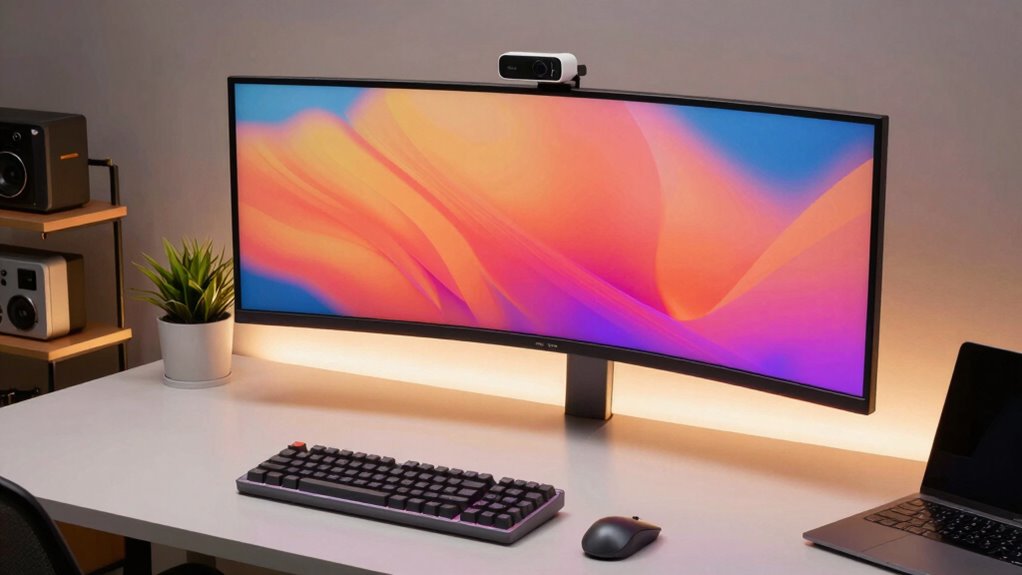

For remote developers, a high-quality 4k webcam can make a significant difference in video clarity and professionalism. The Logitech MX Brio Ultra HD 4K Webcam stands out as the best overall choice, offering excellent image quality and versatile features. The NexiGo N680E Pro is a solid budget-friendly option that packs a ring light and autofocus, ideal for those on a tighter budget. Meanwhile, the EMEET C60E caters to users needing wide-angle and telephoto capabilities for more dynamic video setups. The main tradeoffs in this category involve balancing resolution, ease of use, and additional features like microphones or remote controls. Keep reading for a detailed breakdown to help you find the perfect fit for your remote work needs.

Get business pricing on monitors, keyboards and dev gear
- Business-only prices and quantity discounts
- Tax-exempt purchasing
- Multiple users, one account, clear invoices
Key Takeaways
- The top-tier webcams combine 4K resolution with advanced autofocus and low-light performance, making them suitable for professional presentations.
- Many high-end models include integrated microphones and noise cancellation, which can replace separate audio equipment for clear communication.
- Budget options like the NexiGo N680E offer good value but often lack some premium features such as multiple focus modes or superior low-light performance.
- Wide-angle and dual-camera setups, like the EMEET C60E, are ideal for creators who need to include more background or multiple participants in frame.
- Remote controls and zoom features are more common in higher-end models, offering greater flexibility during live calls or streaming sessions.
| Logitech MX Brio Ultra HD 4K Webcam – Graphite |  | Best Overall for Professional-Grade Video Quality | Resolution: 4K at 30fps, 1080p at 60fps | Sensor Size: 70% larger pixels | Microphones: Dual beamforming noise-reducing microphones | VIEW ON AMAZON | See Our Full Breakdown |
| Logitech Brio Ultra 4K HD Webcam for Streaming and Meetings – Black |  | Best for Versatile Use with Privacy and Facial Recognition | Resolution: 4K at 30 fps | Field of View: 65°, 78°, 90° | Zoom: 5x digital zoom | VIEW ON AMAZON | See Our Full Breakdown |
| NexiGo N680E Pro 4K Webcam with Ring Light, Autofocus, 1080p 60FPS, Dual Microphones, Privacy Shutter, USB Plug-and-Play |  | Best for Content Creators and Streamers on a Budget | Sensor: Sony 1/2.5″ 4K sensor | Video Resolution: 1080p at 60FPS | Ring Light: Tri-tone, stepless brightness | VIEW ON AMAZON | See Our Full Breakdown |
| Acer A640 4K Webcam with AI Noise Canceling Microphone for Streaming and Meetings |  | Best for Professional Clarity and Automatic Focus | Resolution: 4K at 30fps | Autofocus: Phase Detection Auto Focus (PDAF) | Microphone: AI Noise Cancellation | VIEW ON AMAZON | See Our Full Breakdown |
| 4K Webcam for PC with Autofocus and Built-in Microphone |  | Best Budget-Friendly 4K Webcam with Auto-Focus | Resolution: 3840×2160 at 30fps | Sensor Size: 1/2.5-inch | Auto-Focus: PDAF | VIEW ON AMAZON | See Our Full Breakdown |
| NexiGo N950P 4K Zoomable Webcam with Remote Control, Sony Starvis Sensor, Dual Stereo Mics, for Zoom, Skype, Teams, Twitch |  | Best Overall for Professional Flexibility | Resolution: 3840 x 2160 (4K) at 30 fps | Sensor: Sony Starvis | Zoom: 5X digital zoom at 1080P | VIEW ON AMAZON | See Our Full Breakdown |
| DEPSTECH 4K Webcam DW49 HD 8MP with Sony Sensor, Autofocus, Microphone, Privacy Cover, Tripod, Plug & Play USB for Streaming and Video Calls |  | Best Value for High-Resolution Streaming | Resolution: 3840×2160 at 30fps | Sensor: Sony 1/3” CMOS | Megapixels: 8MP | VIEW ON AMAZON | See Our Full Breakdown |
| EMEET C60E Dual-Camera 4K Webcam for Streaming, Wide-Angle & Telephoto |  | Best for Versatile Streaming with Dual Perspectives | Resolution: 4K | Number of Cameras: 2 | Zoom: up to 11X hybrid | VIEW ON AMAZON | See Our Full Breakdown |
| EMEET C960 4K Webcam for PC with Auto Focus and Dual Mics |  | Best for Easy High-Quality Video Conferencing | Resolution: 4K (software switchable to 1080P) | Field of View: 73° | Focus: Auto (PDAF) | VIEW ON AMAZON | See Our Full Breakdown |
| NexiGo N950P (Gen 2) 4K Zoomable Webcam with RF Remote and Dual Mics |  | Best for Professional Zoom Control | Resolution: 4K | Zoom: 5X digital | Remote Control: RF remote included | VIEW ON AMAZON | See Our Full Breakdown |
| 4k webcams for remote developer | Compatibility | Resolution | Microphones |
|---|---|---|---|
| Logitech MX Brio Ultra HD 4K W | Windows, macOS, Chrome OS, Linux | 4K at 30fps, 1080p at 60fps | Dual beamforming noise-reducing microphones |
| Logitech Brio Ultra 4K HD Webc | Windows, Mac, ChromeOS | 4K at 30 fps | Dual omnidirectional noise-canceling |
| NexiGo N680E Pro 4K Webcam wit | Windows 7-11, Mac OS, Chrome OS | — | Dual noise-canceling |
| Acer A640 4K Webcam with AI No | Windows, Mac, Switch, Zoom, Teams | 4K at 30fps | — |
| 4K Webcam for PC with Autofocu | Windows 7-11, macOS, Chrome OS | 3840×2160 at 30fps | Dual noise-canceling |
| NexiGo N950P 4K Zoomable Webca | Windows, Mac OS, Linux, Android, Chrome OS | 3840 x 2160 (4K) at 30 fps | Dual omnidirectional noise-canceling mics |
| DEPSTECH 4K Webcam DW49 HD 8MP | Windows XP/7/8/10, Mac OS | 3840×2160 at 30fps | — |
| EMEET C60E Dual-Camera 4K Webc | Windows 10/11, macOS 10.14+ | 4K | — |
| EMEET C960 4K Webcam for PC wi | Windows, macOS, Android TV, Linux | 4K (software switchable to 1080P) | Dual omnidirectional |
| NexiGo N950P | Windows XP/7/8/10/11, Mac OS, Android V5.0 | 4K | Dual stereo noise-canceling |
More Details on Our Top Picks
Logitech MX Brio Ultra HD 4K Webcam – Graphite
The Logitech MX Brio stands out for delivering exceptional 4K video clarity with AI-enhanced image processing, making it ideal for those who prioritize professional-looking streams and calls. Compared with the NexiGo N680E Pro, it offers more refined auto white balance and noise reduction features, though at a higher price point and with a reliance on USB-C, which may limit compatibility with older devices. Its versatility across operating systems and conferencing tools makes it a top choice for remote workers who need reliable, high-quality video. The privacy cover adds a layer of security, but some users might find the setup process more involved due to advanced features. Overall, this webcam is best suited for professionals requiring top-tier image quality and security, willing to invest in premium features.
Pros:- Exceptional 4K video quality with AI-enhanced clarity
- Versatile compatibility across multiple OS and conferencing platforms
- Includes privacy cover for added security
- Auto white balance and noise reduction improve visibility
Cons:- Requires USB-C connection, limiting compatibility with some older hardware
- Higher price compared to basic webcams
- Advanced features may need extra software setup
Best for: Remote developers who need the highest image quality and robust security features for professional video calls
Not ideal for: Budget-conscious users or those with older devices lacking USB-C ports
- Resolution:4K at 30fps, 1080p at 60fps
- Sensor Size:70% larger pixels
- Microphones:Dual beamforming noise-reducing microphones
- Compatibility:Windows, macOS, Chrome OS, Linux
- Features:Auto white balance, auto-exposure, noise reduction, autofocus, privacy cover
Our verdict“This webcam is best for professionals demanding top-tier image quality and security, despite a higher cost and hardware requirements.”
Logitech Brio Ultra 4K HD Webcam for Streaming and Meetings – Black
The Logitech Brio offers solid 4K video with adjustable field of view options, making it suitable for users who need flexibility in framing. Compared with the Logitech MX Brio Ultra HD 4K Webcam, it emphasizes privacy features like an attachable shutter and supports Windows Hello facial recognition, adding security for sensitive calls. Its digital zoom and multiple FOV settings cater to those who want to customize their framing, but some users report compatibility issues with certain software or higher system requirements like USB 3.0. The integrated privacy shutter makes it ideal for users who want quick security measures, yet its higher price could be a barrier for casual users. This camera is well-suited for remote developers who value privacy, security, and flexible framing options.
Pros:- High-quality 4K video with multiple field of view options
- Supports Windows Hello for secure login
- Includes privacy shutter for security
- Clear audio with noise-canceling microphones
Cons:- Relatively high cost for casual users
- Requires USB 3.0 port for optimal performance
- Some compatibility issues with certain software
Best for: Developers needing secure, customizable framing with facial recognition and privacy features
Not ideal for: Users with older USB ports or those on a tight budget, due to higher price and system requirements
- Resolution:4K at 30 fps
- Field of View:65°, 78°, 90°
- Zoom:5x digital zoom
- Microphones:Dual omnidirectional noise-canceling
- Compatibility:Windows, Mac, ChromeOS
- Features:Privacy shutter, Windows Hello support
Our verdict“Ideal for security-conscious remote developers who want flexible framing and facial recognition, despite higher system demands.”
NexiGo N680E Pro 4K Webcam with Ring Light, Autofocus, 1080p 60FPS, Dual Microphones, Privacy Shutter, USB Plug-and-Play
The NexiGo N680E Pro combines a Sony sensor and built-in ring light, offering sharp 4K video with excellent lighting controls. Compared to the Acer A640, it provides smoother streaming at 1080p 60FPS, appealing to content creators and streamers who need fluid motion. The PDAF autofocus and adjustable ring light help maintain focus and lighting quality in various environments, but output resolution depends on software settings, which may require some tweaking. Its USB-A connection may necessitate adapters for newer USB-C ports, adding minor inconvenience. The dual microphones and privacy shutter make it suitable for streaming and conferencing, though users should be aware of potential compatibility and setup considerations. This webcam fits creators who prioritize flexibility, lighting, and smooth motion at a budget-friendly price.
Pros:- Sharp 4K video with smooth 1080p 60FPS streaming
- Built-in adjustable ring light for optimal lighting
- PDAF autofocus for sharp focus
- Dual noise-canceling microphones
Cons:- Output resolution depends on software settings
- Requires USB-A port, may need adapters for USB-C devices
- Limited to 1080p at 60FPS for most streaming
Best for: Streamers and content creators seeking sharp video with adjustable lighting, at an accessible price point
Not ideal for: Remote developers with USB-C-only devices or those needing higher resolution for professional production
- Sensor:Sony 1/2.5″ 4K sensor
- Video Resolution:1080p at 60FPS
- Ring Light:Tri-tone, stepless brightness
- Autofocus:PDAF
- Microphones:Dual noise-canceling
- Compatibility:Windows 7-11, Mac OS, Chrome OS
Our verdict“Great for streamers and creators who want sharp, well-lit video on a budget, with some setup considerations.”
Acer A640 4K Webcam with AI Noise Canceling Microphone for Streaming and Meetings
The Acer A640 offers professional-grade 4K video with rapid autofocus and AI noise cancellation, making it suitable for remote developers needing clear, sharp visuals. Unlike the Logitech MX Brio, it emphasizes affordability while still delivering high-quality video and audio. The instant PDAF autofocus ensures images remain sharp even when moving, and the AI noise-canceling microphone enhances audio clarity without extra setup. Its physical privacy shutter adds security, but it lacks built-in speakers, requiring external audio solutions. Some setup steps, like selecting the microphone in system settings, might deter less tech-savvy users. Overall, the A640 suits developers who want reliable, high-quality streaming with professional features at a competitive price, especially when integrated into a well-configured workspace.
Pros:- Sharp 4K video with instant autofocus
- AI noise-canceling microphone for clear audio
- Physical privacy shutter for security
- Compatible with multiple platforms including Twitch and Teams
Cons:- No built-in speakers, external audio needed
- May require manual microphone setup
- Some adjustments needed for optimal microphone performance
Best for: Remote developers needing professional clarity with autofocus and noise cancellation, on a budget
Not ideal for: Users requiring integrated speakers or plug-and-play simplicity without configuration
- Resolution:4K at 30fps
- Autofocus:Phase Detection Auto Focus (PDAF)
- Microphone:AI Noise Cancellation
- Compatibility:Windows, Mac, Switch, Zoom, Teams
- Features:Privacy shutter, auto-focus
Our verdict“A strong choice for budget-conscious professionals who need reliable, high-quality visuals and audio, with some setup effort.”
4K Webcam for PC with Autofocus and Built-in Microphone
This 4K Webcam for PC delivers crisp video with a 78° wide field of view and PDAF autofocus, making it suitable for those who want high-resolution streaming without a hefty price tag. Compared to the Logitech MX Brio, it offers similar auto-focus capabilities but at a significantly lower cost, though it lacks some advanced features like AI noise reduction and multiple FOV options. Its dual noise-canceling microphones ensure decent audio quality, though they may not match the clarity of higher-end models. The built-in privacy shutter adds security, but the overall build and software support might feel less polished. This pick makes the most sense for developers who need reliable 4K video at an affordable price, accepting some limitations in software and features.
Pros:- Sharp 4K video with auto-focus
- Wide 78° field of view
- Dual noise-canceling microphones
- Privacy shutter included
Cons:- Zoom function not available in 4K mode
- Requires software for switching to 4K resolution
- Limited advanced features
Best for: Budget-conscious remote developers seeking straightforward 4K auto-focus with decent audio
Not ideal for: Power users needing advanced controls, AI features, or extensive customization
- Resolution:3840×2160 at 30fps
- Sensor Size:1/2.5-inch
- Auto-Focus:PDAF
- Field of View:78°
- Microphones:Dual noise-canceling
- Compatibility:Windows 7-11, macOS, Chrome OS
Our verdict“A practical, affordable 4K webcam suitable for developers who want reliable auto-focus and decent audio without extra frills.”
NexiGo N950P 4K Zoomable Webcam with Remote Control, Sony Starvis Sensor, Dual Stereo Mics, for Zoom, Skype, Teams, Twitch
The NexiGo N950P stands out for its combination of 4K resolution and a Sony Starvis sensor, delivering crisp, detailed images that outperform many competitors like the DEPSTECH DW49 with its autofocus and higher device compatibility. Its remote control with 5X digital zoom offers convenient framing, especially useful during live streams or presentations where hands-free adjustments matter. The dual omnidirectional microphones with noise cancellation ensure clear communication, making it highly suitable for remote professionals who need reliable audio and video quality. However, managing the zoom function in low-light conditions can be tricky, and the power button’s sensitivity sometimes leads to accidental shutdowns. Compared with the EMEET C60E, which offers dual cameras and wide-angle views, the NexiGo prioritizes high-resolution clarity and flexible zoom, but at the expense of some complexity in handling. This model is ideal for remote developers who need professional-grade video with seamless control and universal OS compatibility, though it requires careful operation to maximize its features.
Pros:- Crisp 4K video quality with Sony Starvis sensor for detailed images
- Remote control with 5X digital zoom for flexible framing
- Dual noise-canceling microphones ensure clear audio
- Compatible with Windows, Mac, Linux, Android, Chrome OS
Cons:- Zoom functionality may be limited in low-light conditions
- Requires careful handling of the power button to prevent accidental shutdowns
Best for: Remote developers who value high-quality 4K video, flexible zoom, and multi-platform compatibility for professional meetings and streaming.
Not ideal for: Users seeking a simple plug-and-play webcam with minimal controls, as the zoom and power management may require extra attention.
- Resolution:3840 x 2160 (4K) at 30 fps
- Sensor:Sony Starvis
- Zoom:5X digital zoom at 1080P
- Microphones:Dual omnidirectional noise-canceling mics
- Connectivity:USB Type A and C
- Compatibility:Windows, Mac OS, Linux, Android, Chrome OS
Our verdict“This webcam suits remote developers who need professional-grade video with flexible control across multiple operating systems, accepting some handling quirks.”
DEPSTECH 4K Webcam DW49 HD 8MP with Sony Sensor, Autofocus, Microphone, Privacy Cover, Tripod, Plug & Play USB for Streaming and Video Calls
The DEPSTECH DW49 offers impressive 4K video quality with an 8MP Sony sensor, making it a compelling choice for those who want professional clarity without the premium price tag of options like the Logitech MX Brio. Its autofocus and face tracking ensure sharp images even during movement, though it may fall short in handling low-light environments without added lighting. The dual noise-canceling microphones and included accessories like a privacy cover and tripod make it versatile for various setups. While the USB 2.0 connection might limit data transfer speeds compared to higher-end models, its plug-and-play design makes it accessible to beginners. Unlike the EMEET C60E’s dual-camera setup, the DEPSTECH prioritizes high resolution and ease of use but lacks features like wide-angle views or RGB lighting. It makes the most sense for users who need a straightforward, high-quality webcam for streaming or video calls without complex controls.
Pros:- Sharp 4K video with 8MP Sony sensor for clear visuals
- Autofocus and face tracking keep images sharp during movement
- Includes privacy cover, tripod, and stickers for customization
- Plug-and-play USB 2.0 for broad device compatibility
Cons:- Requires USB 2.0 port, limiting data transfer speed
- No built-in lighting for low-light environments
Best for: Budget-conscious remote developers seeking high-resolution video with easy setup and versatile accessories.
Not ideal for: Power users who need advanced controls, wide-angle views, or low-light performance without additional lighting solutions.
- Resolution:3840×2160 at 30fps
- Sensor:Sony 1/3” CMOS
- Megapixels:8MP
- Microphone:Dual noise-canceling microphones
- Connectivity:USB 2.0
- Compatibility:Windows XP/7/8/10, Mac OS
Our verdict“Ideal for remote developers who want high-resolution streaming on a budget with straightforward setup and decent flexibility.”
EMEET C60E Dual-Camera 4K Webcam for Streaming, Wide-Angle & Telephoto
The EMEET C60E introduces a dual-camera system that caters to streamers and remote educators needing both wide-angle and telephoto shots. Its up to 11X hybrid zoom and PDAF autofocus provide detailed close-ups, a feature absent in single-camera models like the NexiGo N950P. The smart control options, including remote and software adjustments, allow for dynamic framing, while RGB lighting adds aesthetic flair. However, its zoom does not support 4K or 60FPS modes, which could limit clarity during high-speed or high-resolution zooming. The reliance on USB 2.0 might restrict bandwidth, affecting video smoothness at maximum zoom. The limited price info and user reviews make it less accessible for immediate purchasing decisions. This webcam is best suited for content creators or teachers who benefit from multiple perspectives but do not need full 4K zoom in every mode.
Pros:- Dual-camera setup offers wide-angle and telephoto views
- Up to 11X hybrid zoom with autofocus for detailed close-ups
- Smart control options via remote and software
- RGB lighting enhances visual appeal
Cons:- Zoom not supported in 4K or 60FPS modes
- Limited info on pricing and user feedback
- Requires USB 2.0, which may limit bandwidth
Best for: Streamers or educators who want dual perspectives and flexible zoom for engaging presentations or live content.
Not ideal for: Remote developers requiring consistent 4K resolution in all modes or those with bandwidth constraints on USB 2.0 ports.
- Resolution:4K
- Number of Cameras:2
- Zoom:up to 11X hybrid
- Autofocus:PDAF
- Lighting:RGB
- Compatibility:Windows 10/11, macOS 10.14+
Our verdict“Best suited for content creators or educators needing multi-angle views with flexible zoom, accepting some limitations in zoom modes.”
EMEET C960 4K Webcam for PC with Auto Focus and Dual Mics
The EMEET C960 offers reliable 4K video with PDAF autofocus and auto light correction, making it a practical choice for remote developers who value convenience over advanced features. Its 73° field of view strikes a balance between wide framing and focus on the user, similar to the NexiGo N950P, but with a more straightforward setup. The dual omnidirectional microphones ensure clear audio, though it lacks the noise-canceling sophistication found in higher-tier options. Its plug-and-play design simplifies connecting to various platforms, but the default video resolution is 1080P, requiring software adjustments for full 4K use. Unlike the DEPSTECH DW49, which emphasizes high resolution, the C960 excels in ease and compatibility, making it well-suited for professionals who prioritize quick setup and decent quality without complex controls.
Pros:- Reliable 4K video with auto focus and auto light correction
- Dual omnidirectional microphones provide clear audio
- Easy plug-and-play setup with broad compatibility
- Flexible mounting options and privacy cover included
Cons:- Default video quality is 1080P, requiring software to access full 4K
- No Wi-Fi or Bluetooth connectivity for wireless use
Best for: Remote developers who need a hassle-free, high-quality webcam that works across multiple platforms with minimal fuss.
Not ideal for: Power users who require full 4K in all applications or advanced image controls, as it defaults to 1080P without software adjustments.
- Resolution:4K (software switchable to 1080P)
- Field of View:73°
- Focus:Auto (PDAF)
- Microphones:Dual omnidirectional
- Connectivity:USB-A
- Compatibility:Windows, macOS, Android TV, Linux
Our verdict“Suitable for remote developers needing a straightforward, reliable webcam with decent 4K quality and broad compatibility.”
NexiGo N950P (Gen 2) 4K Zoomable Webcam with RF Remote and Dual Mics
The NexiGo N950P (Gen 2) enhances the original with a sleek remote control, offering 4K resolution and 5X digital zoom, making it stand out among remote webcams like the DEPSTECH DW49 that lack remote zoom. Its dual stereo microphones with noise cancellation provide clear audio, and the automatic low-light correction helps maintain image quality in variable lighting. The remote control simplifies adjustments during live streams or meetings, though setup can be more complex due to additional features. The higher price reflects its advanced zoom and control capabilities, but some users may find the zoom less effective in dim settings. Compared to the EMEET C60E, which offers dual cameras and artistic lighting, this model focuses on zoom and audio clarity for professional calls. It’s ideal for remote developers who need precise control over framing and audio, even if it requires careful setup.
Pros:- High-resolution 4K video with detailed clarity
- Remote control with 5X digital zoom for precise framing
- Dual stereo microphones with noise cancellation
- Automatic low-light correction for better visibility
Cons:- Requires USB connection, potentially limiting portability
- Higher price point due to advanced features
- Zoom effectiveness can diminish in low-light conditions
Best for: Remote developers requiring high-quality 4K resolution with remote zoom control and clear audio for professional meetings.
Not ideal for: Those who prefer simple plug-and-play webcams without the need for remote control features or are on a strict budget.
- Resolution:4K
- Zoom:5X digital
- Remote Control:RF remote included
- Microphones:Dual stereo noise-canceling
- Compatibility:Windows XP/7/8/10/11, Mac OS, Android V5.0
- Connectivity:USB Type A and USB-C
Our verdict“Best suited for remote developers who prioritize zoom control and audio quality, accepting a higher cost and setup complexity.”

How We Picked
These webcams were selected based on their resolution, build quality, usability, and feature set relevant to remote developers. Priority was given to models that offer true 4K video output, autofocus, and decent microphone quality, ensuring professional-grade video calls. We also considered user reviews and reputation for reliability, along with features like low-light performance, ease of setup, and additional controls like remote operation or zoom. Our ranking reflects a balance between performance, value, and versatility, aiming to recommend options for various budgets and use cases within the remote development sphere.| 4k webcams for remote developer | Microphones |
|---|---|
| Logitech MX Brio Ultra HD 4K W | Dual beamforming noise-reducing microphones |
| Logitech Brio Ultra 4K HD Webc | Dual omnidirectional noise-canceling |
| NexiGo N680E Pro 4K Webcam wit | Dual noise-canceling |
| Acer A640 4K Webcam with AI No | — |
| 4K Webcam for PC with Autofocu | Dual noise-canceling |
| NexiGo N950P 4K Zoomable Webca | Dual omnidirectional noise-canceling mics |
| DEPSTECH 4K Webcam DW49 HD 8MP | — |
| EMEET C60E Dual-Camera 4K Webc | — |
| EMEET C960 4K Webcam for PC wi | Dual omnidirectional |
| NexiGo N950P | Dual stereo noise-canceling |
Factors to Consider When Choosing 4k Webcams For Remote Developers
Choosing the right 4K webcam for remote work involves understanding what features matter most for your setup. Not all webcams are created equal, and tradeoffs often exist between resolution, autofocus, microphone quality, and ease of use. Knowing which factors to prioritize can save you from overpaying for features you don’t need or settling for subpar video quality. Here are some key considerations to help you make an informed decision.Video Quality and Resolution
While 4K resolution is the standard for ultra-clear video, it’s essential to ensure your computer and internet connection can handle the bandwidth and processing requirements. Look for webcams with good low-light performance and color accuracy, as these factors impact real-world image quality more than resolution alone. If your primary use is professional meetings, high frame rates and autofocus are equally important to maintain sharp, steady images throughout calls.
Audio Capabilities
Many webcams now include built-in microphones, but their quality varies widely. If clear communication is critical, prioritize models with noise-canceling dual microphones or those that support external mic connections. Relying solely on the webcam’s microphone might lead to audio that’s muffled or filled with background noise, so consider how integrated or external audio options fit into your workflow.
Ease of Setup and Use
Simplicity can be a game-changer, especially for those who aren’t tech-savvy. USB plug-and-play models save time and frustration during setup. Features like remote control, autofocus, and adjustable zoom add convenience during live sessions, but they can also complicate the user interface. Balance these features with your comfort level and the environment in which you’ll be using the webcam most often.
Field of View and Flexibility
For remote developers who also record or stream, a wider field of view might be necessary to include multiple screens or background elements. Dual-camera or pan-tilt-zoom options provide added flexibility but tend to come at a higher cost. Consider your space and whether you need the ability to adjust framing on the fly, especially if you’re sharing a workspace with others.
Build Quality and Durability
Investing in a robust, well-built webcam can prevent frustrations caused by shaky mounts or fragile parts. Look for adjustable mounts, sturdy materials, and good cable management. A durable webcam minimizes the risk of damage during daily use and makes it easier to position for optimal framing and lighting.
Frequently Asked Questions
Will my computer handle 4K streaming smoothly?
Handling 4K video requires a capable processor and graphics card, especially if you plan to stream or record at high frame rates. Most modern computers can support 4K output with integrated or dedicated GPUs, but check your system specifications before investing. Additionally, a fast internet connection (at least 25 Mbps upload speed) ensures smooth streaming without buffering or quality drops.
Are microphones really necessary on a webcam?
While built-in microphones have improved, they often can’t match the clarity of dedicated audio gear. For professional remote work, clear voice capture is essential, and a good microphone helps prevent misunderstandings. If your webcam has noise-canceling dual mics, it might suffice for most meetings, but for high-stakes presentations or recordings, an external microphone provides better control and sound quality.
Should I prioritize autofocus or zoom features?
Autofocus ensures your image remains sharp even if you move slightly, which is critical for natural, distraction-free video calls. Zoom features and remote controls add convenience but tend to be more relevant for streaming or recording scenarios. For most remote developers, autofocus is more valuable as it keeps the image clear without constant manual adjustments.
Is a wider field of view better for remote work?
A wider field of view can be advantageous if you need to include multiple people or show a broader workspace. However, it may also reduce the perceived focus on your face, which can be distracting. Consider your environment and whether a narrow or wide angle better suits your typical setup and communication style.
How important is low-light performance?
Good low-light performance ensures your video remains clear and natural-looking even in less-than-ideal lighting conditions. Many webcams with 4K resolution also include sensors optimized for low-light environments, which is especially helpful if your workspace doesn’t have professional lighting. Poor low-light handling can lead to grainy, washed-out images that diminish the professionalism of your video calls.
Conclusion
For those seeking the best overall performance, the Logitech MX Brio Ultra HD 4K Webcam offers a balanced mix of high image quality, autofocus, and microphone quality, making it ideal for professional remote developers. Budget-conscious users will find the NexiGo N680E Pro a compelling choice, providing essential 4K features without breaking the bank. If premium features like wide-angle views and remote controls matter most, the EMEET C60E stands out for its versatility. Beginners or those upgrading from lower resolutions should prioritize models with auto-focus and simple setup, while users with demanding streaming needs should consider higher-end options with wider fields of view and superior microphone systems. Tailor your choice to your specific work environment and technical requirements to get the best value and performance.