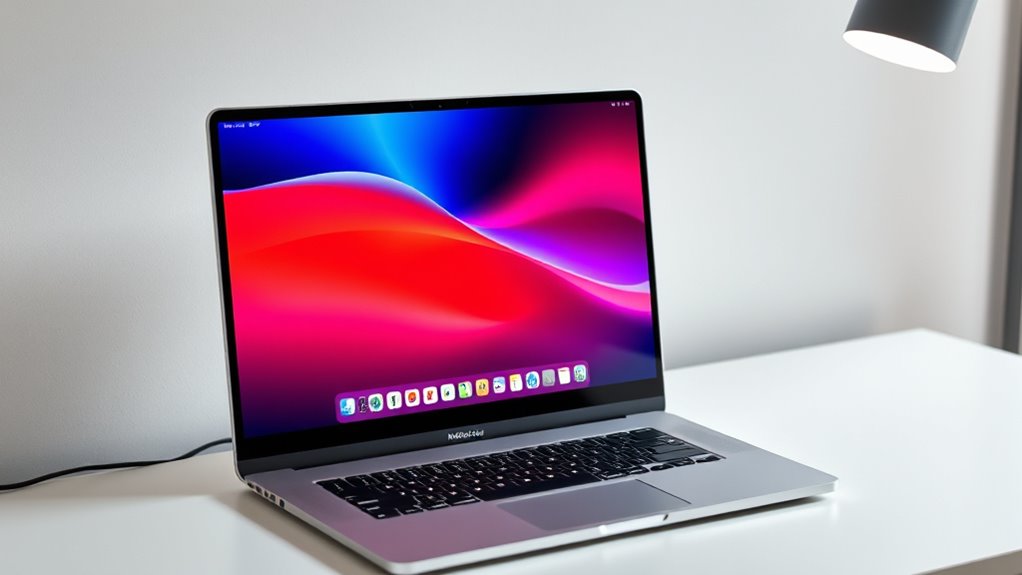

Searching for the best 5K monitors for MacBook Pro? The top pick is the ASUS ProArt PA27JCV for its color accuracy and seamless USB-C connectivity. The BenQ MA270S stands out with dual Thunderbolt 4 ports and a flexible stand, making it ideal for creators who need versatility. A key tradeoff across this category is balancing resolution, color fidelity, and connectivity against price and size. Higher resolution and better color profiles often come with a premium cost or larger form factors. Keep reading for a detailed breakdown of these options and how they fit different needs.
Key Takeaways
- The top monitors combine high resolution with excellent color accuracy, essential for professional creative work.
- Connectivity options, especially Thunderbolt 4 and USB-C, are a common feature in high-end models, simplifying setup with MacBook Pro.
- Size and ergonomics vary significantly; larger screens like ultrawides offer more workspace but may sacrifice desk space and portability.
- Pricing correlates strongly with features like HDR support, color gamut, and build quality—expect to pay more for premium specs.
- Not all 5K monitors are created equal—some excel in color and resolution but lack versatile connectivity, so matching features to your workflow is key.
| ASUS ProArt PA27JCV 27 Inch 5K USB-C Professional Monitor for Mac |  | Best Overall for Creative Professionals | Display Size: 27 inches | Resolution: 5120 x 2880 (5K) | Panel Type: IPS | VIEW ON AMAZON | See Our Full Breakdown |
| BenQ MA270S 27” 5K Nano Gloss Monitor for Mac Creators with Dual Thunderbolt 4, KVM, and Adjustable Stand |  | Best for Mac Creators Needing Versatile Connectivity | Display Size: 27 inches | Resolution: 5120×2880 (5K) | Panel Type: Nano Gloss | VIEW ON AMAZON | See Our Full Breakdown |
| INNOCN 27-Inch 4K USB-C Monitor for Laptop MacBook/Mac mini – IPS HDR400 |  | Best Budget 5K Alternative for General Use | Display Size: 27 inches | Resolution: 3840 x 2160 (4K UHD) | Panel Type: IPS | VIEW ON AMAZON | See Our Full Breakdown |
| KTC 27 Inch 5K Monitor with HDR 400, IPS Panel, and Dual Mode Compatibility |  | Best for Versatile 5K Performance with Dual Mode | Display Size: 27 inches | Resolution: 5120 x 2880 (5K2K) | Panel Type: IPS | VIEW ON AMAZON | See Our Full Breakdown |
| INNOCN 40 Inch 5K Ultrawide Monitor for Laptop, 21:9, 100Hz, IPS, HDMI, DP, FreeSync, HDR400, USB-C, Built-in Speakers, Height Adjustable, Black |  | Best for Multitasking and Entertainment in a Large Format | Size: 40 inches | Resolution: 5120 x 2160p | Refresh Rate: 100Hz | VIEW ON AMAZON | See Our Full Breakdown |
| KTC 27 Inch 5K2K Dual Mode Monitor with 65W Type-C Port |  | Best Overall for Creative Professionals and Gamers | Display Size: 27 inches | Resolution: 5120×2880 (5K), 2560×1440 (2K) | Refresh Rate: 60Hz (5K), 120Hz (2K) | VIEW ON AMAZON | See Our Full Breakdown |
| INNOCN 34-Inch 5K Ultrawide Monitor with 120Hz Refresh Rate |  | Best for Multitaskers and Creative Professionals Needing Wide Screens | Size: 34 inches | Resolution: 5120 x 2160p (5K) | Refresh Rate: 120Hz | VIEW ON AMAZON | See Our Full Breakdown |
| LG 27US500-W Ultrafine 27-Inch 4K UHD HDR10 IPS Monitor |  | Best for Vivid, Color-Accurate Visuals on a Budget | Display Size: 27 inches | Resolution: 3840×2160 (4K UHD) | Contrast Ratio: 1000:1 | VIEW ON AMAZON | See Our Full Breakdown |
| 5k monitors for macbook pro | Resolution | Display Size | Color Gamut | Connectivity |
|---|---|---|---|---|
| ASUS ProArt PA27JCV 27 Inch 5K | 5120 x 2880 (5K) | 27 inches | 99% DCI-P3, 100% sRGB | USB-C with DisplayPort, data transfer, 96W power |
| BenQ MA270S 27” 5K Nano Gloss | 5120×2880 (5K) | 27 inches | P3 | Dual Thunderbolt 4, HDMI, USB-C |
| INNOCN 27-Inch 4K USB-C Monito | 3840 x 2160 (4K UHD) | 27 inches | 1.07 billion colors | USB-C, HDMI, DisplayPort |
| KTC 27 Inch 5K Monitor with HD | 5120 x 2880 (5K2K) | 27 inches | 135% sRGB | Type-C 65W, DisplayPort 1.4, HDMI 2.0 |
| INNOCN 40 Inch 5K Ultrawide Mo | 5120 x 2160p | — | — | HDMI 2.1, DP, USB-C (65W) |
| KTC 27 Inch 5K2K Dual Mode Mon | 5120×2880 (5K), 2560×1440 (2K) | 27 inches | — | USB-C PD65W, DisplayPort 1.4, HDMI 2.0, 2 x USB A 3.0 |
| INNOCN 34-Inch 5K Ultrawide Mo | 5120 x 2160p (5K) | — | 135% sRGB, 106% DCI-P3 | — |
| LG 27US500-W Ultrafine 27-Inch | 3840×2160 (4K UHD) | 27 inches | 90% DCI-P3 | — |
More Details on Our Top Picks
ASUS ProArt PA27JCV 27 Inch 5K USB-C Professional Monitor for Mac
This model stands out for its exceptional color accuracy and factory calibration, making it an ideal choice for photographers, designers, and video editors working on a MacBook Pro. Compared with the BenQ MA270S, the ASUS offers a higher 99% DCI-P3 coverage and a dedicated auto KVM switch, which simplifies multi-device workflows. The tradeoff is its premium price, which may be a barrier for casual users or those on a tighter budget. Its 27-inch IPS panel delivers sharp 5K resolution with reliable color fidelity, crucial for detailed creative tasks. The USB-C port provides power delivery and data transfer, streamlining workspace setup, especially for Mac users. While tailored for professionals, it’s less suited for general use or gaming due to its focus on color accuracy and static refresh rates.
Pros:- High-resolution 5K display with outstanding color accuracy
- Factory pre-calibrated for professional workflows
- Versatile USB-C with 96W power delivery and built-in auto KVM
Cons:- Premium price point may deter casual or budget-conscious buyers
- Designed primarily for professional use, not for gaming or entertainment
Best for: Professional creatives requiring precise color and reliable multi-device connectivity on a MacBook Pro
Not ideal for: Casual users or gamers seeking high refresh rates or budget-friendly options
- Display Size:27 inches
- Resolution:5120 x 2880 (5K)
- Panel Type:IPS
- Color Gamut:99% DCI-P3, 100% sRGB
- Color Accuracy:Delta E<2
- Connectivity:USB-C with DisplayPort, data transfer, 96W power
Our verdict“This monitor is best suited for professionals who need precise color and seamless multi-device workflows on their MacBook Pro.”
BenQ MA270S 27” 5K Nano Gloss Monitor for Mac Creators with Dual Thunderbolt 4, KVM, and Adjustable Stand
The BenQ MA270S excels for Mac users who prioritize seamless integration with their Apple ecosystem, thanks to its Mac-specific color calibration and dual Thunderbolt 4 ports. Compared to the ASUS ProArt, it offers a slightly more ergonomic setup with an adjustable stand and daisy chaining capabilities, making it ideal for multi-monitor setups. The Nano Gloss panel enhances contrast, but its reflective surface can be distracting in bright environments. Its 27-inch size balances workspace efficiency and high-quality visuals, but the focus on Mac-specific features may limit compatibility with Windows systems. The 5K resolution ensures detailed visuals, while the Thunderbolt ports streamline data and power transfer for MacBook Pro users, reducing cable clutter.
Pros:- High-resolution 5K display with Mac-specific color calibration
- Dual Thunderbolt 4 ports for seamless daisy chaining and power delivery
- Ergonomic stand with height, tilt, swivel, and pivot adjustments
Cons:- Nano Gloss panel may cause reflections in bright environments
- Limited Windows compatibility may restrict use for some users
Best for: Mac users who need flexible connectivity, especially those managing multiple devices or working on creative projects
Not ideal for: Windows users or those requiring high-refresh gaming monitors, due to limited OS compatibility and focus on Mac features
- Display Size:27 inches
- Resolution:5120×2880 (5K)
- Panel Type:Nano Gloss
- Color Gamut:P3
- Connectivity:Dual Thunderbolt 4, HDMI, USB-C
- Adjustments:Height, tilt, swivel, pivot
Our verdict“This monitor is ideal for Mac creatives who value flexible connectivity and ergonomic comfort in their workspace.”
INNOCN 27-Inch 4K USB-C Monitor for Laptop MacBook/Mac mini – IPS HDR400
The INNOCN 27-Inch 4K offers vibrant visuals and a versatile set of features at a more accessible price point, making it suitable for users who need good color and resolution without the premium price. While it doesn’t reach the native 5K resolution of the higher-end options, its 4K UHD display still provides sharp images. Compared with the KTC 5K Monitor, it offers better ergonomics with tilt, height, and pivot adjustments, but the HDR400 support and 60Hz refresh rate limit its appeal for high-end creative work or gaming. Its multiple connectivity options, including USB-C and HDMI, make it a flexible choice for multimedia and productivity, though it lacks high-end color calibration for professional editing. It’s a solid, cost-effective option for general use on a MacBook Pro.
Pros:- Vivid 4K UHD display with accurate colors
- Multiple connectivity options including USB-C and HDMI
- Ergonomic stand with tilt, height, and pivot adjustments
Cons:- Limited to 60Hz refresh rate, not ideal for gaming
- HDR performance may vary with content
Best for: Budget-conscious users needing decent 4K quality and flexible connectivity for work or entertainment
Not ideal for: High-end creative professionals or gamers seeking 5K resolution or high refresh rates
- Display Size:27 inches
- Resolution:3840 x 2160 (4K UHD)
- Panel Type:IPS
- Brightness:400 nits
- Color Gamut:1.07 billion colors
- Connectivity:USB-C, HDMI, DisplayPort
Our verdict“This monitor provides a good balance of features and affordability for users who don’t need native 5K resolution.”
KTC 27 Inch 5K Monitor with HDR 400, IPS Panel, and Dual Mode Compatibility
The KTC 27 Inch 5K stands out for its dual mode capability, switching between native 5K and 2K resolutions, making it highly adaptable for different workflows. Compared with the BenQ MA270S, it offers a higher contrast ratio and a broader color gamut of 135% sRGB, which benefits color-sensitive tasks and HDR content. Its HDR 400 support enhances contrast, but the 60Hz refresh rate may not satisfy gamers or those requiring ultra-smooth motion. The inclusion of eye-care features and VESA compatibility makes it suitable for long work sessions. The larger 27-inch size provides ample workspace, though it might be too bulky for smaller desks, and the manual switching between modes could require some setup time.
Pros:- High-resolution 5K display with rich color and HDR support
- Dual mode (5K/2K) for flexibility in workflows
- Excellent color accuracy with 135% sRGB coverage
Cons:- Limited to 60Hz, not suitable for fast-paced gaming
- Manual mode switching may be inconvenient for some workflows
Best for: Creative professionals and power users needing flexible resolution modes and excellent color fidelity
Not ideal for: Casual users or gamers seeking high refresh rates or ultra-smooth motion, due to 60Hz limit and manual mode switching
- Display Size:27 inches
- Resolution:5120 x 2880 (5K2K)
- Panel Type:IPS
- Brightness:500 cd/㎡
- Color Gamut:135% sRGB
- Connectivity:Type-C 65W, DisplayPort 1.4, HDMI 2.0
Our verdict“This monitor is tailored for users who need adaptable resolution modes and strong color performance in a 5K display.”
INNOCN 40 Inch 5K Ultrawide Monitor for Laptop, 21:9, 100Hz, IPS, HDMI, DP, FreeSync, HDR400, USB-C, Built-in Speakers, Height Adjustable, Black
The INNOCN 40 Inch Ultrawide delivers an expansive 21:9 aspect ratio with a 5K resolution that suits creative professionals and multitaskers. Compared with the smaller KTC 27 Inch 5K, its ultrawide format significantly enhances productivity by allowing multiple windows or applications side by side. The 100Hz refresh rate and FreeSync support also make it more adaptable for casual gaming, unlike many professional monitors that stick to 60Hz. Its IPS panel ensures accurate colors, and the adjustable stand, along with VESA compatibility, fosters ergonomic comfort during long sessions. The only tradeoff is its weight and size, which require a sturdy mounting solution and ample desk space, and its high price may be a stretch for casual users.
Pros:- Expansive ultrawide 21:9 aspect ratio with 5K resolution
- High refresh rate of 100Hz with FreeSync support
- Accurate IPS panel with vibrant color reproduction
Cons:- Heavy and large, requiring robust mounting and ample space
- Premium price may be prohibitive for casual use
Best for: Creative professionals, multitaskers, and casual gamers who need a large, immersive display for varied tasks
Not ideal for: Desk spaces with limited room or users seeking a traditional 16:9 aspect ratio for standard workflows
- Size:40 inches
- Resolution:5120 x 2160p
- Refresh Rate:100Hz
- Panel Type:IPS
- HDR:HDR 400
- Connectivity:HDMI 2.1, DP, USB-C (65W)
Our verdict“This ultrawide monitor is ideal for users who need extensive screen real estate for multitasking and creative projects on their MacBook Pro.”
KTC 27 Inch 5K2K Dual Mode Monitor with 65W Type-C Port
This monitor stands out for its dual-mode capability, offering both 5K@60Hz for detailed creative work and 2K@120Hz for gaming, making it highly versatile. Its professional color coverage with 99% DCI-P3 and HDR400 support ensures vibrant, accurate visuals that rival the LG 27US500-W‘s 4K display but with the added benefit of high-resolution 5K clarity. The extensive connectivity—including USB-C PD65W—simplifies workspace setup and provides power delivery, reducing cable clutter. However, this premium feature set comes with a higher price tag and limited ergonomic adjustments, which might be a concern for long-term comfort. Compared to the INNOCN 34-Inch ultrawide, this monitor offers sharper pixel density but less screen real estate and adjustability. The tradeoffs are worth it for users needing precise color and high resolution in a compact form.
Pros:- High-resolution 5K display with vibrant, professional color accuracy
- Dual-mode for flexible use: creative work and gaming
- Extensive connectivity including fast charging via USB-C
Cons:- Premium price may be prohibitive for some users
- Limited ergonomic features and stand adjustability
Best for: Creative professionals who need high resolution and color accuracy without sacrificing gaming capability
Not ideal for: Users seeking extensive ergonomic adjustments or a more budget-friendly option
- Display Size:27 inches
- Resolution:5120×2880 (5K), 2560×1440 (2K)
- Refresh Rate:60Hz (5K), 120Hz (2K)
- Color Coverage:99% DCI-P3, 100% sRGB
- Brightness:500 cd/m²
- Connectivity:USB-C PD65W, DisplayPort 1.4, HDMI 2.0, 2 x USB A 3.0
Our verdict“This monitor is ideal for professionals who prioritize high-resolution visuals and versatile connectivity in a sleek package.”
INNOCN 34-Inch 5K Ultrawide Monitor with 120Hz Refresh Rate
This 34-inch ultrawide offers a 5K resolution of 5120 x 2160p combined with a 120Hz refresh rate, making it a strong contender for multitasking and creative workflows. Its wide aspect ratio surpasses the height of the LG 27US500-W and provides more screen real estate for multiple windows and tools, boosting productivity. The ergonomic stand with height, swivel, and tilt adjustments makes it suitable for all-day use, unlike the more static KTC 27 Inch model. The VA panel provides a high contrast ratio of 3000:1, delivering deep blacks. The main tradeoff is its weight—over 21 pounds—which requires a sturdy desk setup, and its brightness of 350 nits is slightly lower than some competitors. Compared to the LG 27US500-W, this ultrawide excels in multitasking but sacrifices some pixel density for width. It’s perfect for those who need a broad workspace but might be less suitable for users prioritizing maximum brightness or color accuracy.
Pros:- Vibrant 5K ultrawide resolution with high color gamut coverage
- 120Hz refresh rate supports smooth visuals for gaming and editing
- Ergonomic stand with height, swivel, and tilt adjustments
Cons:- Heavy weight requiring a sturdy desk setup
- Lower brightness compared to some 4K monitors
Best for: Creative professionals and multitaskers who want an expansive, high-refresh ultrawide display
Not ideal for: Users with limited desk space or those needing maximum brightness for detailed work
- Size:34 inches
- Resolution:5120 x 2160p (5K)
- Refresh Rate:120Hz
- Brightness:350 nits
- Color Gamut:135% sRGB, 106% DCI-P3
- Stand Adjustments:Height, Swivel, Tilt
Our verdict“This ultrawide monitor provides expansive workspace and high refresh rates, making it ideal for multitasking and creative workflows.”
LG 27US500-W Ultrafine 27-Inch 4K UHD HDR10 IPS Monitor
The LG 27US500-W offers a 4K UHD resolution with HDR10 support, delivering bright, sharp images with deep blacks thanks to its IPS panel and 90% DCI-P3 coverage. This makes it a solid choice for users who prioritize vivid color reproduction without the premium price of 5K models like the KTC 27 Inch. While it lacks the extensive connectivity and high refresh rate of the ultrawide INNOCN 34-Inch, its ergonomic tilt stand provides enough flexibility for comfortable viewing. The main limitation is the absence of built-in speakers and limited connectivity options, which might require additional peripherals. For those who mainly need crisp visuals for detailed work but don’t require ultrawide or high refresh rate features, this monitor offers excellent value compared to more expensive 5K displays.
Pros:- Sharp 4K UHD display with vibrant colors and deep blacks
- Supports HDR10 for enhanced visual detail
- Ergonomic tilt stand for flexible positioning
Cons:- No built-in speakers, requiring external audio devices
- Limited connectivity options may require adapters
Best for: Creative professionals and casual users seeking high-quality 4K visuals at an accessible price
Not ideal for: Gamers or multitaskers who want ultrawide screens or higher refresh rates
- Display Size:27 inches
- Resolution:3840×2160 (4K UHD)
- Contrast Ratio:1000:1
- HDR:HDR10
- Color Gamut:90% DCI-P3
- Stand:Ergonomic tilt
Our verdict“This monitor offers excellent 4K quality at a reasonable price, making it suitable for creative work and everyday use without ultrawide or gaming features.”

How We Picked
To create this list, I focused on monitors that deliver native 5K resolution compatible with MacBook Pro, emphasizing performance, build quality, and usability. I evaluated each model’s color accuracy, connectivity options (especially Thunderbolt 4 and USB-C), ergonomic features, and overall value. Monitors were ranked based on how well they serve creative professionals versus general users, with a strong preference for those that maximize compatibility with MacBook Pro hardware. I also considered user reviews and industry standards, ensuring that each pick offers a meaningful advantage in real-world use.
This approach helps differentiate models that simply have 5K resolution from those that truly deliver a professional-grade experience tailored for Mac users. The goal is to guide buyers toward monitors that balance performance with price, usability, and durability, making the decision process clearer based on specific needs.
| 5k monitors for macbook pro | Panel Type | Connectivity |
|---|---|---|
| ASUS ProArt PA27JCV 27 Inch 5K | IPS | USB-C with DisplayPort, data transfer, 96W power |
| BenQ MA270S 27” 5K Nano Gloss | Nano Gloss | Dual Thunderbolt 4, HDMI, USB-C |
| INNOCN 27-Inch 4K USB-C Monito | IPS | USB-C, HDMI, DisplayPort |
| KTC 27 Inch 5K Monitor with HD | IPS | Type-C 65W, DisplayPort 1.4, HDMI 2.0 |
| INNOCN 40 Inch 5K Ultrawide Mo | IPS | HDMI 2.1, DP, USB-C (65W) |
| KTC 27 Inch 5K2K Dual Mode Mon | — | USB-C PD65W, DisplayPort 1.4, HDMI 2.0, 2 x USB A 3.0 |
| INNOCN 34-Inch 5K Ultrawide Mo | — | — |
| LG 27US500-W Ultrafine 27-Inch | — | — |
Factors to Consider When Choosing 5k Monitors For Macbook Pro
Choosing the right 5K monitor for a MacBook Pro involves weighing several key factors. Beyond resolution, aspects like connectivity, color accuracy, and ergonomics significantly impact your experience. Understanding these elements helps prevent overspending on features you don’t need or missing crucial capabilities that enhance your workflow. Let’s explore the main considerations so you can make a confident choice tailored to your usage pattern and budget.Connectivity and Compatibility
For MacBook Pro users, seamless connectivity via Thunderbolt 4 or USB-C is essential. These ports support fast data transfer, charging, and video output from a single cable, reducing clutter and setup complexity. Be cautious about monitors that lack these options, as they may require adapters or hubs, which can introduce latency or reduce performance. Also, check if the monitor supports Power Delivery to keep your MacBook charged during extended work sessions, adding convenience and reducing cable clutter.
Color Accuracy and Gamut
Creative professionals should prioritize monitors with high color fidelity, typically covering a wide color gamut like DCI-P3 or Adobe RGB. Accurate color reproduction is vital for photo editing, video production, or design work. Monitors with factory calibration or calibration tools are preferable, ensuring your display maintains color consistency over time. Beware of screens that advertise 5K resolution but lack good color support—resolution alone cannot guarantee professional-grade work quality.
Size and Ergonomics
The physical size of the monitor influences your workspace and comfort. Larger screens, such as ultrawides or 27-inch models, provide more room for multitasking and detailed editing. However, they can also be less portable and take up more desk space. Adjustable stands, VESA compatibility, and height flexibility are features that improve ergonomics and reduce strain during long working hours. Keep in mind that bigger isn’t always better if your workspace is limited.
Price and Value
High-resolution, color-accurate monitors often come with a premium price tag. It’s wise to compare features relative to cost—sometimes, a slightly lower resolution with excellent color support and connectivity can offer better value. Consider your actual needs: if you’re a professional artist, investing in a high-end model makes sense, but casual users might prioritize affordability. Watch out for hidden costs like calibration tools or required accessories, which can add to the total expense.
Additional Features and Build Quality
Extras like HDR support, built-in speakers, USB hubs, or adjustable stands enhance usability but may not be necessary for everyone. Durability and build quality ensure your monitor remains reliable over years of use. Monitors designed specifically with Mac compatibility in mind tend to have better integration and aesthetic harmony. As always, balancing feature sets with your core needs and budget leads to the most satisfying purchase.
Frequently Asked Questions
Can I connect a 5K monitor to my MacBook Pro with only USB-C?
Most recent MacBook Pro models support 5K output via a single Thunderbolt 3 or Thunderbolt 4 (USB-C) cable. Many 5K monitors are designed with USB-C or Thunderbolt ports precisely for this purpose, simplifying setup and reducing cable clutter. However, it’s important to verify the monitor’s specifications to ensure it supports 5K resolution over USB-C and Power Delivery if you want charging to happen simultaneously. Some older or budget models may require adapters or additional hardware, which can complicate the connection.
Is 5K resolution necessary for creative work on a MacBook Pro?
While 5K offers exceptional detail and workspace, it’s not a strict requirement for all creative tasks. Professionals who work with high-resolution images, detailed video editing, or large design projects will benefit most from the increased clarity and real estate. For casual use or basic editing, a 4K monitor may suffice and be more budget-friendly. Assess your workload to decide whether the investment in a 5K display adds value to your workflow.
How important is color accuracy in choosing a 5K monitor for Mac?
Color accuracy is critical if your work involves precise color matching, such as photography, videography, or digital design. Monitors with wide color gamuts and factory calibration help ensure what you see on screen matches your output device or print. Even if you’re not a pro, a monitor with decent color support improves the overall viewing experience and helps avoid surprises when your work is printed or shared. Skipping this aspect can lead to wasted time correcting colors later in your workflow.
Are ultrawide 5K monitors better than standard 27-inch models?
Ultrawide 5K monitors provide more horizontal workspace, which is beneficial for multitasking or complex editing workflows. However, they tend to be larger and more expensive, and may require more desk space. For users who primarily need high resolution and color accuracy in a more compact form, standard 27-inch models might be more practical. The choice depends on your specific needs: if you value expansive screen real estate, ultrawides offer a clear advantage, but for general use or space constraints, a traditional 27-inch monitor may suffice.
Is HDR support necessary on a 5K monitor for Mac?
HDR support enhances contrast and color depth, improving the visual experience for HDR-compatible content like videos and certain creative projects. However, not all workflows require HDR, and many professional monitors prioritize color accuracy and resolution over HDR capability. If you work extensively with HDR content or want the most vibrant display possible, look for a monitor with HDR support. Otherwise, you can often find models with excellent SDR performance that meet your needs without the added cost of HDR features.
Conclusion
For dedicated creative professionals or those who prioritize color fidelity and seamless connectivity, the ASUS ProArt PA27JCV makes the most sense as the best overall choice. Budget-conscious buyers or casual users will find great value in models like the INNOCN 27-Inch 4K or the LG 27US500-W. Those seeking the best premium experience should consider ultrawide options or monitors with advanced features like HDR and higher color coverage. Beginners or occasional users should focus on affordability and usability, while experts should look toward monitors with calibration tools and extensive connectivity options. This variety ensures every buyer finds a suitable match based on their specific needs and budget.







![ByteDance’s AI Strategy: Dominating AI As Frontier AI Lab With SeeDance [In-Depth Analysis, 2026] – Klover.ai](https://coderfacts.com/wp-content/uploads/2026/09/bytedance-s-ai-strategy-dominating-ai-as-frontier-ai-lab-with-seedance-in-depth-featured-260x140.jpg)