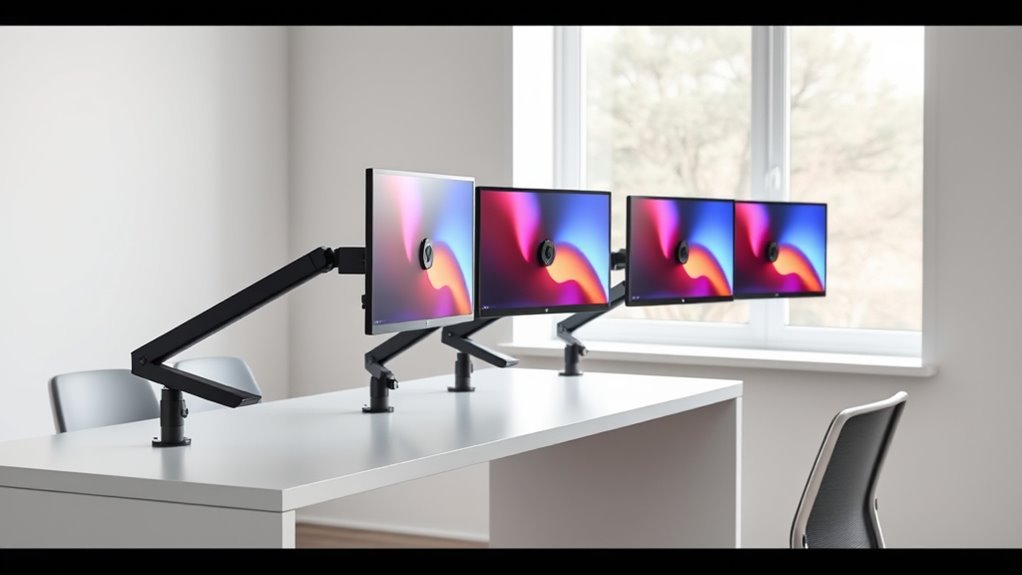

Adjustable monitor arms are essential tools for creating ergonomic, clutter-free workspaces. The best models offer smooth movement, sturdy build quality, and compatibility with your monitor size, but they also vary in price and features. The ErGear Single Monitor Arm stands out as the best overall choice for its balance of versatility and durability. The HUANUO FlowLift Pro offers premium adjustability for demanding setups, while the WALI Dual Monitor Mount provides excellent value for dual-screen users. Buyers face tradeoffs between build quality, ease of use, and price. Keep reading for a detailed breakdown to find the perfect fit for your needs.

Get business pricing on monitors, keyboards and dev gear
- Business-only prices and quantity discounts
- Tax-exempt purchasing
- Multiple users, one account, clear invoices
Key Takeaways
- The top picks balance smooth, precise movement with strong build quality, ensuring long-term reliability.
- Dual monitor setups generally require more robust mounting options and often come at a higher price point.
- Gas spring arms deliver easier, more fluid adjustments but tend to be more expensive than mechanical spring or static designs.
- Compatibility with a wide range of monitor sizes and VESA patterns is a common feature among the best options.
- Price often correlates with features like cable management, height adjustment, and ease of installation, but the most expensive isn’t always necessary.
| ErGear Single Monitor Arm for 13–34 Inch Screens |  | Best Overall for Versatile, Large Monitors | Screen Size Compatibility: 13–34 inches | Maximum Weight Capacity: 19.8 lbs | VESA Compatibility: 75x75mm or 100x100mm | VIEW ON AMAZON | See Our Full Breakdown |
| HUANUO FlowLift Dual Monitor Desk Mount for 13–32-Inch Screens |  | Best for Dual Monitors with Precise Ergonomics | Monitor Size: 13–32 inches | Weight Capacity: 4.4–19.8 lbs per arm | VESA Compatibility: 75×75 mm or 100×100 mm | VIEW ON AMAZON | See Our Full Breakdown |
| HUANUO FlowLift Single Monitor Arm for 13–32 Inch Monitors |  | Best for Quick, Reliable Single-Monitor Adjustments | Monitor Size Compatibility: 13–32 inches | Maximum Load: 19.8 lbs | VESA Compatibility: 75×75 mm or 100×100 mm | VIEW ON AMAZON | See Our Full Breakdown |
| ErGear Dual Monitor Arm for 13–32-Inch Screens |  | Best for Dual Monitors with Flexible Positioning | Monitor Size Compatibility: 13–32 inches | Maximum Load: 19.8 lbs per monitor | VESA Compatibility: 75×75 mm or 100×100 mm | VIEW ON AMAZON | See Our Full Breakdown |
| NB SmooVex A5 Mechanical Spring Monitor Mount for Monitors up to 32 Inches, Black |  | Best for Mechanical Spring Technology and Slim Design | Maximum Monitor Size: 32 inches | VESA Compatibility: 75×75 mm and 100×100 mm | Rotation: ±90° | VIEW ON AMAZON | See Our Full Breakdown |
| HUANUO FlowLift Pro Monitor Arm for 13–32-Inch Screens |  | Best Overall for Versatile, Durable Adjustment | Screen Size Compatibility: 13–32 inches | Monitor Weight Capacity: 4.4–19.8 lbs | VESA Compatibility: 75 × 75 mm, 100 × 100 mm | VIEW ON AMAZON | See Our Full Breakdown |
| WALI Single Monitor Mount for 13-34 inch Screens, Adjustable Arm, VESA 75/100mm, Black |  | Best for Versatile, Space-Saving Setup | Screen Size: 13-34 inches | Max Load Capacity: 26.4 lbs | VESA Compatibility: 75x75mm, 100x100mm | VIEW ON AMAZON | See Our Full Breakdown |
| VIVO Single Monitor Arm Desk Mount for 13-38 inch Screens |  | Best for Large, Ultrawide Monitors with Full Adjustability | Screen Size Compatibility: 13-38 inches | Weight Capacity: 22 lbs | VESA Compatibility: 75x75mm, 100x100mm | VIEW ON AMAZON | See Our Full Breakdown |
| WALI Dual Monitor Stand for 13-32 inch Screens, Adjustable Dual Monitor Arms with VESA Mount, Black |  | Best for Dual Monitors with Consistent Adjustment Needs | Monitor Size Compatibility: 13-32 inches | Max Load Capacity: 22 lbs per arm | VESA Compatibility: 75x75mm, 100x100mm | VIEW ON AMAZON | See Our Full Breakdown |
| VIVO Dual Monitor Desk Mount for 13-30 inch Screens, Adjustable Steel Arm with C-Clamp or Grommet Mount |  | Best for Compact Dual Setup with Heavy Use | Monitor Size Support: 13-30 inches | Maximum Weight per Monitor: 22 lbs | VESA Compatibility: 75x75mm, 100x100mm | VIEW ON AMAZON | See Our Full Breakdown |
| Acer Single Monitor Mount – Fully Adjustable Gas Spring VESA Arm for 17-34 Inch Screens |  | Best Overall | Supported Screen Size: 17-34 inches | Weight Capacity: 4.4–19.8 lbs | VESA Compatibility: 75×75mm & 100×100mm | VIEW ON AMAZON | See Our Full Breakdown |
| ErGear Heavy-Duty Adjustable Dual Monitor Desk Mount for 13–32 Inch Screens |  | Best Value | Number of Monitors: 2 | Screen Size Compatibility: 13–32 inches | Weight Capacity: 17.6 lbs per arm | VIEW ON AMAZON | See Our Full Breakdown |
| HUANUO Dual Monitor Stand – Fully Adjustable Desk Mount with Swivel and VESA Compatibility for 13-32 Inch Screens – White |  | Best for Ergonomic Flexibility | Monitor Size Range: 13-32 inches | Weight Capacity: 4.4-19.8 lbs per arm | VESA Compatibility: 75x75mm or 100x100mm | VIEW ON AMAZON | See Our Full Breakdown |
| Suptek Gas Spring Monitor Mount Fully Adjustable for 17-35 inch Monitors |  | Best Premium | Compatibility: 17-35 inch monitors, up to 24.25 lbs | VESA Mounting: 75x75mm or 100x100mm | Extendable Length: 21.65 inches | VIEW ON AMAZON | See Our Full Breakdown |
| adjustable monitor arm | VESA Compatibility | Mounting Options |
|---|---|---|
| ErGear Single Monitor Arm for | 75x75mm or 100x100mm | — |
| HUANUO FlowLift Dual Monitor D | 75×75 mm or 100×100 mm | Dual C-clamp or grommet |
| HUANUO FlowLift Single Monitor | 75×75 mm or 100×100 mm | C-clamp or grommet |
| ErGear Dual Monitor Arm for 13 | 75×75 mm or 100×100 mm | C-clamp or grommet |
| NB SmooVex A5 Mechanical Sprin | 75×75 mm and 100×100 mm | C-clamp and grommet |
| HUANUO FlowLift Pro Monitor Ar | 75 × 75 mm, 100 × 100 mm | C-clamp or grommet |
| WALI Single Monitor Mount for | 75x75mm, 100x100mm | — |
| VIVO Single Monitor Arm Desk M | 75x75mm, 100x100mm | — |
| WALI Dual Monitor Stand for 13 | 75x75mm, 100x100mm | C-clamp, grommet |
| VIVO Dual Monitor Desk Mount f | 75x75mm, 100x100mm | — |
| Acer Single Monitor Mount | 75×75mm & 100×100mm | — |
| ErGear Heavy-Duty Adjustable D | 75 x 75 mm or 100 x 100 mm | — |
| HUANUO Dual Monitor Stand | 75x75mm or 100x100mm | C-clamp, Grommet base |
| Suptek Gas Spring Monitor Moun | — | — |
More Details on Our Top Picks
ErGear Single Monitor Arm for 13–34 Inch Screens
This model stands out for its broad compatibility with monitors up to 34 inches, making it suitable for users who need a flexible setup. Its extensive adjustment range, including height, reach, tilt, swivel, and rotation, surpasses many single arms like the HUANUO FlowLift Single, providing a more ergonomic workspace. The easy tool-free VESA mounting simplifies installation, but the limit of 19.8 lbs means heavier or larger monitors are incompatible, which is a tradeoff for its flexibility. Compared to dual-arm options, it offers a focused adjustment experience for a single display without sacrificing too much desk space. This pick makes the most sense for those with larger monitors or curved screens who prioritize adjustability and ease of setup.
Pros:- Supports a wide range of monitor sizes up to 34 inches
- Extensive adjustment options for ergonomic positioning
- Tool-free VESA mounting for quick setup
- Integrated cable management keeps workspace tidy
Cons:- Limited to monitors weighing 19.8 lbs or less
- Only supports 75x75mm and 100x100mm VESA patterns
Best for: Users with large or curved monitors seeking a highly adjustable, single-arm solution
Not ideal for: Professionals with very heavy monitors exceeding 19.8 lbs or desk setups requiring multiple monitors
- Screen Size Compatibility:13–34 inches
- Maximum Weight Capacity:19.8 lbs
- VESA Compatibility:75x75mm or 100x100mm
- Maximum Height Adjustment:17.5 inches
- Maximum Reach:18.1 inches
- Tilt:+80°/-50°
Our verdict“This arm suits those needing a versatile, large-screen compatible monitor mount with comprehensive adjustments.”
HUANUO FlowLift Dual Monitor Desk Mount for 13–32-Inch Screens
This dual monitor mount excels at supporting two screens up to 32 inches, making it ideal for multitaskers or professionals working with multiple applications. Its wide range of tilt, swivel, and height adjustments grants a level of ergonomic customization that surpasses single-arm models like the ErGear Single Monitor Arm. The dual arms, however, are less suited for desks with crossbeams or panels obstructing the mounting area, and it’s not recommended for non-wood surfaces. The support for monitors weighing up to 19.8 lbs per arm aligns with most common screens, but heavier models won’t work. Compared to the NB SmooVex A5 spring arm, this offers more stability for multiple displays, though with a slightly more complex installation process. This setup makes sense for users who need to optimize space and improve ergonomics across two monitors.
Pros:- Supports two monitors up to 32 inches each
- Extensive tilt, swivel, and height adjustments
- Secure dual C-clamp or grommet mounting options
- Helps organize workspace and free desk space
Cons:- Requires compatible desk material (preferably wood)
- Not suitable for desks with obstructions beneath
Best for: Professionals requiring a dual-monitor setup with fine ergonomic control
Not ideal for: Users with glass or plastic desks or those with thick crossbeams obstructing mounting
- Monitor Size:13–32 inches
- Weight Capacity:4.4–19.8 lbs per arm
- VESA Compatibility:75×75 mm or 100×100 mm
- Maximum Height:15.75 inches
- Maximum Extension:18.1 inches
- Mounting Options:Dual C-clamp or grommet
Our verdict“This mount is perfect for multitaskers needing ergonomic dual monitor adjustments on compatible desks.”
HUANUO FlowLift Single Monitor Arm for 13–32 Inch Monitors
This single-arm model offers a straightforward setup for monitors up to 32 inches and 19.8 lbs, with a focus on quick, one-handed height adjustments and smooth tilt, swivel, and rotation. The one-piece design simplifies installation, especially with included C-clamp and grommet options, but it may encounter issues if the desk has beams or panels beneath, limiting placement flexibility. Its compatibility with common VESA patterns makes it a practical choice for most users, though the wood tabletop recommendation might restrict use on some non-traditional desks. Compared to the ErGear Single Monitor Arm, this model emphasizes ease of installation and quick adjustments for lighter or standard-sized monitors. It’s best suited for users who prioritize simplicity and reliable ergonomic positioning.
Pros:- Fast, easy installation with one-piece design
- Supports extensive tilt, swivel, and rotation
- Includes both C-clamp and grommet mounting hardware
- Smooth height and position adjustments
Cons:- Installation may be obstructed by desk beams
- Recommended primarily for wooden desks
Best for: Users seeking a quick-to-install, adjustable monitor arm for standard office desks
Not ideal for: Those with thick or non-wood desks, or heavy monitors over 19.8 lbs
- Monitor Size Compatibility:13–32 inches
- Maximum Load:19.8 lbs
- VESA Compatibility:75×75 mm or 100×100 mm
- Maximum Height:39.6 cm
- Mounting Options:C-clamp or grommet
- Installation Time:Approximately 3 minutes
Our verdict“Ideal for users who want a simple, quick-installation monitor arm with reliable ergonomic adjustments.”
ErGear Dual Monitor Arm for 13–32-Inch Screens
This dual monitor arm supports two monitors up to 32 inches, providing extensive tilt, swivel, and height adjustments similar to the HUANUO FlowLift Dual. Its tool-free VESA mounting and adjustable arms make it easy to set up and customize for ergonomic comfort. The support for monitors weighing up to 19.8 lbs each aligns with most standard screens, but it’s limited to desks made of wood or similar materials. Compared to single-arm options like the ErGear Single Monitor Arm, this model offers the advantage of dual display flexibility, though it may be bulkier and less suitable for small desks or those with structural obstructions. It’s best for users who need to manage two screens efficiently and with high adjustability.
Pros:- Supports two monitors up to 32 inches
- Highly adjustable with tilt, swivel, and height options
- Quick tool-free VESA mounting
- Cable management for a clean workspace
Cons:- Recommended only for wooden desks
- May not fit desks with structural obstructions beneath
Best for: Professionals and gamers requiring a flexible, dual-monitor setup with ergonomic adjustments
Not ideal for: Desks with thick crossbeams or made of non-wood materials, or monitors heavier than 19.8 lbs
- Monitor Size Compatibility:13–32 inches
- Maximum Load:19.8 lbs per monitor
- VESA Compatibility:75×75 mm or 100×100 mm
- Maximum Height:17.5 inches
- Maximum Extension:18.1 inches
- Mounting Options:C-clamp or grommet
Our verdict“This arm is well-suited for multitasking environments needing flexible dual-monitor positioning and ergonomic customization.”
NB SmooVex A5 Mechanical Spring Monitor Mount for Monitors up to 32 Inches, Black
This spring-loaded monitor arm offers a sleek, slim profile with robust adjustment capabilities for monitors up to 32 inches. Its mechanical spring system avoids gas leakage issues and provides consistent tension for stable positioning, outperforming gas spring variants like the Acer Gas Spring Mount in durability. The wide tilt, swivel, and rotation range enables precise ergonomic setups, though the monitor weight capacity remains unspecified, which could be a concern for heavier screens. Its limited to 32 inches and lacks detailed weight specs, so users with larger or heavier monitors should proceed cautiously. The minimalist design makes it ideal for clean, modern desks, but the lack of detailed weight limits makes it less versatile for some setups.
Pros:- Mechanical spring prevents sagging and leakage
- Slim, unobtrusive design saves desk space
- Wide tilt, swivel, and rotation range
- Includes both C-clamp and grommet mounting options
Cons:- Monitor weight capacity is not specified
- Limited to 32 inches in size
Best for: Users seeking a durable, sleek spring arm for monitors up to 32 inches with reliable tension control
Not ideal for: Those with monitors heavier than 32 inches or requiring precise weight capacity info
- Maximum Monitor Size:32 inches
- VESA Compatibility:75×75 mm and 100×100 mm
- Rotation:±90°
- Tilt:-25° to 90°
- Height Travel:230 mm
- Mounting Options:C-clamp and grommet
Our verdict“Best suited for users wanting a slim, mechanically spring-loaded arm with stable positioning for monitors up to 32 inches.”
HUANUO FlowLift Pro Monitor Arm for 13–32-Inch Screens
This model stands out for its robust all-metal construction and smooth, resistance-based adjustment, making it ideal for those who require precise control and long-term durability. Compared with the WALI Single Monitor Mount, it offers a more refined tension system and TÜV Rheinland certification, ensuring safety and ergonomic support. Its quick-release VESA plate simplifies monitor swapping, which is a plus for multi-monitor setups or frequent reconfigurations. However, its compatibility is limited to wood desks between 0.59 and 3.54 inches thick, which could exclude users with different desk materials or thicknesses. Additionally, the weight capacity maxes out at 19.8 lbs, making it unsuitable for very heavy monitors. The tension indicator and cable management add ergonomic and organizational benefits, but the need for a compatible desk can be a constraint for some.
Pros:- Strong metal construction supports long-term durability
- Adjustable tension with visible indicator enhances precise control
- Quick-release VESA plate simplifies monitor changes
- Ergonomically endorsed by the American Chiropractic Association
Cons:- Limited to wood desks of specific thickness
- Maximum weight capacity may restrict use with larger, heavier monitors
Best for: Professionals seeking a durable, high-precision arm with a focus on ergonomic certification and long-term stability.
Not ideal for: Users with irregular or non-wood desks, or those needing to mount heavier monitors exceeding 19.8 lbs.
- Screen Size Compatibility:13–32 inches
- Monitor Weight Capacity:4.4–19.8 lbs
- VESA Compatibility:75 × 75 mm, 100 × 100 mm
- Desk Compatibility:Wood desks
- Mounting Options:C-clamp or grommet
- Maximum Tilt Angle:85 degrees
Our verdict“This is best suited for users who prioritize durability, ergonomic certification, and precise adjustment in a professional setting.”
WALI Single Monitor Mount for 13-34 inch Screens, Adjustable Arm, VESA 75/100mm, Black
This pick makes the most sense for users who want a broad size range, supporting monitors up to 34 inches with full motion flexibility. Its full 360° swivel and tilt range provide ergonomic freedom comparable to the VIVO Single Monitor Arm, but with slightly more focus on compactness. The easy-to-install clamp or grommet options offer flexibility for various desk types, yet verifying VESA compatibility and monitor weight limits remains essential, especially for larger ultrawide screens. Its maximum weight capacity of 26.4 lbs exceeds many competitors, but extremely heavy monitors may still be too much. The arm’s extension of 19.3 inches and height adjustment of 17.3 inches support versatile positioning, making it suitable for multi-configuration setups. Despite its flexibility, users should note the need for a sturdy desk surface to handle the mount securely.
Pros:- Supports a wide monitor size range up to 34 inches
- Full 360° tilt, swivel, and rotation for maximum ergonomic freedom
- Easy installation with multiple mounting options
- Large weight capacity accommodates heavier monitors
Cons:- Requires verification of VESA pattern and monitor weight
- Potentially overkill for smaller or lighter monitors
Best for: Home office users or creative professionals needing a flexible, large-screen compatible arm with full motion.
Not ideal for: Users with non-standard desk edges or very heavy monitors over 26 lbs, which may compromise stability.
- Screen Size:13-34 inches
- Max Load Capacity:26.4 lbs
- VESA Compatibility:75x75mm, 100x100mm
- Tilt Range:+70°/-45°
- Swivel:+180°/-180°
- Rotation:360°
Our verdict“Ideal for users seeking maximum flexibility and size support with comprehensive motion adjustments.”
VIVO Single Monitor Arm Desk Mount for 13-38 inch Screens
This model supports an extensive size range up to 38 inches, making it a standout choice for ultrawide and large monitors. Its full tilt, swivel, rotation, and height adjustments deliver a highly customizable ergonomic experience, comparable to the WALI Single Monitor Mount but with a focus on larger screens. The 16-inch height adjustment and 19-inch extension provide a wide range of positioning options, yet the maximum weight capacity of 22 lbs may limit use with some extra-heavy ultrawides. Installation is straightforward with included hardware, and cable management helps maintain a tidy workspace. However, verification of VESA compatibility and weight limits for specific monitor models remains essential. This arm is best for those who prioritize size support and maximum flexibility.
Pros:- Supports large monitors up to 38 inches
- Full range of ergonomic adjustments including tilt, swivel, and rotation
- Easy to install with included hardware
- Cable management keeps cords organized
Cons:- Maximum weight capacity may restrict very heavy ultrawides
- Requires verification for compatibility with specific large monitors
Best for: Designers, video editors, or gamers working with large or ultrawide monitors who need maximum adjustability.
Not ideal for: Users with very heavy monitors exceeding 22 lbs or desks that cannot accommodate a 3.25-inch clamp thickness.
- Screen Size Compatibility:13-38 inches
- Weight Capacity:22 lbs
- VESA Compatibility:75x75mm, 100x100mm
- Tilt Range:+90° to -90°
- Swivel:360°
- Rotation:360°
Our verdict“Best suited for users with large or ultrawide monitors seeking maximum flexibility and a wide adjustment range.”
WALI Dual Monitor Stand for 13-32 inch Screens, Adjustable Dual Monitor Arms with VESA Mount, Black
This stand makes sense for users who want dual monitor flexibility, with adjustable height, tilt, swivel, and rotation for each arm, similar to the VIVO Dual Monitor Desk Mount. Its 22 lbs per arm weight limit matches many single-arm options, but may be restrictive for very large or heavy screens. The dual setup helps create a clutter-free workspace, and the 17.3-inch height adjustment and 19.3-inch extension offer substantial positioning versatility. Installation is straightforward, and cable management helps tidy cords. However, the recommended desk thickness up to 2.76 inches and the need for a flat surface with no crossbeams can limit placement options. For those with multiple monitors of moderate size, this stand provides a balanced blend of flexibility and stability.
Pros:- Supports two monitors up to 32 inches each
- Adjustable height, tilt, swivel, and rotation for ergonomic comfort
- Supports multiple configurations for a clutter-free workspace
- Cable management included for tidy cords
Cons:- Requires flat, sturdy desks within specified thickness
- Adjustment mechanisms may feel stiff initially
Best for: Home offices or multi-monitor setups needing synchronized adjustments for two screens of up to 32 inches.
Not ideal for: Desks with irregular edges, thick surfaces exceeding 2.76 inches, or very heavy monitors over 22 lbs per arm.
- Monitor Size Compatibility:13-32 inches
- Max Load Capacity:22 lbs per arm
- VESA Compatibility:75x75mm, 100x100mm
- Height Adjustment:Up to 17.3 inches
- Extension:Up to 19.3 inches
- Mounting Options:C-clamp, grommet
Our verdict“This stand is best for users needing synchronized dual monitor adjustments with moderate size screens.”
VIVO Dual Monitor Desk Mount for 13-30 inch Screens, Adjustable Steel Arm with C-Clamp or Grommet Mount
This model supports two monitors between 13 and 30 inches with a sturdy steel design, similar to the WALI dual but with a slightly more compact profile. Its full tilt, swivel, and rotation features, combined with cable management, make it suitable for ergonomic, clutter-free workspaces. The 3-year warranty adds confidence in durability. Its maximum weight capacity of 22 lbs per arm aligns with many monitors, but users should verify their specific model’s compatibility. The arm’s height adjustment of up to 17.3 inches and 19-inch extension allow for flexible positioning. While stable and well-made, the mount’s compatibility depends on a desk that can support a 3.25-inch-thick clamp, and some may find initial adjustment stiff.
Pros:- Supports two monitors up to 30 inches each
- Adjustable tilt, swivel, rotation, and height for ergonomic setups
- Sturdy steel construction with multiple mounting options
- Cable management for organized workspace
Cons:- Requires a compatible desk thickness up to 3.25 inches
- Adjustment mechanisms may be stiff initially
Best for: Professionals who need a reliable dual monitor setup with flexible positioning on a sturdy desk.
Not ideal for: Users with desks too thick for the clamp or monitors exceeding 30 inches or 22 lbs per arm.
- Monitor Size Support:13-30 inches
- Maximum Weight per Monitor:22 lbs
- VESA Compatibility:75x75mm, 100x100mm
- Tilt Range:+90°/-90°
- Swivel:180°
- Rotation:360°
Our verdict“Best for users needing a durable, adaptable dual monitor mount for moderate screen sizes.”
Acer Single Monitor Mount – Fully Adjustable Gas Spring VESA Arm for 17-34 Inch Screens
This Acer monitor mount stands out for its full motion flexibility and robust construction, making it ideal for those who prioritize ergonomic customization. Compared with the Suptek Gas Spring Mount, it offers similar tilt, swivel, and rotation, but with a broader size range and more versatile mounting options. Its durable materials ensure longevity, yet the gas spring tension may need periodic adjustment, and it isn’t recommended for desks with curved edges or double shelves. The support for large screens up to 34 inches and a weight capacity of nearly 20 pounds makes it suitable for professional setups where stability and adjustability matter most.
Pros:- Full motion adjustability supports ergonomic comfort
- Durable, automotive-grade construction extends lifespan
- Supports a wide range of monitor sizes and weights
- Easy to install with quick setup
Cons:- Not suitable for desks with curved edges or double shelves
- Gas spring tension may require frequent readjustment
Best for: Designers and developers who need flexible, high-capacity monitor support for varied screen sizes.
Not ideal for: Users with curved desks or limited desk space, as the clamp may not fit or be unstable.
- Supported Screen Size:17-34 inches
- Weight Capacity:4.4–19.8 lbs
- VESA Compatibility:75×75mm & 100×100mm
- Tilt Range:-60° to +90°
- Swivel Range:±90°
- Rotation:360°
Our verdict“This mount is perfect for professionals needing a sturdy, highly adjustable solution for large monitors.”
ErGear Heavy-Duty Adjustable Dual Monitor Desk Mount for 13–32 Inch Screens
This dual monitor mount by ErGear provides a cost-effective way to maximize desk space while supporting two screens up to 32 inches. Its adjustable arms offer tilt, swivel, and rotation, similar to the HUANUO Dual Mount, but with a wider size compatibility. The support for monitors up to 17.6 pounds per arm is somewhat limited compared to heavier-duty options, and its dependency on wooden desks can restrict versatility. Despite this, the included cable clips and dual mounting options make it a practical choice for office environments seeking reliable flexibility without a premium price.
Pros:- Supports two monitors up to 32 inches
- Provides comprehensive tilt, swivel, and rotation adjustments
- Includes cable management for a tidy workspace
- Dual mounting options increase versatility
Cons:- Limited to 17.6 lbs per arm, restricting heavier monitors
- Best suited for wooden desks, less compatible with other materials
Best for: Small business owners or students who need dual monitor setups on a budget with decent adjustability.
Not ideal for: Users with very thick desks or non-wooden surfaces, as the clamp and grommet mounts have limited thickness support.
- Number of Monitors:2
- Screen Size Compatibility:13–32 inches
- Weight Capacity:17.6 lbs per arm
- VESA Compatibility:75 x 75 mm or 100 x 100 mm
- Arm Span:31.22 inches
- Swivel:±90°
Our verdict“A solid, budget-friendly choice for dual monitor setups where moderate weight and size are acceptable.”
HUANUO Dual Monitor Stand – Fully Adjustable Desk Mount with Swivel and VESA Compatibility for 13-32 Inch Screens – White
This HUANUO dual monitor stand excels at providing comprehensive ergonomic adjustments, supporting monitors from 13 to 32 inches with a wide range of tilt, swivel, and rotation. Its stability is reinforced through multiple mounting options, including C-clamp and grommet, similar to the ErGear but with a focus on ease of use and workspace tidiness. While VESA compatibility is a requirement, the assembly process can be complex for some users, and it is less suited for non-VESA monitors. This model is ideal for those seeking a balance of adjustability, stability, and workspace organization.
Pros:- Full range of ergonomic adjustments support healthy positioning
- Supports wide monitor size and weight range
- Multiple mounting options enhance stability
- Cable management helps reduce desk clutter
Cons:- Requires monitors to have VESA mounting holes
- Assembly can be complex for some users
Best for: Professionals and home office users with VESA-compatible monitors seeking a stable, fully adjustable dual setup.
Not ideal for: Owners of non-VESA monitors or users with non-wooden desks that may not support the mounting options securely.
- Monitor Size Range:13-32 inches
- Weight Capacity:4.4-19.8 lbs per arm
- VESA Compatibility:75x75mm or 100x100mm
- Mounting Options:C-clamp, Grommet base
Our verdict“Ideal for VESA-compatible monitors needing a highly adjustable and organized dual monitor setup.”
Suptek Gas Spring Monitor Mount Fully Adjustable for 17-35 inch Monitors
This Suptek gas spring mount supports larger monitors up to 35 inches and 24.25 pounds, making it suitable for extensive professional use. Its gas spring arm offers effortless positioning, comparable to the Acer but with a slightly longer extension (21.65 inches). It features a maximum height of 18.7 inches and can be mounted via C-clamp or grommet, but the supported desk thickness tops out at 3.85 inches, limiting compatibility with thicker surfaces. The gas spring’s durability—rated for 30,000 cycles—assures long-term smooth motion, though some users might find the maximum extension space restrictive for large desk setups.
Pros:- Supports large monitors up to 35 inches
- Smooth, effortless positioning with gas spring technology
- High durability rated for 30,000 cycles
- Versatile mounting options for space savings
Cons:- Maximum desk thickness supported is only 3.85 inches
- Requires space for full extension, which could interfere with desk layout
Best for: Experienced users with larger monitors and thicker desks seeking a high-end, smooth-motion mounting solution.
Not ideal for: Users with very thick desks or smaller monitors, as the maximum desk thickness and size range are somewhat limited.
- Compatibility:17-35 inch monitors, up to 24.25 lbs
- VESA Mounting:75x75mm or 100x100mm
- Extendable Length:21.65 inches
- Maximum Height:18.7 inches
- Desk Thickness:up to 3.85 inches
- Gas Spring Cycles:30,000
Our verdict“A premium choice for large, professional-grade monitors where effortless, smooth motion and durability are priorities.”

How We Picked
Our selection process focused on evaluating adjustable monitor arms based on key factors that influence everyday use and durability. We prioritized build quality, ensuring that arms could support the weight and size of typical monitors without sagging or instability. Ease of installation and adjustability were also critical, including smoothness of motion, range of tilt, swivel, and height adjustments. We included options across different price points and configurations, from single to dual monitor setups. This approach ensures that each product offers clear advantages tailored to different user needs, with rankings reflecting overall performance, value, and versatility.| adjustable monitor arm | Mounting Options |
|---|---|
| ErGear Single Monitor Arm for | — |
| HUANUO FlowLift Dual Monitor D | Dual C-clamp or grommet |
| HUANUO FlowLift Single Monitor | C-clamp or grommet |
| ErGear Dual Monitor Arm for 13 | C-clamp or grommet |
| NB SmooVex A5 Mechanical Sprin | C-clamp and grommet |
| HUANUO FlowLift Pro Monitor Ar | C-clamp or grommet |
| WALI Single Monitor Mount for | — |
| VIVO Single Monitor Arm Desk M | — |
| WALI Dual Monitor Stand for 13 | C-clamp, grommet |
| VIVO Dual Monitor Desk Mount f | — |
| Acer Single Monitor Mount | — |
| ErGear Heavy-Duty Adjustable D | — |
| HUANUO Dual Monitor Stand | C-clamp, Grommet base |
| Suptek Gas Spring Monitor Moun | — |
Factors to Consider When Choosing Adjustable Monitor Arms
Choosing the right adjustable monitor arm involves several considerations that go beyond basic features. First, assess the weight capacity relative to your monitor, ensuring the arm can support its size without compromising stability. Next, consider the range of motion—more flexibility means easier ergonomic adjustments, but it might come at a higher cost. Compatibility with your monitor’s VESA pattern and size is essential to avoid surprises during installation. Additionally, factor in ease of installation and cable management options, which can simplify your workspace setup. Lastly, think about your budget and whether premium features like gas springs or dual mounting justify the additional expense for your specific use case.Support and Compatibility
Verifying that an arm can support your monitor’s weight and size is fundamental. Some arms are rated for specific weight limits and monitor sizes, so check these specs carefully. Compatibility with VESA mounting patterns (most commonly 75x75mm or 100x100mm) is universal, but double-check your monitor’s VESA holes before purchasing. An arm that supports a broad range of sizes and weights offers greater flexibility, especially if you plan to upgrade monitors later. Failing to match these specifications can result in instability or damage over time.
Range of Motion and Adjustability
The key benefit of an adjustable arm is versatile positioning. Look for models that offer multi-directional tilt, swivel, and height adjustment, enabling ergonomic setups that reduce neck and eye strain. Gas spring arms tend to provide smoother, more effortless adjustments, which can be worth the extra cost if frequent repositioning is needed. Mechanical springs or static arms may require more effort but often cost less. Consider your typical workflow and whether you need quick adjustments or a fixed setup to determine the right level of flexibility.
Ease of Installation and Stability
Installation convenience varies between models; some mount via clamp, others through grommet holes. Clamp mounts are generally easier and less invasive, but grommet mounts can provide more stability for heavier setups. Look for arms with clear instructions and tools included; a complex setup can discourage regular adjustments. Stability under load is critical—an arm that wobbles or sags diminishes ergonomic benefits and risks monitor damage. Balancing ease of setup with long-term stability is key to a satisfying purchase.
Cable Management and Additional Features
Effective cable management keeps your workspace tidy and prevents cords from tangling or disconnecting. Many premium arms include built-in channels or clips for routing cables discreetly. Consider whether additional features like rotation stops, integrated USB hubs, or memory locks are valuable for your workflow. These extras can improve usability but often come with a higher price tag. Weigh whether the convenience features match your daily usage and workspace setup for the best value.
Budget and Future Needs
While it can be tempting to opt for the cheapest model, investing in a higher-quality arm can pay off through increased durability and ease of use. Determine your long-term needs—if you anticipate switching monitors or adjusting your setup frequently, a gas spring or dual-arm model might justify a higher price. Conversely, if your setup is fixed and simple, a more economical solution may suffice. Consider how much value you place on features like flexibility, build quality, and aesthetics relative to your budget.
Frequently Asked Questions
Can I use an adjustable monitor arm with ultrawide monitors?
Yes, many adjustable monitor arms are compatible with ultrawide monitors, but you need to verify their weight capacity and VESA compatibility. Ultrawide monitors tend to be larger and heavier, so ensure the arm supports these specifications. Some arms are specifically designed for larger screens and offer wider VESA mounting options, which is crucial for stability. If your monitor exceeds standard sizes, look for models with higher weight limits and larger VESA compatibility to avoid sagging or instability.
How easy is it to install and adjust these monitor arms?
Installation ease varies among models, with most featuring either clamp or grommet mounts that are straightforward to set up with basic tools. Adjustment mechanisms—particularly gas springs—allow for smooth and effortless repositioning, which enhances ergonomic comfort. Mechanical arm adjustments might require more effort but tend to be more cost-effective. Overall, many models now include features like quick-release levers and cable routing, making daily adjustments quick and hassle-free.
Will a dual monitor arm fit on my desk?
Most dual monitor arms are designed for standard desks with sufficient space for C-clamps or grommet mounts. However, it’s essential to check your desk’s thickness and available surface area to ensure compatibility. Some models require a thicker edge or specific mounting space, which can be a limiting factor. If your desk is small or has thick edges, look for models with Grommet mounting options or those designed for limited space to avoid installation issues.
Are gas spring monitor arms worth the extra cost?
Gas spring arms generally provide smoother, more precise adjustments and easier repositioning, which can significantly improve ergonomic comfort during frequent use. They tend to be more durable and maintain their tension over time better than mechanical springs. However, they also come with a higher price tag, so if you rarely change your monitor position or prefer a fixed setup, a mechanical or static arm might be more economical. For heavy or frequently adjusted setups, investing in a gas spring arm can be a worthwhile upgrade.
What should I consider if I want to upgrade my monitor in the future?
When planning for future upgrades, prioritize a model with higher weight capacity and wider VESA compatibility. This flexibility allows you to switch to larger or heavier monitors without needing to replace the arm. Also, check if the arm offers adjustable tilt, swivel, and height, so you can tailor your ergonomic setup to different monitor sizes. Investing in a versatile arm now can save money and hassle later, especially if your workspace or display needs evolve over time.
Conclusion
For most users seeking a reliable, all-around adjustable monitor arm, the ErGear Single Monitor Arm stands out as the best overall choice, offering excellent balance between price, flexibility, and build quality. Those who prioritize premium features and effortless adjustments might lean toward the HUANUO FlowLift Pro. Budget-conscious buyers or dual monitor users will find the WALI Dual Monitor Mount to deliver great value without sacrificing stability. Beginners or those with straightforward needs should consider simpler models, while professionals needing maximum adjustability might opt for gas spring or heavy-duty options. Ultimately, your choice should align with your monitor size, workspace, and ergonomic priorities.
Fall Picks
fall essentials
As an affiliate, we earn on qualifying purchases.