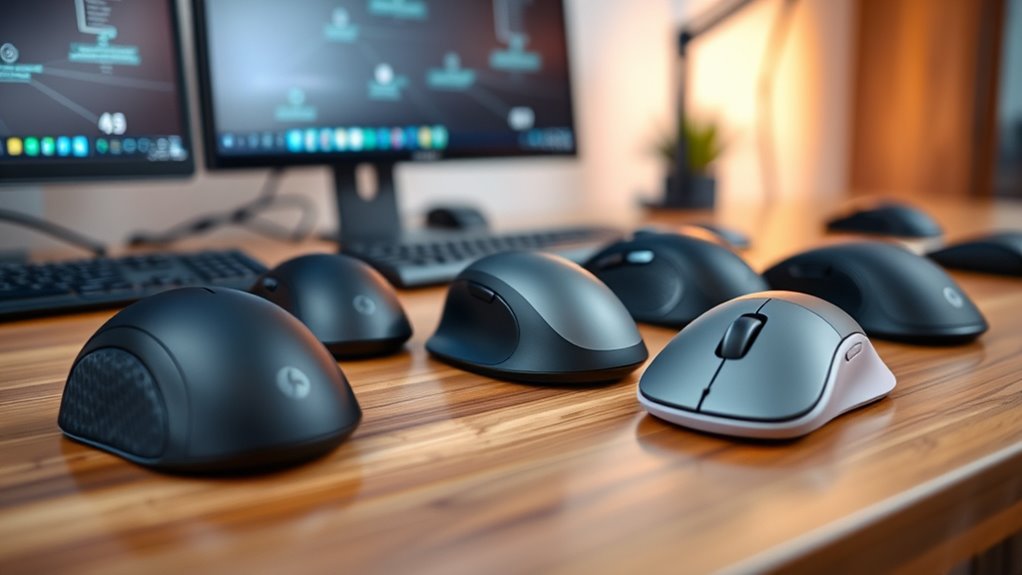

When searching for the best ergonomic wireless mice, comfort and usability are key. The Logitech MX Vertical stands out as the best overall choice, offering a natural handshake grip that reduces wrist strain. The Logitech Lift Vertical provides a sleek alternative with a focus on style and comfort, while the Nulea M501 trackball mouse offers a different approach for precise control. Buyers often face tradeoffs between price, grip style, and feature set—balancing comfort against durability or multi-device support. Continue reading for a detailed breakdown of each option to find the perfect fit for your needs.

Get business pricing on monitors, keyboards and dev gear
- Business-only prices and quantity discounts
- Tax-exempt purchasing
- Multiple users, one account, clear invoices
Key Takeaways
- Vertical design is a common feature among the top picks, emphasizing wrist comfort over traditional shapes.
- DPI flexibility varies, impacting precision—higher DPI models suit detailed work, while lower DPI models favor relaxed navigation.
- Multi-device support is a bonus in several options, ideal for users switching between computers or tablets.
- Build quality and material choice significantly influence long-term comfort and durability.
- Price range varies widely, with premium options offering advanced features and budget models focusing on essential ergonomic benefits.
| Logitech MX Vertical Wireless Mouse Ergonomic Design – Graphite |  | Best Overall for Ergonomic Precision and Comfort | Color: Graphite | DPI: 4000 | Angle: 57° | VIEW ON AMAZON | See Our Full Breakdown |
| Logitech M720 Triathlon Full-Size Multi-Device Wireless Mouse – Black |  | Best for Multi-Device Productivity with Comfort | Battery Life: 24 months | Connectivity: Bluetooth and Unifying receiver | Compatible Devices: Computers, laptops, tablets, Windows, macOS, Chrome OS, Linux, iPadOS | VIEW ON AMAZON | See Our Full Breakdown |
| Logitech M510 Full Size Ambidextrous Wireless Mouse |  | Best for Ambidextrous Comfort and Simplicity | Connectivity: 2.4 GHz Wireless | Battery Life: Two years | Receiver: Logitech Unifying | VIEW ON AMAZON | See Our Full Breakdown |
| Logitech Lift Vertical Ergonomic Wireless Mouse – Off White |  | Best for Small to Medium Hands and Natural Posture | Color: Off White | Connectivity: Bluetooth, Logi Bolt USB | Battery Life: Up to 2 years | VIEW ON AMAZON | See Our Full Breakdown |
| ProtoArc EM11 NL Wireless Ergonomic Vertical Mouse, Rechargeable, Black |  | Best for Multi-Device, Budget-Conscious Users with Ergonomic Needs | Connection: Bluetooth and USB-A | Battery: 500mAh rechargeable | DPI: 1000/1600/2400 | VIEW ON AMAZON | See Our Full Breakdown |
| Nulea M501 Wireless Trackball Mouse Ergonomic Thumb Control with 4 DPI Levels |  | Best Overall for Comfort and Precision | DPI Levels: 4 | Connectivity: Bluetooth and USB dongle | Battery: Rechargeable built-in | VIEW ON AMAZON | See Our Full Breakdown |
| TECKNET Ergonomic Wireless Vertical Mouse 4800 DPI |  | Best for Small to Medium Hands and Long Use | DPI: 4800/3200/2400/1600/800 | Size: 4.13in x 2.55in | Connection: 2.4GHz wireless | VIEW ON AMAZON | See Our Full Breakdown |
| Logitech Lift Vertical Ergonomic Wireless Mouse – Graphite |  | Best for Long-Term Posture and Quiet Operation | Connectivity: Bluetooth, Logi Bolt USB | Battery Life: Up to 2 years | Color: Graphite | VIEW ON AMAZON | See Our Full Breakdown |
| Tecknet Wireless Mouse with Side Scroll, Bluetooth Rechargeable, Supports 3 Devices |  | Best for Multi-Device Users and Horizontal Navigation | Connectivity: Bluetooth 5.3/5.0, 2.4GHz USB-A | Device Support: Up to 3 devices | DPI Settings: 4800/3200/2400/1600/1200/800 | VIEW ON AMAZON | See Our Full Breakdown |
| AOC Ergonomic Wireless Vertical Mouse, Rechargeable, 2.4GHz & Bluetooth |  | Best for Adjustable DPI and Customization | Design: Vertical, 52° angle | DPI: 1000/1600/2400/3200/4800 | Battery: 800mAh rechargeable, up to 200 hours (without RGB), 40+ hours (with RGB) | VIEW ON AMAZON | See Our Full Breakdown |
| TECKNET Ergonomic Wireless Vertical Mouse, 4800 DPI, Bluetooth & USB, Silent, Right-Handed |  | Best Overall for High Precision and Versatility | DPI: 4800/3200/2400/1600/1200/800 | Connectivity: Bluetooth 5.0/3.0, 2.4GHz USB | Battery: 2 AAA batteries (not included) | VIEW ON AMAZON | See Our Full Breakdown |
| Anker 2.4G Wireless Ergonomic Vertical Mouse with USB Receiver |  | Best Value for Comfort and Web Navigation | Connectivity: 2.4 GHz wireless via USB receiver | DPI Resolution: 800/1200/1600 | Dimensions: 120*62.8*74.8 mm | VIEW ON AMAZON | See Our Full Breakdown |
| Acer Wireless Mouse for Laptop, 2.4GHz Computer Mouse with Adjustable DPI |  | Best for Long-Range Stability and Durability | Connectivity: 2.4GHz wireless | DPI Settings: 800, 1200, 1600 | Range: Up to 32 ft | VIEW ON AMAZON | See Our Full Breakdown |
| TECKNET Wireless Mouse, 2.4G Ergonomic Computer Mouse, 2600 DPI, Black | 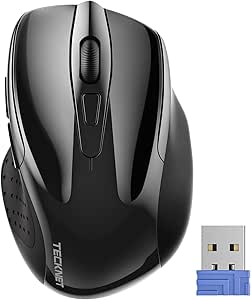 | Best Compact for Travel and Everyday Use | Dimensions: 4.09 x 2.68 x 1.49 inches | DPI: 800/1200/1600/2000/2600 | Battery Life: Up to 24 months | VIEW ON AMAZON | See Our Full Breakdown |
| ergonomic wireless mice | Connectivity | Compatibility |
|---|---|---|
| Logitech MX Vertical Wireless | Wireless | — |
| Logitech M720 Triathlon Full-S | Bluetooth and Unifying receiver | — |
| Logitech M510 Full Size Ambide | 2.4 GHz Wireless | Windows and Mac OS X |
| Logitech Lift Vertical Ergonom | Bluetooth, Logi Bolt USB | — |
| ProtoArc EM11 NL Wireless Ergo | — | Windows, Mac, Android |
| Nulea M501 Wireless Trackball | Bluetooth and USB dongle | Various surfaces and workplaces |
| TECKNET Ergonomic Wireless Ver | — | Windows 11/10/8/7/XP, Mac OS X 10.4+ |
| Logitech Lift Vertical Ergonom | Bluetooth, Logi Bolt USB | — |
| Tecknet Wireless Mouse with Si | Bluetooth 5.3/5.0, 2.4GHz USB-A | — |
| AOC Ergonomic Wireless Vertica | Bluetooth 5.4, 2.4GHz wireless, USB wired | — |
| TECKNET Ergonomic Wireless Ver | Bluetooth 5.0/3.0, 2.4GHz USB | Windows, Mac, Chrome, Linux |
| Anker 2.4G Wireless Ergonomic | 2.4 GHz wireless via USB receiver | — |
| Acer Wireless Mouse for Laptop | 2.4GHz wireless | Windows, Mac (side button not supported on Mac) |
| TECKNET Wireless Mouse | Wireless, USB-A receiver | Windows, Mac, Chrome OS, Linux |
More Details on Our Top Picks
Logitech MX Vertical Wireless Mouse Ergonomic Design – Graphite
The Logitech MX Vertical stands out as the best choice for users prioritizing natural hand posture and long-term comfort. Its 57° vertical angle mimics a handshake, significantly reducing wrist strain compared to traditional mice like the Logitech M510, which offers comfort but lacks the advanced ergonomic design. The high-precision 4000 DPI sensor ensures accurate tracking, making it suitable for detailed work, though it comes at a higher price point. The textured rubber surface adds to comfort during extended use, but the premium cost and limited color options might deter budget-conscious buyers. Unlike the M720, which emphasizes multi-device connectivity over ergonomics, this mouse is optimized for ergonomic health and precision, making it ideal for professionals who spend hours at the computer.
Pros:- Ergonomically designed to reduce wrist pressure
- High-precision 4000 DPI sensor for detailed tracking
- Customizable cursor speed via touch button
- Textured surface enhances grip and comfort
Cons:- Premium price may be prohibitive for some
- Requires USB receiver which can be easily misplaced
- Limited color choices
Best for: Designers, programmers, and remote workers seeking maximum wrist relief during prolonged sessions
Not ideal for: Users on a tight budget or those preferring a conventional mouse for casual use
- Color:Graphite
- DPI:4000
- Angle:57°
- Connectivity:Wireless
- Surface:Textured rubber
- Packaging:FSC-certified paper
Our verdict“This mouse is best suited for users who need a high level of ergonomic support and precision, willing to invest in long-term comfort.”
Logitech M720 Triathlon Full-Size Multi-Device Wireless Mouse – Black
The Logitech M720 Triathlon excels for users juggling multiple devices, offering seamless switching and a full-sized ergonomic shape. While not as specialized in ergonomic features as the MX Vertical, its larger form and multiple-button layout provide comfort for all-day multitasking, making it a strong alternative to the Logitech Lift for those who prioritize multi-device connectivity. Its 24-month battery life and customizable buttons boost productivity without frequent recharging or software hassles, though the full size may feel bulky for users with smaller hands. Compared to the M510, which is more affordable and simpler, the M720 offers more features suited for multitaskers but sacrifices compactness, making it less ideal for tight workspace or users with small hands.
Pros:- Long-lasting 24-month battery life
- Multi-device connectivity with easy switching
- Customizable buttons for personalized workflows
- Ergonomic design suitable for extended use
Cons:- Requires software for full customization
- Full-sized design may be bulky for small hands
- Less portable than smaller mice
Best for: Professionals managing multiple computers or devices needing quick switching and customizable controls
Not ideal for: Casual users or those with smaller hands seeking a more compact or budget-friendly option
- Battery Life:24 months
- Connectivity:Bluetooth and Unifying receiver
- Compatible Devices:Computers, laptops, tablets, Windows, macOS, Chrome OS, Linux, iPadOS
- Number of Buttons:6
- Color:Black
Our verdict“Ideal for multi-tasking professionals who value comfort and seamless device management over compact size.”
Logitech M510 Full Size Ambidextrous Wireless Mouse
The Logitech M510 is a versatile, ambidextrous mouse that balances comfort with straightforward functionality. Its contoured shape with soft rubber grips makes it suitable for long sessions, especially for users who prefer a traditional design over vertical mice. While it doesn’t offer the advanced ergonomic features of the MX Vertical or Lift, it provides a stable, comfortable grip for both right- and left-handed users. The long battery life of two years and programmable buttons add to its practicality, but it requires Logitech software for full customization, and its bulkier profile may not suit those seeking a more minimalist or portable device. Compared to the M720, it lacks multi-device switching but makes up for simplicity and ambidextrous comfort.
Pros:- Ergonomic shape with soft rubber grips
- Long-lasting two-year battery life
- Includes Unifying receiver for stable wireless connection
- Programmable buttons for customization
Cons:- Requires software for full functionality
- Some features depend on software setup
- Bulkier design may be less portable
Best for: All-day users who want a straightforward, ambidextrous design with reliable comfort
Not ideal for: Users seeking vertical ergonomic support or advanced customization features
- Connectivity:2.4 GHz Wireless
- Battery Life:Two years
- Receiver:Logitech Unifying
- Buttons:Standard + Back/Forward, programmable
- Compatibility:Windows and Mac OS X
Our verdict“This mouse suits users seeking a comfortable, ambidextrous device with long battery life for everyday use.”
Logitech Lift Vertical Ergonomic Wireless Mouse – Off White
The Logitech Lift offers a natural vertical design tailored for small to medium right-handed users, promoting a healthier wrist and forearm posture. Its quiet, customizable buttons enhance productivity without noise distractions, and the connection options—Bluetooth Low Energy and Logi Bolt—add versatility. Compared with the MX Vertical, Lift emphasizes quiet operation and a slightly smaller form factor, making it more suitable for those with smaller hands but possibly too tight for larger users. Its use of recycled plastics aligns with eco-conscious preferences. However, the smaller size could be uncomfortable for bigger hands, and limited color options might not appeal to everyone. For those prioritizing ergonomic health in a petite package, it hits the mark better than bulkier options like the M720.
Pros:- Vertical ergonomic shape reduces wrist strain
- Long battery life up to 2 years
- Quiet, customizable buttons for productivity
- Multiple connectivity options
Cons:- May be too small for larger hands
- Limited color options
- Requires Bluetooth or USB receiver for connection
Best for: Users with small to medium hands seeking a quiet, ergonomic vertical mouse for daily office work
Not ideal for: Larger-handed users or those who prefer a traditional mouse with more buttons
- Color:Off White
- Connectivity:Bluetooth, Logi Bolt USB
- Battery Life:Up to 2 years
- Ergonomic Design:Vertical
- Materials:Recycled plastics
Our verdict“This mouse is perfect for small to medium hand users prioritizing quiet operation and ergonomic health in a compact form.”
ProtoArc EM11 NL Wireless Ergonomic Vertical Mouse, Rechargeable, Black
The ProtoArc EM11 NL provides a budget-friendly vertical ergonomic option with dual Bluetooth and USB-A connectivity for up to three devices. Its 500mAh rechargeable battery and adjustable DPI (1000/1600/2400) make it versatile for everyday tasks. Unlike the more premium MX Vertical or Lift, this model emphasizes affordability and multi-device flexibility, though its buttons are not programmable and the learning curve for new users can be steep. The quiet click feature is absent, and the middle scroll wheel and back/forward buttons are not silent. Nevertheless, this pick makes sense for users who want basic ergonomic relief and multi-device support without a hefty price tag, especially if they’re comfortable with some initial setup challenges.
Pros:- Reduces wrist strain with vertical design
- Connects to up to three devices simultaneously
- Rechargeable with included USB-C cable
- Quiet clicking (though not silent)
Cons:- Buttons are not programmable
- Middle scroll wheel and back/forward are not silent
- Learning curve for new users
Best for: Small to medium hand users looking for a cost-effective, multi-device ergonomic mouse
Not ideal for: Power users needing programmable buttons or silent operation
- Connection:Bluetooth and USB-A
- Battery:500mAh rechargeable
- DPI:1000/1600/2400
- Compatibility:Windows, Mac, Android
- Color:Black
Our verdict“This mouse offers a practical, multi-device ergonomic solution for budget-conscious users willing to adapt to some limitations.”
Nulea M501 Wireless Trackball Mouse Ergonomic Thumb Control with 4 DPI Levels
This trackball mouse stands out for its ergonomic thumb-controlled design, which significantly reduces wrist and arm strain, making it ideal for users who spend long hours at the computer. Unlike traditional mice like the Logitech Lift, the Nulea M501 offers precise cursor control through its adjustable DPI settings, providing versatility across different tasks. Its support for multiple devices and rechargeable battery adds convenience, but the six-button layout isn’t fully programmable, limiting customization. The all-day comfort and surface flexibility make it a strong choice, though charging requires the included cable, which can be less convenient than wireless-only options. Compared to the Logitech Lift, this model emphasizes control and reduction of muscle stress, making it better suited for ergonomic purists, but it trades off some customization options.
Pros:- Ergonomic thumb-controlled design reduces wrist and arm strain
- Supports multiple devices with easy switching
- Precise cursor control with 4 adjustable DPI levels
- Rechargeable battery eliminates need for replacements
Cons:- All buttons are not programmable, limiting customization
- Charging must be done with the included cable, not fast chargers
Best for: Designers or programmers who need precise control with minimal wrist fatigue during extended use
Not ideal for: Gamers or users seeking extensive button programmability, as all buttons are fixed
- DPI Levels:4
- Connectivity:Bluetooth and USB dongle
- Battery:Rechargeable built-in
- Buttons:6 (including back and forward)
- Compatibility:Various surfaces and workplaces
Our verdict“This pick is best for users prioritizing ergonomic comfort and precise control over extensive customization.”
TECKNET Ergonomic Wireless Vertical Mouse 4800 DPI
The TECKNET Vertical Mouse offers a natural handshake position that effectively reduces wrist and forearm strain, making it suitable for prolonged sessions. Unlike the Logitech Lift, which is more about posture, this mouse emphasizes high DPI options up to 4800 for precise tasks. Its compact size is a plus for small to medium hands but might feel cramped for larger hands. Silent clicking enhances focus, yet the side buttons are not silent, which could be distracting in quiet environments. Its straightforward design and high DPI make it an excellent ergonomic choice, though larger hands may find it less comfortable. Compared to the Logitech Lift, it excels in affordability and DPI options but sacrifices some of the premium build and customizable features.
Pros:- Ergonomic vertical design reduces wrist and forearm stress
- High DPI up to 4800 for precise cursor control
- Silent clicking minimizes noise during use
- Stable wireless connection with long range
Cons:- Side buttons are not silent, which may be noisy in quiet settings
- Designed mainly for small/medium hands, not ideal for larger hands
- Some features may not work fully on Mac OS
Best for: Office workers with small to medium hands seeking comfort and high precision
Not ideal for: Users with larger hands or those who need extensive button programmability
- DPI:4800/3200/2400/1600/800
- Size:4.13in x 2.55in
- Connection:2.4GHz wireless
- Range:up to 32ft
- Compatibility:Windows 11/10/8/7/XP, Mac OS X 10.4+
Our verdict“This mouse is ideal for those with smaller hands who need ergonomic comfort and high DPI precision, but less suitable for larger hands or customization needs.”
Logitech Lift Vertical Ergonomic Wireless Mouse – Graphite
The Logitech Lift offers a balanced approach to ergonomic design with its vertical shape and textured grip, supporting natural wrist and forearm posture. Compared to the TECKNET vertical mouse, the Lift emphasizes quiet, customizable buttons and long battery life—up to two years—making it a dependable choice for daily office use. However, it caters primarily to small and medium right hands, which limits its fit for larger users. Its minimal color options and reliance on Bluetooth or Logi Bolt USB may restrict compatibility in some setups. The quiet clicks and long-lasting battery make it suitable for quiet work environments, but the lack of extensive programmability and size flexibility means it’s less ideal for users needing more features or larger dimensions.
Pros:- Ergonomic vertical design promotes natural wrist posture
- Long battery life of up to 2 years
- Quiet, customizable buttons enhance productivity
- Compatible with multiple operating systems
Cons:- Primarily designed for small to medium hands, limiting fit for larger users
- Limited color options
- Requires Bluetooth or USB connection, which may not suit all setups
Best for: Professionals seeking a comfortable, quiet, and durable mouse for daily use with minimal maintenance
Not ideal for: Users with large hands or those requiring heavy customization or multi-device support beyond Bluetooth
- Connectivity:Bluetooth, Logi Bolt USB
- Battery Life:Up to 2 years
- Color:Graphite
- Ergonomic Design:Vertical with textured grip
- Materials:Post-consumer recycled plastic
Our verdict“This mouse suits users prioritizing posture, quiet operation, and durability for daily office tasks, but not those with larger hands or seeking extensive customization.”
Tecknet Wireless Mouse with Side Scroll, Bluetooth Rechargeable, Supports 3 Devices
The Tecknet wireless mouse excels in multi-tasking with support for three devices and seamless switching, making it ideal for users juggling multiple platforms. Its high-precision DPI up to 4800 ensures accurate movement, while the side scroll wheel adds efficiency for horizontal navigation. Compared to the AOC vertical model, Tecknet emphasizes multi-device support and a more traditional shape, but it sacrifices some ergonomic refinement. Its durable metal scroll wheel and quiet clicks are advantageous during focused work, yet the lack of button programmability limits customization. This mouse is a practical choice for professionals needing quick device switching and reliable performance, though it may fall short for those seeking a fully customizable ergonomic mouse.
Pros:- Supports switching between three devices effortlessly
- Rechargeable with up to 3 months of battery life
- Quiet clicking and durable metal scroll wheel
- Supports Bluetooth and USB-A connections
Cons:- Side buttons are not supported on macOS
- All buttons are non-programmable, limiting customization
- Traditional shape may be less ergonomic than vertical models
Best for: Professionals working across multiple devices who need quick switching and precise control
Not ideal for: Users seeking a fully customizable or highly ergonomic vertical mouse, as it favors multi-device support over specialized comfort
- Connectivity:Bluetooth 5.3/5.0, 2.4GHz USB-A
- Device Support:Up to 3 devices
- DPI Settings:4800/3200/2400/1600/1200/800
- Recharge Time:1.5–2 hours
- Battery Life:Up to 3 months
Our verdict“Ideal for busy professionals needing fast multi-device switching with reliable, quiet operation, but less suited for ergonomic purists.”
AOC Ergonomic Wireless Vertical Mouse, Rechargeable, 2.4GHz & Bluetooth
The AOC vertical mouse combines ergonomic support with a high degree of customization, including programmable buttons and RGB lighting, making it suitable for users who want both comfort and personalization. Its 52° design effectively reduces wrist strain, and the adjustable DPI up to 4800 allows for precise control across different tasks. Compared with the Logitech Lift, the AOC offers more options for customization but at the expense of a slightly bulkier profile. The rechargeable battery supports long hours of use, and the multiple connectivity options make device switching seamless. However, its size leans toward small and medium hands, and some users might find the RGB features unnecessary. This mouse is excellent for those who value tailored control and aesthetic customization, but it may be less appealing for users seeking simplicity.
Pros:- Ergonomic vertical design reduces wrist strain
- Adjustable DPI up to 4800 for precision
- Programmable buttons and customizable RGB lighting
- Multiple connectivity options for flexibility
Cons:- Optimized mainly for small to medium hands
- Some buttons produce normal clicking sounds
- RGB customization requires dedicated app
Best for: Creative professionals and tech enthusiasts who want ergonomic comfort plus extensive customization
Not ideal for: Large-handed users or those who prefer a minimal, no-frills design without RGB features
- Design:Vertical, 52° angle
- DPI:1000/1600/2400/3200/4800
- Battery:800mAh rechargeable, up to 200 hours (without RGB), 40+ hours (with RGB)
- Connectivity:Bluetooth 5.4, 2.4GHz wireless, USB wired
- Features:Programmable buttons, RGB lighting
Our verdict“This mouse suits users who want ergonomic support combined with high levels of customization and aesthetic flair, but it’s less suitable for larger hands or minimalists.”
TECKNET Ergonomic Wireless Vertical Mouse, 4800 DPI, Bluetooth & USB, Silent, Right-Handed
This TECKNET vertical mouse stands out for its seamless switching among three devices, making it ideal for multitasking professionals who switch between work and personal setups. Its adjustable DPI up to 4800 provides precise control, surpassing the Anker model’s more modest 1600 DPI, which makes it better suited for detailed tasks like design or CAD work. The ergonomic design reduces wrist strain, crucial for long hours, while silent operation minimizes noise distractions. Compared with other options, its extended 36-month warranty offers peace of mind, though it’s exclusively for right-handed users, which limits its appeal for left-handed users. The need for 2 AAA batteries is a minor inconvenience, but the side buttons are not compatible with Mac, reducing flexibility.
Pros:- Seamless device switching via Bluetooth and USB
- High adjustable DPI up to 4800 for detailed work
- Reduces wrist strain with ergonomic vertical design
- Quiet operation minimizes noise
Cons:- Designed exclusively for right-handed users
- Requires 2 AAA batteries, which are not included
- Side buttons are incompatible with Mac
Best for: Professionals needing a versatile, high-precision mouse that supports multiple devices and long-term use.
Not ideal for: Left-handed users or those who prefer rechargeable batteries for simplicity.
- DPI:4800/3200/2400/1600/1200/800
- Connectivity:Bluetooth 5.0/3.0, 2.4GHz USB
- Battery:2 AAA batteries (not included)
- Compatibility:Windows, Mac, Chrome, Linux
- Design:Right-handed ergonomic vertical
- Silent Operation:Yes
Our verdict“This mouse delivers high precision and multi-device flexibility, making it ideal for busy professionals who prioritize accuracy and comfort.”
Anker 2.4G Wireless Ergonomic Vertical Mouse with USB Receiver
The Anker vertical mouse is well-suited for users seeking a budget-friendly ergonomic option that reduces wrist strain during extended web browsing or office work. Its adjustable DPI up to 1600 offers sufficient sensitivity for everyday tasks, though it falls short of the 4800 DPI of the TECKNET, making it less precise for detailed design work. The inclusion of web navigation buttons adds convenience, especially for those who spend a lot of time browsing. Its energy-efficient design minimizes power consumption, extending battery life, but the unavoidable key click sounds could be distracting in quiet settings. The reliance on 2 AAA batteries is a minor inconvenience, especially compared to rechargeable models.
Pros:- Ergonomic design reduces wrist strain
- Includes web navigation buttons for convenience
- Energy-efficient with power-saving mode
- Affordable price point
Cons:- Click sounds are unavoidable and may be noisy
- Requires 2 AAA batteries, not rechargeable
Best for: Home users or office workers who want an ergonomic mouse for daily tasks without a hefty price tag.
Not ideal for: Design professionals or gamers needing ultra-high precision, as DPI is limited to 1600.
- Connectivity:2.4 GHz wireless via USB receiver
- DPI Resolution:800/1200/1600
- Dimensions:120*62.8*74.8 mm
- Weight:3.4 oz
- Batteries:2 AAA batteries (not included)
- Warranty:18 months
Our verdict“This mouse offers solid ergonomic comfort and web navigation features at an attractive price for everyday users.”
Acer Wireless Mouse for Laptop, 2.4GHz Computer Mouse with Adjustable DPI
The Acer wireless mouse is designed for users who need a reliable connection up to 32 feet, making it ideal for presentations or flexible workspaces. Its three DPI settings (800, 1200, 1600) provide suitable sensitivity for general use, though it’s less suited for precision tasks like detailed photo editing compared to the TECKNET. The forward and backward buttons enhance browsing, but the side button doesn’t work on Mac systems, limiting cross-platform flexibility. Its visual DPI indicator helps users easily adjust settings, and the smart sleep mode extends battery life, but it requires AAA batteries, which are not rechargeable. The mouse’s ergonomic shape is comfortable for medium to large hands, yet it lacks some advanced customization options found in premium models.
Pros:- Stable wireless connection up to 32 feet
- Adjustable DPI with visual indicator
- Ergonomic design for medium to large hands
- Battery life with smart sleep mode
Cons:- Side button does not function on Mac
- Requires AAA batteries, not rechargeable
- Lacks advanced customization options
Best for: Users who need a stable, long-range wireless connection and durability for daily browsing or casual work.
Not ideal for: Professional designers or gamers seeking high DPI and customizable features.
- Connectivity:2.4GHz wireless
- DPI Settings:800, 1200, 1600
- Range:Up to 32 ft
- Buttons:Left, right, forward, backward
- Battery:AAA batteries (not included)
- Compatibility:Windows, Mac (side button not supported on Mac)
Our verdict“A durable, long-range wireless mouse suited for general use with a focus on stability and ease of use.”
TECKNET Wireless Mouse, 2.4G Ergonomic Computer Mouse, 2600 DPI, Black
This TECKNET compact mouse delivers ergonomic comfort in a smaller form factor, perfect for travel or those with limited desk space. Its DPI up to 2600 strikes a balance between precision and portability, making it more suitable for everyday tasks than high-precision design work. The rubber side supports enhance grip, and its 24-month battery life reduces worries about frequent recharging or battery replacements. However, its smaller size means it may not be ideal for users with large hands, and the side button isn’t compatible with Mac, which could be a limitation for Mac users needing those controls. The necessity of USB-A connectivity also makes it less compatible with newer USB-C-only devices without an adapter.
Pros:- Compact, travel-friendly size
- Ergonomic design with rubber side grips
- Long battery life up to 24 months
- Adjustable DPI for versatile control
Cons:- Small size may not suit large hand users
- Batteries not included
- Requires USB-A port, not compatible with USB-C only devices
Best for: Travelers and remote workers needing a portable, ergonomic mouse with long battery life.
Not ideal for: Users with large hands or those seeking a full-sized ergonomic mouse for extended desk use.
- Dimensions:4.09 x 2.68 x 1.49 inches
- DPI:800/1200/1600/2000/2600
- Battery Life:Up to 24 months
- Connectivity:Wireless, USB-A receiver
- Compatibility:Windows, Mac, Chrome OS, Linux
Our verdict“This portable mouse combines ergonomic features and long-lasting batteries, ideal for frequent travelers and mobile workers.”

How We Picked
I evaluated each mouse based on ergonomic design principles, including hand posture, wrist angle, and grip style. Performance factors such as DPI range, battery life, and connection stability were also key, along with build quality and user comfort. Value was assessed by balancing features against price, while versatility—like multi-device support—was considered for users with varied workflows. The ranking reflects a combination of comfort, functionality, durability, and overall user experience, focusing on what makes each mouse a strong ergonomic choice for different types of users.Factors to Consider When Choosing Ergonomic Wireless Mice
Choosing an ergonomic wireless mouse involves more than just shape—consider how it fits your hand, your typical work tasks, and your environment. The right mouse can reduce fatigue and prevent strain injuries, but the perfect fit depends on your specific needs. Here are key factors to keep in mind before making your purchase.Design and Grip Style
Ergonomic mice come in various shapes, primarily vertical, trackball, or ambidextrous designs. Vertical mice promote a handshake grip that is gentle on the wrist, while trackballs reduce hand movement altogether. Consider your preferred grip and hand size—what feels natural will encourage consistent use and prevent discomfort over long periods. Avoid models that force an unnatural hand position, as they can contribute to strain rather than alleviate it.
DPI and Precision
Higher DPI settings allow for finer control, which is essential for tasks like photo editing or detailed design work. Lower DPI settings tend to be more relaxed, reducing the need for excessive hand movement. Many ergonomic mice offer adjustable DPI, giving you flexibility to switch between precision and comfort. Be mindful that overly sensitive mice can lead to unintentional movements, so choose a DPI range that suits your typical work style.
Battery Life and Connectivity
Wireless mice rely on batteries, so long-lasting models reduce interruptions. Look for mice with rechargeable batteries to save money and reduce waste. Connection stability is equally important—Bluetooth may be more convenient but can sometimes lag or disconnect, while dedicated 2.4GHz receivers often provide more reliable performance. Consider your daily usage and whether quick recharging or fast pairing features matter most to you.
Build Quality and Materials
The durability of an ergonomic mouse depends heavily on the materials used. High-quality plastics with a matte finish often provide better grip and resist wear, while softer rubberized surfaces can enhance comfort. Pay attention to the weight—some users prefer heavier mice for stability, while others favor lighter designs for ease of movement. A well-built mouse minimizes wear and tear, ensuring it remains comfortable over years of use.
Price and Additional Features
Budget models often focus on core ergonomic benefits but may lack advanced features like multi-device support or customizable buttons. Premium options tend to include adjustable angles, programmable buttons, and premium materials, which can justify higher prices for power users. Balance your budget with the features you truly need—investing in a quality ergonomic mouse can prevent future discomfort and health issues, making it a worthwhile expense.
Frequently Asked Questions
How do I know if a vertical ergonomic mouse will suit my hand size?
Choosing a vertical ergonomic mouse that fits your hand size is crucial for comfort. Most brands provide size guides or dimensions—measure your hand width and length and compare it to the product specifications. If you have larger hands, look for models with a wider grip and taller profile; smaller hands benefit from more compact designs. Trying out different shapes in person can help, but if that’s not possible, selecting a model with adjustable features or a reputation for accommodating various hand sizes can be a safe approach.
Is a higher DPI always better for ergonomic mice?
Not necessarily. While higher DPI offers more precise control, it can also make navigation overly sensitive, leading to fatigue or unintended movements. Many ergonomic mice include adjustable DPI settings, allowing you to customize sensitivity based on your tasks. For general use or extended periods of work, a moderate DPI with smooth, controllable movements often provides better comfort. High DPI is most beneficial for tasks requiring fine detail, but comfort should always be the priority in ergonomic choices.
Can I use an ergonomic mouse for gaming or intensive tasks?
Many ergonomic mice are capable of handling gaming or demanding tasks, especially those with high DPI and responsive sensors. However, some models prioritize comfort over ultra-fast response times or customizable gaming buttons. If gaming is a priority, look for mice that balance ergonomic design with high-performance specs, such as adjustable DPI, fast polling rates, and durable switches. Keep in mind that some ergonomic models may feel bulkier or less agile than gaming-specific mice, so choose based on your balance of comfort and performance needs.
Are trackball mice more ergonomic than vertical mice?
Trackball mice can be highly ergonomic for users with wrist or hand issues because they minimize hand movement—only finger or thumb control is needed. However, they require a different set of skills and may take time to master. Vertical mice, on the other hand, promote a natural wrist position and are easier to adapt to for most users. The best choice depends on your specific discomfort points and how much control precision you need—both can be ergonomic, but they serve different use cases and preferences.
How often should I replace my ergonomic wireless mouse?
With proper care, a quality ergonomic wireless mouse can last several years. Signs it’s time for replacement include inconsistent performance, noticeable wear on buttons or grips, or if it no longer provides the comfort it once did. Regular cleaning and firmware updates can extend lifespan, but if you start experiencing persistent discomfort or connectivity issues, upgrading to a newer model with improved features may be a wise decision. Prioritizing comfort and functionality will help prevent strain and ensure productivity over the long term.
Conclusion
For those seeking the best overall ergonomic wireless mouse, the Logitech MX Vertical offers a natural grip and reliable performance suitable for most users. Budget-conscious buyers will appreciate the TECKNET Ergonomic Vertical Mouse for its value and core comfort features. Professionals or power users who need advanced customization may find the Logitech Lift Vertical or premium options more fitting. Beginners or those with specific wrist issues should consider a smaller, more adaptable design, like the Nulea M501 Trackball. Ultimately, selecting the right ergonomic mouse depends on your hand size, work habits, and comfort preferences—use this guide to find your ideal match.
Fall Picks
fall essentials
As an affiliate, we earn on qualifying purchases.