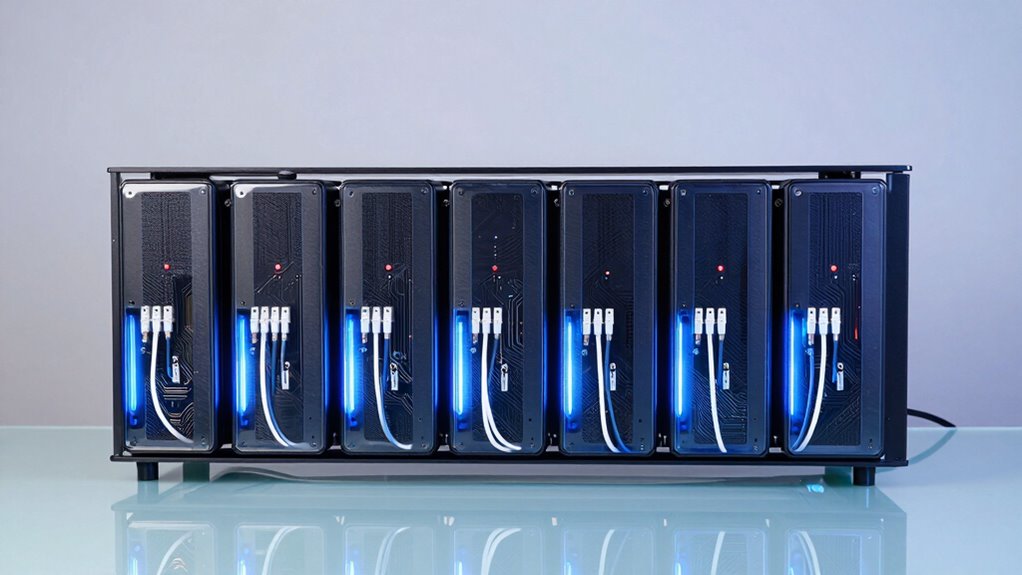

If you’re looking to control your home server remotely with minimal latency and high resolution, a KVM over IP setup is essential. The best overall pick, the PiKVM V4 Plus, offers reliable 4K streaming and straightforward setup, making it ideal for most users. The GL.iNet Comet 5G RedCap stands out for its portability and 4K HDMI touchscreen, perfect for on-the-go management. A common challenge in this category is balancing cost with features like resolution, compatibility, and ease of installation. Continue reading to explore these options in detail and find the best fit for your home server needs.
Listen free for 30 days with Audible
Thousands of audiobooks and originals — cancel anytime.
Start your free trialAs an affiliate, we earn on qualifying purchases.
Key Takeaways
- High-resolution 4K support is common but often comes with increased latency or complexity.
- Open-source options like JetKVM provide customization but may require technical expertise.
- Built-in touchscreens and BIOS control features significantly improve ease of remote management.
- Price varies widely; premium models tend to offer better stability and features, while budget options focus on core functionality.
- Compatibility with different platforms and networking setups is a key factor influencing user satisfaction.
| GL.iNet Comet 5G RedCap GL-RM10RC Remote KVM with 4K HDMI Touchscreen |  | Best Overall for Enterprise-Grade Remote Management | Connectivity: 5G RedCap, Wi-Fi 6, Gigabit Ethernet | Display: 3.69-inch touchscreen | Storage: 64GB eMMC | VIEW ON AMAZON | See Our Full Breakdown |
| GL.iNet GL-RM10 Comet Pro Remote KVM Over Wi-Fi 6 Dual Band 4K Passthrough |  | Best for Flexible Home and Office Remote Access | Wi-Fi Bands: 2.4 GHz and 5 GHz | Video Passthrough: 4K@30FPS | Audio Support: Two-way audio | VIEW ON AMAZON | See Our Full Breakdown |
| GL.iNet Comet GL-RM1 Remote KVM, 4K 30Hz, BIOS Control, Tailscale |  | Best for BIOS-Level Control and Seamless Hardware Management | Resolution: 3840×2160@30Hz | Features: BIOS control, Tailscale, hardware encoding | Compatibility: Laptops, desktops, servers | VIEW ON AMAZON | See Our Full Breakdown |
| GL.iNet Comet PoE Remote KVM GL-RM1PE with Tailscale 4K Streaming |  | Best for PoE-Enabled, Easy Installation Remote Management | VIEW ON AMAZON | See Our Full Breakdown | |||
| PiKVM V4 Plus |  | Best Budget-Friendly Raspberry Pi-Based KVM | Resolution Support: 1920×1200@60Hz & 1920×1080@60Hz | Connectivity: WiFi, Ethernet, Cellular | Internal Storage: USB 3.0 slot | VIEW ON AMAZON | See Our Full Breakdown |
| JetKVM Open-Source IP KVM Remote Control with Touchscreen |  | Best for Customization and Flexibility | Display: 1.69-inch LCD touchscreen | Video Streaming: 1080P 60FPS, latency 30-60ms | Connectivity: WebRTC/STUN/TURN, VPN | VIEW ON AMAZON | See Our Full Breakdown |
| Remote KVM Over IP 4K Support for PC, Server, and Multi-Platform Control |  | Best for High-Resolution, Multi-Platform Management | Resolution: 3840×2160@60Hz | Latency: Below 60 milliseconds | Supported Systems: Windows, macOS, Linux, Android | VIEW ON AMAZON | See Our Full Breakdown |
More Details on Our Top Picks
GL.iNet Comet 5G RedCap GL-RM10RC Remote KVM with 4K HDMI Touchscreen
This device stands out for its combination of high connectivity options, including 5G RedCap, Wi-Fi 6, and Gigabit Ethernet, making it highly reliable in diverse network environments. The built-in 3.69-inch touchscreen simplifies management directly on the device, while the 64GB eMMC storage supports OS images and recovery tools without external drives. Compared to the PiKVM V4 Plus, it offers a more integrated enterprise-focused solution with multi-WAN failover and BIOS-level control, but it involves a steeper learning curve for users unfamiliar with advanced networking. The price is not specified, which could be a barrier for some buyers. This pick makes the most sense for IT professionals needing robust, multi-connection remote KVM access with local management capabilities, especially in enterprise contexts.
Pros:- Supports multiple connectivity options including 5G, Wi-Fi 6, and Ethernet for high reliability
- Built-in touchscreen simplifies on-device management
- 64GB eMMC allows for OS deployment and recovery tools
- Multi-WAN failover enhances network resilience
Cons:- May be complex for users unfamiliar with enterprise networking
- Limited detailed user reviews and price information
Best for: IT professionals and enterprise users requiring reliable, multi-connection remote KVM control with local management features.
Not ideal for: Home users or hobbyists seeking simple setup or budget-friendly options, due to complexity and cost.
- Connectivity:5G RedCap, Wi-Fi 6, Gigabit Ethernet
- Display:3.69-inch touchscreen
- Storage:64GB eMMC
- Video Output:4K HDMI
- Remote Access:Browser-based, Tailscale, ZeroTier
- Features:Multi-WAN failover, BIOS-level control, low-latency remote access
Our verdict“This device is ideal for professionals who need enterprise-level remote control with flexible and resilient connectivity options.”
GL.iNet GL-RM10 Comet Pro Remote KVM Over Wi-Fi 6 Dual Band 4K Passthrough
This model excels with dual-band Wi-Fi 6 support, offering flexible and high-speed wireless connectivity that surpasses single-band options like the PiKVM V4 Plus. Its 4K@30FPS video passthrough and two-way audio enable clear, real-time remote interactions, making it suitable for home labs, small offices, or remote technical support. The built-in touchscreen simplifies navigation without external apps, and security is bolstered through Tailscale and WireGuard encryption. Compared to the GL.iNet Comet 5G RedCap, it lacks multi-WAN failover but provides easier Wi-Fi setup and mobility. The absence of explicit pricing details is a drawback, but overall, it’s well-suited for users comfortable with networking who want reliable, high-quality remote control over Wi-Fi. It makes the most sense for tech-savvy home users and small IT teams needing flexible wireless access.
Pros:- Supports dual-band Wi-Fi 6 for high-speed, flexible connectivity
- Includes 4K video passthrough and two-way audio for clear remote interactions
- Touchscreen interface simplifies operation
- Secure remote access with Tailscale and cloud options
Cons:- Requires some familiarity with networking for optimal setup
- Features like ATX Board support are sold separately
- No explicit pricing information available
Best for: Home lab enthusiasts and small office users who prioritize high-speed Wi-Fi 6 connectivity and easy setup.
Not ideal for: Large enterprise environments or users needing multi-WAN failover, due to limited wired options and network resilience features.
- Wi-Fi Bands:2.4 GHz and 5 GHz
- Video Passthrough:4K@30FPS
- Audio Support:Two-way audio
- Touchscreen:2.22-inch built-in
- Remote Access:Web cloud control, GLKVM app
- Security:Tailscale, WireGuard encryption
Our verdict“This device suits tech-savvy users seeking high-quality wireless remote KVM with straightforward operation for home or small office use.”
GL.iNet Comet GL-RM1 Remote KVM, 4K 30Hz, BIOS Control, Tailscale
Compared with the other GL.iNet options, the GL-RM1 focuses on BIOS control and low-latency 4K visuals at 30Hz, making it ideal for server management and hardware troubleshooting. Its simplicity—no software installation needed—appeals to users who want quick, reliable remote BIOS access. However, the 30Hz refresh rate at 4K is sufficient for most management tasks but falls short for smooth video or media work, unlike the GL-RM10RC’s 4K HDMI output. The device’s ability to handle BIOS functions remotely makes it a strong choice for IT professionals managing servers. Yet, it cannot use PD adapters, which could limit hardware flexibility. Overall, this is better suited for users who prioritize BIOS access and basic device control over high-frequency video streaming or multimedia use.
Pros:- Supports high-resolution 4K at 30Hz for clear visuals
- Enables remote BIOS access and device management
- Easy setup with no additional software needed
- Supports Tailscale for secure remote connectivity
Cons:- Limited to 30Hz refresh rate, not ideal for media or video editing
- Cannot use PD adapters, restricting some hardware options
- Lacks advanced multimedia features
Best for: Server administrators and IT staff needing remote BIOS access and basic device control with high-resolution visuals.
Not ideal for: Home users or multimedia professionals requiring high frame rates or multimedia streaming, due to 30Hz limit.
- Resolution:3840×2160@30Hz
- Features:BIOS control, Tailscale, hardware encoding
- Compatibility:Laptops, desktops, servers
- Audio Output:Yes
- File Transfer:Yes
- Latency:Low
Our verdict“This device is perfect for IT professionals managing servers remotely with BIOS-level control and high-res visuals but not for high-motion media tasks.”
GL.iNet Comet PoE Remote KVM GL-RM1PE with Tailscale 4K Streaming
The GL-RM1PE leverages Power over Ethernet (PoE), simplifying installation and reducing cable clutter, making it an attractive choice for managing multiple devices remotely. Its support for 4K streaming ensures high-quality video, suitable for detailed server monitoring or multi-device control. While detailed compatibility and feature specifics are scarce, PoE support reduces dependency on additional power supplies, streamlining deployment. Compared to the other models, it emphasizes ease of installation over advanced networking features. This makes it a good fit for environments where power and network infrastructure are already PoE-compatible. However, the lack of detailed specs and pricing info suggests it’s best suited for users with existing PoE setups seeking straightforward remote control.
Pros:- Supports 4K streaming for high-quality video
- PoE support simplifies installation and power management
- Enables remote device control with Tailscale
Cons:- Limited information on full feature set and compatibility
- No price or detailed specs available
- Potentially less flexible without detailed device support info
Best for: IT teams managing multiple devices with PoE infrastructure, prioritizing quick setup and high-quality video.
Not ideal for: Users without PoE support or those needing detailed feature sets beyond streaming and basic control.
Our verdict“This device is well-suited for PoE-enabled environments seeking straightforward remote control with high-resolution streaming, but lacks detailed features for more complex setups.”
PiKVM V4 Plus
The PiKVM V4 Plus offers a cost-effective, Raspberry Pi-based solution for remote server management, supporting up to 1920×1200@60Hz and 1080p at 60Hz. Its versatility with Wi-Fi, Ethernet, and Cellular connectivity options makes it adaptable to various network environments, ideal for hobbyists and small-scale setups. As a turnkey solution with included accessories, it simplifies deployment compared to custom builds. However, it requires some technical setup and configuration, which might be challenging for less experienced users. Its hardware is limited to Raspberry Pi CM4 specs, restricting performance for more demanding tasks. Compared with the GL.iNet models, it’s more affordable but less feature-rich, especially in enterprise management capabilities. This device is best for DIY enthusiasts and small server setups needing reliable remote access on a budget.
Pros:- Supports high-resolution 1920×1200@60Hz for clear visuals
- Multiple connectivity options including Wi-Fi, Ethernet, and Cellular
- Complete, ready-to-use package with accessories
- Cost-effective alternative to enterprise solutions
Cons:- Requires technical knowledge for setup and configuration
- Limited to Raspberry Pi CM4 hardware specs, affecting performance
- No detailed user interface or management features beyond basic controls
Best for: Hobbyists and small-scale server owners comfortable with technical setup who want a budget-friendly remote KVM.
Not ideal for: Large enterprise or users seeking plug-and-play solutions with advanced management features, due to setup complexity.
- Resolution Support:1920×1200@60Hz & 1920×1080@60Hz
- Connectivity:WiFi, Ethernet, Cellular
- Internal Storage:USB 3.0 slot
- Power Supply:Included
- Cables:USB & Ethernet included
- Certification:CE
Our verdict“This device fits budget-conscious DIY users needing reliable remote access with flexible connectivity options but demands technical expertise for setup.”
JetKVM Open-Source IP KVM Remote Control with Touchscreen
The JetKVM stands out for its open-source architecture, enabling advanced users to tailor remote KVM solutions to specific needs. Its browser-based control eliminates the need for dedicated software, making it straightforward to access from any device, unlike proprietary options that often require proprietary apps. The 1.69-inch LCD touchscreen adds a physical interface for quick access, but it’s primarily designed for technically inclined users comfortable with Linux and Golang customization. Compared to the Remote KVM Over IP 4K Support, JetKVM offers a more open and adaptable platform, though it sacrifices out-of-the-box simplicity, requiring more setup and technical knowledge. Its ultra-low latency streaming (30-60ms) and secure encrypted connections make it suitable for sensitive environments, but the complexity may deter casual users.
Pros:- Open-source architecture allows deep customization
- Browser-based control with no additional software needed
- High-quality 1080P 60FPS streaming with low latency
- Supports BIOS access and OS installation directly
Cons:- Requires technical skills to configure and expand
- Limited compatibility info outside specified platforms
- Potentially complex for users unfamiliar with Linux or Golang
Best for: Tech-savvy home lab enthusiasts or small data centers seeking a customizable, open-source remote KVM solution.
Not ideal for: Users who prefer plug-and-play setups or lack Linux/Linux experience, as customization can be challenging.
- Display:1.69-inch LCD touchscreen
- Video Streaming:1080P 60FPS, latency 30-60ms
- Connectivity:WebRTC/STUN/TURN, VPN
- Open-Source:Yes, Linux and Golang based
- Expansion Ports:RJ12
- Supported Platforms:Mac, Windows, Linux
Our verdict“This pick is best suited for technically proficient users who value flexibility over simplicity in their home server management.”
Remote KVM Over IP 4K Support for PC, Server, and Multi-Platform Control
The Remote KVM Over IP 4K Support excels in delivering crisp, high-resolution control, making it a strong choice for users who need detailed visuals, unlike the JetKVM which focuses on open-source flexibility. Its support for 3840×2160 at 60Hz ensures sharp images, ideal for tasks requiring visual precision, such as video editing or detailed server monitoring. The inclusion of remote power control for desktops provides additional management capabilities, but it’s limited for laptops, which might frustrate users needing remote power options for mobile devices. Compatibility across Windows, macOS, Linux, and Android makes it more versatile than JetKVM’s platform-specific approach. However, the setup can be complex, especially with its ZeroTier integration requiring an online upgrade and network configuration, making it less accessible for non-technical users.
Pros:- Supports 4K resolution at 60Hz for detailed visuals
- Compatible with Windows, macOS, Linux, and Android
- Includes built-in ZeroTier for secure peer-to-peer access
- Remote desktop power control (desktop only)
Cons:- Remote power control unavailable for laptops
- Requires online upgrade for full ZeroTier features
- Setup may be challenging for non-technical users
Best for: Remote IT professionals or power users managing high-resolution media tasks on multiple platforms who need reliable, clear visuals and remote power features.
Not ideal for: Casual users or those unfamiliar with network setup, as the initial configuration and upgrades can be complex.
- Resolution:3840×2160@60Hz
- Latency:Below 60 milliseconds
- Supported Systems:Windows, macOS, Linux, Android
- Remote Power Control:Yes (desktop only)
- ZeroTier Integration:Yes
- Package Contents:IP KVM, HDMI, Ethernet, USB-C, Power Adapter
Our verdict“This model is ideal for users needing high-quality visuals and multi-platform control with advanced network security, provided they are comfortable with setup complexity.”

How We Picked
To evaluate these KVM over IP solutions, I considered performance factors such as resolution and latency, as well as usability features like interface design and setup complexity. Build quality and reliability were critical, especially for continuous home server use. I also examined compatibility with various hardware and networking environments, ensuring the options cater to different user needs. Cost-effectiveness and additional features, such as BIOS access or touchscreen controls, played a significant role in ranking. The goal was to identify solutions that balance advanced features with user-friendliness, focusing on the needs of home server enthusiasts seeking dependable remote control options.Factors to Consider When Choosing Kvm Over Ip For Home Servers
Choosing the right KVM over IP for your home server involves balancing several factors. Not all solutions offer the same performance, ease of use, or compatibility, so understanding your specific needs is crucial. Consider your technical skill level, network setup, and what features will make remote management most effective. The following sections highlight key considerations to help you make an informed decision and avoid common pitfalls.Resolution and Video Quality
High-resolution support, especially 4K, is a significant advantage for clear, detailed remote viewing. However, higher resolutions can introduce latency or require stronger network connections. Ensure your home network can handle the bandwidth needed for smooth streaming, particularly if you plan to access multiple devices or run high-demand applications. Cheaper models may offer lower resolution or compression, which can impact usability during detailed tasks or troubleshooting.
Ease of Setup and User Interface
Some solutions feature plug-and-play design with intuitive web interfaces, while others may require more technical configuration. Touchscreen controls, BIOS access, and straightforward software make daily operation easier, especially for non-technical users. Beware of overly complex setups that demand advanced networking or hardware knowledge, as they can lead to frustration or improper configuration, reducing overall effectiveness.
Compatibility and Platform Support
It’s important to verify that the KVM over IP device supports your specific hardware, operating system, and network environment. Some solutions excel in multi-platform control, allowing seamless management across PCs, servers, and virtual environments. Others might be limited to certain protocols or hardware. Incompatibility can significantly hamper your remote management experience and may require additional adapters or software.
Security Features
Remote access introduces security considerations. Look for devices with encrypted connections, multi-factor authentication, and secure firmware updates. Open-source options may require additional security hardening, while commercial models often include built-in protections. Neglecting security can expose your home network to vulnerabilities, especially if remote access is left open to the internet.
Price and Longevity
Budget models might save money upfront but can lack durability or critical features. Premium options typically offer better build quality, support, and feature sets, translating to longer lifespan and less hassle. Consider your budget in relation to the expected usage; investing more upfront can pay off if remote management is a daily necessity. Also, check for firmware support and manufacturer reputation to ensure ongoing updates and reliability.
Frequently Asked Questions
Can I use a KVM over IP device with any home network?
Most KVM over IP solutions are designed to work with standard home networks, but performance can vary based on your Wi-Fi or wired setup. Using a wired Ethernet connection generally provides more stable and lower-latency access, which is important for detailed tasks or troubleshooting. Wireless options like Wi-Fi 6, supported by some models, improve flexibility and reduce lag, but network congestion or interference can still impact performance. Ensuring your network supports the required bandwidth is key to a smooth remote experience.
Is it necessary to have BIOS access through a KVM over IP solution?
Having BIOS access can be highly valuable, especially for troubleshooting or managing hardware settings remotely. Many higher-end or specialized KVM over IP devices include BIOS control, allowing you to interact with the server at a low level just as if you were physically present. Cheaper or simpler models might lack this feature, which could limit your ability to perform certain maintenance tasks or troubleshoot boot issues effectively. Consider this feature if you anticipate needing deep hardware control.
How difficult is it to set up a KVM over IP for a home server?
The setup complexity depends largely on the device and your technical skills. Plug-and-play models with web-based interfaces are generally straightforward, often requiring just network connection and basic configuration. More advanced solutions may involve configuring network settings, firmware updates, or integrating with existing infrastructure, which can be challenging for non-technical users. Reading user manuals and checking for community support can ease the process, but be prepared for a learning curve if opting for open-source or highly customizable options.
Are open-source KVM over IP options reliable for daily home server use?
Open-source solutions like JetKVM can be very flexible and cost-effective but often demand a higher level of technical knowledge for setup and maintenance. Their reliability depends on community support, update frequency, and your ability to troubleshoot issues. For consistent, daily use, dedicated commercial products may offer more stability and official support, but open-source options can be suitable if you’re comfortable with technical configuration and seek customization. Evaluate your comfort level before choosing open-source solutions for critical tasks.
Is 4K support necessary for home server management?
4K support provides sharper images and more detailed visuals, which can be beneficial if you need to view multiple logs, detailed interfaces, or manage high-resolution media. However, it also requires higher bandwidth and a capable display setup. For most home server tasks, 1080p is sufficient, and opting for 4K may introduce unnecessary complexity or cost. Consider your specific needs—if you often handle graphical interfaces or multiple displays, 4K support becomes more valuable.
Conclusion
The best choice depends on your technical comfort, budget, and specific needs. For users seeking a reliable, all-around solution, the PiKVM V4 Plus offers excellent performance and ease of use as the best overall. Those prioritizing portability and touch controls might prefer the GL.iNet Comet 5G RedCap. Budget-conscious buyers can look at models like the Remote KVM Over IP 4K for solid features at a lower cost, while tech-savvy users who want customization should consider open-source options like the JetKVM. For beginners, straightforward setup and intuitive interfaces are key, whereas advanced users should prioritize BIOS access and security features. Overall, select based on your specific management needs and technical skills to get the best value from your home server setup.
Flea & tick season Picks
flea and tick prevention
As an affiliate, we earn on qualifying purchases.