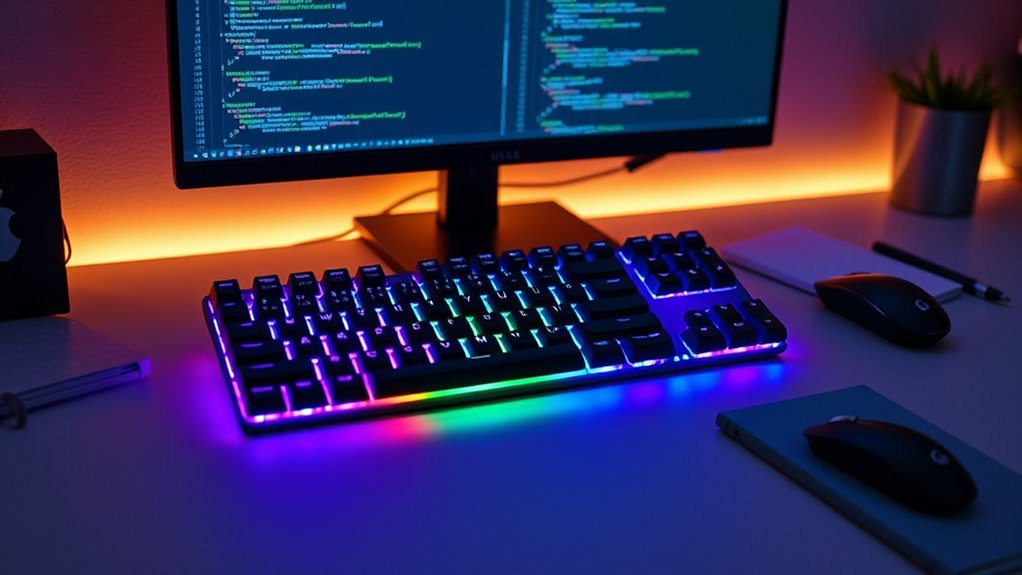

If you’re looking to boost your coding comfort and efficiency in 2025, I recommend exploring options like the Redragon K556, RK R98 Pro, and Logitech MX Mechanical, among others. These keyboards offer sturdy builds, satisfying switches, customizable lighting, and ergonomic features that reduce fatigue during long sessions. Whether you prefer wired or wireless, compact or full-size, there’s a perfect choice for your workspace. Keep exploring to find out which keyboard best suits your needs and workflow.
Key Takeaways
- Highlights top mechanical keyboards with ergonomic features, customizable switches, and durable keycaps for comfortable long coding sessions.
- Includes options with multi-device connectivity, wireless and wired setups, for seamless workflow integration.
- Emphasizes sound dampening and noise reduction features to create a quieter, distraction-free environment.
- Showcases various layouts (compact, TKL, full-size) catering to different desk space and ergonomic preferences.
- Features customizable RGB lighting and software support for personalized aesthetics and productivity enhancements.
Redragon K556 RGB Mechanical Gaming Keyboard

If you’re a programmer looking for a durable and customizable mechanical keyboard, the Redragon K556 RGB stands out as an excellent choice. Its sturdy aluminum base offers stability and a premium feel, while the vintage-inspired design adds a sleek, stylish touch. The keyboard features soft tactile brown switches that are quiet yet responsive, perfect for long coding sessions. With true hot-swappable switches, you can easily replace or upgrade them to suit your preferences. The vibrant RGB backlighting, programmable via user-friendly software, lets you customize your setup. Overall, the K556 combines durability, aesthetics, and flexibility, making it a reliable companion for any programmer.
Best For: programmers and gaming enthusiasts seeking a durable, customizable, and stylish mechanical keyboard for extended use.
Pros:
- Sturdy aluminum build provides excellent stability and a premium feel.
- True hot-swappable switches allow easy customization and upgrades.
- Vibrant RGB backlighting with customizable modes enhances aesthetics and setup personalization.
Cons:
- Software support can be outdated or difficult to navigate, limiting customization ease.
- Lacks dedicated media keys, which may be inconvenient for some users.
- No dedicated wrist rest area, potentially affecting ergonomic comfort during long sessions.
RK ROYAL KLUDGE R98 Pro Mechanical Keyboard
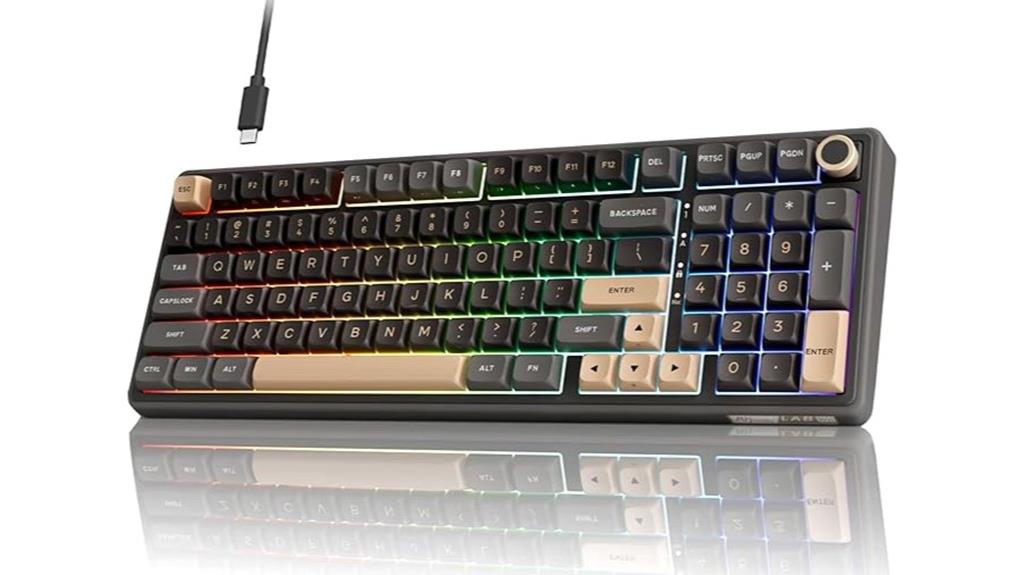
The RK Royal Kludge R98 Pro Mechanical Keyboard stands out as an excellent choice for programmers who value both functionality and style. Its 98-key gasket mount design retains essential keys like the numpad and arrow keys in a compact layout, optimizing workspace. The sturdy plastic build and hefty weight prevent slipping during long coding sessions. Equipped with hot-swappable linear cream switches and durable double-shot PBT keycaps, it offers smooth, responsive keystrokes with satisfying sound. The dynamic RGB backlighting is customizable, adding aesthetic flair. Features like a CNC volume knob and multi-platform compatibility make it versatile, while positive reviews highlight its durability, sound profile, and value.
Best For: programmers and gamers seeking a durable, customizable mechanical keyboard with a vintage aesthetic and versatile features.
Pros:
- Sturdy, heavy-duty build with a solid plastic exterior that prevents slipping during intensive use.
- Hot-swappable linear cream switches and durable PBT keycaps offer smooth, responsive typing with satisfying sound.
- Customizable RGB backlighting and a CNC volume knob enhance aesthetics and user convenience.
Cons:
- External construction is primarily plastic, which may feel less premium compared to metal alternatives.
- No dedicated Ñ key included, requiring customization or remapping for Spanish language users.
- USB cable could be softer or more flexible to improve overall cable management and feel.
AULA F75 Pro Wireless Mechanical Keyboard

The AULA F75 Pro Wireless Mechanical Keyboard stands out as an ideal choice for programmers who value portability and versatility without sacrificing performance. Its compact 75% layout maximizes desk space while keeping essential keys like arrows. The hot-swappable switches and pre-lubed Reaper keys deliver smooth, responsive typing suited for both work and gaming. With tri-mode connectivity—Bluetooth 5.0, 2.4GHz, and USB-C—it easily connects to multiple devices, including PCs, tablets, and consoles. Vibrant RGB lighting, durable side-printed PBT keycaps, and a multi-function control knob enhance both aesthetics and usability. Long-lasting battery life makes it perfect for extended use on the go.
Best For: Programmers, gamers, and professionals seeking a portable, versatile wireless mechanical keyboard with a compact layout and customizable features.
Pros:
- Supports tri-mode connectivity: Bluetooth 5.0, 2.4GHz wireless, and USB-C wired, allowing seamless device switching
- Compact 75% layout saves desk space while retaining essential keys, including arrows and function keys
- Durable side-printed PBT keycaps and pre-lubed Reaper switches provide smooth, responsive typing and long-lasting wear
Cons:
- Some users find the software interface outdated and limited in customization options
- Minor lighting memory issues reported, affecting RGB preset retention
- The keyboard’s weight, while beneficial for stability, may reduce portability for some users
RK Royal Kludge S98 Mechanical Keyboard with Smart Display & Knob
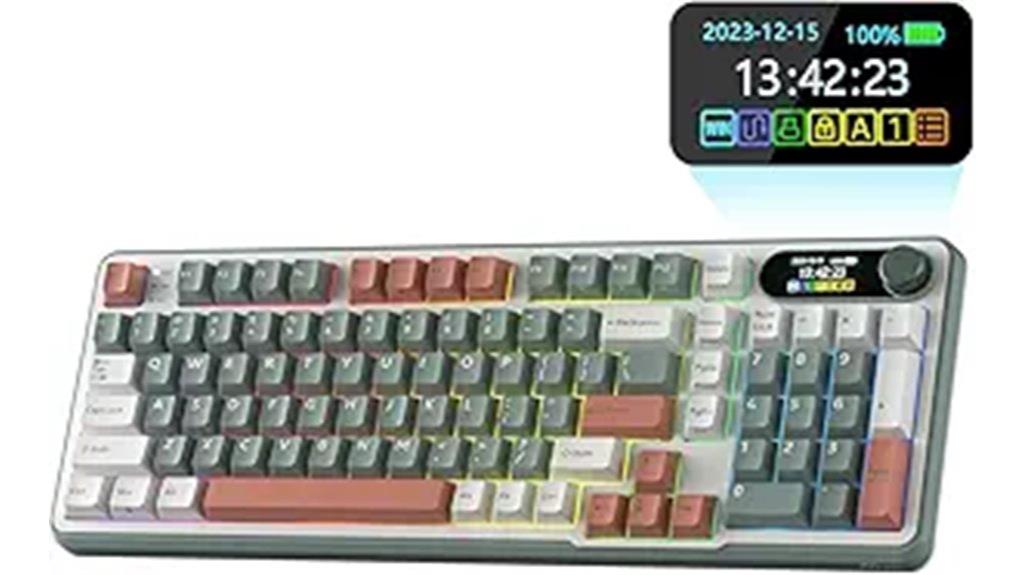
Designed for both gaming and professional work, the RK Royal Kludge S98 stands out with its smart display and multifunctional knob, making it an excellent choice for programmers who value customization and convenience. Its compact 96% layout with 98 keys fits well on any desk, while the solid plastic build with heavy weight guarantees stability during intense typing sessions. The double-shot PBT keycaps offer durability and a superior feel, complemented by dampening layers that create a creamy, thocky sound. Connectivity is seamless across Bluetooth, 2.4GHz, and USB-C, and the RGB lighting is fully customizable via software. The small LCD display and rotary knob add extra control and personalization, enhancing your workflow.
Best For: programmers and tech enthusiasts who need a versatile, customizable mechanical keyboard with advanced features and stability.
Pros:
- Seamless multi-device connectivity via Bluetooth, 2.4Ghz, and USB-C, enabling effortless switching between devices
- Fully customizable RGB lighting and smart display for enhanced personalization and workflow efficiency
- Solid, heavy build with dampening layers and high-quality keycaps for a stable, quiet, and satisfying typing experience
Cons:
- Limited intuitive software interface may require a learning curve for full customization
- Small LCD screen’s functionality might be less useful for some users or considered a novelty
- Some users report the keyboard arriving with minor defects or lacking certain features like backlight on specific models
Logitech MX Mechanical Wireless Keyboard

If you’re seeking a sleek, durable keyboard that combines premium build quality with versatile connectivity, the Logitech MX Mechanical Wireless Keyboard stands out as an excellent choice. Its sturdy metal top plate and low-profile mechanical switches deliver a satisfying typing experience while maintaining a professional appearance. Weighing about 29.2 ounces, it’s solid and built to last, with a compact layout that saves desk space. Supporting multi-device pairing via Bluetooth or Logi Bolt receiver, it offers seamless switching and reliable connection. The backlit keys adjust automatically, and its long-lasting battery can run up to 10 months without backlighting. Overall, it’s a versatile, eco-friendly choice for serious coders.
Best For: professionals and enthusiasts seeking a premium, durable, and versatile wireless keyboard for office work, coding, or casual use.
Pros:
- High-quality build with a sturdy metal top plate and environmentally friendly recycled plastic
- Supports multi-device pairing with seamless switching via Bluetooth or Logi Bolt receiver
- Long battery life of up to 10 months with backlighting off, and automatic backlit keys for low-light environments
Cons:
- Some users may experience software-related issues with backlight customization
- Slightly heavier weight (29.2 oz) may be less portable for on-the-go use
- Premium price point might be higher than basic wireless keyboards
RK Royal Kludge R75 Mechanical Keyboard with Volume Knob, 75% Gasket Mounted, Hot Swappable, PBT Keycaps
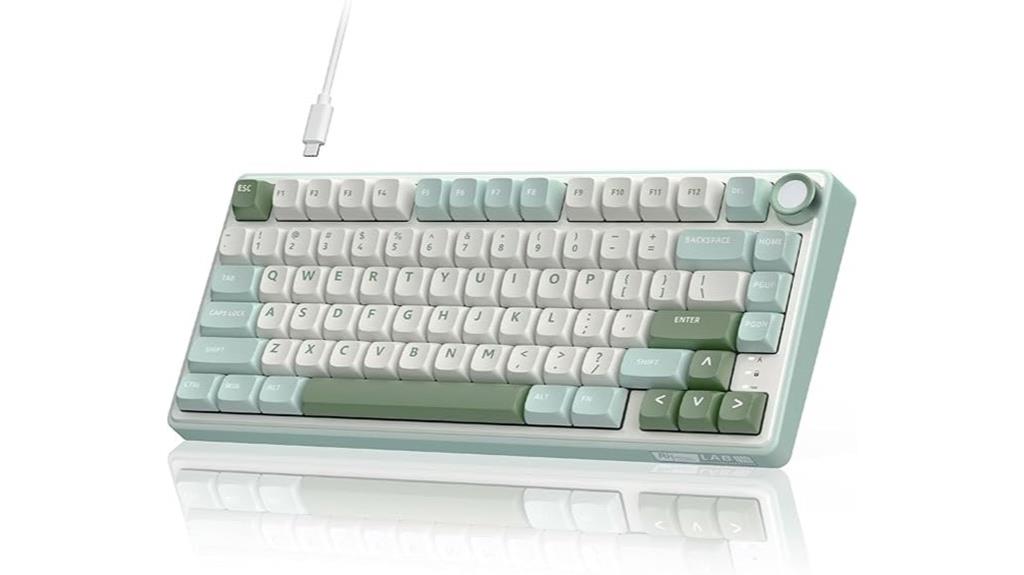
For programmers seeking a compact yet fully functional keyboard, the RK Royal Kludge R75 stands out with its 75% layout and gasket-mounted construction, which combines a small footprint with enhanced sound dampening. Its built-in sound-absorbing layers, including IXPE dampener and foam, reduce vibration and noise, making typing quieter and more natural. The aluminum CNC volume knob adds a premium touch, allowing quick volume adjustments. With hot-swappable linear switches, like the silver switch Pro, you get fast, stable responses and customizable options. The durable PBT keycaps with a textured finish ensure longevity and a premium feel, elevating your coding setup.
Best For: programmers and gamers seeking a compact, customizable, and quiet mechanical keyboard with premium features for an enhanced typing and gaming experience.
Pros:
- Compact 75% layout saves desk space while retaining essential functions, ideal for limited workspaces.
- Gasket-mounted construction with multiple sound-absorbing layers reduces noise and vibration for a quieter, more natural typing experience.
- Hot-swappable switches and customizable RGB backlighting offer personalized setup and easy upgrades.
Cons:
- The compact design may lack dedicated function keys, which could be a drawback for some users.
- Aluminum volume knob, while premium, may add to the overall weight and cost of the keyboard.
- PBT keycaps, though durable, can be textured, which might not appeal to everyone’s preference for smooth key surfaces.
Logitech G413 SE Mechanical Gaming Keyboard
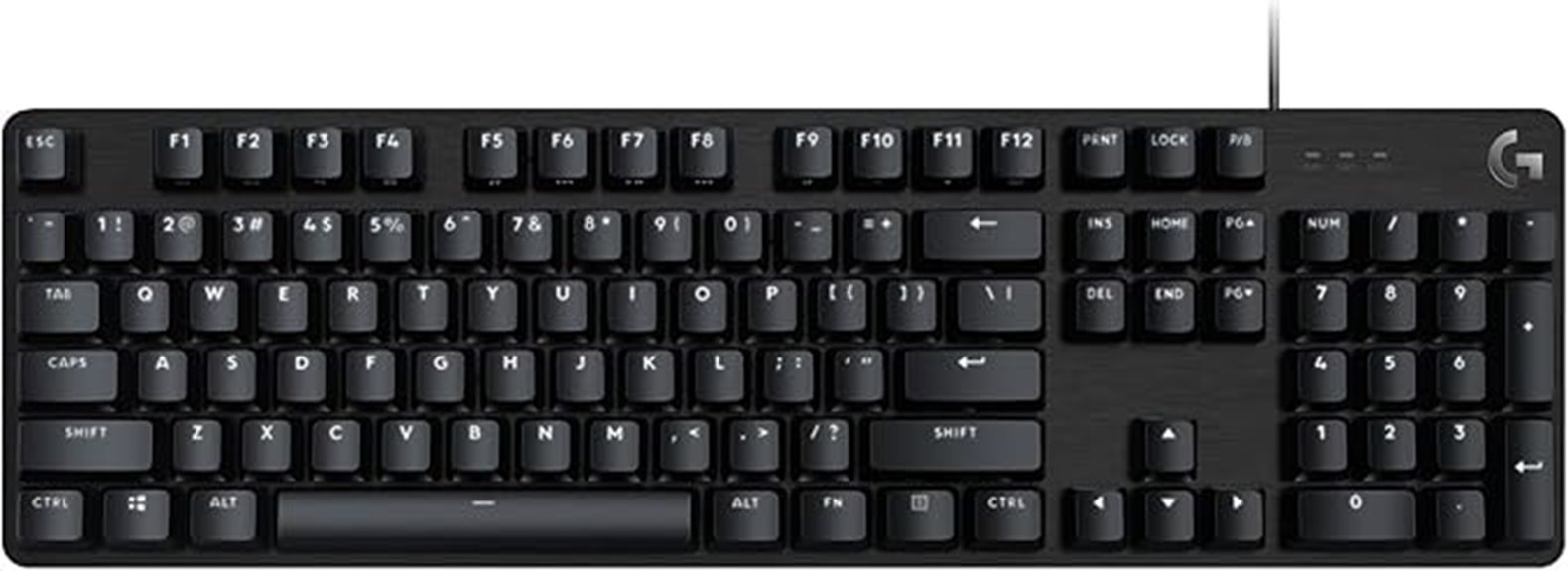
The Logitech G413 SE Mechanical Gaming Keyboard stands out as an excellent choice for programmers who need a durable, responsive, and stylish keyboard. Its sleek design features a black-brushed aluminum top case and white LED backlighting, combining durability with modern aesthetics. The aluminum-magnesium alloy body minimizes flex, providing stability during long coding sessions. Equipped with tactile mechanical switches and heat-resistant PBT keycaps, it ensures reliable performance and long-lasting quality. With 6-key rollover anti-ghosting and easy access to media controls, it offers both precision and convenience. Compatible with Windows and macOS, the G413 SE balances performance and versatility perfectly for any programming environment.
Best For: programmers seeking a durable, responsive, and stylish mechanical keyboard for long coding sessions and versatile use.
Pros:
- Robust aluminum-magnesium alloy body minimizes flex and enhances stability
- High durability with heat- and wear-resistant PBT keycaps and tactile switches
- Backlit keys with white LED improve visibility in low-light environments
Cons:
- Limited to Windows and macOS, may lack compatibility with other operating systems
- Full-size and TKL layouts might not suit users preferring compact keyboards
- Lacks customizable RGB lighting, appealing to users seeking more personalization
AULA F99 Wireless Mechanical Keyboard with RGB Backlit

Designed with versatility in mind, the AULA F99 Wireless Mechanical Keyboard stands out for its tri-mode connectivity—Bluetooth 5.0, 2.4GHz wireless, and USB-C wired—allowing me to switch effortlessly between multiple devices. Its compact 99-key layout saves space while keeping essential keys, and the double-shot PBT keycaps ensure durability and vibrant characters. The keyboard features customizable RGB lighting with 16 effects, macro support, and music rhythm modes via software. With pre-lubed linear switches, N-key rollover, and hot-swappable switches, it offers smooth, quiet typing and easy personalization, making it ideal for gaming and productivity.
Best For: gamers and professionals seeking a versatile, compact wireless mechanical keyboard with customizable lighting and easy device switching.
Pros:
- Tri-mode connectivity supports multiple devices with seamless switching
- Durable double-shot PBT keycaps and pre-lubed linear switches for smooth, quiet typing
- Customizable RGB lighting, macro support, and hot-swappable switches for personalization
Cons:
- Non-shine-through keycaps may reduce visibility in low light conditions
- Some users report minor interface limitations with the software customization tool
- Battery indicator lights can be less prominent, requiring attention to charge status
EPOMAKER x Aula F75 Gasket Mechanical Keyboard (Wireless, RGB)
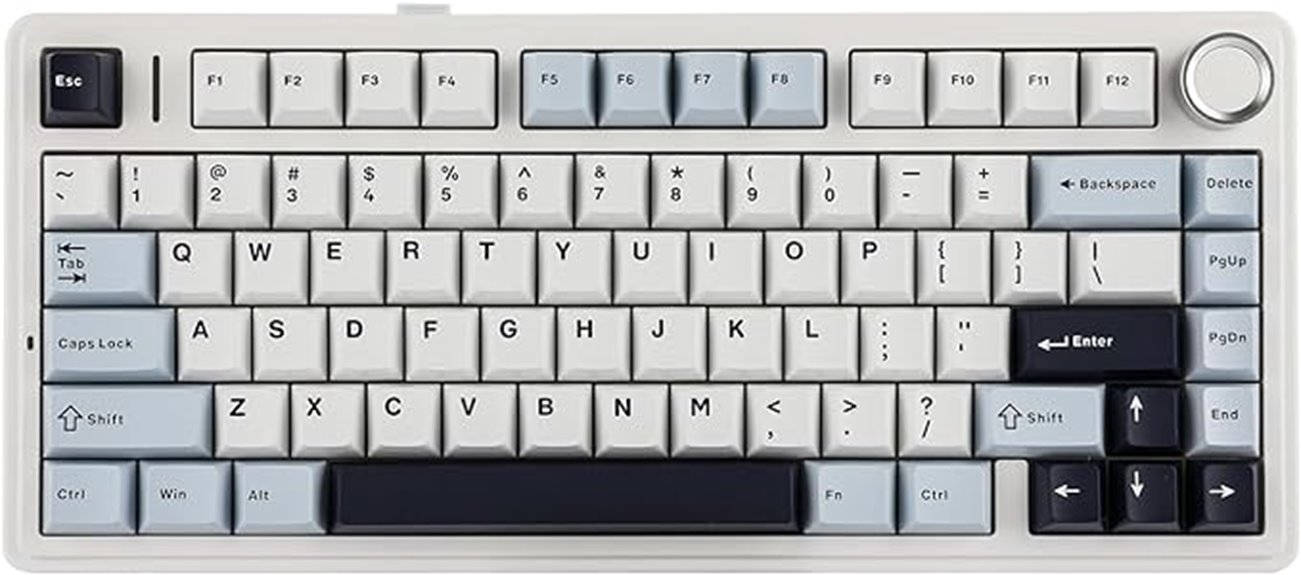
If you’re looking for a compact, versatile keyboard that excels in both work and play, the EPOMAKER x Aula F75 Gasket Mechanical Keyboard is an excellent choice. Its 75% layout saves space without sacrificing essential keys, and the gasket structure offers a comfortable, responsive typing experience that reduces fatigue. With three connectivity options—Bluetooth, 2.4GHz wireless, and USB-C—it adapts seamlessly to different devices. The five-layer padding minimizes noise, while durable PBT keycaps ensure longevity. Customizable RGB lighting and hot-swappable switches let you personalize your setup, making the F75 perfect for efficient coding and immersive gaming alike.
Best For: users seeking a compact, versatile mechanical keyboard ideal for gaming, coding, or professional work with customizable lighting and switch options.
Pros:
- Compact 75% layout saves desk space while retaining essential keys
- Three-way connectivity (Bluetooth, 2.4GHz, USB-C) for versatile device pairing
- Full-height, customizable RGB backlighting with vibrant colors and patterns
Cons:
- Might have a learning curve for users unfamiliar with gasket or hot-swappable designs
- Limited to mechanical switches with no included switch options out of the box
- Larger than typical membrane keyboards, which may still be bulky for ultra-portable needs
KI99 Pro Wireless Mechanical Keyboard
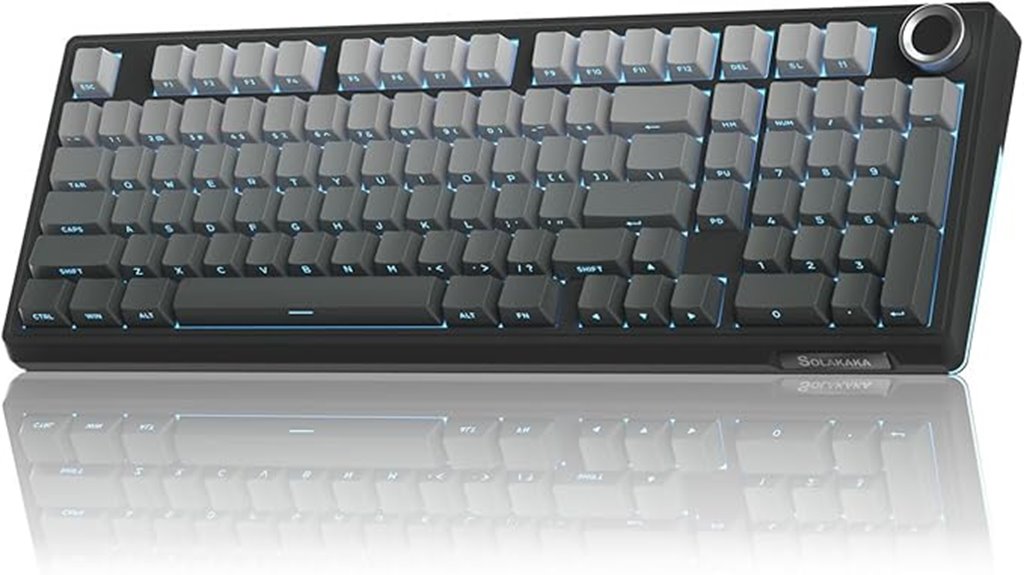
For programmers seeking a compact yet versatile keyboard, the KI99 Pro Wireless Mechanical Keyboard stands out with its 96% layout and triple-mode connectivity. It combines most keys from a full-size keyboard with a sleek black finish and vibrant RGB lighting, customizable through software or shortcuts. Its dual-color PBT keycaps are durable and comfortable, while the multifunctional knob adds convenience for volume, media, and lighting control. With Bluetooth 5.0, 2.4GHz, and wired options, plus a large 10,000mAh battery, it’s perfect for flexible setups. The hot-swappable switches and noise-reducing layers enhance typing and gaming, making it a top pick for efficiency and style.
Best For: programmers and professionals seeking a compact, customizable, and versatile mechanical keyboard for both work and gaming environments.
Pros:
- Supports triple-mode connectivity (Bluetooth 5.0, 2.4GHz, wired) for flexible device pairing
- Hot-swappable switches and customizable RGB lighting for personalized user experience
- Durable dual-color PBT keycaps and noise-reducing layers enhance typing comfort and sound quality
Cons:
- Hefty weight (~3.3 pounds) may reduce portability and make it less travel-friendly
- Weak magnet for the dongle could affect wireless connection stability
- Compact layout, while space-saving, may require adjustment for users accustomed to full-size keyboards
Logitech K845 Mechanical Illuminated Keyboard
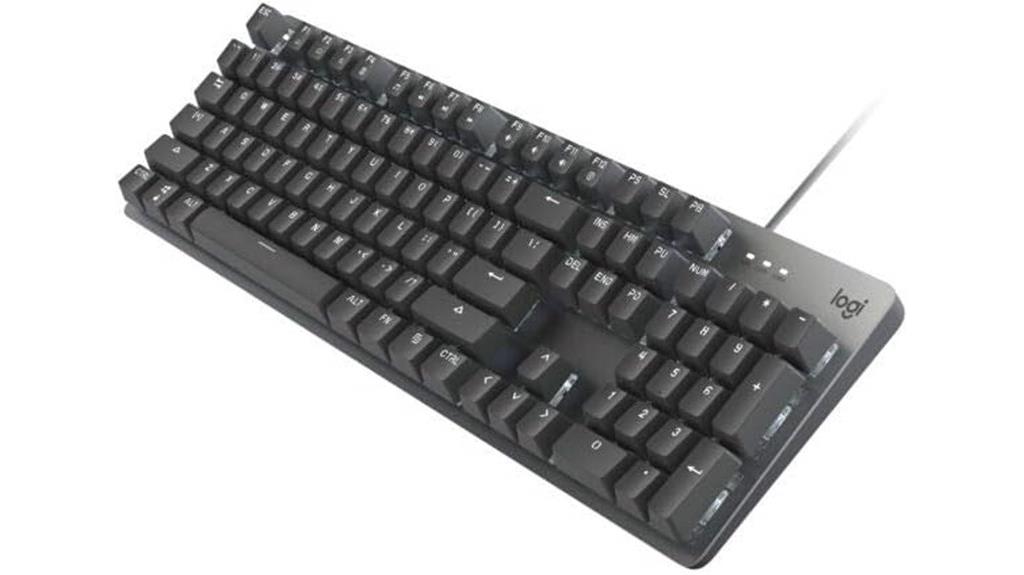
The Logitech K845 Mechanical Illuminated Keyboard stands out with its durable aluminum top case and full-size layout, making it an excellent choice for programmers who need a sturdy, feature-rich keyboard that doesn’t compromise on space. Despite its extensive design, it maintains a compact footprint, saving desk space. The adjustable tilt legs (4-8 degrees) promote ergonomic comfort during long coding sessions. With options for TTC Brown, Red, or Blue switches, you can customize sound and tactile feedback to suit your preferences. White backlighting with five customizable patterns ensures visibility in low-light conditions, while the USB corded connection guarantees stable, reliable performance.
Best For: programmers and professionals seeking a durable, customizable mechanical keyboard with backlit features for comfortable long-term use.
Pros:
- Robust aluminum top case offers durability and a premium feel
- Full-size layout with dedicated number pad and FN keys for versatility
- Adjustable tilt legs and slim design enhance ergonomic comfort and desk space efficiency
Cons:
- Wired connection may limit portability compared to wireless options
- Limited to Windows compatibility, reducing flexibility for other operating systems
- Sound levels and tactile feedback depend on switch choice, requiring user preference consideration
Cherry KC 200 MX Mechanical Office Keyboard
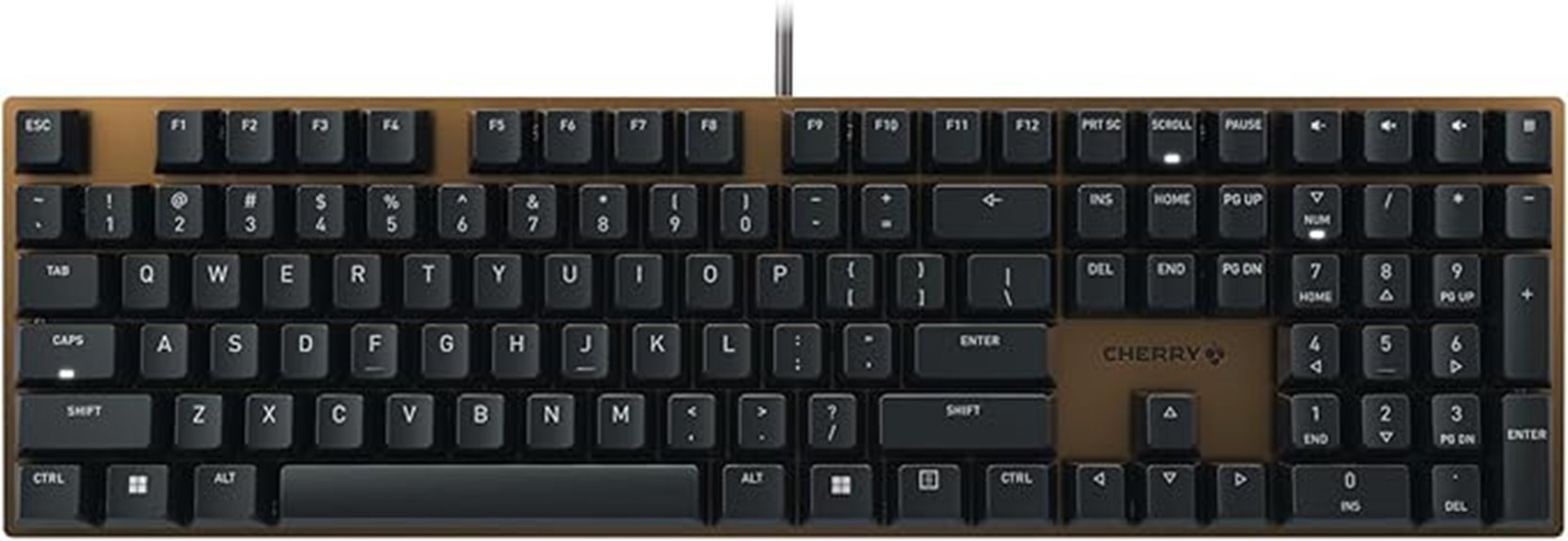
Designed specifically for office use, the Cherry KC 200 MX Mechanical Office Keyboard combines modern aesthetics with practical features that appeal to professionals and gamers alike. Its sleek design features a metal plate frame in a stylish bronze finish, with white LED indicators integrated into the status keys for easy visibility. Equipped with CHERRY MX2A switches—available in silent red and tactile brown variants—this keyboard offers smooth operation, durability, and a responsive typing experience. With a lifespan exceeding 100 million keystrokes, it balances performance and longevity, making it an excellent choice for those who need reliable, quiet, and precise input in a professional setting.
Best For: professionals and gamers seeking a durable, quiet, and responsive mechanical keyboard for office or gaming environments.
Pros:
- Sleek modern design with metal plate frame in bronze finish for aesthetic appeal
- Equipped with durable CHERRY MX2A switches offering smooth, precise, and long-lasting performance
- Integrated white LED indicators for easy status visibility and a professional look
Cons:
- May be pricier compared to membrane keyboards with similar features
- Limited switch variants (only red and brown), which might not suit all preferences
- Heavier build due to metal frame, potentially less portable for on-the-go use
Feker Alice98 Mechanical Gaming Keyboard (White)
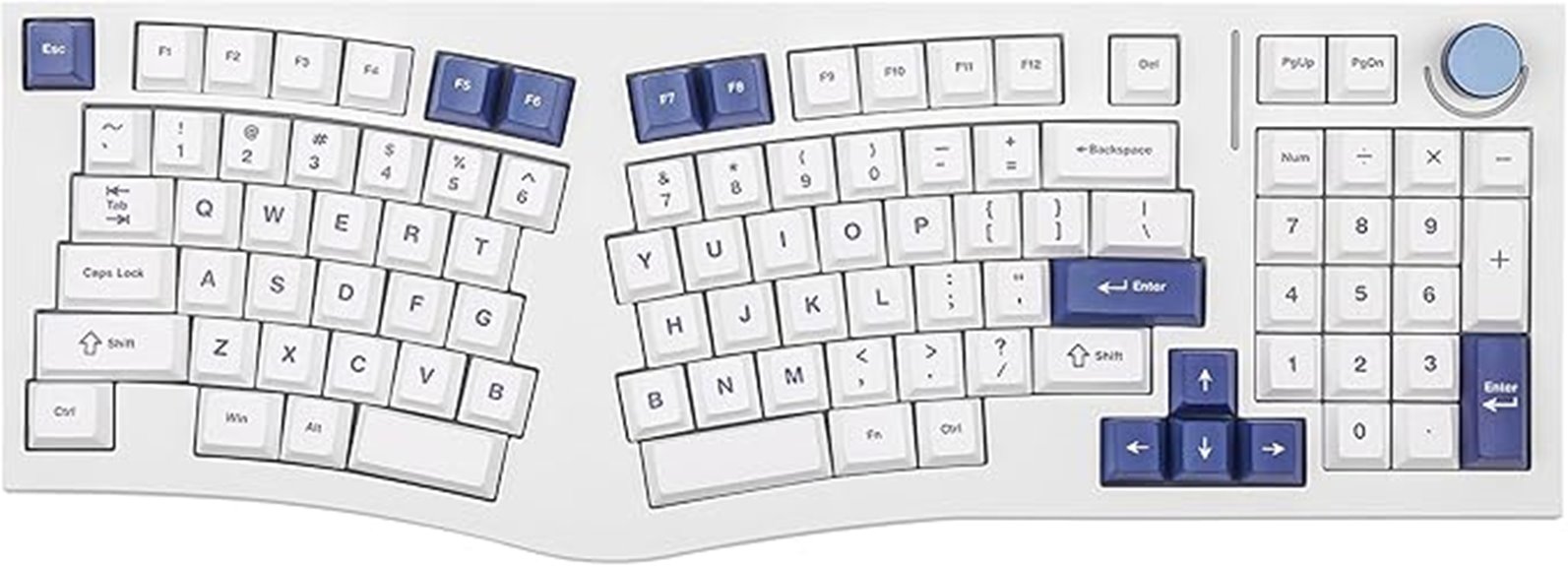
If you’re seeking a highly customizable keyboard that combines ergonomic comfort with versatile features, the Feker Alice98 Mechanical Gaming Keyboard (White) stands out. Its unique Alice layout with angled keys reduces strain, while the split spacebar enhances comfort during long sessions. The gasket mount and PC plate deliver a soft, consistent typing feel, complemented by a media control knob for quick access. Fully programmable with VIA software, you can remap keys and create macros easily. The RGB lighting with 21 effects, hot-swappable switches, and high-quality stabilizers make this keyboard perfect for both gaming and coding. Durable PBT keycaps ensure longevity and a premium feel.
Best For: gamers, programmers, and long-time typists seeking a highly customizable, ergonomic mechanical keyboard with vibrant lighting and durable build quality.
Pros:
- Fully programmable with VIA software for personalized key layouts and macros
- Ergonomic Alice layout with split spacebar reduces strain during extended use
- High-quality dye sublimation PBT keycaps and sound-dampening layers enhance durability and typing experience
Cons:
- Slightly higher price point due to extensive features and customization options
- Requires software setup for full programmability, which may be complex for some users
- Limited color options as the white design may not suit all aesthetic preferences
Keychron K3 Version 2 Ultra-Slim Wireless Mechanical Keyboard with White LED Backlit

For programmers seeking a sleek, space-saving keyboard without sacrificing performance, the Keychron K3 Version 2 stands out with its ultra-slim profile and low-profile mechanical switches. Its compact 75% layout with 84 keys and floating keycap design makes it both stylish and functional. The redesigned low-profile brown switches deliver quick response and tactile feedback, perfect for fast typing. With Bluetooth 5.1, I can connect up to three devices and switch effortlessly. The white LED backlit adds a modern touch, while the aluminum body ensures durability. Overall, it’s an elegant, versatile keyboard that boosts productivity without bulk.
Best For: programmers and professionals seeking a sleek, space-saving wireless mechanical keyboard with quick response and versatile device connectivity.
Pros:
- Ultra-slim, lightweight design ideal for portable use and modern aesthetics
- Low-profile mechanical brown switches for fast, tactile typing feedback
- Supports Bluetooth 5.1 for seamless connection to up to three devices
Cons:
- Limited full-size keys, which may require adaptation for some users
- Slightly higher price point compared to standard membrane keyboards
- Might require firmware updates for perfect layout compatibility with certain devices
Corsair K70 RGB PRO Wired Mechanical Gaming Keyboard
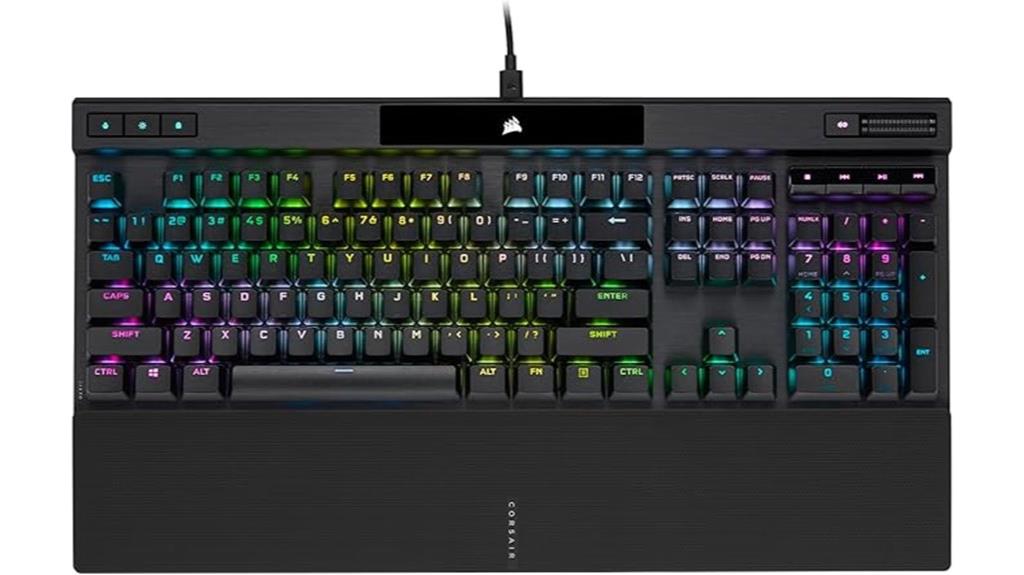
The Corsair K70 RGB PRO stands out with its ultra-responsive CHERRY MX RGB Red switches, making it an excellent choice for programmers who need quick, reliable keystrokes. Its durable aluminum frame and PBT double-shot PRO keycaps guarantee longevity and a premium feel. The soft-touch palm rest adds comfort during long coding sessions. Powered by CORSAIR AXON Hyper-Processing Technology, it processes inputs up to 8 times faster, with an 8,000Hz hyper-polling rate for minimal latency. Per-key RGB backlighting and support for custom keycaps let you personalize your setup. The tournament mode switch helps minimize distractions, making this keyboard ideal for focused, efficient coding.
Best For: Programmers and gamers who require a durable, high-performance mechanical keyboard with fast response times and customizable lighting.
Pros:
- Ultra-responsive CHERRY MX RGB Red switches with linear, silky smooth keystrokes
- Durable aluminum frame combined with high-quality PBT double-shot PRO keycaps for longevity
- Powered by AXON Hyper-Processing Technology with an 8,000Hz hyper-polling rate for minimal latency
Cons:
- Could be considered expensive compared to standard keyboards
- Polycarbonate keycaps may wear over time if not maintained properly
- The large size and additional features may not be suitable for limited desk space
Factors to Consider When Choosing Mechanical Keyboards for Programmers
When selecting a mechanical keyboard, I consider factors like switch type and feel, since they impact typing comfort and speed. I also look at keycap material for durability, along with layout and ergonomics to suit long coding sessions. Ultimately, I evaluate backlighting, aesthetics, and connectivity options to find a setup that fits my workflow and style.
Switch Type and Feel
Choosing the right mechanical switch type is essential because it directly affects how a keyboard feels and sounds during long coding sessions. Linear switches offer smooth keystrokes with minimal resistance, making them great for fast typing and reducing fatigue. Tactile switches provide a noticeable bump on actuation, giving feedback that helps confirm key presses without bottoming out, which can improve typing accuracy. Clicky switches deliver both tactile feedback and audible clicks, beneficial for some programmers but potentially distracting in shared or quiet environments. Your choice impacts comfort and speed, so it’s important to pick a switch that matches your ergonomic needs and workspace noise preferences. Whether you prefer smooth, responsive, or audible feedback, selecting the right switch type can enhance your overall coding experience.
Keycap Material Durability
Durability of keycap material plays a crucial role in ensuring your keyboard withstands daily heavy use. I’ve found that PBT and POM keycaps are more resistant to wear and shine than ABS, making them better for long-term use. Double-shot molding legends won’t fade or peel, which is essential if you type a lot. Thick-walled keycaps offer extra protection against friction, solvents, and environmental damage, boosting their lifespan. High-quality textured keycaps improve grip and reduce finger fatigue during long coding sessions. Plus, the material affects the sound profile—PBT keycaps tend to produce a deeper, more satisfying keystroke sound. Choosing durable keycaps means your keyboard stays looking and feeling great, even after years of heavy use.
Layout and Ergonomics
A well-designed layout and ergonomic features can make a significant difference in your comfort and productivity during long coding sessions. An ergonomic layout minimizes finger travel and reduces strain, helping prevent fatigue. Compact layouts like 60%, 75%, or 65% save desk space and promote a natural hand position, though they may omit dedicated function or navigation keys. Including a wrist rest or adjusting tilt angles can further improve ergonomics, reducing wrist fatigue. Proper key spacing and profiles, such as sculpted or low-profile keys, enhance typing comfort and accuracy. Features like split keyboard designs or tenting options can optimize hand posture and decrease musculoskeletal strain over extended periods. Prioritizing layout and ergonomic features guarantees a healthier, more comfortable coding experience.
Backlighting and Aesthetics
Backlighting and aesthetics play a crucial role in creating an inviting and functional workspace for programmers. Good backlighting improves visibility in low-light conditions, making it easier to locate keys during late-night coding. Customizable RGB lighting allows me to match my keyboard’s look to my setup or use visual cues to indicate different programming modes or statuses. Side-printed or through-light keycaps enhance legend clarity, ensuring characters stay visible regardless of lighting intensity. Adjustable brightness and flow speed let me customize the ambiance to suit my focus or mood. Some keyboards even offer dynamic lighting effects or macro-driven patterns, which help organize workflows or highlight frequently used keys. Overall, thoughtful backlighting and aesthetic options can considerably enhance both form and function in my workspace.
Connectivity Options Flexibility
Choosing the right connectivity options for a mechanical keyboard is crucial because it directly impacts how smoothly I can work across different devices and environments. I look for keyboards that offer multiple connectivity methods like wired USB-C, Bluetooth, and 2.4GHz wireless, so I can switch seamlessly depending on my setup. Support for multi-device pairing, especially the ability to switch between up to five devices, is a game-changer for multitasking across different machines. Compatibility with various operating systems such as Windows, macOS, Linux, and Android ensures I don’t face integration issues. Features like hot-swappable switches and customizable connection modes let me tailor my experience for different environments. Ultimately, stable, low-latency connections—whether wired or wireless—are essential for maintaining productivity during long coding sessions.
Software Customization Features
Software customization features profoundly enhance how I optimize my mechanical keyboard for programming. They let me remap keys, create macros, and assign functions that streamline my workflow and boost coding efficiency. Many programmable keyboards support profiles that I can save, load, or switch with ease, making it simple to adapt my setup for different projects or tasks. Dynamic RGB lighting options also add a visual layer, allowing me to sync effects with specific activities or preferences. However, the usability of customization software varies—some are intuitive, while others can be clunky or limited. Advanced features like per-key lighting control, macro recording, and profile management help me craft a personalized experience, turning my keyboard into a powerful tool tailored precisely to my programming needs.
Build Quality and Stability
A solid build quality is essential for guaranteeing your mechanical keyboard remains stable and durable during long coding sessions. A sturdy frame, whether metal or high-quality plastic, reduces flex and enhances longevity. Stabilized key mechanisms and solid mounting methods like gasket or plate mounting improve stability and prevent wobbling. Heavier keyboards or those with non-slip feet keep the device firmly in place, even during vigorous typing. High-quality keycaps, such as double-shot PBT, resist wear, shine, and character fading, maintaining consistent stability over time. Reliable internal components, including durable switches and secure PCB mounting, minimize rattling, loose parts, and input inconsistencies. Overall, a well-constructed keyboard ensures a stable typing experience, reduces distractions, and stands the test of time.
Frequently Asked Questions
How Do Mechanical Switches Affect Typing Comfort for Long Coding Sessions?
Mechanical switches greatly enhance my typing comfort during long coding sessions. They provide a satisfying tactile feedback, reducing finger fatigue and making each keystroke more precise. I find that linear switches are smooth and effortless, while tactile ones give me a gentle bump to confirm my input. Overall, switching to the right mechanical switches has made my coding sessions more comfortable, allowing me to focus longer without discomfort or strain.
Which Keyboard Layouts Are Most Ergonomic for Programming Efficiency?
Think of your workspace as a well-tuned orchestra, where every element harmonizes for peak performance. I find that ergonomic layouts like split and ortholinear keyboards truly boost my coding efficiency, reducing strain and fostering natural hand positions. These designs minimize unnecessary movement, making long sessions more comfortable. If you want to optimize your workflow, exploring these layouts can transform your coding experience into a symphony of comfort and productivity.
What Is the Durability Lifespan of Typical Mechanical Keyboard Components?
A typical mechanical keyboard’s switches can last between 50 million to 100 million keystrokes, translating to several years of heavy daily use. Keycaps usually endure around 10 to 20 million presses before showing wear. I find that investing in high-quality switches and keycaps markedly extends the lifespan, making your keyboard a reliable tool for years. Regular cleaning and proper maintenance also help preserve its durability.
How Important Is Keycap Material for Programming Accuracy and Feel?
Think of keycap material like the paint on a masterpiece—crucial for both feel and accuracy. I once switched from ABS to PBT keycaps, and the difference was night and day; PBT felt sturdier and prevented slipping. For programmers, this means better tactile feedback and fewer typos. Honestly, investing in quality keycaps enhances your comfort and precision, making long coding sessions smoother and more enjoyable.
Can Wireless Mechanical Keyboards Match Wired Models in Responsiveness?
Wireless mechanical keyboards can match wired models in responsiveness, especially with recent advancements in Bluetooth and RF technology. I’ve tested several, and most feel just as responsive for coding and gaming. While wired keyboards have a slight edge due to minimal latency, modern wireless models often deliver near-instantaneous input, making them a great choice if you want freedom of movement without sacrificing performance.
Conclusion
Choosing the right mechanical keyboard is like finding the perfect partner for your coding journey—one that boosts comfort and sparks creativity. Whether you prefer a sleek wireless design or a vibrant RGB setup, there’s a keyboard here to elevate your programming experience. Don’t settle for less; your fingertips deserve a symphony of precision and ease. Invest in the right tool today and watch your productivity soar like a bird taking flight.