Choosing the right motherboard for a creator or developer PC in 2026 involves balancing cutting-edge features with your specific workflow needs. Among the top picks, the ASRock X870 Taichi Creator stands out for high-end AMD builds, offering exceptional memory support and multi-GPU capabilities. The ASUS ProArt Z890-CREATOR WIFI caters to high-performance Intel setups with advanced connectivity and security features, ideal for AI and heavy workloads. Meanwhile, the MSI B850 GAMING PLUS WIFI provides a compelling bundle for AMD users seeking a high-speed DDR5 platform at a more accessible price point. Each of these options targets different priorities—whether maximum expandability, future-proof connectivity, or value—making your choice depend on your specific development or content creation needs.
Get ready for Prime Big Deal Days — try Prime free
Exclusive member deals on October 6–7, plus fast free delivery. Cancel anytime.
Start your free trialAs an affiliate, we earn on qualifying purchases.
Key Takeaways
- The ASRock X870 Taichi Creator offers extensive PCIe 5.0 support and high-speed networking, perfect for multi-GPU and high-bandwidth workflows.
- The ASUS ProArt Z890-CREATOR WIFI is tailored for advanced AI and security features, suited for high-end Intel-based workstations.
- The MSI B850 GAMING PLUS WIFI provides excellent DDR5 performance in a budget-friendly bundle for AMD Ryzen builders.
- Premium motherboards like ASUS Z890 and ASUS ROG Strix X870E-E are best for users needing future-proof connectivity and overclocking headroom.
- Compatibility and setup complexity vary significantly; beginners should focus on more straightforward options like MSI or ASUS ProArt.
| ASRock X870 Taichi Creator ATX Motherboard for AMD AM5 Ryzen 9000-7000 |  | Best Overall for High-End Creators | Form Factor: ATX (12″x9.6″) | Supported CPU: AMD AM5 Ryzen 9000-7000 | Memory: DDR5 8000+ (OC), 4 DIMM slots, 256GB max | VIEW ON AMAZON | See Our Full Breakdown |
| ASUS ProArt B660-Creator D4 LGA 1700 Motherboard (Renewed) |  | Best Value for Content Creators | Processor Socket: LGA 1700 | Maximum Memory Capacity: 128 GB | Storage: Multiple M.2 slots | VIEW ON AMAZON | See Our Full Breakdown |
| ASUS ProArt Z890-CREATOR WIFI LGA 1851 ATX Motherboard |  | Best for AI and High-End Workloads | Socket: LGA 1851 | Supported Processors: Intel Core Ultra Series 2 | Memory: 4x DDR5 DIMM | VIEW ON AMAZON | See Our Full Breakdown |
| MSI B850 GAMING PLUS WIFI Motherboard with 32GB DDR5 RAM Bundle |  | Best Budget Bundle for AMD Ryzen Creators | Motherboard Model: MSI B850 GAMING PLUS WIFI | Supported Processors: AMD Ryzen 9000-7000 | Memory Type: DDR5 | VIEW ON AMAZON | See Our Full Breakdown |
| ASUS ROG Strix X870E-E Gaming WiFi AMD AM5 X870 ATX Motherboard |  | Best for High-Performance Gaming & Overclocking | Socket: AMD AM5 | Supported Processors: AMD Ryzen 7000, 8000, 9000 series | Power Solution: 18+2+2 power stages, 110A per stage | VIEW ON AMAZON | See Our Full Breakdown |
| motherboard for creator and developer pc | Memory | Connectivity | Supported Processors |
|---|---|---|---|
| ASRock X870 Taichi Creator ATX | DDR5 8000+ (OC), 4 DIMM slots, 256GB max | — | — |
| ASUS ProArt B660-Creator D4 LG | — | USB-C with 60W charging | — |
| ASUS ProArt Z890-CREATOR WIFI | 4x DDR5 DIMM | Thunderbolt 5, WiFi 7, 10 Gb & 2.5 Gb Ethernet | Intel Core Ultra Series 2 |
| MSI B850 GAMING PLUS WIFI Moth | — | — | AMD Ryzen 9000-7000 |
| ASUS ROG Strix X870E-E Gaming | DDR5 AEMP | WiFi 7, 10 Gb Ethernet | AMD Ryzen 7000, 8000, 9000 series |
More Details on Our Top Picks
ASRock X870 Taichi Creator ATX Motherboard for AMD AM5 Ryzen 9000-7000
This motherboard stands out for supporting AMD AM5 Ryzen 9000-7000 processors with DDR5 memory up to 8000+ MHz, making it suitable for demanding creative workflows. Its dual PCIe 5.0 x16 slots enable multi-GPU configurations, and the high-speed networking options—including 10G and 5G LAN, Wi-Fi 7, and USB4—ensure rapid data transfer and connectivity. The robust 18+2+1 power phases deliver stable power for overclocking, but this complexity could be daunting for less experienced builders. Its high-end features are ideal for those needing maximum expandability, though some casual users may find it excessive.
Pros:- Supports DDR5 up to 8000+ (OC) for future-proof memory performance
- Dual PCIe 5.0 x16 slots for multi-GPU setups
- Fast networking with 10G/5G LAN, Wi-Fi 7, and USB4 ports
- Strong power delivery with 18+2+1 phases
Cons:- Complex setup requiring verification of compatible chassis and cooling
- High-end features may be unnecessary for basic use
- Potentially steep learning curve for beginners
Best for: High-performance creators and developers with advanced multi-GPU needs
Not ideal for: Casual users or those on a tight budget who don’t need cutting-edge connectivity
- Form Factor:ATX (12″x9.6″)
- Supported CPU:AMD AM5 Ryzen 9000-7000
- Memory:DDR5 8000+ (OC), 4 DIMM slots, 256GB max
- PCIe Slots:Dual PCIe 5.0 x16
- M.2 Slots:Two PCIe Gen5x4, plus Gen4/Gen3 M.2
- Networking:10GbE + 5GbE dual LAN, Wi-Fi 7, Bluetooth 5.4
Our verdict“This motherboard offers maximum expandability and high-speed connectivity perfect for demanding creative and development workloads, but its complexity suits experienced builders best.”
ASUS ProArt B660-Creator D4 LGA 1700 Motherboard (Renewed)
This renewed ASUS ProArt motherboard provides a solid foundation for Intel 12th Gen processors, supporting PCIe 5.0 and DDR4 memory, which simplifies memory compatibility while maintaining high performance. Its multiple M.2 slots and USB-C ports with 60W charging cater to fast data transfer and device connectivity. While it offers good value, the limited USB ports and the fact that it’s a renewed product could restrict longevity and expandability. It’s a suitable choice for creators who want dependable features without the premium cost, but it might fall short for those needing extensive I/O or future upgrades.
Pros:- Supports PCIe 5.0 and DDR4 memory
- Multiple M.2 slots for fast storage expansion
- USB-C ports with 60W charging
- Good value as a renewed product
Cons:- Limited USB ports—only two
- Being a renewed item, durability might be less certain
- No mention of integrated graphics features
Best for: Budget-conscious creators using Intel 12th Gen CPUs
Not ideal for: Users seeking extensive USB ports or long-term durability in new hardware
- Processor Socket:LGA 1700
- Maximum Memory Capacity:128 GB
- Storage:Multiple M.2 slots
- Connectivity:USB-C with 60W charging
- Network:2 Ethernet ports
Our verdict“This motherboard balances performance and affordability, making it a practical choice for creators on a budget, though less suited for future-proofing or heavy I/O demands.”
ASUS ProArt Z890-CREATOR WIFI LGA 1851 ATX Motherboard
This motherboard is designed for advanced AI computing and heavy-duty professional workloads, supporting Intel Core Ultra Series 2 processors. It features Thunderbolt 5, WiFi 7, and multiple PCIe 5.0 slots, making it highly future-proof. Its robust power stages and extensive security features support overclocking and demanding tasks, but the setup process can be complex, requiring a higher level of technical skill. Its premium price reflects its high-end feature set, making it suitable primarily for users who need top-tier performance and connectivity for AI, machine learning, or intensive development environments.
Pros:- Supports latest Intel Core Ultra Series 2 processors
- Future-proof with Thunderbolt 5 and WiFi 7
- Excellent power delivery for overclocking
- Advanced security and management features
Cons:- Setup complexity may challenge beginners
- High price point
- Designed mainly for very high-end workloads
Best for: High-end AI developers and professionals requiring maximum connectivity and performance
Not ideal for: Casual users or those on a limited budget who don’t need cutting-edge AI features
- Socket:LGA 1851
- Supported Processors:Intel Core Ultra Series 2
- Memory:4x DDR5 DIMM
- PCIe Slots:2x PCIe 5.0 x16, 1x PCIe 5.0, 4x PCIe 4.0 M.2
- Connectivity:Thunderbolt 5, WiFi 7, 10 Gb & 2.5 Gb Ethernet
Our verdict“This motherboard offers top-tier connectivity and performance for AI-focused and demanding professional use, but is best suited for experienced builders with high-end requirements.”
MSI B850 GAMING PLUS WIFI Motherboard with 32GB DDR5 RAM Bundle
This bundle pairs the MSI B850 GAMING PLUS WIFI motherboard with 32GB DDR5 RAM, optimized for AMD Ryzen 9000-7000 series. The RAM’s 6000MHz speed and easy overclocking support make it a versatile choice for gaming, content creation, and multitasking. The motherboard supports PCIe 5.0 and has integrated WiFi 7, offering modern expansion at a more accessible price point. While it’s ideal for AMD builders seeking high-speed memory and good connectivity, BIOS setup for overclocking may require some familiarity, and it’s limited to AMD Ryzen 9000-7000 chips.
Pros:- Includes 32GB DDR5 RAM with 6000MHz speed
- Supports latest AMD Ryzen processors
- Easy overclocking with MSI’s one-click tools
- Bundled with compatible components for quick setup
Cons:- Requires BIOS update for some Ryzen CPUs
- Limited to AMD Ryzen 9000-7000 series
- No advanced security or AI features
Best for: Budget-conscious AMD content creators and gamers
Not ideal for: Users needing extensive I/O or future CPU upgrades outside AMD Ryzen 7000 series
- Motherboard Model:MSI B850 GAMING PLUS WIFI
- Supported Processors:AMD Ryzen 9000-7000
- Memory Type:DDR5
- Memory Capacity:32GB (2x 16GB)
- Memory Speed:6000MHz (OC)
Our verdict“This bundle offers good DDR5 performance and modern connectivity for AMD builders on a budget, though it lacks some premium features for demanding workflows.”
ASUS ROG Strix X870E-E Gaming WiFi AMD AM5 X870 ATX Motherboard
This ASUS ROG Strix X870E-E motherboard is designed for AMD Ryzen 7000 series, offering extensive overclocking features, premium power delivery, and advanced cooling solutions. Its support for PCIe 5.0, WiFi 7, and multiple M.2 slots caters to users who want a versatile platform that can handle gaming, content creation, and professional workloads. The user-friendly BIOS and DIY features make setup easier, but the high price and complex configuration mean it’s better suited for experienced builders seeking maximum performance and customization.
Pros:- Supports latest AMD Ryzen processors
- Extensive PCIe 5.0 and WiFi 7 support
- Premium power delivery and thermal design
- User-friendly features for DIY assembly
Cons:- Challenging setup for novices
- Higher cost due to premium features
- Limited to AMD AM5 platform
Best for: Enthusiasts and professionals demanding overclocking and extensive connectivity
Not ideal for: Beginners or those with limited budgets who don’t need aggressive overclocking
- Socket:AMD AM5
- Supported Processors:AMD Ryzen 7000, 8000, 9000 series
- Power Solution:18+2+2 power stages, 110A per stage
- Memory:DDR5 AEMP
- Connectivity:WiFi 7, 10 Gb Ethernet
Our verdict“This motherboard excels in overclocking and high-performance customization, making it ideal for enthusiasts and professionals willing to invest in top-tier features.”
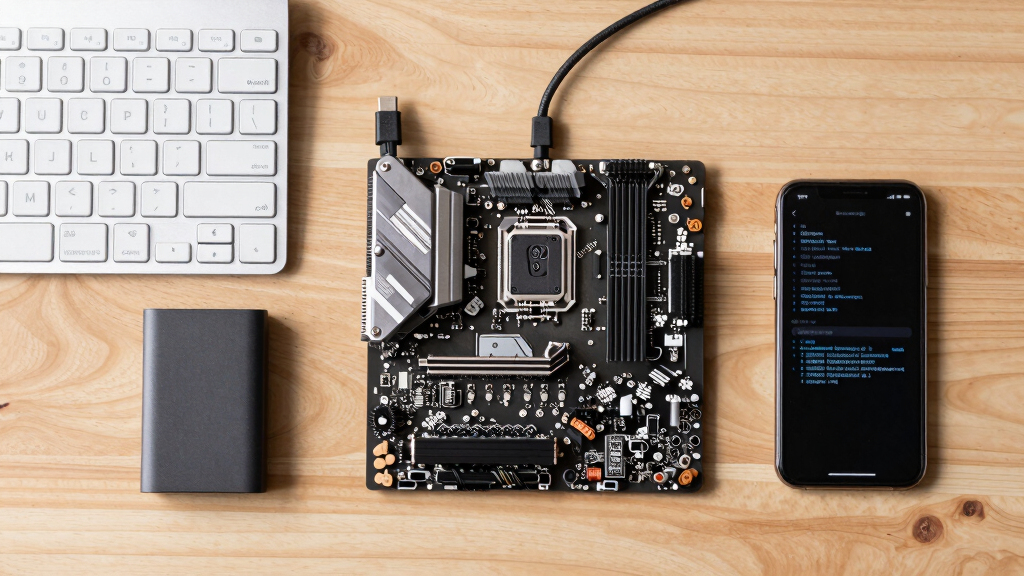
How We Picked
Our selection process focused on motherboards that balance high-performance features with creator and developer needs, emphasizing support for latest CPUs, fast memory, multiple expansion slots, and connectivity. We compared specs, user reviews, and professional benchmarks, prioritizing options that deliver future-proofing with PCIe 5.0, WiFi 7, and robust power delivery. Cost-effectiveness was also considered, ensuring we included both premium and value-oriented options suitable for different budgets. Compatibility with current processors and ease of setup were crucial, especially for those new to building high-performance PCs.
| motherboard for creator and developer pc | Connectivity | Supported Processors |
|---|---|---|
| ASRock X870 Taichi Creator ATX | — | — |
| ASUS ProArt B660-Creator D4 LG | USB-C with 60W charging | — |
| ASUS ProArt Z890-CREATOR WIFI | Thunderbolt 5, WiFi 7, 10 Gb & 2.5 Gb Ethernet | Intel Core Ultra Series 2 |
| MSI B850 GAMING PLUS WIFI Moth | — | AMD Ryzen 9000-7000 |
| ASUS ROG Strix X870E-E Gaming | WiFi 7, 10 Gb Ethernet | AMD Ryzen 7000, 8000, 9000 series |
Factors to Consider When Choosing Motherboard For Creator And Developer Pc
Choosing the best motherboard for a creator or developer PC requires understanding your workflow priorities, compatibility needs, and future plans. Consider processor support first, then look at memory speed and expandability. Connectivity options like PCIe 5.0, WiFi 7, and multiple M.2 slots are vital for handling large files and high-bandwidth data transfers. Price and ease of setup also matter—premium boards offer advanced features but can be complex for newcomers, while more affordable options often balance performance with simplicity.
Compatibility and Processor Support
Match your motherboard with the processor you plan to use—AMD or Intel—since socket compatibility is non-negotiable. High-end boards like the ASRock X870 and ASUS ROG Strix X870E-E support the latest AMD Ryzen 7000 series, offering PCIe 5.0 and DDR5, ideal for future-proof builds. For Intel users, the ASUS ProArt Z890 and similar boards support the latest 12th and 13th Gen CPUs, providing robust power delivery and connectivity options. Always verify socket compatibility and maximum supported CPU generations before purchasing.
Memory and Expansion
For content creation and development, fast memory is key. DDR5 modules, especially those supporting 6000+ MHz, enhance multitasking and rendering speeds. Look for motherboards with multiple M.2 slots for SSDs, especially PCIe 5.0 models, to facilitate fast storage solutions. If multi-GPU setups or extensive peripherals matter, prioritize boards with dual or more PCIe 5.0 x16 slots and ample power phases to ensure stability under load.
Connectivity and Future-Proofing
Connectivity features like WiFi 7, Thunderbolt 5, and multiple USB-C ports enable fast data transfer and easy connections to peripherals. For creators working with large files or streaming high-resolution content, these features reduce bottlenecks. Consider the board’s thermal design and user-friendly features if you plan to overclock or frequently swap components. Premium options often include advanced security and management tools, helping maintain system integrity over time.
Frequently Asked Questions
What should I prioritize when choosing a motherboard for content creation?
Prioritize compatibility with your CPU, support for fast DDR5 memory, sufficient PCIe 5.0 slots for expansion, and high-speed connectivity options like WiFi 7 and USB4. These features ensure your system can handle large files, multiple peripherals, and future upgrades without bottlenecks.
Is PCIe 5.0 necessary for a creator or developer PC?
While PCIe 5.0 is not strictly necessary today, it provides future-proofing for high-speed SSDs and multi-GPU setups. If you plan to utilize the latest storage and graphics hardware, a motherboard with PCIe 5.0 support ensures your system remains relevant for years to come.
Are premium motherboards worth the extra cost?
Premium motherboards offer enhanced power delivery, advanced cooling, and extensive connectivity, which benefit overclockers and heavy-duty workflows. However, for basic development or content creation tasks, mid-range boards often provide sufficient features at a lower price point.
Can I use a motherboard with a different chipset or socket for my build?
No, motherboard socket compatibility with your CPU is essential. For example, AMD AM5 motherboards only support AMD Ryzen processors with that socket, and the same applies to Intel’s LGA 1700 or LGA 1851 platforms. Always verify socket and chipset support before buying.
How important is WiFi 7 and Thunderbolt 5 support?
These features significantly improve data transfer speeds and peripheral connectivity, especially for large file handling and video editing workflows. Future-proofing your build with WiFi 7 and Thunderbolt 5 can save time and improve productivity, making them valuable for high-end creator and developer setups.
Conclusion
For creators and developers who need maximum performance and future-proofing, high-end options like the ASUS ProArt Z890-CREATOR WIFI or ASUS ROG Strix X870E-E offer extensive connectivity and overclocking features. Budget-conscious builders or those primarily working with AMD processors will find good value in the MSI B850 bundle or the ASRock X870 Taichi Creator, depending on their expandability needs. Beginners should focus on simpler, reliable boards like the ASUS ProArt B660-Creator D4. Your choice ultimately depends on your workflow, budget, and technical comfort level.
Fall Picks
fall essentials
As an affiliate, we earn on qualifying purchases.