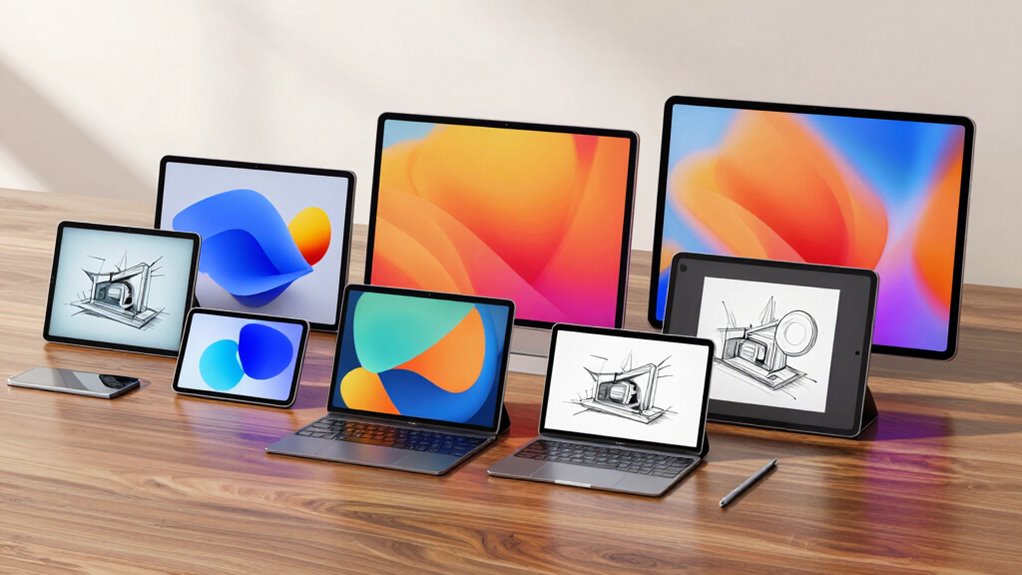

Searching for the best pen displays and tablets in 2026? The top models offer impressive drawing screens, precision styluses, and versatile features suited for digital artists and designers. The XPPen Artist 13.3 Pro V2 stands out as the overall best for its balance of performance and affordability. For those prioritizing display quality, the Xencelabs Pen Display 16 Bundle offers stunning visuals, while the HUION Kamvas 13 provides a compact, budget-friendly option. Each option involves tradeoffs—whether in screen size, color accuracy, or price—so continue reading to see which best matches your needs.

Get business pricing on monitors, keyboards and dev gear
- Business-only prices and quantity discounts
- Tax-exempt purchasing
- Multiple users, one account, clear invoices
Key Takeaways
- The highest value products balance screen quality with affordability, like the HUION Kamvas 13.
- Large, high-resolution screens such as the Xencelabs Pen Display 16 excel for professional work but come at a premium price.
- Battery-free pens are standard among top picks, offering smoother drawing experiences and less maintenance.
- Size and weight vary significantly, influencing portability—smaller models are easier to carry but may sacrifice screen space.
- Most models favor enhanced stylus features (pressure levels, shortcut buttons) over raw resolution, emphasizing usability.
| XPPen Artist 13.3 Pro V2 Drawing Tablet with Screen, 16K Pressure Levels, Red Dial, 8 Shortcut Keys |  | Best Overall Pen Display for Precision and Versatility | Screen Size: 13.3 inches | Pressure Levels: 16,384 | Resolution: Full HD (1920×1080), IPS panel | VIEW ON AMAZON | See Our Full Breakdown |
| HUION Kamvas 13 (Gen 3) 13.3″ Drawing Tablet with Screen, Dual Dial, Black |  | Best for Streamlined Workflow and Color Calibration | Screen Size: 13.3 inches | Pressure Sensitivity: 16,384 levels | Display Colors: 99% sRGB | VIEW ON AMAZON | See Our Full Breakdown |
| XP-PEN Artist12 11.6 Inch FHD Drawing Monitor Pen Display with PN06 Battery-Free Pen |  | Best Compact Entry-Level Display with Battery-Free Stylus | Screen Size: 11.6 inches | Resolution: 1920×1080 | Color Gamut: 100% sRGB | VIEW ON AMAZON | See Our Full Breakdown |
| HUION Kamvas Pro 16 V2 15.6″ Pen Display Drawing Tablet |  | Best Mid-Size Professional Display with Wide Color Gamut | Screen Size: 15.6 inches | Pressure Levels: 16,384 | Color Gamut: 120% sRGB | VIEW ON AMAZON | See Our Full Breakdown |
| XPPen Artist 13.3 Pro 13.3″ Drawing Tablet with Screen |  | Best Budget Friendly Fully-Laminated Display | Screen Size: 13.3 inches | Display: Fully-laminated FHD | Color Gamut: 88% NTSC | VIEW ON AMAZON | See Our Full Breakdown |
| Xencelabs Pen Display 16 Bundle with Quick Keys – 16″ 4K OLED Portable Drawing Tablet with 2 Battery-Free Pens, Black |  | Best Overall for Portability and Color Fidelity | Screen Size: 16 inches | Display: 4K OLED, 1.07 billion colors | Surface: Super AG Etched Glass | VIEW ON AMAZON | See Our Full Breakdown |
| XPPen Artist Pro 14 Gen2 Drawing Tablet with Screen |  | Best for Versatile Connectivity and Precision | Screen Size: 14 inches | Pressure Levels: 16384 | Stylus: X3 Pro battery-free stylus | VIEW ON AMAZON | See Our Full Breakdown |
| XPPen Artist 15.6 Pro V2 Drawing Tablet with Screen |  | Best for Budget-Conscious Professionals and Hobbyists | Screen Size: 15.6 inches | Pressure Levels: 16384 | Color Gamut: 99% sRGB, 96% Adobe RGB, 96% Display P3 | VIEW ON AMAZON | See Our Full Breakdown |
| pen displays and tablet | Screen Size | Color Gamut | Connectivity | Pressure Levels |
|---|---|---|---|---|
| XPPen Artist 13.3 Pro V2 Drawi | 13.3 inches | 125% sRGB, 107% Adobe RGB | Full-featured USB-C (cable included) | 16,384 |
| HUION Kamvas 13 | 13.3 inches | — | — | — |
| XP-PEN Artist12 11.6 Inch FHD | 11.6 inches | 100% sRGB | — | — |
| HUION Kamvas Pro 16 V2 15.6" P | 15.6 inches | 120% sRGB | USB-C, compatible with Windows, macOS, Linux | 16,384 |
| XPPen Artist 13.3 Pro 13.3" Dr | 13.3 inches | 88% NTSC | 3-in-1 cable | 16,384 |
| Xencelabs Pen Display 16 Bundl | 16 inches | — | Single USB-C cable | — |
| XPPen Artist Pro 14 Gen2 Drawi | 14 inches | 99% sRGB | 3-in-1 cable, wireless remote | 16384 |
| XPPen Artist 15.6 Pro V2 Drawi | 15.6 inches | 99% sRGB, 96% Adobe RGB, 96% Display P3 | 3-in-1 HDMI cable | 16384 |
More Details on Our Top Picks
XPPen Artist 13.3 Pro V2 Drawing Tablet with Screen, 16K Pressure Levels, Red Dial, 8 Shortcut Keys
The XPPen Artist 13.3 Pro V2 stands out for its incredible 16,384 pressure levels combined with the advanced X3 Pro smart chip, ensuring exceptionally smooth lines and natural control. Its full-laminated FHD IPS screen with AG film offers a paper-like feel with minimized parallax and glare, surpassing many competitors like the HUION Kamvas 13 in display quality and color accuracy, thanks to its wide color gamut coverage. The Red Dial and 8 customizable shortcut keys streamline workflows, making it appealing to professional artists and illustrators. However, it’s not a standalone tablet, requiring a connection to a computer, which could be limiting for those seeking portability. The color temperature adjustment being Windows-only and Linux driver needs add some setup hurdles. This pick makes the most sense for artists who prioritize precision, color fidelity, and workflow customization in a versatile drawing setup.Pros:- 16,384 pressure levels with X3 Pro smart chip for detailed control
- Full-laminated screen with reduced parallax and glare
- Excellent color coverage with 125% sRGB and 107% Adobe RGB
Cons:- Requires connection to a computer or laptop, limiting portability
- Color temperature adjustment available only on Windows
Best for: Professional digital artists needing high precision and color accuracy with extensive customization options
Not ideal for: Beginners or those seeking a portable, standalone device for casual sketching
- Screen Size:13.3 inches
- Pressure Levels:16,384
- Resolution:Full HD (1920×1080), IPS panel
- Color Gamut:125% sRGB, 107% Adobe RGB
- Color Depth:8-bit (16.7 million colors)
- Connectivity:Full-featured USB-C (cable included)
Our verdict“This tablet is ideal for professionals needing a high-precision, feature-rich display for detailed digital work.”
HUION Kamvas 13 (Gen 3) 13.3″ Drawing Tablet with Screen, Dual Dial, Black
The HUION Kamvas 13 (Gen 3) offers a fully laminated Canvas Glass 2.0 for reduced glare and improved accuracy, making it a strong competitor to the XP-Pen Artist12. Its PenTech 4.0 stylus with 16,384 pressure levels and a 2g activation force provides a natural drawing experience, while the dual dial buttons and 5 shortcut keys enable efficient workflow management. The single USB-C connection simplifies setup, comparable to the XP-Pen but with enhanced glare reduction and calibration features. It’s best suited for users who value a glare-free display and quick access to tools but don’t need standalone functionality. The absence of touch screen capabilities and the need for a connection to a computer are notable tradeoffs. This model is suited for artists who prioritize visual clarity, color calibration, and workflow efficiency.Pros:- Fully laminated, anti-glare Canvas Glass 2.0 for better accuracy
- Streamlined workflow with dual dial buttons and shortcut keys
- Excellent color calibration with 99% sRGB coverage
Cons:- Requires connection to a computer, no standalone option
- No touch screen functionality
Best for: Digital artists who need a glare-reducing display with intuitive workflow controls
Not ideal for: Beginners or casual sketchers who want portability or standalone use
- Screen Size:13.3 inches
- Pressure Sensitivity:16,384 levels
- Display Colors:99% sRGB
- Color Accuracy:Avg. ΔE<1.5
- Connection:USB-C single cable
- Stylus:PenTech 4.0
Our verdict“This tablet is perfect for artists seeking a glare-free, calibrated display with enhanced workflow controls.”
XP-PEN Artist12 11.6 Inch FHD Drawing Monitor Pen Display with PN06 Battery-Free Pen
The XP-PEN Artist12 provides an accessible 11.6-inch full HD IPS display with 100% sRGB coverage, making it ideal for beginners or those with limited space. Its battery-free PN06 stylus with 8192 pressure levels and a digital eraser delivers a natural drawing experience, comparable to larger models but on a smaller scale. The customizable shortcut keys and programmable touch bar add convenience, though it’s dependent on a connection to a computer via HDMI and USB-A ports—less flexible than the USB-C options. Compared to larger tablets like the Huion Kamvas 16, the Artist12 sacrifices screen real estate but compensates with compactness and affordability. It’s not suited for users seeking portability as it requires extra adapters if ports are missing. This pick suits beginners or artists working in tight spaces who want a straightforward, reliable display.Pros:- Vivid 11.6-inch IPS display with 100% sRGB coverage
- Battery-free stylus with 8192 pressure levels and eraser
- Compact size ideal for small desks or portability
Cons:- Requires connection to a computer with HDMI and USB-A ports
- Limited screen size compared to larger models
Best for: Beginners or students needing a compact, affordable drawing monitor
Not ideal for: Professional artists or those needing a standalone device or larger workspace
- Screen Size:11.6 inches
- Resolution:1920×1080
- Color Gamut:100% sRGB
- Pressure Sensitivity:8192 levels
- Stylus:PN06 battery-free
- Connection:HDMI and USB-A ports
Our verdict“This monitor is well-suited for beginners or space-conscious users seeking a simple, reliable drawing display.”
HUION Kamvas Pro 16 V2 15.6″ Pen Display Drawing Tablet
The HUION Kamvas Pro 16 V2 offers a 15.6-inch full-laminated display with 120% sRGB coverage, making it ideal for artists who need larger workspaces and rich color reproduction. Its PW600A battery-free stylus with 16,384 pressure levels and a 5080 LPI resolution ensures precise control, rivaling the XP-Pen Artist13 Pro in quality but with a larger screen. The slim, lightweight design includes an adjustable aluminum stand, providing comfort for long sessions. While it’s excellent for professional work, it’s not a standalone device, requiring connection to a computer, similar to the HUION Kamvas 13 but with a bigger, more detailed display. The absence of touch functionality might be a drawback for those preferring an all-in-one experience. This tablet is targeted at digital artists who want a larger, color-accurate display for detailed projects.Pros:- Large 15.6-inch full-laminated display with 120% sRGB
- High-precision stylus with 16,384 pressure levels
- Slim, lightweight design with adjustable stand
Cons:- Not a standalone tablet; requires connection
- No touch screen functionality
Best for: Professional illustrators and designers seeking a larger, color-rich drawing surface
Not ideal for: Artists who prefer portability or standalone functionality
- Screen Size:15.6 inches
- Pressure Levels:16,384
- Color Gamut:120% sRGB
- Resolution:5080 LPI
- Weight:2.65 lbs
- Connectivity:USB-C, compatible with Windows, macOS, Linux
Our verdict“This model is ideal for professionals looking for a larger, color-accurate display for detailed work on a desktop setup.”
XPPen Artist 13.3 Pro 13.3″ Drawing Tablet with Screen
The XPPen Artist 13.3 Pro offers a fully-laminated 13.3-inch FHD display with a high 88% NTSC color gamut, making it a competitive choice for budget-conscious artists. Its 16,384 pressure levels and 60-degree tilt support with the battery-free stylus deliver smooth, natural strokes similar to premium models like the Artist 13.3 Pro V2 but at a lower price point. The inclusion of the Red Dial and 8 shortcut keys enhances workflow efficiency. However, it still requires connection to a computer, which limits portability, and some advanced color accuracy features are less extensive than higher-end options. This makes it a strong choice for beginners or hobbyists who want quality without over-investing. The need for driver installation on Linux and Windows adds a slight setup hurdle. This is a solid pick for budget-minded artists seeking a reliable, feature-rich drawing display.Pros:- Fully-laminated screen reduces parallax for natural drawing
- High 16,384 pressure levels and tilt support
- Includes Red Dial and 8 shortcut keys for workflow
Cons:- Requires connection to a computer
- Limited advanced color calibration compared to higher-end models
Best for: Beginners or hobbyists wanting a fully-laminated display at an affordable price
Not ideal for: Professional artists or those seeking standalone portability
- Screen Size:13.3 inches
- Display:Fully-laminated FHD
- Color Gamut:88% NTSC
- Pressure Levels:16,384
- Tilt Support:60 degrees
- Connectivity:3-in-1 cable
Our verdict“This tablet offers a well-rounded, budget-friendly option for artists who want a quality display with essential features.”
Xencelabs Pen Display 16 Bundle with Quick Keys – 16″ 4K OLED Portable Drawing Tablet with 2 Battery-Free Pens, Black
This 16-inch 4K OLED pen display excels in providing stunning, true-to-life colors thanks to its 1.07 billion color palette and wide gamut coverage, making it ideal for professional artists and designers who prioritize color accuracy. Compared with the XPPen Artist 15.6 Pro V2, it offers a larger, higher-resolution display in a portable form factor, though at a premium price point. Its super slim profile and lightweight build enhance mobility, and the inclusion of two battery-free pens plus a customizable Quick Keys remote boosts workflow efficiency. However, it relies on a wired connection, which might limit flexibility for some users, and the bundled price reflects its premium status, potentially excluding budget-conscious creatives.
Pros:- Stunning 4K OLED display with excellent color accuracy
- Thin, lightweight, and portable design with single USB-C connection
- Includes two battery-free stylus pens with customizable erasers and settings
- Quick Keys remote offers extensive shortcut customization
Cons:- Requires connection to a computer — not a standalone device
- Premium bundle comes with a higher price tag
Best for: Professional artists and designers who need high color fidelity and portability for on-the-go work
Not ideal for: Beginners or hobbyists on a tight budget who don’t require ultra-premium features or portability
- Screen Size:16 inches
- Display:4K OLED, 1.07 billion colors
- Surface:Super AG Etched Glass
- Pressure Range:3g to 500g
- Thickness:0.47 inches (12mm)
- Weight:2.67 lbs (1.21 kg)
- Connectivity:Single USB-C cable
- Included Pens:2 battery-free pens with erasers
- Compatibility:Windows, Win-ARM, macOS, Linux
Our verdict“This pick makes the most sense for professionals needing portable, color-accurate workstations with extensive shortcut options.”
XPPen Artist Pro 14 Gen2 Drawing Tablet with Screen
The XPPen Artist Pro 14 Gen2 offers a compact yet highly capable 14-inch display, making it a strong choice for users who value versatility across different operating systems. Its 16,384 pressure levels and full-laminated anti-glare screen deliver smooth, precise lines and reduce eye strain, comparable to the XPPen Artist 15.6 Pro V2, but with a slightly smaller footprint. The included foldable stand and wireless remote improve ergonomics and workflow, though it still relies on a wired connection, which could limit mobility. Its high color accuracy and multi-OS support make it suitable for professionals and hobbyists, but the brightness at 250 cd/m² might be insufficient in very bright environments.
Pros:- 16,384 pressure levels for detailed, smooth linework
- Full-laminated anti-glare screen reduces parallax and eye fatigue
- Wide OS compatibility including Windows, macOS, Android, Chrome OS, Linux
- Includes foldable stand, wireless remote, and ergonomic wrist rest
Cons:- Requires connection to a computer or laptop, not standalone
- 3-in-1 cable is small and easy to overlook
Best for: Digital artists and illustrators seeking high precision with flexible OS compatibility
Not ideal for: Travelers or artists requiring a completely wireless setup, since it needs a wired connection
- Screen Size:14 inches
- Pressure Levels:16384
- Stylus:X3 Pro battery-free stylus
- Color Gamut:99% sRGB
- Color Accuracy:△E < 2.2
- Screen Technology:Full laminated, anti-glare etched glass
- Connectivity:3-in-1 cable, wireless remote
- Compatibility:Windows, macOS, Android, Linux
Our verdict“Ideal for artists who prioritize high precision and multi-platform flexibility in a portable package.”
XPPen Artist 15.6 Pro V2 Drawing Tablet with Screen
The XPPen Artist 15.6 Pro V2 strikes a balance between affordability and professional features, featuring a 15.6-inch full-laminated display with 16,384 pressure levels for detailed drawing. Compared to the larger, more advanced Xencelabs Pen Display 16 Bundle, it offers a more compact size while maintaining high color accuracy with 99% sRGB and additional color spaces like Adobe RGB and Display P3. Its 8 customizable shortcut keys and Red Dial support efficient workflows, though its brightness at 250 cd/m² might fall short in bright environments, and it requires a wired connection. This model is well-suited for serious hobbyists or freelancers who want professional-grade features without the premium price.
Pros:- 16,384 pressure levels enable precise, smooth strokes
- Full-laminated anti-glare screen reduces parallax and eye strain
- Includes Red Dial and 8 shortcut keys for workflow efficiency
- Excellent color coverage for professional work
Cons:- Requires connection to a computer — not a standalone device
- Brightness of 250 cd/m² may be insufficient in bright settings
Best for: Hobbyists and freelancers needing a color-accurate, well-equipped drawing display on a budget
Not ideal for: Artists working primarily in very bright studios or requiring standalone operation
- Screen Size:15.6 inches
- Pressure Levels:16384
- Color Gamut:99% sRGB, 96% Adobe RGB, 96% Display P3
- Brightness:250 cd/m²
- Contrast Ratio:1000:1
- Viewing Angle:178°
- Profile Thickness:11 mm
- Connectivity:3-in-1 HDMI cable
- Compatibility:Windows, macOS, Chrome OS
Our verdict“A solid choice for budget-conscious artists seeking professional features and good color accuracy in a portable display.”

How We Picked
These pen displays and tablets were selected based on performance, build quality, usability, value for price, and versatility. We prioritized models with high-resolution screens, responsive styluses, and durable construction, ensuring they meet the needs of both hobbyists and professionals. Price range and feature sets were also considered to provide options across different budgets. Our rankings reflect the overall balance of these factors, favoring products that deliver reliable performance and a good user experience while acknowledging that tradeoffs—such as size or cost—may influence suitability for specific users.Factors to Consider When Choosing Pen Displays And Tablets
Choosing the right pen display or tablet involves evaluating several key factors that impact your workflow and budget. Understanding these considerations can help you avoid common pitfalls, like overspending on features you won’t use or selecting a size that hampers portability. We’ll explore the main points to keep in mind before making a purchase, so you can find a device that truly fits your creative needs.Screen Size and Resolution
Screen size directly affects your workspace comfort and portability. Larger screens, like 15.6 inches or more, provide more room for detailed work but tend to be heavier and less portable. Resolution, often 1080p or higher, determines clarity and detail, which is crucial for professional editing and color work. Opting for a higher resolution can improve your workflow, but it may also increase the cost and demand more from your computer’s graphics capabilities.
Stylus Performance and Features
The stylus quality significantly impacts your drawing experience. Features like pressure sensitivity (measured in levels), tilt support, and battery-free operation can make your workflow smoother. More pressure levels allow for nuanced line work, while tilt support mimics natural pencil angles. Beware of styluses with limited sensitivity or those that require charging, as they can hinder your productivity or add inconvenience to your setup.
Color Accuracy and Display Quality
For professional artists, color accuracy is critical. Look for screens with wide color gamuts (such as Adobe RGB 99%) and good calibration options. A display with high contrast and good viewing angles enhances detail visibility and reduces eye strain. Cheaper models may sacrifice color fidelity or contrast, which can be a setback for precise work, so weigh these features against your specific needs.
Connectivity and Compatibility
Ensure the device connects seamlessly with your computer or laptop, whether via USB-C, HDMI, or other ports. Compatibility with your operating system (Windows, Mac, or Linux) and software is essential. Some displays come with built-in hubs or extra ports, adding convenience, while others may require adapters. Confirming compatibility beforehand prevents frustration during setup.
Price and Long-Term Value
Price often reflects features, build quality, and display technology. While it might be tempting to choose the cheapest option, investing in a more durable, feature-rich device can pay off in the long run. Consider your usage frequency and whether extra features—like a higher refresh rate or premium stylus—are worth the additional cost. Be wary of models that seem underpriced, as they may lack durability or essential features.
Frequently Asked Questions
Is a higher pressure sensitivity always better for digital art?
Generally, higher pressure sensitivity (measured in levels) allows for more nuanced control, which benefits detailed shading and line work. Most professional-grade devices feature at least 8192 levels, providing a natural drawing feel. However, for casual use or beginners, lower sensitivity can still be sufficient, and focusing on other features like screen size and stylus comfort might be more practical than obsessing over pressure levels.
Do I need a pen display with a built-in stand?
Many pen displays do not include a built-in stand, but having one can improve ergonomics and workflow. External stands or adjustable mounts are available and can help position your device at a comfortable angle, reducing strain during long sessions. When considering a model without a stand, think about your workspace setup and whether you’ll need to purchase accessories separately.
Are larger screens worth the extra cost?
Size offers more workspace for detailed projects but adds weight and reduces portability. If you primarily work at a dedicated desk, larger screens can boost productivity by providing more room to work comfortably. Conversely, if you often work on the go, a smaller, lighter model might be more practical. Weigh how much screen real estate you need against your mobility requirements.
How important is color accuracy for non-professional use?
Color accuracy is less critical for hobbyists or casual users but becomes essential for professional work, especially in print or branding. Even for non-professionals, a display with decent color reproduction improves the overall visual experience. If your work involves photo editing or precise color matching, prioritize models with wide color gamuts and good calibration options.
Is it better to buy a standalone drawing monitor or a pen tablet?
Standalone drawing monitors, like the Xencelabs Pen Display 16, offer a full integrated experience with built-in screens and more portability. Pen tablets without screens are generally cheaper and require connection to a computer, offering more control but less immediate visual feedback. Your choice depends on your budget, workspace, and whether you prefer direct drawing on a screen or a separate device.
Conclusion
For artists seeking the best overall balance of features and price, the XPPen Artist 13.3 Pro V2 makes an excellent choice. Beginners or those on a budget will appreciate the HUION Kamvas 13 for its compact size and affordability. Professionals needing top-tier display quality and portability should consider the Xencelabs Pen Display 16 Bundle. Casual users or hobbyists can opt for smaller, less expensive models, while those prioritizing durability and premium features might lean toward higher-end options. Matching your specific creative needs and budget will help ensure your investment enhances your workflow rather than complicates it.
Halloween Picks
halloween
As an affiliate, we earn on qualifying purchases.