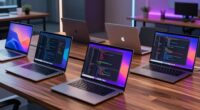
When choosing portable monitors for programmers, the key considerations are display quality, connectivity options, and portability. The Cocopar 15.6 Inch Portable Monitor stands out as the best overall due to its balanced features, including Full HD resolution and versatile connectivity. The Innoview 23.8” 4K Portable Monitor offers stunning UHD clarity for those who prioritize display quality, while the InnoView Dual Monitor provides a unique foldable design for multitasking on the move. These options highlight the main tradeoffs: balancing portability with screen quality and versatility. Continue reading for a detailed breakdown of each product and what makes them ideal for different needs.

Get business pricing on monitors, keyboards and dev gear
- Business-only prices and quantity discounts
- Tax-exempt purchasing
- Multiple users, one account, clear invoices
Key Takeaways
- The top picks balance display quality, connectivity, and portability, with the best overall offering a strong mix of all three.
- Many monitors feature USB-C, but those with multiple input options provide greater flexibility in various setups.
- 4K resolution is available on some models, but it often comes with a higher price and increased power consumption.
- Foldable and dual-screen designs stand out for multitasking, though they may add to the size or weight.
- Build quality and protective features vary, so choosing a monitor with a durable cover or mount can extend lifespan.


| portable monitors for programmer | Resolution | Weight | Ports | Refresh Rate |
|---|---|---|---|---|
| ForHelp 15.6-inch Portable Mon | 1920×1080 FHD | 1.52 lbs | 2 USB-C, 1 Mini HDMI | — |
| Cocopar 15.6 Inch Portable Mon | 1080P FHD | 1.5 lbs (2.4 lbs with cover) | 2 USB-C, 1 HDMI | 60Hz |
| Innoview 23.8" 4K Portable Mon | 3840 x 2160 (4K UHD) | 2.2 kg | 1 HDMI, 1 USB-C, 1 USB 3.0 | 60Hz |
| InnoView Portable Dual Monitor | 1920×1080 per screen | — | — | — |
| InnoView 15.6-Inch Portable Mo | 1920×1080 FHD | 2 pounds | 2 USB-C, 1 HDMI | 60 Hz |
| KYY Portable Monitor 15.6" 108 | 1920×1080 | 1.7 lbs | 2 Type-C, Mini-HDMI | — |
| InnoView Portable Monitor 15.6 | 1920×1080 | — | — | — |
| 15.6 Inch FHD Portable Monitor | 1920×1080 | 1.4 lbs | — | 60Hz |
| MNN 15.6" FHD Portable Monitor | 1920×1080 | — | — | 60Hz |
More Details on Our Top Picks
ForHelp 15.6-inch Portable Monitor with 1080P Resolution, USB-C & HDMI, IPS Screen, Ultra-Thin Design, Smart Cover
At 1.52 lbs and 0.3 inches thick, this is the lightest option in the lineup, and that alone earns it a spot for programmers who live out of a backpack. The matte IPS panel is the real differentiator — unlike the glossier KYY and MNN screens elsewhere in this roundup, it tamps down glare from office lighting, which matters when you’re staring at an IDE for eight hours. Compared with the similarly-sized Cocopar, this model trades the VESA mount for a lower price and a slimmer footprint. The tradeoff is honest: no speakers, no blue light filter menu, and a mini HDMI port awkwardly placed on the left edge that can force cable routing gymnastics on cramped desks.
Pros:- Matte anti-glare finish, rare at this price
- Featherlight at 1.52 lbs for constant commuters
- Smart cover doubles as a functional stand
- IPS panel with wide viewing angles
Cons:- No built-in speakers
- Mini HDMI port on the left side complicates cable management
- Requires USB-C DP Alt Mode or Thunderbolt for single-cable use
Best for: Students and junior developers who want a second screen for code review without spending more than on the laptop accessories themselves
Not ideal for: Anyone with only full-size HDMI outputs and no USB-C DP Alt Mode support — the mini HDMI placement and adapter juggling get old fast
- Screen Size:15.6 inches
- Resolution:1920×1080 FHD
- Panel Type:IPS, matte
- Weight:1.52 lbs
- Thickness:0.3 inches
- Ports:2 USB-C, 1 Mini HDMI
- Accessories:Smart cover stand
Our verdict“The cheapest sensible way to add a second display for coding on the go, as long as your laptop has a modern USB-C port.”
Cocopar 15.6 Inch Portable Monitor 1080P FHD 60Hz with Speakers, HDMI, USB-C, VESA Mount, and Cover Stand
This pick makes the most sense for the widest range of developers because it solves the problem most portables ignore: mounting flexibility. The VESA holes mean it can live on an arm beside a docking station during the week and slip into a travel bag on Friday — something the ForHelp and InnoView models simply can’t do. Add built-in speakers for standups and paired programming calls, and it covers more workflows than any other 15.6-inch option here. The tradeoffs are modest but real: 85% color gamut falls short of the InnoView 4K model’s 100% sRGB, and the magnetic cover offers less protection than a padded sleeve. Compared with the standard InnoView 15.6-inch, the VESA mount and speakers justify the premium for desk-based travelers.
Pros:- VESA mountable for arm or fixed desk setups
- Built-in speakers for calls and standups
- Dual USB-C plus HDMI covers most laptops
- 4mm panel thickness keeps it travel-friendly
Cons:- 85% color gamut is weaker than competing panels
- Magnetic cover provides minimal drop protection
- 60Hz refresh rate limits game-development preview work
Best for: Developers who split time between a permanent desk setup and travel, and want one monitor that works in both contexts
Not ideal for: Mac users with only Thunderbolt 2 or older USB-A ports, since single-cable operation requires DP Alt Mode support
- Screen Size:15.6 inches
- Resolution:1080P FHD
- Refresh Rate:60Hz
- Color Gamut:85%
- Weight:1.5 lbs (2.4 lbs with cover)
- Ports:2 USB-C, 1 HDMI
- VESA Mount:Yes
- Blue Light Filter:Yes
Our verdict“The most versatile all-rounder for programmers who need one screen that adapts to desk, home, and road.”
Innoview 23.8″ 4K Portable Monitor with UHD Resolution and 100% sRGB
Every other monitor in this roundup tops out at 1080p, and for developers who live in dense code editors and multi-column terminal windows, 4K at 23.8 inches is a genuinely different experience — real estate that lets a debugger, editor, and browser coexist without alt-tabbing. The 100% sRGB coverage also makes it the only option here suitable for front-end work where color accuracy matters. The sacrifices are size and power: at 2.2 kg with no internal battery, this is a ‘portable’ monitor in name only compared with the 1.5 lb Cocopar — think car-to-desk rather than backpack-and-train. It also demands a laptop capable of driving 4K over USB-C. Programmers who mostly work from one or two locations will get far more from this than daily commuters.
Pros:- 4K UHD resolution unmatched in this lineup
- 100% sRGB for color-critical front-end work
- 2ms response time handles smooth UI rendering
- 180° adjustable kickstand for ergonomic setups
Cons:- Heaviest option here by a wide margin
- No built-in battery — always tethered to wall power
- Premium price with 60Hz ceiling
Best for: Front-end developers and designers who need accurate color plus maximum screen real estate for split-view coding
Not ideal for: Daily train or plane commuters — at 2.2 kg with mandatory external power, it defeats the purpose of travel portability
- Display Size:23.8 inches
- Resolution:3840 x 2160 (4K UHD)
- Color Coverage:100% sRGB
- Refresh Rate:60Hz
- Response Time:2 ms
- Ports:1 HDMI, 1 USB-C, 1 USB 3.0
- Weight:2.2 kg
Our verdict“A desktop-replacement screen for developers who move between workspaces occasionally rather than constantly.”
InnoView Portable Dual Monitor 15.6″ 1920×1080 Dual Stacked Foldable Monitor with 315° Screen Adjustment
Two screens in one foldable package is a different proposition from everything else here — while the Cocopar adds one display, this effectively doubles a laptop into a three-screen workstation, which is transformative for developers juggling documentation, terminals, and a browser. The 0–315° hinge lets the panels stack vertically (great for reading long stack traces) or sit side by side. But the catches are significant: HDMI connections can’t do extended mode, so a single USB-C port is mandatory, Mac users face driver installation, and the whole rig wants a 30W+ power supply. Compared with buying two ForHelp units, you get a cleaner single-purchase setup at the cost of flexibility — if one panel’s port fails, both go back for service under the 18-month warranty.
Pros:- Two full 1080p IPS screens from a single connection
- 315° hinge enables stacked or side-by-side layouts
- True plug-and-play on Windows with no drivers
- 18-month warranty, longer than most rivals here
Cons:- Extended mode unsupported over HDMI
- Driver installation required on Mac
- Needs a 30W+ power source for stable operation
Best for: Power users and remote developers who want a full multi-monitor coding rig that still fits in a laptop bag
Not ideal for: Mac owners on older macOS versions or laptops without USB-C DP Alt Mode — extended display simply won’t work over HDMI
- Screen Size:2 x 15.6 inches
- Resolution:1920×1080 per screen
- Adjustable Angle:0–315°
- Connectivity:USB-C, HDMI
- Power Supply:30W or higher recommended
- Warranty:18 months
Our verdict“The most screen real estate per bag cubic inch, provided your laptop’s USB-C port can carry both displays.”
InnoView 15.6-Inch Portable Monitor with Adjustable Stand and Protective Sleeve
Long coding sessions are where this model earns its place. The combination of low blue light technology, HDR support, and a 250-nit panel makes it gentler for late-night refactoring than the ForHelp, which skips a dedicated blue light mode entirely. Unlike most budget portables that lean on flimsy folio covers, this one includes a proper built-in adjustable stand plus a padded sleeve — a small thing that makes cafe and coworking setups dramatically less fiddly. It sits between the ForHelp and Cocopar in the hierarchy: more eye-care and protection than the former, but lacking the VESA mount and speakers of the latter. The downside worth flagging: some laptops deliver insufficient power over USB-C, causing flicker or restarts that force a second cable for power.
Pros:- Low blue light mode for marathon sessions
- Built-in adjustable stand beats flimsy folio covers
- Padded protective sleeve included
- HDR support with wide 178° viewing angles
Cons:- Power-hungry panel may need a dedicated power source
- No VESA mount unlike the Cocopar
- 5ms response time trails faster panels in this roundup
Best for: Developers prone to eye strain who code long hours and want blue light reduction plus a stable built-in stand
Not ideal for: Owners of low-power USB-C laptops — the panel can flicker or restart without an external power feed
- Display Size:15.6 inches
- Resolution:1920×1080 FHD
- Brightness:250 cd/m²
- Refresh Rate:60 Hz
- Response Time:5 ms
- Ports:2 USB-C, 1 HDMI
- Weight:2 pounds
Our verdict“The pick for night-owl programmers who prioritize comfort and a sturdy stand over raw versatility.”
KYY Portable Monitor 15.6″ 1080P Computer Screen Extender with Cover
The KYY Portable Monitor stands out for its vibrant 1080P IPS display with HDR, making it ideal for programmers who need accurate colors and sharp visuals on the go. Its ultra-slim profile and light weight of just 1.7 lbs make it exceptionally portable compared to bulkier options like the InnoView 15.6-inch monitor. The wide compatibility via Type-C and HDMI, paired with a durable PU leather cover that doubles as a stand, simplifies setup across various devices. However, the monitor’s limited size at 15.6 inches might not satisfy those who prefer larger screens for multitasking. Its built-in speakers are serviceable but lack depth, which could be a drawback for multimedia use. This model is perfect for programmers who prioritize portability and high-quality visuals, but should be skipped by those needing a larger display or premium audio.
Pros:- Vivid 1080P IPS display with HDR technology for accurate colors
- Ultra-slim design and lightweight for easy portability
- Wide device compatibility via Type-C and HDMI
Cons:- Limited to 15.6 inches, which might be small for multitasking
- Requires compatible devices with Thunderbolt 3 or USB-C for single-cable connection
- Built-in speakers are basic and lack audio depth
Best for: Programmers who need a compact, high-quality portable monitor for travel and dual-screen setups on compatible laptops or tablets.
Not ideal for: Developers seeking a larger workspace or premium audio experience, since the display size and built-in speakers are limited.
- Display Size:15.6 inches
- Resolution:1920×1080
- Viewing Angle:178°
- Weight:1.7 lbs
- Thickness:0.3 inches
- Ports:2 Type-C, Mini-HDMI
Our verdict“This monitor offers a versatile, high-quality display for programmers who prioritize portability over size, but isn’t suited for those needing larger screens or premium sound.”
InnoView Portable Monitor 15.6 Inch FHD 1080P HDMI USB-C External Monitor for Laptop, Gaming, and Travel
The InnoView Portable Monitor provides a bright, vivid 15.6-inch FHD IPS display with wide viewing angles, making it appealing for programmers who also enjoy gaming or multimedia. Its plug-and-play setup via USB-C and HDMI simplifies connection, akin to the MNN monitor, but with a slightly larger and more vibrant display. The included protective cover doubles as a stand, adding convenience for on-the-go use. Nevertheless, the monitor’s reliance on device support for Thunderbolt 3.0 or USB 3.1 DP Alt Mode can limit compatibility for some users. Its 60Hz refresh rate makes it less suitable for high-end gaming or fast-paced coding environments that benefit from higher refresh rates. This pick best suits programmers who need a reliable, portable secondary screen that also caters to multimedia or gaming sessions, but those with incompatible devices might face connectivity issues.
Pros:- Bright, vivid FHD IPS display with wide angles
- Plug-and-play via USB-C and HDMI for easy setup
- Includes protective cover that functions as a stand
Cons:- Requires device support for Thunderbolt 3.0 or USB 3.1 DP Alt Mode for optimal use
- External power cable not included, may limit portability
- Possible flickering or restart issues depending on device output power
Best for: Traveling programmers or remote workers who want a versatile, vivid display that doubles as a gaming monitor or multimedia device.
Not ideal for: High-end gamers or developers requiring high refresh rates and guaranteed broad device support, due to its 60Hz refresh and compatibility limitations.
- Size:15.6 inches
- Resolution:1920×1080
- Display Technology:IPS
- Viewing Angle:178°
- Connectivity:2 USB-C, 1 HDMI
- Power Supply:Supports power pass-through via USB-C
Our verdict“This monitor is ideal for programmers seeking a portable, versatile display that can handle gaming and multimedia but may face compatibility issues with some devices.”
15.6 Inch FHD Portable Monitor with IPS Screen, USB-C & HDMI Compatibility
The 15.6 Inch FHD Portable Monitor offers a sharp 1920×1080 IPS display with anti-glare coating, providing consistent visuals for programmers who need a secondary screen without added bulk. Its light weight of just 1.4 lbs and slim profile make it easily portable, comparable to the MNN and InnoView options. The monitor supports multiple modes and wide device compatibility via USB-C and HDMI, but its 60Hz refresh rate limits its use for high-refresh-rate gaming or fast-paced coding tasks. Built-in dual 1W speakers are adequate for basic audio, but lack depth, which could be a concern for multimedia users. It also requires devices with DP Alt Mode support for full functionality, which could be restrictive. This model suits programmers who prioritize portability and basic visual performance over gaming or high-refresh-rate workflows.
Pros:- High-quality IPS display with anti-glare coating
- Lightweight and ultra-slim for portability
- Multiple display modes and broad device compatibility
Cons:- Limited to 60Hz refresh rate, not suited for gaming
- Built-in speakers are basic and lack bass
- Requires compatible devices with DP Alt Mode for full features
Best for: Programmers needing a slim, portable second screen for casual coding, remote work, or multimedia consumption.
Not ideal for: Users requiring a high-refresh-rate monitor for fast-moving tasks or premium audio quality for multimedia editing, due to refresh rate and speaker limitations.
- Display Size:15.6 inches
- Resolution:1920×1080
- Refresh Rate:60Hz
- Brightness:300 nits
- Panel Type:IPS
- Weight:1.4 lbs
Our verdict“This portable monitor is well-suited for programmers who need a lightweight, reliable secondary screen for everyday tasks but not for high-refresh-rate gaming or audio-intensive work.”
MNN 15.6″ FHD Portable Monitor with USB-C & HDMI, IPS HDR Gaming Laptop Screen
The MNN 15.6-inch FHD Portable Monitor excels with its vibrant HDR support and accurate color reproduction, making it a compelling choice for programmers who also enjoy media editing or casual gaming. Its single USB-C cable connectivity simplifies setup, similar to the InnoView but with a focus on HDR and versatile modes. The glossy IPS panel ensures vivid visuals, and the included smart cover adds protection and stand functionality. However, its reliance on device support for Thunderbolt 3.0 or USB 3.1 DP Alt Mode can limit compatibility, and the 60Hz refresh rate is less suitable for fast-paced gaming or highly dynamic coding environments. This monitor is best for programmers needing a portable, color-accurate display with HDR capabilities, but less so for high-refresh gaming or users with incompatible devices.
Pros:- High-resolution FHD display with HDR support
- Accurate color reproduction suitable for media work
- Supports multiple connection options with USB-C and HDMI
Cons:- Requires device support for Thunderbolt 3.0 or USB 3.1 DP Alt Mode
- Limited to 60Hz refresh rate, not ideal for fast gaming
- HDR performance depends on device compatibility
Best for: Programmers who value HDR and color accuracy, and also want a monitor capable of casual gaming or media editing on the go.
Not ideal for: High-performance gamers or developers requiring high refresh rates or broad device compatibility, due to refresh rate and connection constraints.
- Display Size:15.6 inches
- Resolution:1920×1080
- Refresh Rate:60Hz
- Panel Type:IPS
- HDR:Supported
- Connectivity:USB-C, HDMI
Our verdict“This monitor offers a vibrant, HDR-capable display for programmers who also want color fidelity and media versatility, with some limitations on refresh rate and device support.”

How We Picked
The products in this roundup were evaluated based on performance, usability, build quality, and value for programmers on the go. Priority was given to display clarity, input options, portability, and ease of setup. We also considered user feedback regarding durability and compatibility, ensuring each monitor offers reliable connectivity with laptops and devices used by programmers. The ranking reflects a balance between features and price, emphasizing versatility and overall user experience for coding, debugging, or multitasking remotely.Factors to Consider When Choosing Portable Monitors For Programmers
Selecting the right portable monitor for programming involves considering several key factors beyond just screen size. Understanding your typical work environment and mobility needs helps in choosing a model that fits your workflow. It’s important to weigh display quality against portability, as larger or higher-resolution screens may compromise on weight or battery life. Compatibility with your existing devices, such as laptops or tablets, is also crucial. This guide highlights the main factors to consider for making a confident purchase, avoiding common pitfalls like sacrificing durability for size or settling for limited connectivity.Display Quality and Resolution
For programming, screen clarity is vital to reduce eye strain and improve readability of code. While Full HD (1080p) is generally sufficient, some may prefer 4K for sharper text and images, especially on larger portable monitors. Keep in mind that higher resolutions demand more power, which can impact battery life. Additionally, IPS panels provide better color accuracy and viewing angles, essential if you also want to use the monitor for design or multimedia tasks alongside coding.
Connectivity Options
Most portable monitors rely on USB-C for simplicity, but models with HDMI or additional ports offer greater flexibility, especially if you work with multiple devices. Consider how you plan to connect—if you frequently switch between laptops, tablets, or smartphones, a monitor with multiple input options reduces hassle. Also, check for compatibility with your device’s port standards and whether an adapter might be needed, which can add to setup complexity.
Portability and Size
Size and weight directly affect how easily you can carry a monitor around. Most options hover around 15.6 inches, balancing screen real estate with portability. Foldable or dual-screen designs can maximize productivity but often add to bulk and weight. Think about your typical travel scenario—if you carry a backpack or briefcase, a lighter model with a slim profile will be more manageable. Conversely, if you prioritize screen size over portability, a slightly larger but more feature-rich monitor could be worth the extra weight.
Build Quality and Durability
Since portable monitors are likely to face rough handling, look for models with sturdy construction, protective covers, or mounts. Some monitors include VESA compatibility or ruggedized frames, extending lifespan during frequent travel. A reliable stand or cover that doubles as protection can prevent damage and make setup quicker. Remember, investing in durability can save money and frustration in the long run, especially if you plan to use the monitor daily outside a fixed workspace.
Battery Life and Power Efficiency
If you need to use your monitor unplugged or on the go without constant access to power, consider models with built-in batteries or low power consumption. Many portable monitors draw power from the connected device via USB-C, but some include batteries for standalone use. Keep in mind that higher-resolution screens or larger sizes tend to consume more power, reducing battery life. Balancing display quality with energy efficiency ensures smoother workflow during long coding sessions away from outlets.
Frequently Asked Questions
Can I use a portable monitor for coding on an airplane or train?
Yes, many portable monitors are suitable for travel, especially those with lightweight designs and long battery life. Ensure the monitor has the right connectivity options for your device, such as USB-C or HDMI. A monitor with a sturdy cover and compact size will make it easier to carry and set up in confined spaces. However, keep in mind that higher-resolution screens may drain batteries faster, so consider models with good energy efficiency if you plan to work for extended periods unplugged.
Is a 4K portable monitor worth it for programming?
4K monitors provide sharper text and clearer visuals, which can reduce eye strain during long coding sessions. However, they typically cost more, consume more power, and might be overkill if your laptop’s GPU isn’t equipped to handle such resolutions smoothly. For most programming tasks, Full HD or 2K resolution offers a good balance of clarity and efficiency. If you also work with design or multimedia, a 4K monitor can be a worthwhile investment despite the higher price and power draw.
Do I need a monitor with a built-in stand or VESA mount?
Having a built-in stand or VESA mount adds flexibility and stability, especially when working in different locations. A sturdy stand or adjustable mount makes it easier to set up ergonomic viewing angles, preventing neck strain. If you frequently change work environments or want a more permanent setup during travel, these features are valuable. Conversely, models without these options are usually lighter and more compact but may require a separate stand or placement on your lap or desk.
How do I connect a portable monitor to my laptop?
Most portable monitors connect via USB-C, which carries both power and video signals, making setup straightforward. If your device lacks USB-C, an HDMI cable or adapter might be necessary. Compatibility depends on your laptop’s ports and support for DisplayPort or Thunderbolt standards. Always verify the connection types before purchasing, and consider whether your laptop’s hardware can support high-resolution external displays without performance issues.
Is it better to buy a dual-screen foldable monitor or a single larger screen?
Dual-screen foldable monitors excel in multitasking, allowing you to organize multiple windows and workflows efficiently, which appeals to programmers juggling various tools. However, they tend to be bulkier and heavier, adding to portability challenges. A single larger screen offers a more straightforward setup and often better pixel density, but may sacrifice some portability. Your choice depends on whether multitasking or portability is your main priority—both options serve different working styles better.
Conclusion
For general programming needs, the best overall pick is the Cocopar 15.6 Inch Portable Monitor, offering a reliable mix of clarity, connectivity, and portability. Those prioritizing image quality or multimedia work might lean toward the Innoview 4K model. Budget-conscious buyers seeking value will find the InnoView or ForHelp options appealing, especially if durability and ease of use are important. Beginners should focus on models with straightforward setup, while power users requiring high resolution and multitasking features might prefer foldable or dual-screen designs. Ultimately, your ideal monitor depends on your specific work environment and mobility needs, but this lineup covers the most relevant options for programmers on the go in 2026.
Halloween Picks
halloween
As an affiliate, we earn on qualifying purchases.