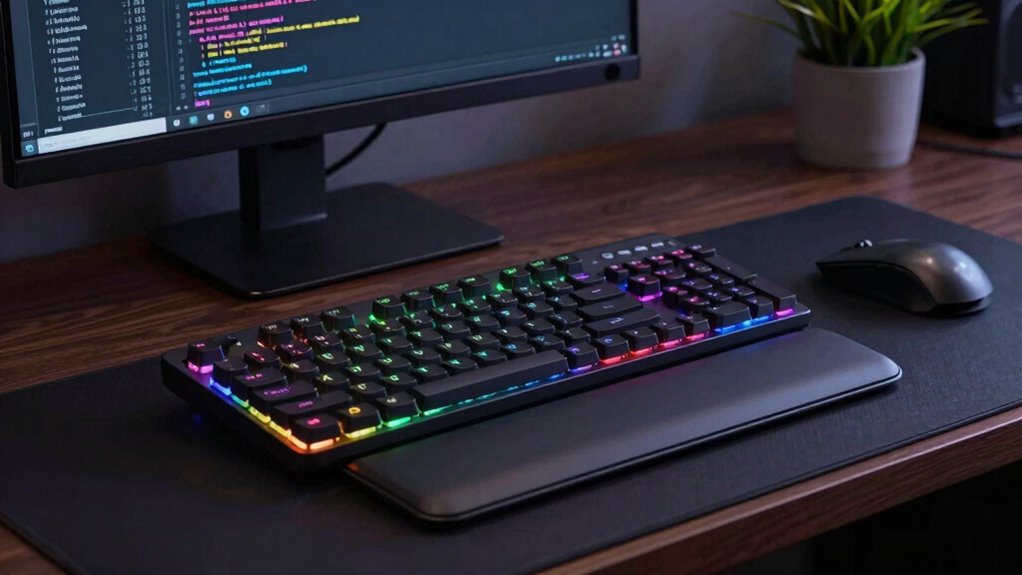

For developers and programmers spending hours at their desks, a premium ergonomic keyboard can make a significant difference in comfort and productivity. The Logitech Ergo K860 stands out as the overall best choice, combining comfort with wireless convenience. The Kinesis Advantage360 offers unmatched customization and a truly split design for maximum ergonomic benefit, while the Perixx PERIBOARD-735BR provides a mechanical feel at a more accessible price. Choosing the right keyboard involves balancing factors like build quality, typing feel, adjustability, and price. Continue reading for a detailed breakdown of the best options and what makes each one unique.

Get business pricing on monitors, keyboards and dev gear
- Business-only prices and quantity discounts
- Tax-exempt purchasing
- Multiple users, one account, clear invoices
Key Takeaways
- Most top-tier options feature split or tented designs that reduce wrist strain during long sessions.
- Mechanical switches are favored for durability and tactile feedback, but they often come at a higher price point.
- Wireless connectivity is common in premium models, though some wired options offer better responsiveness for heavy typing.
- Adjustability in tenting and split angles is critical for personalized ergonomic comfort.
- Price varies widely; investing more generally yields better build quality and advanced features, but some mid-range models perform well for less.
| Logitech Ergo K860 Wireless Ergonomic Split Keyboard with Wrist Rest |  | Best Overall Ergonomic Keyboard for Long Coding Sessions | Connectivity: USB receiver and Bluetooth | Wrist Rest: Pillowed with memory foam | Key Type: Perfect stroke scooped keys | VIEW ON AMAZON | See Our Full Breakdown |
| ProtoArc EK01 Plus Backlit Bluetooth Ergonomic Keyboard, Full Size, Grey |  | Best Value for Multi-Device Ergonomic Typing | Design: Full-size ergonomic split-frame | Backlighting: Adjustable white LED, 3 levels | Battery: 2000mAh rechargeable | VIEW ON AMAZON | See Our Full Breakdown |
| Perixx PERIBOARD-735BR Wireless Ergonomic Mechanical Keyboard – Low-Profile Brown Tactile Switches, Multi-Device Connection, Compatible with Windows and Mac OS X |  | Best Mechanical Choice for Long Coding with Ergonomics | Dimensions: 18.66 × 7.95 × 1.73 in | Weight: 2.47 lb | Battery Capacity: 3000 mAh | VIEW ON AMAZON | See Our Full Breakdown |
| Incase Sculpt Ergonomic Keyboard – Designed by Microsoft, Split Keyset, Palm Rest, Contoured Layout, Windows Button, AES 128-Bit Encryption, Includes Number Pad, Black |  | Best for Secure Data Entry and Natural Posture | Design: Split keyset, contoured layout | Palm Rest: Cushioned, removable | Encryption: AES 128-bit | VIEW ON AMAZON | See Our Full Breakdown |
| Logitech Ergo K860 Split Wireless Keyboard – Graphite |  | Best for Versatile, Long-Term Comfort in Wireless Setup | Connectivity: Wireless (Logi Bolt) | Design: Split, curved ergonomic | Color: Graphite | VIEW ON AMAZON | See Our Full Breakdown |
| Perixx PERIBOARD-512B Wired Ergonomic Keyboard – Split Design with Wrist Rest |  | Best Overall Balance of Comfort and Responsiveness | Connectivity: Wired USB | Layout: US English | Color options: Black, Beige, White | VIEW ON AMAZON | See Our Full Breakdown |
| Nulea Ergonomic Split Wireless Keyboard with Cushioned Wrist Rest |  | Best for Wireless Flexibility and Comfort | Connectivity: Bluetooth & 2.4G | Battery Life: 206 hours | Wrist Rest Material: Leatherette | VIEW ON AMAZON | See Our Full Breakdown |
| Perixx PERIBOARD-835BR II Wireless Ergonomic Mechanical Keyboard with RGB Backlit and Multi-Device Connectivity |  | Best for Mechanical Feel and Multi-Device Use | Design: Split-key ergonomic layout | Dimensions: 18.66 × 7.95 × 1.73 inches | Switch Type: Low-profile brown tactile mechanical | VIEW ON AMAZON | See Our Full Breakdown |
| Arteck Split Ergonomic Wireless Keyboard with Palm Rest |  | Best Budget-Friendly Wireless Option | Connectivity: Wireless (2.4G USB) | Battery Life: 6 months | Includes: Nano USB receiver, USB-C charging cable | VIEW ON AMAZON | See Our Full Breakdown |
| Kinesis Advantage360 Professional Split Ergonomic Keyboard – Bluetooth, Quiet Mechanical Switches, Fully Programmable, Open Source, Contoured Shape, Adjustable Tenting, Backlit |  | Best for Customization and Professional Use | Connectivity Technology: Bluetooth | Switch Type: Kailh Box Silent Pink | Number of Keys: 76 | VIEW ON AMAZON | See Our Full Breakdown |
| Logitech Wave Keys Ergonomic Wireless Keyboard with Palm Rest – Graphite |  | Best Overall for Comfort and Customization | Design: Wavy ergonomic shape | Palm Rest: Cushioned with memory foam | Connectivity: Bluetooth and Logi Bolt Receiver | VIEW ON AMAZON | See Our Full Breakdown |
| premium ergonomic keyboard for long coding session | Connectivity | Design |
|---|---|---|
| Logitech Ergo K860 Wireless Er | USB receiver and Bluetooth | — |
| ProtoArc EK01 Plus Backlit Blu | Bluetooth and 2.4G USB, supports 3 devices | Full-size ergonomic split-frame |
| Perixx PERIBOARD-735BR Wireles | — | — |
| Incase Sculpt Ergonomic Keyboa | — | Split keyset, contoured layout |
| Logitech Ergo K860 Split Wirel | Wireless (Logi Bolt) | Split, curved ergonomic |
| Perixx PERIBOARD-512B Wired Er | Wired USB | — |
| Nulea Ergonomic Split Wireless | Bluetooth & 2.4G | — |
| Perixx PERIBOARD-835BR II Wire | Wired, Bluetooth, 2.4 GHz | Split-key ergonomic layout |
| Arteck Split Ergonomic Wireles | Wireless (2.4G USB) | Split ergonomic with cushioned wrist rest |
| Kinesis Advantage360 Professio | — | — |
| Logitech Wave Keys Ergonomic W | Bluetooth and Logi Bolt Receiver | Wavy ergonomic shape |
More Details on Our Top Picks
Logitech Ergo K860 Wireless Ergonomic Split Keyboard with Wrist Rest
The Logitech Ergo K860 stands out as the best overall choice for those prioritizing comprehensive ergonomic support. Its split, curved design combined with a memory foam wrist rest effectively promotes better posture and reduces muscle strain during extended typing. Compared with the Perixx PERIBOARD-735BR, it offers a more refined ergonomic shape and wireless convenience, though at a higher price point. The adjustable tilt legs allow for customization, making it adaptable to various workspaces, but its larger footprint might pose challenges for smaller desks. The need for software installation for full feature access could be a minor inconvenience, yet the overall comfort and build quality justify the premium price for most serious coders.
Pros:- Ergonomically designed to improve posture and reduce muscle strain
- Comfortable wrist rest with memory foam support
- Adjustable tilt for personalized typing angles
- Wireless connectivity via Bluetooth or USB receiver
Cons:- Premium price may be high for some users
- Requires software installation for full customization
- Large footprint may not suit small desks
Best for: Long-time programmers who value ergonomic design and wireless flexibility in a spacious setup
Not ideal for: Users with limited desk space or those seeking a more budget-friendly option without extensive ergonomic features
- Connectivity:USB receiver and Bluetooth
- Wrist Rest:Pillowed with memory foam
- Key Type:Perfect stroke scooped keys
- Adjustable Tilt:0, -4, -7 degrees
- Material:71% post-consumer recycled plastic
- Power Source:Battery-powered with Logitech Options software
Our verdict“This keyboard is ideal for those who want a premium, comfortable ergonomic experience without compromises on wireless functionality.”
ProtoArc EK01 Plus Backlit Bluetooth Ergonomic Keyboard, Full Size, Grey
The ProtoArc EK01 Plus offers impressive value for users seeking a full-size, ergonomic wireless keyboard with multi-device support. Its curved split-frame design is comparable to the Logitech K860 but adds the convenience of adjustable backlighting, which can enhance visibility during long work hours. While it supports up to three devices via Bluetooth and 2.4G USB, it faces limitations in wired connectivity, unlike the Perixx PERIBOARD-735BR, which supports wired use for more stable connections. The rechargeable battery and adjustable tilt ensure comfort and longevity, but the backlighting may drain the battery faster if used at high brightness, making it less ideal for users who prioritize battery life over visual features. Overall, it balances features and affordability well for multi-device users.
Pros:- Reduces wrist strain with ergonomic split design
- Supports seamless multi-device switching
- Adjustable backlight enhances visibility
- Long-lasting rechargeable battery
Cons:- Requires checking dimensions to fit properly
- Backlight may impact battery life
- No wired connection option
Best for: Professionals who need multi-device support and prefer a full-size ergonomic keyboard with backlit keys
Not ideal for: Users who prefer wired connections or minimalistic setups without backlighting features
- Design:Full-size ergonomic split-frame
- Backlighting:Adjustable white LED, 3 levels
- Battery:2000mAh rechargeable
- Tilt Adjustment:Four adjustable tilt feet
- Connectivity:Bluetooth and 2.4G USB, supports 3 devices
- Compatibility:Windows 8/10+, Mac OS X 10.12+, Android 4.3+
Our verdict“Ideal for multi-device users seeking a versatile, ergonomic full-size keyboard with backlit keys at a reasonable price point.”
Perixx PERIBOARD-735BR Wireless Ergonomic Mechanical Keyboard – Low-Profile Brown Tactile Switches, Multi-Device Connection, Compatible with Windows and Mac OS X
The Perixx PERIBOARD-735BR introduces a mechanical typing experience tailored for long coding sessions, with low-profile brown tactile switches that offer precise feedback without excessive noise. Its ergonomic split-key design and adjustable tilt help promote natural wrist positioning, similar to the more premium Logitech options but with the added benefit of mechanical keys for improved accuracy. While its wired, Bluetooth, and 2.4 GHz options provide flexibility, it lacks backlighting, which may hinder use in low-light conditions. The relatively compact dimensions and quiet switches make it suitable for those who want durability and tactile feedback without sacrificing ergonomic principles, but newcomers may need an adjustment period to the shape.
Pros:- Ergonomic split-key design reduces wrist fatigue
- Supports multiple connection types for versatility
- Long-lasting 3000 mAh battery with USB-C charging
- Quiet brown tactile switches improve accuracy
Cons:- Requires adjustment to ergonomic shape
- No backlit keys for low-light use
- Additional layouts may require minimum order quantities
Best for: Coders who prefer mechanical keys and multi-device support in a portable, ergonomic layout
Not ideal for: Those seeking a fully backlit keyboard or a more traditional, non-split form factor
- Dimensions:18.66 × 7.95 × 1.73 in
- Weight:2.47 lb
- Battery Capacity:3000 mAh
- Connection Types:Wired, Bluetooth, 2.4 GHz
- Switch Type:Brown tactile mechanical
- Compatibility:Windows, macOS, Linux
Our verdict“Best suited for users who want a durable mechanical keyboard with ergonomic benefits and multi-device flexibility for long coding hours.”
Incase Sculpt Ergonomic Keyboard – Designed by Microsoft, Split Keyset, Palm Rest, Contoured Layout, Windows Button, AES 128-Bit Encryption, Includes Number Pad, Black
The Incase Sculpt Ergonomic Keyboard is a solid choice for users who prioritize natural wrist positioning combined with security features. Its split keyset and contoured design promote a comfortable typing posture, comparable to the Logitech K860 but with a focus on security, thanks to AES 128-bit encryption. The inclusion of a separate number pad and a cushioned palm rest adds to its versatility for long sessions. However, its bulkier profile and split design may require some adjustment, especially for users with limited desk space or those unfamiliar with split layouts. While not as sleek as some wireless options, its focus on ergonomic support and security makes it suitable for professional environments demanding data protection.
Pros:- Promotes natural wrist position with split and contoured design
- Includes a cushioned, removable palm rest
- One-touch Windows button for quick navigation
- AES 128-bit encryption ensures data security
Cons:- Bulkier design may be unsuitable for small spaces
- Split layout can require adjustment for new users
- Lacks wireless connectivity options
Best for: Professionals handling sensitive data who want ergonomic comfort along with encryption security
Not ideal for: Users with small desks or those seeking a minimalist, slim profile keyboard
- Design:Split keyset, contoured layout
- Palm Rest:Cushioned, removable
- Encryption:AES 128-bit
- Includes:Separate number pad
- Color:Black
Our verdict“Ideal for security-conscious professionals seeking ergonomic comfort with secure data entry features in a somewhat bulkier form factor.”
Logitech Ergo K860 Split Wireless Keyboard – Graphite
The Logitech Ergo K860 in Graphite offers a familiar ergonomic split design tailored for long coding sessions. Its curved layout and adjustable palm lift support natural wrist positioning, comparable to the original K860 but with a sleek color option. Supporting multiple device connections and boasting a battery life of up to two years, it excels for those who need a reliable, wire-free workspace. However, full functionality relies on Logitech Options software, which might be a minor hurdle for some users. Its larger size may require more desk space, but for those who prioritize long-term comfort and multi-device support, this model provides a balanced mix of features and durability, especially in professional settings.
Pros:- Reduces muscle strain with ergonomic split design
- Supports multiple devices for seamless switching
- Battery life of up to two years minimizes maintenance
- Wireless (Logi Bolt) for flexible setup
Cons:- Requires Logitech Options app for full feature access
- Larger size demands more desk space
- Might be expensive compared to simpler models
Best for: Developers and coders who want a wireless ergonomic keyboard with extensive device support and long battery life
Not ideal for: Those with limited desk space or who prefer a minimalist, wired ergonomic keyboard
- Connectivity:Wireless (Logi Bolt)
- Design:Split, curved ergonomic
- Color:Graphite
- Battery Life:Two years
- Device Support:Connects to up to three devices
- Additional Features:Adjustable palm lift, pillowed wrist rest
Our verdict“Best suited for long-term, multi-device users seeking a durable, wireless ergonomic keyboard with a sleek appearance.”
Perixx PERIBOARD-512B Wired Ergonomic Keyboard – Split Design with Wrist Rest
The Perixx PERIBOARD-512B stands out for its straightforward wired design that emphasizes durability and reliable performance. Its split layout and curved keycaps effectively reduce wrist strain, making it a solid choice for long coding sessions. Compared with the Kinesis Advantage360, this keyboard offers a more traditional key feel with membrane switches, which means less noise but potentially less tactile feedback. Its long key travel ensures a responsive typing experience, though some users might find the membrane switches less satisfying than mechanical options. The wired connection guarantees stability, but it limits mobility compared to wireless models. This pick makes the most sense for users seeking a durable, affordable ergonomic keyboard that minimizes wrist discomfort without the complexities of programmable features.Pros:- Ergonomic split design reduces wrist strain effectively
- Long key travel with tactile feedback enhances responsiveness
- Durable construction with high keystroke lifespan
Cons:- Requires an adjustment period for users new to split keyboards
- Membrane switches may feel less satisfying than mechanical keys
Best for: Coders who prioritize a reliable, wired setup with straightforward ergonomic benefits and don’t need advanced programmability.
Not ideal for: Power users who want customizable keys or prefer wireless flexibility, or those who dislike membrane switches.
- Connectivity:Wired USB
- Layout:US English
- Color options:Black, Beige, White
- Key travel:4.2 mm
- Switch type:Membrane
- Durability:Up to 20 million keystrokes
Our verdict“This keyboard offers a balanced, dependable choice for those seeking ergonomic comfort with straightforward wired reliability.”
Nulea Ergonomic Split Wireless Keyboard with Cushioned Wrist Rest
The Nulea Ergonomic Split Wireless Keyboard excels in delivering a natural typing posture with its adjustable tilt and cushioned wrist rest, making it ideal for long sessions. Its wireless connectivity via Bluetooth and 2.4G offers freedom of movement that wired alternatives like the Perixx PERIBOARD-512B can’t match, though this may come at a higher price. The impressive 206-hour battery life reduces interruptions, but users may need time to adapt to the split layout, especially if switching from traditional keyboards. Limited to wireless, it might not suit environments with strict cable management needs. This model makes sense for those who value ergonomic comfort combined with wireless convenience and are willing to invest in a premium design.Pros:- Ergonomic split design reduces strain effectively
- Long battery life of over 200 hours minimizes charging
- Dual-mode wireless connectivity enhances versatility
- Comfortable cushioned wrist rest adds support
Cons:- Requires adjustment to split layout for new users
- Limited to wireless connectivity, which may not suit all setups
Best for: Remote workers or office users seeking a wireless ergonomic keyboard with ample wrist support and adjustable angles.
Not ideal for: Users with limited desk space or those who prefer wired connections for maximum stability.
- Connectivity:Bluetooth & 2.4G
- Battery Life:206 hours
- Wrist Rest Material:Leatherette
- Adjustable Tilt:Yes, three angles
Our verdict“This keyboard offers impressive wireless ergonomics for those willing to pay a premium for comfort and flexibility.”
Perixx PERIBOARD-835BR II Wireless Ergonomic Mechanical Keyboard with RGB Backlit and Multi-Device Connectivity
The Perixx PERIBOARD-835BR II combines ergonomic split design with the tactile satisfaction of low-profile mechanical switches, making it ideal for long, precise typing sessions. Its RGB backlighting and programmable keys appeal to users who want customization, while multi-device Bluetooth and wired connectivity provide flexibility. Compared to the Arteck Split Wireless Keyboard, this model offers a more engaging typing experience thanks to mechanical switches, though the noise level may be less suitable for shared environments. Its size and higher price point may be less practical for small desks or budget-conscious users. This keyboard is best suited for those who want a premium mechanical feel with multi-device versatility and are comfortable with a larger footprint.Pros:- Split ergonomic design reduces wrist strain
- Low-profile mechanical switches provide tactile feedback
- RGB backlighting and programmable keys for customization
- Supports multi-device connectivity
Cons:- Larger size may not fit small desks
- Mechanical switches can be noisy for shared environments
Best for: Power users and developers who prefer mechanical switches, customization, and multi-device connectivity for long sessions.
Not ideal for: Users with limited desk space or those seeking a quieter, more compact keyboard for shared workspaces.
- Design:Split-key ergonomic layout
- Dimensions:18.66 × 7.95 × 1.73 inches
- Switch Type:Low-profile brown tactile mechanical
- Connectivity:Wired, Bluetooth, 2.4 GHz
- Backlighting:RGB customizable
- Battery:3000 mAh rechargeable, up to 1 month
Our verdict“This keyboard offers a premium mechanical typing experience combined with ergonomic design and multi-device flexibility for demanding users.”
Arteck Split Ergonomic Wireless Keyboard with Palm Rest
The Arteck Split Ergonomic Keyboard delivers comfort with its split design and cushioned palm rest, making it suitable for extended typing without a steep price tag. Its wireless setup via 2.4G USB receiver is straightforward, but users must keep the receiver plugged in, which could be inconvenient. While it offers a long battery life of up to six months, it lacks backlit keys, which may reduce usability in low-light environments. Designed mainly for Windows, its simplicity appeals to those who want ergonomic benefits without extra features. Compared to more feature-rich models like the Perixx PERIBOARD-835BR II, it sacrifices customization for affordability.Pros:- Ergonomic split design reduces wrist discomfort
- Long-lasting battery life of six months
- Simple plug-and-play setup
Cons:- Requires USB receiver, which can be easily lost
- Limited to Windows compatibility and no backlit keys
Best for: Budget-conscious users seeking a straightforward ergonomic wireless keyboard primarily for Windows use.
Not ideal for: Users needing backlit keys or multi-device support, or those on Mac without compatibility adjustments.
- Connectivity:Wireless (2.4G USB)
- Battery Life:6 months
- Includes:Nano USB receiver, USB-C charging cable
- Design:Split ergonomic with cushioned wrist rest
Our verdict“This keyboard provides ergonomic benefits at an accessible price point, ideal for casual long-term use on Windows systems.”
Kinesis Advantage360 Professional Split Ergonomic Keyboard – Bluetooth, Quiet Mechanical Switches, Fully Programmable, Open Source, Contoured Shape, Adjustable Tenting, Backlit
The Kinesis Advantage360 is engineered for those who want maximum ergonomic adjustment and customization. Its contoured, split layout with adjustable tenting minimizes wrist extension and forearm rotation, making it ideal for extensive coding. The quiet Kailh Box Silent Pink switches deliver a premium, tactile feel without disturbing coworkers. Its Bluetooth connectivity and full programmability make it suitable for power users who need personalized shortcuts or macros. Compared with the Perixx PERIBOARD-512B, this model offers far more adjustability and advanced features, but it requires time to set up and adapt. Its higher price and complexity make it less appealing for casual users or those who prefer plug-and-play solutions.Pros:- Adjustable tenting and contoured shape for personalized comfort
- Quiet mechanical switches enhance typing experience
- Full programmability and open-source firmware for customization
- Bluetooth connectivity supports wireless work
Cons:- Requires setup and configuration for optimal use
- Higher price point and complexity may deter newcomers
- Contoured shape takes time to adapt
Best for: Professional developers and ergonomic enthusiasts who want a highly customizable, fully programmable ergonomic keyboard.
Not ideal for: Casual users or those new to ergonomic keyboards who prefer simple setups without extensive configuration.
- Connectivity Technology:Bluetooth
- Switch Type:Kailh Box Silent Pink
- Number of Keys:76
- Number of Sections:2
- Backlighting:Single Color
- Additional Features:Hotkeys, media keys, split keyset
Our verdict“This keyboard is ideal for those seeking a professional-grade, customizable ergonomic solution with extensive features.”
Logitech Wave Keys Ergonomic Wireless Keyboard with Palm Rest – Graphite
The Logitech Wave Keys stands out for its thoughtfully designed wavy shape that naturally guides hands into a relaxed, neutral position, making it a top choice for long coding marathons. Unlike the split K860, which offers more customizable tenting and a split layout, the Wave Keys emphasizes a unified, ergonomic form with a cushioned palm rest that minimizes wrist pressure. While the Wave Keys excels in reducing strain and provides up to three years of battery life, its compact design might not suit users with larger hands or those who prefer a full-sized keyboard. The necessity of software for customization could be a minor hassle for some, and the limited color options might not appeal to all aesthetic preferences. This keyboard makes the most sense for developers and coders seeking a balance of comfort, simplicity, and long-term reliability, provided they prioritize a sleek, wireless setup over extensive programmability.
Pros:- Ergonomic, wavy shape reduces wrist strain
- Cushioned palm rest enhances comfort during extended use
- Long battery life of up to 3 years minimizes downtime
- Wireless connectivity via Bluetooth and Logi Bolt provides flexibility
Cons:- Compact design may feel cramped for users with larger hands
- Requires software installation for custom shortcut setup
- Limited color choices restrict personalization
Best for: Developers and programmers who prioritize comfort and long battery life in a wireless, ergonomic design
Not ideal for: Users with larger hands or those who need extensive customization options without software dependency
- Design:Wavy ergonomic shape
- Palm Rest:Cushioned with memory foam
- Connectivity:Bluetooth and Logi Bolt Receiver
- Battery Life:Up to 3 years
- Compatibility:Windows, macOS, iPadOS, ChromeOS
- Materials:Includes post-consumer recycled plastic
Our verdict“This keyboard offers a strong blend of ergonomic support and convenience, ideal for long coding sessions with a preference for wireless simplicity.”

How We Picked
The selection process focused on ergonomic design, build quality, typing comfort, and long-term durability. We prioritized models that feature split or tented layouts, adjustable angles, and high-quality switches, ensuring they support extended coding sessions. Usability factors like connectivity options and ease of customization also influenced rankings, along with value for money. The products are ordered based on a combination of ergonomic effectiveness, feature set, and overall user experience, with a premium focus for long hours of use.| premium ergonomic keyboard for long coding session | Design |
|---|---|
| Logitech Ergo K860 Wireless Er | — |
| ProtoArc EK01 Plus Backlit Blu | Full-size ergonomic split-frame |
| Perixx PERIBOARD-735BR Wireles | — |
| Incase Sculpt Ergonomic Keyboa | Split keyset, contoured layout |
| Logitech Ergo K860 Split Wirel | Split, curved ergonomic |
| Perixx PERIBOARD-512B Wired Er | — |
| Nulea Ergonomic Split Wireless | — |
| Perixx PERIBOARD-835BR II Wire | Split-key ergonomic layout |
| Arteck Split Ergonomic Wireles | Split ergonomic with cushioned wrist rest |
| Kinesis Advantage360 Professio | — |
| Logitech Wave Keys Ergonomic W | Wavy ergonomic shape |
Factors to Consider When Choosing Premium Ergonomic Keyboard For Long Coding Sessions
Choosing the right ergonomic keyboard for long coding sessions involves weighing several critical factors. Comfort is paramount, but it must be balanced with build quality, adjustability, and typing feel. Understanding these elements helps prevent common issues like wrist pain, fatigue, and repetitive strain injuries. When selecting a keyboard, consider how well it adapts to your workspace and personal preferences to maximize productivity and reduce discomfort over time.Ergonomic Design and Layout
Look for split, tented, or curved layouts that promote natural wrist positioning. These designs help minimize strain during extended periods of typing. Avoid flat, traditional layouts if you experience discomfort, as they can force your wrists into unnatural angles. The ability to customize tenting and split angles is a major plus, allowing you to tailor the setup to your specific needs and reduce fatigue.
Switch Type and Typing Feel
Mechanical switches, especially tactile or low-profile variants, tend to offer better durability and feedback, which many typists prefer for long sessions. However, they can be louder and more expensive. Consider your environment and noise tolerance when choosing switches. Some users prefer membrane or scissor switches for quieter operation, but these generally lack the longevity and tactile response of mechanical options.
Adjustability and Tenting
Flexible adjustment options, such as adjustable tenting, tilt, and split angles, enable a custom ergonomic setup. Avoid models with fixed configurations if you have specific comfort needs, as this can lead to discomfort over time. A highly adjustable keyboard can help prevent repetitive strain injuries and accommodate different body types and preferences.
Connectivity and Compatibility
Wireless models offer greater flexibility and cleaner setups, but wired options often provide more reliable responsiveness. Check compatibility with your operating system and whether multi-device connectivity is supported if you switch between computers frequently. Consider Bluetooth or proprietary wireless options based on your workspace setup.
Build Quality and Durability
Investing in a well-constructed keyboard with high-quality materials ensures longevity, especially when used daily for hours. Metal or reinforced plastic frames and high-grade switches contribute to durability. Cheaper models may wear out faster or feel flimsy, which can undermine ergonomic benefits over time. Balance initial cost with expected longevity to maximize value.
Frequently Asked Questions
Can I use a regular keyboard for long coding sessions without discomfort?
While regular keyboards can work for short periods, they often lack the ergonomic features necessary to prevent strain during long coding sessions. Over time, using non-ergonomic keyboards may lead to wrist pain, fatigue, or repetitive strain injuries. Investing in a dedicated ergonomic model helps maintain comfort and reduces the risk of long-term issues, especially if you spend many hours typing daily.
Is a split keyboard significantly better than a traditional one for ergonomics?
Split keyboards are generally considered more ergonomic because they allow your hands, wrists, and forearms to stay in a more natural position. They help reduce ulnar deviation and wrist extension, which are common sources of strain. However, they can have a learning curve and take up more desk space. For long sessions, the ergonomic benefits often outweigh the adjustment period, especially if you experience discomfort with standard layouts.
Are mechanical switches necessary for long coding sessions?
Mechanical switches are favored for their durability, tactile feedback, and consistent performance over thousands of keystrokes. They can reduce finger fatigue by providing a more satisfying and responsive typing experience. However, they tend to be louder and more expensive. If noise is a concern or you prefer a quieter environment, membrane or scissor-switch options may be suitable, though they might not last as long or feel as precise.
How important is adjustability in an ergonomic keyboard?
Adjustability is a key factor because it allows you to customize the keyboard to your ergonomic needs, which varies from person to person. Features like adjustable tenting, split angles, and tilt enable you to find a comfortable, natural position that minimizes strain. Without sufficient adjustability, even a well-designed ergonomic keyboard might not provide the full benefits, especially if it doesn’t fit your body or workspace configuration.
Should I prioritize wireless or wired connectivity for long coding sessions?
Wireless keyboards offer greater freedom of movement and a cleaner workspace, which can enhance comfort during long periods. However, wired models typically provide more reliable responsiveness and zero latency, important for fast typists or those doing precision work. The choice depends on your workspace setup and personal preferences; both can be effective if chosen carefully and based on your specific needs.
Conclusion
For most users prioritizing overall comfort and ease of use, the Logitech Ergo K860 remains the best choice, combining ergonomic design with wireless convenience. The Kinesis Advantage360 is ideal for those seeking maximum customization and a truly split layout, though it comes at a higher price and learning curve. Budget-conscious typists might find the Perixx PERIBOARD-735BR offers excellent mechanical feedback without sacrificing ergonomic features.
For beginners or those new to ergonomic setups, a simple, adjustable split keyboard is a good starting point. Power users or professionals who spend long hours coding and want the ultimate in comfort and customization should consider premium options like the Kinesis Advantage360 or the Logitech Ergo K860. Each choice aligns with different needs—comfort, budget, or advanced features—making it easier to select based on your long-term comfort priorities.
Fall Picks
fall essentials
As an affiliate, we earn on qualifying purchases.