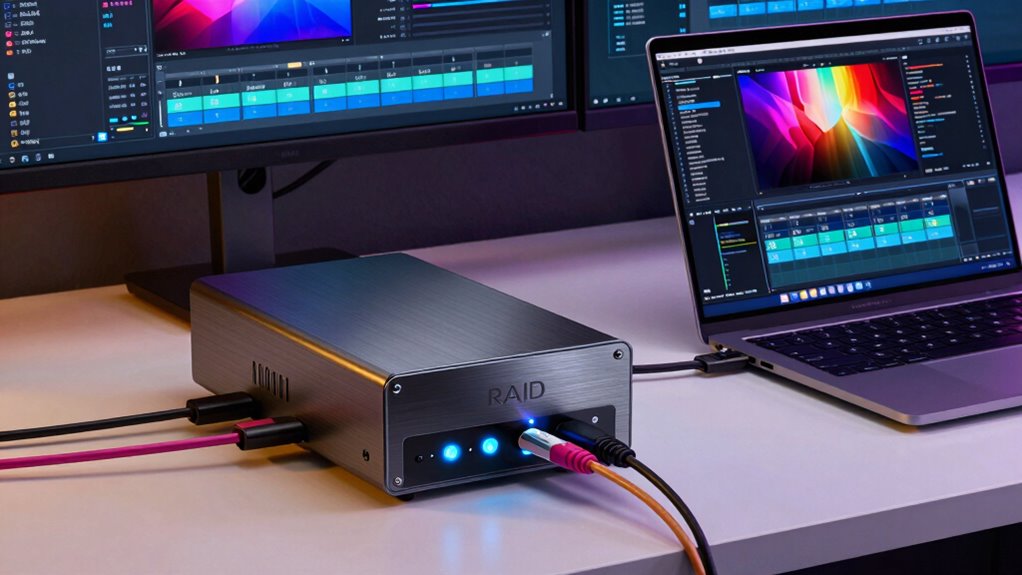
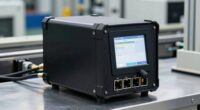
When choosing a raid DAS for video editing and programming, performance, expandability, and reliability are key considerations. The SanDisk Professional 208TB G-RAID Shuttle 8 stands out as the best overall, offering enterprise-grade speed and capacity. For those seeking a balance of affordability and performance, the ORICO 2.5-inch All-Flash Enclosure delivers solid SSD support. Meanwhile, the OWC ThunderBay 8 is ideal for high-capacity workflows with its versatile SoftRAID. Readers face tradeoffs between raw speed, storage capacity, and budget, so continue reading for a detailed breakdown of these options and more.

Get business pricing on monitors, keyboards and dev gear
- Business-only prices and quantity discounts
- Tax-exempt purchasing
- Multiple users, one account, clear invoices
Key Takeaways
- High-capacity enclosures like the G-RAID Shuttle 8 excel for large-scale video projects, but come with higher costs.
- Enclosures supporting SSDs, such as the ORICO 2.5-inch All-Flash, provide faster access times ideal for programming and editing workflows.
- Thunderbolt compatibility, seen in OWC models, significantly boosts transfer speeds but often increases price.
- Diskless enclosures offer flexibility for users with existing drives but require careful setup and compatibility checks.
- Tradeoffs between capacity, speed, and ease of use are central; more advanced setups tend to demand higher budgets and technical knowledge.
| SanDisk Professional 208TB G-RAID Shuttle 8 – Transportable Enterprise-Class 8-Bay External Hard Drive |  | Best Overall for High-Capacity Enterprise Workflows | Capacity: 208TB | Connectivity: Thunderbolt 3, USB-C | Read Speed: up to 1900MB/s | VIEW ON AMAZON | See Our Full Breakdown |
| ORICO 2.5-inch All-Flash Enclosure, 4 Bay RAID Storage with USB 3.2 Gen 2, Supports Up to 40TB SSD/HDD |  | Best for Portable, High-Speed Editing and Backup | Drive Compatibility: 2.5-inch SSDs and HDDs | Maximum Drive Capacity: 8TB per drive | Total Capacity: 40TB | VIEW ON AMAZON | See Our Full Breakdown |
| OWC ThunderBay 8 Eight-Bay Thunderbolt Storage Enclosure with SoftRAID |  | Best for Flexible, High-Capacity Professional Storage | Drive Bays: 8 | Supported Drives: 2.5 or 3.5-inch SSDs/HDDs | Ports: Dual Thunderbolt 3 | VIEW ON AMAZON | See Our Full Breakdown |
| SanDisk Professional 24TB G-RAID Shuttle 4 – Enterprise-Class 4-Bay External Hard Drive, Thunderbolt 3 and USB-C |  | Best for Compact High-Capacity On-Location Storage | Digital Storage Capacity: 24 TB | Hard Disk Interface: Thunderbolt | Connectivity Technology: USB | VIEW ON AMAZON | See Our Full Breakdown |
| TERRAMASTER D2-320 USB RAID Enclosure 2-Bay (Diskless) |  | Best Budget-Friendly, Reliable Dual-Bay Storage | Hardware Interface: USB 3.2 Gen 2 | Supported Devices: Hard Disk, SSD | Maximum Storage Capacity: 44TB | VIEW ON AMAZON | See Our Full Breakdown |
| OWC ThunderBay 4 0TB Thunderbolt 40Gb/s Four-Bay Storage Enclosure |  | Best Overall for High-Speed Video Editing and Programming | Drive Bays: 4 | Interface: Thunderbolt 3 | Max Speed: 1527MB/s | VIEW ON AMAZON | See Our Full Breakdown |
| ORICO 5 Bay RAID External Hard Drive Enclosure 130TB Max |  | Best Value for Large-Scale Data Storage and Flexibility | Maximum Capacity: 130TB | Supported Drives: 2.5″ and 3.5″ SATA HDD/SSD | RAID Modes: 0,1,3,5,10,JBOD,Clone | VIEW ON AMAZON | See Our Full Breakdown |
| Yottamaster 5 Bay RAID Hard Drive Enclosure, 150W Aluminum USB 3.0 RAID HDD Enclosure for 3.5 & 2.5 Inch SATA HDD/SSD, Supports 120TB (5x24TB) DAS RAID1/5/10/JBOD/Clone |  | Best for Professional Data Management with Broad Compatibility | Storage Capacity: 120TB | Supported Drives: 3.5″ and 2.5″ SATA HDD/SSD | Supported RAID Modes: RAID 0/1/5/10, JBOD, CLONE | VIEW ON AMAZON | See Our Full Breakdown |
| ORICO 4 Bay RAID Hard Drive Enclosure with JMS591 Chip and 20Gbps USB 3.2 Gen2x2 |  | Best for High-Speed Data Transfer and Enterprise Use | Hardware Interface: USB 3.2 Gen 2×2 | Max Storage Capacity: 104TB | Supported Drives: 3.5″ SATA HDD/SSD | VIEW ON AMAZON | See Our Full Breakdown |
| OWC ThunderBay Flex 8TB Storage Dock and PCIe Expansion Enclosure |  | Best for Expandability and Versatile Media Workflows | Drive Bays: 8 | Supported Drives: SATA, SAS, U.2, M.2 NVMe | Maximum Capacity: 144TB | VIEW ON AMAZON | See Our Full Breakdown |
| raid das for video editing and programming | Supported Drives |
|---|---|
| SanDisk Professional 208TB G-R | — |
| ORICO 2.5-inch All-Flash Enclo | — |
| OWC ThunderBay 8 Eight-Bay Thu | 2.5 or 3.5-inch SSDs/HDDs |
| SanDisk Professional 24TB G-RA | — |
| TERRAMASTER D2-320 USB RAID En | — |
| OWC ThunderBay 4 0TB Thunderbo | 2.5" and 3.5" SSD/HDD |
| ORICO 5 Bay RAID External Hard | 2.5" and 3.5" SATA HDD/SSD |
| Yottamaster 5 Bay RAID Hard Dr | 3.5" and 2.5" SATA HDD/SSD |
| ORICO 4 Bay RAID Hard Drive En | 3.5" SATA HDD/SSD |
| OWC ThunderBay Flex 8TB Storag | SATA, SAS, U.2, M.2 NVMe |
More Details on Our Top Picks
SanDisk Professional 208TB G-RAID Shuttle 8 – Transportable Enterprise-Class 8-Bay External Hard Drive
The SanDisk Professional G-RAID Shuttle 8 stands out for its enormous 208TB capacity, making it ideal for large-scale media projects or data centers. Compared to the OWC ThunderBay 8, it offers similar high-speed throughput but with a focus on enterprise-level storage and robust RAID support, including configurations like RAID 50 and 60. The high transfer speeds up to 1900MB/s ensure rapid data movement, critical for multi-stream 4K, 8K, or VR content. However, this power comes with a hefty price tag and a bulkier form factor, which could limit portability. Its hardware RAID support allows for multiple redundancy options, but the need for compatible hardware and higher cost may deter smaller studios or individual creators. Overall, this drive makes the most sense for professionals managing massive datasets that require maximum speed and redundancy in a portable package.
Pros:- Massive 208TB capacity suitable for enterprise workflows
- High-speed data transfer up to 1900MB/s with Thunderbolt 3 and USB-C
- Supports multiple RAID configurations including RAID 0, 1, 5, 6, 10, 50, 60
Cons:- High cost may be prohibitive for individual users
- Bulkier design reduces portability compared to smaller external drives
- Requires compatible hardware for optimal performance
Best for: Large media production houses or enterprise-level content creators needing massive, fast storage on the go.
Not ideal for: Small-scale video editors or hobbyists with limited budgets, due to its high cost and size.
- Capacity:208TB
- Connectivity:Thunderbolt 3, USB-C
- Read Speed:up to 1900MB/s
- RAID Support:Hardware RAID, supports 0, 1, 5, 6, 10, 50, 60
Our verdict“This is the top choice for large-scale, high-speed storage needs where capacity and redundancy are paramount.”
ORICO 2.5-inch All-Flash Enclosure, 4 Bay RAID Storage with USB 3.2 Gen 2, Supports Up to 40TB SSD/HDD
The ORICO 4 Bay RAID Enclosure provides a flexible solution for those needing portable, fast storage with up to 40TB capacity. Compared to the SanDisk G-RAID Shuttle 4, it offers similar high data transfer speeds via USB 3.2 Gen 2 but with the advantage of shock resistance and portability, making it ideal for field editing or on-location work. Its support for various RAID modes like 0, 1, 5, and 10 allows users to tailor data protection or performance to their specific needs. The enclosure’s lightweight design makes it easy to carry, but it only supports 2.5-inch drives, limiting maximum capacity per bay compared to larger drives. The absence of included drives means additional setup time and cost, and its reliance on compatible drives and proper configuration might challenge less experienced users. This makes it a strong choice for mobile editors or photographers who prioritize speed and portability.
Pros:- Supports up to 40TB total with 2.5-inch SSDs/HDDs
- High-speed transfers up to 10 Gbps via USB 3.2 Gen 2
- Lightweight, shock-resistant design for portability
Cons:- Limited to 2.5-inch drives, restricting maximum capacity per bay
- No included drives, requiring separate purchase and setup
- Requires compatible drives and proper configuration for RAID
Best for: Videographers and editors who need portable, high-speed storage with flexible RAID options.
Not ideal for: Users requiring large, 3.5-inch drive capacity or dedicated enterprise storage, due to size and drive compatibility limits.
- Drive Compatibility:2.5-inch SSDs and HDDs
- Maximum Drive Capacity:8TB per drive
- Total Capacity:40TB
- RAID Modes:RAID 0, 1, 3, 5, 10, JBOD, CLEAR
Our verdict“This enclosure is ideal for mobile professionals needing fast, flexible storage in a compact form.”
OWC ThunderBay 8 Eight-Bay Thunderbolt Storage Enclosure with SoftRAID
The OWC ThunderBay 8 excels in delivering up to 1,152TB of storage with support for eight drives and dual Thunderbolt 3 ports, making it perfect for large-scale editing or data-intensive programming. Compared to the SanDisk G-RAID Shuttle 8, it offers more extensive RAID flexibility via SoftRAID software, supporting configurations like RAID 4 and 5, which can be advantageous for specific redundancy needs. Its ability to daisy-chain multiple units makes it ideal for expanding storage seamlessly. However, the high price point and bulky design might deter smaller studios or individual users. It requires Thunderbolt 3 ports to realize its full potential, and setup may be complex for those unfamiliar with RAID management. This enclosure is suited for users who need scalable, flexible storage solutions with high throughput in demanding environments.
Pros:- Supports up to 1,152TB of storage and daisy-chaining
- Includes Thunderbolt cable and SoftRAID software for advanced RAID management
- Plug-and-play setup with no driver installation needed
Cons:- High price may be a barrier for smaller setups
- Requires Thunderbolt 3 ports for full performance
- Bulkier and heavier, less portable
Best for: Large professional editing suites or data centers requiring extensive, customizable RAID configurations.
Not ideal for: Casual users or small teams with limited budgets or less need for high scalability, due to cost and complexity.
- Drive Bays:8
- Supported Drives:2.5 or 3.5-inch SSDs/HDDs
- Ports:Dual Thunderbolt 3
- RAID Support:RAID 0/1/4/5/10, Apple RAID, Windows Disk Manager
Our verdict“This is the ideal choice for large-scale, flexible storage solutions where capacity and expandability are priorities.”
SanDisk Professional 24TB G-RAID Shuttle 4 – Enterprise-Class 4-Bay External Hard Drive, Thunderbolt 3 and USB-C
The SanDisk Professional G-RAID Shuttle 4 offers a solid 24TB of enterprise-class storage in a portable package, suitable for on-location shoots or studio workflows. Its support for Thunderbolt 3 and USB-C ensures fast data transfer, with hardware RAID options including RAID 5, providing a good balance of redundancy and speed. Compared to the larger G-RAID Shuttle 8, it sacrifices some capacity for a more portable form factor, making it better suited for professionals who need quick access to substantial storage on the go. Its 20-pound weight may challenge portability in some contexts, and reformatting might be necessary for Windows users. Nonetheless, it provides reliable, high-capacity storage with robust connectivity, making it a dependable choice for demanding content creators.
Pros:- High capacity of up to 24TB in a portable design
- Supports fast Thunderbolt 3 and USB-C connections
- Hardware RAID including RAID 5 for data redundancy
Cons:- Heavy weight at 20 pounds may limit portability
- Requires reformatting for Windows compatibility
- Price details are not specified, which could be a concern
Best for: On-location video editors and content creators who need reliable, portable, high-capacity storage.
Not ideal for: Users requiring maximum capacity or those working primarily in fixed studio environments, due to weight and portability tradeoffs.
- Digital Storage Capacity:24 TB
- Hard Disk Interface:Thunderbolt
- Connectivity Technology:USB
- Hard Drive Size:24 TB
- Warranty:5-Year limited
Our verdict“This drive offers a reliable, portable high-capacity solution for on-location editing workflows where speed and redundancy are needed.”
TERRAMASTER D2-320 USB RAID Enclosure 2-Bay (Diskless)
The TERRAMASTER D2-320 delivers a straightforward, cost-effective solution for users wanting flexible RAID configurations with up to 44TB total. Compared to larger enterprise options like the SanDisk G-RAID Shuttle 8, it offers only two bays but with support for RAID 0, 1, JBOD, and single disk modes, making it suitable for small projects or backup needs. Its tool-free design simplifies drive installation, and supporting up to 10Gbps transfer speeds ensures decent performance. However, the plastic enclosure may be less durable over time, and it needs an external power source, which can add to setup complexity. Its capacity limits and lack of included drives mean it’s best suited for budget-conscious users who want reliable, basic RAID functionality without extensive expansion needs.
Pros:- Supports high-speed data transfer up to 10Gbps
- Multiple RAID modes for flexibility and data security
- Tool-free installation simplifies drive setup
Cons:- Plastic enclosure may be less durable over time
- Requires external power supply
- Limited to two drives, restricting maximum capacity
Best for: Small studios or individual professionals seeking affordable, flexible RAID storage for daily use.
Not ideal for: High-demand workflows requiring more than two drives or larger capacity, due to limited bays and lower durability.
- Hardware Interface:USB 3.2 Gen 2
- Supported Devices:Hard Disk, SSD
- Maximum Storage Capacity:44TB
- RAID Modes:RAID 0, RAID 1, JBOD, SINGLE
- Enclosure Material:Plastic
Our verdict“This enclosure offers reliable, budget-friendly RAID storage for small-scale or backup applications where cost and simplicity matter.”
OWC ThunderBay 4 0TB Thunderbolt 40Gb/s Four-Bay Storage Enclosure
This ThunderBay 4 stands out for its ultra-fast Thunderbolt 3 interface, offering sustained speeds up to 1527MB/s, making it ideal for demanding video editing and data-intensive programming tasks. Its support for multiple RAID configurations provides flexibility, and the aluminum chassis ensures efficient heat dissipation while maintaining a quiet operation. Compared with larger RAID enclosures like the OWC ThunderBay Flex, this model is more compact and easier to integrate into a desktop workspace, though it sacrifices expansion options and drive versatility. Its performance and build quality make it a top choice for users who prioritize speed and reliability in a sleek form factor, but those needing massive capacity or multiple external ports may find it limiting.
Pros:- Exceptional sustained transfer speeds up to 1527MB/s
- Supports multiple RAID modes for flexibility
- High-quality aluminum chassis for heat dissipation and quiet operation
Cons:- Limited to four drives, restricting maximum capacity
- Higher cost compared to multi-drive enclosures with less performance emphasis
Best for: Video editors and programmers who need fast, reliable storage with minimal latency and a compact footprint.
Not ideal for: Users requiring extensive expansion, large capacities beyond 4 drives, or a multi-purpose media hub, as it’s optimized for speed over expandability.
- Drive Bays:4
- Interface:Thunderbolt 3
- Max Speed:1527MB/s
- Supported Drives:2.5″ and 3.5″ SSD/HDD
- RAID Support:0/1/4/5/10
- Chassis Material:Aluminum
Our verdict“This enclosure suits professionals who prioritize speed and reliability in a compact, high-performance RAID for demanding video editing and programming workflows.”
ORICO 5 Bay RAID External Hard Drive Enclosure 130TB Max
This ORICO 5-bay enclosure offers a compelling balance of capacity and versatility, supporting up to 130TB across multiple RAID modes such as 0, 1, 5, and 10, making it well-suited for extensive media libraries and large video projects. Its built-in 150W power supply and silent 80mm fan ensure stable, continuous operation, comparable to the Yottamaster 5 Bay RAID but with a slightly larger footprint. While setup and configuration require some technical knowledge, the wide range of RAID options and high capacity make it ideal for users managing extensive archives. Its bulkiness and need for separate drives mean it’s less suited for portable use or quick access, but it provides a reliable, scalable solution for dedicated workspaces.
Pros:- Supports up to 130TB total capacity with multiple RAID modes
- Built-in power supply and efficient cooling for 24/7 operation
- Supports both 2.5″ and 3.5″ SATA drives for versatility
Cons:- Requires some technical skill to configure RAID properly
- Bulkier design may not fit in tight or mobile setups
Best for: Large media production teams or data archivists who need massive storage capacity with flexible RAID management.
Not ideal for: Individuals seeking a portable or space-efficient solution, as its size and complexity could be overkill for small projects or casual use.
- Maximum Capacity:130TB
- Supported Drives:2.5″ and 3.5″ SATA HDD/SSD
- RAID Modes:0,1,3,5,10,JBOD,Clone
- Power Supply:150W built-in
- Transfer Speed:up to 230MB/s
- Cooling System:80mm silent fan
Our verdict“This enclosure is perfect for users who need a high-capacity, flexible RAID storage solution for large-scale data management but are comfortable with setup complexity.”
Yottamaster 5 Bay RAID Hard Drive Enclosure, 150W Aluminum USB 3.0 RAID HDD Enclosure for 3.5 & 2.5 Inch SATA HDD/SSD, Supports 120TB (5x24TB) DAS RAID1/5/10/JBOD/Clone
The Yottamaster 5-bay enclosure excels with a robust aluminum build and support for multiple RAID modes including RAID 0, 1, 5, and 10, making it suitable for demanding data backup, video editing, and archival projects. Its support for drives up to 120TB and universal compatibility with Windows, Linux, and Mac broadens its appeal, unlike more proprietary solutions. However, its setup demands a degree of technical familiarity, and it lacks the advanced features of higher-end enclosures such as Thunderbolt connectivity. The absence of included drives and larger size mean it’s best suited for dedicated, stationary workstations rather than portable workflows.
Pros:- Supports up to 120TB with multiple RAID options
- Effective heat dissipation via aluminum enclosure and fan
- Compatible across Windows, Linux, and Mac systems
Cons:- Requires technical knowledge to configure RAID properly
- Bulkier and less portable, not ideal for mobile workflows
Best for: Professional editors and data analysts requiring a flexible, multi-OS compatible RAID storage solution for large datasets.
Not ideal for: Casual users or those seeking a portable or plug-and-play device, as its configuration and size are geared toward technical users.
- Storage Capacity:120TB
- Supported Drives:3.5″ and 2.5″ SATA HDD/SSD
- Supported RAID Modes:RAID 0/1/5/10, JBOD, CLONE
- Power:150W
- Transfer Speed:up to 5Gbps
- Material:Aluminum alloy
Our verdict“This enclosure suits experienced users needing large, flexible RAID storage with cross-platform support for professional workloads.”
ORICO 4 Bay RAID Hard Drive Enclosure with JMS591 Chip and 20Gbps USB 3.2 Gen2x2
This ORICO 4-bay enclosure leverages the latest USB 3.2 Gen 2×2 interface, supporting transfer speeds up to 20Gbps, far exceeding standard USB 3.0 options like the Yottamaster. Its support for RAID 0, 1, 5, and 10, combined with a robust aluminum case and efficient cooling, makes it ideal for professional environments where rapid data movement is critical. While the maximum speed is capped at around 10Gbps when connected via Thunderbolt, its high-speed USB ensures fast local transfers for video editing and programming tasks. The RAID setup process can be destructive, requiring careful backups beforehand, and the device needs compatible drives for optimal performance.
Pros:- Supports high-speed USB 3.2 Gen 2×2 with 20Gbps transfer rates
- Supports multiple RAID modes for flexibility
- Supports large storage up to 104TB with 4 drives
Cons:- Maximum speed limited to around 10Gbps over Thunderbolt
- RAID setup can erase existing data, requiring backups
Best for: Professionals who need rapid data transfer and flexible RAID configurations for editing large video files or managing extensive code repositories.
Not ideal for: Casual users or those with basic storage needs, as its advanced features and setup complexity may be unnecessary and intimidating.
- Hardware Interface:USB 3.2 Gen 2×2
- Max Storage Capacity:104TB
- Supported Drives:3.5″ SATA HDD/SSD
- Supported RAID Modes:0/1/5/10
- Data Transfer Rate:20Gbps
- Enclosure Material:Alloy Steel
Our verdict“This enclosure is well-suited for demanding workflows requiring rapid data transfer and flexible RAID management in a professional setting.”
OWC ThunderBay Flex 8TB Storage Dock and PCIe Expansion Enclosure
The ThunderBay Flex offers a wide array of drive support, including SATA, SAS, U.2, and M.2 NVMe drives, with capacities up to 144TB and speeds reaching 2750MB/s. Its front USB-C and USB-A ports, along with SD 4.0 and CFexpress card readers, make it a true all-in-one solution for media professionals who need quick access to peripherals and multiple drive types. The inclusion of a PCIe x16 slot adds expandability for additional hardware, setting it apart from more limited enclosures like the OWC ThunderBay 4. However, RAID support is limited to Mac, and its setup can be complex, making it less suitable for casual or Windows-only users. Its high price and advanced features are best suited for high-end professional workflows.
Pros:- Supports a broad range of drive types and high capacities
- Fast speeds up to 2750MB/s
- Includes PCIe expansion slot for additional hardware
Cons:- RAID support limited to Mac systems
- Setup complexity may require technical expertise
Best for: Media professionals and advanced users seeking maximum expandability and multi-drive support in a single enclosure.
Not ideal for: Entry-level users or those on a budget, as the complex setup and high cost may be prohibitive.
- Drive Bays:8
- Supported Drives:SATA, SAS, U.2, M.2 NVMe
- Maximum Capacity:144TB
- Speed:up to 2750MB/s
- Front Ports:USB-C, USB-A, SD 4.0, CFexpress
- Expansion Slot:PCIe x16
Our verdict“This enclosure is best for professionals needing maximum drive versatility and expansion capabilities in a single, high-performance device.”

How We Picked
The products in this roundup were evaluated based on performance, build quality, expandability, and compatibility with video editing and programming workflows. Priority was given to enclosures that support high data transfer speeds, reliable RAID configurations, and ease of integration into existing setups. We also balanced considerations like capacity, price, and future-proofing. The rankings reflect a combination of these factors, favoring solutions that offer the best overall value for demanding professional tasks while acknowledging the different needs of users—from beginners to advanced professionals.Factors to Consider When Choosing Raid Das For Video Editing And Programming
Choosing the right raid DAS for video editing and programming involves more than just capacity. You need to consider speed, compatibility, expandability, and ease of use. Understanding these factors can help you avoid common pitfalls like bottlenecked workflows or incompatible hardware that can slow down your projects. This guide will explore key considerations to ensure you select a solution that matches your technical needs and budget, whether you’re working on simple edits or complex programming environments.Performance and Speed
Speed is essential for seamless video editing and programming, especially when working with large files or complex projects. Look for RAID enclosures supporting Thunderbolt 3 or 4, USB 3.2 Gen 2×2, or higher, which can deliver faster data transfer rates. Keep in mind that the type of drives used—SSD vs. HDD—also impacts overall performance. While SSDs provide quicker access and transfer times, they tend to be pricier, so balancing speed with budget is key.
Capacity and Scalability
Capacity needs depend heavily on your project scope. Large-scale video projects demand enclosures with substantial maximum storage—up to several hundred terabytes. Scalability is equally important; choose enclosures that support multiple drives and RAID configurations to grow with your workflow. Diskless options can be advantageous if you already own drives, but ensure they are compatible and easy to configure.
Compatibility and Connectivity
Compatibility with your existing hardware and software is critical. Thunderbolt enclosures offer superior transfer speeds but require compatible ports and cables. USB-C support provides broader compatibility but may sacrifice some performance. Always check drive support—whether SSD, HDD, or mixed—and confirm that your system’s interface can handle the data throughput you need.
Ease of Use and Maintenance
Consider how straightforward it is to set up and maintain the enclosure. Features like hot-swappable drives and user-friendly RAID management simplify workflows. Also, evaluate the enclosure’s build quality and cooling solutions—overheating can throttle performance and reduce drive lifespan. For less technical users, pre-configured RAID options can cut down on setup complexity.
Budget and Long-term Value
While high-capacity, high-speed enclosures come with a premium price tag, they often provide better longevity and performance. Balance initial costs with future needs—investing a bit more upfront can prevent costly upgrades later. Remember, cheaper options may limit expansion or speed, which can bottleneck your work as projects grow in complexity.
Frequently Asked Questions
Can I use a RAID DAS for both video editing and programming?
Yes, a RAID DAS can support both tasks effectively, especially models supporting SSDs and fast interfaces like Thunderbolt 3 or 4. For video editing, prioritize speed and capacity; for programming, reliability and quick access matter. Many enclosures allow flexible RAID configurations, so you can tailor performance to your specific workflows. Just ensure your hardware supports the interface and drives you plan to use.
What is the best RAID level for video editing and programming?
RAID 0 offers maximum speed and capacity but provides no redundancy, making it suitable for temporary projects or non-critical data. RAID 5 or 10 balances performance with data protection, making them better choices for ongoing work where data integrity is essential. Your decision should align with your risk tolerance and need for speed versus safety.
Should I choose a diskless enclosure or one with pre-installed drives?
Diskless enclosures offer flexibility to select drives tailored to your needs, often at a lower initial cost. However, they require compatibility checks and setup effort. Pre-installed drives are more straightforward but less customizable. Consider your technical comfort level and future upgrade plans when making this choice.
How important is Thunderbolt support for my workflow?
Thunderbolt support significantly enhances data transfer speeds, reducing bottlenecks when working with large files or multiple streams. If your workstation or laptop has Thunderbolt ports, choosing an enclosure with this support can make a noticeable difference. For less demanding tasks or systems without Thunderbolt, USB 3.2 Gen 2×2 may suffice.
Are higher-capacity enclosures worth the investment?
Higher-capacity enclosures are beneficial if your projects involve large files or if you plan to expand your storage needs over time. They reduce the need for multiple devices and simplify management. However, they also tend to be more expensive. Consider your current and future storage requirements carefully to determine if the investment aligns with your workflow.
Conclusion
For those seeking the best overall performance, the SanDisk Professional 208TB G-RAID Shuttle 8 stands out, especially for large-scale video projects. Budget-conscious users will find the ORICO 2.5-inch All-Flash Enclosure offers a compelling mix of speed and affordability. Creative professionals and those new to RAID setups should consider models like the OWC ThunderBay 8 for its user-friendly features. For users prioritizing high capacity and expandability, specialized enclosures like the Yottamaster 5 Bay RAID provide ample room for growth. Ultimately, your choice depends on your specific needs—whether speed, capacity, ease of use, or budget.
As an affiliate, we earn on qualifying purchases.Halloween Picks
halloween