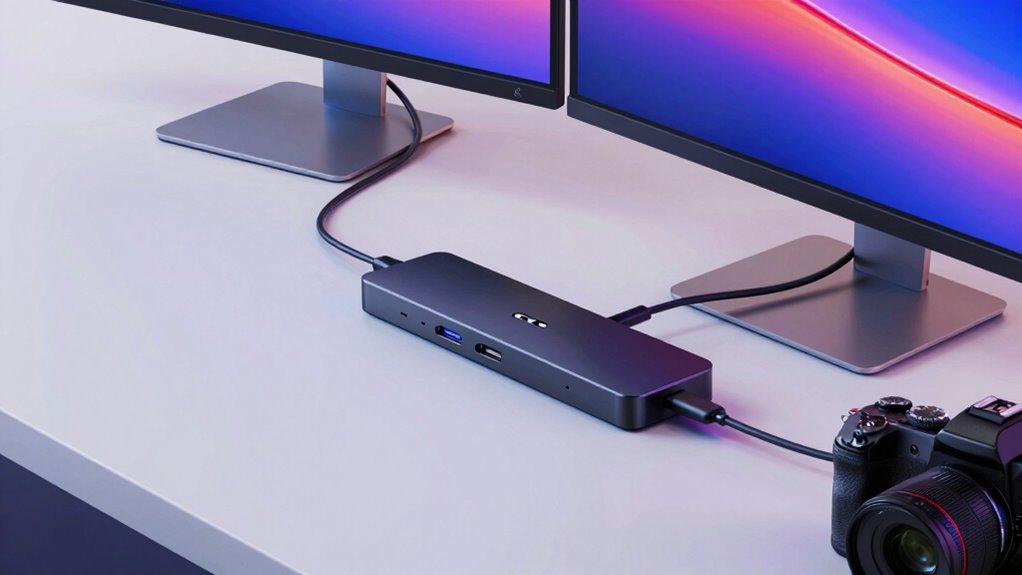

Searching for a usb c dock for 4k dual monitors? The best options balance high-resolution support, reliable connection, and easy compatibility. The Plugable UD-6950PDH stands out as the overall top pick thanks to its robust dual 4K 60Hz support and proven build quality. If you’re on a budget, the UGREEN Revodok Pro offers solid performance at a lower price, while the Baseus 9-in-1 provides high refresh rates for gaming or professional work. Each option presents tradeoffs between connectivity, performance, and price. Keep reading to see detailed reviews and find the best fit for your setup.

Get business pricing on monitors, keyboards and dev gear
- Business-only prices and quantity discounts
- Tax-exempt purchasing
- Multiple users, one account, clear invoices
Key Takeaways
- High refresh rate support (up to 120Hz) often comes at a higher price and requires compatible monitors and GPUs.
- Dual 4K @60Hz is the most common standard, but some docks support higher refresh rates or additional displays with different configurations.
- Build quality and brand reputation significantly impact reliability, especially for professional or daily use setups.
- More ports offer versatility but can increase the dock’s size and complexity, making compact design a tradeoff for expandability.
- Power delivery (PD) support varies; docks with higher wattage charging can replace your charger but may cost more or have fewer ports.
| Plugable USB-C Laptop Docking Station with Dual 4K 60Hz DisplayLink (UD-6950PDH) |  | Best Overall for Mac and Windows Dual 4K Support | Total Ports: 15 | HDMI Ports: 2 | USB Ports: 5 | VIEW ON AMAZON | See Our Full Breakdown |
| Baseus 9-in-1 USB C Laptop Docking Station, Dual Monitor HDMI, 4K@120Hz |  | Best for High-Refresh-Rate Gaming and Video | Max Resolution: 4K@120Hz (single display) | Ports: 2x HDMI, Ethernet, SD/TF, USB-C PD, USB 3.0 | Power Delivery: Up to 85W | VIEW ON AMAZON | See Our Full Breakdown |
| UGREEN Revodok Pro 10-in-1 USB-C Docking Station with Dual HDMI |  | Best for Broad Compatibility and Dual 4K Support | Max Display Output: Dual 4K@60Hz or single 8K@30Hz | Ports: 2x HDMI, Ethernet, SD, MicroSD, USB-C PD, USB-A | Power Delivery: Up to 85W (charger not included) | VIEW ON AMAZON | See Our Full Breakdown |
| Anker Nano Laptop Docking Station, 8-in-1 USB-C Hub for Windows, Dual Monitor |  | Best Compact Dual Monitor Dock for Windows | Video Output: 2x HDMI, 4K@60Hz | Ports: USB-C data, 2x USB-A, SD/TF, HDMI | Power Delivery: Up to 85W | VIEW ON AMAZON | See Our Full Breakdown |
| Anker PowerExpand 8-in-1 USB-C Laptop Docking Station with Dual HDMI |  | Best Overall for Versatility and Power | Ports: 2 HDMI, 2 USB-A, USB-C PD-IN, Ethernet, microSD/SD card reader | Max Resolution: 4K@60Hz (single display), 4K@30Hz (dual display) | Power Delivery: Up to 85W pass-through charging | VIEW ON AMAZON | See Our Full Breakdown |
| SWITCHFLUX Laptop Docking Station, USB-C to Dual HDMI Adapter (6-in-1) |  | Best Compact Design with Broad Compatibility | Ports: 2x HDMI, 3x USB-A 2.0, 1x USB-C 100W PD | Video Output: Dual HDMI up to 4K@60Hz | Power Delivery: 100W input, up to 85W output | VIEW ON AMAZON | See Our Full Breakdown |
| UGREEN Revodok Pro 7-in-1 USB C Docking Station, Dual 4K@60Hz HDMI, 100W PD |  | Best for Extended Dual Monitors on Windows with Fast Data Transfer | Ports: 2x HDMI (4K@60Hz), 2x USB-A 10Gbps, 2x USB-C 10Gbps, 1x USB-C PD | Max Resolution: Dual 4K@60Hz | Power Delivery: Up to 100W | VIEW ON AMAZON | See Our Full Breakdown |
| USB C Docking Station, 14-in-1 Dual Monitor Laptop Dock |  | Best for Extensive Connectivity and Versatility | Ports: 2x HDMI, DisplayPort, Gigabit Ethernet, SD/Micro SD, multiple USB ports | Max Video Output: Dual HDMI 4K; Triple monitor via DP at 1080P | Power Delivery: Up to 100W (power adapter not included) | VIEW ON AMAZON | See Our Full Breakdown |
| Plugable USB-C Docking Station Dual Monitor 4K 60Hz (UD-MSTH2) |  | Best for Reliable Dual 4K on a Budget | Ports: 2x HDMI (4K@60Hz), USB-C 5Gbps, USB-A 3.0, Ethernet | Max Resolution: Dual 4K@60Hz | Power Delivery: 65W | VIEW ON AMAZON | See Our Full Breakdown |
| Plugable DL7400 USB-C DisplayLink Docking Station for 5 Monitors |  | Best for High-Resolution Multitasking and Multi-Display Setups | Hardware Interface: USB Type-C | Total USB Ports: 7 | Video Outputs: 2x HDMI 2.1 (8K 30Hz), 3x USB-C DisplayLink (4K 60Hz) | VIEW ON AMAZON | See Our Full Breakdown |
| usb c dock for 4k dual monitor | Ports | Power Delivery | Dimensions | Compatible OS |
|---|---|---|---|---|
| Plugable USB-C Laptop Docking | — | — | 9.4"L x 3.1"W x 1.2"H | macOS 11+, Windows 10+, ChromeOS 100+ |
| Baseus 9-in-1 USB C Laptop Doc | 2x HDMI, Ethernet, SD/TF, USB-C PD, USB 3.0 | Up to 85W | 4.49"L x 1.75"W x 0.63"H | Windows 10/11, macOS (mirror only) |
| UGREEN Revodok Pro 10-in-1 USB | 2x HDMI, Ethernet, SD, MicroSD, USB-C PD, USB-A | Up to 85W (charger not included) | 4.49"L x 1.75"W x 0.63"H | macOS (mirror only), Windows |
| Anker Nano Laptop Docking Stat | USB-C data, 2x USB-A, SD/TF, HDMI | Up to 85W | 7.87 x 4.13 x 0.79 inches | Windows 10/11, ChromeOS (mirrored only) |
| Anker PowerExpand 8-in-1 USB-C | 2 HDMI, 2 USB-A, USB-C PD-IN, Ethernet, microSD/SD card reader | Up to 85W pass-through charging | — | — |
| SWITCHFLUX Laptop Docking Stat | 2x HDMI, 3x USB-A 2.0, 1x USB-C 100W PD | 100W input, up to 85W output | — | — |
| UGREEN Revodok Pro 7-in-1 USB | 2x HDMI (4K@60Hz), 2x USB-A 10Gbps, 2x USB-C 10Gbps, 1x USB-C PD | Up to 100W | — | — |
| USB C Docking Station | 2x HDMI, DisplayPort, Gigabit Ethernet, SD/Micro SD, multiple USB ports | Up to 100W (power adapter not included) | — | — |
| Plugable USB-C Docking Station | 2x HDMI (4K@60Hz), USB-C 5Gbps, USB-A 3.0, Ethernet | 65W | — | — |
| Plugable DL7400 USB-C DisplayL | — | — | 3.7"L x 8.3"W x 0.7"H | Windows 10/11, macOS 11+, ChromeOS 137+ |
More Details on Our Top Picks
Plugable USB-C Laptop Docking Station with Dual 4K 60Hz DisplayLink (UD-6950PDH)
This dock stands out for enabling dual 4K 60Hz displays even on M1-M5 Macs, which natively support only one external monitor. Unlike the UGREEN Revodok Pro, which also supports dual 4K but requires driver installation and lacks HDCP support, the Plugable UD-6950PDH offers a more comprehensive connectivity suite, including SD card readers, Ethernet, and five USB ports. Its full-featured USB-C interface and 100W charging make it ideal for professional setups, but the reliance on DisplayLink drivers means users must accept potential driver updates or compatibility issues over time. This makes it the best pick for those seeking a versatile docking station that balances macOS and Windows flexibility, despite the extra setup step.
Pros:- Enables dual 4K 60Hz displays on Macs supporting only one natively
- 14-in-1 connectivity including Ethernet, card readers, USB ports
- 100W power delivery reduces cable clutter
- Lifetime support included
Cons:- Requires DisplayLink driver installation for full functionality
- HDCP not supported, limiting protected content
Best for: Power users and professionals who need reliable dual 4K display support on both Mac and Windows laptops, with extensive port options.
Not ideal for: Users seeking a plug-and-play solution without driver dependencies, or those with strict macOS driver restrictions.
- Total Ports:15
- HDMI Ports:2
- USB Ports:5
- Charging Wattage:100 watts
- Dimensions:9.4″L x 3.1″W x 1.2″H
- Compatible OS:macOS 11+, Windows 10+, ChromeOS 100+
Our verdict“This dock is perfect for professionals needing maximum connectivity and dual 4K support across Mac and Windows, accepting driver setup.”
Baseus 9-in-1 USB C Laptop Docking Station, Dual Monitor HDMI, 4K@120Hz
This hub excels for users who prioritize ultra-smooth visuals, supporting 4K@120Hz on a single monitor, which surpasses the 60Hz limit of most docks like the Anker Nano. However, its dual monitor support is limited to Windows, with macOS only supporting mirror mode, similar to the UGREEN Revodok Pro. The 9-in-1 port design is versatile, combining high refresh rate output with fast data transfer and pass-through charging, though the 15W hub consumption reduces maximum charging to 85W. For gamers or content creators needing high refresh rates, this dock offers a compelling balance of performance and port selection, but macOS users should expect no extended dual monitor support.
Pros:- Supports 4K@120Hz for smooth visuals on a single monitor
- Versatile 9-in-1 port array including Ethernet and card readers
- Fast data transfer up to 5Gbps
- Pass-through charging up to 85W
Cons:- Limited dual monitor support on macOS (mirror only)
- Hub consumes 15W, reducing max laptop charging to 85W
Best for: Gamers and video editors who need high refresh rates on a single display while maintaining a compact setup.
Not ideal for: Mac users wanting dual extended displays, or those needing full USB-C charging via the dock.
- Max Resolution:4K@120Hz (single display)
- Ports:2x HDMI, Ethernet, SD/TF, USB-C PD, USB 3.0
- Power Delivery:Up to 85W
- Data Transfer Speed:Up to 5Gbps
- Dimensions:4.49″L x 1.75″W x 0.63″H
- Compatible OS:Windows 10/11, macOS (mirror only)
Our verdict“Ideal for Windows users seeking high-refresh-rate single-monitor performance, with limited dual display support for macOS.”
UGREEN Revodok Pro 10-in-1 USB-C Docking Station with Dual HDMI
The UGREEN Revodok Pro offers a substantial 10-in-1 port lineup, supporting dual 4K@60Hz displays or an 8K@30Hz single display, making it suitable for high-resolution workflows. Its aluminum design and gigabit Ethernet add durability and connectivity stability. Compared to the Plugable UD-6950PDH, it provides a more straightforward setup without drivers, but it’s limited to mirror mode on macOS, similar to other docks. Its USB-A and USB-C data ports do not support charging or video, which can be a drawback for users needing all-in-one ports for peripherals. Still, for those who need dual 4K support with broad device compatibility, this dock offers a balanced mix of performance and simplicity.
Pros:- Supports dual 4K@60Hz or single 8K@30Hz display configurations
- Aluminum build with gigabit Ethernet and SD card reader
- Simple plug-and-play setup without drivers
- 100W power delivery (via separate charger)
Cons:- macOS only supports mirror mode, not extended display
- USB-A and USB-C ports are data-only, no charging or video
Best for: Creative professionals and power users needing dual 4K displays with broad device compatibility.
Not ideal for: MacBook users who require extended dual monitors or those wanting all ports to support charging and video simultaneously.
- Max Display Output:Dual 4K@60Hz or single 8K@30Hz
- Ports:2x HDMI, Ethernet, SD, MicroSD, USB-C PD, USB-A
- Power Delivery:Up to 85W (charger not included)
- Data Transfer Speed:Up to 5Gbps
- Dimensions:4.49″L x 1.75″W x 0.63″H
- Compatible OS:macOS (mirror only), Windows
Our verdict“Best suited for users who prioritize high-resolution dual displays and broad compatibility, accepting some port limitations on macOS.”
Anker Nano Laptop Docking Station, 8-in-1 USB-C Hub for Windows, Dual Monitor
This dock offers a compact, lightweight solution for dual 4K@60Hz displays on Windows machines, matching the performance of larger docks like the Plugable UD-6950PDH but with a smaller footprint. Its 8-in-1 port array includes dual HDMI outputs, USB-A, USB-C data, and SD/TF card readers, making it ideal for portable setups. However, it lacks full support for macOS dual extended displays, only mirroring — similar to the Anker PowerExpand. The 85W charging capacity keeps most laptops powered, but the absence of Ethernet limits wired network options. This dock is best for users wanting a small, efficient dual monitor station primarily for Windows environments, with some compromises on port versatility for Mac users.
Pros:- Supports dual 4K@60Hz on Windows for smooth multitasking
- Compact and lightweight at under 4 ounces
- Includes SD/TF card readers and multiple USB ports
- Supports up to 85W charging
Cons:- Limited dual monitor support on macOS (mirror only)
- No Ethernet port included
Best for: Travelers and students needing a portable dual monitor setup on Windows laptops with minimal clutter.
Not ideal for: MacBook users seeking extended dual displays or those needing Ethernet connectivity in their dock.
- Video Output:2x HDMI, 4K@60Hz
- Ports:USB-C data, 2x USB-A, SD/TF, HDMI
- Power Delivery:Up to 85W
- Dimensions:7.87 x 4.13 x 0.79 inches
- Weight:3.84 ounces
- Compatible OS:Windows 10/11, ChromeOS (mirrored only)
Our verdict“Best for Windows users who need a portable, dual 4K monitor solution with minimal size and weight.”
Anker PowerExpand 8-in-1 USB-C Laptop Docking Station with Dual HDMI
This option stands out for offering a comprehensive 8-in-1 port array from a single USB-C connection, supporting dual 4K monitors at 30Hz or a single 4K at 60Hz, making it ideal for users who want multiple peripherals plus high-res displays. Compared with the Plugable UD-MSTH2, it provides higher power delivery (85W vs. 65W), but it doesn’t support macOS extended mode on dual screens, limiting macOS users. The inclusion of Ethernet and SD card readers adds to its workstation appeal, though it requires an external 100W power adapter and cable. The limitation to dual 4K@30Hz on two screens might be a concern for those needing 60Hz for smooth motion. This dock is best suited for Windows users who need a versatile setup with reliable power and connectivity.
Pros:- Supports dual 4K@30Hz or single 4K@60Hz display output
- Provides up to 85W pass-through charging for laptops
- Includes Ethernet, SD/microSD card reader, and multiple USB ports
- Versatile 8-in-1 port setup from a single USB-C connection
Cons:- Limited dual monitor support to 30Hz on both screens
- Requires separate 100W power adapter and cable, adding clutter
Best for: Power users with Windows laptops seeking a full-featured dock with high power delivery and multiple ports.
Not ideal for: Mac users who need extended dual monitors since macOS only supports mirrored displays with this device.
- Ports:2 HDMI, 2 USB-A, USB-C PD-IN, Ethernet, microSD/SD card reader
- Max Resolution:4K@60Hz (single display), 4K@30Hz (dual display)
- Power Delivery:Up to 85W pass-through charging
- Compatibility:USB-C, USB4, Thunderbolt; Windows 10/11, ChromeOS
- Warranty:18 months
Our verdict“This dock is ideal for Windows users who prioritize a comprehensive port setup and high power delivery over high refresh rates on both screens.”
SWITCHFLUX Laptop Docking Station, USB-C to Dual HDMI Adapter (6-in-1)
This pick makes the most sense for users who need a lightweight, portable solution with broad OS support, supporting dual 4K@60Hz HDMI outputs and 100W PD charging in a slim, durable aluminum housing. Compared to the Anker PowerExpand, it offers similar dual 4K support but with a more compact form factor and broad compatibility including Linux and Chromebooks. However, the USB-A ports are limited to USB 2.0 speeds, which reduces their usefulness for data-intensive tasks. The device requires a device that supports USB-C DP Alt Mode, and video stability can sometimes be an issue unless connected with the included power supply. This dock is best for professionals who need mobility without sacrificing dual 4K output.
Pros:- Supports dual 4K@60Hz HDMI output for extended display setup
- Compact, lightweight aluminum design for portability
- Supports 100W PD charging for laptop power needs
- Compatible with Windows, macOS, Linux, and ChromeOS
Cons:- USB-A ports are only USB 2.0 speeds, limiting peripheral performance
- Requires device support for USB-C DP Alt Mode for video output
Best for: Travelers and mobile professionals who need a lightweight dual HDMI dock with wide OS compatibility.
Not ideal for: Desktop users or those requiring ultra-fast USB data transfer, as USB-A ports are limited to 2.0 speeds and the dock lacks additional high-speed ports.
- Ports:2x HDMI, 3x USB-A 2.0, 1x USB-C 100W PD
- Video Output:Dual HDMI up to 4K@60Hz
- Power Delivery:100W input, up to 85W output
- Compatibility:Windows, macOS, Linux, ChromeOS
- Material:Aluminum
Our verdict“This dock is ideal for users who need a portable, versatile dual monitor setup with broad OS support, accepting some USB data speed limitations.”
UGREEN Revodok Pro 7-in-1 USB C Docking Station, Dual 4K@60Hz HDMI, 100W PD
This model excels for Windows users who need dual 4K@60Hz extended displays with fast data transfer speeds, thanks to its 10Gbps USB-C and USB-A ports. Compared to the Plugable UD-MSTH2, it offers higher USB data speeds and a similar dual HDMI output, but it doesn’t include SD card readers or Ethernet, which might be a drawback for some. macOS users will find their display options limited to mirror mode, similar to other docks in this roundup. The dock’s sturdy aluminum build and 100W PD support make it a reliable choice for professional workflows, though it requires a full-function USB-C or Thunderbolt 3/4 port to realize its full potential. This dock is best suited for Windows-based workstations demanding high-speed data and dual 4K output.
Pros:- Supports dual 4K@60Hz extended displays on Windows
- 10Gbps USB-C and USB-A ports for fast data transfer
- Robust aluminum construction with 100W PD charging
- Plug-and-play setup with broad device compatibility
Cons:- Limited features like SD card reader and Ethernet
- Requires a full-function USB-C or Thunderbolt port for full operation
Best for: Windows professionals needing dual 4K@60Hz extended display support with high-speed data transfer on a single dock.
Not ideal for: Mac users or those seeking integrated SD card readers or Ethernet, as these are absent.
- Ports:2x HDMI (4K@60Hz), 2x USB-A 10Gbps, 2x USB-C 10Gbps, 1x USB-C PD
- Max Resolution:Dual 4K@60Hz
- Power Delivery:Up to 100W
- Compatibility:Full-function USB-C laptops, Thunderbolt 3/4
- Material:Aluminum
Our verdict“This dock offers high-performance dual 4K support and fast data transfer ideal for Windows users with demanding workflows.”
USB C Docking Station, 14-in-1 Dual Monitor Laptop Dock
This dock offers a wide array of ports, making it suitable for users who want to connect multiple peripherals along with dual 4K displays. It supports dual HDMI at 4K@60Hz and DisplayPort at 1080P, along with gigabit Ethernet, SD card readers, audio, and a variety of USB ports, making it a comprehensive solution. Compared to the UGREEN Revodok Pro, it provides more connectivity options but requires a larger footprint and an external power supply. It delivers 100W charging, though the power adapter is not included, which could complicate setup. macOS users will find their options limited to mirroring, like with other docks. This dock is best for users needing maximum port variety for complex workstation setups.
Pros:- Supports dual 4K@60Hz HDMI displays and DisplayPort
- Includes gigabit Ethernet, SD/microSD card readers, and multiple USB ports
- Supports 100W charging with external power (not included)
- Wide array of connectivity options for complex setups
Cons:- Power adapter and cable are not included, adding extra steps
- Larger size reduces portability for mobile users
Best for: Professionals who require a multi-purpose dock with extensive ports for peripherals, networking, and dual displays on Windows.
Not ideal for: Mac users seeking extended dual monitors or those wanting an all-in-one portable device, as the setup is less compact and supports mirroring only on macOS.
- Ports:2x HDMI, DisplayPort, Gigabit Ethernet, SD/Micro SD, multiple USB ports
- Max Video Output:Dual HDMI 4K; Triple monitor via DP at 1080P
- Power Delivery:Up to 100W (power adapter not included)
- Compatibility:Windows full-function USB-C, Thunderbolt 3/4
- Material:Aluminum
Our verdict“This dock is best for users who need a highly connected, versatile station for Windows with extensive peripherals and dual 4K display support.”
Plugable USB-C Docking Station Dual Monitor 4K 60Hz (UD-MSTH2)
This model emphasizes simplicity and reliability, supporting dual 4K@60Hz HDMI monitors with a single cable, along with gigabit Ethernet, multiple USB ports, and 65W charging. Compared with the UGREEN Revodok Pro, it offers a more streamlined setup with fewer ports but guarantees stable dual 4K output on compatible systems. It is an excellent choice for Windows laptops that support DisplayPort Alt Mode, but macOS users will find their displays limited to mirroring. The dock includes a 110W power supply and a long USB-C cable, ensuring ease of use. However, its 65W charging capacity may fall short for power-hungry laptops and the limited port variety might restrict broader workstation needs. This dock is ideal for users seeking a straightforward, dependable dual 4K solution with minimal fuss.
Pros:- Supports dual 4K@60Hz HDMI outputs for extended desktops
- Simple, reliable plug-and-play setup
- Includes a 110W power supply for stable operation
- Affordable price point for dual 4K support
Cons:- Limited to 65W charging, which may be insufficient for some high-power laptops
- Fewer ports overall compared to more feature-rich docks
Best for: Budget-conscious Windows users who need dual 4K@60Hz displays with reliable performance and straightforward setup.
Not ideal for: Mac users or those requiring extensive port options or higher charging power for large laptops.
- Ports:2x HDMI (4K@60Hz), USB-C 5Gbps, USB-A 3.0, Ethernet
- Max Resolution:Dual 4K@60Hz
- Power Delivery:65W
- Compatibility:Windows 10/11, ChromeOS; macOS limited to mirror mode
- Material:Plastic and aluminum
Our verdict“This dock offers dependable dual 4K output for Windows users needing a no-fuss, budget-friendly solution.”
Plugable DL7400 USB-C DisplayLink Docking Station for 5 Monitors
The Plugable DL7400 stands out for its impressive ability to support up to five monitors, including 8K resolutions, making it ideal for users who need extensive display real estate. Compared with the Plugable UD-6950PDH, which only offers dual 4K outputs, the DL7400 provides a broader multi-display experience, though it relies on DisplayLink drivers, which can add setup complexity and driver management. This dock is perfect for professionals running demanding workflows, such as video editors or data analysts, who benefit from multiple high-res screens. However, the need for driver installation on macOS and the absence of HDCP support for streaming content are notable tradeoffs. Its 140W laptop charging and 30W device charging ensure power needs are met, while Ethernet and USB ports round out connectivity needs.
Pros:- Supports up to five external displays, including 8K resolution support
- High 140W power delivery plus 30W for devices
- Works with base M1/M2/M3/M4 Macs despite external display limitations
Cons:- Requires manual installation of DisplayLink drivers, which can be cumbersome
- Limited to two HDMI ports, with remaining outputs via USB-C DisplayLink
- No HDCP support for streaming services like Netflix or Hulu
Best for: Creative professionals or technical users who require multiple high-resolution displays and robust power delivery.
Not ideal for: Casual users or streamers who prioritize HDCP content support or simpler plug-and-play setups.
- Hardware Interface:USB Type-C
- Total USB Ports:7
- Video Outputs:2x HDMI 2.1 (8K 30Hz), 3x USB-C DisplayLink (4K 60Hz)
- Max Laptop Charging:140W
- Device Charging:30W
- Ethernet:2.5Gbps
- Dimensions:3.7″L x 8.3″W x 0.7″H
- Color:Space Grey
- Compatible OS:Windows 10/11, macOS 11+, ChromeOS 137+
Our verdict“This dock is best suited for users who need maximum display flexibility and high-resolution support, accepting some driver management hassles.”

How We Picked
These products were evaluated based on performance, build quality, compatibility, and value. Priority was given to docks supporting at least dual 4K monitors at 60Hz, as this is the standard for most professional and casual users. We also considered ease of setup, port variety, and power delivery capabilities, balancing these factors against price. The ranking reflects a combination of reliability, user reviews, and feature set to identify options suitable for different needs—from budget-conscious buyers to premium users. Docks with excellent performance but limited ports or higher costs were positioned accordingly to give a clear comparison of tradeoffs.| usb c dock for 4k dual monitor | Compatible OS | Compatibility |
|---|---|---|
| Plugable USB-C Laptop Docking | macOS 11+, Windows 10+, ChromeOS 100+ | — |
| Baseus 9-in-1 USB C Laptop Doc | Windows 10/11, macOS (mirror only) | — |
| UGREEN Revodok Pro 10-in-1 USB | macOS (mirror only), Windows | — |
| Anker Nano Laptop Docking Stat | Windows 10/11, ChromeOS (mirrored only) | — |
| Anker PowerExpand 8-in-1 USB-C | — | USB-C, USB4, Thunderbolt; Windows 10/11, ChromeOS |
| SWITCHFLUX Laptop Docking Stat | — | Windows, macOS, Linux, ChromeOS |
| UGREEN Revodok Pro 7-in-1 USB | — | Full-function USB-C laptops, Thunderbolt 3/4 |
| USB C Docking Station | — | Windows full-function USB-C, Thunderbolt 3/4 |
| Plugable USB-C Docking Station | — | Windows 10/11, ChromeOS; macOS limited to mirror mode |
| Plugable DL7400 USB-C DisplayL | Windows 10/11, macOS 11+, ChromeOS 137+ | — |
Factors to Consider When Choosing Usb C Dock For 4k Dual Monitors
Choosing the right usb c dock for 4k dual monitors requires understanding key factors that impact performance and usability. Beyond specs, consider how your setup matches with the dock’s capabilities and your future needs. The right dock should not only support your current monitors but also allow room for upgrades, while fitting seamlessly into your workspace. Here are the main considerations to keep in mind.Resolution and Refresh Rate Support
Ensure the dock explicitly supports dual 4K displays at 60Hz for smooth visuals, especially if you work with video editing, gaming, or detailed design work. Some docks claim 4K support but only at 30Hz, which can cause flickering or lag. Higher refresh rates like 120Hz are beneficial for gaming or high-frame-rate content but often come at a premium. Matching the dock’s capabilities with your monitor specifications prevents disappointment and ensures optimal performance.
Number and Type of Ports
Look for a dock that provides enough HDMI or DisplayPort outputs for your monitors, along with other essential ports like USB-A, USB-C, Ethernet, and audio jacks. More ports mean greater flexibility but can add bulk and complexity. Consider your current device ecosystem—if you need SD card readers or multiple USB devices, prioritize docks with those features. Also, check if the dock supports daisy-chaining or multi-stream transport (MST) for expanding display options without clutter.
Power Delivery (PD) and Charging
Power delivery capability determines whether the dock can charge your laptop while connected, simplifying your workspace. Docks with higher wattage support (100W or more) let you power larger laptops without needing a separate charger, but they tend to cost more. Be cautious: some docks may deliver enough power but with limited port options or slower charging speeds. Verify compatibility with your device’s power requirements before purchasing.
Build Quality and Compatibility
Reliable construction from reputable brands usually means fewer connection issues and longer lifespan. Compatibility is equally important; some docks work flawlessly with Windows, macOS, or specific laptops, while others may have driver or firmware limitations. Reading user reviews for real-world performance can reveal issues like driver conflicts or unstable connections. Prioritize docks with good support and frequent updates to keep your setup running smoothly.
Price and Overall Value
While premium docks often come with more features and better build quality, they are not always necessary for every user. Budget models can suffice if your needs are simple, but may lack certain ports or higher refresh rate support. Consider how much you are willing to spend based on your workflow—sometimes investing in a higher-quality dock saves money and hassle over time. Balance features against your budget to find the best overall value.
Frequently Asked Questions
Can I connect two 4K monitors at 120Hz with a USB-C dock?
While some docks claim support for 4K at 120Hz, this is less common due to hardware and bandwidth limitations. Most docks support dual 4K at 60Hz reliably, but supporting higher refresh rates often requires specific GPU and monitor compatibility, plus a premium dock designed for higher bandwidth. Always verify the specs and user reviews to ensure the dock can meet your desired performance levels without stability issues.
Will all USB-C docks work with my MacBook or Windows laptop?
Compatibility depends on the dock’s driver support and your device’s USB-C implementation. Many docks are designed for universal use, but some may require specific drivers or firmware updates. MacBooks tend to have stricter requirements for display output, so verify that the dock supports macOS and dual 4K output on Mac systems. Checking manufacturer compatibility lists and user feedback can prevent surprises.
Is power delivery necessary if I already have a charger for my laptop?
Power delivery can simplify your setup by providing charging through the dock, reducing cable clutter. If your existing charger is powerful enough (usually 65W or more), some docks can still be useful for additional ports without replacing your charger. However, if you want a single cable solution that powers and connects all your devices, a dock with sufficient PD is worth considering, especially for daily use or mobile workflows.
Should I prioritize more ports or higher resolution support?
This depends on your specific needs. If you use multiple peripherals like external drives, card readers, or Ethernet, prioritize a dock with more USB and other ports. Conversely, if high-resolution display output is critical—such as for professional video work or high-refresh gaming—ensure the dock supports dual 4K at 60Hz or higher. Balancing both factors is ideal, but you may need to compromise based on your primary use case.
What is the difference between DisplayLink and native HDMI support in docks?
DisplayLink technology uses drivers to enable multiple displays over USB-C, which provides flexibility but can introduce driver dependency and occasional stability issues. Native HDMI or DisplayPort support relies on the GPU’s hardware, often offering more reliable and higher-performance connections. For critical or professional work, docks with native support tend to be more dependable, while DisplayLink-based docks can be more versatile for complex multi-monitor setups at a lower cost.
Conclusion
For most users, the Plugable UD-6950PDH offers the best overall experience with reliable dual 4K support and build quality—ideal for professionals and power users. Budget-conscious buyers will find the UGREEN Revodok Pro a solid choice, providing good performance without breaking the bank. Those seeking premium features and maximum versatility should consider higher-end options like docks supporting higher refresh rates or additional ports. Beginners and casual users benefit from simple, easy-to-setup models, while advanced users should prioritize docks with higher wattage power delivery and native display support for demanding workflows.Fall Picks
fall essentials
As an affiliate, we earn on qualifying purchases.