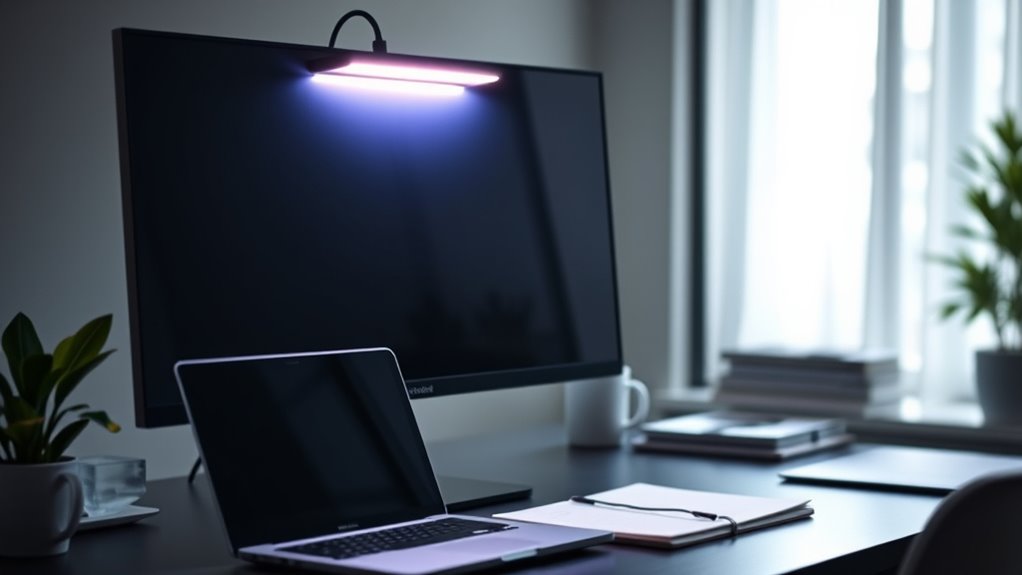

When it comes to enhancing your desk setup, usb-powered monitor lights offer a simple way to improve visibility and reduce eye strain without cluttering your workspace. The best options include the Quntis Computer Monitor Lamp for its auto-dimming feature, and the RGB Monitor Backlight with Screen Sync for vibrant color effects. Readers often face tradeoffs between brightness control, color options, and ease of installation. Some lights deliver stunning ambiance but lack precise adjustment, while others prioritize functionality over design. Continue reading for a detailed breakdown of the top options and what makes each stand out.

Get business pricing on monitors, keyboards and dev gear
- Business-only prices and quantity discounts
- Tax-exempt purchasing
- Multiple users, one account, clear invoices
Key Takeaways
- The most versatile lights combine adjustable color temperature with brightness control for personalized comfort.
- Sync features, like music or screen matching, add immersive lighting but often come at a higher price point.
- Compact and easy-to-install options tend to sacrifice some customization, making them better for quick setups.
- High-end models with auto-dimming and touch controls provide a premium experience, but simpler models still meet basic needs.
- Price varies widely, with the best value often found in mid-range lights that balance features and affordability.




More Details on Our Top Picks
Monitor LED Backlights for PC & Mac, RGBIC LED Strip Lights with Screen and Music Sync, USB Control, 24 inches
This RGBIC LED strip light stands out for its immersive, synchronized lighting experience, which can enhance both work and entertainment sessions. Compared with the simpler light bars, it offers 16 million colors and music sync, creating dynamic ambient effects that elevate your setup. The software control allows for precise customization, but it requires initial installation and isn’t compatible with some copyrighted streaming content, limiting its seamlessness in all scenarios. Its 24-inch size fits most monitors in the 24-32 inch range, making it a versatile choice for gamers and creative professionals seeking immersive lighting. However, the need for software setup and limited compatibility mean it’s less ideal for users seeking plug-and-play simplicity or those with very large monitors.
Pros:- Syncs with screen content and music for immersive effects
- Vibrant 16 million color options
- Easy installation with software control
Cons:- Requires software installation and setup
- Not compatible with some copyrighted streaming content
Best for: Gamers or creative users wanting customizable, immersive lighting that syncs with screen content and music.
Not ideal for: Casual users or those who prefer a straightforward, hardware-only solution without software dependencies.
- Compatibility:PC and Mac
- Size:24 inches
- LED Technology:5050 LED chips
- Color Options:16 million
- Control:Software (Skydimo)
- Installation:Easy, USB-powered
Our verdict“This pick is ideal for those who want highly customizable, immersive lighting that enhances gaming and multimedia experiences, accepting some setup complexity.”
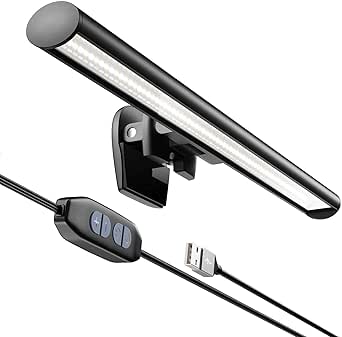
RGB Monitor Light Bar Dual USB Reading Screen Lamp with Touch Switch, 15 Modes, Eye-Care Non-Remote RGB Mood Lighting, 15″ x 0.8″
This 15-inch RGB light bar offers a broad range of lighting modes and color temperatures, making it well-suited for users who want adaptable ambient lighting without complex software. Unlike the backlit strip from the first product, this clip-on bar provides touch controls and 15 preset modes, simplifying adjustments. Its eye-care features reduce fatigue during long work or study sessions, but it depends entirely on USB power, which might limit flexibility in some setups. The clamp design fits most monitors, yet smaller or larger screens may experience fit issues, and it lacks remote control, requiring manual adjustments. Still, it’s a practical choice for users seeking plug-and-play versatility with multiple lighting options.
Pros:- Multiple lighting modes and color options
- Eye-care features reduce eye strain
- Touch control for easy adjustments
Cons:- Requires USB power source, may not fit all devices
- No remote control included
Best for: Students or professionals needing adjustable, eye-friendly lighting for extended screen use.
Not ideal for: Users looking for remote control or more precise automation in lighting adjustments.
- Size:15″ x 0.8″
- Lighting Modes:15 RGB + CCT modes
- Color Temperature Range:2700K to 6500K
- Power Source:Dual USB
- Control:Touch switch
- Design:Clip-on
Our verdict“This light bar is a solid choice for those who want versatile, adjustable ambient lighting with simple controls, prioritizing ease of use over high-tech customization.”
TrueColor USB-Powered LED Light Bar with Frosted Cover, 8 inches, Soft White
This 8-inch LED light bar offers a straightforward, durable lighting solution with a focus on longevity, making it ideal for various small-scale applications like under cabinets or monitors. Its frosted cover diffuses light evenly, providing a soft white glow that’s less harsh on the eyes compared to brighter, more colorful options. Compared to larger, feature-rich lighting solutions, this model’s simplicity means fewer setup steps and no need for software or remote controls. However, its limited size and lack of adjustable brightness or color mean it’s less suited for large spaces or users seeking dynamic lighting effects. It’s best for those prioritizing long-term reliability over customization.
Pros:- Easy to install with adhesive and mounting hardware
- Long-lasting with up to 100,000 hours of use
- Versatile for various lighting needs
Cons:- Limited to USB power, no dimming or color change
- May not provide enough brightness for large or bright spaces
Best for: Home users seeking a durable, maintenance-free light for small areas or monitors.
Not ideal for: Users wanting customizable color or brightness control, or large area illumination.
- Length:8 inches
- Color:Soft White
- Power Source:USB
- Lifetime:100,000 hours
- Cover Type:Frosted
Our verdict“This light bar is perfect for those who need a reliable, long-lasting lighting solution without complexity or features they won’t use.”
Ambient Light for Monitor, RGB LED Backlight for 3 Sides 32 Inch PC, Sync with Curved Monitors Color and Music
This RGB ambient light enhances 32-inch curved monitors with full-sided, synchronized color effects, creating an immersive environment ideal for gaming or multimedia. Its seamless, real-time synchronization with on-screen content, combined with customizable effects via an app, makes it stand out from simpler backlights like the Frosted LED bar. While it offers impressive coverage and immersive effects, it’s limited to indoor use and relies heavily on USB power. Its lack of water resistance and outdoor suitability restricts its application, but for indoor setups, especially curved monitors, it delivers a captivating experience that reduces eye strain and boosts immersion.
Pros:- Full-sided coverage for immersive effects
- Seamless real-time synchronization with content
- Customizable effects via dedicated app
Cons:- Limited to indoor use only
- Requires USB power, no water resistance
Best for: Gamers or multimedia enthusiasts with curved monitors seeking immersive, synchronized ambient lighting.
Not ideal for: Users needing outdoor or water-resistant lighting solutions, or those with smaller or flat monitors.
- Light Source Type:LED
- Color:RGB
- Color Temperature:3000 Kelvin
- Voltage:1 Volt
- Wattage:15 watts
- Connectivity Protocol:USB
Our verdict“This full-coverage RGB backlight is ideal for enhancing curved monitor setups with immersive, synchronized lighting, accepting indoor-only constraints.”
CATPOWER Portable Laptop Monitor Light Bar, USB Connection, e-Reading LED Task Lamp with 3 Color Temperature Settings and Brightness Adjustment
This portable light bar provides adjustable color temperatures and brightness, making it suitable for reading, working, or relaxing in various environments. Its lightweight, flexible design allows for quick attachment directly to your laptop or monitor, offering a space-efficient lighting option. Unlike larger or more feature-rich options, it focuses on basic functionality, which is sufficient for personal use but limits its brightness and scope. Its 5-watt power draw and small size mean it won’t adequately illuminate large spaces or serve as a primary lighting source. For users prioritizing portability and simple task lighting, it offers a practical, flicker-free solution.
Pros:- Adjustable color temperature and brightness
- Flicker-free, eye-caring design
- Space-saving mount directly on laptop or monitor
Cons:- Limited brightness and coverage for large areas
- No waterproof or outdoor features
Best for: Frequent travelers or remote workers needing a compact, adjustable task light for laptops or monitors.
Not ideal for: Users seeking high brightness or extensive coverage, or outdoor lighting needs.
- Color Modes:Warm, White, Cool
- Brightness Levels:10
- Power Source:USB
- Wattage:5 watts
- Material:Aluminum and ABS
- Dimensions:0.8″D x 10.2″W x 0.8″H
Our verdict“This portable LED bar is best for users who need a flexible, minimalistic task light for reading or working on the go, accepting its limited brightness.”
RGB Monitor Backlight with Screen Sync for 24 Inch Monitors, Dual USB Powered Ambient Lighting Kit
This backlight kit stands out for its real-time screen synchronization, which creates a highly immersive gaming environment—a feature that sets it apart from simpler ambient lights like the XINBAOHONG Mini Laptop Monitor Light. Its dual USB power ensures stable operation, reducing flicker and making it reliable for extended use. Compared to the Quntis Monitor Lamp, which emphasizes eye care, this kit focuses on dynamic, mood-enhancing effects, making it ideal for gamers or media enthusiasts. The need to install PC software for screen sync can be a drawback for those seeking plug-and-play simplicity, and it’s limited to 24-inch monitors, so larger screens won’t benefit from this setup. Performance relies on USB port power, so weaker ports may impact brightness and responsiveness.
Pros:- Real-time screen synchronization creates immersive visuals
- Dual USB power ensures flicker-free, stable illumination
- Multiple dynamic modes including music sync for versatility
- Easy peel-and-stick installation with flexible strips and corner connectors
Cons:- Requires PC software installation for screen sync
- Limited to 24-inch monitors, not suitable for larger screens
- Performance may vary based on USB port power availability
Best for: Gamers and media consumers who want synchronized ambient lighting for 24-inch monitors
Not ideal for: Users with larger monitors or those preferring a simple setup without software installation
- Compatibility:24-inch monitors
- Power Supply:Dual USB
- Modes:Screen sync, rainbow, static, music sync
- Installation:Peel-and-stick, flexible strips, corner connectors
Our verdict“This pick is best suited for gamers or viewers seeking synchronized, immersive backlighting for 24-inch monitors.”
USB LED Lamp for Computer Monitor – Adjustable Brightness & Color Temperature, USB Powered, Matte Finish, 40 cm, 5W, Eye-Care, Easy Installation
This USB-powered LED lamp excels at providing customizable, flicker-free lighting that reduces eye strain, making it ideal for reading or working at your desk. Unlike the Quntis Monitor Lamp, which offers auto-dimming and a broader brightness range, this model’s strength lies in its adjustable color temperature and compact design, perfect for users who want flexible task lighting without clutter. Its 40 cm length and matte finish make it unobtrusive yet effective. A key tradeoff is its limited brightness, which may not suffice for larger or well-lit workspaces, and it only draws power from USB, restricting placement options. It’s best suited for those prioritizing personal desk illumination over ambient or mood lighting.
Pros:- Adjustable brightness and color temperature for personalized lighting
- Flicker-free eye-care technology reduces eye strain
- Compact, portable design with easy clip installation
- Modern matte finish enhances workspace aesthetics
Cons:- Limited brightness may not suit larger or darker rooms
- Power solely via USB limits placement options
- Design might not match all decor styles
Best for: Individuals seeking tailored, flicker-free task lighting for reading, studying, or close-up work
Not ideal for: People needing very bright or large-area lighting or those without accessible USB ports
Our verdict“This lamp is an excellent choice for users needing flexible, eye-friendly task lighting at their desk or monitor.”
RGB Monitor Light Bar, Eye-Care Dual Light Reading Screen Lamp, 9 Modes Gaming Backlight LED Computer Lamp, 3 Colors Dimmable Frontlight, 15.75” USB Desk Lights for Home, Office
This light bar offers a versatile setup with dual modes—front light for reducing glare and RGB backlight for ambient effects—making it more adaptable than the Quntis Monitor Lamp, which mainly emphasizes flicker-free lighting. Its 9 RGB modes and adjustable color temperatures enable users to craft personalized atmospheres, ideal for both gaming and work. The space-saving clip design ensures compatibility with various monitor sizes, and powered via USB-C for convenience. A drawback is the slightly complex control interface, which can be confusing initially, and it’s limited to desk and monitor use, not a standalone lamp. Overall, this product suits those wanting mood-enhancing lighting with task capabilities.
Pros:- Dual lighting modes for task and ambient use
- Multiple RGB effects and adjustable color temperatures
- Universal clip-on fit suitable for various monitors
- Powered via USB-C for flexible placement
Cons:- Controls may be complex for some users initially
- Limited standalone functionality outside monitor use
Best for: Gamers and professionals who want customizable ambient lighting alongside task illumination
Not ideal for: Users preferring straightforward, single-mode lighting or those with limited USB-C ports
Our verdict“This light bar is ideal for those seeking customizable RGB effects combined with task lighting for both work and gaming environments.”
XINBAOHONG Mini Laptop Monitor Light, Adjustable LED Task Lamp for Reading
Designed for minimal desk clutter, this compact monitor light mounts directly to the top of your monitor, saving space while offering stepless brightness and adjustable color temperature. Compared with larger, more feature-rich options like the Quntis Monitor Lamp, this model emphasizes simplicity and space efficiency, making it perfect for users with limited desk area. Its touch control and memory function provide convenience, though the lack of waterproof or dust resistance means it’s more suited for indoor use only. The adjustable settings ensure tailored lighting, but the touch controls might be less tactile for some users, especially in low-light conditions. It’s best for those who want unobtrusive, space-efficient lighting.
Pros:- Space-saving design that mounts directly to the monitor
- Adjustable brightness and color temperature for personalized lighting
- Eye-care features reduce blue rays and glare
- Memory function recalls last settings
Cons:- Limited to USB power sources
- No waterproof or dust resistance, indoor use only
- Touch controls may lack tactile feedback
Best for: Users needing a discreet, space-saving light that mounts directly to their monitor for reading or working
Not ideal for: People requiring brighter lighting or more advanced features like RGB effects
Our verdict“This compact, monitor-mounted light is perfect for users who want an unobtrusive, customizable reading light without extra clutter.”
Quntis Computer Monitor Lamp, Screen Monitor Light Bar for Eye Care, Dimmable USB LED Task Light with Auto-Dimming and Touch Control
The Quntis Monitor Lamp stands out with its high CRI of 98, flicker-free operation, and auto-dimming features, making it well-suited for professional environments and extended use. Compared to the RGB Monitor Light Bar, which offers RGB effects, Quntis prioritizes eye safety and consistent illumination, reducing blue light hazard and glare. Its asymmetrical design minimizes glare, and the touch control makes adjustment straightforward. The higher price might deter budget-conscious buyers, and its limited mounting options—primarily top clip—may not fit all monitor types. This light is best for users who need reliable, eye-friendly workspace illumination and are willing to invest in quality.
Pros:- Reduces blue light and flicker for superior eye protection
- Adjustable brightness and color temperature for tailored comfort
- High CRI of 98 for true color rendering
- Auto-dimming feature enhances convenience
Cons:- Requires USB power source, limiting placement options
- Limited mounting styles—primarily top clip
- Higher price point compared to basic models
Best for: Professionals, students, or anyone requiring consistent, eye-safe lighting for long work sessions
Not ideal for: Gamers or mood lighting enthusiasts seeking colorful or dynamic RGB effects
Our verdict“This light is ideal for users prioritizing eye comfort and professional-grade illumination in their workspace.”
Monitor Light Bar, Eye-Care USB Reading Desk Lamp, 11.8” LED Computer Light with Adjustable Color Temperature
This monitor light bar stands out for its focus on personalized eye comfort through adjustable color temperatures—3000K, 4000K, and 6500K—making it ideal for users who spend long hours at their screens. Compared with the TrueColor USB LED Light Bar, which offers softer white lighting but lacks temperature adjustment, this model provides a broader range of brightness and color options, catering to different ambient conditions. Its 11.8-inch length offers ample coverage without cluttering the space, and the stepless dimming ensures fine-tuned control. However, its reliance on USB power and simple mechanical controls might feel limiting for tech-savvy users seeking more advanced presets or app control. The clip design is secure but restricts mounting options to the monitor or desk surface, not compatible with all monitor types. This pick makes the most sense for users prioritizing adjustable eye-care lighting that’s easy to install and compatible with most USB ports.
Pros:- Provides bright, uniform lighting that reduces eye strain
- Adjustable color temperature and brightness for personalized comfort
- Easy to install with a secure clip without tools
Cons:- Limited to monitor and desk mounting only, restricting placement flexibility
- No built-in battery, requiring continuous USB power
Best for: People who need customizable, eye-friendly lighting without complicated controls or remote operation.
Not ideal for: Users who want built-in battery power or smart control options, or those with non-standard monitor mounting needs.
- Length:11.8 inches
- Brightness:up to 800 lux
- Color Temperatures:3000K, 4000K, 6500K
- Power Source:USB
- Control:Mechanical ON/OFF switch, stepless dimming, memory function
- Mounting:Patented counterweight clip
Our verdict“This light bar is ideal for users seeking straightforward, customizable eye-care illumination for extended computer use.”

How We Picked
To determine the best usb-powered monitor lights, I evaluated each product based on performance, ease of use, build quality, and value. I prioritized lights that offered adjustable brightness and color options, as these directly impact eye comfort. Installation simplicity and compatibility with various monitor sizes also influenced rankings, as a cumbersome setup can deter consistent use. Additionally, features like sync with music or screens were considered for their added ambiance. Products were ranked to balance functionality, price, and user experience, ensuring that both budget-friendly and premium choices are represented.Factors to Consider When Choosing Usbpowered Monitor Lights
Choosing the right usb-powered monitor light depends on several key factors that affect usability, comfort, and style. Beyond basic brightness, it’s important to consider how adjustable the light settings are, whether the design fits your monitor size, and if additional features like color modes or sync functions matter for your setup. Understanding these factors helps avoid common pitfalls, such as overpaying for unnecessary features or selecting a model too dim for your needs. The following sections outline the main considerations to keep in mind when selecting your ideal monitor light.Adjustability and Brightness Control
Look for lights that offer smooth brightness and color temperature adjustments. This flexibility allows you to tailor lighting to your environment, reducing eye strain during long work sessions. Budget models might have limited options, but sacrificing adjustability can lead to discomfort or frequent readjustments. Auto-dimming or touch controls provide convenience, especially for users who switch between different lighting conditions often. Prioritize a model that offers at least several levels of brightness and temperature control for a more personalized experience.
Compatibility and Fit
Monitor size and design vary widely, so choosing a light that fits securely and complements your setup is key. Slim, flexible, or adjustable mounts work well across a range of screen sizes, but overly bulky designs can obstruct your view or look out of place. Some lights are designed specifically for certain monitor widths, so verify dimensions before purchase. Compatibility with curved or ultrawide monitors adds another layer of consideration, ensuring your light won’t obscure vital screen areas.
Features and Additional Functionalities
Beyond basic illumination, features like RGB color modes, music sync, or auto-dimming can elevate your workspace experience. RGB modes are great for aesthetic customization and mood setting, but they might be unnecessary if your focus is purely on eye comfort. Music sync, which adjusts lighting based on sound, adds fun but can be less practical for daily work. Consider which extras genuinely enhance your use case and avoid paying for bells and whistles that won’t see regular use.
Ease of Installation and Power Source
Since these lights are USB-powered, check how easy it is to install and connect them. Many models feature simple clip-on or magnetic mounts, but some require more effort or tools. A clean, quick setup is essential for frequent repositioning or multitasking. Also, consider whether the USB connection is compatible with your monitor, laptop, or power bank, and if it offers sufficient power output for optimal brightness without flickering or dimming issues. Reliable, straightforward installation saves time and frustration.
Build Quality and Durability
Since monitor lights are often left on for hours, durability matters. Look for sturdy materials like aluminum or high-quality plastics that resist wear and heat. Flexible joints or adjustable arms should feel firm yet smooth, maintaining position over time. Cheap, brittle components may break or lose alignment, reducing effectiveness. Investing in a well-made light ensures consistent performance and longer lifespan, especially if you plan to use it daily.
Frequently Asked Questions
Can I use a USB-powered monitor light with any monitor?
Most USB-powered monitor lights are designed to be compatible with a wide range of monitors, as long as the monitor has a free USB port or you can connect to a USB power source like a power bank. However, some larger or ultrawide monitors might require a longer or more flexible light strip for full coverage. Always check the product dimensions and compatibility details to ensure it fits your monitor size and shape, avoiding awkward or limited lighting coverage.
Will a USB monitor light drain my laptop battery?
Using a USB monitor light does consume some power, but for most devices, the impact on overall battery life is minimal—usually just a few percentage points per hour. Lights with higher brightness or RGB modes may draw more power, so selecting a model with adjustable settings can help conserve battery. If you’re working unplugged for extended periods, consider a light with energy-efficient features or connect it to an external power source for uninterrupted use.
Are RGB monitor lights worth the extra cost?
RGB monitor lights are primarily aimed at users seeking aesthetic customization and ambiance rather than functional illumination. If your priority is reducing eye strain or improving screen visibility, simpler white or warm-toned lights often suffice and are more affordable. However, if you enjoy dynamic lighting effects or want to create a personalized workspace, investing in RGB models can add a fun and immersive element. Just be aware that they tend to be pricier and sometimes offer less precise control over lighting quality.
How important is auto-dimming in a monitor light?
Auto-dimming can significantly enhance comfort by adjusting brightness based on ambient light conditions, preventing glare or dimness during different times of day. For users who frequently change lighting environments or work in variable conditions, this feature reduces manual adjustments. However, auto-dimming systems vary in accuracy, and some users might prefer full manual control for precision. Consider whether you value seamless adaptability or prefer to set and forget your preferred lighting levels.
Should I choose a larger or smaller light bar?
The size of your monitor light should match your screen’s width to ensure even coverage. Larger bars provide broader illumination, suitable for ultrawide or multiple-monitor setups, while smaller lights are more discreet and easier to reposition. Keep in mind that overly large lights may obstruct parts of your screen or look disproportionate, whereas very small lights might not deliver sufficient brightness or coverage. Balance your monitor size and workspace aesthetics when selecting the appropriate length.
Conclusion
For users seeking the best overall experience, the Quntis Computer Monitor Lamp offers auto-dimming, easy controls, and reliable build quality. Those on a budget will find solid value in models like the TrueColor USB Light Bar, which provides good basic illumination without extra features. For those wanting a premium setup with vibrant RGB effects and advanced sync features, options like the RGB Monitor Backlight with Screen Sync deliver immersive ambiance. Beginners should prioritize easy installation and straightforward controls, while power users may prefer lights with auto-dimming and customizable modes. Ultimately, your choice depends on your specific workspace needs and aesthetic preferences.
Fall Picks
fall essentials
As an affiliate, we earn on qualifying purchases.