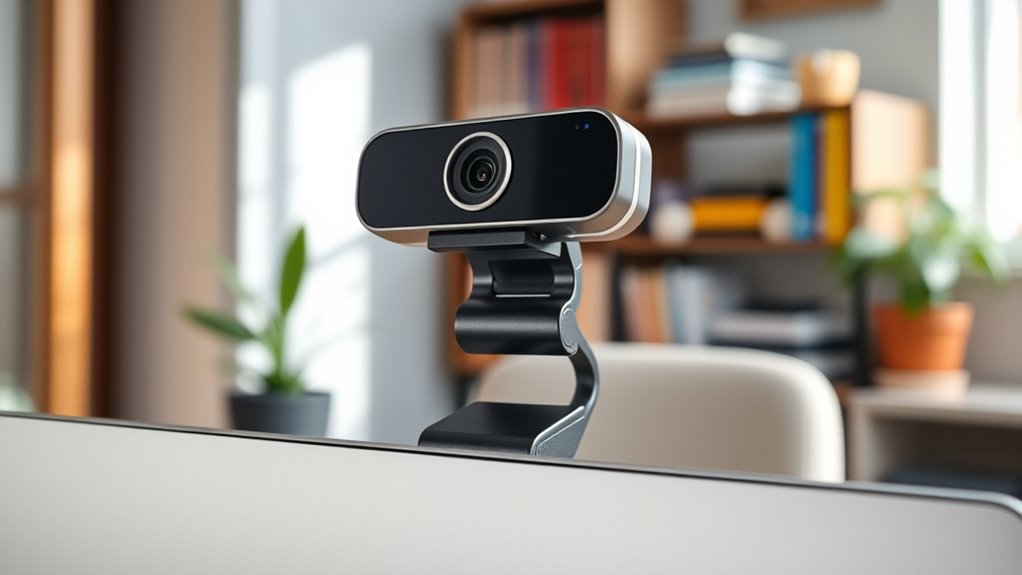

When choosing a webcam for Zoom meetings, clarity and reliability are key. The Logitech Brio 301 stands out as the best overall for its crisp 1080p video quality and user-friendly features. For those needing a versatile option, the Logitech C920S offers excellent image quality at a more accessible price point, while the Anker PowerConf C200 shines in low-light conditions with its advanced correction technology. The main tradeoffs involve balancing video quality, ease of use, and budget constraints. Keep reading to explore each option in detail, so you can find the perfect fit for your Zoom calls.

Get business pricing on monitors, keyboards and dev gear
- Business-only prices and quantity discounts
- Tax-exempt purchasing
- Multiple users, one account, clear invoices
Key Takeaways
- Higher resolution webcams like the Logitech MX Brio 4K offer superior clarity but come at a higher cost, making them best for professional or content creation needs.
- Built-in microphones vary significantly; models with integrated mics like the C920S simplify setup, but dedicated audio solutions may still be necessary for optimal sound.
- Low-light performance remains a common challenge; webcams with automatic light correction, such as the Anker PowerConf C200, greatly improve video quality in dim environments.
- Field of view (FOV) impacts framing; wider angles are better for group calls, but narrower FOVs provide more focused, professional shots for individual use.
- Ease of setup and software compatibility are crucial; plug-and-play models with native Zoom support reduce hassle and ensure quick deployment.
| Logitech Brio 301 Full HD 1080p Webcam for Streaming and Meetings – Black |  | Best Overall Webcams for Zoom Meetings | Resolution: 1080p Full HD | Light Correction: Auto Light Correction with RightLight 2 | Microphone: Mono noise reduction mic | VIEW ON AMAZON | See Our Full Breakdown |
| Logitech BCC950 Desktop Video Conferencing Webcam & Speakerphone – Black |  | Best All-in-One Video Conference Solution | Video Resolution: 1080p HD | Frame Rate: 30 fps | Microphone: Noise-cancelling, full duplex | VIEW ON AMAZON | See Our Full Breakdown |
| Logitech Brio 101 Full HD 1080p Webcam for Streaming and Meetings – Black |  | Best Budget-Friendly HD Webcam for Zoom | Resolution: Full HD 1080p | Light Technology: RightLight | Privacy Cover: Yes | VIEW ON AMAZON | See Our Full Breakdown |
| Logitech C920S HD Pro Webcam Full 1080p/30fps Video Calling |  | Best for Vivid Color and Autofocus in Zoom Calls | Sensor Type: CMOS | Maximum Resolution: Full HD 1080p | Frame Rate: 30 fps | VIEW ON AMAZON | See Our Full Breakdown |
| EMEET C960 1080P Webcam with Microphone, 2 Mics, 90° FOV, Computer Camera |  | Best Wide-Angle for Group Zoom Calls | Resolution: 1920x1080p | Lens: Wide Angle, 90° FOV | Microphones: 2 Omnidirectional Mics | VIEW ON AMAZON | See Our Full Breakdown |
| NexiGo N60 1080P Webcam with Microphone, Privacy Cover, and Software Control |  | Best for Secure, Easy Setup with Clear Video | Resolution: 1920 x 1080 at 30fps | Lens: 3.6mm glass lens | Microphone: Built-in noise-canceling microphone | VIEW ON AMAZON | See Our Full Breakdown |
| Logitech C920x HD Pro PC Webcam 1080p/30fps, Black |  | Best for Versatile Video and Background Control | Resolution: 1080p/30fps | Autofocus: Yes | Lighting Adjustment: Yes | VIEW ON AMAZON | See Our Full Breakdown |
| Anker PowerConf C200 2K Webcam for PC/Laptop/Mac, Low-Light Correction |  | Best for Professional-Grade Clarity and Low-Light Environments | Sensor Type: CMOS | Resolution: 2K (2560 x 1440) | Focus: Auto Focus | VIEW ON AMAZON | See Our Full Breakdown |
| EMEET 1080P Webcam with Microphone, C960 Web Camera for Streaming and Video Calls |  | Best for Wide-Angle, All-Around Video Calls | Resolution: 1920 x 1080p | Microphones: 2 noise reduction microphones | Field of View: 90 degrees | VIEW ON AMAZON | See Our Full Breakdown |
| Logitech MX Brio Ultra HD 4K Webcam – Graphite |  | Best for Ultra HD Clarity and Advanced Features | Resolution: 4K at 30fps, 1080p at 60fps | Sensor: Large pixels, advanced sensor | Microphones: Dual beamforming noise-reducing | VIEW ON AMAZON | See Our Full Breakdown |
| Logitech C920e HD 1080p Webcam with Microphone, Certified for Zoom and Microsoft Teams |  | Best Overall for Professional Video Calls | Resolution: 1080p HD | Field of View: 78° | Microphones: 2 omnidirectional microphones | VIEW ON AMAZON | See Our Full Breakdown |
| Logitech Brio Ultra 4K HD Webcam for Streaming and Meetings – Black |  | Best Premium for Ultra HD Quality and Security | Resolution: 4K at 30 fps | Field of View: 65°, 78°, 90° | Zoom: 5x digital zoom | VIEW ON AMAZON | See Our Full Breakdown |
| EMEET C60E Dual-Camera 4K Webcam for Streaming, Wide-Angle & Telephoto |  | Best for Dynamic Views and Versatile Streaming | Camera Resolution: 4K | Number of Cameras: 2 | Zoom: up to 11X hybrid | VIEW ON AMAZON | See Our Full Breakdown |
| webcams for zoom meeting | Resolution | Compatibility | Microphones |
|---|---|---|---|
| Logitech Brio 301 Full HD 1080 | 1080p Full HD | Zoom, Microsoft Teams, Google Meet | — |
| Logitech BCC950 Desktop Video | — | Microsoft Lync 2013, Skype for Business, Cisco Jabber, WebEx | — |
| Logitech Brio 101 Full HD 1080 | Full HD 1080p | — | — |
| Logitech C920S HD Pro Webcam F | — | — | — |
| EMEET C960 1080P Webcam with M | 1920x1080p | Windows 10/11, macOS, Android TV | 2 Omnidirectional Mics |
| NexiGo N60 1080P Webcam with M | 1920 x 1080 at 30fps | USB 2.0/3.0, Mac OS X 10.7+, Windows 7/8/10/11, Android 4.0+, Linux | — |
| Logitech C920x HD Pro PC Webca | 1080p/30fps | Windows 11 | Stereo dual mics |
| Anker PowerConf C200 2K Webcam | 2K (2560 x 1440) | — | — |
| EMEET 1080P Webcam with Microp | 1920 x 1080p | — | 2 noise reduction microphones |
| Logitech MX Brio Ultra HD 4K W | 4K at 30fps, 1080p at 60fps | Windows, macOS, Chrome OS, Linux | Dual beamforming noise-reducing |
| Logitech C920e HD 1080p Webcam | 1080p HD | — | 2 omnidirectional microphones |
| Logitech Brio Ultra 4K HD Webc | 4K at 30 fps | Windows, Mac, ChromeOS | Dual omnidirectional with noise canceling |
| EMEET C60E Dual-Camera 4K Webc | — | — | 2 omnidirectional microphones |
More Details on Our Top Picks
Logitech Brio 301 Full HD 1080p Webcam for Streaming and Meetings – Black
The Logitech Brio 301 stands out for delivering crisp 1080p video with excellent auto light correction, making it a reliable choice for most home and office Zoom calls. Compared with the C920S, it offers enhanced auto light correction, which is critical in variable lighting environments. However, it sticks to 1080p resolution, unlike higher-end 4K options, and its mono microphone limits stereo sound quality. The built-in privacy shutter adds security without extra accessories, and compatibility with major platforms simplifies setup. For users needing a straightforward, high-quality webcam with decent lighting adjustments, this model strikes a good balance between price and performance. Its main tradeoff involves the mono microphone and lack of 4K resolution.
Pros:- Crisp 1080p video quality for clear image capture
- Auto light correction enhances visibility in dim settings
- Built-in privacy shutter for instant security
- Compatible with major platforms like Zoom and Teams
Cons:- Limited to 1080p resolution, not 4K
- Mono microphone reduces audio stereo richness
- Requires compatible software for advanced customization
Best for: Professionals seeking a dependable, easy-to-use webcam for daily Zoom meetings in varied lighting conditions.
Not ideal for: Video content creators or streamers who need 4K resolution or stereo audio for high-end production quality.
- Resolution:1080p Full HD
- Light Correction:Auto Light Correction with RightLight 2
- Microphone:Mono noise reduction mic
- Privacy Shutter:Spin for privacy
- Compatibility:Zoom, Microsoft Teams, Google Meet
- Material:At least 48% recycled plastic
Our verdict“This webcam is best suited for users who prioritize reliable HD video with good lighting adjustments over ultra-high resolution or stereo sound.”
Logitech BCC950 Desktop Video Conferencing Webcam & Speakerphone – Black
The Logitech BCC950 offers a complete conference experience with 1080p HD video and a built-in speakerphone, making it ideal for small to medium meeting rooms. Unlike the Brio 301, it adds a physical speakerphone with noise cancellation and a remote control for camera pan, tilt, and zoom, which improves overall usability in professional settings. However, its microphone range is limited to about 8 feet, and it relies solely on USB connectivity, making wireless flexibility impossible. This device is perfect for teams needing seamless audio and video integration in a dedicated workspace, but less suited for remote workers who prefer wireless setups or larger rooms. Its all-in-one nature simplifies setups but reduces flexibility for larger spaces.
Pros:- 1080p HD video with smooth 30 fps
- High-quality noise-cancelling, full duplex microphone
- Remote control for camera adjustments and volume
- Plug-and-play USB connectivity
Cons:- Limited microphone range at about 8 feet
- No support for wireless or Bluetooth connections
- No built-in recording features
Best for: Small team conference rooms or professionals who need integrated audio and video in one device for meetings.
Not ideal for: Remote workers who require wireless or portable solutions, or large conference spaces needing extended mic range.
- Video Resolution:1080p HD
- Frame Rate:30 fps
- Microphone:Noise-cancelling, full duplex
- Connectivity:USB plug-and-play
- Additional Features:Remote control, pan/tilt/zoom
- Compatibility:Microsoft Lync 2013, Skype for Business, Cisco Jabber, WebEx
Our verdict“This all-in-one webcam and speakerphone is perfect for small conference rooms needing reliable, integrated audio and video without extra setup complexity.”
Logitech Brio 101 Full HD 1080p Webcam for Streaming and Meetings – Black
The Logitech Brio 101 provides solid 1080p video with enhanced brightness and shadow reduction thanks to RightLight technology, making it a practical choice for everyday Zoom calls. Compared with the Brio 301, it lacks advanced features like auto light correction settings and software customization options, but it compensates with a privacy shutter and a focus on sustainability—being made with 77% recycled plastic. Its USB A connection limits future-proofing for users with newer ports, and the basic feature set makes it less ideal for those needing extensive controls or higher resolution. It’s a good entry-level option for budget-conscious users who want decent video quality and security features without extra bells and whistles.
Pros:- 1080p video with effective brightness and shadow correction
- Privacy shutter for security
- Made with 77% recycled plastic, appealing to eco-conscious buyers
- Compatible with multiple platforms
Cons:- Limited to USB A, no USB C support
- Basic feature set without advanced controls
- Durability may be affected due to recycled plastic material
Best for: Budget-conscious remote workers or students needing reliable HD video with simple setup.
Not ideal for: Power users or streamers requiring higher resolution, advanced controls, or USB-C connectivity.
- Resolution:Full HD 1080p
- Light Technology:RightLight
- Privacy Cover:Yes
- Built-in Microphone:Yes
- Connection Type:USB A
- Plastic Content:77% post-consumer recycled plastic
Our verdict“This webcam offers reliable HD video for budget-minded users who prioritize security and sustainability over advanced features.”
Logitech C920S HD Pro Webcam Full 1080p/30fps Video Calling
The Logitech C920S excels at delivering vibrant, detailed 1080p video with autofocus, making it a favorite for those who want sharp images that pop on Zoom. Its dual microphones produce natural stereo sound, which is a step up from mono options and beneficial for engaging meetings. Compared to the Brio 101, it offers better color accuracy and autofocus, but lacks the advanced lighting correction features of higher-end models. The absence of water resistance and limited to USB 2.0 make it less future-proof, yet it remains a reliable choice for everyday professional use. For users who prioritize vivid visuals and stereo audio, the C920S offers a compelling package, though it doesn’t include extra software for advanced video adjustments.
Pros:- Vivid, natural colors with detailed 1080p video
- Autofocus ensures sharp images at all times
- Stereo microphones for richer sound
- Privacy shutter included
Cons:- Limited to USB 2.0, restricting bandwidth for higher resolutions
- No water resistance, less durable for rougher environments
- No advanced lighting or control features
Best for: Remote professionals and educators needing high-quality color and autofocus with stereo audio for engaging Zoom calls.
Not ideal for: Users needing ultra-high resolution or advanced features like 4K or extensive software controls.
- Sensor Type:CMOS
- Maximum Resolution:Full HD 1080p
- Frame Rate:30 fps
- Special Features:Autofocus, dual microphones
- Connectivity:USB 2.0
- Included Accessories:Privacy shutter
Our verdict“Ideal for users who want vibrant video and stereo sound without the need for ultra-high resolution or extensive customization options.”
EMEET C960 1080P Webcam with Microphone, 2 Mics, 90° FOV, Computer Camera
The EMEET C960 offers a broad 90° field of view, making it an excellent choice for group meetings or collaborative sessions on Zoom. Its 1080p resolution provides sharp video, while the dual omnidirectional microphones ensure clear audio from multiple directions. Compared to the Brio 101, it offers a wider perspective, though it lacks some of the advanced lighting and customization features. The automatic light adjustment helps maintain visibility in different lighting conditions, but it requires good lighting to perform at its best. Its broad compatibility across OS and applications makes it versatile, but it doesn’t support Windows Hello or come with built-in speakers. This webcam suits teams and educators who need to capture multiple faces or a wider scene in meetings.
Pros:- Wide 90° field of view for group calls
- Sharp 1080p resolution with automatic light correction
- Dual omnidirectional microphones for clear audio from multiple directions
- Plug-and-play with broad OS compatibility
Cons:- No support for Windows Hello facial recognition
- Lacks built-in speakers for audio playback
- Requires good lighting for optimal video quality
Best for: Teams, educators, or professionals needing a wide-angle view for group meetings on Zoom.
Not ideal for: Individuals needing a narrow, portrait-oriented shot or higher resolution beyond 1080p.
- Resolution:1920x1080p
- Lens:Wide Angle, 90° FOV
- Microphones:2 Omnidirectional Mics
- Connectivity:USB Type-A & A-to-C Adapter
- Special Features:Auto Light Correction, Privacy Cover
- Compatibility:Windows 10/11, macOS, Android TV
Our verdict“This webcam is well-suited for group or classroom meetings where capturing multiple participants is essential, though it needs decent lighting to shine.”
NexiGo N60 1080P Webcam with Microphone, Privacy Cover, and Software Control
The NexiGo N60 stands out for delivering reliable 1080p video quality in a plug-and-play package, making it ideal for users who prioritize simplicity and security. Compared with the Logitech C920x, it offers a built-in privacy cover and broader OS compatibility without needing extra software, but it lacks advanced autofocus or adjustable focus, which may limit flexibility in focus distance. Its noise-canceling microphone improves audio clarity, yet firmware updates might be necessary to address occasional audio delays. The fixed focus lens is straightforward but not adaptable for varying distances. This webcam makes the most sense for remote workers and educators seeking straightforward, high-quality video with privacy in mind.
Pros:- Clear 1080p video quality with good image sharpness
- Built-in noise-canceling microphone enhances audio
- Plug-and-play setup with broad OS compatibility
- Privacy cover adds security when not in use
Cons:- No adjustable focus, fixed at a certain distance
- Firmware updates may be needed for optimal audio performance
- Not compatible with gaming consoles like Xbox or PlayStation
Best for: Remote workers and educators who value security and simplicity without sacrificing decent video quality
Not ideal for: Content creators or streamers needing advanced autofocus or background effects, as it lacks these features
- Resolution:1920 x 1080 at 30fps
- Lens:3.6mm glass lens
- Microphone:Built-in noise-canceling microphone
- Compatibility:USB 2.0/3.0, Mac OS X 10.7+, Windows 7/8/10/11, Android 4.0+, Linux
- Privacy Cover:Yes
- Focus:Fixed focus
Our verdict“This webcam is best suited for users who want a straightforward, secure 1080p camera for video calls and meetings.”
Logitech C920x HD Pro PC Webcam 1080p/30fps, Black
The Logitech C920x provides consistently good 1080p video with autofocus and automatic lighting adjustment, making it a solid choice for varying lighting conditions. Unlike the NexiGo N60, it includes background editing via the free software, which can help create a more professional appearance during calls or streaming. However, it doesn’t come with a privacy shutter, which might concern security-conscious users, and it’s primarily optimized for Windows, limiting cross-platform flexibility. Its 30 fps at 1080p is standard but not ideal for fast-paced video, and the autofocus can sometimes hunt for focus in cluttered environments. Overall, this pick makes the most sense for professionals who want reliable, high-quality video with some creative control.
Pros:- Sharp 1080p video with autofocus
- Automatic lighting adjustment for consistent image quality
- Includes 3-month license for background removal software
- Stereo microphones for natural sound
Cons:- No built-in privacy shutter for security
- Limited to 30 fps at 1080p, not optimal for high-speed video
- Primarily compatible with Windows
Best for: Professionals and content creators who want flexible background options and reliable autofocus
Not ideal for: Users seeking a webcam with a built-in privacy shutter or those on non-Windows platforms
- Resolution:1080p/30fps
- Autofocus:Yes
- Lighting Adjustment:Yes
- Microphones:Stereo dual mics
- Included Software:XSplit VCam (3 months license)
- Compatibility:Windows 11
Our verdict“This webcam suits users who need dependable video quality with background editing features for professional or streaming use.”
Anker PowerConf C200 2K Webcam for PC/Laptop/Mac, Low-Light Correction
The Anker PowerConf C200 offers a significant upgrade with 2K resolution, providing sharper detail than most 1080p webcams, ideal for professional calls or detailed presentation sharing. Its AI noise cancellation and low-light correction outperform the EMEET C960, especially in dim environments, making it perfect for remote workers in variable lighting. The adjustable viewing angles add versatility, but its reliance on USB connectivity can be a limitation if ports are scarce, and some users might find the privacy cover less convenient than traditional shutters. Compared to the Logitech MX Brio, it’s more affordable but doesn’t match the ultra-high resolution or extensive features of the premium model. This makes it best for users who want high fidelity with adaptable framing in a professional setting.
Pros:- High-resolution 2K video for crisp detail
- AI noise cancellation improves audio clarity
- Excellent low-light performance for dim settings
- Customizable viewing angles for flexible framing
Cons:- Requires USB connection, may need compatible ports
- No water resistance, not suited for outdoor use
- Privacy cover may be less convenient than shutters
Best for: Remote professionals and streamers needing high-resolution video and adaptable framing for varied environments
Not ideal for: Users with limited USB ports or those who prefer a camera with extensive customization options beyond basic control
- Sensor Type:CMOS
- Resolution:2K (2560 x 1440)
- Focus:Auto Focus
- Viewing Angle:95 degrees
- Low-Light Correction:Yes
- Connectivity:USB
Our verdict“This webcam is well-suited for professionals demanding high-quality video with versatile framing in various lighting conditions.”
EMEET 1080P Webcam with Microphone, C960 Web Camera for Streaming and Video Calls
The EMEET C960 delivers reliable 1080p streaming with a broad 90-degree field of view, making it ideal for group calls or multi-person meetings. Its automatic low-light correction and foldable, tripod-ready design provide convenience for home offices and casual streaming alike. Unlike the Logitech C920x, which emphasizes autofocus and background editing, the C960 focuses on ease of use and wide coverage. However, it lacks Windows Hello compatibility and has a fixed focal length, limiting focus flexibility. Its plug-and-play nature simplifies setup, but users should be aware that it requires selecting it as the default microphone for best audio. Overall, it’s a good choice for casual professionals or teachers who need a wide-angle view without complex features.
Pros:- Reliable 1080p video with smooth streaming
- Wide 90-degree field of view for group calls
- Automatic low-light correction improves image quality
- Foldable, tripod-ready clip for flexible positioning
Cons:- Lacks Windows Hello support
- Fixed focal length limits focus flexibility
- Requires selecting as default microphone for optimal audio
Best for: Casual professionals or educators needing broad coverage for group calls or online classrooms
Not ideal for: Streamers or content creators requiring detailed focus control or advanced background features
- Resolution:1920 x 1080p
- Microphones:2 noise reduction microphones
- Field of View:90 degrees
- Lighting:Automatic low-light correction
- Design:Foldable, tripod-ready
- Connectivity:USB
Our verdict“This webcam suits users who need broad coverage with minimal fuss for everyday meetings or teaching sessions.”
Logitech MX Brio Ultra HD 4K Webcam – Graphite
The Logitech MX Brio provides stunning 4K resolution with AI-driven enhancements like auto white balance, auto exposure, and noise reduction, making it ideal for users needing the highest clarity during professional meetings or streaming. Compared to the NexiGo N60 or EMEET C960, the MX Brio’s advanced AI features improve visibility in challenging lighting, while its adjustable controls allow fine-tuning for optimal image. The built-in privacy shutter adds security, but its high cost and complex feature set may be overwhelming for casual users. Its requirement for a USB-C port can also be a hurdle for older systems. This webcam is best for professionals who want top-tier image quality and sophisticated control over their video appearance, especially in high-stakes environments.
Pros:- Ultra HD 4K video with exceptional detail
- AI enhancements for better low-light visibility
- Adjustable controls for white balance and exposure
- Privacy shutter for security
Cons:- Premium price may be prohibitive for some
- Requires USB-C connection, possibly needing adapters
- Complex feature set might be unnecessary for casual use
Best for: Executives, streamers, or content creators who need the best possible image clarity and advanced customization
Not ideal for: Budget-conscious users or those with older USB ports, as it’s a premium-priced device with high system requirements
- Resolution:4K at 30fps, 1080p at 60fps
- Sensor:Large pixels, advanced sensor
- Microphones:Dual beamforming noise-reducing
- Compatibility:Windows, macOS, Chrome OS, Linux
- Connectivity:USB-C
- Features:Auto white balance, auto exposure, noise reduction
Our verdict“This webcam is best suited for professionals demanding the highest quality, customization, and security during video meetings.”
Logitech C920e HD 1080p Webcam with Microphone, Certified for Zoom and Microsoft Teams
The Logitech C920e stands out for delivering crisp 1080p HD video with autofocus, making it a reliable choice for professional settings. Compared with the Logitech Brio, it lacks 4K resolution but compensates with a more affordable price and solid performance, especially since most zoom meetings benefit from 1080p clarity. Its automatic light correction helps maintain image quality in variable lighting, though the fixed 78° field of view might be limiting for those needing a wider shot. The built-in dual omnidirectional microphones ensure clear audio, a crucial feature for seamless communication. The privacy cover adds security, but users should note it doesn’t support ultra-wide perspectives or 4K streaming. It’s best suited for remote workers who prioritize dependable HD quality over high-end features, but not ideal for those needing a flexible field of view or 4K resolution.
Pros:- High-quality 1080p HD video with autofocus
- Clear audio with dual omnidirectional microphones
- Built-in privacy cover for security
- Flexible mounting options including tripod compatibility
Cons:- Fixed 78° field of view may not suit all setups
- Requires USB connection, limiting mobility
- No integrated lighting, may need additional illumination in dark rooms
Best for: Professionals who need reliable, high-quality HD video with clear audio for regular meetings.
Not ideal for: Content creators or streamers looking for 4K resolution or adjustable FOV, as this model is optimized for straightforward video conferencing.
- Resolution:1080p HD
- Field of View:78°
- Microphones:2 omnidirectional microphones
- Autofocus:Yes
- Light Correction:Automatic
- Privacy Cover:Yes
Our verdict“A dependable choice for remote professionals who prioritize consistent HD video and clear audio in standard meeting environments.”
Logitech Brio Ultra 4K HD Webcam for Streaming and Meetings – Black
The Logitech Brio offers stunning 4K resolution, making it ideal for those who want the highest detail in their video calls—especially compared to the C920e. Its adjustable field of view (65°, 78°, 90°) provides versatility for different meeting scenarios, while digital zoom and Windows Hello integration add convenience and security. The dual noise-canceling microphones ensure audio clarity, which is comparable to the C920e but with the added benefit of advanced noise suppression. Its higher price reflects its premium features, including 4K video and multiple FOV options, though it requires a USB connection and compatible software to unlock its full potential. For users who need top-tier image quality and enhanced security features, this webcam makes a compelling choice. However, if budget is a concern or 4K isn’t essential, the C920e remains a more practical option.
Pros:- Stunning 4K video quality with multiple FOV options
- Supports Windows Hello for secure login
- Dual noise-canceling microphones for clear audio
- Includes privacy shutter for security
Cons:- Higher price point compared to standard webcams
- Requires compatible software and USB connection
- Overkill for users only needing 1080p quality
Best for: Executives and content creators needing ultra-high-resolution video with advanced security features.
Not ideal for: Budget-conscious users or those who only require standard HD quality for basic meetings.
- Resolution:4K at 30 fps
- Field of View:65°, 78°, 90°
- Zoom:5x digital zoom
- Microphones:Dual omnidirectional with noise canceling
- Compatibility:Windows, Mac, ChromeOS
- Privacy Shutter:Yes
Our verdict“Best suited for high-end professionals who demand top-resolution video and robust security features in their meetings.”
EMEET C60E Dual-Camera 4K Webcam for Streaming, Wide-Angle & Telephoto
The EMEET C60E introduces a dual-camera setup with 4K resolution, designed for users who want both panoramic and close-up views during meetings or streaming. Compared with single-camera options like the C920e or Brio, this model offers a broader perspective and up to 11X hybrid zoom, making it stand out for presentations, teaching, or content that benefits from multiple angles. Its smart remote and software control allow for easy adjustments, while RGB lighting adds an aesthetic touch that can also serve as a visual cue in professional setups. The two microphones help capture clear sound, but some features like zoom are limited to non-4K modes, and compatibility with newer devices depends on USB 2.0 ports, which may be a concern for some users. This webcam is ideal for dynamic presentations but might be excessive for straightforward meetings.
Pros:- Dual 4K camera setup offers panoramic and close-up views
- Up to 11X hybrid zoom for detailed focus
- Smart remote and software control for flexible adjustments
- Vibrant RGB lighting enhances visibility and aesthetics
Cons:- Zoom feature not supported in 4K, 60FPS, or YUY2 modes
- Requires USB 2.0 port, limiting compatibility with some newer devices
- Some features depend on additional software or remote control
Best for: Streamers, educators, and presenters who need multi-angle views and high flexibility in their video setup.
Not ideal for: Users requiring basic HD webcams for simple meetings, as this model’s complexity and features may be overwhelming or unnecessary.
- Camera Resolution:4K
- Number of Cameras:2
- Zoom:up to 11X hybrid
- Autofocus:PDAF autofocus
- Lighting:RGB lighting
- Microphones:2 omnidirectional microphones
Our verdict“Ideal for dynamic presentations and streaming where multiple angles and high flexibility are priorities, despite some technical limitations.”

How We Picked
To determine the best webcams for Zoom meetings, I evaluated each model based on video resolution, image quality, ease of use, build quality, and compatibility with conferencing platforms. I prioritized products that offer a balance of performance and value, considering the typical needs of remote workers, educators, and casual users. The ranking also accounts for user-friendly features like automatic light correction, built-in microphones, and flexible mounting options. Tradeoffs such as higher price versus advanced features were carefully weighed to recommend options suitable for different budgets and use cases.Factors to Consider When Choosing Webcams For Zoom Meetings
Choosing the right webcam for Zoom meetings involves several considerations beyond mere resolution. Factors like lighting conditions, microphone quality, and ease of setup can dramatically affect your meeting experience. Making an informed choice helps avoid common pitfalls such as poor image quality, awkward framing, or complicated installation. Here are key factors to keep in mind:Resolution and Image Quality
Higher resolution webcams, such as 1080p or 4K models, deliver sharper images that appear more professional on camera. However, increased resolution can require more bandwidth and processing power. For most Zoom meetings, 1080p provides a good balance of clarity and performance, while 4K webcams are better suited for content creation or high-stakes presentations. Consider your typical environment and the quality of your internet connection when choosing resolution to ensure smooth video streaming.
Lighting and Low-Light Performance
Many webcams struggle in dimly lit rooms, resulting in grainy or dark images. Cameras with automatic light correction, such as the Anker PowerConf C200, can significantly improve visibility without additional equipment. If your workspace lacks good lighting, investing in a webcam with enhanced low-light features or pairing your camera with a simple ring light can make a noticeable difference in your overall appearance during meetings.
Built-in Microphones and Audio Quality
Clear audio is just as important as good video. Many webcams include built-in microphones, but their quality varies. Models like the Logitech C920S feature noise-reducing mics suitable for most meetings. For environments with background noise, consider a dedicated external microphone or a USB speakerphone to ensure your voice comes through crisp and clear, preventing misunderstandings or the need for multiple re-dials.
Field of View and Framing
The FOV determines how much of your surroundings is visible on camera. Wider angles, such as 90° or more, are useful for group calls or showing a larger workspace, while narrower FOVs provide a more focused frame of just your face. Think about your typical meeting setup and whether you need to showcase a full room or prefer a close-up shot—this choice impacts how professional and engaging your video appears.
Ease of Use and Compatibility
Plug-and-play webcams with native support for Zoom and other platforms minimize setup stress. Look for models that are compatible with your operating system and offer straightforward installation. Additional features like adjustable mounts or privacy covers enhance usability and security. Avoid overly complex devices that require extensive drivers or software, especially if you need a quick, reliable setup for daily meetings.
Frequently Asked Questions
Do I need a 4K webcam for Zoom meetings?
Not necessarily. A 4K webcam offers higher resolution and sharper images, but it also demands more bandwidth and processing power. For most Zoom meetings, 1080p resolution provides excellent clarity without the technical overhead. If your primary goal is professional-quality video and your internet connection is robust, a 4K webcam can be a worthwhile investment. Otherwise, a 1080p model often strikes the best balance for everyday use.
Is a built-in microphone enough for professional Zoom calls?
Built-in microphones on webcams are generally sufficient for casual or small meetings, especially if your environment is quiet. However, for larger or noisy settings, external microphones or dedicated audio devices tend to deliver clearer, more consistent sound. Investing in a good microphone can prevent misunderstandings and makes your audio stand out as more professional, which is especially important for client calls or presentations.
How important is low-light performance in selecting a webcam?
Low-light performance is very important if your workspace isn’t well-lit or if you often work during evening hours. A webcam with automatic light correction can dramatically improve your appearance, making you look more polished and reducing distractions caused by poor video quality. For best results, pair your webcam with adequate ambient lighting or a ring light to ensure consistent, high-quality video.
Should I prioritize a webcam with a wide field of view?
Choosing a wide FOV depends on your meeting style. If you often host group calls or want to show your entire workspace, a wider camera provides a more inclusive shot. However, for one-on-one meetings, a narrower FOV focusing on your face creates a more professional and less distracting image. Consider your typical meeting setup when selecting the FOV to ensure your framing aligns with your needs.
Are external accessories necessary for better Zoom meetings?
While a good webcam can significantly improve your video quality, external accessories like ring lights or external microphones can enhance your overall presentation. A ring light ensures your face is evenly lit, reducing shadows and improving clarity. External microphones, especially cardioid or omnidirectional types, deliver clearer voice capture. These additions are particularly useful for professional or content-focused users who want to maximize their meeting impact.
Conclusion
For most users seeking a reliable, easy-to-use webcam, the Logitech Brio 301 offers excellent overall performance with crisp 1080p quality and intuitive features, making it ideal for professionals and remote workers. Those on a tighter budget or new to video calls may find the Logitech C920S to be a perfect entry point, combining good image quality with affordability. If you need superior low-light handling and future-proof 4K resolution, the Logitech MX Brio Ultra HD 4K makes sense for advanced users or content creators. Casual users or educators who prioritize simplicity and durability will appreciate models like the NexiGo N60. In the end, your choice should align with your meeting environment, budget, and desired video quality.
As an affiliate, we earn on qualifying purchases.Fall Picks
fall essentials