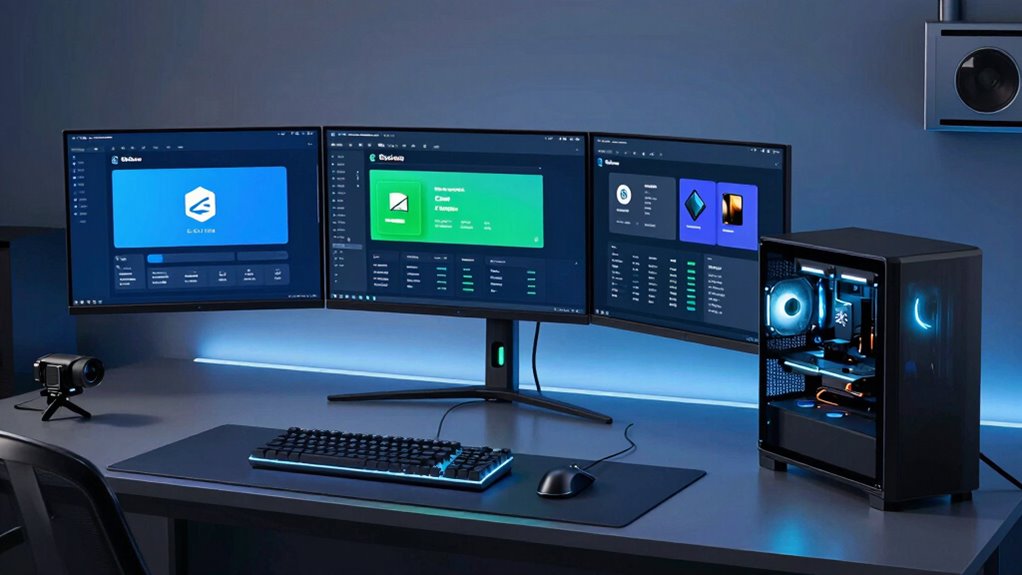
Setting up a reliable workstation for Docker and Kubernetes labs requires a careful balance of performance, expandability, and price. The Dell Precision T7820 stands out as the best overall choice thanks to its powerful Xeon processor and extensive RAM, ideal for heavy virtualization workloads. For those seeking a compact yet capable system, the Lenovo ThinkStation P3 Tiny offers impressive performance in a small form factor. The MINISFORUM MS-01 Mini Workstation models deliver excellent value with high-end CPUs and fast RAM, making them suitable for budget-conscious users. Continue reading for a detailed breakdown of each option and how they stack up for your Docker and Kubernetes needs.

Get business pricing on monitors, keyboards and dev gear
- Business-only prices and quantity discounts
- Tax-exempt purchasing
- Multiple users, one account, clear invoices
Complete the kit


![Lamicall 6Pack Cord Organizer, [1s Lock] Spring Cable Hol...](https://m.media-amazon.com/images/I/71uBLICDwfL._AC_SL480_.jpg)
Key Takeaways
- High core count and ample RAM are essential for running multiple containers and clusters smoothly.
- Workstation expandability, especially PCIe slots and network interfaces, significantly impacts long-term flexibility.
- Compact form factors can save space but may limit upgrade options and thermal performance.
- Price varies widely; investing in higher specs often reduces bottlenecks during intensive lab workloads.
- Premium models with professional GPUs and enterprise-grade CPUs suit advanced, large-scale environments better.
| Dell Precision T7820 Workstation Desktop with Xeon Silver-4114, 192GB RAM, 1TB SSD, Windows 11 Pro (Renewed) |  | Best Overall for Heavy-Duty Multitasking and Professional Workloads | Processor: Intel Xeon Silver-4114 | RAM: 192GB DDR4 3200MHz | Storage: 1TB PCIe NVMe SSD | VIEW ON AMAZON | See Our Full Breakdown |
| Lenovo ThinkStation P3 Tiny Desktop Computer, Intel Core i7-14700 vPro, 32GB DDR5, 1TB SSD, Windows 11 Pro |  | Best Compact for High-Performance Development in Limited Space | Processor: Intel Core i7-14700 vPro, 20-core | RAM: 32GB DDR5 | Storage: 1TB SSD | VIEW ON AMAZON | See Our Full Breakdown |
| MINISFORUM MS-01 Mini Workstation Intel Core i9-13900H, 32GB DDR5, 1TB SSD, Multiple High-Speed Ports |  | Best for Demanding Tasks with Extensive Connectivity and Expandability | Processor: Intel Core i9-13900H | Memory: 32GB DDR5 | Storage: 1TB SSD | VIEW ON AMAZON | See Our Full Breakdown |
| MINISFORUM MS-01 Mini Workstation Core i9-13900H, 64GB RAM, 1TB SSD, RTX 3050 Graphics, HDMI, USB4, 10G SFP+ Ports |  | Best for High-End Creative and Container Workloads with Rich Connectivity | Processor: Intel Core i9-13900H | RAM: 64GB DDR5 | Storage: 1TB PCIe SSD | VIEW ON AMAZON | See Our Full Breakdown |
| Dell Precision Tower 5820 Workstation W-2123, 4C, 3.6GHz, 64GB RAM, 1TB NVMe, P2000, Windows 11 (Renewed) |  | Best for Cost-Effective Heavy-Duty Professional Workloads | Processor: W-2123 4-core 3.6GHz | RAM: 64GB | Storage: 1TB NVMe SSD | VIEW ON AMAZON | See Our Full Breakdown |
| GEEKOM A8 Mini PC with Ryzen 7 8745HS, 16GB DDR5 RAM, 1TB SSD |  | Best Compact Workstation for Docker and Kubernetes Labs | Processor: Ryzen 7 8745HS | Memory: 16GB DDR5 (upgradeable to 128GB) | Storage: 1TB PCIe 4.0 NVMe SSD (upgradeable to 4TB) | VIEW ON AMAZON | See Our Full Breakdown |
| Lenovo ThinkStation P3 Tower Workstation with Intel Ultra 9 285 vPro, 64GB DDR5, 1TB SSD, NVIDIA RTX 4000 20GB, Windows 11 Pro |  | Best High-End Workstation for Heavy Docker and Kubernetes Tasks | Processor: Intel Ultra 9 285 vPro | Memory: 64GB DDR5 | Storage: 1TB SSD | VIEW ON AMAZON | See Our Full Breakdown |
| workstation pc for docker and kubernetes lab | Processor | Storage | RAM |
|---|---|---|---|
| Dell Precision T7820 Workstati | Intel Xeon Silver-4114 | 1TB PCIe NVMe SSD | 192GB DDR4 3200MHz |
| Lenovo ThinkStation P3 Tiny De | Intel Core i7-14700 vPro, 20-core | 1TB SSD | 32GB DDR5 |
| MINISFORUM MS-01 Mini Workstat | Intel Core i9-13900H | 1TB SSD | — |
| MINISFORUM MS-01 Mini Workstat | Intel Core i9-13900H | 1TB PCIe SSD | 64GB DDR5 |
| Dell Precision Tower 5820 Work | W-2123 4-core 3.6GHz | 1TB NVMe SSD | 64GB |
| GEEKOM A8 Mini PC with Ryzen 7 | Ryzen 7 8745HS | 1TB PCIe 4.0 NVMe SSD (upgradeable to 4TB) | — |
| Lenovo ThinkStation P3 Tower W | Intel Ultra 9 285 vPro | 1TB SSD | — |
More Details on Our Top Picks
Dell Precision T7820 Workstation Desktop with Xeon Silver-4114, 192GB RAM, 1TB SSD, Windows 11 Pro (Renewed)
The Dell Precision T7820 stands out for its immense 192GB RAM capacity, making it ideal for running multiple Docker and Kubernetes containers simultaneously without performance bottlenecks. Its powerful Xeon Silver-4114 processor pairs with a 1TB PCIe NVMe SSD for fast data access, surpassing the Lenovo ThinkStation P3 Tiny’s limited RAM and smaller storage options. However, being a renewed product, it may lack some warranty coverage and includes no peripherals, which could add to the overall cost. The dedicated Nvidia Quadro P2000 graphics card ensures reliable visual processing for complex workloads, though it lacks integrated Wi-Fi or Bluetooth, unlike other compact options.
Pros:- Exceptional 192GB RAM supports extreme multitasking
- Fast 1TB PCIe NVMe SSD for quick data handling
- Professional-grade Nvidia Quadro P2000 graphics
Cons:- Renewed product may have limited warranty or condition
- No built-in Wi-Fi or Bluetooth connectivity
Best for: IT professionals managing large container clusters requiring high RAM and processing power
Not ideal for: Casual users or those with limited space who don’t need extensive multitasking capabilities
- Processor:Intel Xeon Silver-4114
- RAM:192GB DDR4 3200MHz
- Storage:1TB PCIe NVMe SSD
- Graphics Card:Nvidia Quadro P2000 5GB
- Operating System:Windows 11 Pro
- Warranty:3 years with on-site Next Business Day Service
Our verdict“This workstation is best suited for advanced users needing maximum RAM and processing for demanding containerized workloads.”
Lenovo ThinkStation P3 Tiny Desktop Computer, Intel Core i7-14700 vPro, 32GB DDR5, 1TB SSD, Windows 11 Pro
The Lenovo ThinkStation P3 Tiny offers a formidable 20-core Intel Core i7-14700 vPro processor, making it a strong choice for running containerized environments in tight spaces. Its compact form factor outshines the larger Dell Precision T7820 in terms of space efficiency, but it sacrifices the extensive RAM capacity, limiting heavy multitasking compared to the Precision. Its support for WiFi 6 and multiple display outputs enhances the user experience for development and monitoring dashboards. However, its small size restricts upgrade options and it comes without a dedicated GPU, which could hinder GPU-accelerated workloads compared to the MINISFORUM MS-01 models.
Pros:- Compact, space-saving design
- Powerful 20-core Intel Core i7 processor
- Supports WiFi 6 and multiple displays
Cons:- Limited upgrade options due to small form factor
- No dedicated graphics card included
Best for: Developers and sysadmins needing a high-performance workstation in minimal space
Not ideal for: Users requiring extensive RAM or GPU acceleration for complex container workloads
- Processor:Intel Core i7-14700 vPro, 20-core
- RAM:32GB DDR5
- Storage:1TB SSD
- Display Outputs:DisplayPort + HDMI
- WiFi:WiFi 6
- Operating System:Windows 11 Pro
Our verdict“This is an excellent choice for space-conscious professionals who prioritize CPU performance over maximum RAM or GPU power.”
MINISFORUM MS-01 Mini Workstation Intel Core i9-13900H, 32GB DDR5, 1TB SSD, Multiple High-Speed Ports
The MINISFORUM MS-01 excels in delivering high-performance computing with its Intel Core i9-13900H and 32GB DDR5 RAM, suitable for running Docker and Kubernetes labs that demand intensive processing. Its broad array of high-speed ports, including 10Gbps SFP+ and PCIe 4.0 slots, outperforms many compact systems like the MINISFORUM MS-01 with RTX 3050. While its modular design supports RAID and multiple SSDs, the complex setup might challenge less technical users. Noise levels and thermal management details are not well documented, which could impact long-term reliability under constant workloads.
Pros:- Powerful Intel Core i9-13900H CPU
- Multiple high-speed network and USB ports
- Supports RAID and extensive storage options
Cons:- Complex setup for non-technical users
- Limited info on thermal management and noise
Best for: Advanced users seeking flexible expansion and high throughput for containerized environments
Not ideal for: Casual or beginner users who prefer plug-and-play simplicity
- Processor:Intel Core i9-13900H
- Memory:32GB DDR5
- Storage:1TB SSD
- Network Ports:2x 10Gbps SFP+, 2x 2.5G RJ45
- PCIe Slot:PCIe 4.0 x16
- Supported SSDs:Up to 3x M.2 NVMe, 1x U.2 NVMe
Our verdict“This mini workstation is best for professionals needing maximum connectivity and performance in a small form factor.”
MINISFORUM MS-01 Mini Workstation Core i9-13900H, 64GB RAM, 1TB SSD, RTX 3050 Graphics, HDMI, USB4, 10G SFP+ Ports
The MINISFORUM MS-01 with 64GB RAM and RTX 3050 graphics offers exceptional performance for GPU-accelerated container workloads, such as ML models or 3D rendering. Its extensive connectivity, including 10G SFP+ ports and multiple display outputs, makes it stand out from smaller or less connected options like the ThinkStation P3 Tiny. The combination of high RAM and dedicated GPU supports complex, resource-intensive tasks. Still, its compact size means some upgrade flexibility is limited, and the premium hardware carries a higher price tag that might be prohibitive for casual users or those with less demanding needs.
Pros:- 64GB RAM for heavy multitasking
- NVIDIA RTX 3050 GPU for acceleration
- Multiple high-speed ports including 10G SFP+
Cons:- Higher cost compared to less equipped systems
- Limited upgrade potential due to compact design
Best for: Creative professionals and advanced developers running GPU-accelerated container workloads
Not ideal for: Basic users or those with tight budgets, due to its higher price and limited upgrade options
- Processor:Intel Core i9-13900H
- RAM:64GB DDR5
- Storage:1TB PCIe SSD
- Graphics:NVIDIA RTX 3050
- Video Output:HDMI, USB4
- Network:2x 10G SFP+
Our verdict“This mini workstation is tailored for users needing top-tier GPU performance and extensive connectivity in a small footprint.”
Dell Precision Tower 5820 Workstation W-2123, 4C, 3.6GHz, 64GB RAM, 1TB NVMe, P2000, Windows 11 (Renewed)
The Dell Precision Tower 5820 offers a balanced mix of performance and affordability, with a 4-core 3.6GHz processor, 64GB RAM, and a 1TB NVMe SSD. While it doesn’t match the raw processing power of the Core i9-based MINISFORUM options, its Windows 11 Pro OS and professional-grade P2000 graphics make it well-suited for running Docker and Kubernetes in a professional setting. The renewed condition can save money but may come with limited warranty and no included peripherals, which impacts total cost of ownership. Compared to the Precision T7820, it’s less ideal for heavy multitasking but still capable for mid-tier workloads.
Pros:- Cost-effective renewed product
- Solid 64GB RAM for multitasking
- Fast NVMe SSD for data access
Cons:- Limited processing cores for highly parallel workloads
- No mention of peripherals or additional accessories
Best for: Budget-conscious professionals needing reliable workstation performance for containerization tasks
Not ideal for: Users requiring maximum RAM or GPU power for complex simulation or high-end GPU workloads
- Processor:W-2123 4-core 3.6GHz
- RAM:64GB
- Storage:1TB NVMe SSD
- Graphics:P2000
- Operating System:Windows 11
- Condition:Renewed
Our verdict“This workstation is best for budget-aware professionals who need dependable performance without the highest-end specs.”
GEEKOM A8 Mini PC with Ryzen 7 8745HS, 16GB DDR5 RAM, 1TB SSD
The GEEKOM A8 Mini PC stands out for its impressive balance of power and form factor, making it ideal for those who need a space-efficient setup without sacrificing performance. Its Ryzen 7 8745HS processor, paired with 16GB DDR5 RAM and a fast 1TB PCIe 4.0 SSD, delivers solid performance for containerized environments and multitasking. Compared to larger desktops like the Lenovo ThinkStation P3, this mini PC offers exceptional portability and VESA mounting options, perfect for tight spaces or multi-device setups. However, its lack of a dedicated graphics card limits high-end graphic workloads and gaming, and upgradeability can be complex for non-technical users. Despite these tradeoffs, it provides a reliable, quiet operation suitable for running Docker and Kubernetes labs in limited spaces.
Pros:- Powerful Ryzen 7 8745HS processor with upgrade options
- Supports up to 128GB RAM and 4TB storage
- Compact form factor with VESA mounting for space-saving setups
- Supports multiple 4K/8K displays for multitasking
Cons:- No dedicated graphics card, limiting high-end graphical workloads
- Upgradeability requires technical knowledge
- Potentially noisy under heavy workloads despite cooling system
Best for: Tech enthusiasts or developers needing a powerful yet compact platform for container labs in small offices or home setups.
Not ideal for: Users requiring GPU-intensive workloads or extensive hardware upgrades, as it’s limited in dedicated graphics and upgrade complexity.
- Processor:Ryzen 7 8745HS
- Memory:16GB DDR5 (upgradeable to 128GB)
- Storage:1TB PCIe 4.0 NVMe SSD (upgradeable to 4TB)
- Graphics:Radeon 780M
- Form Factor:Ultra-compact 0.5L
- Connectivity:USB4 40Gbps, dual HDMI, USB-C
Our verdict“This mini PC is ideal for developers and small-scale environments where space efficiency and decent performance matter most.”
Lenovo ThinkStation P3 Tower Workstation with Intel Ultra 9 285 vPro, 64GB DDR5, 1TB SSD, NVIDIA RTX 4000 20GB, Windows 11 Pro
The Lenovo ThinkStation P3 Tower delivers exceptional raw power, making it the top choice for demanding containerized workloads and complex lab environments. Its Intel Ultra 9 285 vPro processor, combined with 64GB DDR5 RAM and a 1TB SSD, ensures smooth multitasking and fast data access. The NVIDIA RTX 4000 20GB GPU provides significant acceleration for GPU-accelerated workloads, outperforming the GPU limitations of the GEEKOM A8 in graphics-intensive tasks. Compared to the smaller GEEKOM, this workstation’s larger size and weight reflect its superior capabilities but also mean it’s less suitable for space-constrained setups. Its high cost and size are tradeoffs, but for users running intensive Kubernetes clusters or developing complex container environments, this machine offers unmatched performance and expandability.
Pros:- High-performance Intel Ultra 9 vPro processor with high clock speeds
- Massive 64GB DDR5 RAM for heavy multitasking
- NVIDIA RTX 4000 20GB GPU accelerates GPU-based workloads
- Fast 1TB SSD for quick data access
Cons:- Heavy and large, requiring dedicated space
- High price point may be prohibitive for small labs
- Overkill for simple Docker needs or small-scale Kubernetes labs
Best for: Enterprise developers or IT professionals running large-scale Docker and Kubernetes clusters with demanding compute and graphics needs.
Not ideal for: Small home labs or users with limited space and budget, as its size and cost are significant considerations.
- Processor:Intel Ultra 9 285 vPro
- Memory:64GB DDR5
- Storage:1TB SSD
- Graphics Card:NVIDIA RTX 4000 20GB
- Form Factor:Tower
- OS:Windows 11 Pro
Our verdict“This workstation is best suited for professionals managing large-scale, resource-intensive Docker and Kubernetes environments where performance outweighs size and cost.”

How We Picked
The products were evaluated based on performance, expandability, build quality, and value for running Docker and Kubernetes labs. Key factors included CPU power, RAM capacity, storage speed, network connectivity, and potential for upgrades. We prioritized systems that balance raw processing capability with future-proof features, recognizing that lab environments benefit from both flexibility and reliability. The ranking reflects a mix of high-end performance and practical considerations for different user budgets and space constraints.| workstation pc for docker and kubernetes lab | Processor |
|---|---|
| Dell Precision T7820 Workstati | Intel Xeon Silver-4114 |
| Lenovo ThinkStation P3 Tiny De | Intel Core i7-14700 vPro, 20-core |
| MINISFORUM MS-01 Mini Workstat | Intel Core i9-13900H |
| MINISFORUM MS-01 Mini Workstat | Intel Core i9-13900H |
| Dell Precision Tower 5820 Work | W-2123 4-core 3.6GHz |
| GEEKOM A8 Mini PC with Ryzen 7 | Ryzen 7 8745HS |
| Lenovo ThinkStation P3 Tower W | Intel Ultra 9 285 vPro |
Factors to Consider When Choosing Workstation Pc For Docker And Kubernetes Labs
Choosing the right workstation PC for Docker and Kubernetes labs involves understanding your specific workload needs and future expansion plans. Beyond raw specs, factors like processor architecture, memory capacity, and network interfaces shape how well a system can handle container orchestration at scale. Avoiding common mistakes, such as underestimating RAM requirements or ignoring cooling solutions, can save you money and frustration down the line. This guide highlights key considerations to help you make an informed decision tailored to your lab’s demands.Processor Power and Core Count
For container orchestration, a high-performance CPU with multiple cores is vital. It enables smooth multitasking and reduces bottlenecks when running several containers or clusters simultaneously. Look for modern multi-core processors like Intel Xeon or Core i9, or AMD Ryzen Threadripper for intensive workloads. Skimping on CPU power can lead to sluggish lab environments, especially as your projects grow.
Memory Capacity and Speed
Memory is the backbone of a responsive Docker and Kubernetes setup. At least 32GB of RAM is recommended for small to medium labs, but larger environments benefit from 64GB or more. DDR5 RAM offers faster speeds and better future-proofing, which is valuable in demanding scenarios. Remember that insufficient RAM can cause container crashes and slowdowns, so prioritize systems with upgrade options.
Storage Options
Fast storage, particularly NVMe SSDs, accelerates container startup times and data access. For lab environments, a 1TB SSD typically provides enough space for images, logs, and data. Consider a secondary HDD if large datasets are involved, but prioritize SSDs for main systems. Slow storage can create frustrating delays during frequent container operations.
Networking and Expansion
Network interfaces, especially 10G Ethernet or multiple NICs, are critical for simulating real-world distributed environments. If your lab involves multi-node clusters, ensure the workstation supports high-speed networking and has expansion slots for future upgrades. Overlooking this can bottleneck data transfer and cluster communication.
Form Factor and Upgradability
Compact workstations save space but often limit upgrade options, which matters as your lab expands. Tower models typically offer more PCIe slots, better cooling, and easier hardware upgrades. Balancing size with future needs is key; investing in a slightly larger case can pay off if you plan to add more RAM, storage, or network cards later.
Price and Long-term Value
While high-end systems cost more upfront, they often deliver better performance and longevity, reducing the need for early replacements. Consider your current needs and projected growth—spending a bit more now on a scalable system can save money over time. Conversely, for small-scale or temporary labs, a budget-friendly option might suffice, but beware of limitations that could hinder your learning or testing.
Frequently Asked Questions
Can I run Docker and Kubernetes on a consumer-grade PC?
Yes, consumer-grade PCs can run Docker and Kubernetes, but they often lack the necessary RAM, CPU cores, and network expansion options for more demanding labs. These systems may suffice for basic learning or testing small setups, but for more extensive or multi-node environments, a workstation with professional-grade hardware is advisable. Investing in a workstation ensures better multitasking, stability, and future scalability.
Is a GPU necessary for Docker and Kubernetes labs?
Generally, a GPU isn’t essential for container orchestration unless you are working with GPU-accelerated workloads like AI or machine learning. For most typical Kubernetes and Docker labs, integrated graphics or basic discrete GPUs are sufficient. However, high-end workstations with professional GPUs can support advanced workloads and provide additional compute power if needed.
How much RAM do I really need for a multi-node Kubernetes environment?
For a multi-node Kubernetes cluster, at least 64GB of RAM is recommended, especially if you plan to run several nodes or complex applications. More memory helps prevent bottlenecks and allows for multiple containers and services to operate smoothly. Underestimating RAM often leads to slowdowns, crashes, and a poor lab experience, so consider future expansion when choosing your system.
Should I prioritize CPU or GPU in my workstation for labs?
For most Docker and Kubernetes labs, the CPU’s core count and speed carry more weight, as these directly influence container performance and cluster management. A robust CPU ensures your environment remains responsive under load. A GPU becomes relevant only if your workload involves GPU-accelerated applications or machine learning tasks, which are less common in basic container labs.
What is the best way to future-proof my workstation for evolving lab needs?
To future-proof, look for a system with upgradeable RAM, extra PCIe slots, high-quality network interfaces, and support for newer storage standards. Investing in a slightly more powerful CPU and more RAM than currently needed can extend the usability of your workstation. Additionally, choosing a larger case with better cooling ensures you can upgrade components as your lab grows without hardware constraints.
Conclusion
For those new to Docker and Kubernetes, the Lenovo ThinkStation P3 Tiny offers a compact, budget-friendly start with solid performance. Power users running complex, multi-node environments will find the Lenovo ThinkStation P3 Tower or Dell Precision T7820 better suited thanks to their expandability and raw processing power. If budget isn’t an issue, the Lenovo ThinkStation P3 Tower with its high-end specs and professional GPU provides the most future-proof setup. For small teams or advanced users needing maximum flexibility, the Dell Precision Tower 5820 stands out as the top pick, while compact systems like the GEEKOM A8 serve well for lightweight, space-constrained labs. Your ideal choice depends on your current needs and long-term plans.
As an affiliate, we earn on qualifying purchases.Fall Picks
fall essentials