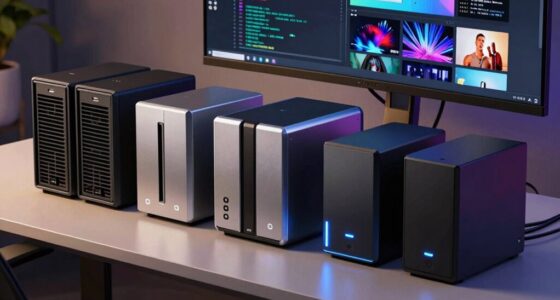

Whether you’re a seasoned developer, a QA specialist, or a budding coder, having the right tools can make all the difference in your workflow. This Developer Software & Hardware Checklist 2026 is designed to help you navigate the essential tech gear needed for efficient and effective development work. From powerful laptops to reliable storage options, we’ve curated a list that caters to various needs and budgets.

Get business pricing on monitors, keyboards and dev gear
- Business-only prices and quantity discounts
- Tax-exempt purchasing
- Multiple users, one account, clear invoices
The guide is organized into clear sections, each focusing on a key category of developer tools. You’ll find detailed insights about each product, along with practical advice on what features to prioritize. Use this checklist as a reference point when upgrading your setup or investing in new gear, ensuring you make informed choices that boost productivity and comfort.
To get the most out of this guide, read through each section carefully, paying attention to the ‘lookFor’ tips to identify essential features. Remember, selecting the right hardware and software isn’t just about specs — it’s about matching your specific development needs and environment. Happy coding!
Laptops & Notebooks
The laptop or notebook you choose is often the cornerstone of your development setup. The Lenovo ThinkPad L16 16″ Touchscreen Laptop stands out with its robust build and impressive specs, making it ideal for developers who need portability without sacrificing performance. Features like 64GB DDR5 RAM and a 2TB SSD ensure quick load times, smooth multitasking, and ample storage for projects and tools. Running on Windows, it offers broad software compatibility, which is crucial for most development environments. When selecting a laptop, consider your typical workflow—if you often work on the go, a lightweight, durable device with a long battery life is essential.
Common mistakes include opting for underpowered machines or ignoring the importance of a high-quality display and keyboard. Be mindful of compatibility with your preferred development tools, and verify the port selection for peripherals. Sizing and fit matter too—ensure the device’s size aligns with your portability needs. Also, check for features like a good webcam, reliable Wi-Fi, and sufficient ports for external devices.
What to look for:
- Powerful processor (Intel i7 or higher)
- Ample RAM (at least 16GB, ideally 32GB or more)
- Fast SSD storage (preferably NVMe-based)
- High-resolution touchscreen (if needed for design or presentation)
- Good battery life for mobility
Lenovo ThinkPad L16 16" Touchscreen Laptop, 64GB DDR5, 2TB SSD, Windows 11 Pro

The Lenovo ThinkPad L16 is a reliable business laptop featuring a 16-inch touchscreen, powerful Intel Ultra 5 processor, 64GB DDR5 RAM, and a 2TB SSD. It offers durable design, long battery life, and versatile connectivity options, making it ideal for professionals, students, and small business users.
Pros:
- Powerful performance with 64GB DDR5 RAM and 2TB SSD
- Durable MIL-STD-810H certified design
- Versatile connectivity with Thunderbolt 4 and HDMI 2.1
- Long battery life with rapid charging
Cons:
- Resealed packaging may concern some buyers regarding original seal
- High memory and storage capacity may be unnecessary for casual users
- Premium features come at a higher price point
Best for: Developers on the go who need performance and portability
Not ideal for: Users requiring desktop-level upgradeability
Bottom line: Choose a high-performance, portable laptop for flexible development.
Monitors & Displays
While this guide doesn’t specify particular monitors, it’s important to emphasize the significance of quality displays in a developer’s workspace. A good monitor can reduce eye strain, improve accuracy, and enhance multitasking efficiency. When selecting a monitor, consider factors like resolution, color accuracy, and screen size. For coding and debugging, a high-resolution display (at least 1080p, preferably 1440p or 4K) helps you see more code and details clearly. Additionally, an ergonomic design with adjustable height and tilt can prevent discomfort during long work sessions.
Common pitfalls include choosing monitors with poor color accuracy or low refresh rates, which can hinder productivity and cause eye fatigue. Compatibility with your desk setup is also key—ensure your monitor has the right ports for your graphics card or docking station. For multi-monitor setups, matching screen sizes and resolutions can create a seamless workspace. Remember, investing in a good monitor is an investment in your health and efficiency.
What to look for:
- High resolution (1440p or 4K preferred)
- Comfortable viewing angles and adjustable stand
- Good color accuracy for design work
- Multiple connectivity options (HDMI, DisplayPort, USB-C)
Keyboard & Mouse
The keyboard and mouse are your primary tools for input, so choosing the right combo can significantly impact your coding comfort and speed. The SteelSeries Apex 7 Mechanical Gaming Keyboard with its OLED Smart Display offers a blend of durability and advanced features, making it an excellent choice for developers who spend hours typing. Mechanical keys provide tactile feedback, reducing fatigue and increasing typing accuracy. The customizable keys and lighting options can also improve your workflow and reduce distractions. Pairing this with a high-precision mouse tailored to your grip style can further enhance productivity.
Many developers make the mistake of sticking with generic keyboards or mismatched mice, which can cause discomfort over time. Look for a keyboard with mechanical switches suited to your typing preference—linear, tactile, or clicky. Consider features like programmable keys and anti-ghosting for complex commands. For the mouse, ergonomic design and adjustable DPI settings are vital for comfort and control. Properly positioning your input devices can prevent strain injuries and improve your overall coding experience.
What to look for:
- Mechanical switches (Cherry MX or equivalent)
- Customizable keys and backlighting
- Ergonomic design for comfort
- High-DPI, adjustable mouse sensor
- Reliable build quality
SteelSeries Apex 7 Mechanical Gaming Keyboard – OLED Smart Display – USB Passthr

The SteelSeries Apex 7 is a mechanical gaming keyboard featuring an OLED smart display for real-time info, customizable RGB lighting, and a magnetic wrist rest for comfort. Built with aircraft-grade aluminum, it offers durability and stability for gaming sessions.
Pros:
- OLED smart display for quick access to game and app info
- Durable aircraft-grade aluminum construction
- Customizable RGB lighting with 16.8 million colors
- Ergonomic magnetic wrist rest for comfort
Cons:
- Mechanical switches may be loud for some users
- Premium build may come at a higher price
- Limited switch options (only Blue) depending on preferences
Best for: Developers seeking precision and comfort
Not ideal for: Casual users or those with minimal typing needs
Bottom line: Invest in a mechanical keyboard and ergonomic mouse for better comfort.
Development Software
Networking Equipment
A fast and reliable network connection is vital for developers, especially when collaborating remotely or working with cloud-based tools. The ASUS ROG Rapture GT-BE98 Pro WiFi 7 Gaming Router is equipped with WiFi 7 technology, offering ultra-fast speeds and improved stability. Its quad-band setup ensures multiple devices can connect seamlessly without bottlenecks. This router supports high data throughput, which is essential for large file transfers, streaming, and online meetings. When choosing networking gear, look for compatibility with your internet service provider and the ability to handle your bandwidth needs.
Common mistakes include underestimating your bandwidth requirements or neglecting the importance of security features. Ensure your router supports the latest WiFi standards and has robust security options to protect your work data. Placement of the router is also crucial—position it centrally and away from interference sources. If your workspace involves multiple devices, a high-performance router can prevent lag and disconnections, keeping your development environment smooth and efficient.
What to look for:
- Support for WiFi 7 or latest standards
- Quad-band or tri-band capabilities
- High throughput (30Gbps or more)
- Multiple Ethernet ports for wired connections
- Advanced security features
ASUS ROG Rapture GT-BE98 Pro WiFi 7 Gaming Router – Quad-Band, 30Gbps, Mesh

The ASUS ROG Rapture GT-BE98 Pro is a high-performance WiFi 7 gaming router featuring quad-band connectivity, multi-link operation, and dual 10G ports. It offers speeds up to 30Gbps, enhanced coverage with external antennas, and supports advanced gaming traffic prioritization for a seamless online experience.
Pros:
- High-speed WiFi 7 with speeds up to 30Gbps
- Quad-band connectivity for stable and fast networks
- Multiple high-speed ports including dual 10G ports
- Enhanced coverage with powerful external antennas
Cons:
- Complex setup may be challenging for non-technical users
- Premium price point might be high for some consumers
- Actual speeds and coverage vary based on environment
Best for: Developers relying on high-speed internet and multiple devices
Not ideal for: Users with basic internet needs or limited space
Bottom line: Choose a high-performance WiFi router for seamless connectivity.
External Storage
Reliable external storage is a must-have for developers managing large codebases, backups, and media files. The Samsung T9 Portable SSD 4TB USB 3.2 Gen 2×2 External Solid State Drive offers high-speed data transfer, making it easy to move large files quickly. Its generous capacity ensures you have plenty of space for your projects, while the portable design allows for easy transport between workstations or remote locations. When selecting external storage, consider compatibility with your devices, transfer speed, durability, and security features such as encryption.
Many make the mistake of opting for slow or unreliable drives, which can hinder productivity and risk data loss. Look for SSD options over traditional HDDs for faster access times and better durability. Check for compatibility with your operating system and ensure the device has a sturdy build to withstand travel. For added security, consider drives with built-in encryption or software options. Having a dependable external drive simplifies backups and ensures your work is safe, no matter where you are.
What to look for:
- High transfer speeds (USB 3.2 Gen 2×2 or higher)
- Large capacity (at least 2TB or more)
- Durable, portable design
- Compatibility with Windows, Mac, and Linux
- Security features like hardware encryption
Samsung T9 Portable SSD 4TB USB 3.2 Gen 2×2 External Solid State Drive

The Samsung T9 Portable SSD offers ultra-fast transfer speeds of up to 2,000MB/s, making it ideal for creators and heavy-duty users. It features advanced thermal management, broad compatibility with devices like desktops, cameras, and gaming consoles, and includes software for firmware updates and security.
Pros:
- Ultra-fast transfer speeds of up to 2,000MB/s
- Advanced thermal management to prevent overheating
- Broad device compatibility including iPhone and gaming consoles
- Reliable performance with software updates and encryption
Cons:
- Included SSD cable recommended for optimal use
- Potentially higher cost due to high-speed performance
Best for: Developers needing quick backups and large file transfers
Not ideal for: Users seeking budget options or minimal storage
Bottom line: Opt for high-speed, secure external SSDs for efficient data management.
When building or upgrading your developer toolkit, prioritize hardware and software that align with your specific needs and workflow. Starting with a powerful, portable laptop, paired with a high-resolution monitor and ergonomic input devices, can dramatically enhance your productivity and comfort. Don’t forget the importance of reliable networking and fast external storage—these elements keep your environment efficient and secure.
Remember, investing in quality tech now can save you time and frustration later. Take your time to evaluate each component carefully, considering your current and future projects. With the right setup, you’ll be well-equipped to tackle any development challenge that comes your way. Happy coding!
Halloween Picks
halloween
As an affiliate, we earn on qualifying purchases.