

Choosing between an IDE and a text editor depends on your project size and experience. IDEs offer built-in debugging, real-time feedback, and extensive tools, making them great for larger or more complex projects. Text editors like VS Code are lightweight, fast, and highly customizable for simple tasks or small projects. As you grow, you can switch or enhance your setup. Keep exploring to discover which environment best supports your coding journey.

Get business pricing on monitors, keyboards and dev gear
- Business-only prices and quantity discounts
- Tax-exempt purchasing
- Multiple users, one account, clear invoices
Key Takeaways
- IDEs offer integrated debugging and project management tools, ideal for beginners working on larger or complex projects.
- Text editors are lightweight, fast, and customizable, suitable for quick edits and small projects with minimal setup.
- Beginners may prefer IDEs for guided features, while experienced users might choose text editors for flexibility and simplicity.
- Both environments support plugins and customization, allowing growth and adaptation as skills and project needs evolve.
- The choice depends on project size, complexity, and personal preference for either comprehensive tools or minimal distraction.
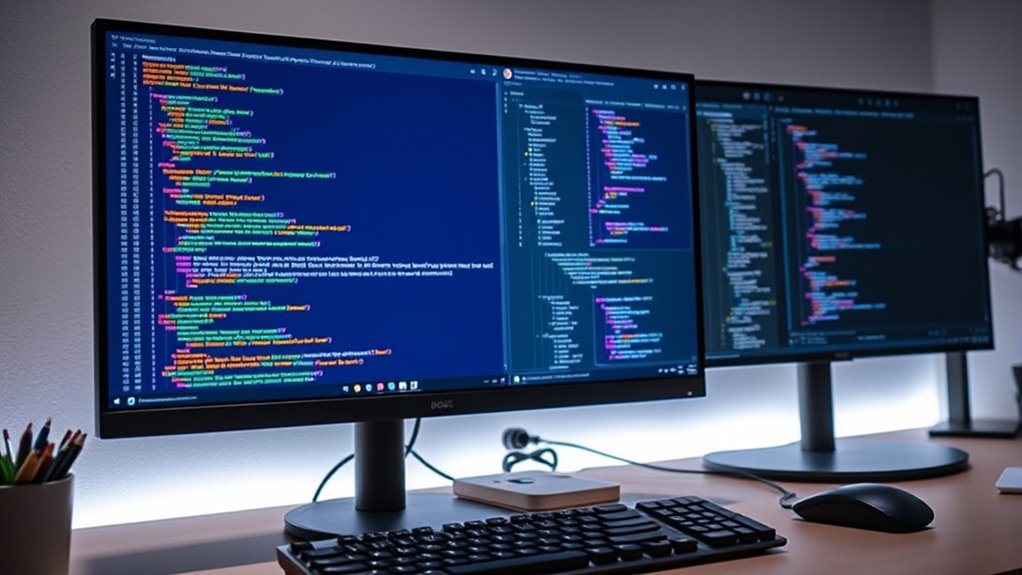
Are you unsure whether to choose an integrated development environment (IDE) or a simple text editor for your coding projects? It’s a common dilemma among beginners, and your decision can markedly impact your workflow. IDEs offer a thorough suite of tools designed to streamline development, while text editors provide a lightweight, flexible environment that can be customized to your preferences. Understanding the strengths of each can help you make an informed choice suited to your skills and project needs.
If you lean toward an IDE, you’ll find that features like debugging tools are built right in. These tools allow you to identify and fix errors efficiently by providing real-time feedback, highlighting issues, and offering step-by-step debugging capabilities. This integrated approach minimizes the need to switch between different applications, saving you time and reducing frustration. Additionally, IDEs often come with extensive plugin ecosystems, enabling you to extend their functionality easily. You can add support for new programming languages, integrate version control systems, or customize the interface to suit your workflow—all within a single environment. This flexibility makes IDEs particularly suitable for larger projects or when working with multiple languages and frameworks.
On the other hand, a simple text editor might appeal if you prefer a minimalistic setup and want to focus solely on writing code. Text editors are typically faster to load and consume fewer system resources, making them ideal for quick edits or small projects. While they lack the advanced debugging tools of an IDE, many modern editors support plugins that can add similar functionalities. For example, you can enhance a text editor’s capabilities with syntax highlighting, code completion, and even debugging features, though these often require additional setup. The plugin ecosystems for popular editors like VS Code or Sublime Text are extensive, allowing you to tailor your environment incrementally as your skills grow. Moreover, understanding the differences between IDEs and project complexity can help you decide which environment aligns best with your development goals.
Ultimately, your choice depends on your project complexity and personal preferences. If you’re just starting out and want a straightforward experience with guided features, an IDE might be best. If you prefer a lightweight, customizable tool that you can grow into, a simple text editor with a robust plugin ecosystem could be more suitable. Both options have their merits, and many developers eventually switch between them depending on the task at hand. The key is to understand what features matter most to you—whether it’s integrated debugging, extensive plugin support, or minimalism—and choose the environment that helps you code more efficiently and confidently.
Integrated Development Environment (IDE) for beginners
As an affiliate, we earn on qualifying purchases.
As an affiliate, we earn on qualifying purchases.
Frequently Asked Questions
How Do I Switch Between IDES and Text Editors Easily?
To switch between IDEs and text editors easily, use shortcut keys for quick navigation. Customize your workspace organization by arranging panels and tabs for seamless access. Practice key combinations like Ctrl+Tab or specific shortcuts your tools offer, making shifts smooth. Keep your projects organized and familiar with consistent layouts, so toggling between environments becomes instinctive. This approach boosts efficiency, helping you focus on coding rather than managing software.
Are There Cost Differences Between Popular IDES and Text Editors?
Like comparing apples to oranges, the cost differences between popular IDEs and text editors vary. Many IDEs, especially professional ones, have licensing models that can be pricey, sometimes requiring subscriptions or one-time payments. In contrast, many text editors are free or open-source, making them budget-friendly. Your choice depends on your needs; some IDEs offer free versions with limited features, while others charge for full access.
Which Development Environment Is Best for Beginner Programmers?
As a beginner, an IDE is your best choice because it simplifies project setup and offers extensive plugin support, making coding easier. You get integrated tools like debugging and version control, which help you learn faster. Text editors are lightweight but may lack features, so start with an IDE to build confidence and gradually explore more advanced options as you grow.
Can I Customize Features in Both IDES and Text Editors?
Yes, you can customize features in both IDEs and text editors. You can enhance your experience through plugin customization, adding tools that fit your workflow. Many IDEs and editors also allow interface personalization, letting you change themes, layouts, and keybindings. This way, you tailor your environment to suit your preferences, making coding more comfortable and efficient, whether you’re working in a simple text editor or a full-featured IDE.
How Do Performance and Resource Usage Compare?
You’ll find that text editors generally use less memory and have faster startup speeds than IDEs. They’re lightweight, so they don’t consume much system resources, making them ideal for quick edits or lower-spec computers. IDEs, on the other hand, tend to use more memory and take longer to start up because they offer more features and integrations. Choose based on your needs for performance versus functionality.
Lightweight code editors for programming
As an affiliate, we earn on qualifying purchases.
As an affiliate, we earn on qualifying purchases.
Conclusion
Choosing between an IDE and a text editor is like picking the right compass for your journey. Both can guide you, but your path depends on your destination. An IDE is a detailed map, offering many features to navigate complex terrains, while a text editor is a simple compass, perfect for quick, focused trips. Whichever you choose, remember it’s your journey—trust your instincts and keep exploring. Your development adventure awaits.
As an affiliate, we earn on qualifying purchases.
Customizable text editors for coding
As an affiliate, we earn on qualifying purchases.
As an affiliate, we earn on qualifying purchases.
Fall Picks
fall essentials
As an affiliate, we earn on qualifying purchases.