
To improve your video calls and SSH sessions, you should prioritize your network habits. Manage bandwidth by limiting background downloads, streaming, and devices hogging data. Position your router for the best signal, update firmware regularly, and reboot daily to keep connections fresh. Use QoS settings to prioritize critical traffic and secure your network with strong encryption and trusted access controls. Staying consistent with these practices guarantees smoother, more reliable sessions—exploring further will give you even more ways to enhance your network.
Key Takeaways
- Prioritize critical traffic like video calls and SSH with Quality of Service (QoS) settings on your router.
- Position your router centrally, elevated, and away from interference sources for a stronger, stable connection.
- Regularly update firmware, drivers, and network security protocols to prevent vulnerabilities and ensure smooth sessions.
- Limit background downloads and streaming during important calls to reduce bandwidth congestion.
- Use wired Ethernet connections whenever possible for lower latency and more reliable SSH and video conferencing.

TP-Link BE6500 Dual-Band WiFi 7 Router (BE400) – Dual 2.5Gbps Ports, USB 3.0, Covers up to 2,400 sq. ft., 90 Devices, Quad-Core CPU, HomeShield, Private IoT, Free Expert Support
𝐅𝐮𝐭𝐮𝐫𝐞-𝐑𝐞𝐚𝐝𝐲 𝐖𝐢-𝐅𝐢 𝟕 – Designed with the latest Wi-Fi 7 technology, featuring Multi-Link Operation (MLO), Multi-RUs, and 4K-QAM….
As an affiliate, we earn on qualifying purchases.
As an affiliate, we earn on qualifying purchases.
How to Optimize Your Network for Better Video Calls and SSH Sessions
To guarantee smoother video calls and more reliable SSH sessions, optimizing your network settings is essential. One effective way to do this is by reducing network congestion, which can cause delays and dropped connections. You can achieve this by limiting background downloads or streaming during important calls. Additionally, implementing packet prioritization ensures that critical data, like video and SSH traffic, gets precedence over less important packets. Many routers support Quality of Service (QoS) settings, allowing you to assign higher priority to these types of traffic. By managing network congestion and setting packet prioritization, you create a more stable environment for your remote communications, leading to clearer calls and more secure SSH sessions. Understanding network protocols can further enhance your ability to troubleshoot and optimize your network performance.

DbillionDa Cat 8 Ethernet Cable 40Gbps 2000MHz, 6FT Supports Cat7 Cat6 Cat5e Cat5, High-Speed RJ45 Cable, Heavy-Duty Indoor/Outdoor, Gold-Plated, Weatherproof & UV-Resistant for Gaming, PC, Router
Designed for Outdoor & Direct Burial Installations – Heavy-duty double-shielded Cat8 Ethernet cable minimizes EMI/RFI interference and delivers…
As an affiliate, we earn on qualifying purchases.
As an affiliate, we earn on qualifying purchases.
Manage Your Bandwidth for Smoother Remote Communications
Managing your bandwidth effectively is essential for ensuring smooth remote communications, especially when multiple devices share your network. Allocate bandwidth wisely by prioritizing critical activities like video calls and SSH sessions, ensuring they get enough resources. Use Quality of Service (QoS) settings to assign higher priority to these applications, preventing other devices from hogging bandwidth. Be mindful of signal interference, which can disrupt your connection quality. Keep your Wi-Fi router away from electronic devices and thick walls that cause interference, and consider switching to a less crowded Wi-Fi channel. Additionally, understanding filter sizing/flow can help optimize your network’s performance by ensuring your devices receive appropriate bandwidth. Properly configuring network protocols can further enhance your connection stability and efficiency. Being aware of bandwidth management techniques can also help prevent network congestion during peak usage times. Regularly monitoring your network traffic can help identify device data consumption patterns that impact overall performance. Incorporating outdoor Wi-Fi solutions, such as signal extenders or mesh systems, can improve coverage and reliability for remote sessions. By managing bandwidth allocation carefully and minimizing signal interference, you can create a more stable environment for seamless remote communications, reducing lag and interruptions during your important calls and sessions.

TP-Link AC1200 WiFi Extender – 1.2Gbps Home Signal Booster, Dual Band 5GHz/2.4GHz, Up to 1600 Sq.ft and 32 Devices, EasyMesh Compatible, One Ethernet Port (RE315)
𝐒𝐭𝐫𝐨𝐧𝐠𝐞𝐫 𝐖𝐢-𝐅𝐢 𝐢𝐧 𝐄𝐯𝐞𝐫𝐲 𝐂𝐨𝐫𝐧𝐞𝐫 – Enjoy extended coverage with strong performance powered by Adaptive Path Selection and…
As an affiliate, we earn on qualifying purchases.
As an affiliate, we earn on qualifying purchases.
Troubleshoot Common Network Issues During Calls and Sessions
When your calls or sessions lag or disconnect, start by checking your internet speed to see if it meets the necessary requirements. Next, verify your router is placed ideally—away from interference and in a central location. A higher contrast ratio can also improve the clarity of images during video calls, especially in low-light environments. Additionally, consider updating your device’s network drivers to ensure optimal compatibility and performance. Finally, manage your network traffic by prioritizing your video calls or SSH sessions to prevent other devices from hogging bandwidth. Using a stable connection can also significantly improve performance during these sessions. Being aware of cybersecurity tactics can also help you identify potential threats that could disrupt your network. For example, understanding the significance of local network infrastructure can help you troubleshoot more effectively.
Check Internet Speed
If your video calls or SSH sessions are lagging or dropping, checking your internet speed is a crucial first step. Start with internet diagnostics to determine if your connection speed meets the requirements for smooth communication. Use online tools to quickly measure your download and upload speeds. If your connection speed is lower than expected, it may be causing the issues, especially during high-bandwidth activities. Keep in mind that fluctuating speeds can disrupt your sessions, so running tests at different times can help identify patterns. Ensuring a stable and fast connection is fundamental for reliable video and remote management. Addressing slow or inconsistent internet speeds early prevents ongoing frustrations and improves your overall networking experience.
Optimize Router Placement
Proper router placement can markedly improve your connection stability during video calls and SSH sessions. Position your router in a central location, ideally elevated and unobstructed, to maximize signal coverage. Avoid placing it behind thick walls, metal objects, or near appliances that cause signal interference, such as microwaves or cordless phones. Keep the router away from other electronics that might disrupt wireless signals. By optimizing router placement, you reduce dead zones and minimize signal interference, ensuring a stronger, more stable connection. This simple adjustment can markedly decrease lag, buffering, and disconnections during critical sessions. Remember, a well-placed router is key to maintaining reliable network performance and improving your overall online experience. Additionally, understanding signal interference can help you better troubleshoot and optimize your network setup.
Manage Network Traffic
Network traffic can often be the culprit behind laggy video calls and interrupted SSH sessions. When network congestion occurs, multiple devices compete for bandwidth, slowing down your connection. To troubleshoot, identify and limit unnecessary data usage during calls or sessions. Packet prioritization is essential; configure your router or Quality of Service (QoS) settings to prioritize voice and SSH traffic. This guarantees critical data gets transmitted first, reducing lag and interruptions. Avoid running large downloads or streaming during important calls. Regularly monitor your network activity to detect bandwidth hogs. By managing network traffic effectively, you’ll minimize delays and improve overall connection stability. Additionally, being aware of background processes that generate excessive network traffic can help prevent unnecessary congestion. Implementing these steps helps maintain smooth, reliable video calls and SSH sessions even during peak usage times.

Cable Matters 7-in-1 Network Tool Kit with RJ45 Ethernet Crimping Tool, Punch Down Device, Punch Down Stand, Cable Tester, RJ45 Connectors & Boots, and Wire Strippers – Carrying Case Included
Take command of your network with the Cable Matters Network Toolkit with Carrying Case; 7-in-1 Ethernet cable tool…
As an affiliate, we earn on qualifying purchases.
As an affiliate, we earn on qualifying purchases.
Secure Your Network and SSH Connections With Best Practices
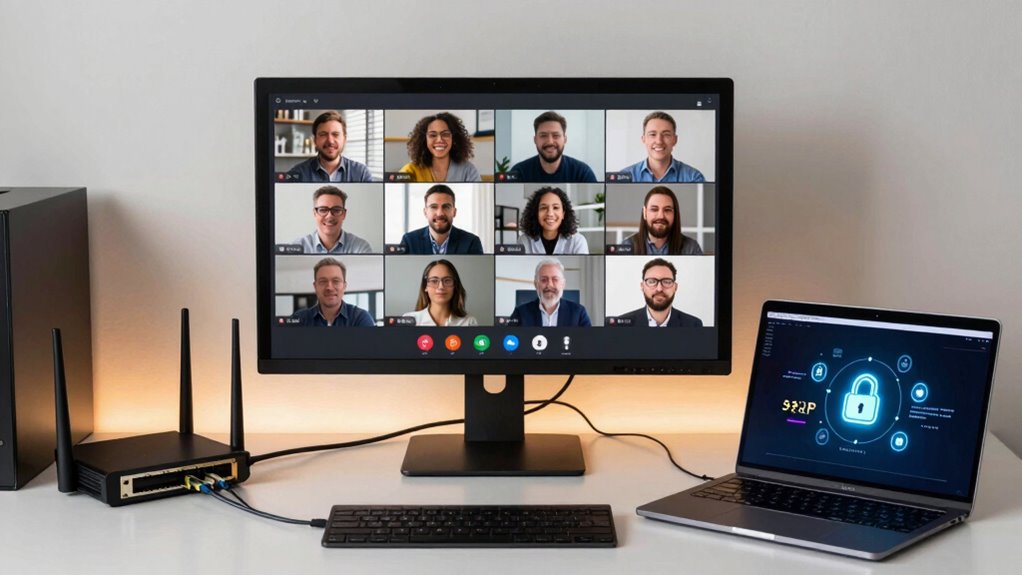
Securing your network and SSH connections is essential to prevent unauthorized access and protect sensitive data. Start by using strong encryption protocols like AES or ChaCha20 to safeguard your data in transit. Always enable robust user authentication methods, such as key-based authentication, instead of passwords alone. Regularly update your SSH software to patch vulnerabilities and guarantee you’re using the latest security features. Limit access by configuring firewalls and only allowing trusted IP addresses. Disable unnecessary services and features to reduce attack surfaces. Use multi-factor authentication where possible for added security. Additionally, understanding the importance of brewing science such as ratios and extraction can help you better diagnose and troubleshoot issues that may compromise security or performance. Recognizing the role of drone bees in hive stability highlights the importance of a strong, resilient system—paralleling the need for a secure and well-maintained network. Implementing privacy policies helps ensure user data remains protected and builds trust with users. Regularly reviewing and updating your security protocols is vital to adapt to evolving threats and maintain a secure environment. By implementing these best practices, you strengthen your defenses, assuring your video calls and SSH sessions remain private and secure. Furthermore, maintaining an awareness of urban and cultural activities can help you stay informed about regional vulnerabilities or threats that could impact your network security landscape.
Daily Habits to Keep Your Network Running Smoothly

To keep your network running smoothly, making daily habits a routine is essential. Consistently practicing these steps guarantees reliable video calls and SSH sessions:
- Regularly check network encryption settings to ensure your data stays secure during transmissions.
- Prioritize your devices by assigning bandwidth to critical tools like video conferencing apps or SSH clients.
- Restart your router daily to clear cache and refresh connections, reducing lag or dropouts.
- Keep firmware and software updated to patch security vulnerabilities and improve performance.
- Understanding your networking solutions can help optimize your setup for better connectivity and security.
- Monitoring early warning signs of network issues can help you address potential problems before they disrupt your connection.
- Familiarizing yourself with security practices related to network management can further safeguard your sessions from unauthorized access.
- Reviewing network performance metrics regularly allows you to identify and address bottlenecks before they impact your sessions.
- Incorporating AI-powered analytics can provide deeper insights into your network’s health and potential vulnerabilities.
Tools and Settings to Automate and Enhance Your Connection Reliability
Using the right tools and settings can considerably boost your connection reliability without requiring constant manual adjustments. Start by optimizing your network protocol; for example, using TCP over UDP for stability-sensitive tasks like video calls and SSH sessions ensures reliable data transfer. Enable Quality of Service (QoS) settings on your router to prioritize traffic for video conferencing and SSH, which enhances connection stability. Automate network management with tools like network monitoring software that detects issues early and adjusts settings accordingly. Additionally, configure your device’s network settings to favor stable connections, such as static IP addresses or DNS servers optimized for speed. Incorporating network protocol principles into your setup can help ensure data integrity and reduce lag during your sessions. Incorporating sound healing science principles into your network environment, such as reducing electromagnetic interference, can further improve signal stability. These tools and settings work together to create a resilient network environment, reducing disruptions and keeping your sessions smooth and consistent.
Frequently Asked Questions
What Are the Best Routers for Stable Video Calls and SSH Sessions?
For stable video calls and SSH sessions, choose routers with strong signal strength and flexible configurations. Look for models that support dual-band Wi-Fi and prioritize those with Quality of Service (QoS) settings to manage traffic efficiently. Regularly update your router’s firmware, position it centrally, and minimize interference. These steps guarantee your router maintains peak performance, providing reliable connections essential for seamless video calls and secure SSH sessions.
How Does Latency Affect Remote Communication Quality?
Latency can turn your smooth remote communication into a chaotic mess. When latency spikes, it causes delays, jitter, and lag that frustrate your conversations and disrupt SSH sessions. You might feel like you’re trying to talk through a clogged pipe. To improve quality, focus on bandwidth optimization and jitter reduction. These practices help guarantee your video calls stay clear and your SSH sessions remain stable, making remote work feel effortless.
Can VPNS Improve or Hinder Network Performance During Calls?
VPNs can improve network performance during calls by providing secure VPN security, which prevents data leaks, and reducing network congestion, especially on shared networks. However, if the VPN server is overloaded or far from you, it can introduce latency and slow down your connection, hindering call quality. To optimize performance, choose a reliable VPN with nearby servers and good bandwidth to balance security and speed effectively.
What Are Signs of a Compromised Network During Remote Sessions?
You might notice unusual activity during your remote sessions—like unexpected file changes or unfamiliar login times—that indicate a network intrusion. Signs of a compromised network include slow response times, frequent disconnections, or unauthorized access attempts. In fact, 68% of breaches involve unauthorized access, highlighting the importance of monitoring for anomalies. Stay vigilant, and regularly review your logs to catch potential security breaches early.
How Often Should I Update My Network Hardware for Optimal Performance?
You should update your network hardware every 3 to 5 years to guarantee peak performance and security. Regular hardware upgrades help maintain network security by fixing vulnerabilities and supporting new features. Staying current with your network security protocols also prevents slowdowns and disruptions during video calls and SSH sessions. By proactively upgrading your hardware, you enhance overall reliability and protect your network from emerging threats.
Conclusion
By optimizing your network, managing your bandwidth, troubleshooting issues, securing your connections, and adopting daily habits, you create a foundation for seamless video calls and SSH sessions. Consistently maintaining these practices guarantees smoother communication, enhanced security, and reliable performance. Embrace these habits, automate where possible, and stay proactive. Because a well-maintained network isn’t just about avoiding problems—it’s about empowering your remote work and digital interactions every day.