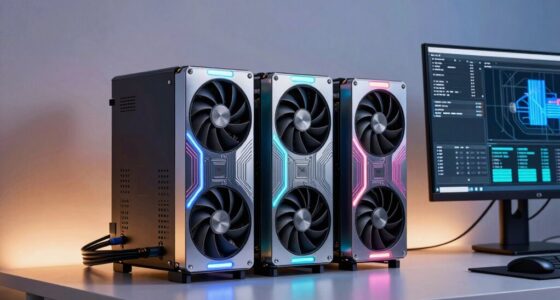

For laptop developers seeking to boost graphics performance, an eGPU dock offers a powerful upgrade without sacrificing portability. The best options, like the Razer Core X V2, provide high compatibility and robust performance, while models such as the Peladn External GPU Dock Station excel in Thunderbolt 5 support. The main challenge lies in balancing throughput, compatibility, and cost—higher-end docks deliver better performance but come with a bigger price tag. Keep reading to see how these options compare and which one fits your development needs.

Get business pricing on monitors, keyboards and dev gear
- Business-only prices and quantity discounts
- Tax-exempt purchasing
- Multiple users, one account, clear invoices
Key Takeaways
- Performance varies significantly based on interface and power delivery capabilities.
- Compatibility with different graphics cards and laptops is a key factor influencing choice.
- Thunderbolt 4 and USB4 docks generally offer more future-proofing and faster data transfer.
- Build quality and ease of setup can impact long-term reliability for developers.
- Higher-priced docks tend to provide better power management and expandability, but may not be necessary for all users.
| Peladn External GPU Dock Station with Thunderbolt 5 Cable Support for ATX/SFX |  | Best for Future-Proof High-Speed Connectivity | Power: ATX | Cable: Thunderbolt 5 | Includes: Link S-3 eGPU enclosure, Thunderbolt 5 cable, screwdriver, user manual | VIEW ON AMAZON | See Our Full Breakdown |
| eGPU Enclosure Thunderbolt 3/4 USB4 40Gbps PD 85W Charging External GPU Dock Compatible with NVIDIA/AMD Graphics Cards on Win 10/11 Linux System, ATX Power Supply |  | Best for Versatile Compatibility and Graphics Processing | Connectivity: Thunderbolt 3/4, USB4 | Supported GPUs: NVIDIA RTX 50 series, AMD RX 7000 series | Power Delivery: 85W | VIEW ON AMAZON | See Our Full Breakdown |
| AOOSTAR AG02 OCuLink eGPU Dock with 800W PSU and USB4 Port, External GPU Docking Station for Windows 11 Mini PCs, Laptops, and Gaming Handhelds |  | Best for Heavy-Duty GPU Power and Flexibility | Power Supply: 800W | GPU Power Output: up to 600W | Ports: OCuLink, USB4 | VIEW ON AMAZON | See Our Full Breakdown |
| MINISFORUM DEG2 eGPU Docking Station for OCuLink and USB4 V2 |  | Best for Versatile Connectivity and Internal Storage | Connectivity: Thunderbolt 5, OCuLink, USB4 | Ports: 2x Thunderbolt 5, LAN, USB 3.2, PCIe x16, M.2 2280 | Power Support: ATX and SFX | VIEW ON AMAZON | See Our Full Breakdown |
| PCIe 3.0 x16 22Gbps eGPU Dock with Thunderbolt 4 Cable for Windows Laptops and Desktops |  | Best for Compatibility and Widely Supported GPUs | Transfer Speed: 22Gbps | Compatibility: NVIDIA and AMD GPUs, Windows, Linux | Power Input Options: CPU, Molex, PD 3.0, DC5521 | VIEW ON AMAZON | See Our Full Breakdown |
| Razer Core X V2 External Graphics Enclosure (eGPU) |  | Best Overall for High-Performance, Versatile GPU Upgrades | Compatibility: NVIDIA & AMD desktop GPUs up to 4 slots wide | Connectivity: Thunderbolt 5, Thunderbolt 4, USB 4 | Cooling: 120 mm active fan | VIEW ON AMAZON | See Our Full Breakdown |
| OCuLink eGPU Dock, PCIe 4.0 x4 64Gbps, ATX External GPU Enclosure |  | Best for High-Throughput, Customizable Desktop GPU Setups | Interface: PCIe 4.0 x4 (64Gbps) | Cable: 50cm EMI-shielded OCuLink cable | Compatibility: NVIDIA, AMD, Intel graphics cards | VIEW ON AMAZON | See Our Full Breakdown |
| MINISFORUM DEG2 USB4 V2 (TBT5 Compatible) & OCuLink eGPU Dock |  | Best for Integrated Storage and Single-Cable Simplicity | Transfer Speeds: Up to 80Gbps (USB4 V2) and 64Gbps (OCuLink) | Interfaces: USB4 V2 (TBT5), OCuLink | M.2 NVMe Slot: 2280 | VIEW ON AMAZON | See Our Full Breakdown |
More Details on Our Top Picks
Peladn External GPU Dock Station with Thunderbolt 5 Cable Support for ATX/SFX
This dock stands out for its support of Thunderbolt 5, offering extremely fast data transfer rates that surpass the Thunderbolt 3/4 and USB4 options. Compared with the eGPU Enclosure Thunderbolt 3/4 USB4 40Gbps, it provides a higher bandwidth connection suitable for demanding tasks. However, it requires a compatible Thunderbolt 5 port and careful driver setup, making it more complex to implement. It’s best suited for developers who plan to leverage cutting-edge high-speed data transfer and have a compatible system, but it’s less ideal for users with older Thunderbolt ports or limited technical skills. Supports high-speed Thunderbolt 5, compatible with ATX/SFX PSUs, includes essential accessories. Requires Thunderbolt 5 port and driver configuration; setup complexity for non-technical users.
Pros:- Supports the latest Thunderbolt 5 technology for ultra-fast data transfer
- Compatible with both ATX and SFX power supplies, increasing flexibility
- Includes essential setup accessories for easier installation
Cons:- Requires a Thunderbolt 5 port, limiting immediate compatibility
- Setup may be complex without advanced technical knowledge
Best for: Developers investing in future-ready systems with Thunderbolt 5 ports who need maximum transfer speeds
Not ideal for: Users with older Thunderbolt 3/4 systems or limited technical setup experience
- Power:ATX
- Cable:Thunderbolt 5
- Includes:Link S-3 eGPU enclosure, Thunderbolt 5 cable, screwdriver, user manual
Our verdict“Ideal for developers seeking top-tier future-proof speed with a compatible Thunderbolt 5 system.”
eGPU Enclosure Thunderbolt 3/4 USB4 40Gbps PD 85W Charging External GPU Dock Compatible with NVIDIA/AMD Graphics Cards on Win 10/11 Linux System, ATX Power Supply
This enclosure excels by supporting Thunderbolt 3/4 and USB4, making it compatible with a broad range of existing systems compared to the MINISFORUM DEG2, which offers more connectivity options but less focus on GPU support. It supports modern NVIDIA RTX 50 and AMD RX 7000 series cards, ideal for AI, deep learning, and graphics work. The 85W power delivery enables fast charging, but it’s not designed for gaming or 3D rendering, and requires specific Thunderbolt/USB4 ports for full functionality. This makes it a good fit for developers focusing on AI workloads or data science, but less so for gamers or those lacking compatible ports. Supports high-end GPUs, high bandwidth, and fast charging. Limited to systems with Thunderbolt 3/4 or USB4; not suited for gaming or general 3D rendering.
Pros:- Supports the latest NVIDIA RTX 50 and AMD RX 7000 series GPUs
- High-speed 32Gbps bandwidth with certified controllers ensures reliable performance
- Durable anodized aluminum design with excellent airflow for heat management
- Provides 85W charging for compatible laptops
Cons:- Limited to Thunderbolt 3/4 or USB4 port availability
- Designed more for AI and deep learning workloads, not gaming
Best for: AI researchers and data scientists needing GPU acceleration on compatible Thunderbolt/USB4 systems
Not ideal for: Gamers or 3D artists with systems lacking Thunderbolt 4 or USB4 ports
- Connectivity:Thunderbolt 3/4, USB4
- Supported GPUs:NVIDIA RTX 50 series, AMD RX 7000 series
- Power Delivery:85W
- Controller:JHL7540/7440
Our verdict“Best suited for developers working on AI and data science projects with compatible high-speed ports.”
AOOSTAR AG02 OCuLink eGPU Dock with 800W PSU and USB4 Port, External GPU Docking Station for Windows 11 Mini PCs, Laptops, and Gaming Handhelds
The AOOSTAR AG02 makes a compelling case for users needing high wattage support, with its 800W PSU capable of powering GPUs up to 600W—more than enough for most demanding tasks. Compared to the MINISFORUM DEG2, it offers a more straightforward approach for high-power GPU applications, but it lacks included GPU and cables, requiring extra investment. Its compatibility depends heavily on the host device and BIOS settings, making it less plug-and-play. This model suits developers with a clear understanding of GPU configurations and those who need to run large workloads on Windows mini PCs or gaming handhelds. Supports up to 600W GPUs, high wattage, flexible connectivity. GPU and cables sold separately; compatibility varies by device.
Pros:- Robust 800W power supply supports high-performance GPUs
- Supports GPUs up to 600W, enabling demanding applications
- High-speed PCIe 4.0 via OCuLink and USB4 ports
- Flexible connectivity for diverse device setups
Cons:- GPU and cables not included, increasing initial costs
- Compatibility depends on host BIOS and device specifics
- Limited hot-swap support
Best for: Power users with compatible Windows devices needing to run high-end GPUs without constraints
Not ideal for: Casual users or those new to external GPU setups due to compatibility and setup complexity
- Power Supply:800W
- GPU Power Output:up to 600W
- Ports:OCuLink, USB4
Our verdict“Best for advanced users needing maximum GPU power and flexible external configurations.”
MINISFORUM DEG2 eGPU Docking Station for OCuLink and USB4 V2
The MINISFORUM DEG2 excels by offering seamless switching between Thunderbolt 5 and OCuLink modes, making it highly versatile compared to the Peladn Dock. Its internal M.2 slot for fast storage and broad range of ports—including multiple Thunderbolt 5, LAN, USB, and PCIe—make it a flexible choice for developers who need a multi-purpose dock. However, it does not come with a GPU or power supply, which could be a drawback for those looking for a ready-to-go solution. This dock is best suited for developers who want a multi-functional station with high data throughput and expandability, but not for those solely focused on GPU performance. Supports seamless mode switching, internal storage, and extensive connectivity. GPU and power supplies sold separately; incompatible with some specific workstations like MINISFORUM MS-02.
Pros:- Supports seamless switching between Thunderbolt 5 and OCuLink modes
- Includes an internal M.2 slot for fast SSD storage
- Rich connectivity options including LAN, USB, and PCIe
- Compatible with both ATX and SFX power supplies
Cons:- GPU and power supply are not included, adding extra cost
- Some incompatibility with specific workstations like MINISFORUM MS-02
- Potential complexity for users unfamiliar with BIOS settings
Best for: Developers needing a flexible, multi-purpose dock with internal storage and multi-mode support
Not ideal for: Users seeking an all-in-one GPU solution or those with incompatible workstations
- Connectivity:Thunderbolt 5, OCuLink, USB4
- Ports:2x Thunderbolt 5, LAN, USB 3.2, PCIe x16, M.2 2280
- Power Support:ATX and SFX
- Max Data Transfer:80Gbps (Thunderbolt 5), 64Gbps (OCuLink)
Our verdict“Great for developers needing a highly adaptable station with internal storage and broad connectivity, but not a plug-and-play GPU solution.”
PCIe 3.0 x16 22Gbps eGPU Dock with Thunderbolt 4 Cable for Windows Laptops and Desktops
This dock provides broad compatibility with NVIDIA and AMD cards, making it a reliable choice for users who prioritize versatility over raw speed. Compared with the eGPU Enclosure Thunderbolt 3/4 USB4 40Gbps, it offers a slightly lower transfer rate but supports a wider range of GPU models thanks to PCIe 3.0 x16. It’s compatible with Windows and Linux, and the flexible power options cater to various setups. Its main tradeoff is the lower transfer speed of 22Gbps, which might be limiting for very high data throughput tasks like 8K video editing or large AI models. This model suits developers focused on GPU compatibility and system flexibility, but not those seeking maximum transfer speeds. Supports a wide range of GPUs, flexible power options, and broad OS compatibility. Lower transfer speed compared to newer Thunderbolt standards; requires compatible Thunderbolt 4 port.
Pros:- Supports a broad range of NVIDIA and AMD graphics cards
- Flexible power input options for diverse setups
- Compatible with Windows, Linux, and some consoles
Cons:- Limited to 22Gbps transfer speed, less ideal for high-throughput tasks
- Requires Thunderbolt 4 port for full functionality
- No included GPU or cables, additional purchases needed
Best for: Developers needing wide GPU support across multiple operating systems and flexible power options
Not ideal for: Users requiring the fastest data transfer for intensive workloads like 8K editing or AI training
- Transfer Speed:22Gbps
- Compatibility:NVIDIA and AMD GPUs, Windows, Linux
- Power Input Options:CPU, Molex, PD 3.0, DC5521
- Included Cables:Thunderbolt 4
Our verdict“Best for developers prioritizing broad GPU compatibility and flexible setups over maximum data transfer speeds.”
Razer Core X V2 External Graphics Enclosure (eGPU)
The Razer Core X V2 stands out for its high-speed Thunderbolt 5 connectivity, capable of delivering up to 80 Gbps bandwidth, making it ideal for demanding development tasks like 3D rendering or AI model training. Compared with the MINISFORUM DEG2 USB4 V2, it offers broader GPU compatibility and easier upgrades, though it requires separate purchase of GPU and PSU, which adds to the overall cost. Its vented steel chassis and active cooling system effectively manage heat during intensive workloads, ensuring stability. However, the need for a compatible device and connection (Thunderbolt 5 only) limits its use on some laptops, and the modular components, while flexible, can be a hassle to upgrade. This makes the Core X V2 suitable for developers seeking a robust, high-speed eGPU solution with versatile upgrade options, but less so for those on tighter budgets or with incompatible hardware.
Pros:- Supports a wide range of desktop GPUs with easy tool-free installation
- High data throughput with Thunderbolt 5 up to 80 Gbps
- Effective active cooling maintains performance during long workloads
- Modular design allows GPU and PSU upgrades
Cons:- GPU and power supply sold separately, increasing overall cost
- Limited compatibility to Thunderbolt 5 devices, restricting use on some laptops
Best for: Developers with Thunderbolt 5-compatible laptops who want a reliable, high-performance GPU enclosure with upgrade flexibility
Not ideal for: Mac users with M1 or M2 chips, or developers on older Thunderbolt 3/4 laptops who need plug-and-play simplicity
- Compatibility:NVIDIA & AMD desktop GPUs up to 4 slots wide
- Connectivity:Thunderbolt 5, Thunderbolt 4, USB 4
- Cooling:120 mm active fan
- Support:Modular GPU and PSU, PCIe Gen 4
- Material:Vented steel chassis
- GPU & PSU:Sold separately
Our verdict“This is the best choice for developers who prioritize high bandwidth and upgradeability in a high-performance eGPU setup.”
OCuLink eGPU Dock, PCIe 4.0 x4 64Gbps, ATX External GPU Enclosure
The OCuLink eGPU Dock excels in delivering PCIe 4.0 x4 bandwidth, supporting high-performance GPUs for developers who require maximum data transfer speeds. Unlike the Razer Core X V2, it uses an OCuLink cable for interference-free, shielded connections, making it ideal for environments where signal integrity is critical. It supports a wide range of graphics cards and, with a standard ATX power supply (not included), offers extensive upgradeability. The main tradeoff is that it doesn’t support hot-plugging, requiring shutdowns for connection changes, and the need for an additional power supply adds complexity. Driver installation can also be a hurdle for less experienced users. This enclosure suits developers who prioritize raw bandwidth and flexibility but are comfortable handling hardware upgrades and setup complexity.
Pros:- Supports high-bandwidth PCIe 4.0 x4 for rapid data transfer
- Interference-free, shielded OCuLink cable ensures signal integrity
- Supports a wide range of desktop GPUs and sizes
- Extensive upgrade options with standard ATX power supply compatibility
Cons:- Requires a separate, compatible ATX power supply, adding cost and setup complexity
- No hot-plugging support, requiring shutdowns for connection changes
- Driver installation needed for proper operation
Best for: Advanced developers and hardware enthusiasts seeking maximum PCIe 4.0 performance and customization options
Not ideal for: Developers seeking plug-and-play solutions or those with limited hardware experience, due to the need for separate power supplies and driver setup
- Interface:PCIe 4.0 x4 (64Gbps)
- Cable:50cm EMI-shielded OCuLink cable
- Compatibility:NVIDIA, AMD, Intel graphics cards
- Power Supply:Standard ATX (not included)
- Supports Hot-Plugging:No
- Size Support:Various GPU sizes
Our verdict“This enclosure is ideal for those who need maximum PCIe throughput in a customizable, high-performance eGPU setup and are prepared for more involved hardware management.”
MINISFORUM DEG2 USB4 V2 (TBT5 Compatible) & OCuLink eGPU Dock
The MINISFORUM DEG2 USB4 V2 combines high-speed data transfer—up to 80Gbps via USB4 V2—and OCuLink interfaces in a single device, streamlining workflows for developers who need quick access to large data sets or AI datasets. Its integrated M.2 NVMe slot offers fast storage expansion, making it suitable for data-heavy tasks like 8K rendering or machine learning. Compared to the Razer Core X V2, it provides a more compact, all-in-one solution that handles data, display, and charging through a single cable, simplifying desk setup. The main challenge is that it requires a compatible host device with Thunderbolt 5 or OCuLink support, which might limit flexibility for some users. Additionally, hardware setup may be complex for newcomers. This dock is best suited for developers needing high throughput, integrated storage, and minimal clutter, but not for those with incompatible hardware or seeking simple plug-and-play operation.
Pros:- Supports ultra-fast data transfer up to 80Gbps with USB4 V2
- Built-in M.2 NVMe slot for quick storage access
- Single cable handles data, display, and charging for minimal clutter
- Universal power supply compatibility
Cons:- Requires a host with Thunderbolt 5 or OCuLink support, limiting device compatibility
- Potential complexity for users unfamiliar with hardware upgrades
- Limited detailed user feedback available
Best for: Developers working with high data throughput, large datasets, or AI workloads on Thunderbolt 5 or OCuLink-equipped laptops
Not ideal for: Developers with older laptops without Thunderbolt 5 or OCuLink support, or those preferring a simple, non-technical setup
- Transfer Speeds:Up to 80Gbps (USB4 V2) and 64Gbps (OCuLink)
- Interfaces:USB4 V2 (TBT5), OCuLink
- M.2 NVMe Slot:2280
- Power Supply Compatibility:Universal ATX/SFX
- Graphics Card Support:Standard desktop GPUs
- Signal Stability:Built-in re-drive signal booster
Our verdict“This dock is ideal for developers who value high throughput combined with integrated storage and a clean workspace, provided their hardware supports it.”

How We Picked
The products in this roundup were selected based on their compatibility with laptop development workflows, their performance potential, build quality, and versatility. Priority was given to docks supporting the latest Thunderbolt 4, USB4, and OCuLink standards, as these ensure fast data transfer and broad compatibility. We considered user reviews, technical specifications, and the reputation of brands to ensure these options are reliable under demanding development tasks. The ranking reflects a balance between performance, value, and ease of integration into a developer’s existing setup.Factors to Consider When Choosing Egpu Dock For Laptop Developers
Choosing an eGPU dock for laptop development involves understanding several key factors. The right dock should seamlessly integrate with your laptop, support your preferred graphics card, and deliver enough power for intensive workloads. Beyond raw specs, consider compatibility with your operating system and future-proofing features like Thunderbolt 4 or USB4. It’s also important to evaluate the dock’s build quality and whether it provides adequate cooling, as sustained performance depends heavily on thermal management. Lastly, assess your budget and whether investing in premium features aligns with your development needs.Compatibility with Your Laptop and Graphics Card
Ensure the eGPU dock supports your laptop’s connection port—Thunderbolt 3, 4, or USB4—and is compatible with your graphics card (NVIDIA, AMD). Some docks are optimized for specific standards, which can limit flexibility. Confirming compatibility beforehand prevents costly mismatches and ensures smooth performance. Also, check if your laptop’s power delivery and bandwidth support the dock’s maximum potential to avoid bottlenecks during demanding tasks.
Performance and Data Transfer Rates
High data transfer speeds, such as those offered by Thunderbolt 4 and USB4, are essential for reducing latency and maintaining fluid development workflows. These standards support large file transfers and real-time rendering, which are common in development work involving graphics-intensive applications. Weigh the benefits of faster throughput against the cost, as older interfaces like Thunderbolt 3 may still suffice for many developers but could limit future expandability.
Power Delivery and Cooling
The dock’s power delivery capacity influences how well your laptop charges during intensive use. Look for docks supporting at least 85W—enough for most development laptops—to avoid performance throttling. Cooling features, such as built-in fans or ample ventilation, help sustain GPU performance over long sessions by preventing thermal throttling. Overheating can shorten hardware lifespan and cause instability, so these aspects matter greatly in a developer setup.
Build Quality and Ease of Setup
Durable construction and straightforward setup procedures contribute to long-term reliability, especially for developers who rely on consistent performance. A well-designed dock with sturdy connectors minimizes accidental disconnections. Compatibility with different operating systems and ease of switching between devices are additional considerations. A complex setup process can disrupt workflow, making user-friendly designs a worthwhile investment.
Budget and Future-Proofing
Higher-end docks with advanced features like PCIe 4.0 support, higher wattage power delivery, and multiple expansion options tend to cost more but offer longevity and greater flexibility. Consider your current needs against potential future upgrades. Sometimes, investing in a slightly more expensive dock can save money long-term by avoiding the need for replacements or additional adapters. Conversely, budget options may suffice for lighter development tasks or temporary setups.
Frequently Asked Questions
Can I use an eGPU dock with any laptop?
Not all laptops support eGPU docks equally; compatibility depends on the presence of Thunderbolt 3, 4, or USB4 ports. Even if your laptop has the right port, it must support external GPU functionality in its BIOS or firmware. Always verify your laptop’s specifications and manufacturer documentation before purchasing a dock to ensure compatibility. In some cases, driver updates or BIOS settings might be necessary to enable full support.
Is Thunderbolt 4 necessary for a good eGPU experience?
Thunderbolt 4 offers the highest data transfer speeds and compatibility, making it ideal for demanding development workflows that involve large files or real-time rendering. While Thunderbolt 3 can still deliver excellent performance, Thunderbolt 4 provides added future-proofing, better daisy-chaining, and more consistent support across devices. For long-term investment and maximum performance, Thunderbolt 4 is generally the preferred choice.
How much power do I need from my eGPU dock?
Most development laptops benefit from at least 85W of power delivery to maintain full performance during intensive tasks. Some docks provide higher wattage, up to 100W or more, offering additional headroom for power-hungry setups or future upgrades. If your laptop supports charging via the dock, ensure the power delivery matches or exceeds your device’s requirements to prevent slow charging or throttling.
Are external GPU docks easy to set up?
Setup complexity varies depending on the dock and your system. Many modern docks are designed for plug-and-play operation with minimal driver installation, especially on Windows and macOS. However, some might require BIOS adjustments or specific driver updates. For developers, choosing a model with straightforward setup and reliable manufacturer support can reduce downtime and frustration, making daily use smoother.
What is the best way to future-proof my eGPU setup?
Investing in a dock supporting the latest standards like Thunderbolt 4 or USB4 is the best step toward future-proofing. Additionally, selecting a dock with robust PCIe support and high wattage power delivery ensures compatibility with upcoming GPUs and laptops. Keeping an eye on upcoming interface standards and upgrade paths can extend the lifespan of your investment, preventing premature obsolescence.
Conclusion
For most developers seeking a balanced mix of performance and affordability, the Razer Core X V2 remains the best overall choice due to its broad compatibility and reliable performance. Those on a tighter budget may find the Peladn External GPU Dock Station sufficient, especially if Thunderbolt 5 support isn’t critical. For users prioritizing future-proofing and high bandwidth, the AOOSTAR AG02 OCuLink eGPU Dock offers impressive specs. Beginners or less demanding users should consider simpler, plug-and-play options, while professionals requiring maximum throughput and expandability should lean towards premium docks like the MINISFORUM DEG2 USB4 V2. Your ideal pick depends on your specific development setup and future plans.
Fall Picks
fall essentials
As an affiliate, we earn on qualifying purchases.