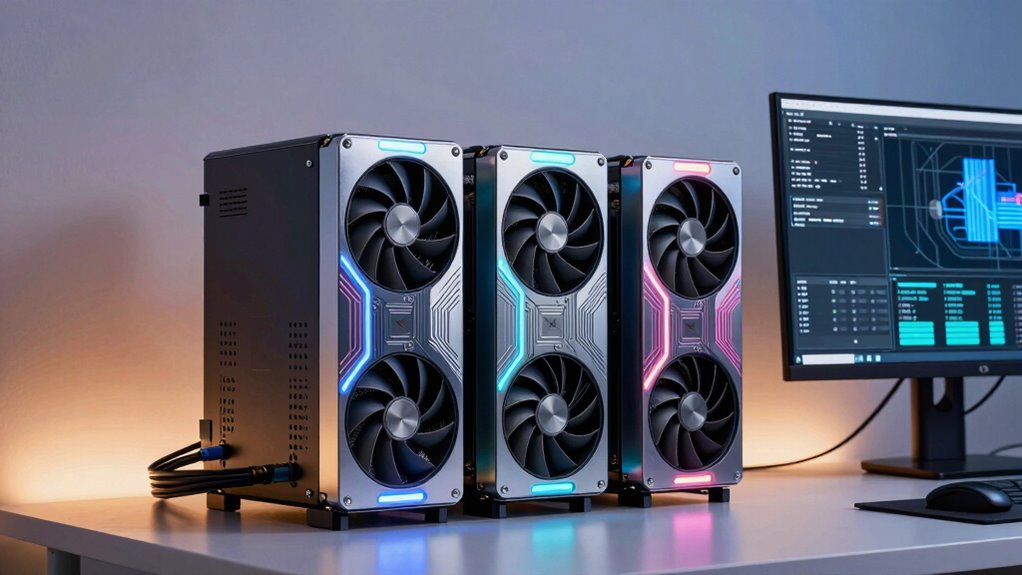

Choosing the right Nvidia GPU for a machine learning workstation in 2026 involves balancing performance, memory capacity, and budget. The PNY NVIDIA RTX PRO 6000 Blackwell MAX-Q stands out for demanding professional tasks thanks to its 96GB GDDR7 memory, but it comes with high power and cost. Meanwhile, the PNY VCNRTXA6000-PB offers a more balanced 48GB GDDR6 for high-resolution workflows, suitable for those needing multi-monitor setups. For enterprise-scale AI, the NVIDIA DGX Spark™ provides unmatched performance with 128GB of unified memory, yet it’s priced for large organizations. Lastly, the PNY NVIDIA RTX A6000 blends high performance with advanced features for data science and AI, but with a hefty price tag. These options illustrate the main tradeoffs: raw power versus cost, and consumer-grade versus enterprise-level capabilities.

Get business pricing on monitors, keyboards and dev gear
- Business-only prices and quantity discounts
- Tax-exempt purchasing
- Multiple users, one account, clear invoices
Complete the kit


![Lamicall 6Pack Cord Organizer, [1s Lock] Spring Cable Hol...](https://m.media-amazon.com/images/I/71uBLICDwfL._AC_SL480_.jpg)
Key Takeaways
- High memory capacity models like the RTX PRO 6000 excel in demanding professional workloads but are expensive.
- Enterprise-grade options like the NVIDIA DGX Spark offer unmatched AI performance but are tailored for large-scale deployment.
- Mid-range professional GPUs such as the RTX A6000 balance performance and cost for most high-end machine learning tasks.
- Multi-monitor and resolution support are important considerations for visualization-heavy workflows.
- Cost and technical complexity vary widely, making it essential to match GPU choice to your specific workload and expertise.
| PNY NVIDIA RTX PRO 6000 Blackwell MAX-Q Workstation Edition Dual Fan 96GB GDDR7 |  | Best High-End Professional Workstation GPU | Memory: 96GB GDDR7 | Edition: Blackwell MAX-Q Workstation | Cooling: Dual Fan | VIEW ON AMAZON | See Our Full Breakdown |
| PNY VCNRTXA6000-PB NVIDIA 48GB GDDR6 Graphics Card |  | Best for High-Resolution and Multi-Monitor Setups | Memory: 48GB GDDR6 | Interface: PCI Express x16 4.0 | Maximum resolution: 7680 x 4320 pixels | VIEW ON AMAZON | See Our Full Breakdown |
| NVIDIA DGX Spark™ – Personal AI Desktop Supercomputer with Grace Blackwell Chip |  | Best for Enterprise-Scale AI and HPC | Architecture: Grace Blackwell | AI Performance: up to 1 petaFLOP | Memory: 128GB | VIEW ON AMAZON | See Our Full Breakdown |
| PNY NVIDIA RTX A6000 |  | Best for Data Science and AI Workloads | Architecture: Ampere | RT Cores: Second-Generation | Tensor Cores: Third-Generation | VIEW ON AMAZON | See Our Full Breakdown |
| HPE NVIDIA Tesla V100 32GB HBM2 PCIe 3.0 x16 Passive GPU |  | Best for HPC and Enterprise Deep Learning | CUDA Cores: 4,608 | Tensor Cores: 640 | Memory: 32GB HBM2 | VIEW ON AMAZON | See Our Full Breakdown |
| nvidia gpus for machine learning workstation | Memory |
|---|---|
| PNY NVIDIA RTX PRO 6000 Blackw | 96GB GDDR7 |
| PNY VCNRTXA6000-PB NVIDIA 48GB | 48GB GDDR6 |
| NVIDIA DGX Spark™ | 128GB |
| PNY NVIDIA RTX A6000 | 48 GB GDDR6 |
| HPE NVIDIA Tesla V100 32GB HBM | 32GB HBM2 |
More Details on Our Top Picks
PNY NVIDIA RTX PRO 6000 Blackwell MAX-Q Workstation Edition Dual Fan 96GB GDDR7
This GPU excels in demanding professional applications with its massive 96GB GDDR7 memory, making it ideal for large datasets and complex models. Compared with the RTX A6000, it offers similar or higher memory capacity but with optimized cooling and dual fans, which helps sustain performance under heavy workloads. However, its high power consumption and price could be prohibitive for smaller setups or casual users. Its primary strength lies in professional environments that require maximum memory and stability, though at a premium cost.
Pros:- Exceptional 96GB GDDR7 memory capacity
- Efficient dual fan cooling system
- Optimized for high-performance workstation tasks
Cons:- High power consumption
- Likely expensive for casual or small-scale use
Best for: Large-scale professional workstations with intensive workloads
Not ideal for: Budget-conscious users or casual ML practitioners
- Memory:96GB GDDR7
- Edition:Blackwell MAX-Q Workstation
- Cooling:Dual Fan
Our verdict“A top-tier choice for professional workstations demanding maximum memory and reliability.”
PNY VCNRTXA6000-PB NVIDIA 48GB GDDR6 Graphics Card
With 48GB of GDDR6, this GPU offers a strong balance of memory and performance for demanding visualization and training tasks. Its support for 7680 x 4320 resolution and multiple DisplayPorts makes it suitable for multi-monitor setups where high resolution and visual fidelity are critical. Compared to the RTX PRO 6000, it’s more accessible in terms of power and cost, but it may fall short for ultra-large models or the most intensive workloads. Designed mainly for high-end professional use, it strikes a good balance between capability and affordability.
Pros:- 48GB GDDR6 memory supports large models
- Supports high-resolution displays up to 7680 x 4320
- Multiple DisplayPort outputs
Cons:- High-end price point
- Requires a compatible high-power system
Best for: High-resolution workflows and multi-monitor environments
Not ideal for: Small-scale or budget-conscious ML projects
- Memory:48GB GDDR6
- Interface:PCI Express x16 4.0
- Maximum resolution:7680 x 4320 pixels
- Ports:4 x DisplayPorts
- Warranty:3 years
Our verdict“Ideal for visualization-heavy tasks that benefit from high resolution and multiple displays.”
NVIDIA DGX Spark™ – Personal AI Desktop Supercomputer with Grace Blackwell Chip
The NVIDIA DGX Spark offers unparalleled AI performance with 128GB of unified memory and up to 1 petaFLOP of AI throughput. Its compact desktop form belies its enterprise-level capabilities, making it suitable for large-scale model training and experimentation. Compared with individual GPUs, it provides a seamless integration of multiple AI accelerators, but it’s priced accordingly and primarily targets organizations with significant AI infrastructure needs. This makes it less suitable for individual users, but invaluable for enterprise AI labs.
Pros:- Up to 1 petaFLOP AI performance
- 128GB unified memory supports large models
- Compact and energy-efficient design
Cons:- Very high cost
- Requires technical expertise to operate
Best for: Large enterprise AI labs and high-performance computing centers
Not ideal for: Single-user projects or small-scale ML tasks
- Architecture:Grace Blackwell
- AI Performance:up to 1 petaFLOP
- Memory:128GB
- Model Size:Desktop
- Maximum Model Size:200 billion parameters at FP4
Our verdict“Best suited for enterprise AI applications demanding maximum performance and scalability.”
PNY NVIDIA RTX A6000
The RTX A6000 combines the advanced Ampere architecture with 48GB of GDDR6 memory, making it a versatile choice for AI, 3D rendering, and large dataset processing. Its second-generation RT cores and third-generation Tensor Cores accelerate ray tracing and AI workloads, while NVLink support allows scaling up to 96GB. Compared to the RTX PRO 6000, it offers more flexibility for multi-GPU configurations, though at a high price point. It’s an excellent option for those needing a high-performance professional GPU with scalable memory options.
Pros:- High-performance Ampere architecture
- 48GB GDDR6 memory for large datasets
- Scalable with NVLink up to 96GB
Cons:- High cost for professional-grade hardware
- Complex setup may require expertise
Best for: Professional data science, AI, and rendering tasks
Not ideal for: Casual users or budget-limited setups
- Architecture:Ampere
- RT Cores:Second-Generation
- Tensor Cores:Third-Generation
- Memory:48 GB GDDR6
- Memory Scalability:Up to 96 GB with NVLink
Our verdict“Ideal for professionals needing scalable, high-performance GPU power for AI and data science.”
HPE NVIDIA Tesla V100 32GB HBM2 PCIe 3.0 x16 Passive GPU
The Tesla V100 offers 32GB of HBM2 memory, supporting multi-precision computing with exceptional bandwidth at 900 GB/s. Its passive cooling design requires good airflow, but it’s proven for enterprise deployments with strong multi-precision support and NVLink compatibility. Compared with newer models, it may lag in raw performance but remains reliable for large-scale HPC and deep learning tasks in enterprise environments. It’s best suited for data centers where stability and proven performance matter most.
Pros:- High-performance 32GB HBM2 memory
- Supports multi-precision computing
- Validated for enterprise server use
Cons:- Passive cooling needs airflow management
- Older architecture may be less efficient
Best for: HPC, enterprise deep learning, and server deployment
Not ideal for: Individual hobbyists or small-scale projects
- CUDA Cores:4,608
- Tensor Cores:640
- Memory:32GB HBM2
- Memory Bandwidth:900 GB/s
- Interface:PCIe 3.0 x16
Our verdict“A dependable choice for enterprise HPC and deep learning in server environments.”

How We Picked
Our selection process focused on identifying Nvidia GPUs that are optimized for machine learning workloads in 2026. We considered high memory capacity for large models, computational power for training efficiency, and features like NVLink and Tensor Cores that accelerate AI tasks. We also evaluated the target user—whether professionals, enterprise users, or advanced enthusiasts—and balanced the performance-to-cost ratio. Finally, we included options that support multi-monitor setups and enterprise deployment, ensuring a comprehensive view of the best options across different needs.
Factors to Consider When Choosing Nvidia Gpus For Machine Learning Workstations
When selecting an Nvidia GPU for machine learning workstations in 2026, consider your workload size, budget, and future scalability. High-memory models like the RTX PRO 6000 are best for large-scale training, while enterprise options like the DGX Spark deliver unmatched performance but at a premium. For visualization and multi-monitor setups, the VCNRTXA6000 provides high resolution support. Understanding whether your focus is on raw power, scalability, or cost-efficiency will help narrow the ideal choice.
Workload Size and Memory Capacity
If your models are large or you work with complex datasets, prioritize GPUs with extensive memory. The RTX PRO 6000 offers 96GB, suitable for the most demanding professional tasks, while the DGX Spark’s 128GB of unified memory supports multi-billion parameter models. For smaller projects or development, 48GB or less might suffice, balancing cost and performance.
Performance and Scalability
Performance is driven by compute power, Tensor Cores, and architecture. The DGX Spark delivers unmatched AI throughput, ideal for enterprise, while the RTX A6000 offers a powerful yet scalable option for individual professionals. Consider NVLink support if you plan multi-GPU configurations, which can enhance scalability and bandwidth for large models.
Budget and Use Case
High-end professional and enterprise GPUs are expensive, often exceeding tens of thousands of dollars. For smaller labs or individual researchers, models like the RTX A6000 or VCNRTXA6000 strike a good balance. The Tesla V100, while older, remains relevant in enterprise HPC environments due to its proven stability and multi-precision support.
Display and Visualization Needs
If your workflow involves high-resolution visualization or multi-monitor setups, prioritize GPUs supporting 8K resolutions and multiple outputs. The VCNRTXA6000 is particularly suited for visualization-heavy tasks with its multiple DisplayPorts, whereas professional GPUs focus more on compute than display features.
Frequently Asked Questions
What is the main factor to consider when choosing an Nvidia GPU for machine learning?
The primary consideration is matching the GPU’s memory capacity and computational power to your workload. Large models and datasets require high memory and parallel processing capabilities. Additionally, scalability and compatibility with existing infrastructure should influence your choice, especially for enterprise environments.
Are enterprise GPUs like the Tesla V100 still relevant in 2026?
Yes, enterprise GPUs such as the Tesla V100 remain relevant due to their stability, multi-precision support, and proven deployment in data centers. However, newer models may offer better efficiency and performance, so evaluate whether their capabilities align with your specific needs and budget.
Is the cost of high-end GPUs justified for small labs or individual researchers?
In most cases, high-end GPUs are a significant investment and may not be justified unless your workloads demand their scale, such as training very large models. For smaller projects, mid-range options like the RTX A6000 or even more affordable GPUs can deliver excellent performance without excessive costs.
How important is GPU scalability for machine learning tasks?
Scalability can greatly improve training times for large models through multi-GPU setups with NVLink or similar technologies. If your projects involve multi-billion parameter models or multi-task workflows, choosing a GPU or configuration that supports easy scaling is advantageous.
What role does display support play in choosing a GPU?
Display support is critical if your workflow involves visualization, high-resolution data analysis, or multi-monitor setups. GPUs like the VCNRTXA6000 excel here with multiple DisplayPorts, whereas most professional compute GPUs focus more on processing power than visual output.
Conclusion
For individual researchers or small labs with demanding workloads, the RTX A6000 offers a compelling balance of performance and cost. Large organizations focused on AI development and large-scale training should consider the NVIDIA DGX Spark for its unmatched AI throughput. Those needing high-resolution visualization or multi-monitor support will benefit from the VCNRTXA6000. Finally, professionals working on extensive datasets and models should look at the PNY NVIDIA RTX PRO 6000 for maximum memory capacity, despite its higher price and power requirements.
Fall Picks
fall essentials
As an affiliate, we earn on qualifying purchases.