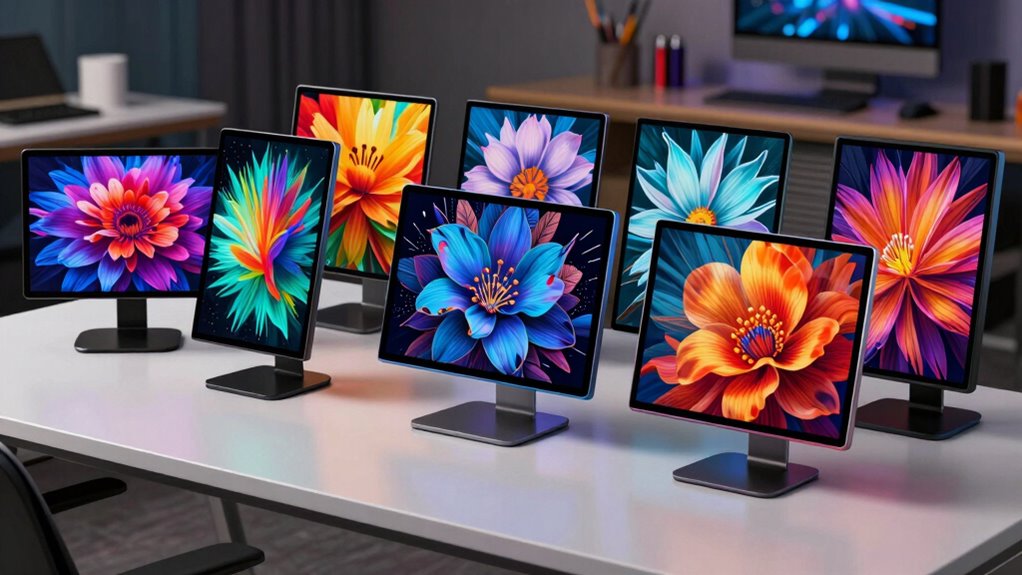

Searching for the best 4k pen displays in 2026? The XPPen Artist Pro 24 Gen2 stands out as the overall top choice, offering a large, high-resolution screen perfect for detailed work. The Xencelabs Pen Display 16 Bundle impresses with its portability and OLED clarity, making it ideal for on-the-go artists. Meanwhile, the Huion Kamvas Pro 16 Plus balances features and price, appealing to those seeking quality without overspending. These options highlight key tradeoffs—size versus portability, features versus budget—that every buyer must weigh. Continue reading for a comprehensive breakdown of each model and tips for choosing the right display for your needs.

Get business pricing on monitors, keyboards and dev gear
- Business-only prices and quantity discounts
- Tax-exempt purchasing
- Multiple users, one account, clear invoices
Key Takeaways
- Size and resolution vary significantly, impacting workspace and portability preferences.
- OLED screens like the Xencelabs offer richer colors but tend to cost more than LCD counterparts.
- Built-in features such as customizable buttons and touch capabilities add value but can increase complexity and price.
- Price often correlates with size, screen quality, and included accessories, so consider your workflow needs.
- Compatibility and connectivity options remain crucial, especially for users with specific device ecosystems.
| XPPen Artist Pro 24 Gen2 23.8″ 4K Drawing Tablet with Screen and Keydial |  | Best Overall for Professional Creators | Display Size: 23.8 inches | Resolution: 3840×2160 (4K UHD) | Color Gamut: 99% Adobe RGB, 99% sRGB, 98% P3 | VIEW ON AMAZON | See Our Full Breakdown |
| Xencelabs Pen Display 16 Bundle with Quick Keys, 16″ 4K OLED Portable Drawing Tablet with 2 Battery-Free Pens for Win/ARM/macOS/Linux |  | Best for Portability and On-the-Go Creators | Display Size: 16 inches | Resolution: 4K OLED | Color Gamut: 5 coverage (approximate) | VIEW ON AMAZON | See Our Full Breakdown |
| XPPen 4K UHD Artist Pro 19 Gen2 Drawing Tablet with Screen |  | Best for High-Precision Studio Work | Display Resolution: 3840×2160 (4K UHD) | Screen Size: 18.4 inches | Color Gamut: 99.8% sRGB, 96% Adobe RGB | VIEW ON AMAZON | See Our Full Breakdown |
| XPPen Artist Ultra 16 4K OLED Touchscreen Drawing Tablet with Dual Stylus and Customizable Shortcut Remote |  | Best for Touch-Enabled Creative Work | Display Size: 15.6 inches | Resolution: 3840 x 2160 UHD | Color Gamut: 99% Adobe RGB, 98% Display P3 | VIEW ON AMAZON | See Our Full Breakdown |
| Huion Kamvas Pro 16 Plus 4K UHD Drawing Tablet with Screen |  | Best for Budget-Conscious Professionals | Display Size: 15.6 inches | Resolution: 4K UHD | Color Gamut: 145% sRGB | VIEW ON AMAZON | See Our Full Breakdown |
| ASUS ProArt PA169CDV 15.6 Inch 4K USB-C Wacom Portable Monitor |  | Best for Professional Creators on the Go | Display Size: 15.6 inches | Resolution: 3840 x 2160 (4K UHD) | Panel Type: IPS | VIEW ON AMAZON | See Our Full Breakdown |
| DIGIDRAW Turing Pro 19 18.4″ 4K UHD Pen Display with AG+AF Screen |  | Best for Versatile Creative Workflow | Screen Size: 18.4 inches | Resolution: 4K Ultra HD | Color Accuracy: ΔE < 1.3, Adobe RGB wide gamut | VIEW ON AMAZON | See Our Full Breakdown |
| 4k pen display | Resolution | Connectivity | Display Size | Color Gamut |
|---|---|---|---|---|
| XPPen Artist Pro 24 Gen2 23.8" | 3840×2160 (4K UHD) | — | 23.8 inches | 99% Adobe RGB, 99% sRGB, 98% P3 |
| Xencelabs Pen Display 16 Bundl | 4K OLED | USB-C | 16 inches | 5 coverage (approximate) |
| XPPen 4K UHD Artist Pro 19 Gen | — | USB-C, HDMI | — | 99.8% sRGB, 96% Adobe RGB |
| XPPen Artist Ultra 16 4K OLED | 3840 x 2160 UHD | Dual USB-C, HDMI | 15.6 inches | 99% Adobe RGB, 98% Display P3 |
| Huion Kamvas Pro 16 Plus 4K UH | 4K UHD | Dual USB-C, HDMI | 15.6 inches | 145% sRGB |
| ASUS ProArt PA169CDV 15.6 Inch | 3840 x 2160 (4K UHD) | USB-C | 15.6 inches | — |
| DIGIDRAW Turing Pro 19 18.4" 4 | 4K Ultra HD | USB-C | — | — |
More Details on Our Top Picks
XPPen Artist Pro 24 Gen2 23.8″ 4K Drawing Tablet with Screen and Keydial
This large 23.8-inch 4K display offers exceptional color accuracy with 99% Adobe RGB and wide connectivity options, making it ideal for professional artists and designers who need a comprehensive setup. Compared to the XPPen Artist Pro 19 Gen2, the Artist Pro 24 Gen2 provides a larger workspace, but this comes with a higher price and demands more desk space. Its dual styluses with 16,384 pressure levels and tilt support ensure precise control, while the customizable keydial streamlines workflow. However, it requires a constant connection to a computer and may be too bulky for casual or mobile use. This pick makes the most sense for those prioritizing a high-resolution, color-accurate display in a dedicated studio environment.
Pros:- Large 23.8-inch 4K display with excellent color fidelity
- Dual styluses with high pressure sensitivity and tilt support
- Customizable shortcut keys and ergonomic keydial for efficiency
- Versatile connectivity with USB-C, DisplayPort, HDMI
Cons:- Requires connection to a computer or laptop to function
- High cost may be prohibitive for casual or hobbyist users
- Large size demands significant desk space
Best for: Professional digital artists and designers who need a large, color-accurate display for detailed work
Not ideal for: Casual creators or mobile artists who require a compact, standalone device or budget-friendly options
- Display Size:23.8 inches
- Resolution:3840×2160 (4K UHD)
- Color Gamut:99% Adobe RGB, 99% sRGB, 98% P3
- Brightness:300 cd/m²
- Contrast Ratio:1000:1
- Stylus Pressure Levels:16,384
Our verdict“This model is best suited for professional artists who need a large, color-accurate screen and are prepared for a premium investment.”
Xencelabs Pen Display 16 Bundle with Quick Keys, 16″ 4K OLED Portable Drawing Tablet with 2 Battery-Free Pens for Win/ARM/macOS/Linux
This 16-inch 4K OLED display combines portability with high-quality visuals, making it ideal for artists who need to work in different locations. While the XPPen Artist Ultra 16 offers a slightly larger screen, the Xencelabs bundle emphasizes ultra-lightweight design and mobility, weighing just 2.67 lbs and fitting into a protective case. Its 4K OLED screen provides vibrant, accurate colors, and the dual battery-free pens along with Quick Keys support efficient workflows. However, the price isn’t specified here, and some users report setup challenges, especially with driver support. This device suits artists who value portability without sacrificing high-resolution color performance.
Pros:- High-resolution 4K OLED display with vibrant colors
- Lightweight and portable with protective case
- Includes two battery-free pens and customizable Quick Keys
- Compatible with multiple OS platforms
Cons:- Price not specified, potential premium cost
- Setup may be complex for some users
- Limited information on software support
Best for: Traveling artists and professionals needing a compact, high-resolution display for flexible work environments
Not ideal for: Artists with stationary studios who prefer larger screens or budget-conscious users
- Display Size:16 inches
- Resolution:4K OLED
- Color Gamut:5 coverage (approximate)
- Weight:2.67 lbs
- Thickness:.47 inches
- Connectivity:USB-C
Our verdict“This pick is perfect for mobile creators seeking a high-quality 4K OLED display in a compact, travel-friendly package.”
XPPen 4K UHD Artist Pro 19 Gen2 Drawing Tablet with Screen
The 18.4-inch 4K UHD Artist Pro 19 Gen2 delivers a vivid, color-accurate experience with a slightly smaller display than the Artist Pro 24 but still suitable for detailed professional work. Its 99.8% sRGB and 96% Adobe RGB coverage ensure accurate color reproduction, and dual styluses with 16,384 pressure levels and tilt support provide precise control. Its anti-glare, paper-like surface reduces fatigue, making long sessions comfortable. While the setup can be complex and the price steep, this model offers a solid balance between size and performance, especially for artists who want a high-quality display without the extra desk space required by larger options like the Artist Pro 24. It’s ideal for studio environments demanding precise color work.
Pros:- High-resolution 4K display with excellent color accuracy
- Paper-like anti-glare surface enhances comfort
- Dual styluses with extensive pressure sensitivity and tilt support
- Versatile connectivity including USB-C and HDMI
Cons:- Premium price may be a barrier for some users
- Large size still requires ample workspace
- Complex setup may challenge beginners
Best for: Professional artists and designers who need a compact yet high-quality 4K display for detailed work
Not ideal for: Casual hobbyists or those with limited workspace who prefer smaller or more affordable tablets
- Display Resolution:3840×2160 (4K UHD)
- Screen Size:18.4 inches
- Color Gamut:99.8% sRGB, 96% Adobe RGB
- Color Depth:1.07 billion colors
- Stylus Pressure Levels:16,384
- Connectivity:USB-C, HDMI
Our verdict“This device is best suited for professional digital artists seeking a reliable, high-quality display with a manageable form factor.”
XPPen Artist Ultra 16 4K OLED Touchscreen Drawing Tablet with Dual Stylus and Customizable Shortcut Remote
The 15.6-inch Artist Ultra 16 combines a vibrant 4K OLED touchscreen with multi-touch gestures and dual styluses, offering an interactive experience suitable for illustration, photo editing, and animation. Its 99% Adobe RGB and 98% Display P3 coverage ensure color richness, while the ultra-responsive touch and stylus tilt support provide precision. Compared to the larger Artist Pro 24, this model emphasizes dynamic interaction, making it ideal for artists who want a more tactile workflow. The premium price and limited touch support on some operating systems might be drawbacks, but its versatility makes it attractive for creative professionals who value direct manipulation. It’s especially useful for those blending drawing with multi-touch controls.
Pros:- Vivid 4K OLED display with excellent color accuracy
- Multi-touch with customizable gestures
- Dual styluses with 16K pressure sensitivity and tilt
- Supports multiple OS platforms with versatile connectivity
Cons:- Requires connection to a computer or device to operate
- Touch features may be limited on some OSes
- Premium price may be a barrier for hobbyists
Best for: Digital artists and animators who benefit from multi-touch interaction and high color fidelity
Not ideal for: Users seeking a large, stationary drawing setup or those on a tight budget
- Display Size:15.6 inches
- Resolution:3840 x 2160 UHD
- Color Gamut:99% Adobe RGB, 98% Display P3
- Contrast Ratio:100,000:1
- Stylus Pressure Levels:16,384
- Connectivity:Dual USB-C, HDMI
Our verdict“This model suits creators who want an interactive, touch-enabled 4K display with high color performance in a compact form.”
Huion Kamvas Pro 16 Plus 4K UHD Drawing Tablet with Screen
The Huion Kamvas Pro 16 Plus offers a 15.6-inch 4K UHD display with 145% sRGB coverage, providing accurate and vibrant colors for professional work at a relatively accessible price point. Its responsive 8192 levels of pen sensitivity and ±60° tilt recognition allow for precise control, while the wide viewing angles and anti-glare glass make it suitable for extended sessions. Compared to the XPPen Artist Pro 24, it sacrifices some size and advanced features for affordability, but still maintains high visual fidelity. The device’s connectivity options are versatile, supporting multiple device types. However, it still requires connection to a computer, and its size can be a limitation for small workspaces or mobile use. It’s a solid choice for those balancing performance and budget.
Pros:- High-resolution 4K display with excellent color accuracy
- Responsive pen with high pressure sensitivity
- Versatile connectivity supporting multiple devices
- Wide viewing angles and anti-glare surface
Cons:- Requires connection to a computer or device
- Size may be less suitable for small desks
- Price still significant for hobbyists
Best for: Professional artists seeking a high-quality 4K display without the premium price of larger models
Not ideal for: Artists needing a larger workspace or standalone, portable solutions
- Display Size:15.6 inches
- Resolution:4K UHD
- Color Gamut:145% sRGB
- Contrast Ratio:1200:1
- Pen Sensitivity:8192 levels
- Connectivity:Dual USB-C, HDMI
Our verdict“This tablet strikes a good balance for professionals who want quality 4K visuals at an accessible price point.”
ASUS ProArt PA169CDV 15.6 Inch 4K USB-C Wacom Portable Monitor
The ASUS ProArt PA169CDV stands out for its exceptional color accuracy and portable design, making it a strong choice for professionals who need precise editing in the field. Compared to the DIGIDRAW Turing Pro, which offers a larger screen and more advanced stylus features, the ASUS model emphasizes portability and accurate color reproduction, though it comes at a higher price point. Its 15.6-inch IPS panel delivers vibrant, detailed visuals, while the capacitive 10-point multitouch adds versatility. The included Wacom EMR stylus ensures natural drawing experiences, but the limited connectivity options—only USB-C—may restrict setup flexibility. The extended 5-year warranty reflects its professional-grade build, though the premium cost could be a barrier for hobbyists or casual users. If portability paired with top-tier color accuracy is key, this monitor makes a compelling case despite its price.
Pros:- High-resolution 4K display with superb color accuracy
- Includes a professional Wacom EMR stylus for precise control
- Versatile kickstands for multiple viewing angles
- Extended 5-year warranty adds peace of mind
Cons:- Premium price may be prohibitive for some users
- Limited to USB-C connectivity, reducing compatibility with older laptops
Best for: Professional digital artists, photographers, and designers who need precision and portability for on-site work
Not ideal for: Budget-conscious hobbyists or casual users seeking a more affordable or versatile setup, as the price and USB-C dependency may be limiting
- Display Size:15.6 inches
- Resolution:3840 x 2160 (4K UHD)
- Panel Type:IPS
- Touch Technology:Capacitive 10-point multitouch
- Color Accuracy:100% sRGB, Delta E < 2
- Connectivity:USB-C
- Speakers:Yes
- Warranty:5 years (3 + 2 years extension)
Our verdict“This monitor is ideal for professionals who prioritize color fidelity and portability over budget constraints.”
DIGIDRAW Turing Pro 19 18.4″ 4K UHD Pen Display with AG+AF Screen
The DIGIDRAW Turing Pro offers an expansive 18.4-inch 4K display with professional-level color accuracy, making it well-suited for detailed drawing, photo editing, and multi-application workflows. Unlike the XPPen Artist Pro 24 Gen2, which features a larger screen but less portability, the Turing Pro balances size with high-quality visuals and a portable form factor. Its 16384 pressure levels and Adobe RGB wide gamut support natural, nuanced strokes, ideal for digital artists who need precision. The inclusion of a wireless remote with shortcut keys enhances productivity, but its reliance on installing official drivers for full feature access could complicate setup. Compatibility is limited to Windows, Chromebook, and Android 14+, meaning Mac users may need alternative solutions. If you require a compact yet powerful 4K pen display with advanced stylus features, this pick delivers, despite some OS restrictions.
Pros:- High-resolution 4K display with wide color gamut support
- Pressure-sensitive stylus with 16384 levels for natural drawing
- Wireless remote with programmable shortcut keys boosts workflow
- Supports multiple OS including Windows, Chromebook, and Android 14+
Cons:- Requires downloading official drivers for full feature customization
- Limited compatibility with MacOS and some older systems
Best for: Digital artists and designers who want a portable, high-precision 4K display compatible with multiple operating systems
Not ideal for: Mac users or those seeking a plug-and-play experience, since driver setup and OS limitations could pose hurdles
- Screen Size:18.4 inches
- Resolution:4K Ultra HD
- Color Accuracy:ΔE < 1.3, Adobe RGB wide gamut
- Stylus Pressure Levels:16384
- Connectivity:USB-C
- Compatibility:Windows, Chromebook, Android 14+
- Warranty:2 years
Our verdict“This monitor suits creative professionals who need a portable, versatile 4K display with advanced stylus features and multi-OS support, accepting some setup complexity.”

How We Picked
To evaluate the best 4k pen displays, I prioritized performance, build quality, and usability. I examined screen size, resolution accuracy, color fidelity, and pen responsiveness to ensure smooth drawing experiences. Durability, ease of setup, and included features like customizable shortcuts or touch support also played a role. Price was a key factor in balancing value versus premium options, while compatibility with various operating systems helped determine versatility. The ranking reflects a combination of these factors, favoring models that deliver high-quality performance for different budgets and use cases.| 4k pen display | Connectivity |
|---|---|
| XPPen Artist Pro 24 Gen2 23.8" | — |
| Xencelabs Pen Display 16 Bundl | USB-C |
| XPPen 4K UHD Artist Pro 19 Gen | USB-C, HDMI |
| XPPen Artist Ultra 16 4K OLED | Dual USB-C, HDMI |
| Huion Kamvas Pro 16 Plus 4K UH | Dual USB-C, HDMI |
| ASUS ProArt PA169CDV 15.6 Inch | USB-C |
| DIGIDRAW Turing Pro 19 18.4" 4 | USB-C |
Factors to Consider When Choosing 4k Pen Displays
Choosing the right 4k pen display involves more than just resolution and size. Consider your primary use—whether detailed illustration, photo editing, or mobile work—and match the display’s features accordingly. Durability and build quality matter for long-term reliability, especially if you travel often. Compatibility with your existing devices and software can prevent headaches, so verify connection options and OS support. Also, think about input features like touch or customizable buttons, which can streamline your workflow. Finally, be mindful of your budget, as higher-end models often include advanced features that might not be necessary for every user.Size and Resolution
Size influences how comfortably you work—larger screens like 23.8 inches provide extensive workspace but can be less portable, while 16-inch models offer more mobility at the expense of screen real estate. Resolution, especially 4K, ensures sharp detail and accurate color reproduction, vital for professional work. However, higher resolution demands more powerful hardware and can impact performance if your system isn’t capable. Matching size and resolution to your workflow is key: detailed artists benefit from larger, high-res displays, while mobile users may prefer more compact options.
Color Accuracy and Screen Quality
Color fidelity determines how true your digital artwork appears on screen. OLED screens like those in the Xencelabs bundle deliver richer colors and better contrast, ideal for visual professionals. LCD panels, such as those in some Huion models, are more affordable but may have less vibrant color output. When choosing, look for features like wide color gamuts (e.g., AdobeRGB coverage) and high contrast ratios to ensure your work will look consistent across screens and in print. Screen coating and anti-glare features also influence visibility and eye comfort during long sessions.
Input and Compatibility
Pen responsiveness and input lag greatly impact your drawing experience. Look for models with high-quality styluses that offer natural feel and pressure sensitivity. Compatibility with your device ecosystem—Windows, macOS, Linux, or Android—is essential to avoid connectivity issues. Some displays support USB-C, HDMI, or wireless connections; choosing the right ports ensures seamless integration into your workflow. Additionally, features like touch input or customizable shortcut buttons can streamline your process, but they often come at a higher cost or increased complexity.
Build Quality and Durability
Durability is especially important if you plan to move your display frequently. Look for sturdy construction, a robust stand or mounting options, and quality materials that resist wear. A well-built display reduces the risk of damage and provides a better tactile experience. Cheaper models may skimp on materials, leading to creaky hinges or fragile screens. Investing in a model with a solid chassis ensures your device remains reliable over years of use, especially in busy creative environments.
Price and Value
While premium models offer advanced features like OLED screens, touch capabilities, and larger sizes, they also come with higher price tags. For casual or beginner artists, mid-range options can deliver excellent performance without breaking the bank. Conversely, professionals needing precise color work and durability may find value in investing more upfront. Be cautious of models that cut corners on essential features or that don’t align with your workflow, as this can lead to dissatisfaction or additional expenses down the line.
Frequently Asked Questions
Can I use a 4k pen display with my existing laptop?
Most 4k pen displays are compatible with a range of laptops, provided your device has the necessary ports and sufficient processing power. Look for models supporting USB-C, HDMI, or DisplayPort connections, and verify that your laptop can handle 4K output without lag. Some displays also require specific drivers or software, so checking compatibility before purchase helps avoid setup issues. Keep in mind that working at 4K resolution demands a relatively powerful GPU, especially for intensive tasks like digital illustration or 3D modeling.
Is a touch-enabled 4k pen display worth it for artists?
Touch capabilities can significantly enhance your workflow by allowing gestures, zoom, and direct interaction on the screen. For artists, this means more intuitive control and faster navigation. However, touch features often increase the cost and can sometimes introduce accidental inputs or glare issues. If you frequently work with detailed editing or prefer direct manipulation, a touch-enabled model like the Huion Kamvas Pro 16 Plus might be worthwhile. For purely stylus-based work, non-touch models can save money and reduce complexity.
How important is color accuracy in a 4k pen display?
Color accuracy is critical if your work involves precise color matching, such as professional illustration, photo editing, or branding. High-end displays with wide color gamuts like AdobeRGB or DCI-P3 coverage ensure your colors appear consistent across different devices and media. Cheaper models may have oversaturated or dull colors, which can mislead your editing. Investing in a display with good calibration options and proven color fidelity can save you time and frustration, especially in professional environments where color precision matters.
Should I prioritize size or portability in my 4k pen display?
This depends on your work environment and mobility needs. Larger displays offer more workspace, making detailed tasks easier and more comfortable, but they tend to be heavier and less portable. Smaller models, like 15.6 inches, are easier to carry around but may require more zooming and scrolling during detailed work. If you frequently travel or work in different locations, prioritize portability. Conversely, if your studio setup allows for a dedicated space, a larger display might improve your productivity and comfort.
Are higher-priced 4k pen displays worth the extra investment?
Higher-priced models typically include better screens, more accurate color reproduction, advanced features like touch support, and larger sizes. If your work demands high precision or you use your display extensively, investing more can pay off in improved workflow and fewer frustrations. However, for casual use or beginners, mid-range options often provide excellent value without the hefty price tag. Carefully consider your specific needs and budget, and remember that a more expensive display is only worthwhile if it addresses your primary work requirements effectively.
Conclusion
For serious artists and professionals prioritizing overall quality, the XPPen Artist Pro 24 Gen2 offers a spacious, high-resolution experience. Beginners or those on a budget will find the Huion Kamvas Pro 16 Plus delivers solid performance at a more accessible price. Creatives needing portability and vibrant visuals should consider the Xencelabs Pen Display 16 Bundle with its OLED screen. For those seeking premium features like touch or ultra-compact design, higher-end options like the ASUS ProArt or Digidraw Turing Pro are ideal. Match your choice to your workflow, budget, and usage environment to get the best fit in 2026.