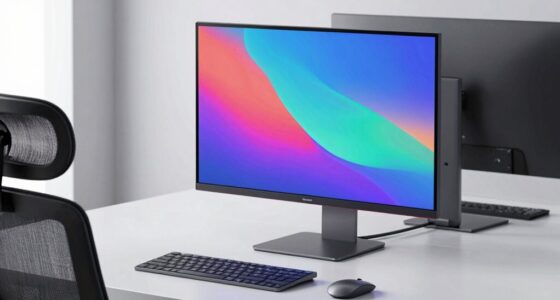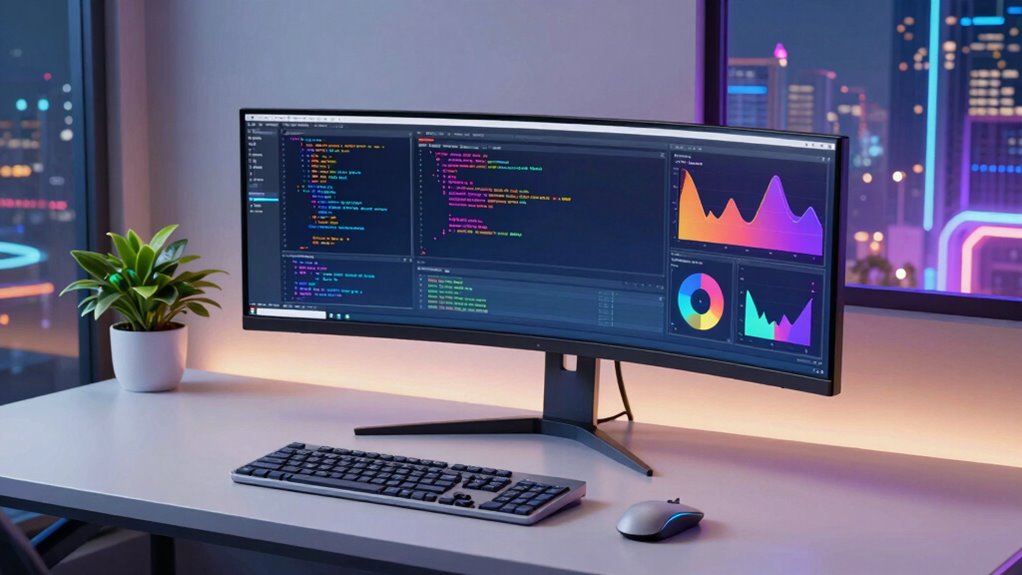

Ultrawide monitors are increasingly popular among programmers seeking more screen real estate without multiple monitors. The best models combine size, resolution, refresh rate, and color accuracy to enhance productivity and comfort. The top pick, the Samsung 49” Business Curved Ultrawide, offers enormous workspace but comes at a higher price. Meanwhile, the LG 34WR55QK-B provides excellent value with a curved WQHD display, ideal for budget-conscious users. Tradeoffs often involve balancing size, budget, and performance features. Keep reading for an in-depth comparison to find your perfect match.
Open a free Amazon Business account
Business pricing, bulk buying and tax-exempt orders.
Create a free accountAs an affiliate, we earn on qualifying purchases.
Key Takeaways
- Size and curvature significantly impact immersive programming workflows, with larger, curved screens reducing eye strain.
- High refresh rates (120Hz and above) are beneficial for smoother multitasking but are less critical than resolution and color accuracy for coding.
- Built-in features like USB-C and VESA compatibility enhance versatility, especially for workstation setups.
- Premium models offer better color accuracy and HDR support, but mid-range options provide excellent value for most developers.
- Choosing a monitor with Vivid but accurate color reproduction can improve code readability and reduce fatigue over long hours.
| Alienware 34 Curved Gaming Monitor – AW3425DWM |  | Best Overall for Immersive Programming | Screen Size: 34 inches | Resolution: WQHD | Refresh Rate: 180Hz | VIEW ON AMAZON | See Our Full Breakdown |
| Sceptre 34-inch Prime Gaming Ultrawide Monitor 3440×1440 |  | Best Value for Versatile Use | Screen Size: 34 inches | Resolution: 3440×1440 | Refresh Rate: 180Hz | VIEW ON AMAZON | See Our Full Breakdown |
| Samsung 49” Business Curved Ultrawide Dual QHD Monitor |  | Best for Extreme Multitasking and Productivity | Screen Size: 49 inches | Aspect Ratio: 32:9 | Resolution: Dual QHD | VIEW ON AMAZON | See Our Full Breakdown |
| LG 34WR55QK-B 34-inch UltraWide WQHD Curved Computer Monitor |  | Best for Color Accuracy and Ergonomics | Screen Size: 34 inches | Resolution: 3440×1440 | Refresh Rate: 100Hz | VIEW ON AMAZON | See Our Full Breakdown |
| Samsung 34″ ViewFinity S50GC Series Ultrawide QHD Monitor |  | Best for Balanced Productivity and Visual Fidelity | Size: 34 inches | Resolution: 3440×1440 | Refresh Rate: 100Hz | VIEW ON AMAZON | See Our Full Breakdown |
| SANSUI 34-Inch Curved Ultrawide Gaming Monitor UWQHD 3440 x 1440P 200Hz |  | Best for Immersive Gaming and High Refresh Rate Performance | Size: 34 inches | Resolution: 3440 x 1440 (UWQHD) | Refresh Rate: 200Hz | VIEW ON AMAZON | See Our Full Breakdown |
| LG 34U650A-B 34-inch UltraWide WQHD IPS Curved Computer Monitor |  | Best for Creative Work and Color Accuracy | Size: 34 inches | Resolution: 3440 x 1440 WQHD | Panel Type: IPS | VIEW ON AMAZON | See Our Full Breakdown |
| ASUS VG34VQL1B TUF 34-Inch Curved Gaming Monitor |  | Best for Competitive Gaming and Fast Response | Size: 34 inches | Resolution: 3440 x 1440 (WQHD) | Curve Radius: 1500R | VIEW ON AMAZON | See Our Full Breakdown |
| Samsung 34-Inch ViewFinity S50GC Series Ultra-WQHD Monitor |  | Best for Multitasking and Media with Eye Care | Size: 34 inches | Resolution: Ultra-WQHD | Refresh Rate: 100Hz | VIEW ON AMAZON | See Our Full Breakdown |
| ultrawide monitors for programming | Resolution | Refresh Rate | HDR | Size |
|---|---|---|---|---|
| Alienware 34 Curved Gaming Mon | WQHD | 180Hz | — | — |
| Sceptre 34-inch Prime Gaming U | 3440×1440 | 180Hz | — | — |
| Samsung 49” Business Curved Ul | Dual QHD | 120Hz | VESA DisplayHDR 400 | — |
| LG 34WR55QK-B 34-inch UltraWid | 3440×1440 | 100Hz | HDR10 | — |
| Samsung 34" ViewFinity S50GC S | 3440×1440 | 100Hz | HDR10 | 34 inches |
| SANSUI 34-Inch Curved Ultrawid | 3440 x 1440 (UWQHD) | 200Hz | — | 34 inches |
| LG 34U650A-B 34-inch UltraWide | 3440 x 1440 WQHD | 100Hz | HDR10 | 34 inches |
| ASUS VG34VQL1B TUF 34-Inch Cur | 3440 x 1440 (WQHD) | 165Hz (supports 144Hz) | DisplayHDR 400 | 34 inches |
| Samsung 34-Inch ViewFinity S50 | Ultra-WQHD | 100Hz | HDR10 | 34 inches |
More Details on Our Top Picks
Alienware 34 Curved Gaming Monitor – AW3425DWM
This monitor excels in creating an immersive workspace thanks to its 34-inch curved ultrawide display with a 1500R radius, making it ideal for multitasking and long coding sessions. Its high refresh rate of 180Hz and 1ms response time ensure smooth visuals, benefiting those who also want to switch between work and gaming without compromise. The vibrant DCI-P3 95% color coverage and HDR support enhance visual clarity, which is valuable for color-sensitive tasks like UI design or graphic coding. Compared to the Samsung 49-inch model, this is more suited for users who prefer a focused yet expansive screen rather than an overwhelming panoramic view. The main tradeoff involves the higher price and larger size, which may not fit in smaller desks or budgets. This pick makes the most sense for programmers who want a premium, responsive, and visually rich environment without sacrificing performance during extended hours.
Pros:- Ultra-wide 34-inch curved display enhances focus and multitasking
- High 180Hz refresh rate and 1ms response time for smooth, responsive interactions
- Vibrant colors with DCI-P3 95% coverage and HDR support for visual accuracy
- Eye strain reduction features for prolonged use
Cons:- Premium price point may be prohibitive for casual users
- Large physical size may not suit smaller desks or shared workspaces
Best for: Professional developers or programmers who value high responsiveness, vibrant visuals, and extended comfort during long coding sessions.
Not ideal for: Budget-conscious users or small workspace setups, as the size and premium features come at a higher cost.
- Screen Size:34 inches
- Resolution:WQHD
- Refresh Rate:180Hz
- Response Time:1ms
- Curve Radius:1500R
- Color Coverage:DCI-P3 95%
Our verdict“Ideal for programmers seeking a high-performance, visually immersive ultrawide monitor for focused, extended work sessions.”
Sceptre 34-inch Prime Gaming Ultrawide Monitor 3440×1440
The Sceptre 34-inch ultrawide strikes a balance between performance and affordability, making it an attractive choice for programmers who need ample screen real estate without a premium price tag. Its 3440×1440 resolution and 180Hz refresh rate deliver sharp visuals and smooth interaction, comparable to more expensive models like the Alienware but at a more accessible cost. The inclusion of built-in speakers reduces clutter, which is a plus for those who want a streamlined setup. However, its connectivity options are limited to HDMI and DisplayPort, lacking USB-C, which may be inconvenient for users relying on modern docking solutions. The monitor also does not feature adjustable height or tilt, so placement may be less ergonomic for some. It’s best suited for gamers and programmers who prioritize performance and value over advanced ergonomic features or the highest color fidelity.
Pros:- Affordable ultrawide 3440×1440 resolution with 180Hz refresh rate
- Built-in speakers for simplified desk setup
- Large screen real estate supports multitasking and immersive coding
- Good color and smooth visuals for both work and entertainment
Cons:- Limited connectivity options without USB-C
- No adjustable height or tilt for ergonomic customization
Best for: Budget-conscious programmers or gamers who want a large, smooth display for multitasking or gaming without sacrificing too much on features.
Not ideal for: Users requiring extensive ergonomic adjustments or USB-C connectivity for docking or peripheral management.
- Screen Size:34 inches
- Resolution:3440×1440
- Refresh Rate:180Hz
- Connectivity:2 HDMI, 2 DisplayPort
- Built-in Speakers:Yes
- Color Gamut:Not specified
Our verdict“A strong choice for those seeking a budget-friendly ultrawide monitor with high refresh rate capabilities for programming and gaming.”
Samsung 49” Business Curved Ultrawide Dual QHD Monitor
The Samsung 49-inch ultrawide is designed for those who need an expansive workspace, combining two QHD screens into one seamless display with a 32:9 aspect ratio. Its 120Hz refresh rate is adequate for smooth scrolling and moderate interactions but less ideal for fast-paced gaming compared to models like the Alienware. The monitor’s multiple connectivity options and USB-C with 90W power delivery turn it into a docking station, simplifying cable management for professionals who switch between multiple devices. Its VESA HDR 400 support enhances visual quality, though the size makes it less suitable for small desks or shared spaces. The adjustable stand adds ergonomic flexibility, but the large footprint can be overwhelming for typical workspaces. This model suits programmers who want maximum desktop real estate combined with versatile connectivity and productivity features.
Pros:- Massive 49-inch curved display for multitasking and immersive coding
- Multiple connectivity options including USB-C with power delivery
- Adjustable height for ergonomic comfort
- VESA HDR 400 for richer visuals
Cons:- Large footprint requires significant desk space
- 120Hz refresh rate may be insufficient for high-end gaming
Best for: Power users and developers needing a giant, all-in-one display for multitasking and productivity-intensive workflows.
Not ideal for: Users with limited desk space or those seeking higher refresh rates for fast-paced gaming.
- Screen Size:49 inches
- Aspect Ratio:32:9
- Resolution:Dual QHD
- Refresh Rate:120Hz
- HDR:VESA DisplayHDR 400
- Stand:Height adjustable
Our verdict“Best suited for programmers who need a panoramic workspace with flexible connectivity and ergonomic setup.”
LG 34WR55QK-B 34-inch UltraWide WQHD Curved Computer Monitor
The LG 34WR55QK-B offers a balanced approach with its 34-inch curved WQHD display and a 99% sRGB coverage, making it suitable for tasks requiring accurate color reproduction. The monitor’s HDR10 support enhances visual fidelity, beneficial for media editing or color-sensitive coding. Its USB Type-C port with 65W power delivery simplifies connectivity, especially for laptops, and the ergonomic stand with tilt and height adjustments helps maintain comfort during long hours. While its 100Hz refresh rate is lower than gaming-focused models, it’s adequate for most programming workflows and casual gaming. The absence of built-in speakers might be a drawback for those seeking a clutter-free desk, requiring external audio solutions. Overall, this monitor is well-suited for programmers who prioritize color accuracy, ergonomics, and versatile connectivity.
Pros:- Vivid color accuracy with 99% sRGB and HDR10 support
- USB Type-C with 65W power delivery for easy laptop connectivity
- Ergonomic stand with tilt and height adjustments
- Large 34-inch curved display supports multitasking
Cons:- Lower 100Hz refresh rate may feel sluggish for gaming
- No built-in speakers, requiring external audio devices
Best for: Developers and designers who need precise color reproduction and ergonomic flexibility in their workspace.
Not ideal for: High-end gamers or users needing ultra-high refresh rates for fast-paced gaming.
- Screen Size:34 inches
- Resolution:3440×1440
- Refresh Rate:100Hz
- HDR:HDR10
- Color Gamut:99% sRGB
- Connectivity:USB-C, HDMI, DisplayPort
Our verdict“A solid choice for programmers who need accurate colors and ergonomic comfort in a large ultrawide format.”
Samsung 34″ ViewFinity S50GC Series Ultrawide QHD Monitor
The Samsung 34″ ViewFinity S50GC is designed with a focus on productivity, offering a 3440×1440 ultrawide resolution and a 100Hz refresh rate that balances smooth interaction with detailed visuals. Its HDR10 support and billion-color capability deliver vibrant, accurate images, suitable for color-critical work and media consumption. The inclusion of eye care technology and multitasking features like picture-in-picture (PIP) and split-screen enhance usability during long work hours. While the detailed connectivity options are not specified, its multiple input types suggest flexibility. The absence of built-in speakers and specific ergonomic adjustments may limit certain workflows, but overall, it provides a well-rounded platform for multitasking and media editing. This monitor is perfect for programmers who prioritize a balanced display for work, media, and moderate gaming.
Pros:- Large 34-inch ultrawide display for multitasking
- Vivid visuals with HDR10 and billion-color support
- Balanced 100Hz refresh rate suitable for work and media
- Eye care features for prolonged use
Cons:- Connectivity options are not fully detailed
- No built-in speakers or USB-C charging mentioned
Best for: Developers and content creators seeking a versatile, color-accurate ultrawide monitor with multitasking features.
Not ideal for: Users needing extensive ergonomic adjustments or integrated audio for a clutter-free setup.
- Size:34 inches
- Resolution:3440×1440
- Refresh Rate:100Hz
- HDR:HDR10
- Color Support:Over 1 billion colors
Our verdict“A versatile monitor for programmers who want a balanced display with good color and multitasking capabilities.”
SANSUI 34-Inch Curved Ultrawide Gaming Monitor UWQHD 3440 x 1440P 200Hz
This SANSUI monitor excels in delivering a high 200Hz refresh rate combined with a 1500R curvature, making it ideal for gamers who want fluid visuals and an immersive experience. Compared to the ASUS VG34VQL1B, which supports HDR400 and has a slightly lower refresh rate, this model prioritizes smooth gameplay over HDR enhancements. The inclusion of AI features like blue light reduction and crosshair tools adds value for competitive gaming, but the lack of built-in speakers and limited stand adjustments mean you’ll need a VESA mount for ergonomic setup. Its fast VA panel ensures deep contrast, yet the limited stand flexibility could be a drawback for prolonged use. This pick makes the most sense for gamers who prioritize ultra-smooth motion and immersive curves over productivity or color accuracy, which are less emphasized here.
Pros:- High refresh rate of 200Hz for ultra-smooth motion
- Deep 1500R curvature enhances immersion
- AI-enhanced features improve gaming experience
- Multiple input options including HDMI 2.1
Cons:- No built-in speakers for audio needs
- Limited stand adjustability beyond tilt
Best for: Competitive gamers seeking ultra-smooth, fast-paced gameplay with immersive visuals
Not ideal for: Creative professionals or multitaskers who need precise color accuracy and ergonomic flexibility
- Size:34 inches
- Resolution:3440 x 1440 (UWQHD)
- Refresh Rate:200Hz
- Response Time:1ms
- Curvature:1500R
- Panel Type:Fast VA
Our verdict“This monitor is best suited for gamers who prioritize speed, immersion, and high refresh rates over color fidelity or ergonomic versatility.”
LG 34U650A-B 34-inch UltraWide WQHD IPS Curved Computer Monitor
This LG monitor stands out for its IPS panel with 99% sRGB coverage and HDR10 support, making it a strong choice for creative professionals and multitaskers. Unlike the SANSUI gaming-focused model, LG emphasizes color fidelity and versatility, with a stand that offers tilt, swivel, and height adjustments for ergonomic comfort. Its 100Hz refresh rate is sufficient for general productivity but falls short of gaming-oriented monitors like ASUS VG34VQL1B, which support higher refresh rates. The built-in speakers add convenience but may not satisfy those seeking high-quality audio. The curved design, while visually appealing, might not suit every workspace setup, especially for those prioritizing flat screens for precise multitasking. Overall, this monitor appeals to users who want a reliable, color-accurate display for work and media consumption rather than high-end gaming performance.
Pros:- Excellent color accuracy with 99% sRGB coverage
- Versatile stand with tilt, swivel, and height adjustments
- HDR10 support enhances media quality
- Built-in speakers for convenience
Cons:- Curved design may not suit all workspace layouts
- Premium price might be out of reach for budget-conscious buyers
Best for: Creative professionals, multimedia editors, and multitaskers prioritizing color and ergonomics
Not ideal for: Competitive gamers or users needing ultra-high refresh rates for fast-paced gaming
- Size:34 inches
- Resolution:3440 x 1440 WQHD
- Panel Type:IPS
- Refresh Rate:100Hz
- HDR:HDR10
- Connectivity:USB-C, HDMI, DisplayPort
Our verdict“This monitor is ideal for users who value accurate colors and ergonomic versatility over ultra-high refresh rates or gaming features.”
ASUS VG34VQL1B TUF 34-Inch Curved Gaming Monitor
The ASUS VG34VQL1B excels with a 165Hz refresh rate and a 1ms response time, making it a compelling choice for serious gamers. Its HDR 400 certification adds contrast and color depth, although it supports only 144Hz despite claiming 165Hz, which could cause some confusion for users expecting full 165Hz support. The curved 1500R display enhances immersion, but this preference might not suit everyone, especially those who prefer flat screens for multitasking or detailed work. Connectivity options like multiple DisplayPort and HDMI ports, along with a USB hub, make it versatile for various setups. Compared to the SANSUI model, which emphasizes smoothness for gaming, ASUS balances performance with slightly broader connectivity, though the limited refresh rate support may be a downside for those seeking maximum frame rates. This monitor suits gamers who want high contrast and quick response without sacrificing multiple input options.
Pros:- Fast 165Hz support with 1ms response time
- HDR 400 enhances contrast and vibrant colors
- Multiple connectivity ports including DisplayPort and HDMI
- Immersive curved display
Cons:- Supports only 144Hz despite 165Hz spec, which may be confusing
- Curved design might not suit all workspace preferences
Best for: Serious gamers and esports enthusiasts seeking fast response and decent HDR performance
Not ideal for: Creative professionals or users prioritizing color accuracy and ergonomic adjustments
- Size:34 inches
- Resolution:3440 x 1440 (WQHD)
- Curve Radius:1500R
- Refresh Rate:165Hz (supports 144Hz)
- Response Time:1ms (MPRT)
- HDR:DisplayHDR 400
Our verdict“This monitor is best for competitive gamers who want quick responses and decent HDR in a curved format, but not for those needing full 165Hz support or professional color work.”
Samsung 34-Inch ViewFinity S50GC Series Ultra-WQHD Monitor
This Samsung monitor offers a large 34-inch ultra-wide display with a wide 21:9 aspect ratio, providing ample space for multitasking and media viewing. Its HDR10 support and over a billion colors ensure vibrant, detailed visuals, especially suited for content consumption and productivity. Unlike the gaming-focused models, this monitor emphasizes eye care features like flicker-free technology and ambient sensors**, making it comfortable for long hours. The 100Hz refresh rate is adequate for everyday tasks but limits fast-paced gaming performance. Its array of inputs, including HDMI 2.2 and DisplayPort 1.2, supports versatile setups, but the absence of built-in speakers could be a drawback for some. For users who want a large, vibrant display for work or leisure, this model offers a balanced mix of size, color, and eye comfort, though it may not satisfy high-end gamers or those needing higher refresh rates.
Pros:- Expansive 34-inch ultra-wide display for multitasking
- Vibrant colors supported by HDR10 and over 1 billion colors
- Eye care features to reduce strain during extended use
- Versatile input options including HDMI 2.2 and DisplayPort
Cons:- No built-in speakers for audio needs
- Limited to 34 inches, which might not be large enough for some users
Best for: Multitaskers and media enthusiasts requiring a large, color-rich display with eye care features
Not ideal for: High-level gamers or users needing ultrafast refresh rates for competitive play
- Size:34 inches
- Resolution:Ultra-WQHD
- Refresh Rate:100Hz
- Response Time:5ms
- HDR:HDR10
- Features:PIP, PBP, Eye Care
Our verdict“This monitor suits users who need a large, vibrant display for productivity and media, but isn’t tailored for high-speed gaming or high-refresh-rate demands.”

How We Picked
Our selection process focused on monitors that excel in productivity, resolution, build quality, and versatility for programming tasks. We prioritized models with large, ultrawide screens—typically 34 inches or more—that minimize the need for multiple displays. Refresh rates, color accuracy, and connectivity options were also key criteria, ensuring smooth multitasking and compatibility with various setups. Price was considered to balance value and features, but higher-end options were included for those seeking premium quality. The ranking reflects a combination of performance, usability, and overall value tailored specifically for programmers.| ultrawide monitors for programming | HDR |
|---|---|
| Alienware 34 Curved Gaming Mon | — |
| Sceptre 34-inch Prime Gaming U | — |
| Samsung 49” Business Curved Ul | VESA DisplayHDR 400 |
| LG 34WR55QK-B 34-inch UltraWid | HDR10 |
| Samsung 34" ViewFinity S50GC S | HDR10 |
| SANSUI 34-Inch Curved Ultrawid | — |
| LG 34U650A-B 34-inch UltraWide | HDR10 |
| ASUS VG34VQL1B TUF 34-Inch Cur | DisplayHDR 400 |
| Samsung 34-Inch ViewFinity S50 | HDR10 |
Factors to Consider When Choosing Ultrawide Monitors For Programming
Choosing the right ultrawide monitor for programming involves balancing several factors to match your workflow, workspace, and budget. Understanding these considerations helps avoid common pitfalls, such as sacrificing resolution for size or missing essential connectivity options. By examining key features, you can select a monitor that not only fits your needs today but also adapts to future demands.Size and Curvature
Size impacts how much code or multiple windows you can comfortably view at once. Most programmers prefer 34-inch screens or larger, with curved displays reducing eye movement and providing an immersive experience. Curvature, especially 1500R or 1800R, enhances focus and reduces fatigue, but may not suit all desk setups. Consider your workspace dimensions and whether a curved monitor aligns with your ergonomic preferences.
Resolution and Screen Quality
Resolution determines how sharp and detailed your display is, with WQHD (3440×1440) being common among ultrawides. Higher resolution improves clarity for reading code and viewing multiple windows side-by-side. Color accuracy and HDR support are additional factors that can reduce eye strain and improve visual comfort, especially during long coding sessions. Avoid lower resolutions that can make text appear less crisp and strain your eyes over time.
Refresh Rate and Response Time
While refresh rates above 100Hz are beneficial for gaming, they are less critical for programming. However, higher refresh rates can contribute to smoother multitasking and less flicker, especially if you also plan to use the monitor for gaming or video editing. Response time is less impactful for coding but still worth considering if you want a more responsive experience across applications.
Connectivity and Adjustability
Features like USB-C ports simplify cable management and enable charging and data transfer through a single connection. VESA compatibility allows flexible mounting options, freeing up desk space. Adjustable stands for height, tilt, and swivel are essential for ergonomic comfort and reducing fatigue during long work sessions. Prioritize monitors with these features to create a setup tailored to your preferences.
Price and Build Quality
Quality ultrawide monitors come at various price points, but investing in a well-built display with good warranty support can pay off in long-term durability. Mid-range options often provide great value with solid performance, while premium models offer advanced features like HDR and better color calibration. Be mindful of your budget and needs—sometimes spending a bit more yields significant benefits in comfort and productivity.
Frequently Asked Questions
Is a curved ultrawide monitor better for programming?
Curved ultrawide monitors can reduce eye strain by matching the natural curvature of your eyes, making it easier to focus on large screens for extended periods. They also improve immersion and reduce the need for head movement when working across multiple windows. However, some users find curvature distracting or prefer flat screens if their workspace is small. Ultimately, the choice depends on your ergonomic preferences and workspace setup.
Do I need a high refresh rate for programming?
While a high refresh rate (above 100Hz) isn’t essential for coding, it can provide smoother interactions when multitasking or switching between applications. If you also plan to use the monitor for gaming or video editing, higher refresh rates might be a worthwhile feature. For most programming tasks, resolution and screen real estate will have a more direct impact on your experience than refresh rate alone.
Is HDR support important for programming monitors?
HDR support can reduce eye fatigue by offering better contrast and more accurate colors, especially for long coding sessions. However, HDR features are often more relevant for media consumption and creative work. For programming, the primary benefits come from good contrast and color accuracy rather than high dynamic range. If your budget allows, a monitor with HDR can enhance overall visual comfort.
How do I choose the right resolution for an ultrawide monitor?
WQHD (3440×1440) is the standard resolution that balances sharpness and performance for most users. It offers enough screen real estate for multitasking without requiring high-end graphics hardware. Higher resolutions, like 4K ultrawides, provide even more detail but at a higher cost and demand on your system. Consider your typical workflow and hardware capabilities when selecting resolution.
Should I prioritize size or features when buying an ultrawide monitor?
Size is important for maximizing workspace, but features like resolution, connectivity, and ergonomic adjustments significantly affect usability. A larger screen with poor build quality or limited connectivity might hinder rather than help your workflow. Focus on a balanced combination: a size that fits your workspace, along with features that support your productivity and comfort for long hours of coding.
Conclusion
For general programming needs, the LG 34WR55QK-B offers excellent value with a curved WQHD display and reliable performance, making it perfect for most users. If you want the best overall experience and are willing to invest, the Samsung 49” Business Curved Ultrawide provides enormous workspace suited for professional multitasking. Beginners or those on a tighter budget should consider mid-range options like the Sceptre 34-inch Prime, which balances features and cost. For those seeking premium features like HDR and top-tier color accuracy, premium picks such as the Samsung ViewFinity S50GC come highly recommended. Ultimately, your choice should align with your workflow, workspace, and budget to maximize productivity and comfort.
Fall Picks
fall essentials
As an affiliate, we earn on qualifying purchases.