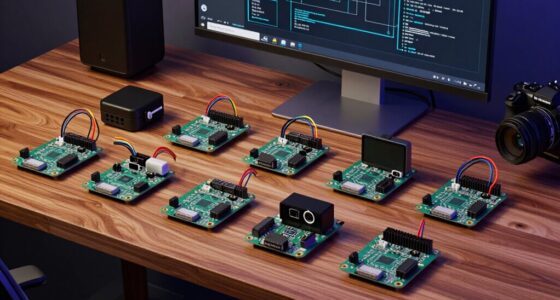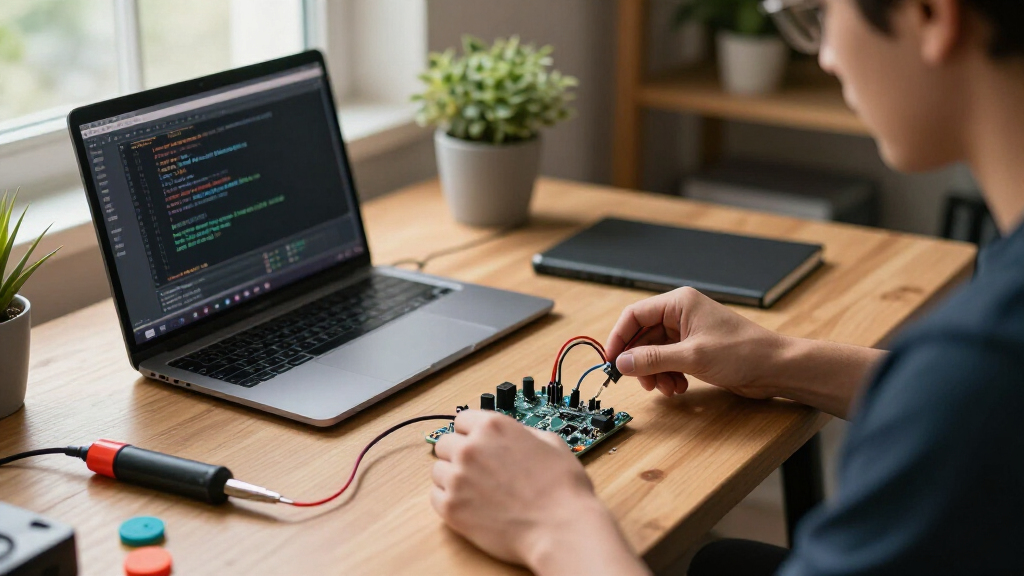

The best ESP32 microcontroller development boards depend on whether you need a versatile everyday board, a compact design, a camera setup, or a kit for learning. I rank the Arduino Nano ESP32 as the best overall for its familiar ecosystem and polished form factor, while the Seeed Studio XIAO ESP32S3 stands out for compact, power-conscious builds. For camera projects, the Freenove ESP32-S3 Camera Board Ultimate Starter Kit offers a more focused starting point. The main tradeoffs are board size, chip generation, included accessories, documentation, and how many boards come in a pack. Read on for all 15 picks, the reasons behind their order, and the details that can help narrow your choice.

Get monitors, keyboards and dev gear delivered free — and shop member deals
- Fast, free delivery on millions of items
- Access to Prime Big Deal Days deals on October 6–7
- Prime Video, Amazon Music and more included
Key Takeaways
- The Arduino Nano ESP32 leads for broad everyday use: its familiar Arduino ecosystem makes it a strong fit when support and a polished development workflow matter more than buying several basic boards at once.
- The XIAO ESP32S3 is the compact-build standout: its small footprint and battery charging support suit space- and power-conscious projects, but give you less room for direct wiring than larger boards.
- Camera work calls for a purpose-built kit: the Freenove ESP32-S3 Camera Board Ultimate Starter Kit is more relevant to vision projects than the roundup’s general-purpose ESP32 boards.
- Multi-packs favor experimentation and replacements: QIQIAZI, ELEGOO, Hosyond, and other multi-board options can suit classroom or batch builds, though buyers should compare pin layouts, USB connectors, and included support rather than count alone.
- Included learning materials change the beginner equation: the ELEGOO Super Starter Kit and Freenove kits are more teaching-oriented than bare boards, while standard development boards leave component and project selection to the buyer.
| ACEBOTT ESP32 Development Board V1.0 with USB-C, Wi-Fi, and Bluetooth |  | Best for Breadboard-Free Prototyping | Processor: ESP32 | RAM: 448 KB | Storage: 4 MB | VIEW LATEST PRICE | See Our Full Breakdown |
| Freenove ESP32-S3 Camera Board Ultimate Starter Kit |  | Best Complete Learning Kit | Processor: Dual-core 32-bit, up to 240 MHz | Flash memory: 8 MB | PSRAM: 8 MB | VIEW LATEST PRICE | See Our Full Breakdown |
| QIQIAZI ESP32 Development Boards, 3-Pack, 30-Pin with USB-C Cables |  | Best for Multi-Board Projects | Quantity: 3 boards | Pin count: 30 pins | USB-to-TTL chip: CP2102 | VIEW LATEST PRICE | See Our Full Breakdown |
| Wi-Fi Developer Board for Flipper Zero with ESP32-S2 |  | Best Flipper Zero Add-On | Processor: ESP32-S2-WROVER, 240 MHz Xtensa LX7 | Connectivity: 2.4 GHz Wi-Fi | USB ports: 1 | VIEW LATEST PRICE | See Our Full Breakdown |
| HiLetgo ESP32 ESP-WROOM-32 Development Board with Wi-Fi and Bluetooth |  | Best for Basic Arduino Wireless Builds | Processor: Espressif ESP32, dual-core | Processor speed: Listed as 1 MHz | Wireless connectivity: 2.4 GHz Wi-Fi and Bluetooth | VIEW LATEST PRICE | See Our Full Breakdown |
| ESP32 Development Board with WiFi and Bluetooth (3-Pack) |  | Best for Arduino-Compatible Wireless Prototyping | Module: ESP-WROOM-32 / ESP-32S | Processor: Dual-core microcontroller | Wireless: 2.4 GHz dual-mode Wi-Fi and Bluetooth | VIEW LATEST PRICE | See Our Full Breakdown |
| Seeed Studio XIAO ESP32S3 – 2.4 GHz Wi-Fi, BLE 5.0, Dual-core, Battery Charging Support, Power Efficient with Rich Interfaces |  | Best Compact Board for Battery-Powered Builds | Processor: Dual-core 32-bit Xtensa ESP32-S3, up to 240 MHz | Wireless: 2.4 GHz Wi-Fi and BLE 5.0 | Antenna: Integrated antenna; optional U.FL antenna | VIEW LATEST PRICE | See Our Full Breakdown |
| ELEGOO ESP-32 Super Starter Kit with Tutorial Compatible with Arduino IDE |  | Best for Learning Through Guided Projects | Included modules: Over 35 components, including sensors, displays, motors, and input devices | Tutorials: Online instructions for more than 30 projects | Connectivity: Wi-Fi and Bluetooth | VIEW LATEST PRICE | See Our Full Breakdown |
| ELEGOO ESP32 Development Boards, 3-Pack, ESP-WROOM-32, USB-C, Wi-Fi and Bluetooth 4.2 |  | Best Value for Documented Multi-Board Prototyping | Quantity: 3 boards | Module: ESP-WROOM-32 | Processor: 32-bit dual-core, up to 240 MHz | VIEW LATEST PRICE | See Our Full Breakdown |
| 6-Pack ESP32 Development Boards, USB Type-C, 38-Pin |  | Best for Classrooms and Multi-Project Builds | Quantity: 6 boards | Pin count: 38 pins | USB connector: USB Type-C | VIEW LATEST PRICE | See Our Full Breakdown |
| AITRIP ESP32 ESP-WROOM-32 Development Board with Type-C USB, WiFi & Bluetooth, Dual-Core 2.4GHz, CP2102, 30 Pins – Compatible with Arduino |  | Best for Built-In Sensors | Module: ESP-WROOM-32 | Processor: Dual-core 32-bit ESP32 | Clock speed: 240 MHz | VIEW LATEST PRICE | See Our Full Breakdown |
| Arduino Nano ESP32 with Headers (ABX00083) |  | Best for Arduino Ecosystem Users | Microcontroller: ESP32-S3 | Processor: Dual-core Xtensa 32-bit LX7 | Maximum clock: Up to 240 MHz | VIEW LATEST PRICE | See Our Full Breakdown |
| Hosyond ESP32 Development Boards, 2-Pack |  | Best for Matched Two-Board Projects | Quantity: 2 boards | Module: ESP-WROOM-32 | Processor: Dual-core 32-bit CPU | VIEW LATEST PRICE | See Our Full Breakdown |
| Hosyond ESP32-S Development Boards, 3-Pack, USB-C |  | Best Three-Board USB-C Bundle | Quantity: 3 boards | Model: ESP32S | Processor: Dual-core 32-bit, up to 240 MHz | VIEW LATEST PRICE | See Our Full Breakdown |
| Freenove ESP32 Development Board Kit, 2-Pack |  | Best for Guided Learning | Quantity: 2 development boards | Processor: Dual-core 32-bit microprocessor | Processor speed: Up to 240 MHz | VIEW LATEST PRICE | See Our Full Breakdown |
| ESP32 microcontroller development board | Processor | Wireless |
|---|---|---|
| ACEBOTT ESP32 Development Boar | ESP32 | — |
| Freenove ESP32-S3 Camera Board | Dual-core 32-bit, up to 240 MHz | 2.4 GHz Wi-Fi and Bluetooth 5 LE |
| QIQIAZI ESP32 Development Boar | — | — |
| Wi-Fi Developer Board for Flip | ESP32-S2-WROVER, 240 MHz Xtensa LX7 | — |
| HiLetgo ESP32 ESP-WROOM-32 Dev | Espressif ESP32, dual-core | — |
| ESP32 Development Board with W | Dual-core microcontroller | 2.4 GHz dual-mode Wi-Fi and Bluetooth |
| Seeed Studio XIAO ESP32S3 | Dual-core 32-bit Xtensa ESP32-S3, up to 240 MHz | 2.4 GHz Wi-Fi and BLE 5.0 |
| ELEGOO ESP-32 Super Starter Ki | Espressif dual-core processor | — |
| ELEGOO ESP32 Development Board | 32-bit dual-core, up to 240 MHz | 2.4 GHz Wi-Fi, Bluetooth Classic, and BLE 4.2 |
| 6-Pack ESP32 Development Board | — | 2.4 GHz Wi-Fi and Bluetooth |
| AITRIP ESP32 ESP-WROOM-32 Deve | Dual-core 32-bit ESP32 | 2.4 GHz Wi-Fi 802.11n and Bluetooth |
| Arduino Nano ESP32 with Header | Dual-core Xtensa 32-bit LX7 | Wi-Fi and Bluetooth 5.0 |
| Hosyond ESP32 Development Boar | Dual-core 32-bit CPU | Wi-Fi and Bluetooth; versions not specified |
| Hosyond ESP32-S Development Bo | Dual-core 32-bit, up to 240 MHz | 2.4 GHz Wi-Fi 802.11b/g/n and Bluetooth 4.2 |
| Freenove ESP32 Development Boa | Dual-core 32-bit microprocessor | 2.4 GHz Wi-Fi and Bluetooth 4.2 LE |
More Details on Our Top Picks
ACEBOTT ESP32 Development Board V1.0 with USB-C, Wi-Fi, and Bluetooth
The ACEBOTT stands out for its exposed IO pins, which let me connect project components without first fitting the board onto a breadboard. That makes it a practical choice for compact IoT builds and robotics prototypes where direct wiring is useful. Its USB-C connection with ESD protection adds a layer of protection during repeated cable connections, and Arduino IDE and MicroPython support give it a familiar starting point. Compared with the QIQIAZI three-pack, this is a single-board pick with more clearly described pin access, while QIQIAZI supplies multiple boards and cables for parallel projects. The tradeoff is setup: ACEBOTT says specific plugins and drivers must be downloaded from its site, and the board has no included battery or power adapter.
Pros:- All IO pins are exposed for direct project connections
- USB-C interface includes ESD protection
- Supports Arduino IDE and MicroPython
- Wi-Fi and Bluetooth suit common wireless IoT projects
Cons:- Requires manufacturer-specific plugins and drivers
- No battery or power adapter is included
Best for: Makers building a single wired IoT or robotics prototype who want exposed IO pins and USB-C.
Not ideal for: Buyers who want several boards in one package or a ready-to-run setup with power accessories included.
- Processor:ESP32
- RAM:448 KB
- Storage:4 MB
- Connectivity:Wi-Fi and Bluetooth
- Interface:USB-C with ESD protection
- Operating system:FreeRTOS
- Compatibility:Arduino IDE and MicroPython
Our verdict“Choose the ACEBOTT for a single ESP32 build where exposed IO and protected USB-C matter more than bundled accessories.”
Freenove ESP32-S3 Camera Board Ultimate Starter Kit
This Freenove kit is the strongest pick here for learning by building: it pairs an ESP32-S3 camera board with 243 components, a microSD card, and 121 guided projects. The 828-page digital tutorial includes MicroPython, C, and Processing examples, giving beginners more structured help than a standalone board such as the ACEBOTT ESP32. Its 8 MB flash and 8 MB PSRAM, plus USB-OTG and Bluetooth 5 LE, also support camera and connected-device experiments that need more than basic sensor input. That breadth comes with a practical cost in complexity: the small parts can overwhelm newcomers, some builds require soldering, and the documentation is not printed. I’d choose it for a guided project path, not for someone who only needs a basic board.
Pros:- Includes 243 components, modules, sensors, and wires
- Tutorial offers 121 projects and examples in multiple programming languages
- ESP32-S3 board includes camera, USB-OTG, Wi-Fi, and Bluetooth 5 LE
- 8 MB PSRAM and included microSD card support camera and data projects
Cons:- Documentation is digital only
- Large assortment of small parts can be hard for beginners to manage
- Some projects require soldering or additional assembly
Best for: New hobbyists and educators who want a camera-capable ESP32-S3 plus guided projects and components for hands-on learning.
Not ideal for: Experienced makers who only need a single development board, or beginners who prefer printed instructions and minimal parts.
- Processor:Dual-core 32-bit, up to 240 MHz
- Flash memory:8 MB
- PSRAM:8 MB
- Wireless:2.4 GHz Wi-Fi and Bluetooth 5 LE
- USB:USB-OTG and USB code uploader
- Camera:Integrated camera module
- Memory card:Includes 1 GB microSD card and reader
- Included components:243 components, modules, sensors, and wires
- Guided projects:121 step-by-step projects
Our verdict“Pick the Freenove kit if you want a guided, component-rich route into camera and IoT projects rather than a simple standalone board.”
QIQIAZI ESP32 Development Boards, 3-Pack, 30-Pin with USB-C Cables
For projects that need several ESP32s, the QIQIAZI pack offers a straightforward advantage: three 30-pin boards and USB-C cables in one bundle. Each uses a CP2102 USB-to-TTL chip and a processor rated up to 240 MHz, with Wi-Fi, Bluetooth, and BLE for common connected-device experiments. Arduino IDE, MicroPython, and Lua support also gives me room to try different development approaches. Compared with the single ACEBOTT board, QIQIAZI is better suited to building multiple nodes or keeping spares on hand; the Freenove kit, by contrast, is a more instructive package with components and guided projects. QIQIAZI’s main limitation is sparse documentation in the supplied details: board dimensions and individual pin functions are not specified, so I’d verify pin mapping before committing to a layout.
Pros:- Three boards and USB-C cables support parallel builds
- CP2102 USB-to-TTL chip and USB-C connection
- Supports Wi-Fi, Bluetooth, and BLE
- Compatible with Arduino IDE, MicroPython, and Lua
Cons:- Product details do not specify board dimensions or pin functions
- No sensors, project components, or tutorial package are listed
Best for: Makers prototyping multi-node sensor networks, parallel builds, or classroom exercises that need several compatible boards.
Not ideal for: First-time builders who need detailed pin documentation or a project kit with sensors, components, and tutorials.
- Quantity:3 boards
- Pin count:30 pins
- USB-to-TTL chip:CP2102
- USB connector:USB Type-C
- Processor speed:Up to 240 MHz
- Connectivity:2.4 GHz Wi-Fi, Bluetooth, and BLE
- Compatible platforms:Arduino IDE, MicroPython, and Lua
- Warranty:1 year
Our verdict“Choose QIQIAZI when having three ESP32 boards for parallel experiments matters more than bundled instruction or detailed pin documentation.”
Wi-Fi Developer Board for Flipper Zero with ESP32-S2
This board has a narrow but useful role: it adds Wi-Fi and debugging to a Flipper Zero setup, with USB-C or wireless debugging and GPIO for extra modules. Its configurable access-point and 2.4 GHz network modes make it more than a simple wireless adapter, particularly for builders developing or controlling connected projects. Compared with the ACEBOTT and QIQIAZI boards, though, it is less suitable as a general-purpose ESP32 development board; its standout value is its relationship to Flipper Zero and compatible devices. The Flipper Zero itself is not included, and some internet connectivity and GPIO functions depend on custom firmware. I’d choose it when Flipper integration is the goal, but skip it for a conventional Arduino or MicroPython starter build.
Pros:- Supports wireless and USB-C debugging
- Can run as an access point or join a 2.4 GHz Wi-Fi network
- GPIO allows connection of additional modules
- Web interface provides configuration and control
Cons:- Flipper Zero is not included
- Internet connectivity and some GPIO functions require custom firmware
Best for: Flipper Zero owners who want to add Wi-Fi access, debugging, and GPIO expansion to their device projects.
Not ideal for: General ESP32 beginners or buyers without a Flipper Zero who want a standalone board for standard microcontroller projects.
- Processor:ESP32-S2-WROVER, 240 MHz Xtensa LX7
- Connectivity:2.4 GHz Wi-Fi
- USB ports:1
- Dimensions:2.36 × 1.18 × 3.62 in
- Compatible device:Flipper Zero
- GPIO:Available for connecting additional modules
- Debugging:Wireless or USB-C
- Network modes:Access point or 2.4 GHz network
Our verdict“Buy this board for Flipper Zero-focused Wi-Fi and debugging work, not as a general replacement for the ACEBOTT or QIQIAZI development boards.”
HiLetgo ESP32 ESP-WROOM-32 Development Board with Wi-Fi and Bluetooth
The HiLetgo is a fit for builders who want the familiar ESP-WROOM-32 platform with Wi-Fi, Bluetooth, and Arduino IDE compatibility, without needing a camera kit or a multi-board bundle. Its AP, STA, and AP+STA modes let a project either host its own wireless network, join one, or combine both roles. That flexibility is useful for connected prototypes, while FreeRTOS and LWIP support suit projects that need an operating system and networking stack. Unlike the Freenove ESP32-S3 kit, HiLetgo is a simpler board choice rather than a learning package with components and tutorials; unlike ACEBOTT, the supplied details do not mention USB-C or exposed IO. The listed processor speed of 1 MHz is unusual for an ESP32 and should be checked before purchase, since the data does not clarify it.
Pros:- Supports both 2.4 GHz Wi-Fi and Bluetooth
- Works with the Arduino IDE
- Supports FreeRTOS and LWIP
- Offers AP, STA, and combined AP+STA wireless modes
Cons:- Listed processor speed of 1 MHz is unclear and should be verified
- Product details do not specify USB connector type or included accessories
Best for: Arduino builders who need a basic ESP32 board for Wi-Fi, Bluetooth, or access-point experiments.
Not ideal for: Buyers who need clearly documented performance specifications, USB-C, or a bundled set of components and guided projects.
- Processor:Espressif ESP32, dual-core
- Processor speed:Listed as 1 MHz
- Wireless connectivity:2.4 GHz Wi-Fi and Bluetooth
- Wireless modes:AP, STA, and AP+STA
- Operating system:FreeRTOS
- Protocol support:LWIP
- USB ports:1
- Compatibility:Arduino IDE
Our verdict“Choose HiLetgo for a straightforward Arduino wireless project if you can verify the processor specification and do not need a teaching kit.”
ESP32 Development Board with WiFi and Bluetooth (3-Pack)
This three-board set makes sense for builders who want standard ESP32 wireless features across several prototypes without choosing a newer, more specialized module. The ESP-WROOM-32 / ESP-32S supports 2.4 GHz Wi-Fi and Bluetooth, and its AP, STA, and AP+STA modes let a project act as an access point, join a network, or do both. Arduino IDE compatibility lowers the setup burden for familiar sketches, while LWIP and FreeRTOS support broader networking and firmware work. Compared with the ELEGOO ESP32 Development Boards 3-Pack, the listing provides less detail about USB-C and interfaces, so I would favor ELEGOO when connector and bus specifics matter. The tradeoff here is a relatively basic feature description: buyers get a useful quantity and wireless baseline, but should confirm pinout and USB details before building around it.
Pros:- Three boards support testing multiple designs or keeping spares.
- Dual-mode 2.4 GHz Wi-Fi and Bluetooth cover common connected-device projects.
- AP, STA, and AP+STA modes allow flexible network roles.
- Arduino IDE compatibility makes it approachable for existing Arduino workflows.
Cons:- USB connector type and peripheral interfaces are not specified.
- Memory capacity and detailed pinout information are absent from the listing.
Best for: Arduino makers who want three classic ESP32 boards for parallel Wi-Fi and Bluetooth prototypes.
Not ideal for: Buyers who need documented USB-C, memory, or interface specifications before selecting a board.
- Module:ESP-WROOM-32 / ESP-32S
- Processor:Dual-core microcontroller
- Wireless:2.4 GHz dual-mode Wi-Fi and Bluetooth
- Operating modes:AP, STA, and AP+STA
- Networking and software:LWIP, FreeRTOS, Arduino IDE compatible
- Antenna:Integrated antenna with RF amplifier and filter
- Quantity:3 boards
Our verdict“Choose this set for several Arduino-friendly ESP32 wireless prototypes, but pick a better-documented option if connector and pin details are deciding factors.”
Seeed Studio XIAO ESP32S3 – 2.4 GHz Wi-Fi, BLE 5.0, Dual-core, Battery Charging Support, Power Efficient with Rich Interfaces
The XIAO ESP32S3 is the clearest fit here when board size and battery operation matter more than easy access to a large collection of pins. Its 21 × 17.5 mm footprint suits wearables, small sensors, and compact robotics, while the dual-core ESP32-S3 runs at up to 240 MHz. Built-in lithium-battery charging and a stated sleep current as low as 14 µA support projects that need to spend long stretches idle. BLE 5.0 and optional U.FL antenna support also distinguish it from the standard ESP-WROOM-32 boards, including the ELEGOO 3-Pack. The tradeoff is its compact layout: it gives less room for hands-on wiring than a full-size board, and the listed 8 MB storage may limit larger applications. Its 2.4 GHz Wi-Fi also rules out 5 GHz networks.
Pros:- Small 21 × 17.5 mm board suits space-limited designs.
- Built-in lithium-battery charging and low-power sleep support portable projects.
- Dual-core ESP32-S3 runs at up to 240 MHz.
- BLE 5.0 and optional U.FL antenna provide flexible wireless options.
Cons:- Compact dimensions leave less room for convenient wiring than full-size ESP32 boards.
- Listed 8 MB storage may constrain larger firmware or data-heavy applications.
- Wi-Fi is limited to 2.4 GHz.
Best for: Wearable, remote-sensor, and small robotics builders who need a compact ESP32-S3 with battery charging and low-power sleep.
Not ideal for: Beginners who want generous pin spacing for frequent breadboard wiring, or projects that need 5 GHz Wi-Fi or more than 8 MB of listed storage.
- Processor:Dual-core 32-bit Xtensa ESP32-S3, up to 240 MHz
- Wireless:2.4 GHz Wi-Fi and BLE 5.0
- Antenna:Integrated antenna; optional U.FL antenna
- Battery support:Built-in lithium-battery charging
- Sleep current:As low as 14 µA, as stated in the product description
- Storage:8 MB
- Dimensions:21 × 17.5 mm board footprint
Our verdict“Pick the XIAO ESP32S3 for compact, battery-powered designs; choose a full-size board such as the ELEGOO 3-Pack for easier wiring and general prototyping.”
ELEGOO ESP-32 Super Starter Kit with Tutorial Compatible with Arduino IDE
This kit earns its place by bundling the board with more than 35 modules and tutorials for over 30 projects, giving beginners a practical route from a basic circuit to connected-device experiments. Sensors, displays, motors, and input devices let a learner explore more than the ESP32 itself, while Arduino IDE compatibility and project instructions reduce the need to source parts and examples separately. Compared with the three-board ELEGOO ESP32 set, this is a learning package rather than a supply of spare development boards; compared with the compact Seeed XIAO ESP32S3, it favors breadth of hands-on experimentation over small size and low-power design. The kit’s many components can create a busy first setup, and its single USB port may limit direct peripheral connections. It is less suited to buyers who already own a parts collection.
Pros:- Includes over 35 modules for varied sensor, display, motor, and input projects.
- Online tutorials cover more than 30 projects with code and circuit diagrams.
- Arduino IDE compatibility supports a familiar learning workflow.
- Wi-Fi and Bluetooth enable connected-device experiments.
Cons:- The large component assortment may overwhelm someone seeking a simple first circuit.
- One USB port can limit simultaneous direct peripheral connections.
- The kit centers on learning and parts variety rather than multiple development boards.
Best for: New makers and educators who want one ESP32 board, a broad set of components, and guided Arduino projects in one package.
Not ideal for: Experienced ESP32 developers who already have sensors and modules, or buyers seeking several bare boards for production-style prototyping.
- Included modules:Over 35 components, including sensors, displays, motors, and input devices
- Tutorials:Online instructions for more than 30 projects
- Connectivity:Wi-Fi and Bluetooth
- Processor:Espressif dual-core processor
- RAM:520 KB SRAM
- Interfaces and connectivity technology:Bluetooth, GPIO, I2C, USB, and Wi-Fi
- Development environment:Arduino IDE compatible
- USB ports:1
Our verdict“Choose this kit to learn ESP32 projects with guided instructions and included modules, not when you only need a few standalone boards.”
ELEGOO ESP32 Development Boards, 3-Pack, ESP-WROOM-32, USB-C, Wi-Fi and Bluetooth 4.2
Among the multi-board choices, this ELEGOO set stands out for pairing three ESP-WROOM-32 boards with clearly listed USB-C and interfaces. That documentation helps when choosing cables and planning sensor connections: GPIO, UART, SPI, and I2C cover common modules, while the CP2102 USB-to-serial chip supports programming and serial monitoring. The stated 4 MB storage and 520 KB RAM also give buyers more concrete planning details than the six-pack, which does not identify its exact ESP32 variant or memory. Compared with the three-board ESP32 Development Board with WiFi and Bluetooth, this model spells out more of its hardware, though it specifies Bluetooth 4.2 and does not include a USB-C cable. It is a practical general-purpose set, but not the compact, battery-focused choice represented by the Seeed XIAO ESP32S3.
Pros:- Three boards support parallel prototypes and spare hardware.
- USB-C and CP2102 support programming and serial monitoring.
- GPIO, UART, SPI, and I2C cover common peripheral connections.
- RAM and storage capacities are specified, aiding project planning.
Cons:- USB-C cable is not included.
- Bluetooth is specified as version 4.2 rather than BLE 5.0.
- The listing identifies an ESP-WROOM-32 module, not an ESP32-S3.
Best for: Makers who want three documented ESP-WROOM-32 boards with USB-C and standard serial and sensor interfaces.
Not ideal for: Buyers who need a USB-C cable in the box, a compact low-power board, or a fully specified newer ESP32 variant.
- Quantity:3 boards
- Module:ESP-WROOM-32
- Processor:32-bit dual-core, up to 240 MHz
- Memory:520 KB RAM
- Storage:4 MB
- Wireless:2.4 GHz Wi-Fi, Bluetooth Classic, and BLE 4.2
- Interfaces:GPIO, UART, SPI, I2C, and USB-C
- USB-to-serial chip:CP2102
- USB-C cable:Not included
Our verdict“Choose this three-pack for clearly specified, general-purpose ESP-WROOM-32 prototyping, provided you already have a USB-C cable.”
6-Pack ESP32 Development Boards, USB Type-C, 38-Pin
Six boards and 38 pins per board make this set the lineup’s strongest fit for a classroom, workshop, or maker who wants several projects running at once. The listed UART, SPI, I2C, PWM, DAC, and ADC interfaces cover a broad range of common peripherals, and USB Type-C provides a modern programming connection. Compared with the ELEGOO ESP32 Development Boards 3-Pack, this option doubles the board count and offers more pins than a 30-pin module, but the ELEGOO listing gives buyers firmer details about its module, processor, and memory. Here, the exact ESP32 variant and memory capacity are not specified, making compatibility planning less certain. I would choose this for quantity and connection options, not for projects that depend on known memory limits or a specific ESP32 generation.
Pros:- Six boards support group instruction or several concurrent builds.
- 38 pins provide more connection points than 30-pin modules.
- USB Type-C supports a current programming connection.
- UART, SPI, I2C, PWM, DAC, and ADC accommodate varied peripherals.
Cons:- Exact ESP32 variant is not specified.
- Memory capacity is not listed, complicating resource planning.
- Processor count is listed as one, with no fuller processor details supplied.
Best for: Teachers, workshop organizers, and makers who need multiple boards with broad peripheral connections for simultaneous projects.
Not ideal for: Developers whose firmware or accessory choices depend on a confirmed ESP32 variant, processor configuration, or memory capacity.
- Quantity:6 boards
- Pin count:38 pins
- USB connector:USB Type-C
- Wireless:2.4 GHz Wi-Fi and Bluetooth
- Interfaces:UART, SPI, I2C, PWM, DAC, and ADC
- Processor brand:Espressif
- Processor count:1, as listed
- ESP32 variant and memory:Not specified
Our verdict“Choose this six-pack when board quantity and 38-pin access matter most, but favor the ELEGOO three-pack if documented memory and module details are a priority.”
AITRIP ESP32 ESP-WROOM-32 Development Board with Type-C USB, WiFi & Bluetooth, Dual-Core 2.4GHz, CP2102, 30 Pins – Compatible with Arduino
The AITRIP pairs the familiar ESP-WROOM-32 platform with USB-C and a CP2102 bridge, so programming and power come through one common connector. Its dual-core processor, 4 MB flash, and support for interfaces such as I2C, SPI, ADC, and I2S suit projects that need more than basic wireless control. The onboard Hall, temperature, and capacitive-touch sensors also give experiments a starting point without adding separate sensor modules. Compared with the Freenove ESP32 Development Board Kit, AITRIP puts more emphasis on onboard hardware than guided learning materials. The tradeoff is that its 30-pin-per-side headers expose only 22 usable I/O pins, and the product data warns that beginner documentation may be sparse. I’d choose it for sensor-led prototypes, not for a project that needs every header pin.
Pros:- USB-C connector and CP2102 USB-to-UART bridge support straightforward programming and power.
- Dual-core 240 MHz ESP32 with 4 MB flash suits a broad range of connected prototypes.
- Onboard Hall, temperature, and capacitive-touch sensors enable experiments without extra sensor boards.
- Supports common interfaces including UART, SPI, I2C, PWM, ADC, DAC, and I2S.
Cons:- Only 22 of the 30-pin-per-side header connections are listed as usable I/O.
- Documentation may be sparse for first-time ESP32 users.
- External input is specified only up to 12 V, limiting higher-voltage power setups.
Best for: Makers building Arduino-compatible IoT prototypes who want onboard touch, Hall, and temperature sensors alongside common peripheral interfaces.
Not ideal for: Beginners who depend on detailed step-by-step documentation, or designers whose project needs more than 22 usable I/O pins.
- Module:ESP-WROOM-32
- Processor:Dual-core 32-bit ESP32
- Clock speed:240 MHz
- Flash:4 MB (32 Mbit SPI flash)
- Usable I/O:22 pins
- USB interface:USB-C with CP2102 USB-to-UART bridge
- Wireless:2.4 GHz Wi-Fi 802.11n and Bluetooth
- Power input:5 V USB or external 5–12 V
Our verdict“Choose the AITRIP if onboard sensors and broad peripheral support matter more than beginner-focused documentation or maximum usable pin count.”
Arduino Nano ESP32 with Headers (ABX00083)
The Arduino Nano ESP32 is the clearest fit here for buyers who want an ESP32-S3 in a compact, headed format and value its stated support for MicroPython and HID projects. Its dual-core LX7 processor runs at up to 240 MHz, while Wi-Fi, Bluetooth 5.0, and USB-C cover the core needs of connected prototypes. HID support makes it relevant for devices that act as a keyboard or other USB input device, a use case not highlighted for the AITRIP ESP32 board. The product data does not spell out pin count or flash configuration, however, so I would check the board documentation against a project’s wiring and storage needs before choosing it. It also lacks the included learning project material provided with the Freenove kit. This is a more focused board purchase, not a tutorial bundle.
Pros:- ESP32-S3 dual-core processor runs at up to 240 MHz.
- Bluetooth 5.0 and Wi-Fi support connected embedded projects.
- USB-C and stated HID support suit USB-connected input-device experiments.
- Supports MicroPython as well as the Arduino-focused workflow suggested by its product line.
Cons:- The supplied product data does not specify usable I/O count or flash capacity.
- No bundled tutorials or project materials are listed.
- The described feature set is less focused on built-in sensors than the AITRIP board.
Best for: Arduino-oriented makers who want an ESP32-S3 board for compact builds, MicroPython experiments, or USB HID projects.
Not ideal for: Buyers who need clearly listed pin, flash, and memory specifications before planning a complex wiring layout, or want bundled project tutorials.
- Microcontroller:ESP32-S3
- Processor:Dual-core Xtensa 32-bit LX7
- Maximum clock:Up to 240 MHz
- Wireless:Wi-Fi and Bluetooth 5.0
- USB connector:USB-C
- HID support:Yes
- MicroPython compatible:Yes
- Headers:Included
Our verdict“Pick the Arduino Nano ESP32 if you want an ESP32-S3 with Bluetooth 5.0, MicroPython, and HID support, and can verify pin and memory details for your build.”
Hosyond ESP32 Development Boards, 2-Pack
This Hosyond package makes sense when a project needs two ESP-WROOM-32 boards—for example, one device to transmit data and another to receive it, or a spare board for parallel development. Both are described with CP2102 USB-to-serial chips, dual-core processors, Wi-Fi, Bluetooth, and a range of common interfaces. Compared with the Freenove ESP32 Development Board Kit, this listing centers on two general-purpose boards rather than tutorials and guided example projects. That makes it a more direct choice for developers who already know their workflow, but less supportive for someone learning MicroPython or C from scratch. The specified power range deserves attention: external supply is listed as 3–3.6 V, with 3.3 V recommended, while USB power is also supported. Wireless versions are not specified.
Pros:- Two ESP-WROOM-32 boards support paired prototypes or a ready spare.
- CP2102 USB-to-serial chips support computer connection and debugging.
- Works with Arduino IDE and NodeMCU environments.
- Provides 22 I/O ports and interfaces including UART, SPI, I2C, PWM, ADC, and DAC.
Cons:- External power must stay within the listed 3–3.6 V range; 3.3 V is recommended.
- The product data does not identify Bluetooth version or exact Wi-Fi standards.
- No tutorials or guided project material are listed, unlike the Freenove kit.
Best for: Makers building paired ESP32 nodes, testing device-to-device communication, or keeping a second compatible board for development.
Not ideal for: Beginners who want structured lessons, or builders who need documented Bluetooth versions and wireless standards before selecting components.
- Quantity:2 boards
- Module:ESP-WROOM-32
- Processor:Dual-core 32-bit CPU
- Flash:32 Mbit SPI flash
- I/O ports:22
- USB-to-serial:CP2102
- Wireless:Wi-Fi and Bluetooth; versions not specified
- Power:5 V USB or 3–3.6 V external supply; 3.3 V recommended
Our verdict“Choose this two-pack for paired ESP32 projects or a spare board, provided the unspecified wireless details do not affect your design.”
Hosyond ESP32-S Development Boards, 3-Pack, USB-C
For buyers who need several boards on hand, Hosyond’s three-board USB-C pack offers a straightforward way to build multiple prototypes without mixing board models. The listed ESP32-S boards combine dual-core processing up to 240 MHz with 2.4 GHz Wi-Fi, Bluetooth 4.2, and GPIO, UART, SPI, and I2C. Support for Arduino IDE, ESP-IDF, MicroPython, and PlatformIO gives this pack broader stated toolchain coverage than the Hosyond two-pack, though that product lists additional interfaces such as ADC and DAC. This three-pack’s listed 512 KB RAM is a practical constraint for memory-heavy work, and the description does not specify flash capacity or a USB-to-serial chip. I’d favor it for repeated, moderate-size builds where consistent USB-C boards matter more than detailed hardware documentation.
Pros:- Three boards provide matching hardware for multiple builds or spares.
- USB-C connector is specified on each board.
- Listed compatibility includes Arduino IDE, ESP-IDF, MicroPython, and PlatformIO.
- Built-in 2.4 GHz Wi-Fi and Bluetooth 4.2 support common connected projects.
Cons:- The listed 512 KB RAM may constrain memory-intensive applications.
- Flash capacity is not specified in the supplied product data.
- Only GPIO, UART, SPI, and I2C are listed, with fewer interface details than the Hosyond two-pack.
Best for: Makers who want three matching USB-C ESP32 boards for several prototypes, classroom exercises, or parallel firmware development.
Not ideal for: Projects with high memory demands, or buyers who need flash capacity and USB-to-serial details confirmed before purchase.
- Quantity:3 boards
- Model:ESP32S
- Processor:Dual-core 32-bit, up to 240 MHz
- RAM:512 KB
- Wireless:2.4 GHz Wi-Fi 802.11b/g/n and Bluetooth 4.2
- USB connector:USB-C
- Listed interfaces:GPIO, UART, SPI, I2C
- Development environments:Arduino IDE, ESP-IDF, MicroPython, PlatformIO
Our verdict“Pick this pack when three matching USB-C boards and broad development-environment support matter more than specified flash capacity or expanded interface details.”
Freenove ESP32 Development Board Kit, 2-Pack
Freenove’s strongest distinction is not a special board specification but the guided MicroPython and C project material supplied online or as a download. The tutorials cover LEDs, Bluetooth, Wi-Fi, and TCP/IP, giving newer makers a route from basic outputs to networked examples. Two boards are included, and their listed dual-core processor, 4 MB flash, 520 KB SRAM, Wi-Fi, and Bluetooth 4.2 LE make them suitable for general ESP32 learning and prototypes. Compared with the Hosyond two-pack, Freenove gives up some stated interface detail—Hosyond lists 22 I/O ports and several peripheral interfaces—in exchange for more instructional support. The tutorials are not printed, and programming still requires a computer with an IDE and driver. I’d choose this kit when project guidance matters more than a fully itemized interface list.
Pros:- Two development boards support practice and paired experiments.
- Online or downloadable tutorials guide MicroPython and C projects.
- Example topics include LEDs, Bluetooth, Wi-Fi, and TCP/IP.
- Lists 4 MB flash, 520 KB SRAM, and Bluetooth 4.2 LE.
Cons:- Tutorials are online or downloadable; no printed guide is included.
- Programming requires a computer with an IDE and driver.
- The provided specifications list fewer interface details than the Hosyond two-pack.
Best for: New ESP32 learners and classroom users who want two boards plus guided MicroPython and C projects covering wireless basics.
Not ideal for: Buyers who need printed instructions, detailed pin/interface documentation in the listing, or a board-only bundle without a computer-based setup.
- Quantity:2 development boards
- Processor:Dual-core 32-bit microprocessor
- Processor speed:Up to 240 MHz
- Flash:4 MB
- SRAM:520 KB
- Wireless:2.4 GHz Wi-Fi and Bluetooth 4.2 LE
- Languages:MicroPython and C
- Tutorial format:Online or downloadable; no printed tutorial
Our verdict“Choose the Freenove kit if guided MicroPython and C projects will help you learn faster than a more detailed board specification sheet.”

How We Picked
I compared the 15 listings by the factors that shape an ESP32 project after unboxing: board and chip family, connectivity, physical size, USB connection, pin access, power options, documentation or included components, and suitability for the stated use. I gave more weight to a clearly useful role than to a long feature list: a compact board, camera kit, or beginner bundle can serve a buyer better than a generic board when the project matches.
The ranking favors versatility and a clear path from setup to project work, which puts the Arduino Nano ESP32 first as the broadest recommendation. Specialized boards rank highly for their specific strengths, while multi-packs and basic ESP-WROOM-32 boards offer practical value for repeated builds but may require more independent setup and parts. I also account for tradeoffs: a small footprint can limit wiring access, a bundle can include materials a buyer will not use, and several boards in a pack do not guarantee identical documentation or workflow.
Factors to Consider When Choosing Best ESP32 Microcontroller Development Boards
Before choosing a board, match its capabilities to the project you actually plan to build. ESP32 boards can share a family name while differing in chip generation, physical layout, power features, and setup experience. These broader checks can help prevent a board that looks suitable on a listing from becoming an awkward fit at the workbench.
Match the chip family to the workload
Do not treat every ESP32 label as interchangeable: ESP32, ESP32-S2, and ESP32-S3 boards can differ in available features and how well they suit a project. Start with the task, such as ordinary Wi-Fi sensing, a camera build, or an application that benefits from a newer board family, then confirm the exact chip on the manufacturer’s documentation. A product title may highlight Wi-Fi or Bluetooth without making every board capability clear. Check library and framework support before buying if your project depends on a specific peripheral or example. A familiar, older board can be a sensible choice for basic prototypes, while specialized work may justify a newer or purpose-built option.
Choose board size around wiring and enclosure needs
A compact board can fit inside a small enclosure, wearable, or portable device, but it may leave less room for convenient prototyping. Larger boards typically make pins easier to reach and can be simpler to connect with jumper wires or a breadboard. Think about whether the finished project will be hand-wired, installed in an enclosure, or assembled as a batch. Check the pinout drawing and board dimensions, not just the pin count: two boards with similar counts can place pins differently. If you are still changing sensors and wiring often, ease of access may matter more than a smaller footprint.
Check power requirements before planning portability
Battery support on a development board can simplify portable prototypes, but it does not tell you how long a finished device will run. Actual runtime depends on the battery, radio use, attached sensors, and how the firmware manages sleep. Confirm the board’s charging and power connections, and review its documentation before attaching a battery or external supply. A board designed for easy battery integration may be more convenient than a standard board, but it can still need careful power planning. For a project that stays near USB power, a charging feature may add little practical value.
Look beyond USB-C to programming and power details
USB-C describes the connector, not the full programming experience. Check whether the board’s USB interface and setup instructions match your computer and development environment, and whether any required cable or driver is included. Some listings bundle cables; others leave you to supply them. Also distinguish a connector used for data from one you plan to use only for power, since a charging cable may not support data transfer. If several people will set up boards, clear documentation and a repeatable upload process can save more time than a connector upgrade.
Decide whether a kit or a bare board suits your learning style
A starter kit can reduce the effort of finding compatible parts and following a first project, especially for learners who want guided exercises. It can also include components that do not suit your intended build, so check the kit contents and tutorial coverage before treating the bundle as a complete solution. A bare board is usually a better fit when you already own sensors, breadboards, and wires or want to select each component yourself. For classrooms and repeated prototypes, multi-packs can simplify having matching boards available. Before buying in quantity, verify that the model, pin layout, and programming instructions are consistent across the pack.
Plan for software, documentation, and project longevity
Board selection is partly a software decision: examples, library compatibility, pinout references, and active documentation can shape how quickly a project progresses. A board that fits your existing Arduino or other development workflow can reduce setup friction, while a less familiar variant may require extra research. Search for the exact model’s official pinout and setup instructions rather than relying only on generic ESP32 tutorials. If a project may need repairs or expansion later, favor a board with clearly documented connections and readily understandable examples. For a one-off experiment, a simpler or multi-pack board may be enough; for a maintained device, documentation deserves more weight.
Frequently Asked Questions
Should I choose the Arduino Nano ESP32 or a standard ESP-WROOM-32 board?
Choose the Arduino Nano ESP32 if a familiar Arduino workflow, compact finished design, and ecosystem support matter more than getting several general-purpose boards in one pack. A standard ESP-WROOM-32 board is a practical alternative for basic Wi-Fi and Bluetooth prototypes, especially if you want a larger layout for wiring or need boards for repeated experiments. Check the exact pinout and USB setup for either model before adapting an existing project. If your project uses examples written for a particular ESP32 variant, confirm compatibility rather than assuming the code will transfer unchanged. The better choice depends on workflow and physical fit, not just the ESP32 name.
Is the XIAO ESP32S3 a good choice for a beginner?
It can be a good beginner board when the goal is a small project and the learner is comfortable working with a compact pin layout. Its battery charging support can also help with portable prototypes, but it does not replace learning basic battery and power-safety practices. A larger board or guided kit may be easier for first-time breadboard wiring because the connections are more accessible and instructions may provide a clearer starting path. Before choosing the XIAO, check the pinout against the sensors and accessories you plan to use. Pick it for size and portability, not simply because it is the smallest option.
Do I need an ESP32-S3 camera kit for a camera project?
A camera-focused kit is a sensible starting point when its board, camera-related components, and tutorials match the project you have in mind. A general-purpose ESP32 board may not include the camera hardware or setup guidance needed, so compare the kit contents rather than relying on the product name alone. Camera work can also place different demands on memory, connections, and example code than a simple sensor project. Confirm that the documentation covers the intended camera and software setup before committing. For projects without imaging, a standard development board is usually a more direct fit.
Are multi-pack ESP32 boards the right choice for a class or several prototypes?
Multi-packs can be useful when you need matching boards for students, parallel experiments, or replacements during a build cycle. The pack count alone does not show whether the boards include cables, tutorials, or consistent pin layouts, so check those details first. Matching boards can make shared instructions easier to follow, but different revisions or chip variants may change setup steps. For a class, verify that the selected development environment and example projects support the exact boards in the pack. For a single project, a kit with relevant components may offer more value than several bare boards.
What should I verify before connecting a battery or external power supply?
Check the board’s official power-input and battery documentation before connecting anything, including the supported voltage, polarity, charging arrangement, and whether USB can remain connected at the same time. A battery-charging feature does not mean every battery type or wiring method is supported. Plan for the power draw of Wi-Fi, sensors, and other attached components, since a prototype that works over USB may behave differently on battery power. Use a battery and charging setup appropriate to the board, and avoid guessing from connector shape alone. When the power path is unclear, choose a documented setup or ask the board maker before energizing the circuit.
Conclusion
For one versatile board to build around, I recommend the Arduino Nano ESP32 as best overall, especially if the Arduino workflow and ecosystem are a priority. The best value for repeated experiments is a suitable multi-pack such as the QIQIAZI or ELEGOO ESP-WROOM-32 sets, provided their pinout and included accessories fit your setup. For beginners who want guided projects, the ELEGOO Super Starter Kit or a Freenove kit is a more natural starting point than a bare board. The best premium-style compact pick is the Seeed Studio XIAO ESP32S3 for builds where size and battery support matter, while the best specific-purpose choice for camera work is the Freenove ESP32-S3 Camera Board Ultimate Starter Kit. Match the board to the project’s wiring, power, and software needs, and you can avoid paying attention to features your build will never use.
Fall Picks
fall essentials
As an affiliate, we earn on qualifying purchases.